- Markdown style
[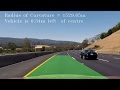](https://youtu.be/nTQUwghvy5Q)- HTML style
<a href="http://www.youtube.com/watch?feature=player_embedded&v=nTQUwghvy5Q" target="_blank">

| name: Update vault content | |
| on: | |
| schedule: | |
| - cron: '0 11 * * MON' # Run every Monday at 11 AM UTC (6 AM EST, 7 AM EDT) | |
| workflow_dispatch: | |
| jobs: | |
| update_vault_content: | |
| runs-on: ubuntu-latest |

| import cv2 | |
| from moviepy.video.compositing.CompositeVideoClip import CompositeVideoClip | |
| from moviepy.video.VideoClip import ImageClip, TextClip | |
| img = cv2.imread("input.png") | |
| img = cv2.cvtColor(img, cv2.COLOR_BGR2RGB) | |
| vid = ImageClip(img) | |
| frame_height = img.shape[0] |

| // Credit: https://www.rushworth.us/lisa/?p=6854 | |
| var objTranscriptionLines = window.angular.element(window.document.querySelectorAll('.transcript-list')).scope().$ctrl.transcriptLines; | |
| var strRunningText = ""; | |
| for(var i = 0; i < objTranscriptionLines.length; i++){ | |
| if( objTranscriptionLines[i] ){ | |
| var strLineText = objTranscriptionLines[i].eventData.text; | |
| strRunningText = strRunningText + "\n" + strLineText; | |
| } | |
| } |


See how a minor change to your commit message style can make a difference.
git commit -m"<type>(<optional scope>): <description>" \
  -m"<optional body>" \
  -m"<optional footer>"


FFMPEG filters provide a powerful way to programmatically enhance or alter videos, and it’s fairly simple to add a watermark to a video using the overlay filter. The easiest way to install ffmpeg is to download a pre-built binary for your specific platform. Then you don’t have to worry about including and installing all the right dependencies and codecs you will be using.
Once you have ffmpeg installed, adding a watermark is as easy as passing your existing source through an overlay filter like so:
ffmpeg -i test.mp4 -i watermark.png -filter_complex "overlay=10:10" test1.mp4
Basically, we’re passing in the original video, and an overlay image as inputs, then passing it through the filter, and saving the output as test1.mp4.