

This is a summary of the work I did for the zulip server and web application as a part of Google Summer of Code 2024.
Zulip is a powerful open-source team collaboration tool that combines the best of email and chat, making it easy to manage both live and asynchronous conversations. Its unique topic-based threading keeps discussions organized, even in busy channels. Zulip is ideal for teams looking to communicate more efficiently and never miss important messages.
Why Zulip? - Efficient communication with organized team chat.
- Title: Improve the framework and UI in Zulip’s overlays for managing channels and groups.
- Repository: zulip/zulip
- Mentor: Yogesh sirsat
- Project Size: Large
- Checkins: checkins
- Commits during GSoC
- Pull requests during GSoC
- All commits to zulip/zulip
- All pull requests to zulip/zulip
Let's take a concise look at what we mean by all the terms above mentioned:
Zulip:
Zulip is an open-source team collaboration tool that combines features of both email and chat to help teams communicate effectively. Its key advantage is its topic-based threading, which helps organize conversations, making it easy to follow discussions over time. This unique approach makes Zulip ideal for both live chats and asynchronous conversations, where team members can reply at their convenience without clutter.
Channels:
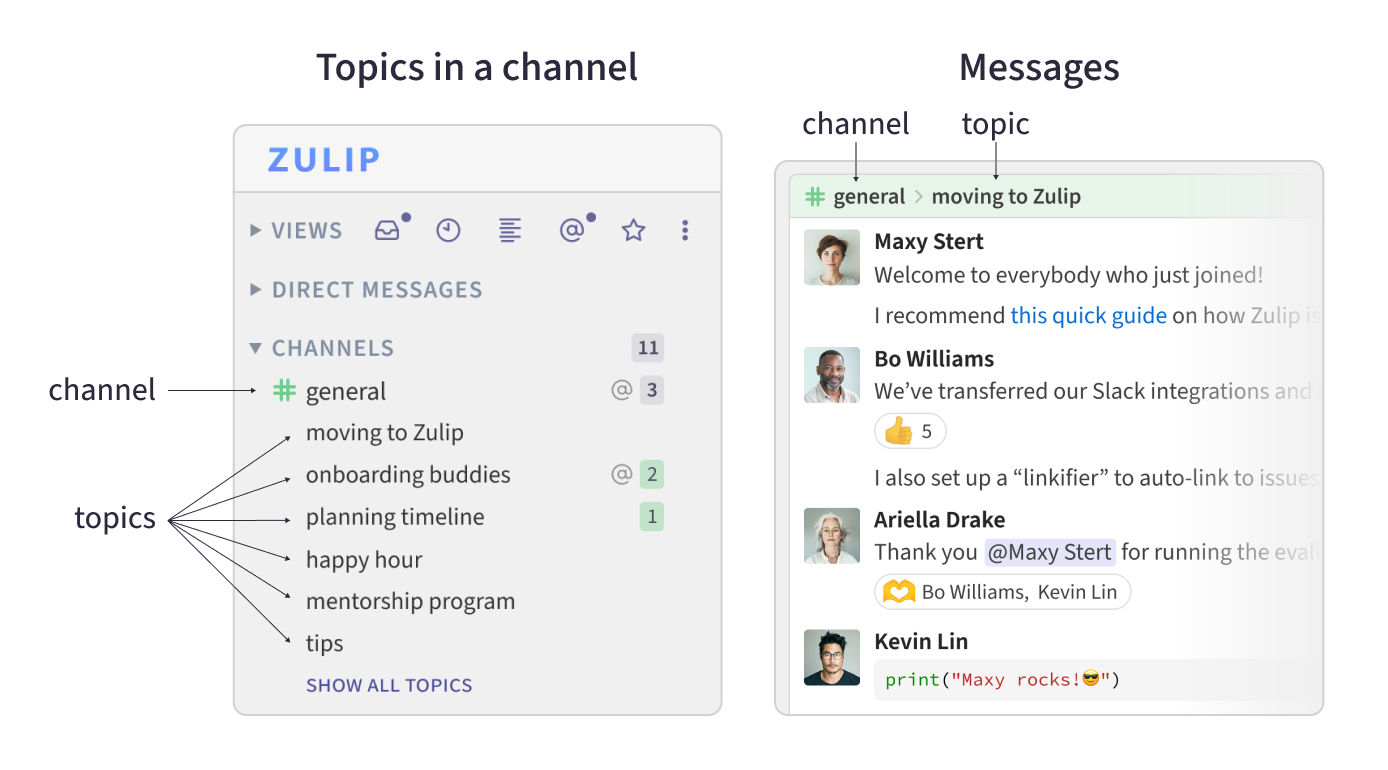
Channels in Zulip are spaces where conversations are grouped based on who should be involved. For example, different teams in an organization might have their own channels. Unlike other chat tools, Zulip organizes conversations within a channel by specific topics, so there's no need to create multiple channels for every project or subject.
User Groups:
User groups in Zulip allow you to notify multiple users at once. For example, if you mention a user group, everyone in that group will be alerted. You can also manage groups by subscribing them to channels or creating direct messages for all members.
Topics:
In Zulip, topics are labels for conversations within a channel. They help organize discussions, allowing multiple conversations to happen simultaneously without confusion. Topics enable users to easily navigate and participate in specific discussions, even if they were initiated hours or days ago.
Channels and topic
These contributions involve enhancements to various user interface sections in settings, focusing on streamlining and improving user interactions.
Enhancements to the settings UI ensure a cleaner, more intuitive user experience when managing streams, user groups, and emojis.
- #31030 settings: Convert name to pills in custom emoji section.
- #30635 Followup stream creation panel.
- #30479 Follow up restructure stream creation panel PR.
- #30371 Organization Pill.
- #30296 Usergroup detail section.
- #30021 Add Not subscribe tab in channels settings.
- #30539 stream_settings: Add can_unsubscribe_group setting (Not merged).
A series of improvements for handling bots and user management in the organization, enhancing user experience and organization tools.
Improvements in bot management provide better user experience by fixing layout issues, consolidating sections, and adding new organizational tools. Similarly, user-related settings now offer better filtering and improved customization.
- #31571 bot: Fix extra spacing for bot avatar (Not merged).
- #31164 Consolidate Bot section (Not merged).
- #31423 settings_users: Fix for filter search text issue in settings users.
These contributions relate to improving onboarding and user group features, making them more user-friendly and providing additional functionality.
Better onboarding features help users navigate the system easily, while enhancements in user group settings streamline group management.
- #30299 Add members to usergroup invitation (Not merged).
- #29664 Add feature to update multiuse invites (Not merged).
This feature enhances the management of topic settings, allowing admins or users to lock or unlock specific topics.
Locking or unlocking topics provides better control over conversations in streams, especially for discussions that need to be closed or reopened for interaction.
- #31587 topic_settings: Add a lock/Unlock topic settings (Not merged).
Refactoring and other minor but important commits, not related to any major feature.
- #31121 help: Document Share someone's profile.
- #29801 setting_ui: Fix sorting by "Invited by" column.
- #29806 todo_list: Add option for modal to create todo-lists (Not merged).
- comopse box is not disabled in dm feed
- extra spacing in avatar section in bot management tab.
- Wrong text is shown in deactivated user tab.
- filters are not working properly
- filter text is applied in every tab.
- group members section is broken
Total of  added and
  code removed.


As I wrap up my journey with Google Summer of Code at Zulip, I can't help but feel grateful for the countless opportunities to learn and grow. Working in the Zulip community has been nothing short of inspiring.
One of the key takeaways for me was mastering Zulip’s rebase-oriented workflow in Git. This approach, combined with understanding and refactoring other people's code, sharpened my development skills. It also gave me a deeper appreciation of how crucial clean, organized code is. Additionally, I learned how event-based communication works in Zulip, gaining insights into the mechanics of real-time messaging. Understanding how events are transferred and handled across the platform was both fascinating and rewarding.
Zulip’s documentation proved to be my go-to resource, from writing tests to grasping the fundamentals of Zulip’s architecture. Whether it was debugging an issue or learning best practices, the documentation always had the answers I needed.
What I like most about the Zulip community?
Is the incredible support. Whether you're a contributor or a user, the community always responds quickly—often within hours—when you need help or want to suggest a feature or report a bug. It’s this level of responsiveness and collaboration that makes Zulip stand out.
What I like most about the Zulip as a product?
As a product, Zulip's topic-based structure really sets it apart from other chat tools. The way conversations are organized into topics keeps everything streamlined, which is a huge advantage. And I can’t forget to mention the color-coded UI for channels—it significantly enhances the user experience, adding a touch of simplicity and clarity that’s missing in other platforms.
I’m deeply thankful to Yogesh sirsat for his mentorship throughout this journey. Special thanks to Adnan for reviewing my pull requests, to Alya Abbott for guiding me with design decisions, Sahil batra and Tim Abbott for discussions, code reviews, and invaluable assistance throughout the program, Lauryn Menard and Karl Stolley for hosting games and events throughout the gsoc. And of course, I appreciate the help and support from all the other amazing Zulip contributors.
This experience has been unforgettable, and I’m excited to keep contributing to the Zulip community in the future.