This repository contains the bare-minimum and necessary tools and files required to spin up a WordPress theme. The goal of this project is to eradicate the time that goes to set-up a WordPress theme. This repository doesn't contain theme files itself, you'll have to include the files within your theme.
Within your theme, download the zip and extract the files in the theme root. To integrate base components with your current theme, add:
require get_template_directory() . '/bt-includes/loader.php';to your functions.php file.
The tealium script and variables are set within bt_tealium_script() function defined within the _helper-functions.php file. Call the function within the header to set up tealium and pass in the necessary arguments.
- 6 sidebars have been registered ready for use if necessary
- 2 navigation areas have been registered, one for Header and another for Footer
You can find the registration done inside the bt-includes/ folder.
JS dependencies are handled using NPM. Webpack is used as the module-bundler.
There are 4 scripts registered in the package.json file:
{
    "scripts": {
        "dev": "LIBRARY=TLS NODE_ENV=development webpack --mode development --watch",
        "prod": "webpack --mode production",
        "eslint": "eslint assets/src/js/front/",
        "eslint-fix": "eslint assets/src/js/front/ --fix"
    }
}dev: Use this for local development. It compiles SCSS to CSS, runs Babel to transpile ES6 to ES5 and generates source maps.prod: Use this just before merging your branch intodevelop. Does the same as above but also minifies the fileseslint: Performs liniting on all the JS files (except insidenode_modules/)eslint-fix: Fixes the coding standards (it does the best it can do)
To differentiate the folders that comes with Base Components and your current theme, the folder names are prefixed with bt-.
Filenames that begin with underscore are partials or templates that are included all at once in a file with a name without underscore. For example:
.
├── _constants.php
├── _enqueue-assets.php
├── _helper-functions.php
├── _register-menus.php
├── _register-sidebars.php
└── loader.php
all the partials above are included in the loader.php file. This naming convention extends to all file types.
No HTML frameworks or libraries are included. This is just an important reminder to strictly use the BEM standards while building HTML layout. It helps keep the SASS clean, readable and maintainable.
Bulma is the chosen framework instead of Bootstrap. Webpack takes care of all the CSS polyfills and vendor prefixes so this is compatible up to IE11.
Note: Bulma is a flex-based framework, so make it a rule that you use the flex model to its full potential and avoid using CSS floats. Please refer to these articles for a thorough understanding of the flex model:
- CSS tricks - This would be enough for development
- W3.org - This is the official spec-sheet for flex model
Important: Please go through all the SCSS files to understand their roles before going ahead with the development.
- Scroll to top is already implemented using vanilla-back-to-top
- Click anchor to scroll is already implemented using scroll-navigation-menu
- Lazy Load is already implemented using vanilla-lazyload. This package uses the Intersection Observer API which is compatible with modern browsers. To make it compatible with older browsers, W3C has an official supporting library called Intersection Observer Polyfill which has been included in the
package.jsonconfig. - react and react-dom are included to support React Components.
- Glide JS slider is used for carousal. It is built on Vanilla JS and very lightweight.
Use the above libraries using ES6 imports wherever necessary. Use Webpack's code splitting to use libraries which would be used only on specific pages. This will help reduce the size of the final JS bundle.
Custom header and footer templates have been defined inside the /bt-partials folder. This can be readily use with minimum customizations necessary.
It's something which we've used on multiple sites. For this reason, we've created 3 readymade templates which can be found inside bt-card-templatess/ folder.
Use the bt_get_template_part() function defined inside bt-includes/_helper-functions.php instead of get_template_part() since the latter function doesn't allow you to pass variables to the template.
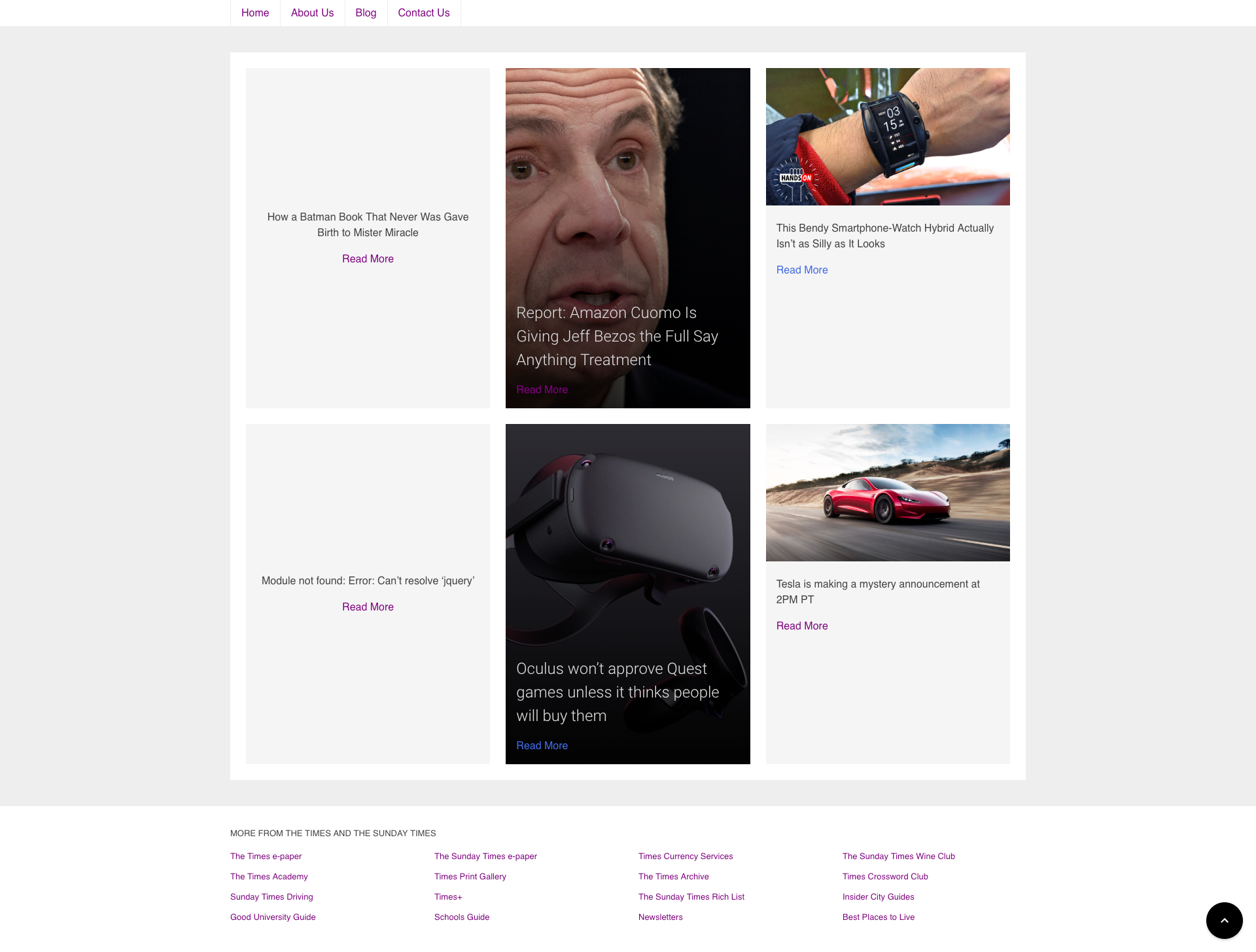
Sample screenshot demonstrating the header, card layouts, footer and the implementation of 'scroll to top' button and the Bulma framework.