
Created
September 2, 2025 06:16
-
-
Save Parassharmaa/87d7450d3f4e91c86e92284cb5a44da3 to your computer and use it in GitHub Desktop.
Playwright llms.txt
This file has been truncated, but you can view the full file.
This file contains hidden or bidirectional Unicode text that may be interpreted or compiled differently than what appears below. To review, open the file in an editor that reveals hidden Unicode characters.
Learn more about bidirectional Unicode characters
| # https://playwright.dev/ llms-full.txt | |
| ## Playwright Testing Framework | |
| [Skip to main content](https://playwright.dev/#__docusaurus_skipToContent_fallback) | |
|  | |
| ### Any browser • Any platform • One API | |
| **Cross-browser.** Playwright supports all modern rendering engines including Chromium, WebKit, and Firefox. | |
| **Cross-platform.** Test on Windows, Linux, and macOS, locally or on CI, headless or headed. | |
| **Cross-language.** Use the Playwright API in [TypeScript](https://playwright.dev/docs/intro), [JavaScript](https://playwright.dev/docs/intro), [Python](https://playwright.dev/python/docs/intro), [.NET](https://playwright.dev/dotnet/docs/intro), [Java](https://playwright.dev/java/docs/intro). | |
| **Test Mobile Web.** Native mobile emulation of Google Chrome for Android and Mobile Safari. The same rendering engine works on your Desktop and in the Cloud. | |
| ### Resilient • No flaky tests | |
| **Auto-wait.** Playwright waits for elements to be actionable prior to performing actions. It also has a rich set of introspection events. The combination of the two eliminates the need for artificial timeouts - the primary cause of flaky tests. | |
| **Web-first assertions.** Playwright assertions are created specifically for the dynamic web. Checks are automatically retried until the necessary conditions are met. | |
| **Tracing.** Configure test retry strategy, capture execution trace, videos, screenshots to eliminate flakes. | |
| ### No trade-offs • No limits | |
| Browsers run web content belonging to different origins in different processes. Playwright is aligned with the modern browsers architecture and runs tests out-of-process. This makes Playwright free of the typical in-process test runner limitations. | |
| **Multiple everything.** Test scenarios that span multiple **tabs**, multiple **origins** and multiple **users**. Create scenarios with different contexts for different users and run them against your server, all in one test. | |
| **Trusted events.** Hover elements, interact with dynamic controls, produce trusted events. Playwright uses real browser input pipeline indistinguishable from the real user. | |
| **Test frames, pierce Shadow DOM.** Playwright selectors pierce shadow DOM and allow entering frames seamlessly. | |
| ### Full isolation • Fast execution | |
| **Browser contexts.** Playwright creates a browser context for each test. Browser context is equivalent to a brand new browser profile. This delivers full test isolation with zero overhead. Creating a new browser context only takes a handful of milliseconds. | |
| **Log in once.** Save the authentication state of the context and reuse it in all the tests. This bypasses repetitive log-in operations in each test, yet delivers full isolation of independent tests. | |
| ### Powerful Tooling | |
| **[Codegen.](https://playwright.dev/docs/codegen)** Generate tests by recording your actions. Save them into any language. | |
| **[Playwright inspector.](https://playwright.dev/docs/debug#playwright-inspector)** Inspect page, generate selectors, step through the test execution, see click points, explore execution logs. | |
| **[Trace Viewer.](https://playwright.dev/docs/trace-viewer-intro)** Capture all the information to investigate the test failure. Playwright trace contains test execution screencast, live DOM snapshots, action explorer, test source, and many more. | |
| ## Chosen by companies and open source projects | |
| - [](https://code.visualstudio.com/) | |
| - [](https://bing.com/) | |
| - [](https://outlook.com/) | |
| - [](https://www.hotstar.com/) | |
| - [](https://github.com/mui-org/material-ui) | |
| - [](https://github.com/ing-bank/lion) | |
| - [](https://github.com/adobe/spectrum-web-components) | |
| - [](https://github.com/react-navigation/react-navigation) | |
| - [](https://accessibilityinsights.io/) | |
| ## Playwright Conference Videos | |
| [Skip to main content](https://playwright.dev/community/conference-videos#__docusaurus_skipToContent_fallback) | |
| # Conference Videos | |
| Check out the latest conference talks on Playwright | |
| - #### Microsoft Build | |
| 2025 | |
| Advanced Playwright Debugging and Test Resilience | |
| Debbie O'Brien Max Schmitt | |
| English | |
| - #### NDC Copenhagen | |
| 2024 | |
| Advanced Playwright Techniques for Flawless Testing | |
| Debbie O'Brien | |
| English | |
| - #### TestU | |
| 2024 | |
| Advanced Playwright Techniques for Flawless Testing | |
| Debbie O'Brien | |
| English | |
| - #### BreizhCamp | |
| 2023 | |
| Playwright : l'outil qui va révolutionner les tests end-to-end | |
| Jean-François Greffier | |
| French | |
| - #### Vite Conf | |
| 2023 | |
| End to End testing with Playwright | |
| Debbie O'Brien | |
| English | |
| - #### MiduConf | |
| 2023 | |
| Aprende a crear Test de forma Facil | |
| Debbie O'Brien | |
| Spanish | |
| - #### Testμ | |
| 2023 | |
| Making Testing Fun | |
| Max Schmitt | |
| English | |
| - #### Microsoft meetup | |
| 2023 | |
| Playwright can do this? | |
| Stefan Judis | |
| English | |
| - #### JSHeroes | |
| 2023 | |
| Playing your tests wright | |
| Debbie O'Brien | |
| English | |
| - #### PYCon US | |
| 2023 | |
| Playwright at PYCon US | |
| Andrew Knight | |
| English | |
| - #### VS Code Live | |
| 2023 | |
| Playing your tests wright in VS Code | |
| Debbie O'Brien | |
| English | |
| - #### Devoxx France | |
| 2023 | |
| Playwright : l'outil qui va révolutionner les tests end-to-end | |
| Jean-François Greffier | |
| French | |
| - #### Angular Tiny Conf | |
| 2023 | |
| Playing your tests wright | |
| Debbie O'Brien | |
| English | |
| - #### Vue Amsterdam | |
| 2023 | |
| Playing your tests wright | |
| Debbie O'Brien | |
| - #### .NET Conf | |
| 2022 | |
| Testing Blazor Applications with Playwright | |
| Debbie O'BrienMax Schmitt | |
| - #### DevFest Nantes | |
| 2022 | |
| Testing Web Applications with Playwright | |
| Debbie O'Brien | |
| - #### React Brussels | |
| 2022 | |
| Testing Web Applications with Playwright | |
| Debbie O'Brien | |
| - #### Argentesting | |
| 2022 | |
| Playwright: De Cero a Continuous Testing con Low Code. ¿Es posible? | |
| Carlos Gauto | |
| Spanish | |
| - #### VueJS DE, Berlin | |
| 2022 | |
| Testing Web Applications with Playwright | |
| Debbie O'Brien | |
| - #### Infobip Shift Croatia | |
| 2022 | |
| Testing Web Applications with Playwright | |
| Debbie O'Brien | |
| - #### Nordic.js, Stockholm | |
| 2022 | |
| Testing Web Applications with Playwright | |
| Debbie O'Brien | |
| - #### MiduConf, Virtual | |
| 2022 | |
| Tests E2E con Playwright | |
| Debbie O'Brien | |
| Spanish | |
| - #### PyOhio | |
| 2022 | |
| A Quickstart to Web Testing with Playwright | |
| Andy Knight | |
| - #### Python Web Conf | |
| 2022 | |
| Playwright comes to Python | |
| Andrey LushnikovMax Schmitt | |
| - #### Craft Conf, Budapest | |
| 2022 | |
| Testing Web Applications with Playwright | |
| Debbie O'Brien | |
| - [](https://www.vuemastery.com/conferences/vueconf-us-2022/component-testing-with-playwright/) | |
| #### Vue Conf USA | |
| 2022 | |
| Testing Web Applications with Playwright | |
| Debbie O'Brien | |
| - #### dotNET, Madrid | |
| 2022 | |
| Testing Blazor Applications with Playwright | |
| Debbie O'Brien | |
| - #### Heisenbug | |
| 2021 | |
| Introducing Playwright test runner | |
| Andrey LushnikovJoel Einbinder | |
| - #### Applitools | |
| 2021 | |
| Four Futuristic Features | |
| Andrey Lushnikov | |
| - #### Holy JS | |
| 2021 | |
| The multi-year quest for the best web test in the west | |
| Andrey Lushnikov | |
| - #### Applitools | |
| 2021 | |
| A New Test Automation Framework for the Modern Web | |
| Andrey LushnikovPavel Feldman | |
| - #### Heisenbug | |
| 2021 | |
| Web testing without drama | |
| Andrey Lushnikov | |
| Russian | |
| ## Playwright Community Ambassadors | |
| [Skip to main content](https://playwright.dev/community/ambassadors#__docusaurus_skipToContent_fallback) | |
| On this page | |
| Our Mission is to build an amazing Playwright community with the help of our ambassadors who are sharing their knowledge and passion for Playwright though live streams, video courses, conference talks and more. | |
| ## Meet the Ambassadors [](https://playwright.dev/community/ambassadors\#meet-the-ambassadors "Direct link to Meet the Ambassadors") | |
| We are more than excited to introduce to you our awesome Playwright Ambassadors and hope you enjoy the incredible content they are creating. | |
| -  | |
| Andrew Knight | |
| North Carolina | |
| USA | |
| English | |
| [GitHub](https://github.com/AutomationPanda)[Twitter](https://twitter.com/AutomationPanda) | |
| -  | |
| Ben Fellows | |
| Traverse City | |
| USA | |
| English | |
| [GitHub](https://github.com/bwfellow)[Twitter](https://twitter.com/FellowsBen) | |
| -  | |
| Butch Mayhew | |
| Birmingham | |
| USA | |
| English | |
| [Twitter](https://twitter.com/butchmayhew)[Website](https://playwrightsolutions.com/) | |
| -  | |
| Carlos Gauto | |
| Berazategui | |
| Argentina | |
| Spanish, English | |
| [GitHub](https://github.com/charlyautomatiza)[Twitter](https://twitter.com/char_automatiza)[Website](https://linktr.ee/charlyautomatiza) | |
| -  | |
| Cory House | |
| Kansas City | |
| USA | |
| English | |
| [GitHub](https://github.com/coryhouse)[Twitter](https://twitter.com/housecor)[Website](https://www.reactjsconsulting.com/) | |
| -  | |
| Jean-François Greffier | |
| Rennes | |
| France | |
| French, English | |
| [GitHub](https://github.com/jfgreffier)[Website](https://linktr.ee/jfgreffier) | |
| -  | |
| John Hill | |
| Palo Alto | |
| USA | |
| English | |
| [GitHub](https://github.com/unlikelyzero)[LinkedIn](https://www.linkedin.com/in/linkedjohnhill) | |
| -  | |
| Kent C. Dodds | |
| Utah | |
| USA | |
| English | |
| [GitHub](https://github.com/kentcdodds)[Twitter](https://twitter.com/kentcdodds)[Website](https://kentcdodds.com/) | |
| -  | |
| Stefan Judis | |
| Berlin | |
| Germany | |
| English | |
| [GitHub](https://github.com/stefanjudis)[Twitter](https://twitter.com/stefanjudis)[Website](https://www.stefanjudis.com/) | |
| -  | |
| Tally Barak | |
| Tel Aviv | |
| Israel | |
| Hebrew, English | |
| [GitHub](https://github.com/Tallyb)[Twitter](https://twitter.com/TallyBarak) | |
| -  | |
| Are you the next Ambassador? | |
| - [Meet the Ambassadors](https://playwright.dev/community/ambassadors#meet-the-ambassadors) | |
| ## Playwright CI Guide | |
| [Skip to main content](https://playwright.dev/docs/ci-intro#__docusaurus_skipToContent_fallback) | |
| On this page | |
| ## Introduction [](https://playwright.dev/docs/ci-intro\#introduction "Direct link to Introduction") | |
| Playwright tests can be run on any CI provider. This guide covers one way of running tests on GitHub using GitHub Actions. If you would like to learn more, or how to configure other CI providers, check out our detailed [doc on Continuous Integration](https://playwright.dev/docs/ci). | |
| #### You will learn [](https://playwright.dev/docs/ci-intro\#you-will-learn "Direct link to You will learn") | |
| - [How to set up GitHub Actions](https://playwright.dev/docs/ci-intro#setting-up-github-actions) | |
| - [How to view test logs](https://playwright.dev/docs/ci-intro#viewing-test-logs) | |
| - [How to view the HTML report](https://playwright.dev/docs/ci-intro#viewing-the-html-report) | |
| - [How to view the trace](https://playwright.dev/docs/ci-intro#viewing-the-trace) | |
| - [How to publish report on the web](https://playwright.dev/docs/ci-intro#publishing-report-on-the-web) | |
| ## Setting up GitHub Actions [](https://playwright.dev/docs/ci-intro\#setting-up-github-actions "Direct link to Setting up GitHub Actions") | |
| When [installing Playwright](https://playwright.dev/docs/intro) using the [VS Code extension](https://playwright.dev/docs/getting-started-vscode) or with `npm init playwright@latest`, you are given the option to add a [GitHub Actions](https://docs.github.com/en/actions) workflow. This creates a `playwright.yml` file inside a `.github/workflows` folder containing everything you need so that your tests run on each push and pull request into the main/master branch. Here's how that file looks: | |
| .github/workflows/playwright.yml | |
| ```codeBlockLines_e6Vv | |
| name: Playwright Tests | |
| on: | |
| push: | |
| branches: [ main, master ] | |
| pull_request: | |
| branches: [ main, master ] | |
| jobs: | |
| test: | |
| timeout-minutes: 60 | |
| runs-on: ubuntu-latest | |
| steps: | |
| - uses: actions/checkout@v4 | |
| - uses: actions/setup-node@v4 | |
| with: | |
| node-version: lts/* | |
| - name: Install dependencies | |
| run: npm ci | |
| - name: Install Playwright Browsers | |
| run: npx playwright install --with-deps | |
| - name: Run Playwright tests | |
| run: npx playwright test | |
| - uses: actions/upload-artifact@v4 | |
| if: ${{ !cancelled() }} | |
| with: | |
| name: playwright-report | |
| path: playwright-report/ | |
| retention-days: 30 | |
| ``` | |
| The workflow performs these steps: | |
| 1. Clone your repository | |
| 2. Install Node.js | |
| 3. Install NPM Dependencies | |
| 4. Install Playwright Browsers | |
| 5. Run Playwright tests | |
| 6. Upload HTML report to the GitHub UI | |
| To learn more about this, see ["Understanding GitHub Actions"](https://docs.github.com/en/actions/learn-github-actions/understanding-github-actions). | |
| ## Create a Repo and Push to GitHub [](https://playwright.dev/docs/ci-intro\#create-a-repo-and-push-to-github "Direct link to Create a Repo and Push to GitHub") | |
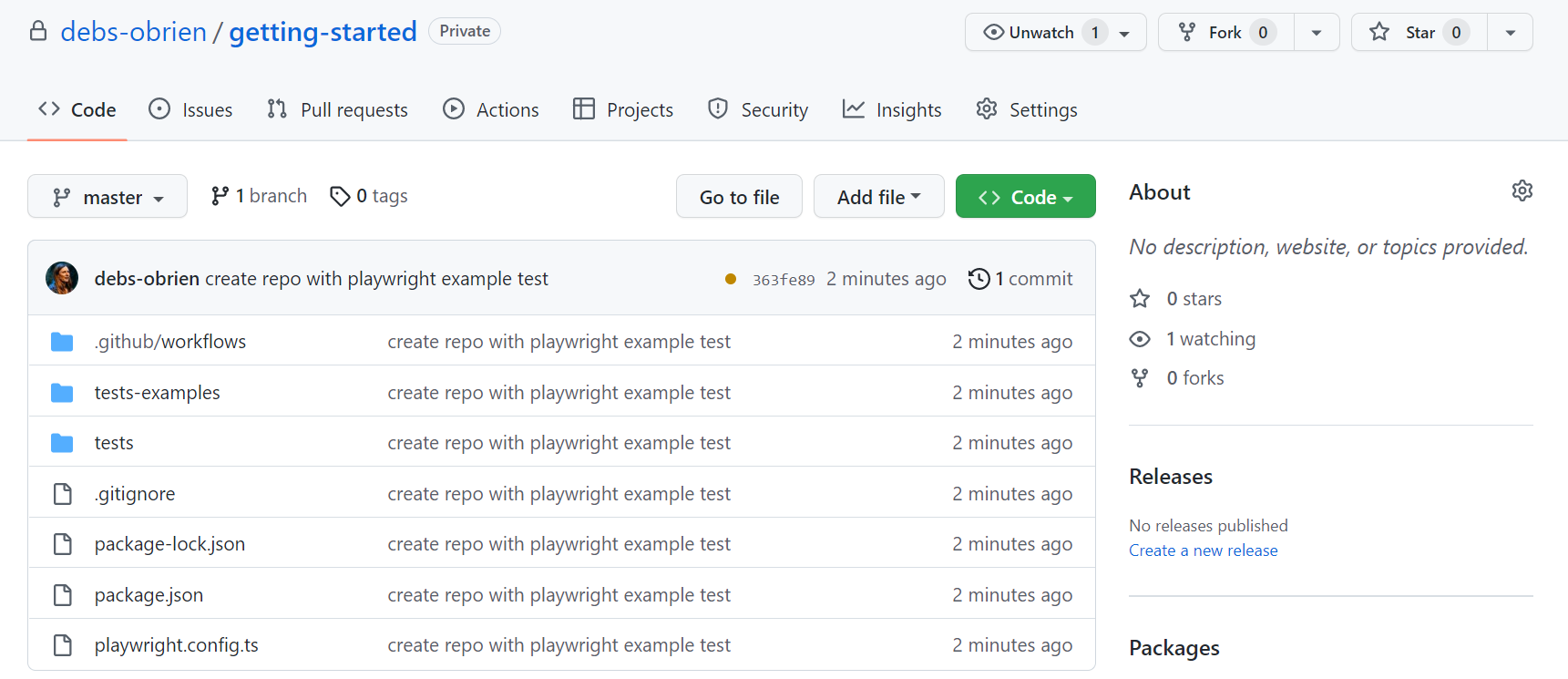
| Once you have your [GitHub Actions workflow](https://playwright.dev/docs/ci-intro#setting-up-github-actions) setup, then all you need to do is [Create a repo on GitHub](https://docs.github.com/en/get-started/quickstart/create-a-repo) or push your code to an existing repository. Follow the instructions on GitHub and don't forget to [initialize a git repository](https://github.com/git-guides/git-init) using the `git init` command so you can [add](https://github.com/git-guides/git-add), [commit](https://github.com/git-guides/git-commit), and [push](https://github.com/git-guides/git-push) your code. | |
|  | |
| ## Opening the Workflows [](https://playwright.dev/docs/ci-intro\#opening-the-workflows "Direct link to Opening the Workflows") | |
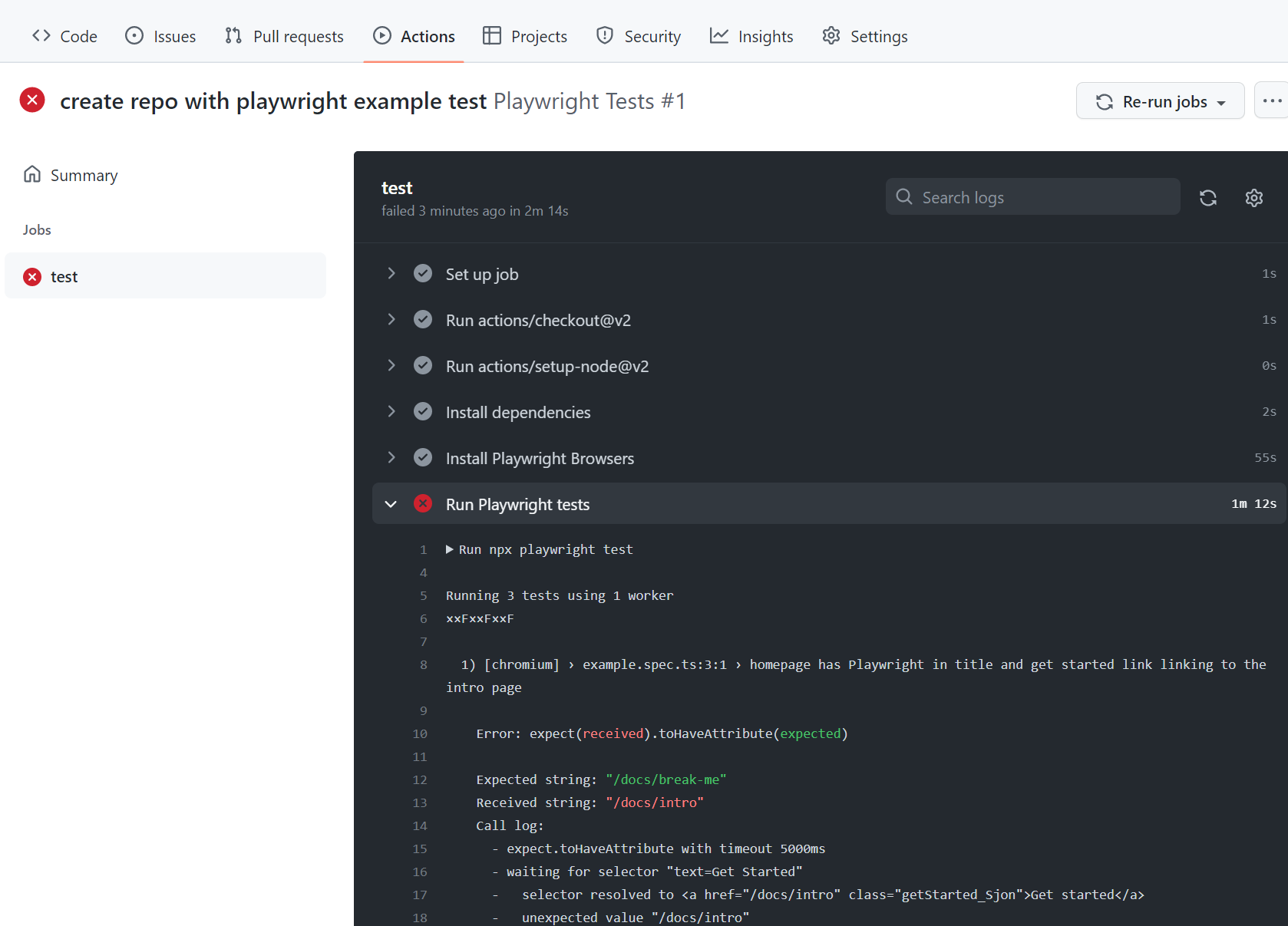
| Click on the **Actions** tab to see the workflows. Here you see if your tests have passed or failed. | |
| ###### [](https://playwright.dev/docs/ci-intro\#-1 "Direct link to -1") | |
|  | |
| ## Viewing Test Logs [](https://playwright.dev/docs/ci-intro\#viewing-test-logs "Direct link to Viewing Test Logs") | |
| Clicking on the workflow run shows you all the actions that GitHub performed and clicking on **Run Playwright tests** shows the error messages, what was expected and what was received as well as the call log. | |
| ###### [](https://playwright.dev/docs/ci-intro\#-2 "Direct link to -2") | |
|  | |
| ## HTML Report [](https://playwright.dev/docs/ci-intro\#html-report "Direct link to HTML Report") | |
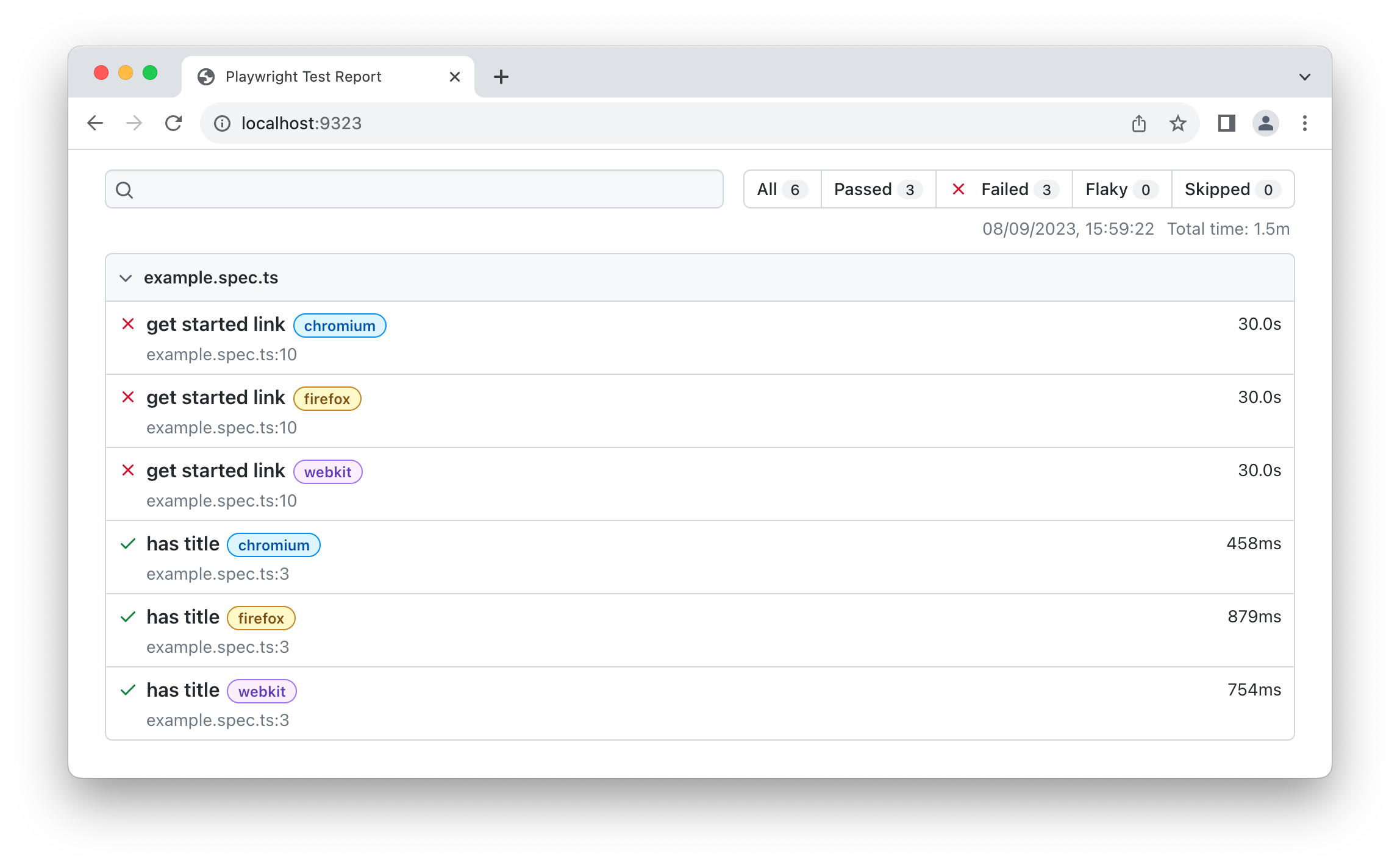
| The HTML Report shows you a full report of your tests. You can filter the report by browsers, passed tests, failed tests, skipped tests, and flaky tests. | |
| ### Downloading the HTML Report [](https://playwright.dev/docs/ci-intro\#downloading-the-html-report "Direct link to Downloading the HTML Report") | |
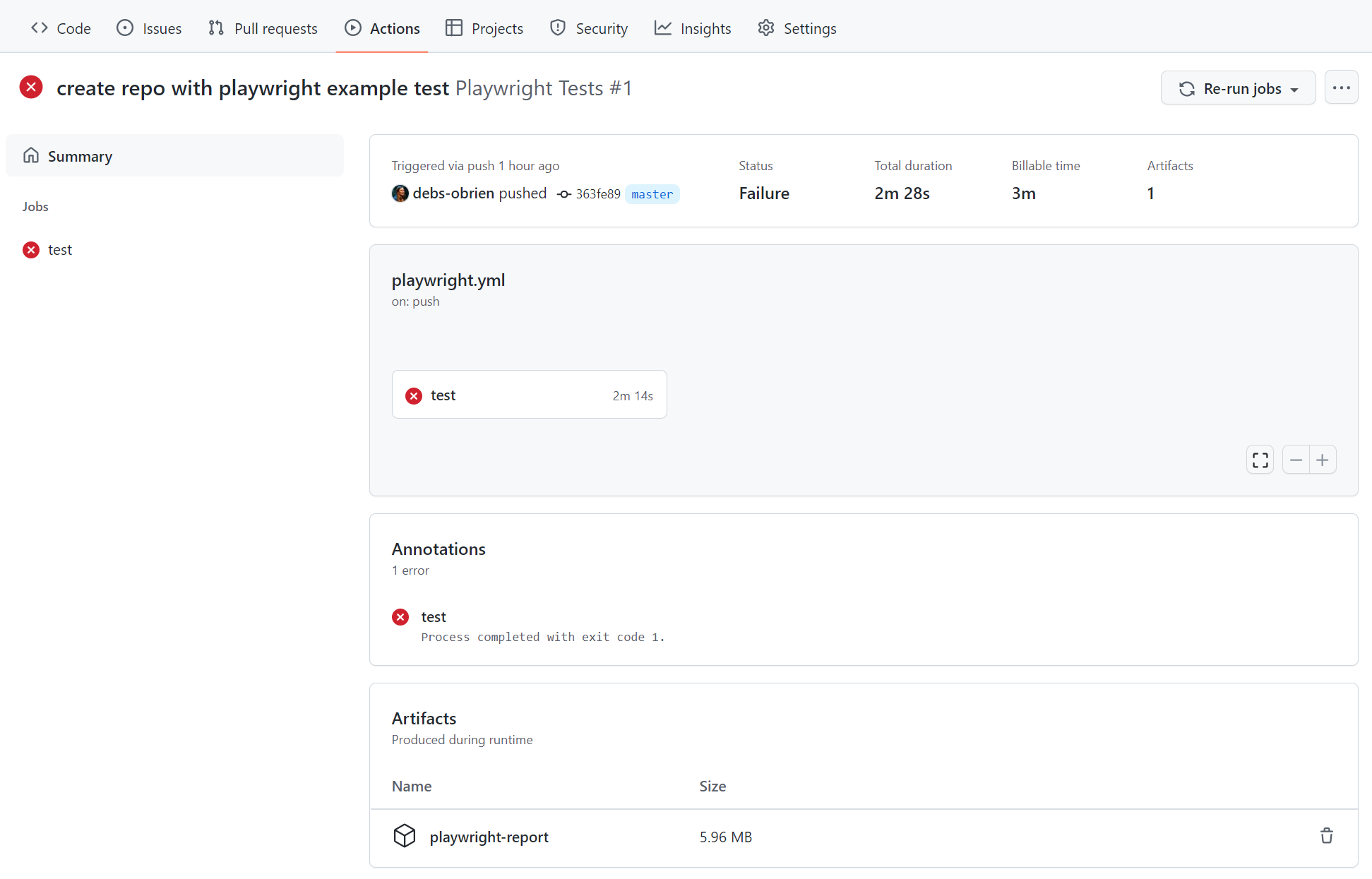
| In the Artifacts section, click on the **playwright-report** to download your report in the format of a zip file. | |
|  | |
| ### Viewing the HTML Report [](https://playwright.dev/docs/ci-intro\#viewing-the-html-report "Direct link to Viewing the HTML Report") | |
| Locally opening the report does not work as expected as you need a web server for everything to work correctly. First, extract the zip, preferably in a folder that already has Playwright installed. Using the command line, change into the directory where the report is and use `npx playwright show-report` followed by the name of the extracted folder. This serves up the report and enables you to view it in your browser. | |
| ```codeBlockLines_e6Vv | |
| npx playwright show-report name-of-my-extracted-playwright-report | |
| ``` | |
|  | |
| To learn more about reports, check out our detailed guide on [HTML Reporter](https://playwright.dev/docs/test-reporters#html-reporter) | |
| ## Viewing the Trace [](https://playwright.dev/docs/ci-intro\#viewing-the-trace "Direct link to Viewing the Trace") | |
| Once you have served the report using `npx playwright show-report`, click on the trace icon next to the test's file name as seen in the image above. You can then view the trace of your tests and inspect each action to try to find out why the tests are failing. | |
|  | |
| ## Publishing report on the web [](https://playwright.dev/docs/ci-intro\#publishing-report-on-the-web "Direct link to Publishing report on the web") | |
| Downloading the HTML report as a zip file is not very convenient. However, we can utilize Azure Storage's static websites hosting capabilities to easily and efficiently serve HTML reports on the Internet, requiring minimal configuration. | |
| 1. Create an [Azure Storage account](https://learn.microsoft.com/en-us/azure/storage/common/storage-account-create). | |
| 2. Enable [Static website hosting](https://learn.microsoft.com/en-us/azure/storage/blobs/storage-blob-static-website-how-to#enable-static-website-hosting) for the storage account. | |
| 3. Create a Service Principal in Azure and grant it access to Azure Blob storage. Upon successful execution, the command will display the credentials which will be used in the next step. | |
| ```codeBlockLines_e6Vv | |
| az ad sp create-for-rbac --name "github-actions" --role "Storage Blob Data Contributor" --scopes /subscriptions/<SUBSCRIPTION_ID>/resourceGroups/<RESOURCE_GROUP_NAME>/providers/Microsoft.Storage/storageAccounts/<STORAGE_ACCOUNT_NAME> | |
| ``` | |
| 4. Use the credentials from the previous step to set up encrypted secrets in your GitHub repository. Go to your repository's settings, under [GitHub Actions secrets](https://docs.github.com/en/actions/security-guides/encrypted-secrets#creating-encrypted-secrets-for-a-repository), and add the following secrets: | |
| - `AZCOPY_SPA_APPLICATION_ID` | |
| - `AZCOPY_SPA_CLIENT_SECRET` | |
| - `AZCOPY_TENANT_ID` | |
| For a detailed guide on how to authorize a service principal using a client secret, refer to [this Microsoft documentation](https://learn.microsoft.com/en-us/azure/storage/common/storage-use-azcopy-authorize-azure-active-directory#authorize-a-service-principal-by-using-a-client-secret). | |
| 5. Add a step that uploads the HTML report to Azure Storage. | |
| .github/workflows/playwright.yml | |
| ```codeBlockLines_e6Vv | |
| ... | |
| - name: Upload HTML report to Azure | |
| shell: bash | |
| run: | | |
| REPORT_DIR='run-${{ github.run_id }}-${{ github.run_attempt }}' | |
| azcopy cp --recursive "./playwright-report/*" "https://<STORAGE_ACCOUNT_NAME>.blob.core.windows.net/\$web/$REPORT_DIR" | |
| echo "::notice title=HTML report url::https://<STORAGE_ACCOUNT_NAME>.z1.web.core.windows.net/$REPORT_DIR/index.html" | |
| env: | |
| AZCOPY_AUTO_LOGIN_TYPE: SPN | |
| AZCOPY_SPA_APPLICATION_ID: '${{ secrets.AZCOPY_SPA_APPLICATION_ID }}' | |
| AZCOPY_SPA_CLIENT_SECRET: '${{ secrets.AZCOPY_SPA_CLIENT_SECRET }}' | |
| AZCOPY_TENANT_ID: '${{ secrets.AZCOPY_TENANT_ID }}' | |
| ``` | |
| The contents of the `$web` storage container can be accessed from a browser by using the [public URL](https://learn.microsoft.com/en-us/azure/storage/blobs/storage-blob-static-website-how-to?tabs=azure-portal#portal-find-url) of the website. | |
| note | |
| This step will not work for pull requests created from a forked repository because such workflow [doesn't have access to the secrets](https://docs.github.com/en/actions/security-for-github-actions/security-guides/using-secrets-in-github-actions#using-secrets-in-a-workflow). | |
| ## Properly handling Secrets [](https://playwright.dev/docs/ci-intro\#properly-handling-secrets "Direct link to Properly handling Secrets") | |
| Artifacts like trace files, HTML reports or even the console logs contain information about your test execution. They can contain sensitive data like user credentials for a test user, access tokens to a staging backend, testing source code, or sometimes even your application source code. Treat these files just as carefully as you treat that sensitive data. If you upload reports and traces as part of your CI workflow, make sure that you only upload them to trusted artifact stores, or that you encrypt the files before upload. The same is true for sharing artifacts with team members: Use a trusted file share or encrypt the files before sharing. | |
| ## What's Next [](https://playwright.dev/docs/ci-intro\#whats-next "Direct link to What's Next") | |
| - [Learn how to use Locators](https://playwright.dev/docs/locators) | |
| - [Learn how to perform Actions](https://playwright.dev/docs/input) | |
| - [Learn how to write Assertions](https://playwright.dev/docs/test-assertions) | |
| - [Learn more about the Trace Viewer](https://playwright.dev/docs/trace-viewer) | |
| - [Learn more ways of running tests on GitHub Actions](https://playwright.dev/docs/ci#github-actions) | |
| - [Learn more about running tests on other CI providers](https://playwright.dev/docs/ci) | |
| - [Introduction](https://playwright.dev/docs/ci-intro#introduction) | |
| - [Setting up GitHub Actions](https://playwright.dev/docs/ci-intro#setting-up-github-actions) | |
| - [Create a Repo and Push to GitHub](https://playwright.dev/docs/ci-intro#create-a-repo-and-push-to-github) | |
| - [Opening the Workflows](https://playwright.dev/docs/ci-intro#opening-the-workflows) | |
| - [Viewing Test Logs](https://playwright.dev/docs/ci-intro#viewing-test-logs) | |
| - [HTML Report](https://playwright.dev/docs/ci-intro#html-report) | |
| - [Downloading the HTML Report](https://playwright.dev/docs/ci-intro#downloading-the-html-report) | |
| - [Viewing the HTML Report](https://playwright.dev/docs/ci-intro#viewing-the-html-report) | |
| - [Viewing the Trace](https://playwright.dev/docs/ci-intro#viewing-the-trace) | |
| - [Publishing report on the web](https://playwright.dev/docs/ci-intro#publishing-report-on-the-web) | |
| - [Properly handling Secrets](https://playwright.dev/docs/ci-intro#properly-handling-secrets) | |
| - [What's Next](https://playwright.dev/docs/ci-intro#whats-next) | |
| ## Network Traffic Management | |
| [Skip to main content](https://playwright.dev/java/docs/network#__docusaurus_skipToContent_fallback) | |
| On this page | |
| ## Introduction [](https://playwright.dev/java/docs/network\#introduction "Direct link to Introduction") | |
| Playwright provides APIs to **monitor** and **modify** browser network traffic, both HTTP and HTTPS. Any requests that a page does, including [XHRs](https://developer.mozilla.org/en-US/docs/Web/API/XMLHttpRequest) and [fetch](https://developer.mozilla.org/en-US/docs/Web/API/Fetch_API) requests, can be tracked, modified and handled. | |
| ## Mock APIs [](https://playwright.dev/java/docs/network\#mock-apis "Direct link to Mock APIs") | |
| Check out our [API mocking guide](https://playwright.dev/java/docs/mock) to learn more on how to | |
| - mock API requests and never hit the API | |
| - perform the API request and modify the response | |
| - use HAR files to mock network requests. | |
| ## HTTP Authentication [](https://playwright.dev/java/docs/network\#http-authentication "Direct link to HTTP Authentication") | |
| Perform HTTP Authentication. | |
| ```codeBlockLines_e6Vv | |
| BrowserContext context = browser.newContext(new Browser.NewContextOptions() | |
| .setHttpCredentials("bill", "pa55w0rd")); | |
| Page page = context.newPage(); | |
| page.navigate("https://example.com"); | |
| ``` | |
| ## HTTP Proxy [](https://playwright.dev/java/docs/network\#http-proxy "Direct link to HTTP Proxy") | |
| You can configure pages to load over the HTTP(S) proxy or SOCKSv5. Proxy can be either set globally for the entire browser, or for each browser context individually. | |
| You can optionally specify username and password for HTTP(S) proxy, you can also specify hosts to bypass the [setProxy](https://playwright.dev/java/docs/api/class-browser#browser-new-context-option-proxy) for. | |
| Here is an example of a global proxy: | |
| ```codeBlockLines_e6Vv | |
| Browser browser = chromium.launch(new BrowserType.LaunchOptions() | |
| .setProxy(new Proxy("http://myproxy.com:3128") | |
| .setUsername("usr") | |
| .setPassword("pwd"))); | |
| ``` | |
| Its also possible to specify it per context: | |
| ```codeBlockLines_e6Vv | |
| Browser browser = chromium.launch(); | |
| BrowserContext context = browser.newContext(new Browser.NewContextOptions() | |
| .setProxy(new Proxy("http://myproxy.com:3128"))); | |
| ``` | |
| ## Network events [](https://playwright.dev/java/docs/network\#network-events "Direct link to Network events") | |
| You can monitor all the [Request](https://playwright.dev/java/docs/api/class-request "Request") s and [Response](https://playwright.dev/java/docs/api/class-response "Response") s: | |
| ```codeBlockLines_e6Vv | |
| import com.microsoft.playwright.*; | |
| public class Example { | |
| public static void main(String[] args) { | |
| try (Playwright playwright = Playwright.create()) { | |
| BrowserType chromium = playwright.chromium(); | |
| Browser browser = chromium.launch(); | |
| Page page = browser.newPage(); | |
| page.onRequest(request -> System.out.println(">> " + request.method() + " " + request.url())); | |
| page.onResponse(response -> System.out.println("<<" + response.status() + " " + response.url())); | |
| page.navigate("https://example.com"); | |
| browser.close(); | |
| } | |
| } | |
| } | |
| ``` | |
| Or wait for a network response after the button click with [Page.waitForResponse()](https://playwright.dev/java/docs/api/class-page#page-wait-for-response): | |
| ```codeBlockLines_e6Vv | |
| // Use a glob URL pattern | |
| Response response = page.waitForResponse("**/api/fetch_data", () -> { | |
| page.getByText("Update").click(); | |
| }); | |
| ``` | |
| #### Variations [](https://playwright.dev/java/docs/network\#variations "Direct link to Variations") | |
| Wait for [Response](https://playwright.dev/java/docs/api/class-response "Response") s with [Page.waitForResponse()](https://playwright.dev/java/docs/api/class-page#page-wait-for-response) | |
| ```codeBlockLines_e6Vv | |
| // Use a RegExp | |
| Response response = page.waitForResponse(Pattern.compile("\\.jpeg$"), () -> { | |
| page.getByText("Update").click(); | |
| }); | |
| // Use a predicate taking a Response object | |
| Response response = page.waitForResponse(r -> r.url().contains(token), () -> { | |
| page.getByText("Update").click(); | |
| }); | |
| ``` | |
| ## Handle requests [](https://playwright.dev/java/docs/network\#handle-requests "Direct link to Handle requests") | |
| ```codeBlockLines_e6Vv | |
| page.route("**/api/fetch_data", route -> route.fulfill(new Route.FulfillOptions() | |
| .setStatus(200) | |
| .setBody(testData))); | |
| page.navigate("https://example.com"); | |
| ``` | |
| You can mock API endpoints via handling the network requests in your Playwright script. | |
| #### Variations [](https://playwright.dev/java/docs/network\#variations-1 "Direct link to Variations") | |
| Set up route on the entire browser context with [BrowserContext.route()](https://playwright.dev/java/docs/api/class-browsercontext#browser-context-route) or page with [Page.route()](https://playwright.dev/java/docs/api/class-page#page-route). It will apply to popup windows and opened links. | |
| ```codeBlockLines_e6Vv | |
| browserContext.route("**/api/login", route -> route.fulfill(new Route.FulfillOptions() | |
| .setStatus(200) | |
| .setBody("accept"))); | |
| page.navigate("https://example.com"); | |
| ``` | |
| ## Modify requests [](https://playwright.dev/java/docs/network\#modify-requests "Direct link to Modify requests") | |
| ```codeBlockLines_e6Vv | |
| // Delete header | |
| page.route("**/*", route -> { | |
| Map<String, String> headers = new HashMap<>(route.request().headers()); | |
| headers.remove("X-Secret"); | |
| route.resume(new Route.ResumeOptions().setHeaders(headers)); | |
| }); | |
| // Continue requests as POST. | |
| page.route("**/*", route -> route.resume(new Route.ResumeOptions().setMethod("POST"))); | |
| ``` | |
| You can continue requests with modifications. Example above removes an HTTP header from the outgoing requests. | |
| ## Abort requests [](https://playwright.dev/java/docs/network\#abort-requests "Direct link to Abort requests") | |
| You can abort requests using [Page.route()](https://playwright.dev/java/docs/api/class-page#page-route) and [Route.abort()](https://playwright.dev/java/docs/api/class-route#route-abort). | |
| ```codeBlockLines_e6Vv | |
| page.route("**/*.{png,jpg,jpeg}", route -> route.abort()); | |
| // Abort based on the request type | |
| page.route("**/*", route -> { | |
| if ("image".equals(route.request().resourceType())) | |
| route.abort(); | |
| else | |
| route.resume(); | |
| }); | |
| ``` | |
| ## Modify responses [](https://playwright.dev/java/docs/network\#modify-responses "Direct link to Modify responses") | |
| To modify a response use [APIRequestContext](https://playwright.dev/java/docs/api/class-apirequestcontext "APIRequestContext") to get the original response and then pass the response to [Route.fulfill()](https://playwright.dev/java/docs/api/class-route#route-fulfill). You can override individual fields on the response via options: | |
| ```codeBlockLines_e6Vv | |
| page.route("**/title.html", route -> { | |
| // Fetch original response. | |
| APIResponse response = route.fetch(); | |
| // Add a prefix to the title. | |
| String body = response.text(); | |
| body = body.replace("<title>", "<title>My prefix:"); | |
| Map<String, String> headers = response.headers(); | |
| headers.put("content-type", "text/html"); | |
| route.fulfill(new Route.FulfillOptions() | |
| // Pass all fields from the response. | |
| .setResponse(response) | |
| // Override response body. | |
| .setBody(body) | |
| // Force content type to be html. | |
| .setHeaders(headers)); | |
| }); | |
| ``` | |
| ## Glob URL patterns [](https://playwright.dev/java/docs/network\#glob-url-patterns "Direct link to Glob URL patterns") | |
| Playwright uses simplified glob patterns for URL matching in network interception methods like [Page.route()](https://playwright.dev/java/docs/api/class-page#page-route) or [Page.waitForResponse()](https://playwright.dev/java/docs/api/class-page#page-wait-for-response). These patterns support basic wildcards: | |
| 1. Asterisks: | |
| - A single `*` matches any characters except `/` | |
| - A double `**` matches any characters including `/` | |
| 2. Question mark `?` matches only question mark `?`. If you want to match any character, use `*` instead. | |
| 3. Curly braces `{}` can be used to match a list of options separated by commas `,` | |
| 4. Backslash `\` can be used to escape any of special characters (note to escape backslash itself as `\\`) | |
| Examples: | |
| - `https://example.com/*.js` matches `https://example.com/file.js` but not `https://example.com/path/file.js` | |
| - `https://example.com/?page=1` matches `https://example.com/?page=1` but not `https://example.com` | |
| - `**/*.js` matches both `https://example.com/file.js` and `https://example.com/path/file.js` | |
| - `**/*.{png,jpg,jpeg}` matches all image requests | |
| Important notes: | |
| - The glob pattern must match the entire URL, not just a part of it. | |
| - When using globs for URL matching, consider the full URL structure, including the protocol and path separators. | |
| - For more complex matching requirements, consider using \[RegExp\] instead of glob patterns. | |
| ## WebSockets [](https://playwright.dev/java/docs/network\#websockets "Direct link to WebSockets") | |
| Playwright supports [WebSockets](https://developer.mozilla.org/en-US/docs/Web/API/WebSockets_API) inspection, mocking and modifying out of the box. See our [API mocking guide](https://playwright.dev/java/docs/mock#mock-websockets) to learn how to mock WebSockets. | |
| Every time a WebSocket is created, the [Page.onWebSocket(handler)](https://playwright.dev/java/docs/api/class-page#page-event-web-socket) event is fired. This event contains the [WebSocket](https://playwright.dev/java/docs/api/class-websocket "WebSocket") instance for further web socket frames inspection: | |
| ```codeBlockLines_e6Vv | |
| page.onWebSocket(ws -> { | |
| log("WebSocket opened: " + ws.url()); | |
| ws.onFrameSent(frameData -> log(frameData.text())); | |
| ws.onFrameReceived(frameData -> log(frameData.text())); | |
| ws.onClose(ws1 -> log("WebSocket closed")); | |
| }); | |
| ``` | |
| ## Missing Network Events and Service Workers [](https://playwright.dev/java/docs/network\#missing-network-events-and-service-workers "Direct link to Missing Network Events and Service Workers") | |
| Playwright's built-in [BrowserContext.route()](https://playwright.dev/java/docs/api/class-browsercontext#browser-context-route) and [Page.route()](https://playwright.dev/java/docs/api/class-page#page-route) allow your tests to natively route requests and perform mocking and interception. | |
| 1. If you're using Playwright's native [BrowserContext.route()](https://playwright.dev/java/docs/api/class-browsercontext#browser-context-route) and [Page.route()](https://playwright.dev/java/docs/api/class-page#page-route), and it appears network events are missing, disable Service Workers by setting [setServiceWorkers](https://playwright.dev/java/docs/api/class-browser#browser-new-context-option-service-workers) to `'block'`. | |
| 2. It might be that you are using a mock tool such as Mock Service Worker (MSW). While this tool works out of the box for mocking responses, it adds its own Service Worker that takes over the network requests, hence making them invisible to [BrowserContext.route()](https://playwright.dev/java/docs/api/class-browsercontext#browser-context-route) and [Page.route()](https://playwright.dev/java/docs/api/class-page#page-route). If you are interested in both network testing and mocking, consider using built-in [BrowserContext.route()](https://playwright.dev/java/docs/api/class-browsercontext#browser-context-route) and [Page.route()](https://playwright.dev/java/docs/api/class-page#page-route) for [response mocking](https://playwright.dev/java/docs/network#handle-requests). | |
| 3. If you're interested in not solely using Service Workers for testing and network mocking, but in routing and listening for requests made by Service Workers themselves, please see [this experimental feature](https://github.com/microsoft/playwright/issues/15684). | |
| - [Introduction](https://playwright.dev/java/docs/network#introduction) | |
| - [Mock APIs](https://playwright.dev/java/docs/network#mock-apis) | |
| - [HTTP Authentication](https://playwright.dev/java/docs/network#http-authentication) | |
| - [HTTP Proxy](https://playwright.dev/java/docs/network#http-proxy) | |
| - [Network events](https://playwright.dev/java/docs/network#network-events) | |
| - [Handle requests](https://playwright.dev/java/docs/network#handle-requests) | |
| - [Modify requests](https://playwright.dev/java/docs/network#modify-requests) | |
| - [Abort requests](https://playwright.dev/java/docs/network#abort-requests) | |
| - [Modify responses](https://playwright.dev/java/docs/network#modify-responses) | |
| - [Glob URL patterns](https://playwright.dev/java/docs/network#glob-url-patterns) | |
| - [WebSockets](https://playwright.dev/java/docs/network#websockets) | |
| - [Missing Network Events and Service Workers](https://playwright.dev/java/docs/network#missing-network-events-and-service-workers) | |
| ## Source Code Location | |
| [Skip to main content](https://playwright.dev/docs/api/class-location#__docusaurus_skipToContent_fallback) | |
| On this page | |
| Represents a location in the source code where [TestCase](https://playwright.dev/docs/api/class-testcase "TestCase") or [Suite](https://playwright.dev/docs/api/class-suite "Suite") is defined. | |
| * * * | |
| ## Properties [](https://playwright.dev/docs/api/class-location\#properties "Direct link to Properties") | |
| ### column [](https://playwright.dev/docs/api/class-location\#location-column "Direct link to column") | |
| Added in: v1.10location.column | |
| Column number in the source file. | |
| **Usage** | |
| ```codeBlockLines_e6Vv | |
| location.column | |
| ``` | |
| **Type** | |
| - [number](https://developer.mozilla.org/en-US/docs/Web/JavaScript/Data_structures#Number_type "Number") | |
| * * * | |
| ### file [](https://playwright.dev/docs/api/class-location\#location-file "Direct link to file") | |
| Added in: v1.10location.file | |
| Path to the source file. | |
| **Usage** | |
| ```codeBlockLines_e6Vv | |
| location.file | |
| ``` | |
| **Type** | |
| - [string](https://developer.mozilla.org/en-US/docs/Web/JavaScript/Data_structures#String_type "string") | |
| * * * | |
| ### line [](https://playwright.dev/docs/api/class-location\#location-line "Direct link to line") | |
| Added in: v1.10location.line | |
| Line number in the source file. | |
| **Usage** | |
| ```codeBlockLines_e6Vv | |
| location.line | |
| ``` | |
| **Type** | |
| - [number](https://developer.mozilla.org/en-US/docs/Web/JavaScript/Data_structures#Number_type "Number") | |
| - [Properties](https://playwright.dev/docs/api/class-location#properties) | |
| - [column](https://playwright.dev/docs/api/class-location#location-column) | |
| - [file](https://playwright.dev/docs/api/class-location#location-file) | |
| - [line](https://playwright.dev/docs/api/class-location#location-line) | |
| ## Playwright Clock API | |
| [Skip to main content](https://playwright.dev/docs/next/api/class-clock#__docusaurus_skipToContent_fallback) | |
| This is unreleased documentation for Playwright **Next** version. | |
| For up-to-date documentation, see the **[latest version](https://playwright.dev/docs/api/class-clock)** (stable). | |
| Version: Next | |
| On this page | |
| Accurately simulating time-dependent behavior is essential for verifying the correctness of applications. Learn more about [clock emulation](https://playwright.dev/docs/next/clock). | |
| Note that clock is installed for the entire [BrowserContext](https://playwright.dev/docs/next/api/class-browsercontext "BrowserContext"), so the time in all the pages and iframes is controlled by the same clock. | |
| * * * | |
| ## Methods [](https://playwright.dev/docs/next/api/class-clock\#methods "Direct link to Methods") | |
| ### fastForward [](https://playwright.dev/docs/next/api/class-clock\#clock-fast-forward "Direct link to fastForward") | |
| Added in: v1.45clock.fastForward | |
| Advance the clock by jumping forward in time. Only fires due timers at most once. This is equivalent to user closing the laptop lid for a while and reopening it later, after given time. | |
| **Usage** | |
| ```codeBlockLines_e6Vv | |
| await page.clock.fastForward(1000); | |
| await page.clock.fastForward('30:00'); | |
| ``` | |
| **Arguments** | |
| - `ticks` [number](https://developer.mozilla.org/en-US/docs/Web/JavaScript/Data_structures#Number_type "Number") \| [string](https://developer.mozilla.org/en-US/docs/Web/JavaScript/Data_structures#String_type "string") [#](https://playwright.dev/docs/next/api/class-clock#clock-fast-forward-option-ticks) | |
| Time may be the number of milliseconds to advance the clock by or a human-readable string. Valid string formats are "08" for eight seconds, "01:00" for one minute and "02:34:10" for two hours, 34 minutes and ten seconds. | |
| **Returns** | |
| - [Promise](https://developer.mozilla.org/en-US/docs/Web/JavaScript/Reference/Global_Objects/Promise "Promise") < [void](https://developer.mozilla.org/en-US/docs/Web/JavaScript/Reference/Global_Objects/undefined "void") > [#](https://playwright.dev/docs/next/api/class-clock#clock-fast-forward-return) | |
| * * * | |
| ### install [](https://playwright.dev/docs/next/api/class-clock\#clock-install "Direct link to install") | |
| Added in: v1.45clock.install | |
| Install fake implementations for the following time-related functions: | |
| - `Date` | |
| - `setTimeout` | |
| - `clearTimeout` | |
| - `setInterval` | |
| - `clearInterval` | |
| - `requestAnimationFrame` | |
| - `cancelAnimationFrame` | |
| - `requestIdleCallback` | |
| - `cancelIdleCallback` | |
| - `performance` | |
| Fake timers are used to manually control the flow of time in tests. They allow you to advance time, fire timers, and control the behavior of time-dependent functions. See [clock.runFor()](https://playwright.dev/docs/next/api/class-clock#clock-run-for) and [clock.fastForward()](https://playwright.dev/docs/next/api/class-clock#clock-fast-forward) for more information. | |
| **Usage** | |
| ```codeBlockLines_e6Vv | |
| await clock.install(); | |
| await clock.install(options); | |
| ``` | |
| **Arguments** | |
| - `options` [Object](https://developer.mozilla.org/en-US/docs/Web/JavaScript/Reference/Global_Objects/Object "Object") _(optional)_ | |
| - `time` [number](https://developer.mozilla.org/en-US/docs/Web/JavaScript/Data_structures#Number_type "Number") \| [string](https://developer.mozilla.org/en-US/docs/Web/JavaScript/Data_structures#String_type "string") \| [Date](https://developer.mozilla.org/en-US/docs/Web/JavaScript/Reference/Global_Objects/Date "Date") _(optional)_ [#](https://playwright.dev/docs/next/api/class-clock#clock-install-option-time) | |
| Time to initialize with, current system time by default. | |
| **Returns** | |
| - [Promise](https://developer.mozilla.org/en-US/docs/Web/JavaScript/Reference/Global_Objects/Promise "Promise") < [void](https://developer.mozilla.org/en-US/docs/Web/JavaScript/Reference/Global_Objects/undefined "void") > [#](https://playwright.dev/docs/next/api/class-clock#clock-install-return) | |
| * * * | |
| ### pauseAt [](https://playwright.dev/docs/next/api/class-clock\#clock-pause-at "Direct link to pauseAt") | |
| Added in: v1.45clock.pauseAt | |
| Advance the clock by jumping forward in time and pause the time. Once this method is called, no timers are fired unless [clock.runFor()](https://playwright.dev/docs/next/api/class-clock#clock-run-for), [clock.fastForward()](https://playwright.dev/docs/next/api/class-clock#clock-fast-forward), [clock.pauseAt()](https://playwright.dev/docs/next/api/class-clock#clock-pause-at) or [clock.resume()](https://playwright.dev/docs/next/api/class-clock#clock-resume) is called. | |
| Only fires due timers at most once. This is equivalent to user closing the laptop lid for a while and reopening it at the specified time and pausing. | |
| **Usage** | |
| ```codeBlockLines_e6Vv | |
| await page.clock.pauseAt(new Date('2020-02-02')); | |
| await page.clock.pauseAt('2020-02-02'); | |
| ``` | |
| For best results, install the clock before navigating the page and set it to a time slightly before the intended test time. This ensures that all timers run normally during page loading, preventing the page from getting stuck. Once the page has fully loaded, you can safely use [clock.pauseAt()](https://playwright.dev/docs/next/api/class-clock#clock-pause-at) to pause the clock. | |
| ```codeBlockLines_e6Vv | |
| // Initialize clock with some time before the test time and let the page load | |
| // naturally. `Date.now` will progress as the timers fire. | |
| await page.clock.install({ time: new Date('2024-12-10T08:00:00') }); | |
| await page.goto('http://localhost:3333'); | |
| await page.clock.pauseAt(new Date('2024-12-10T10:00:00')); | |
| ``` | |
| **Arguments** | |
| - `time` [number](https://developer.mozilla.org/en-US/docs/Web/JavaScript/Data_structures#Number_type "Number") \| [string](https://developer.mozilla.org/en-US/docs/Web/JavaScript/Data_structures#String_type "string") \| [Date](https://developer.mozilla.org/en-US/docs/Web/JavaScript/Reference/Global_Objects/Date "Date") [#](https://playwright.dev/docs/next/api/class-clock#clock-pause-at-option-time) | |
| Time to pause at. | |
| **Returns** | |
| - [Promise](https://developer.mozilla.org/en-US/docs/Web/JavaScript/Reference/Global_Objects/Promise "Promise") < [void](https://developer.mozilla.org/en-US/docs/Web/JavaScript/Reference/Global_Objects/undefined "void") > [#](https://playwright.dev/docs/next/api/class-clock#clock-pause-at-return) | |
| * * * | |
| ### resume [](https://playwright.dev/docs/next/api/class-clock\#clock-resume "Direct link to resume") | |
| Added in: v1.45clock.resume | |
| Resumes timers. Once this method is called, time resumes flowing, timers are fired as usual. | |
| **Usage** | |
| ```codeBlockLines_e6Vv | |
| await clock.resume(); | |
| ``` | |
| **Returns** | |
| - [Promise](https://developer.mozilla.org/en-US/docs/Web/JavaScript/Reference/Global_Objects/Promise "Promise") < [void](https://developer.mozilla.org/en-US/docs/Web/JavaScript/Reference/Global_Objects/undefined "void") > [#](https://playwright.dev/docs/next/api/class-clock#clock-resume-return) | |
| * * * | |
| ### runFor [](https://playwright.dev/docs/next/api/class-clock\#clock-run-for "Direct link to runFor") | |
| Added in: v1.45clock.runFor | |
| Advance the clock, firing all the time-related callbacks. | |
| **Usage** | |
| ```codeBlockLines_e6Vv | |
| await page.clock.runFor(1000); | |
| await page.clock.runFor('30:00'); | |
| ``` | |
| **Arguments** | |
| - `ticks` [number](https://developer.mozilla.org/en-US/docs/Web/JavaScript/Data_structures#Number_type "Number") \| [string](https://developer.mozilla.org/en-US/docs/Web/JavaScript/Data_structures#String_type "string") [#](https://playwright.dev/docs/next/api/class-clock#clock-run-for-option-ticks) | |
| Time may be the number of milliseconds to advance the clock by or a human-readable string. Valid string formats are "08" for eight seconds, "01:00" for one minute and "02:34:10" for two hours, 34 minutes and ten seconds. | |
| **Returns** | |
| - [Promise](https://developer.mozilla.org/en-US/docs/Web/JavaScript/Reference/Global_Objects/Promise "Promise") < [void](https://developer.mozilla.org/en-US/docs/Web/JavaScript/Reference/Global_Objects/undefined "void") > [#](https://playwright.dev/docs/next/api/class-clock#clock-run-for-return) | |
| * * * | |
| ### setFixedTime [](https://playwright.dev/docs/next/api/class-clock\#clock-set-fixed-time "Direct link to setFixedTime") | |
| Added in: v1.45clock.setFixedTime | |
| Makes `Date.now` and `new Date()` return fixed fake time at all times, keeps all the timers running. | |
| Use this method for simple scenarios where you only need to test with a predefined time. For more advanced scenarios, use [clock.install()](https://playwright.dev/docs/next/api/class-clock#clock-install) instead. Read docs on [clock emulation](https://playwright.dev/docs/next/clock) to learn more. | |
| **Usage** | |
| ```codeBlockLines_e6Vv | |
| await page.clock.setFixedTime(Date.now()); | |
| await page.clock.setFixedTime(new Date('2020-02-02')); | |
| await page.clock.setFixedTime('2020-02-02'); | |
| ``` | |
| **Arguments** | |
| - `time` [number](https://developer.mozilla.org/en-US/docs/Web/JavaScript/Data_structures#Number_type "Number") \| [string](https://developer.mozilla.org/en-US/docs/Web/JavaScript/Data_structures#String_type "string") \| [Date](https://developer.mozilla.org/en-US/docs/Web/JavaScript/Reference/Global_Objects/Date "Date") [#](https://playwright.dev/docs/next/api/class-clock#clock-set-fixed-time-option-time) | |
| Time to be set in milliseconds. | |
| **Returns** | |
| - [Promise](https://developer.mozilla.org/en-US/docs/Web/JavaScript/Reference/Global_Objects/Promise "Promise") < [void](https://developer.mozilla.org/en-US/docs/Web/JavaScript/Reference/Global_Objects/undefined "void") > [#](https://playwright.dev/docs/next/api/class-clock#clock-set-fixed-time-return) | |
| * * * | |
| ### setSystemTime [](https://playwright.dev/docs/next/api/class-clock\#clock-set-system-time "Direct link to setSystemTime") | |
| Added in: v1.45clock.setSystemTime | |
| Sets system time, but does not trigger any timers. Use this to test how the web page reacts to a time shift, for example switching from summer to winter time, or changing time zones. | |
| **Usage** | |
| ```codeBlockLines_e6Vv | |
| await page.clock.setSystemTime(Date.now()); | |
| await page.clock.setSystemTime(new Date('2020-02-02')); | |
| await page.clock.setSystemTime('2020-02-02'); | |
| ``` | |
| **Arguments** | |
| - `time` [number](https://developer.mozilla.org/en-US/docs/Web/JavaScript/Data_structures#Number_type "Number") \| [string](https://developer.mozilla.org/en-US/docs/Web/JavaScript/Data_structures#String_type "string") \| [Date](https://developer.mozilla.org/en-US/docs/Web/JavaScript/Reference/Global_Objects/Date "Date") [#](https://playwright.dev/docs/next/api/class-clock#clock-set-system-time-option-time) | |
| Time to be set in milliseconds. | |
| **Returns** | |
| - [Promise](https://developer.mozilla.org/en-US/docs/Web/JavaScript/Reference/Global_Objects/Promise "Promise") < [void](https://developer.mozilla.org/en-US/docs/Web/JavaScript/Reference/Global_Objects/undefined "void") > [#](https://playwright.dev/docs/next/api/class-clock#clock-set-system-time-return) | |
| - [Methods](https://playwright.dev/docs/next/api/class-clock#methods) | |
| - [fastForward](https://playwright.dev/docs/next/api/class-clock#clock-fast-forward) | |
| - [install](https://playwright.dev/docs/next/api/class-clock#clock-install) | |
| - [pauseAt](https://playwright.dev/docs/next/api/class-clock#clock-pause-at) | |
| - [resume](https://playwright.dev/docs/next/api/class-clock#clock-resume) | |
| - [runFor](https://playwright.dev/docs/next/api/class-clock#clock-run-for) | |
| - [setFixedTime](https://playwright.dev/docs/next/api/class-clock#clock-set-fixed-time) | |
| - [setSystemTime](https://playwright.dev/docs/next/api/class-clock#clock-set-system-time) | |
| ## Playwright Navigation Guide | |
| [Skip to main content](https://playwright.dev/dotnet/docs/navigations#__docusaurus_skipToContent_fallback) | |
| On this page | |
| ## Introduction [](https://playwright.dev/dotnet/docs/navigations\#introduction "Direct link to Introduction") | |
| Playwright can navigate to URLs and handle navigations caused by the page interactions. | |
| ## Basic navigation [](https://playwright.dev/dotnet/docs/navigations\#basic-navigation "Direct link to Basic navigation") | |
| Simplest form of a navigation is opening a URL: | |
| ```codeBlockLines_e6Vv | |
| // Navigate the page | |
| await page.GotoAsync("https://example.com"); | |
| ``` | |
| The code above loads the page and waits for the web page to fire the [load](https://developer.mozilla.org/en-US/docs/Web/API/Window/load_event) event. The load event is fired when the whole page has loaded, including all dependent resources such as stylesheets, scripts, iframes, and images. | |
| note | |
| If the page does a client-side redirect before `load`, [Page.GotoAsync()](https://playwright.dev/dotnet/docs/api/class-page#page-goto) will wait for the redirected page to fire the `load` event. | |
| ## When is the page loaded? [](https://playwright.dev/dotnet/docs/navigations\#when-is-the-page-loaded "Direct link to When is the page loaded?") | |
| Modern pages perform numerous activities after the `load` event was fired. They fetch data lazily, populate UI, load expensive resources, scripts and styles after the `load` event was fired. There is no way to tell that the page is `loaded`, it depends on the page, framework, etc. So when can you start interacting with it? | |
| In Playwright you can interact with the page at any moment. It will automatically wait for the target elements to become [actionable](https://playwright.dev/dotnet/docs/actionability). | |
| ```codeBlockLines_e6Vv | |
| // Navigate and click element | |
| // Click will auto-wait for the element | |
| await page.GotoAsync("https://example.com"); | |
| await page.GetByText("Example Domain").ClickAsync(); | |
| ``` | |
| For the scenario above, Playwright will wait for the text to become visible, will wait for the rest of the actionability checks to pass for that element, and will click it. | |
| Playwright operates as a very fast user - the moment it sees the button, it clicks it. In the general case, you don't need to worry about whether all the resources loaded, etc. | |
| ## Hydration [](https://playwright.dev/dotnet/docs/navigations\#hydration "Direct link to Hydration") | |
| At some point in time, you'll stumble upon a use case where Playwright performs an action, but nothing seemingly happens. Or you enter some text into the input field and it will disappear. The most probable reason behind that is a poor page [hydration](https://en.wikipedia.org/wiki/Hydration_(web_development)). | |
| When page is hydrated, first, a static version of the page is sent to the browser. Then the dynamic part is sent and the page becomes "live". As a very fast user, Playwright will start interacting with the page the moment it sees it. And if the button on a page is enabled, but the listeners have not yet been added, Playwright will do its job, but the click won't have any effect. | |
| A simple way to verify if your page suffers from a poor hydration is to open Chrome DevTools, pick "Slow 3G" network emulation in the Network panel and reload the page. Once you see the element of interest, interact with it. You'll see that the button clicks will be ignored and the entered text will be reset by the subsequent page load code. The right fix for this issue is to make sure that all the interactive controls are disabled until after the hydration, when the page is fully functional. | |
| ## Waiting for navigation [](https://playwright.dev/dotnet/docs/navigations\#waiting-for-navigation "Direct link to Waiting for navigation") | |
| Clicking an element could trigger multiple navigations. In these cases, it is recommended to explicitly [Page.WaitForURLAsync()](https://playwright.dev/dotnet/docs/api/class-page#page-wait-for-url) to a specific url. | |
| ```codeBlockLines_e6Vv | |
| await page.GetByText("Click me").ClickAsync(); | |
| await page.WaitForURL("**/login"); | |
| ``` | |
| ## Navigation events [](https://playwright.dev/dotnet/docs/navigations\#navigation-events "Direct link to Navigation events") | |
| Playwright splits the process of showing a new document in a page into **navigation** and **loading**. | |
| **Navigation starts** by changing the page URL or by interacting with the page (e.g., clicking a link). The navigation intent may be canceled, for example, on hitting an unresolved DNS address or transformed into a file download. | |
| **Navigation is committed** when the response headers have been parsed and session history is updated. Only after the navigation succeeds (is committed), the page starts **loading** the document. | |
| **Loading** covers getting the remaining response body over the network, parsing, executing the scripts and firing load events: | |
| - [Page.Url](https://playwright.dev/dotnet/docs/api/class-page#page-url) is set to the new url | |
| - document content is loaded over network and parsed | |
| - [Page.DOMContentLoaded](https://playwright.dev/dotnet/docs/api/class-page#page-event-dom-content-loaded) event is fired | |
| - page executes some scripts and loads resources like stylesheets and images | |
| - [Page.Load](https://playwright.dev/dotnet/docs/api/class-page#page-event-load) event is fired | |
| - page executes dynamically loaded scripts | |
| - [Introduction](https://playwright.dev/dotnet/docs/navigations#introduction) | |
| - [Basic navigation](https://playwright.dev/dotnet/docs/navigations#basic-navigation) | |
| - [When is the page loaded?](https://playwright.dev/dotnet/docs/navigations#when-is-the-page-loaded) | |
| - [Hydration](https://playwright.dev/dotnet/docs/navigations#hydration) | |
| - [Waiting for navigation](https://playwright.dev/dotnet/docs/navigations#waiting-for-navigation) | |
| - [Navigation events](https://playwright.dev/dotnet/docs/navigations#navigation-events) | |
| ## Playwright and Selenium Grid | |
| [Skip to main content](https://playwright.dev/docs/selenium-grid#__docusaurus_skipToContent_fallback) | |
| On this page | |
| ## Introduction [](https://playwright.dev/docs/selenium-grid\#introduction "Direct link to Introduction") | |
| Playwright can connect to [Selenium Grid Hub](https://www.selenium.dev/documentation/grid/) that runs Selenium 4 to launch **Google Chrome** or **Microsoft Edge** browser, instead of running browser on the local machine. Note this feature is **experimental** and is prioritized accordingly. | |
| warning | |
| There is a risk of Playwright integration with Selenium Grid Hub breaking in the future. Make sure you weight risks against benefits before using it. | |
| More details | |
| Internally, Playwright connects to the browser using [Chrome DevTools Protocol](https://chromedevtools.github.io/devtools-protocol/) websocket. Selenium 4 currently exposes this capability. However, this [might not be the case in the future](https://github.com/SeleniumHQ/selenium/issues/11590#issuecomment-1436113950). If Selenium drops this capability, Playwright will stop working with it. | |
| Before connecting Playwright to your Selenium Grid, make sure that grid works with [Selenium WebDriver](https://www.selenium.dev/documentation/webdriver/). For example, run [one of the examples](https://github.com/SeleniumHQ/selenium/tree/trunk/javascript/selenium-webdriver/example) and pass `SELENIUM_REMOTE_URL` environment variable. If webdriver example does not work, look for any errors at your Selenium hub/node/standalone output and search [Selenium issues](https://github.com/SeleniumHQ/selenium/issues) for a possible solution. | |
| ## Starting Selenium Grid [](https://playwright.dev/docs/selenium-grid\#starting-selenium-grid "Direct link to Starting Selenium Grid") | |
| If you run distributed Selenium Grid, Playwright needs selenium nodes to be registered with an accessible address, so that it could connect to the browsers. To make sure it works as expected, set `SE_NODE_GRID_URL` environment variable pointing to the hub when running selenium nodes. | |
| ```codeBlockLines_e6Vv | |
| # Start selenium node | |
| SE_NODE_GRID_URL="http://<selenium-hub-ip>:4444" java -jar selenium-server-<version>.jar node | |
| ``` | |
| ## Connecting Playwright to Selenium Grid [](https://playwright.dev/docs/selenium-grid\#connecting-playwright-to-selenium-grid "Direct link to Connecting Playwright to Selenium Grid") | |
| To connect Playwright to **Selenium Grid 4**, set `SELENIUM_REMOTE_URL` environment variable pointing to your Selenium Grid Hub. Note that this only works for Google Chrome and Microsoft Edge. | |
| ```codeBlockLines_e6Vv | |
| SELENIUM_REMOTE_URL=http://<selenium-hub-ip>:4444 npx playwright test | |
| ``` | |
| You don't have to change your code, just use your testing harness or [browserType.launch()](https://playwright.dev/docs/api/class-browsertype#browser-type-launch) as usual. | |
| ### Passing additional capabilities [](https://playwright.dev/docs/selenium-grid\#passing-additional-capabilities "Direct link to Passing additional capabilities") | |
| If your grid requires additional capabilities to be set (for example, you use an external service), you can set `SELENIUM_REMOTE_CAPABILITIES` environment variable to provide JSON-serialized capabilities. | |
| ```codeBlockLines_e6Vv | |
| SELENIUM_REMOTE_URL=http://<selenium-hub-ip>:4444 SELENIUM_REMOTE_CAPABILITIES="{'mygrid:options':{os:'windows',username:'John',password:'secure'}}" npx playwright test | |
| ``` | |
| ### Passing additional headers [](https://playwright.dev/docs/selenium-grid\#passing-additional-headers "Direct link to Passing additional headers") | |
| If your grid requires additional headers to be set (for example, you should provide authorization token to use browsers in your cloud), you can set `SELENIUM_REMOTE_HEADERS` environment variable to provide JSON-serialized headers. | |
| ```codeBlockLines_e6Vv | |
| SELENIUM_REMOTE_URL=http://<selenium-hub-ip>:4444 SELENIUM_REMOTE_HEADERS="{'Authorization':'Basic b64enc'}" npx playwright test | |
| ``` | |
| ### Detailed logs [](https://playwright.dev/docs/selenium-grid\#detailed-logs "Direct link to Detailed logs") | |
| Run with `DEBUG=pw:browser*` environment variable to see how Playwright is connecting to Selenium Grid. | |
| ```codeBlockLines_e6Vv | |
| DEBUG=pw:browser* SELENIUM_REMOTE_URL=http://internal.grid:4444 npx playwright test | |
| ``` | |
| If you file an issue, please include this log. | |
| ## Using Selenium Docker [](https://playwright.dev/docs/selenium-grid\#using-selenium-docker "Direct link to Using Selenium Docker") | |
| One easy way to use Selenium Grid is to run official docker containers. Read more in [selenium docker images](https://github.com/SeleniumHQ/docker-selenium) documentation. For image tagging convention, [read more](https://github.com/SeleniumHQ/docker-selenium/wiki/Tagging-Convention#selenium-grid-4x-and-above). | |
| ### Standalone mode [](https://playwright.dev/docs/selenium-grid\#standalone-mode "Direct link to Standalone mode") | |
| Here is an example of running selenium standalone and connecting Playwright to it. Note that hub and node are on the same `localhost`, and we pass `SE_NODE_GRID_URL` environment variable pointing to it. | |
| First start Selenium. | |
| ```codeBlockLines_e6Vv | |
| docker run -d -p 4444:4444 --shm-size="2g" -e SE_NODE_GRID_URL="http://localhost:4444" selenium/standalone-chromium:latest | |
| ``` | |
| Then run Playwright. | |
| ```codeBlockLines_e6Vv | |
| SELENIUM_REMOTE_URL=http://localhost:4444 npx playwright test | |
| ``` | |
| ### Hub and nodes mode [](https://playwright.dev/docs/selenium-grid\#hub-and-nodes-mode "Direct link to Hub and nodes mode") | |
| Here is an example of running selenium hub and a single selenium node, and connecting Playwright to the hub. Note that hub and node have different IPs, and we pass `SE_NODE_GRID_URL` environment variable pointing to the hub when starting node containers. | |
| First start the hub container and one or more node containers. | |
| ```codeBlockLines_e6Vv | |
| docker run -d -p 4442-4444:4442-4444 --name selenium-hub selenium/hub:4.25.0 | |
| docker run -d -p 5555:5555 \ | |
| --shm-size="2g" \ | |
| -e SE_EVENT_BUS_HOST=<selenium-hub-ip> \ | |
| -e SE_EVENT_BUS_PUBLISH_PORT=4442 \ | |
| -e SE_EVENT_BUS_SUBSCRIBE_PORT=4443 \ | |
| -e SE_NODE_GRID_URL="http://<selenium-hub-ip>:4444" | |
| selenium/node-chromium:4.25.0 | |
| ``` | |
| Then run Playwright. | |
| ```codeBlockLines_e6Vv | |
| SELENIUM_REMOTE_URL=http://<selenium-hub-ip>:4444 npx playwright test | |
| ``` | |
| ## Selenium 3 [](https://playwright.dev/docs/selenium-grid\#selenium-3 "Direct link to Selenium 3") | |
| Internally, Playwright connects to the browser using [Chrome DevTools Protocol](https://chromedevtools.github.io/devtools-protocol/) websocket. Selenium 4 exposes this capability, while Selenium 3 does not. | |
| This means that Selenium 3 is supported in a best-effort manner, where Playwright tries to connect to the grid node directly. Grid nodes must be directly accessible from the machine that runs Playwright. | |
| - [Introduction](https://playwright.dev/docs/selenium-grid#introduction) | |
| - [Starting Selenium Grid](https://playwright.dev/docs/selenium-grid#starting-selenium-grid) | |
| - [Connecting Playwright to Selenium Grid](https://playwright.dev/docs/selenium-grid#connecting-playwright-to-selenium-grid) | |
| - [Passing additional capabilities](https://playwright.dev/docs/selenium-grid#passing-additional-capabilities) | |
| - [Passing additional headers](https://playwright.dev/docs/selenium-grid#passing-additional-headers) | |
| - [Detailed logs](https://playwright.dev/docs/selenium-grid#detailed-logs) | |
| - [Using Selenium Docker](https://playwright.dev/docs/selenium-grid#using-selenium-docker) | |
| - [Standalone mode](https://playwright.dev/docs/selenium-grid#standalone-mode) | |
| - [Hub and nodes mode](https://playwright.dev/docs/selenium-grid#hub-and-nodes-mode) | |
| - [Selenium 3](https://playwright.dev/docs/selenium-grid#selenium-3) | |
| ## Clock Emulation Guide | |
| [Skip to main content](https://playwright.dev/python/docs/api/class-clock#__docusaurus_skipToContent_fallback) | |
| On this page | |
| Accurately simulating time-dependent behavior is essential for verifying the correctness of applications. Learn more about [clock emulation](https://playwright.dev/python/docs/clock). | |
| Note that clock is installed for the entire [BrowserContext](https://playwright.dev/python/docs/api/class-browsercontext "BrowserContext"), so the time in all the pages and iframes is controlled by the same clock. | |
| * * * | |
| ## Methods [](https://playwright.dev/python/docs/api/class-clock\#methods "Direct link to Methods") | |
| ### fast\_forward [](https://playwright.dev/python/docs/api/class-clock\#clock-fast-forward "Direct link to fast_forward") | |
| Added in: v1.45clock.fast\_forward | |
| Advance the clock by jumping forward in time. Only fires due timers at most once. This is equivalent to user closing the laptop lid for a while and reopening it later, after given time. | |
| **Usage** | |
| - Sync | |
| - Async | |
| ```codeBlockLines_e6Vv | |
| page.clock.fast_forward(1000) | |
| page.clock.fast_forward("30:00") | |
| ``` | |
| **Arguments** | |
| - `ticks` [int](https://docs.python.org/3/library/stdtypes.html#numeric-types-int-float-complex "int") \| [str](https://docs.python.org/3/library/stdtypes.html#text-sequence-type-str "str") [#](https://playwright.dev/python/docs/api/class-clock#clock-fast-forward-option-ticks) | |
| Time may be the number of milliseconds to advance the clock by or a human-readable string. Valid string formats are "08" for eight seconds, "01:00" for one minute and "02:34:10" for two hours, 34 minutes and ten seconds. | |
| **Returns** | |
| - [NoneType](https://docs.python.org/3/library/constants.html#None "None") [#](https://playwright.dev/python/docs/api/class-clock#clock-fast-forward-return) | |
| * * * | |
| ### install [](https://playwright.dev/python/docs/api/class-clock\#clock-install "Direct link to install") | |
| Added in: v1.45clock.install | |
| Install fake implementations for the following time-related functions: | |
| - `Date` | |
| - `setTimeout` | |
| - `clearTimeout` | |
| - `setInterval` | |
| - `clearInterval` | |
| - `requestAnimationFrame` | |
| - `cancelAnimationFrame` | |
| - `requestIdleCallback` | |
| - `cancelIdleCallback` | |
| - `performance` | |
| Fake timers are used to manually control the flow of time in tests. They allow you to advance time, fire timers, and control the behavior of time-dependent functions. See [clock.run\_for()](https://playwright.dev/python/docs/api/class-clock#clock-run-for) and [clock.fast\_forward()](https://playwright.dev/python/docs/api/class-clock#clock-fast-forward) for more information. | |
| **Usage** | |
| ```codeBlockLines_e6Vv | |
| clock.install() | |
| clock.install(**kwargs) | |
| ``` | |
| **Arguments** | |
| - `time` [float](https://docs.python.org/3/library/stdtypes.html#numeric-types-int-float-complex "float") \| [str](https://docs.python.org/3/library/stdtypes.html#text-sequence-type-str "str") \| [datetime](https://docs.python.org/3/library/datetime.html#datetime.datetime "datetime") _(optional)_ [#](https://playwright.dev/python/docs/api/class-clock#clock-install-option-time) | |
| Time to initialize with, current system time by default. | |
| **Returns** | |
| - [NoneType](https://docs.python.org/3/library/constants.html#None "None") [#](https://playwright.dev/python/docs/api/class-clock#clock-install-return) | |
| * * * | |
| ### pause\_at [](https://playwright.dev/python/docs/api/class-clock\#clock-pause-at "Direct link to pause_at") | |
| Added in: v1.45clock.pause\_at | |
| Advance the clock by jumping forward in time and pause the time. Once this method is called, no timers are fired unless [clock.run\_for()](https://playwright.dev/python/docs/api/class-clock#clock-run-for), [clock.fast\_forward()](https://playwright.dev/python/docs/api/class-clock#clock-fast-forward), [clock.pause\_at()](https://playwright.dev/python/docs/api/class-clock#clock-pause-at) or [clock.resume()](https://playwright.dev/python/docs/api/class-clock#clock-resume) is called. | |
| Only fires due timers at most once. This is equivalent to user closing the laptop lid for a while and reopening it at the specified time and pausing. | |
| **Usage** | |
| - Sync | |
| - Async | |
| ```codeBlockLines_e6Vv | |
| page.clock.pause_at(datetime.datetime(2020, 2, 2)) | |
| page.clock.pause_at("2020-02-02") | |
| ``` | |
| For best results, install the clock before navigating the page and set it to a time slightly before the intended test time. This ensures that all timers run normally during page loading, preventing the page from getting stuck. Once the page has fully loaded, you can safely use [clock.pause\_at()](https://playwright.dev/python/docs/api/class-clock#clock-pause-at) to pause the clock. | |
| - Sync | |
| - Async | |
| ```codeBlockLines_e6Vv | |
| # Initialize clock with some time before the test time and let the page load | |
| # naturally. `Date.now` will progress as the timers fire. | |
| page.clock.install(time=datetime.datetime(2024, 12, 10, 8, 0, 0)) | |
| page.goto("http://localhost:3333") | |
| page.clock.pause_at(datetime.datetime(2024, 12, 10, 10, 0, 0)) | |
| ``` | |
| **Arguments** | |
| - `time` [float](https://docs.python.org/3/library/stdtypes.html#numeric-types-int-float-complex "float") \| [str](https://docs.python.org/3/library/stdtypes.html#text-sequence-type-str "str") \| [datetime](https://docs.python.org/3/library/datetime.html#datetime.datetime "datetime") [#](https://playwright.dev/python/docs/api/class-clock#clock-pause-at-option-time) | |
| Time to pause at. | |
| **Returns** | |
| - [NoneType](https://docs.python.org/3/library/constants.html#None "None") [#](https://playwright.dev/python/docs/api/class-clock#clock-pause-at-return) | |
| * * * | |
| ### resume [](https://playwright.dev/python/docs/api/class-clock\#clock-resume "Direct link to resume") | |
| Added in: v1.45clock.resume | |
| Resumes timers. Once this method is called, time resumes flowing, timers are fired as usual. | |
| **Usage** | |
| ```codeBlockLines_e6Vv | |
| clock.resume() | |
| ``` | |
| **Returns** | |
| - [NoneType](https://docs.python.org/3/library/constants.html#None "None") [#](https://playwright.dev/python/docs/api/class-clock#clock-resume-return) | |
| * * * | |
| ### run\_for [](https://playwright.dev/python/docs/api/class-clock\#clock-run-for "Direct link to run_for") | |
| Added in: v1.45clock.run\_for | |
| Advance the clock, firing all the time-related callbacks. | |
| **Usage** | |
| - Sync | |
| - Async | |
| ```codeBlockLines_e6Vv | |
| page.clock.run_for(1000); | |
| page.clock.run_for("30:00") | |
| ``` | |
| **Arguments** | |
| - `ticks` [int](https://docs.python.org/3/library/stdtypes.html#numeric-types-int-float-complex "int") \| [str](https://docs.python.org/3/library/stdtypes.html#text-sequence-type-str "str") [#](https://playwright.dev/python/docs/api/class-clock#clock-run-for-option-ticks) | |
| Time may be the number of milliseconds to advance the clock by or a human-readable string. Valid string formats are "08" for eight seconds, "01:00" for one minute and "02:34:10" for two hours, 34 minutes and ten seconds. | |
| **Returns** | |
| - [NoneType](https://docs.python.org/3/library/constants.html#None "None") [#](https://playwright.dev/python/docs/api/class-clock#clock-run-for-return) | |
| * * * | |
| ### set\_fixed\_time [](https://playwright.dev/python/docs/api/class-clock\#clock-set-fixed-time "Direct link to set_fixed_time") | |
| Added in: v1.45clock.set\_fixed\_time | |
| Makes `Date.now` and `new Date()` return fixed fake time at all times, keeps all the timers running. | |
| Use this method for simple scenarios where you only need to test with a predefined time. For more advanced scenarios, use [clock.install()](https://playwright.dev/python/docs/api/class-clock#clock-install) instead. Read docs on [clock emulation](https://playwright.dev/python/docs/clock) to learn more. | |
| **Usage** | |
| - Sync | |
| - Async | |
| ```codeBlockLines_e6Vv | |
| page.clock.set_fixed_time(datetime.datetime.now()) | |
| page.clock.set_fixed_time(datetime.datetime(2020, 2, 2)) | |
| page.clock.set_fixed_time("2020-02-02") | |
| ``` | |
| **Arguments** | |
| - `time` [float](https://docs.python.org/3/library/stdtypes.html#numeric-types-int-float-complex "float") \| [str](https://docs.python.org/3/library/stdtypes.html#text-sequence-type-str "str") \| [datetime](https://docs.python.org/3/library/datetime.html#datetime.datetime "datetime") [#](https://playwright.dev/python/docs/api/class-clock#clock-set-fixed-time-option-time) | |
| Time to be set. | |
| **Returns** | |
| - [NoneType](https://docs.python.org/3/library/constants.html#None "None") [#](https://playwright.dev/python/docs/api/class-clock#clock-set-fixed-time-return) | |
| * * * | |
| ### set\_system\_time [](https://playwright.dev/python/docs/api/class-clock\#clock-set-system-time "Direct link to set_system_time") | |
| Added in: v1.45clock.set\_system\_time | |
| Sets system time, but does not trigger any timers. Use this to test how the web page reacts to a time shift, for example switching from summer to winter time, or changing time zones. | |
| **Usage** | |
| - Sync | |
| - Async | |
| ```codeBlockLines_e6Vv | |
| page.clock.set_system_time(datetime.datetime.now()) | |
| page.clock.set_system_time(datetime.datetime(2020, 2, 2)) | |
| page.clock.set_system_time("2020-02-02") | |
| ``` | |
| **Arguments** | |
| - `time` [float](https://docs.python.org/3/library/stdtypes.html#numeric-types-int-float-complex "float") \| [str](https://docs.python.org/3/library/stdtypes.html#text-sequence-type-str "str") \| [datetime](https://docs.python.org/3/library/datetime.html#datetime.datetime "datetime") [#](https://playwright.dev/python/docs/api/class-clock#clock-set-system-time-option-time) | |
| Time to be set. | |
| **Returns** | |
| - [NoneType](https://docs.python.org/3/library/constants.html#None "None") [#](https://playwright.dev/python/docs/api/class-clock#clock-set-system-time-return) | |
| - [Methods](https://playwright.dev/python/docs/api/class-clock#methods) | |
| - [fast\_forward](https://playwright.dev/python/docs/api/class-clock#clock-fast-forward) | |
| - [install](https://playwright.dev/python/docs/api/class-clock#clock-install) | |
| - [pause\_at](https://playwright.dev/python/docs/api/class-clock#clock-pause-at) | |
| - [resume](https://playwright.dev/python/docs/api/class-clock#clock-resume) | |
| - [run\_for](https://playwright.dev/python/docs/api/class-clock#clock-run-for) | |
| - [set\_fixed\_time](https://playwright.dev/python/docs/api/class-clock#clock-set-fixed-time) | |
| - [set\_system\_time](https://playwright.dev/python/docs/api/class-clock#clock-set-system-time) | |
| ## Playwright Navigation Guide | |
| [Skip to main content](https://playwright.dev/docs/navigations#__docusaurus_skipToContent_fallback) | |
| On this page | |
| ## Introduction [](https://playwright.dev/docs/navigations\#introduction "Direct link to Introduction") | |
| Playwright can navigate to URLs and handle navigations caused by the page interactions. | |
| ## Basic navigation [](https://playwright.dev/docs/navigations\#basic-navigation "Direct link to Basic navigation") | |
| Simplest form of a navigation is opening a URL: | |
| ```codeBlockLines_e6Vv | |
| // Navigate the page | |
| await page.goto('https://example.com'); | |
| ``` | |
| The code above loads the page and waits for the web page to fire the [load](https://developer.mozilla.org/en-US/docs/Web/API/Window/load_event) event. The load event is fired when the whole page has loaded, including all dependent resources such as stylesheets, scripts, iframes, and images. | |
| note | |
| If the page does a client-side redirect before `load`, [page.goto()](https://playwright.dev/docs/api/class-page#page-goto) will wait for the redirected page to fire the `load` event. | |
| ## When is the page loaded? [](https://playwright.dev/docs/navigations\#when-is-the-page-loaded "Direct link to When is the page loaded?") | |
| Modern pages perform numerous activities after the `load` event was fired. They fetch data lazily, populate UI, load expensive resources, scripts and styles after the `load` event was fired. There is no way to tell that the page is `loaded`, it depends on the page, framework, etc. So when can you start interacting with it? | |
| In Playwright you can interact with the page at any moment. It will automatically wait for the target elements to become [actionable](https://playwright.dev/docs/actionability). | |
| ```codeBlockLines_e6Vv | |
| // Navigate and click element | |
| // Click will auto-wait for the element | |
| await page.goto('https://example.com'); | |
| await page.getByText('Example Domain').click(); | |
| ``` | |
| For the scenario above, Playwright will wait for the text to become visible, will wait for the rest of the actionability checks to pass for that element, and will click it. | |
| Playwright operates as a very fast user - the moment it sees the button, it clicks it. In the general case, you don't need to worry about whether all the resources loaded, etc. | |
| ## Hydration [](https://playwright.dev/docs/navigations\#hydration "Direct link to Hydration") | |
| At some point in time, you'll stumble upon a use case where Playwright performs an action, but nothing seemingly happens. Or you enter some text into the input field and it will disappear. The most probable reason behind that is a poor page [hydration](https://en.wikipedia.org/wiki/Hydration_(web_development)). | |
| When page is hydrated, first, a static version of the page is sent to the browser. Then the dynamic part is sent and the page becomes "live". As a very fast user, Playwright will start interacting with the page the moment it sees it. And if the button on a page is enabled, but the listeners have not yet been added, Playwright will do its job, but the click won't have any effect. | |
| A simple way to verify if your page suffers from a poor hydration is to open Chrome DevTools, pick "Slow 3G" network emulation in the Network panel and reload the page. Once you see the element of interest, interact with it. You'll see that the button clicks will be ignored and the entered text will be reset by the subsequent page load code. The right fix for this issue is to make sure that all the interactive controls are disabled until after the hydration, when the page is fully functional. | |
| ## Waiting for navigation [](https://playwright.dev/docs/navigations\#waiting-for-navigation "Direct link to Waiting for navigation") | |
| Clicking an element could trigger multiple navigations. In these cases, it is recommended to explicitly [page.waitForURL()](https://playwright.dev/docs/api/class-page#page-wait-for-url) to a specific url. | |
| ```codeBlockLines_e6Vv | |
| await page.getByText('Click me').click(); | |
| await page.waitForURL('**/login'); | |
| ``` | |
| ## Navigation events [](https://playwright.dev/docs/navigations\#navigation-events "Direct link to Navigation events") | |
| Playwright splits the process of showing a new document in a page into **navigation** and **loading**. | |
| **Navigation starts** by changing the page URL or by interacting with the page (e.g., clicking a link). The navigation intent may be canceled, for example, on hitting an unresolved DNS address or transformed into a file download. | |
| **Navigation is committed** when the response headers have been parsed and session history is updated. Only after the navigation succeeds (is committed), the page starts **loading** the document. | |
| **Loading** covers getting the remaining response body over the network, parsing, executing the scripts and firing load events: | |
| - [page.url()](https://playwright.dev/docs/api/class-page#page-url) is set to the new url | |
| - document content is loaded over network and parsed | |
| - [page.on('domcontentloaded')](https://playwright.dev/docs/api/class-page#page-event-dom-content-loaded) event is fired | |
| - page executes some scripts and loads resources like stylesheets and images | |
| - [page.on('load')](https://playwright.dev/docs/api/class-page#page-event-load) event is fired | |
| - page executes dynamically loaded scripts | |
| - [Introduction](https://playwright.dev/docs/navigations#introduction) | |
| - [Basic navigation](https://playwright.dev/docs/navigations#basic-navigation) | |
| - [When is the page loaded?](https://playwright.dev/docs/navigations#when-is-the-page-loaded) | |
| - [Hydration](https://playwright.dev/docs/navigations#hydration) | |
| - [Waiting for navigation](https://playwright.dev/docs/navigations#waiting-for-navigation) | |
| - [Navigation events](https://playwright.dev/docs/navigations#navigation-events) | |
| ## Playwright Tracing API | |
| [Skip to main content](https://playwright.dev/dotnet/docs/api/class-tracing#__docusaurus_skipToContent_fallback) | |
| On this page | |
| API for collecting and saving Playwright traces. Playwright traces can be opened in [Trace Viewer](https://playwright.dev/dotnet/docs/trace-viewer) after Playwright script runs. | |
| note | |
| You probably want to [enable tracing in your config file](https://playwright.dev/docs/api/class-testoptions#test-options-trace) instead of using `context.tracing`. | |
| The `context.tracing` API captures browser operations and network activity, but it doesn't record test assertions (like `expect` calls). We recommend [enabling tracing through Playwright Test configuration](https://playwright.dev/docs/api/class-testoptions#test-options-trace), which includes those assertions and provides a more complete trace for debugging test failures. | |
| Start recording a trace before performing actions. At the end, stop tracing and save it to a file. | |
| ```codeBlockLines_e6Vv | |
| using var playwright = await Playwright.CreateAsync(); | |
| var browser = await playwright.Chromium.LaunchAsync(); | |
| await using var context = await browser.NewContextAsync(); | |
| await context.Tracing.StartAsync(new() | |
| { | |
| Screenshots = true, | |
| Snapshots = true | |
| }); | |
| var page = await context.NewPageAsync(); | |
| await page.GotoAsync("https://playwright.dev"); | |
| await context.Tracing.StopAsync(new() | |
| { | |
| Path = "trace.zip" | |
| }); | |
| ``` | |
| * * * | |
| ## Methods [](https://playwright.dev/dotnet/docs/api/class-tracing\#methods "Direct link to Methods") | |
| ### GroupAsync [](https://playwright.dev/dotnet/docs/api/class-tracing\#tracing-group "Direct link to GroupAsync") | |
| Added in: v1.49tracing.GroupAsync | |
| caution | |
| Use `test.step` instead when available. | |
| Creates a new group within the trace, assigning any subsequent API calls to this group, until [Tracing.GroupEndAsync()](https://playwright.dev/dotnet/docs/api/class-tracing#tracing-group-end) is called. Groups can be nested and will be visible in the trace viewer. | |
| **Usage** | |
| ```codeBlockLines_e6Vv | |
| // All actions between GroupAsync and GroupEndAsync | |
| // will be shown in the trace viewer as a group. | |
| await Page.Context.Tracing.GroupAsync("Open Playwright.dev > API"); | |
| await Page.GotoAsync("https://playwright.dev/"); | |
| await Page.GetByRole(AriaRole.Link, new() { Name = "API" }).ClickAsync(); | |
| await Page.Context.Tracing.GroupEndAsync(); | |
| ``` | |
| **Arguments** | |
| - `name` [string](https://docs.microsoft.com/en-us/dotnet/api/system.string "string") [#](https://playwright.dev/dotnet/docs/api/class-tracing#tracing-group-option-name) | |
| Group name shown in the trace viewer. | |
| - `options` `TracingGroupOptions?` _(optional)_ | |
| - `Location` Location? _(optional)_ [#](https://playwright.dev/dotnet/docs/api/class-tracing#tracing-group-option-location) | |
| - `File` [string](https://docs.microsoft.com/en-us/dotnet/api/system.string "string") | |
| - `Line` [int](https://docs.microsoft.com/en-us/dotnet/api/system.int32 "int")? _(optional)_ | |
| - `Column` [int](https://docs.microsoft.com/en-us/dotnet/api/system.int32 "int")? _(optional)_ | |
| Specifies a custom location for the group to be shown in the trace viewer. Defaults to the location of the [Tracing.GroupAsync()](https://playwright.dev/dotnet/docs/api/class-tracing#tracing-group) call. | |
| **Returns** | |
| - [void](https://docs.microsoft.com/en-us/dotnet/csharp/language-reference/builtin-types/void "void") [#](https://playwright.dev/dotnet/docs/api/class-tracing#tracing-group-return) | |
| * * * | |
| ### GroupEndAsync [](https://playwright.dev/dotnet/docs/api/class-tracing\#tracing-group-end "Direct link to GroupEndAsync") | |
| Added in: v1.49tracing.GroupEndAsync | |
| Closes the last group created by [Tracing.GroupAsync()](https://playwright.dev/dotnet/docs/api/class-tracing#tracing-group). | |
| **Usage** | |
| ```codeBlockLines_e6Vv | |
| await Tracing.GroupEndAsync(); | |
| ``` | |
| **Returns** | |
| - [void](https://docs.microsoft.com/en-us/dotnet/csharp/language-reference/builtin-types/void "void") [#](https://playwright.dev/dotnet/docs/api/class-tracing#tracing-group-end-return) | |
| * * * | |
| ### StartAsync [](https://playwright.dev/dotnet/docs/api/class-tracing\#tracing-start "Direct link to StartAsync") | |
| Added in: v1.12tracing.StartAsync | |
| Start tracing. | |
| note | |
| You probably want to [enable tracing in your config file](https://playwright.dev/docs/api/class-testoptions#test-options-trace) instead of using `Tracing.start`. | |
| The `context.tracing` API captures browser operations and network activity, but it doesn't record test assertions (like `expect` calls). We recommend [enabling tracing through Playwright Test configuration](https://playwright.dev/docs/api/class-testoptions#test-options-trace), which includes those assertions and provides a more complete trace for debugging test failures. | |
| **Usage** | |
| ```codeBlockLines_e6Vv | |
| using var playwright = await Playwright.CreateAsync(); | |
| var browser = await playwright.Chromium.LaunchAsync(); | |
| await using var context = await browser.NewContextAsync(); | |
| await context.Tracing.StartAsync(new() | |
| { | |
| Screenshots = true, | |
| Snapshots = true | |
| }); | |
| var page = await context.NewPageAsync(); | |
| await page.GotoAsync("https://playwright.dev"); | |
| await context.Tracing.StopAsync(new() | |
| { | |
| Path = "trace.zip" | |
| }); | |
| ``` | |
| **Arguments** | |
| - `options` `TracingStartOptions?` _(optional)_ | |
| - `Name` [string](https://docs.microsoft.com/en-us/dotnet/api/system.string "string")? _(optional)_ [#](https://playwright.dev/dotnet/docs/api/class-tracing#tracing-start-option-name) | |
| If specified, intermediate trace files are going to be saved into the files with the given name prefix inside the [TracesDir](https://playwright.dev/dotnet/docs/api/class-browsertype#browser-type-launch-option-traces-dir) directory specified in [BrowserType.LaunchAsync()](https://playwright.dev/dotnet/docs/api/class-browsertype#browser-type-launch). To specify the final trace zip file name, you need to pass `path` option to [Tracing.StopAsync()](https://playwright.dev/dotnet/docs/api/class-tracing#tracing-stop) instead. | |
| - `Screenshots` [bool](https://docs.microsoft.com/en-us/dotnet/api/system.boolean "bool")? _(optional)_ [#](https://playwright.dev/dotnet/docs/api/class-tracing#tracing-start-option-screenshots) | |
| Whether to capture screenshots during tracing. Screenshots are used to build a timeline preview. | |
| - `Snapshots` [bool](https://docs.microsoft.com/en-us/dotnet/api/system.boolean "bool")? _(optional)_ [#](https://playwright.dev/dotnet/docs/api/class-tracing#tracing-start-option-snapshots) | |
| If this option is true tracing will | |
| - capture DOM snapshot on every action | |
| - record network activity | |
| - `Sources` [bool](https://docs.microsoft.com/en-us/dotnet/api/system.boolean "bool")? _(optional)_ Added in: v1.17 [#](https://playwright.dev/dotnet/docs/api/class-tracing#tracing-start-option-sources) | |
| Whether to include source files for trace actions. | |
| - `Title` [string](https://docs.microsoft.com/en-us/dotnet/api/system.string "string")? _(optional)_ Added in: v1.17 [#](https://playwright.dev/dotnet/docs/api/class-tracing#tracing-start-option-title) | |
| Trace name to be shown in the Trace Viewer. | |
| **Returns** | |
| - [void](https://docs.microsoft.com/en-us/dotnet/csharp/language-reference/builtin-types/void "void") [#](https://playwright.dev/dotnet/docs/api/class-tracing#tracing-start-return) | |
| * * * | |
| ### StartChunkAsync [](https://playwright.dev/dotnet/docs/api/class-tracing\#tracing-start-chunk "Direct link to StartChunkAsync") | |
| Added in: v1.15tracing.StartChunkAsync | |
| Start a new trace chunk. If you'd like to record multiple traces on the same [BrowserContext](https://playwright.dev/dotnet/docs/api/class-browsercontext "BrowserContext"), use [Tracing.StartAsync()](https://playwright.dev/dotnet/docs/api/class-tracing#tracing-start) once, and then create multiple trace chunks with [Tracing.StartChunkAsync()](https://playwright.dev/dotnet/docs/api/class-tracing#tracing-start-chunk) and [Tracing.StopChunkAsync()](https://playwright.dev/dotnet/docs/api/class-tracing#tracing-stop-chunk). | |
| **Usage** | |
| ```codeBlockLines_e6Vv | |
| using var playwright = await Playwright.CreateAsync(); | |
| var browser = await playwright.Chromium.LaunchAsync(); | |
| await using var context = await browser.NewContextAsync(); | |
| await context.Tracing.StartAsync(new() | |
| { | |
| Screenshots = true, | |
| Snapshots = true | |
| }); | |
| var page = await context.NewPageAsync(); | |
| await page.GotoAsync("https://playwright.dev"); | |
| await context.Tracing.StartChunkAsync(); | |
| await page.GetByText("Get Started").ClickAsync(); | |
| // Everything between StartChunkAsync and StopChunkAsync will be recorded in the trace. | |
| await context.Tracing.StopChunkAsync(new() | |
| { | |
| Path = "trace1.zip" | |
| }); | |
| await context.Tracing.StartChunkAsync(); | |
| await page.GotoAsync("http://example.com"); | |
| // Save a second trace file with different actions. | |
| await context.Tracing.StopChunkAsync(new() | |
| { | |
| Path = "trace2.zip" | |
| }); | |
| ``` | |
| **Arguments** | |
| - `options` `TracingStartChunkOptions?` _(optional)_ | |
| - `Name` [string](https://docs.microsoft.com/en-us/dotnet/api/system.string "string")? _(optional)_ Added in: v1.32 [#](https://playwright.dev/dotnet/docs/api/class-tracing#tracing-start-chunk-option-name) | |
| If specified, intermediate trace files are going to be saved into the files with the given name prefix inside the [TracesDir](https://playwright.dev/dotnet/docs/api/class-browsertype#browser-type-launch-option-traces-dir) directory specified in [BrowserType.LaunchAsync()](https://playwright.dev/dotnet/docs/api/class-browsertype#browser-type-launch). To specify the final trace zip file name, you need to pass `path` option to [Tracing.StopChunkAsync()](https://playwright.dev/dotnet/docs/api/class-tracing#tracing-stop-chunk) instead. | |
| - `Title` [string](https://docs.microsoft.com/en-us/dotnet/api/system.string "string")? _(optional)_ Added in: v1.17 [#](https://playwright.dev/dotnet/docs/api/class-tracing#tracing-start-chunk-option-title) | |
| Trace name to be shown in the Trace Viewer. | |
| **Returns** | |
| - [void](https://docs.microsoft.com/en-us/dotnet/csharp/language-reference/builtin-types/void "void") [#](https://playwright.dev/dotnet/docs/api/class-tracing#tracing-start-chunk-return) | |
| * * * | |
| ### StopAsync [](https://playwright.dev/dotnet/docs/api/class-tracing\#tracing-stop "Direct link to StopAsync") | |
| Added in: v1.12tracing.StopAsync | |
| Stop tracing. | |
| **Usage** | |
| ```codeBlockLines_e6Vv | |
| await Tracing.StopAsync(options); | |
| ``` | |
| **Arguments** | |
| - `options` `TracingStopOptions?` _(optional)_ | |
| - `Path` [string](https://docs.microsoft.com/en-us/dotnet/api/system.string "string")? _(optional)_ [#](https://playwright.dev/dotnet/docs/api/class-tracing#tracing-stop-option-path) | |
| Export trace into the file with the given path. | |
| **Returns** | |
| - [void](https://docs.microsoft.com/en-us/dotnet/csharp/language-reference/builtin-types/void "void") [#](https://playwright.dev/dotnet/docs/api/class-tracing#tracing-stop-return) | |
| * * * | |
| ### StopChunkAsync [](https://playwright.dev/dotnet/docs/api/class-tracing\#tracing-stop-chunk "Direct link to StopChunkAsync") | |
| Added in: v1.15tracing.StopChunkAsync | |
| Stop the trace chunk. See [Tracing.StartChunkAsync()](https://playwright.dev/dotnet/docs/api/class-tracing#tracing-start-chunk) for more details about multiple trace chunks. | |
| **Usage** | |
| ```codeBlockLines_e6Vv | |
| await Tracing.StopChunkAsync(options); | |
| ``` | |
| **Arguments** | |
| - `options` `TracingStopChunkOptions?` _(optional)_ | |
| - `Path` [string](https://docs.microsoft.com/en-us/dotnet/api/system.string "string")? _(optional)_ [#](https://playwright.dev/dotnet/docs/api/class-tracing#tracing-stop-chunk-option-path) | |
| Export trace collected since the last [Tracing.StartChunkAsync()](https://playwright.dev/dotnet/docs/api/class-tracing#tracing-start-chunk) call into the file with the given path. | |
| **Returns** | |
| - [void](https://docs.microsoft.com/en-us/dotnet/csharp/language-reference/builtin-types/void "void") [#](https://playwright.dev/dotnet/docs/api/class-tracing#tracing-stop-chunk-return) | |
| - [Methods](https://playwright.dev/dotnet/docs/api/class-tracing#methods) | |
| - [GroupAsync](https://playwright.dev/dotnet/docs/api/class-tracing#tracing-group) | |
| - [GroupEndAsync](https://playwright.dev/dotnet/docs/api/class-tracing#tracing-group-end) | |
| - [StartAsync](https://playwright.dev/dotnet/docs/api/class-tracing#tracing-start) | |
| - [StartChunkAsync](https://playwright.dev/dotnet/docs/api/class-tracing#tracing-start-chunk) | |
| - [StopAsync](https://playwright.dev/dotnet/docs/api/class-tracing#tracing-stop) | |
| - [StopChunkAsync](https://playwright.dev/dotnet/docs/api/class-tracing#tracing-stop-chunk) | |
| ## Playwright Handles Overview | |
| [Skip to main content](https://playwright.dev/docs/handles#__docusaurus_skipToContent_fallback) | |
| On this page | |
| ## Introduction [](https://playwright.dev/docs/handles\#introduction "Direct link to Introduction") | |
| Playwright can create handles to the page DOM elements or any other objects inside the page. These handles live in the Playwright process, whereas the actual objects live in the browser. There are two types of handles: | |
| - [JSHandle](https://playwright.dev/docs/api/class-jshandle "JSHandle") to reference any JavaScript objects in the page | |
| - [ElementHandle](https://playwright.dev/docs/api/class-elementhandle "ElementHandle") to reference DOM elements in the page, it has extra methods that allow performing actions on the elements and asserting their properties. | |
| Since any DOM element in the page is also a JavaScript object, any [ElementHandle](https://playwright.dev/docs/api/class-elementhandle "ElementHandle") is a [JSHandle](https://playwright.dev/docs/api/class-jshandle "JSHandle") as well. | |
| Handles are used to perform operations on those actual objects in the page. You can evaluate on a handle, get handle properties, pass handle as an evaluation parameter, serialize page object into JSON etc. See the [JSHandle](https://playwright.dev/docs/api/class-jshandle "JSHandle") class API for these and methods. | |
| ### API reference [](https://playwright.dev/docs/handles\#api-reference "Direct link to API reference") | |
| - [JSHandle](https://playwright.dev/docs/api/class-jshandle "JSHandle") | |
| - [ElementHandle](https://playwright.dev/docs/api/class-elementhandle "ElementHandle") | |
| Here is the easiest way to obtain a [JSHandle](https://playwright.dev/docs/api/class-jshandle "JSHandle"). | |
| ```codeBlockLines_e6Vv | |
| const jsHandle = await page.evaluateHandle('window'); | |
| // Use jsHandle for evaluations. | |
| ``` | |
| ## Element Handles [](https://playwright.dev/docs/handles\#element-handles "Direct link to Element Handles") | |
| Discouraged | |
| The use of [ElementHandle](https://playwright.dev/docs/api/class-elementhandle "ElementHandle") is discouraged, use [Locator](https://playwright.dev/docs/api/class-locator "Locator") objects and web-first assertions instead. | |
| When [ElementHandle](https://playwright.dev/docs/api/class-elementhandle "ElementHandle") is required, it is recommended to fetch it with the [page.waitForSelector()](https://playwright.dev/docs/api/class-page#page-wait-for-selector) or [frame.waitForSelector()](https://playwright.dev/docs/api/class-frame#frame-wait-for-selector) methods. These APIs wait for the element to be attached and visible. | |
| ```codeBlockLines_e6Vv | |
| // Get the element handle | |
| const elementHandle = page.waitForSelector('#box'); | |
| // Assert bounding box for the element | |
| const boundingBox = await elementHandle.boundingBox(); | |
| expect(boundingBox.width).toBe(100); | |
| // Assert attribute for the element | |
| const classNames = await elementHandle.getAttribute('class'); | |
| expect(classNames.includes('highlighted')).toBeTruthy(); | |
| ``` | |
| ## Handles as parameters [](https://playwright.dev/docs/handles\#handles-as-parameters "Direct link to Handles as parameters") | |
| Handles can be passed into the [page.evaluate()](https://playwright.dev/docs/api/class-page#page-evaluate) and similar methods. The following snippet creates a new array in the page, initializes it with data and returns a handle to this array into Playwright. It then uses the handle in subsequent evaluations: | |
| ```codeBlockLines_e6Vv | |
| // Create new array in page. | |
| const myArrayHandle = await page.evaluateHandle(() => { | |
| window.myArray = [1]; | |
| return myArray; | |
| }); | |
| // Get the length of the array. | |
| const length = await page.evaluate(a => a.length, myArrayHandle); | |
| // Add one more element to the array using the handle | |
| await page.evaluate(arg => arg.myArray.push(arg.newElement), { | |
| myArray: myArrayHandle, | |
| newElement: 2 | |
| }); | |
| // Release the object when it's no longer needed. | |
| await myArrayHandle.dispose(); | |
| ``` | |
| ## Handle Lifecycle [](https://playwright.dev/docs/handles\#handle-lifecycle "Direct link to Handle Lifecycle") | |
| Handles can be acquired using the page methods such as [page.evaluateHandle()](https://playwright.dev/docs/api/class-page#page-evaluate-handle), [page.$()](https://playwright.dev/docs/api/class-page#page-query-selector) or [page.$$()](https://playwright.dev/docs/api/class-page#page-query-selector-all) or their frame counterparts [frame.evaluateHandle()](https://playwright.dev/docs/api/class-frame#frame-evaluate-handle), [frame.$()](https://playwright.dev/docs/api/class-frame#frame-query-selector) or [frame.$$()](https://playwright.dev/docs/api/class-frame#frame-query-selector-all). Once created, handles will retain object from [garbage collection](https://developer.mozilla.org/en-US/docs/Web/JavaScript/Memory_Management) unless page navigates or the handle is manually disposed via the [jsHandle.dispose()](https://playwright.dev/docs/api/class-jshandle#js-handle-dispose) method. | |
| ### API reference [](https://playwright.dev/docs/handles\#api-reference-1 "Direct link to API reference") | |
| - [JSHandle](https://playwright.dev/docs/api/class-jshandle "JSHandle") | |
| - [ElementHandle](https://playwright.dev/docs/api/class-elementhandle "ElementHandle") | |
| - [elementHandle.boundingBox()](https://playwright.dev/docs/api/class-elementhandle#element-handle-bounding-box) | |
| - [elementHandle.getAttribute()](https://playwright.dev/docs/api/class-elementhandle#element-handle-get-attribute) | |
| - [elementHandle.innerText()](https://playwright.dev/docs/api/class-elementhandle#element-handle-inner-text) | |
| - [elementHandle.innerHTML()](https://playwright.dev/docs/api/class-elementhandle#element-handle-inner-html) | |
| - [elementHandle.textContent()](https://playwright.dev/docs/api/class-elementhandle#element-handle-text-content) | |
| - [jsHandle.evaluate()](https://playwright.dev/docs/api/class-jshandle#js-handle-evaluate) | |
| - [page.evaluateHandle()](https://playwright.dev/docs/api/class-page#page-evaluate-handle) | |
| - [page.$()](https://playwright.dev/docs/api/class-page#page-query-selector) | |
| - [page.$$()](https://playwright.dev/docs/api/class-page#page-query-selector-all) | |
| ## Locator vs ElementHandle [](https://playwright.dev/docs/handles\#locator-vs-elementhandle "Direct link to Locator vs ElementHandle") | |
| caution | |
| We only recommend using [ElementHandle](https://playwright.dev/docs/api/class-elementhandle "ElementHandle") in the rare cases when you need to perform extensive DOM traversal on a static page. For all user actions and assertions use locator instead. | |
| The difference between the [Locator](https://playwright.dev/docs/api/class-locator "Locator") and [ElementHandle](https://playwright.dev/docs/api/class-elementhandle "ElementHandle") is that the latter points to a particular element, while Locator captures the logic of how to retrieve that element. | |
| In the example below, handle points to a particular DOM element on page. If that element changes text or is used by React to render an entirely different component, handle is still pointing to that very stale DOM element. This can lead to unexpected behaviors. | |
| ```codeBlockLines_e6Vv | |
| const handle = await page.$('text=Submit'); | |
| // ... | |
| await handle.hover(); | |
| await handle.click(); | |
| ``` | |
| With the locator, every time the locator is used, up-to-date DOM element is located in the page using the selector. So in the snippet below, underlying DOM element is going to be located twice. | |
| ```codeBlockLines_e6Vv | |
| const locator = page.getByText('Submit'); | |
| // ... | |
| await locator.hover(); | |
| await locator.click(); | |
| ``` | |
| - [Introduction](https://playwright.dev/docs/handles#introduction) | |
| - [API reference](https://playwright.dev/docs/handles#api-reference) | |
| - [Element Handles](https://playwright.dev/docs/handles#element-handles) | |
| - [Handles as parameters](https://playwright.dev/docs/handles#handles-as-parameters) | |
| - [Handle Lifecycle](https://playwright.dev/docs/handles#handle-lifecycle) | |
| - [API reference](https://playwright.dev/docs/handles#api-reference-1) | |
| - [Locator vs ElementHandle](https://playwright.dev/docs/handles#locator-vs-elementhandle) | |
| ## Playwright Test Fixtures | |
| [Skip to main content](https://playwright.dev/docs/api/class-fixtures#__docusaurus_skipToContent_fallback) | |
| On this page | |
| Playwright Test is based on the concept of the [test fixtures](https://playwright.dev/docs/test-fixtures). Test fixtures are used to establish environment for each test, giving the test everything it needs and nothing else. | |
| Playwright Test looks at each test declaration, analyses the set of fixtures the test needs and prepares those fixtures specifically for the test. Values prepared by the fixtures are merged into a single object that is available to the `test`, hooks, annotations and other fixtures as a first parameter. | |
| ```codeBlockLines_e6Vv | |
| import { test, expect } from '@playwright/test'; | |
| test('basic test', async ({ page }) => { | |
| // ... | |
| }); | |
| ``` | |
| Given the test above, Playwright Test will set up the `page` fixture before running the test, and tear it down after the test has finished. `page` fixture provides a [Page](https://playwright.dev/docs/api/class-page "Page") object that is available to the test. | |
| Playwright Test comes with builtin fixtures listed below, and you can add your own fixtures as well. Playwright Test also [provides options](https://playwright.dev/docs/api/class-testoptions "TestOptions") to configure [fixtures.browser](https://playwright.dev/docs/api/class-fixtures#fixtures-browser), [fixtures.context](https://playwright.dev/docs/api/class-fixtures#fixtures-context) and [fixtures.page](https://playwright.dev/docs/api/class-fixtures#fixtures-page). | |
| * * * | |
| ## Properties [](https://playwright.dev/docs/api/class-fixtures\#properties "Direct link to Properties") | |
| ### browser [](https://playwright.dev/docs/api/class-fixtures\#fixtures-browser "Direct link to browser") | |
| Added in: v1.10fixtures.browser | |
| [Browser](https://playwright.dev/docs/api/class-browser "Browser") instance is shared between all tests in the [same worker](https://playwright.dev/docs/test-parallel) \- this makes testing efficient. However, each test runs in an isolated [BrowserContext](https://playwright.dev/docs/api/class-browsercontext "BrowserContext") and gets a fresh environment. | |
| Learn how to [configure browser](https://playwright.dev/docs/test-configuration) and see [available options](https://playwright.dev/docs/api/class-testoptions "TestOptions"). | |
| **Usage** | |
| ```codeBlockLines_e6Vv | |
| test.beforeAll(async ({ browser }) => { | |
| const page = await browser.newPage(); | |
| // ... | |
| }); | |
| ``` | |
| **Type** | |
| - [Browser](https://playwright.dev/docs/api/class-browser "Browser") | |
| * * * | |
| ### browserName [](https://playwright.dev/docs/api/class-fixtures\#fixtures-browser-name "Direct link to browserName") | |
| Added in: v1.10fixtures.browserName | |
| Name of the browser that runs tests. Defaults to `'chromium'`. Useful to [annotate tests](https://playwright.dev/docs/test-annotations) based on the browser. | |
| **Usage** | |
| ```codeBlockLines_e6Vv | |
| test('skip this test in Firefox', async ({ page, browserName }) => { | |
| test.skip(browserName === 'firefox', 'Still working on it'); | |
| // ... | |
| }); | |
| ``` | |
| **Type** | |
| - "chromium" \| "firefox" \| "webkit" | |
| * * * | |
| ### context [](https://playwright.dev/docs/api/class-fixtures\#fixtures-context "Direct link to context") | |
| Added in: v1.10fixtures.context | |
| Isolated [BrowserContext](https://playwright.dev/docs/api/class-browsercontext "BrowserContext") instance, created for each test. Since contexts are isolated between each other, every test gets a fresh environment, even when multiple tests run in a single [Browser](https://playwright.dev/docs/api/class-browser "Browser") for maximum efficiency. | |
| Learn how to [configure context](https://playwright.dev/docs/test-configuration) and see [available options](https://playwright.dev/docs/api/class-testoptions "TestOptions"). | |
| Default [fixtures.page](https://playwright.dev/docs/api/class-fixtures#fixtures-page) belongs to this context. | |
| **Usage** | |
| ```codeBlockLines_e6Vv | |
| test('example test', async ({ page, context }) => { | |
| await context.route('*external.com/*', route => route.abort()); | |
| // ... | |
| }); | |
| ``` | |
| **Type** | |
| - [BrowserContext](https://playwright.dev/docs/api/class-browsercontext "BrowserContext") | |
| * * * | |
| ### page [](https://playwright.dev/docs/api/class-fixtures\#fixtures-page "Direct link to page") | |
| Added in: v1.10fixtures.page | |
| Isolated [Page](https://playwright.dev/docs/api/class-page "Page") instance, created for each test. Pages are isolated between tests due to [fixtures.context](https://playwright.dev/docs/api/class-fixtures#fixtures-context) isolation. | |
| This is the most common fixture used in a test. | |
| **Usage** | |
| ```codeBlockLines_e6Vv | |
| import { test, expect } from '@playwright/test'; | |
| test('basic test', async ({ page }) => { | |
| await page.goto('/signin'); | |
| await page.getByLabel('User Name').fill('user'); | |
| await page.getByLabel('Password').fill('password'); | |
| await page.getByText('Sign in').click(); | |
| // ... | |
| }); | |
| ``` | |
| **Type** | |
| - [Page](https://playwright.dev/docs/api/class-page "Page") | |
| * * * | |
| ### request [](https://playwright.dev/docs/api/class-fixtures\#fixtures-request "Direct link to request") | |
| Added in: v1.10fixtures.request | |
| Isolated [APIRequestContext](https://playwright.dev/docs/api/class-apirequestcontext "APIRequestContext") instance for each test. | |
| **Usage** | |
| ```codeBlockLines_e6Vv | |
| import { test, expect } from '@playwright/test'; | |
| test('basic test', async ({ request }) => { | |
| await request.post('/signin', { | |
| data: { | |
| username: 'user', | |
| password: 'password' | |
| } | |
| }); | |
| // ... | |
| }); | |
| ``` | |
| **Type** | |
| - [APIRequestContext](https://playwright.dev/docs/api/class-apirequestcontext "APIRequestContext") | |
| - [Properties](https://playwright.dev/docs/api/class-fixtures#properties) | |
| - [browser](https://playwright.dev/docs/api/class-fixtures#fixtures-browser) | |
| - [browserName](https://playwright.dev/docs/api/class-fixtures#fixtures-browser-name) | |
| - [context](https://playwright.dev/docs/api/class-fixtures#fixtures-context) | |
| - [page](https://playwright.dev/docs/api/class-fixtures#fixtures-page) | |
| - [request](https://playwright.dev/docs/api/class-fixtures#fixtures-request) | |
| ## Playwright Test Configuration | |
| [Skip to main content](https://playwright.dev/docs/next/api/class-testconfig#__docusaurus_skipToContent_fallback) | |
| This is unreleased documentation for Playwright **Next** version. | |
| For up-to-date documentation, see the **[latest version](https://playwright.dev/docs/api/class-testconfig)** (stable). | |
| Version: Next | |
| On this page | |
| Playwright Test provides many options to configure how your tests are collected and executed, for example `timeout` or `testDir`. These options are described in the [TestConfig](https://playwright.dev/docs/next/api/class-testconfig "TestConfig") object in the [configuration file](https://playwright.dev/docs/next/test-configuration). This type describes format of the configuration file, to access resolved configuration parameters at run time use [FullConfig](https://playwright.dev/docs/next/api/class-fullconfig "FullConfig"). | |
| Playwright Test supports running multiple test projects at the same time. Project-specific options should be put to [testConfig.projects](https://playwright.dev/docs/next/api/class-testconfig#test-config-projects), but top-level [TestConfig](https://playwright.dev/docs/next/api/class-testconfig "TestConfig") can also define base options shared between all projects. | |
| playwright.config.ts | |
| ```codeBlockLines_e6Vv | |
| import { defineConfig } from '@playwright/test'; | |
| export default defineConfig({ | |
| timeout: 30000, | |
| globalTimeout: 600000, | |
| reporter: 'list', | |
| testDir: './tests', | |
| }); | |
| ``` | |
| * * * | |
| ## Properties [](https://playwright.dev/docs/next/api/class-testconfig\#properties "Direct link to Properties") | |
| ### build [](https://playwright.dev/docs/next/api/class-testconfig\#test-config-build "Direct link to build") | |
| Added in: v1.35testConfig.build | |
| Playwright transpiler configuration. | |
| **Usage** | |
| playwright.config.ts | |
| ```codeBlockLines_e6Vv | |
| import { defineConfig } from '@playwright/test'; | |
| export default defineConfig({ | |
| build: { | |
| external: ['**/*bundle.js'], | |
| }, | |
| }); | |
| ``` | |
| **Type** | |
| - [Object](https://developer.mozilla.org/en-US/docs/Web/JavaScript/Reference/Global_Objects/Object "Object") | |
| - `external` [Array](https://developer.mozilla.org/en-US/docs/Web/JavaScript/Reference/Global_Objects/Array "Array") < [string](https://developer.mozilla.org/en-US/docs/Web/JavaScript/Data_structures#String_type "string") \> _(optional)_ | |
| Paths to exclude from the transpilation expressed as a list of glob patterns. Typically heavy JS bundles that your test uses are listed here. | |
| * * * | |
| ### captureGitInfo [](https://playwright.dev/docs/next/api/class-testconfig\#test-config-capture-git-info "Direct link to captureGitInfo") | |
| Added in: v1.51testConfig.captureGitInfo | |
| These settings control whether git information is captured and stored in the config [testConfig.metadata](https://playwright.dev/docs/next/api/class-testconfig#test-config-metadata). | |
| **Usage** | |
| playwright.config.ts | |
| ```codeBlockLines_e6Vv | |
| import { defineConfig } from '@playwright/test'; | |
| export default defineConfig({ | |
| captureGitInfo: { commit: true, diff: true } | |
| }); | |
| ``` | |
| **Type** | |
| - [Object](https://developer.mozilla.org/en-US/docs/Web/JavaScript/Reference/Global_Objects/Object "Object") | |
| - `commit` [boolean](https://developer.mozilla.org/en-US/docs/Web/JavaScript/Data_structures#Boolean_type "Boolean") _(optional)_ | |
| Whether to capture commit and pull request information such as hash, author, timestamp. | |
| - `diff` [boolean](https://developer.mozilla.org/en-US/docs/Web/JavaScript/Data_structures#Boolean_type "Boolean") _(optional)_ | |
| Whether to capture commit diff. | |
| **Details** | |
| - Capturing `commit` information is useful when you'd like to see it in your HTML (or a third party) report. | |
| - Capturing `diff` information is useful to enrich the report with the actual source diff. This information can be used to provide intelligent advice on how to fix the test. | |
| note | |
| Default values for these settings depend on the environment. When tests run as a part of CI where it is safe to obtain git information, the default value is `true`, `false` otherwise. | |
| note | |
| The structure of the git commit metadata is subject to change. | |
| * * * | |
| ### expect [](https://playwright.dev/docs/next/api/class-testconfig\#test-config-expect "Direct link to expect") | |
| Added in: v1.10testConfig.expect | |
| Configuration for the `expect` assertion library. Learn more about [various timeouts](https://playwright.dev/docs/next/test-timeouts). | |
| **Usage** | |
| playwright.config.ts | |
| ```codeBlockLines_e6Vv | |
| import { defineConfig } from '@playwright/test'; | |
| export default defineConfig({ | |
| expect: { | |
| timeout: 10000, | |
| toMatchSnapshot: { | |
| maxDiffPixels: 10, | |
| }, | |
| }, | |
| }); | |
| ``` | |
| **Type** | |
| - [Object](https://developer.mozilla.org/en-US/docs/Web/JavaScript/Reference/Global_Objects/Object "Object") | |
| - `timeout` [number](https://developer.mozilla.org/en-US/docs/Web/JavaScript/Data_structures#Number_type "Number") _(optional)_ | |
| Default timeout for async expect matchers in milliseconds, defaults to 5000ms. | |
| - `toHaveScreenshot` [Object](https://developer.mozilla.org/en-US/docs/Web/JavaScript/Reference/Global_Objects/Object "Object") _(optional)_ | |
| - `animations` "allow" \| "disabled" _(optional)_ | |
| See [animations](https://playwright.dev/docs/next/api/class-page#page-screenshot-option-animations) in [page.screenshot()](https://playwright.dev/docs/next/api/class-page#page-screenshot). Defaults to `"disabled"`. | |
| - `caret` "hide" \| "initial" _(optional)_ | |
| See [caret](https://playwright.dev/docs/next/api/class-page#page-screenshot-option-caret) in [page.screenshot()](https://playwright.dev/docs/next/api/class-page#page-screenshot). Defaults to `"hide"`. | |
| - `maxDiffPixels` [number](https://developer.mozilla.org/en-US/docs/Web/JavaScript/Data_structures#Number_type "Number") _(optional)_ | |
| An acceptable amount of pixels that could be different, unset by default. | |
| - `maxDiffPixelRatio` [number](https://developer.mozilla.org/en-US/docs/Web/JavaScript/Data_structures#Number_type "Number") _(optional)_ | |
| An acceptable ratio of pixels that are different to the total amount of pixels, between `0` and `1` , unset by default. | |
| - `scale` "css" \| "device" _(optional)_ | |
| See [scale](https://playwright.dev/docs/next/api/class-page#page-screenshot-option-scale) in [page.screenshot()](https://playwright.dev/docs/next/api/class-page#page-screenshot). Defaults to `"css"`. | |
| - `stylePath` [string](https://developer.mozilla.org/en-US/docs/Web/JavaScript/Data_structures#String_type "string") \| [Array](https://developer.mozilla.org/en-US/docs/Web/JavaScript/Reference/Global_Objects/Array "Array") < [string](https://developer.mozilla.org/en-US/docs/Web/JavaScript/Data_structures#String_type "string") \> _(optional)_ | |
| See [style](https://playwright.dev/docs/next/api/class-page#page-screenshot-option-style) in [page.screenshot()](https://playwright.dev/docs/next/api/class-page#page-screenshot). | |
| - `threshold` [number](https://developer.mozilla.org/en-US/docs/Web/JavaScript/Data_structures#Number_type "Number") _(optional)_ | |
| An acceptable perceived color difference between the same pixel in compared images, ranging from `0` (strict) and `1` (lax). `"pixelmatch"` comparator computes color difference in [YIQ color space](https://en.wikipedia.org/wiki/YIQ) and defaults `threshold` value to `0.2`. | |
| - `pathTemplate` [string](https://developer.mozilla.org/en-US/docs/Web/JavaScript/Data_structures#String_type "string") _(optional)_ | |
| A template controlling location of the screenshots. See [testConfig.snapshotPathTemplate](https://playwright.dev/docs/next/api/class-testconfig#test-config-snapshot-path-template) for details. | |
| Configuration for the [expect(page).toHaveScreenshot()](https://playwright.dev/docs/next/api/class-pageassertions#page-assertions-to-have-screenshot-1) method. | |
| - `toMatchAriaSnapshot` [Object](https://developer.mozilla.org/en-US/docs/Web/JavaScript/Reference/Global_Objects/Object "Object") _(optional)_ | |
| - `pathTemplate` [string](https://developer.mozilla.org/en-US/docs/Web/JavaScript/Data_structures#String_type "string") _(optional)_ | |
| A template controlling location of the aria snapshots. See [testConfig.snapshotPathTemplate](https://playwright.dev/docs/next/api/class-testconfig#test-config-snapshot-path-template) for details. | |
| Configuration for the [expect(locator).toMatchAriaSnapshot()](https://playwright.dev/docs/next/api/class-locatorassertions#locator-assertions-to-match-aria-snapshot-2) method. | |
| - `toMatchSnapshot` [Object](https://developer.mozilla.org/en-US/docs/Web/JavaScript/Reference/Global_Objects/Object "Object") _(optional)_ | |
| - `maxDiffPixels` [number](https://developer.mozilla.org/en-US/docs/Web/JavaScript/Data_structures#Number_type "Number") _(optional)_ | |
| An acceptable amount of pixels that could be different, unset by default. | |
| - `maxDiffPixelRatio` [number](https://developer.mozilla.org/en-US/docs/Web/JavaScript/Data_structures#Number_type "Number") _(optional)_ | |
| An acceptable ratio of pixels that are different to the total amount of pixels, between `0` and `1` , unset by default. | |
| - `threshold` [number](https://developer.mozilla.org/en-US/docs/Web/JavaScript/Data_structures#Number_type "Number") _(optional)_ | |
| An acceptable perceived color difference between the same pixel in compared images, ranging from `0` (strict) and `1` (lax). `"pixelmatch"` comparator computes color difference in [YIQ color space](https://en.wikipedia.org/wiki/YIQ) and defaults `threshold` value to `0.2`. | |
| Configuration for the [expect(value).toMatchSnapshot()](https://playwright.dev/docs/next/api/class-snapshotassertions#snapshot-assertions-to-match-snapshot-1) method. | |
| - `toPass` [Object](https://developer.mozilla.org/en-US/docs/Web/JavaScript/Reference/Global_Objects/Object "Object") _(optional)_ | |
| - `intervals` [Array](https://developer.mozilla.org/en-US/docs/Web/JavaScript/Reference/Global_Objects/Array "Array") < [number](https://developer.mozilla.org/en-US/docs/Web/JavaScript/Data_structures#Number_type "Number") \> _(optional)_ | |
| Probe intervals for toPass method in milliseconds. | |
| - `timeout` [number](https://developer.mozilla.org/en-US/docs/Web/JavaScript/Data_structures#Number_type "Number") _(optional)_ | |
| Timeout for toPass method in milliseconds. | |
| Configuration for the [expect(value).toPass()](https://playwright.dev/docs/next/test-assertions#expecttopass) method. | |
| * * * | |
| ### failOnFlakyTests [](https://playwright.dev/docs/next/api/class-testconfig\#test-config-fail-on-flaky-tests "Direct link to failOnFlakyTests") | |
| Added in: v1.52testConfig.failOnFlakyTests | |
| Whether to exit with an error if any tests are marked as flaky. Useful on CI. | |
| Also available in the [command line](https://playwright.dev/docs/next/test-cli) with the `--fail-on-flaky-tests` option. | |
| **Usage** | |
| playwright.config.ts | |
| ```codeBlockLines_e6Vv | |
| import { defineConfig } from '@playwright/test'; | |
| export default defineConfig({ | |
| failOnFlakyTests: !!process.env.CI, | |
| }); | |
| ``` | |
| **Type** | |
| - [boolean](https://developer.mozilla.org/en-US/docs/Web/JavaScript/Data_structures#Boolean_type "Boolean") | |
| * * * | |
| ### forbidOnly [](https://playwright.dev/docs/next/api/class-testconfig\#test-config-forbid-only "Direct link to forbidOnly") | |
| Added in: v1.10testConfig.forbidOnly | |
| Whether to exit with an error if any tests or groups are marked as [test.only()](https://playwright.dev/docs/next/api/class-test#test-only) or [test.describe.only()](https://playwright.dev/docs/next/api/class-test#test-describe-only). Useful on CI. | |
| **Usage** | |
| playwright.config.ts | |
| ```codeBlockLines_e6Vv | |
| import { defineConfig } from '@playwright/test'; | |
| export default defineConfig({ | |
| forbidOnly: !!process.env.CI, | |
| }); | |
| ``` | |
| **Type** | |
| - [boolean](https://developer.mozilla.org/en-US/docs/Web/JavaScript/Data_structures#Boolean_type "Boolean") | |
| * * * | |
| ### fullyParallel [](https://playwright.dev/docs/next/api/class-testconfig\#test-config-fully-parallel "Direct link to fullyParallel") | |
| Added in: v1.20testConfig.fullyParallel | |
| Playwright Test runs tests in parallel. In order to achieve that, it runs several worker processes that run at the same time. By default, **test files** are run in parallel. Tests in a single file are run in order, in the same worker process. | |
| You can configure entire test run to concurrently execute all tests in all files using this option. | |
| **Usage** | |
| playwright.config.ts | |
| ```codeBlockLines_e6Vv | |
| import { defineConfig } from '@playwright/test'; | |
| export default defineConfig({ | |
| fullyParallel: true, | |
| }); | |
| ``` | |
| **Type** | |
| - [boolean](https://developer.mozilla.org/en-US/docs/Web/JavaScript/Data_structures#Boolean_type "Boolean") | |
| * * * | |
| ### globalSetup [](https://playwright.dev/docs/next/api/class-testconfig\#test-config-global-setup "Direct link to globalSetup") | |
| Added in: v1.10testConfig.globalSetup | |
| Path to the global setup file. This file will be required and run before all the tests. It must export a single function that takes a [FullConfig](https://playwright.dev/docs/next/api/class-fullconfig "FullConfig") argument. Pass an array of paths to specify multiple global setup files. | |
| Learn more about [global setup and teardown](https://playwright.dev/docs/next/test-global-setup-teardown). | |
| **Usage** | |
| playwright.config.ts | |
| ```codeBlockLines_e6Vv | |
| import { defineConfig } from '@playwright/test'; | |
| export default defineConfig({ | |
| globalSetup: './global-setup', | |
| }); | |
| ``` | |
| **Type** | |
| - [string](https://developer.mozilla.org/en-US/docs/Web/JavaScript/Data_structures#String_type "string") \| [Array](https://developer.mozilla.org/en-US/docs/Web/JavaScript/Reference/Global_Objects/Array "Array") < [string](https://developer.mozilla.org/en-US/docs/Web/JavaScript/Data_structures#String_type "string") > | |
| * * * | |
| ### globalTeardown [](https://playwright.dev/docs/next/api/class-testconfig\#test-config-global-teardown "Direct link to globalTeardown") | |
| Added in: v1.10testConfig.globalTeardown | |
| Path to the global teardown file. This file will be required and run after all the tests. It must export a single function. See also [testConfig.globalSetup](https://playwright.dev/docs/next/api/class-testconfig#test-config-global-setup). Pass an array of paths to specify multiple global teardown files. | |
| Learn more about [global setup and teardown](https://playwright.dev/docs/next/test-global-setup-teardown). | |
| **Usage** | |
| playwright.config.ts | |
| ```codeBlockLines_e6Vv | |
| import { defineConfig } from '@playwright/test'; | |
| export default defineConfig({ | |
| globalTeardown: './global-teardown', | |
| }); | |
| ``` | |
| **Type** | |
| - [string](https://developer.mozilla.org/en-US/docs/Web/JavaScript/Data_structures#String_type "string") \| [Array](https://developer.mozilla.org/en-US/docs/Web/JavaScript/Reference/Global_Objects/Array "Array") < [string](https://developer.mozilla.org/en-US/docs/Web/JavaScript/Data_structures#String_type "string") > | |
| * * * | |
| ### globalTimeout [](https://playwright.dev/docs/next/api/class-testconfig\#test-config-global-timeout "Direct link to globalTimeout") | |
| Added in: v1.10testConfig.globalTimeout | |
| Maximum time in milliseconds the whole test suite can run. Zero timeout (default) disables this behavior. Useful on CI to prevent broken setup from running too long and wasting resources. Learn more about [various timeouts](https://playwright.dev/docs/next/test-timeouts). | |
| **Usage** | |
| playwright.config.ts | |
| ```codeBlockLines_e6Vv | |
| import { defineConfig } from '@playwright/test'; | |
| export default defineConfig({ | |
| globalTimeout: process.env.CI ? 60 * 60 * 1000 : undefined, | |
| }); | |
| ``` | |
| **Type** | |
| - [number](https://developer.mozilla.org/en-US/docs/Web/JavaScript/Data_structures#Number_type "Number") | |
| * * * | |
| ### grep [](https://playwright.dev/docs/next/api/class-testconfig\#test-config-grep "Direct link to grep") | |
| Added in: v1.10testConfig.grep | |
| Filter to only run tests with a title matching one of the patterns. For example, passing `grep: /cart/` should only run tests with "cart" in the title. Also available in the [command line](https://playwright.dev/docs/next/test-cli) with the `-g` option. The regular expression will be tested against the string that consists of the project name, the test file name, the `test.describe` name (if any), the test name and the test tags divided by spaces, e.g. `chromium my-test.spec.ts my-suite my-test`. | |
| `grep` option is also useful for [tagging tests](https://playwright.dev/docs/next/test-annotations#tag-tests). | |
| **Usage** | |
| playwright.config.ts | |
| ```codeBlockLines_e6Vv | |
| import { defineConfig } from '@playwright/test'; | |
| export default defineConfig({ | |
| grep: /smoke/, | |
| }); | |
| ``` | |
| **Type** | |
| - [RegExp](https://developer.mozilla.org/en-US/docs/Web/JavaScript/Reference/Global_Objects/RegExp "RegExp") \| [Array](https://developer.mozilla.org/en-US/docs/Web/JavaScript/Reference/Global_Objects/Array "Array") < [RegExp](https://developer.mozilla.org/en-US/docs/Web/JavaScript/Reference/Global_Objects/RegExp "RegExp") > | |
| * * * | |
| ### grepInvert [](https://playwright.dev/docs/next/api/class-testconfig\#test-config-grep-invert "Direct link to grepInvert") | |
| Added in: v1.10testConfig.grepInvert | |
| Filter to only run tests with a title **not** matching one of the patterns. This is the opposite of [testConfig.grep](https://playwright.dev/docs/next/api/class-testconfig#test-config-grep). Also available in the [command line](https://playwright.dev/docs/next/test-cli) with the `--grep-invert` option. | |
| `grepInvert` option is also useful for [tagging tests](https://playwright.dev/docs/next/test-annotations#tag-tests). | |
| **Usage** | |
| playwright.config.ts | |
| ```codeBlockLines_e6Vv | |
| import { defineConfig } from '@playwright/test'; | |
| export default defineConfig({ | |
| grepInvert: /manual/, | |
| }); | |
| ``` | |
| **Type** | |
| - [RegExp](https://developer.mozilla.org/en-US/docs/Web/JavaScript/Reference/Global_Objects/RegExp "RegExp") \| [Array](https://developer.mozilla.org/en-US/docs/Web/JavaScript/Reference/Global_Objects/Array "Array") < [RegExp](https://developer.mozilla.org/en-US/docs/Web/JavaScript/Reference/Global_Objects/RegExp "RegExp") > | |
| * * * | |
| ### ignoreSnapshots [](https://playwright.dev/docs/next/api/class-testconfig\#test-config-ignore-snapshots "Direct link to ignoreSnapshots") | |
| Added in: v1.26testConfig.ignoreSnapshots | |
| Whether to skip snapshot expectations, such as `expect(value).toMatchSnapshot()` and `await expect(page).toHaveScreenshot()`. | |
| **Usage** | |
| playwright.config.ts | |
| ```codeBlockLines_e6Vv | |
| import { defineConfig } from '@playwright/test'; | |
| export default defineConfig({ | |
| ignoreSnapshots: !process.env.CI, | |
| }); | |
| ``` | |
| **Type** | |
| - [boolean](https://developer.mozilla.org/en-US/docs/Web/JavaScript/Data_structures#Boolean_type "Boolean") | |
| * * * | |
| ### maxFailures [](https://playwright.dev/docs/next/api/class-testconfig\#test-config-max-failures "Direct link to maxFailures") | |
| Added in: v1.10testConfig.maxFailures | |
| The maximum number of test failures for the whole test suite run. After reaching this number, testing will stop and exit with an error. Setting to zero (default) disables this behavior. | |
| Also available in the [command line](https://playwright.dev/docs/next/test-cli) with the `--max-failures` and `-x` options. | |
| **Usage** | |
| playwright.config.ts | |
| ```codeBlockLines_e6Vv | |
| import { defineConfig } from '@playwright/test'; | |
| export default defineConfig({ | |
| maxFailures: process.env.CI ? 1 : 0, | |
| }); | |
| ``` | |
| **Type** | |
| - [number](https://developer.mozilla.org/en-US/docs/Web/JavaScript/Data_structures#Number_type "Number") | |
| * * * | |
| ### metadata [](https://playwright.dev/docs/next/api/class-testconfig\#test-config-metadata "Direct link to metadata") | |
| Added in: v1.10testConfig.metadata | |
| Metadata contains key-value pairs to be included in the report. For example, HTML report will display it as key-value pairs, and JSON report will include metadata serialized as json. | |
| **Usage** | |
| playwright.config.ts | |
| ```codeBlockLines_e6Vv | |
| import { defineConfig } from '@playwright/test'; | |
| export default defineConfig({ | |
| metadata: { title: 'acceptance tests' }, | |
| }); | |
| ``` | |
| **Type** | |
| - [Metadata](https://developer.mozilla.org/en-US/docs/Web/JavaScript/Reference/Global_Objects/Object "Object<string, any>") | |
| * * * | |
| ### name [](https://playwright.dev/docs/next/api/class-testconfig\#test-config-name "Direct link to name") | |
| Added in: v1.10testConfig.name | |
| Config name is visible in the report and during test execution, unless overridden by [testProject.name](https://playwright.dev/docs/next/api/class-testproject#test-project-name). | |
| **Usage** | |
| playwright.config.ts | |
| ```codeBlockLines_e6Vv | |
| import { defineConfig } from '@playwright/test'; | |
| export default defineConfig({ | |
| name: 'acceptance tests', | |
| }); | |
| ``` | |
| **Type** | |
| - [string](https://developer.mozilla.org/en-US/docs/Web/JavaScript/Data_structures#String_type "string") | |
| * * * | |
| ### outputDir [](https://playwright.dev/docs/next/api/class-testconfig\#test-config-output-dir "Direct link to outputDir") | |
| Added in: v1.10testConfig.outputDir | |
| The output directory for files created during test execution. Defaults to `<package.json-directory>/test-results`. | |
| **Usage** | |
| playwright.config.ts | |
| ```codeBlockLines_e6Vv | |
| import { defineConfig } from '@playwright/test'; | |
| export default defineConfig({ | |
| outputDir: './test-results', | |
| }); | |
| ``` | |
| **Type** | |
| - [string](https://developer.mozilla.org/en-US/docs/Web/JavaScript/Data_structures#String_type "string") | |
| **Details** | |
| This directory is cleaned at the start. When running a test, a unique subdirectory inside the [testConfig.outputDir](https://playwright.dev/docs/next/api/class-testconfig#test-config-output-dir) is created, guaranteeing that test running in parallel do not conflict. This directory can be accessed by [testInfo.outputDir](https://playwright.dev/docs/next/api/class-testinfo#test-info-output-dir) and [testInfo.outputPath()](https://playwright.dev/docs/next/api/class-testinfo#test-info-output-path). | |
| Here is an example that uses [testInfo.outputPath()](https://playwright.dev/docs/next/api/class-testinfo#test-info-output-path) to create a temporary file. | |
| ```codeBlockLines_e6Vv | |
| import { test, expect } from '@playwright/test'; | |
| import fs from 'fs'; | |
| test('example test', async ({}, testInfo) => { | |
| const file = testInfo.outputPath('temporary-file.txt'); | |
| await fs.promises.writeFile(file, 'Put some data to the file', 'utf8'); | |
| }); | |
| ``` | |
| * * * | |
| ### preserveOutput [](https://playwright.dev/docs/next/api/class-testconfig\#test-config-preserve-output "Direct link to preserveOutput") | |
| Added in: v1.10testConfig.preserveOutput | |
| Whether to preserve test output in the [testConfig.outputDir](https://playwright.dev/docs/next/api/class-testconfig#test-config-output-dir). Defaults to `'always'`. | |
| - `'always'` \- preserve output for all tests; | |
| - `'never'` \- do not preserve output for any tests; | |
| - `'failures-only'` \- only preserve output for failed tests. | |
| **Usage** | |
| playwright.config.ts | |
| ```codeBlockLines_e6Vv | |
| import { defineConfig } from '@playwright/test'; | |
| export default defineConfig({ | |
| preserveOutput: 'always', | |
| }); | |
| ``` | |
| **Type** | |
| - "always" \| "never" \| "failures-only" | |
| * * * | |
| ### projects [](https://playwright.dev/docs/next/api/class-testconfig\#test-config-projects "Direct link to projects") | |
| Added in: v1.10testConfig.projects | |
| Playwright Test supports running multiple test projects at the same time. See [TestProject](https://playwright.dev/docs/next/api/class-testproject "TestProject") for more information. | |
| **Usage** | |
| playwright.config.ts | |
| ```codeBlockLines_e6Vv | |
| import { defineConfig, devices } from '@playwright/test'; | |
| export default defineConfig({ | |
| projects: [\ | |
| { name: 'chromium', use: devices['Desktop Chrome'] }\ | |
| ] | |
| }); | |
| ``` | |
| **Type** | |
| - [Array](https://developer.mozilla.org/en-US/docs/Web/JavaScript/Reference/Global_Objects/Array "Array") < [TestProject](https://playwright.dev/docs/next/api/class-testproject "TestProject") > | |
| * * * | |
| ### quiet [](https://playwright.dev/docs/next/api/class-testconfig\#test-config-quiet "Direct link to quiet") | |
| Added in: v1.10testConfig.quiet | |
| Whether to suppress stdio and stderr output from the tests. | |
| **Usage** | |
| playwright.config.ts | |
| ```codeBlockLines_e6Vv | |
| import { defineConfig } from '@playwright/test'; | |
| export default defineConfig({ | |
| quiet: !!process.env.CI, | |
| }); | |
| ``` | |
| **Type** | |
| - [boolean](https://developer.mozilla.org/en-US/docs/Web/JavaScript/Data_structures#Boolean_type "Boolean") | |
| * * * | |
| ### repeatEach [](https://playwright.dev/docs/next/api/class-testconfig\#test-config-repeat-each "Direct link to repeatEach") | |
| Added in: v1.10testConfig.repeatEach | |
| The number of times to repeat each test, useful for debugging flaky tests. | |
| **Usage** | |
| playwright.config.ts | |
| ```codeBlockLines_e6Vv | |
| import { defineConfig } from '@playwright/test'; | |
| export default defineConfig({ | |
| repeatEach: 3, | |
| }); | |
| ``` | |
| **Type** | |
| - [number](https://developer.mozilla.org/en-US/docs/Web/JavaScript/Data_structures#Number_type "Number") | |
| * * * | |
| ### reportSlowTests [](https://playwright.dev/docs/next/api/class-testconfig\#test-config-report-slow-tests "Direct link to reportSlowTests") | |
| Added in: v1.10testConfig.reportSlowTests | |
| Whether to report slow test files. Pass `null` to disable this feature. | |
| **Usage** | |
| playwright.config.ts | |
| ```codeBlockLines_e6Vv | |
| import { defineConfig } from '@playwright/test'; | |
| export default defineConfig({ | |
| reportSlowTests: null, | |
| }); | |
| ``` | |
| **Type** | |
| - [null](https://developer.mozilla.org/en-US/docs/Web/JavaScript/Reference/Global_Objects/null "null") \| [Object](https://developer.mozilla.org/en-US/docs/Web/JavaScript/Reference/Global_Objects/Object "Object") | |
| - `max` [number](https://developer.mozilla.org/en-US/docs/Web/JavaScript/Data_structures#Number_type "Number") | |
| The maximum number of slow test files to report. Defaults to `5`. | |
| - `threshold` [number](https://developer.mozilla.org/en-US/docs/Web/JavaScript/Data_structures#Number_type "Number") | |
| Test file duration in milliseconds that is considered slow. Defaults to 5 minutes. | |
| **Details** | |
| Test files that took more than `threshold` milliseconds are considered slow, and the slowest ones are reported, no more than `max` number of them. Passing zero as `max` reports all test files that exceed the threshold. | |
| * * * | |
| ### reporter [](https://playwright.dev/docs/next/api/class-testconfig\#test-config-reporter "Direct link to reporter") | |
| Added in: v1.10testConfig.reporter | |
| The list of reporters to use. Each reporter can be: | |
| - A builtin reporter name like `'list'` or `'json'`. | |
| - A module name like `'my-awesome-reporter'`. | |
| - A relative path to the reporter like `'./reporters/my-awesome-reporter.js'`. | |
| You can pass options to the reporter in a tuple like `['json', { outputFile: './report.json' }]`. | |
| Learn more in the [reporters guide](https://playwright.dev/docs/next/test-reporters). | |
| **Usage** | |
| playwright.config.ts | |
| ```codeBlockLines_e6Vv | |
| import { defineConfig } from '@playwright/test'; | |
| export default defineConfig({ | |
| reporter: 'line', | |
| }); | |
| ``` | |
| **Type** | |
| - [string](https://developer.mozilla.org/en-US/docs/Web/JavaScript/Data_structures#String_type "string") \| [Array](https://developer.mozilla.org/en-US/docs/Web/JavaScript/Reference/Global_Objects/Array "Array") < [Object](https://developer.mozilla.org/en-US/docs/Web/JavaScript/Reference/Global_Objects/Object "Object") \> \| "list" \| "dot" \| "line" \| "github" \| "json" \| "junit" \| "null" \| "html" | |
| - `0` [string](https://developer.mozilla.org/en-US/docs/Web/JavaScript/Data_structures#String_type "string") | |
| Reporter name or module or file path | |
| - `1` [Object](https://developer.mozilla.org/en-US/docs/Web/JavaScript/Reference/Global_Objects/Object "Object") | |
| An object with reporter options if any | |
| * * * | |
| ### respectGitIgnore [](https://playwright.dev/docs/next/api/class-testconfig\#test-config-respect-git-ignore "Direct link to respectGitIgnore") | |
| Added in: v1.45testConfig.respectGitIgnore | |
| Whether to skip entries from `.gitignore` when searching for test files. By default, if neither [testConfig.testDir](https://playwright.dev/docs/next/api/class-testconfig#test-config-test-dir) nor [testProject.testDir](https://playwright.dev/docs/next/api/class-testproject#test-project-test-dir) are explicitly specified, Playwright will ignore any test files matching `.gitignore` entries. | |
| **Usage** | |
| ```codeBlockLines_e6Vv | |
| testConfig.respectGitIgnore | |
| ``` | |
| **Type** | |
| - [boolean](https://developer.mozilla.org/en-US/docs/Web/JavaScript/Data_structures#Boolean_type "Boolean") | |
| * * * | |
| ### retries [](https://playwright.dev/docs/next/api/class-testconfig\#test-config-retries "Direct link to retries") | |
| Added in: v1.10testConfig.retries | |
| The maximum number of retry attempts given to failed tests. By default failing tests are not retried. Learn more about [test retries](https://playwright.dev/docs/next/test-retries#retries). | |
| **Usage** | |
| playwright.config.ts | |
| ```codeBlockLines_e6Vv | |
| import { defineConfig } from '@playwright/test'; | |
| export default defineConfig({ | |
| retries: 2, | |
| }); | |
| ``` | |
| **Type** | |
| - [number](https://developer.mozilla.org/en-US/docs/Web/JavaScript/Data_structures#Number_type "Number") | |
| * * * | |
| ### shard [](https://playwright.dev/docs/next/api/class-testconfig\#test-config-shard "Direct link to shard") | |
| Added in: v1.10testConfig.shard | |
| Shard tests and execute only the selected shard. Specify in the one-based form like `{ total: 5, current: 2 }`. | |
| Learn more about [parallelism and sharding](https://playwright.dev/docs/next/test-parallel) with Playwright Test. | |
| **Usage** | |
| playwright.config.ts | |
| ```codeBlockLines_e6Vv | |
| import { defineConfig } from '@playwright/test'; | |
| export default defineConfig({ | |
| shard: { total: 10, current: 3 }, | |
| }); | |
| ``` | |
| **Type** | |
| - [null](https://developer.mozilla.org/en-US/docs/Web/JavaScript/Reference/Global_Objects/null "null") \| [Object](https://developer.mozilla.org/en-US/docs/Web/JavaScript/Reference/Global_Objects/Object "Object") | |
| - `current` [number](https://developer.mozilla.org/en-US/docs/Web/JavaScript/Data_structures#Number_type "Number") | |
| The index of the shard to execute, one-based. | |
| - `total` [number](https://developer.mozilla.org/en-US/docs/Web/JavaScript/Data_structures#Number_type "Number") | |
| The total number of shards. | |
| * * * | |
| ### snapshotPathTemplate [](https://playwright.dev/docs/next/api/class-testconfig\#test-config-snapshot-path-template "Direct link to snapshotPathTemplate") | |
| Added in: v1.28testConfig.snapshotPathTemplate | |
| This option configures a template controlling location of snapshots generated by [expect(page).toHaveScreenshot()](https://playwright.dev/docs/next/api/class-pageassertions#page-assertions-to-have-screenshot-1), [expect(locator).toMatchAriaSnapshot()](https://playwright.dev/docs/next/api/class-locatorassertions#locator-assertions-to-match-aria-snapshot-2) and [expect(value).toMatchSnapshot()](https://playwright.dev/docs/next/api/class-snapshotassertions#snapshot-assertions-to-match-snapshot-1). | |
| You can configure templates for each assertion separately in [testConfig.expect](https://playwright.dev/docs/next/api/class-testconfig#test-config-expect). | |
| **Usage** | |
| playwright.config.ts | |
| ```codeBlockLines_e6Vv | |
| import { defineConfig } from '@playwright/test'; | |
| export default defineConfig({ | |
| testDir: './tests', | |
| // Single template for all assertions | |
| snapshotPathTemplate: '{testDir}/__screenshots__/{testFilePath}/{arg}{ext}', | |
| // Assertion-specific templates | |
| expect: { | |
| toHaveScreenshot: { | |
| pathTemplate: '{testDir}/__screenshots__{/projectName}/{testFilePath}/{arg}{ext}', | |
| }, | |
| toMatchAriaSnapshot: { | |
| pathTemplate: '{testDir}/__snapshots__/{testFilePath}/{arg}{ext}', | |
| }, | |
| }, | |
| }); | |
| ``` | |
| **Type** | |
| - [string](https://developer.mozilla.org/en-US/docs/Web/JavaScript/Data_structures#String_type "string") | |
| **Details** | |
| The value might include some "tokens" that will be replaced with actual values during test execution. | |
| Consider the following file structure: | |
| ```codeBlockLines_e6Vv | |
| playwright.config.ts | |
| tests/ | |
| └── page/ | |
| └── page-click.spec.ts | |
| ``` | |
| And the following `page-click.spec.ts` that uses `toHaveScreenshot()` call: | |
| page-click.spec.ts | |
| ```codeBlockLines_e6Vv | |
| import { test, expect } from '@playwright/test'; | |
| test.describe('suite', () => { | |
| test('test should work', async ({ page }) => { | |
| await expect(page).toHaveScreenshot(['foo', 'bar', 'baz.png']); | |
| }); | |
| }); | |
| ``` | |
| The list of supported tokens: | |
| - `{arg}` \- Relative snapshot path **without extension**. This comes from the arguments passed to `toHaveScreenshot()`, `toMatchAriaSnapshot()` or `toMatchSnapshot()`; if called without arguments, this will be an auto-generated snapshot name. | |
| - Value: `foo/bar/baz` | |
| - `{ext}` \- Snapshot extension (with the leading dot). | |
| - Value: `.png` | |
| - `{platform}` \- The value of `process.platform`. | |
| - `{projectName}` \- Project's file-system-sanitized name, if any. | |
| - Value: `''` (empty string). | |
| - `{snapshotDir}` \- Project's [testProject.snapshotDir](https://playwright.dev/docs/next/api/class-testproject#test-project-snapshot-dir). | |
| - Value: `/home/playwright/tests` (since `snapshotDir` is not provided in config, it defaults to `testDir`) | |
| - `{testDir}` \- Project's [testProject.testDir](https://playwright.dev/docs/next/api/class-testproject#test-project-test-dir). | |
| - Value: `/home/playwright/tests` (absolute path since `testDir` is resolved relative to directory with config) | |
| - `{testFileDir}` \- Directories in relative path from `testDir` to **test file**. | |
| - Value: `page` | |
| - `{testFileName}` \- Test file name with extension. | |
| - Value: `page-click.spec.ts` | |
| - `{testFilePath}` \- Relative path from `testDir` to **test file**. | |
| - Value: `page/page-click.spec.ts` | |
| - `{testName}` \- File-system-sanitized test title, including parent describes but excluding file name. | |
| - Value: `suite-test-should-work` | |
| Each token can be preceded with a single character that will be used **only if** this token has non-empty value. | |
| Consider the following config: | |
| playwright.config.ts | |
| ```codeBlockLines_e6Vv | |
| import { defineConfig } from '@playwright/test'; | |
| export default defineConfig({ | |
| snapshotPathTemplate: '__screenshots__{/projectName}/{testFilePath}/{arg}{ext}', | |
| testMatch: 'example.spec.ts', | |
| projects: [\ | |
| { use: { browserName: 'firefox' } },\ | |
| { name: 'chromium', use: { browserName: 'chromium' } },\ | |
| ], | |
| }); | |
| ``` | |
| In this config: | |
| 1. First project **does not** have a name, so its snapshots will be stored in `<configDir>/__screenshots__/example.spec.ts/...`. | |
| 2. Second project **does** have a name, so its snapshots will be stored in `<configDir>/__screenshots__/chromium/example.spec.ts/..`. | |
| 3. Since `snapshotPathTemplate` resolves to relative path, it will be resolved relative to `configDir`. | |
| 4. Forward slashes `"/"` can be used as path separators on any platform. | |
| * * * | |
| ### testDir [](https://playwright.dev/docs/next/api/class-testconfig\#test-config-test-dir "Direct link to testDir") | |
| Added in: v1.10testConfig.testDir | |
| Directory that will be recursively scanned for test files. Defaults to the directory of the configuration file. | |
| **Usage** | |
| playwright.config.ts | |
| ```codeBlockLines_e6Vv | |
| import { defineConfig } from '@playwright/test'; | |
| export default defineConfig({ | |
| testDir: './tests/playwright', | |
| }); | |
| ``` | |
| **Type** | |
| - [string](https://developer.mozilla.org/en-US/docs/Web/JavaScript/Data_structures#String_type "string") | |
| * * * | |
| ### testIgnore [](https://playwright.dev/docs/next/api/class-testconfig\#test-config-test-ignore "Direct link to testIgnore") | |
| Added in: v1.10testConfig.testIgnore | |
| Files matching one of these patterns are not executed as test files. Matching is performed against the absolute file path. Strings are treated as glob patterns. | |
| For example, `'**/test-assets/**'` will ignore any files in the `test-assets` directory. | |
| **Usage** | |
| playwright.config.ts | |
| ```codeBlockLines_e6Vv | |
| import { defineConfig } from '@playwright/test'; | |
| export default defineConfig({ | |
| testIgnore: '**/test-assets/**', | |
| }); | |
| ``` | |
| **Type** | |
| - [string](https://developer.mozilla.org/en-US/docs/Web/JavaScript/Data_structures#String_type "string") \| [RegExp](https://developer.mozilla.org/en-US/docs/Web/JavaScript/Reference/Global_Objects/RegExp "RegExp") \| [Array](https://developer.mozilla.org/en-US/docs/Web/JavaScript/Reference/Global_Objects/Array "Array") < [string](https://developer.mozilla.org/en-US/docs/Web/JavaScript/Data_structures#String_type "string") \| [RegExp](https://developer.mozilla.org/en-US/docs/Web/JavaScript/Reference/Global_Objects/RegExp "RegExp") > | |
| * * * | |
| ### testMatch [](https://playwright.dev/docs/next/api/class-testconfig\#test-config-test-match "Direct link to testMatch") | |
| Added in: v1.10testConfig.testMatch | |
| Only the files matching one of these patterns are executed as test files. Matching is performed against the absolute file path. Strings are treated as glob patterns. | |
| By default, Playwright looks for files matching the following glob pattern: `**/*.@(spec|test).?(c|m)[jt]s?(x)`. This means JavaScript or TypeScript files with `".test"` or `".spec"` suffix, for example `login-screen.wrong-credentials.spec.ts`. | |
| **Usage** | |
| playwright.config.ts | |
| ```codeBlockLines_e6Vv | |
| import { defineConfig } from '@playwright/test'; | |
| export default defineConfig({ | |
| testMatch: /.*\.e2e\.js/, | |
| }); | |
| ``` | |
| **Type** | |
| - [string](https://developer.mozilla.org/en-US/docs/Web/JavaScript/Data_structures#String_type "string") \| [RegExp](https://developer.mozilla.org/en-US/docs/Web/JavaScript/Reference/Global_Objects/RegExp "RegExp") \| [Array](https://developer.mozilla.org/en-US/docs/Web/JavaScript/Reference/Global_Objects/Array "Array") < [string](https://developer.mozilla.org/en-US/docs/Web/JavaScript/Data_structures#String_type "string") \| [RegExp](https://developer.mozilla.org/en-US/docs/Web/JavaScript/Reference/Global_Objects/RegExp "RegExp") > | |
| * * * | |
| ### timeout [](https://playwright.dev/docs/next/api/class-testconfig\#test-config-timeout "Direct link to timeout") | |
| Added in: v1.10testConfig.timeout | |
| Timeout for each test in milliseconds. Defaults to 30 seconds. | |
| This is a base timeout for all tests. In addition, each test can configure its own timeout with [test.setTimeout()](https://playwright.dev/docs/next/api/class-test#test-set-timeout). Learn more about [various timeouts](https://playwright.dev/docs/next/test-timeouts). | |
| **Usage** | |
| playwright.config.ts | |
| ```codeBlockLines_e6Vv | |
| import { defineConfig } from '@playwright/test'; | |
| export default defineConfig({ | |
| timeout: 5 * 60 * 1000, | |
| }); | |
| ``` | |
| **Type** | |
| - [number](https://developer.mozilla.org/en-US/docs/Web/JavaScript/Data_structures#Number_type "Number") | |
| * * * | |
| ### tsconfig [](https://playwright.dev/docs/next/api/class-testconfig\#test-config-tsconfig "Direct link to tsconfig") | |
| Added in: v1.49testConfig.tsconfig | |
| Path to a single `tsconfig` applicable to all imported files. By default, `tsconfig` for each imported file is looked up separately. Note that `tsconfig` property has no effect while the configuration file or any of its dependencies are loaded. Ignored when `--tsconfig` command line option is specified. | |
| **Usage** | |
| playwright.config.ts | |
| ```codeBlockLines_e6Vv | |
| import { defineConfig } from '@playwright/test'; | |
| export default defineConfig({ | |
| tsconfig: './tsconfig.test.json', | |
| }); | |
| ``` | |
| **Type** | |
| - [string](https://developer.mozilla.org/en-US/docs/Web/JavaScript/Data_structures#String_type "string") | |
| * * * | |
| ### updateSnapshots [](https://playwright.dev/docs/next/api/class-testconfig\#test-config-update-snapshots "Direct link to updateSnapshots") | |
| Added in: v1.10testConfig.updateSnapshots | |
| Whether to update expected snapshots with the actual results produced by the test run. Defaults to `'missing'`. | |
| - `'all'` \- All tests that are executed will update snapshots. | |
| - `'changed'` \- All tests that are executed will update snapshots that did not match. Matching snapshots will not be updated. | |
| - `'missing'` \- Missing snapshots are created, for example when authoring a new test and running it for the first time. This is the default. | |
| - `'none'` \- No snapshots are updated. | |
| Learn more about [snapshots](https://playwright.dev/docs/next/test-snapshots). | |
| **Usage** | |
| playwright.config.ts | |
| ```codeBlockLines_e6Vv | |
| import { defineConfig } from '@playwright/test'; | |
| export default defineConfig({ | |
| updateSnapshots: 'missing', | |
| }); | |
| ``` | |
| **Type** | |
| - "all" \| "changed" \| "missing" \| "none" | |
| * * * | |
| ### updateSourceMethod [](https://playwright.dev/docs/next/api/class-testconfig\#test-config-update-source-method "Direct link to updateSourceMethod") | |
| Added in: v1.50testConfig.updateSourceMethod | |
| Defines how to update snapshots in the source code. | |
| - `'patch'` \- Create a unified diff file that can be used to update the source code later. This is the default. | |
| - `'3way'` \- Generate merge conflict markers in source code. This allows user to manually pick relevant changes, as if they are resolving a merge conflict in the IDE. | |
| - `'overwrite'` \- Overwrite the source code with the new snapshot values. | |
| **Usage** | |
| ```codeBlockLines_e6Vv | |
| testConfig.updateSourceMethod | |
| ``` | |
| **Type** | |
| - "overwrite" \| "3way" \| "patch" | |
| * * * | |
| ### use [](https://playwright.dev/docs/next/api/class-testconfig\#test-config-use "Direct link to use") | |
| Added in: v1.10testConfig.use | |
| Global options for all tests, for example [testOptions.browserName](https://playwright.dev/docs/next/api/class-testoptions#test-options-browser-name). Learn more about [configuration](https://playwright.dev/docs/next/test-configuration) and see [available options](https://playwright.dev/docs/next/api/class-testoptions "TestOptions"). | |
| **Usage** | |
| playwright.config.ts | |
| ```codeBlockLines_e6Vv | |
| import { defineConfig } from '@playwright/test'; | |
| export default defineConfig({ | |
| use: { | |
| browserName: 'chromium', | |
| }, | |
| }); | |
| ``` | |
| **Type** | |
| - [TestOptions](https://playwright.dev/docs/next/api/class-testoptions "TestOptions") | |
| * * * | |
| ### webServer [](https://playwright.dev/docs/next/api/class-testconfig\#test-config-web-server "Direct link to webServer") | |
| Added in: v1.10testConfig.webServer | |
| Launch a development web server (or multiple) during the tests. | |
| **Usage** | |
| playwright.config.ts | |
| ```codeBlockLines_e6Vv | |
| import { defineConfig } from '@playwright/test'; | |
| export default defineConfig({ | |
| webServer: { | |
| command: 'npm run start', | |
| url: 'http://localhost:3000', | |
| timeout: 120 * 1000, | |
| reuseExistingServer: !process.env.CI, | |
| }, | |
| use: { | |
| baseURL: 'http://localhost:3000/', | |
| }, | |
| }); | |
| ``` | |
| Now you can use a relative path when navigating the page: | |
| test.spec.ts | |
| ```codeBlockLines_e6Vv | |
| import { test } from '@playwright/test'; | |
| test('test', async ({ page }) => { | |
| // This will result in http://localhost:3000/foo | |
| await page.goto('/foo'); | |
| }); | |
| ``` | |
| Multiple web servers (or background processes) can be launched: | |
| playwright.config.ts | |
| ```codeBlockLines_e6Vv | |
| import { defineConfig } from '@playwright/test'; | |
| export default defineConfig({ | |
| webServer: [\ | |
| {\ | |
| command: 'npm run start',\ | |
| url: 'http://localhost:3000',\ | |
| name: 'Frontend',\ | |
| timeout: 120 * 1000,\ | |
| reuseExistingServer: !process.env.CI,\ | |
| },\ | |
| {\ | |
| command: 'npm run backend',\ | |
| url: 'http://localhost:3333',\ | |
| name: 'Backend',\ | |
| timeout: 120 * 1000,\ | |
| reuseExistingServer: !process.env.CI,\ | |
| }\ | |
| ], | |
| use: { | |
| baseURL: 'http://localhost:3000', | |
| }, | |
| }); | |
| ``` | |
| **Type** | |
| - [Object](https://developer.mozilla.org/en-US/docs/Web/JavaScript/Reference/Global_Objects/Object "Object") \| [Array](https://developer.mozilla.org/en-US/docs/Web/JavaScript/Reference/Global_Objects/Array "Array") < [Object](https://developer.mozilla.org/en-US/docs/Web/JavaScript/Reference/Global_Objects/Object "Object") > | |
| - `command` [string](https://developer.mozilla.org/en-US/docs/Web/JavaScript/Data_structures#String_type "string") | |
| Shell command to start. For example `npm run start`.. | |
| - `cwd` [string](https://developer.mozilla.org/en-US/docs/Web/JavaScript/Data_structures#String_type "string") _(optional)_ | |
| Current working directory of the spawned process, defaults to the directory of the configuration file. | |
| - `env` [Object](https://developer.mozilla.org/en-US/docs/Web/JavaScript/Reference/Global_Objects/Object "Object") < [string](https://developer.mozilla.org/en-US/docs/Web/JavaScript/Data_structures#String_type "string"), [string](https://developer.mozilla.org/en-US/docs/Web/JavaScript/Data_structures#String_type "string") \> _(optional)_ | |
| Environment variables to set for the command, `process.env` by default. | |
| - `gracefulShutdown` [Object](https://developer.mozilla.org/en-US/docs/Web/JavaScript/Reference/Global_Objects/Object "Object") _(optional)_ | |
| - `signal` "SIGINT" \| "SIGTERM" | |
| - `timeout` [number](https://developer.mozilla.org/en-US/docs/Web/JavaScript/Data_structures#Number_type "Number") | |
| How to shut down the process. If unspecified, the process group is forcefully `SIGKILL` ed. If set to `{ signal: 'SIGTERM', timeout: 500 }`, the process group is sent a `SIGTERM` signal, followed by `SIGKILL` if it doesn't exit within 500ms. You can also use `SIGINT` as the signal instead. A `0` timeout means no `SIGKILL` will be sent. Windows doesn't support `SIGTERM` and `SIGINT` signals, so this option is ignored on Windows. Note that shutting down a Docker container requires `SIGTERM`. | |
| - `ignoreHTTPSErrors` [boolean](https://developer.mozilla.org/en-US/docs/Web/JavaScript/Data_structures#Boolean_type "Boolean") _(optional)_ | |
| Whether to ignore HTTPS errors when fetching the `url`. Defaults to `false`. | |
| - `name` [string](https://developer.mozilla.org/en-US/docs/Web/JavaScript/Data_structures#String_type "string") _(optional)_ | |
| Specifies a custom name for the web server. This name will be prefixed to log messages. Defaults to `[WebServer]`. | |
| - `port` [number](https://developer.mozilla.org/en-US/docs/Web/JavaScript/Data_structures#Number_type "Number") _(optional)_ | |
| The port that your http server is expected to appear on. It does wait until it accepts connections. Either `port` or `url` should be specified. | |
| - `reuseExistingServer` [boolean](https://developer.mozilla.org/en-US/docs/Web/JavaScript/Data_structures#Boolean_type "Boolean") _(optional)_ | |
| If true, it will re-use an existing server on the `port` or `url` when available. If no server is running on that `port` or `url`, it will run the command to start a new server. If `false`, it will throw if an existing process is listening on the `port` or `url`. This should be commonly set to `!process.env.CI` to allow the local dev server when running tests locally. | |
| - `stderr` "pipe" \| "ignore" _(optional)_ | |
| Whether to pipe the stderr of the command to the process stderr or ignore it. Defaults to `"pipe"`. | |
| - `stdout` "pipe" \| "ignore" _(optional)_ | |
| If `"pipe"`, it will pipe the stdout of the command to the process stdout. If `"ignore"`, it will ignore the stdout of the command. Default to `"ignore"`. | |
| - `timeout` [number](https://developer.mozilla.org/en-US/docs/Web/JavaScript/Data_structures#Number_type "Number") _(optional)_ | |
| How long to wait for the process to start up and be available in milliseconds. Defaults to 60000. | |
| - `url` [string](https://developer.mozilla.org/en-US/docs/Web/JavaScript/Data_structures#String_type "string") _(optional)_ | |
| The url on your http server that is expected to return a 2xx, 3xx, 400, 401, 402, or 403 status code when the server is ready to accept connections. Redirects (3xx status codes) are being followed and the new location is checked. Either `port` or `url` should be specified. | |
| **Details** | |
| If the port is specified, Playwright Test will wait for it to be available on `127.0.0.1` or `::1`, before running the tests. If the url is specified, Playwright Test will wait for the URL to return a 2xx, 3xx, 400, 401, 402, or 403 status code before running the tests. | |
| For continuous integration, you may want to use the `reuseExistingServer: !process.env.CI` option which does not use an existing server on the CI. To see the stdout, you can set the `DEBUG=pw:webserver` environment variable. | |
| The `port` (but not the `url`) gets passed over to Playwright as a [testOptions.baseURL](https://playwright.dev/docs/next/api/class-testoptions#test-options-base-url). For example port `8080` produces `baseURL` equal `http://localhost:8080`. If `webServer` is specified as an array, you must explicitly configure the `baseURL` (even if it only has one entry). | |
| note | |
| It is also recommended to specify [testOptions.baseURL](https://playwright.dev/docs/next/api/class-testoptions#test-options-base-url) in the config, so that tests could use relative urls. | |
| * * * | |
| ### workers [](https://playwright.dev/docs/next/api/class-testconfig\#test-config-workers "Direct link to workers") | |
| Added in: v1.10testConfig.workers | |
| The maximum number of concurrent worker processes to use for parallelizing tests. Can also be set as percentage of logical CPU cores, e.g. `'50%'.` | |
| Playwright Test uses worker processes to run tests. There is always at least one worker process, but more can be used to speed up test execution. | |
| Defaults to half of the number of logical CPU cores. Learn more about [parallelism and sharding](https://playwright.dev/docs/next/test-parallel) with Playwright Test. | |
| **Usage** | |
| playwright.config.ts | |
| ```codeBlockLines_e6Vv | |
| import { defineConfig } from '@playwright/test'; | |
| export default defineConfig({ | |
| workers: 3, | |
| }); | |
| ``` | |
| **Type** | |
| - [number](https://developer.mozilla.org/en-US/docs/Web/JavaScript/Data_structures#Number_type "Number") \| [string](https://developer.mozilla.org/en-US/docs/Web/JavaScript/Data_structures#String_type "string") | |
| * * * | |
| ## Deprecated [](https://playwright.dev/docs/next/api/class-testconfig\#deprecated "Direct link to Deprecated") | |
| ### snapshotDir [](https://playwright.dev/docs/next/api/class-testconfig\#test-config-snapshot-dir "Direct link to snapshotDir") | |
| Added in: v1.10testConfig.snapshotDir | |
| Discouraged | |
| Use [testConfig.snapshotPathTemplate](https://playwright.dev/docs/next/api/class-testconfig#test-config-snapshot-path-template) to configure snapshot paths. | |
| The base directory, relative to the config file, for snapshot files created with `toMatchSnapshot`. Defaults to [testConfig.testDir](https://playwright.dev/docs/next/api/class-testconfig#test-config-test-dir). | |
| **Usage** | |
| playwright.config.ts | |
| ```codeBlockLines_e6Vv | |
| import { defineConfig } from '@playwright/test'; | |
| export default defineConfig({ | |
| snapshotDir: './snapshots', | |
| }); | |
| ``` | |
| **Type** | |
| - [string](https://developer.mozilla.org/en-US/docs/Web/JavaScript/Data_structures#String_type "string") | |
| **Details** | |
| The directory for each test can be accessed by [testInfo.snapshotDir](https://playwright.dev/docs/next/api/class-testinfo#test-info-snapshot-dir) and [testInfo.snapshotPath()](https://playwright.dev/docs/next/api/class-testinfo#test-info-snapshot-path). | |
| This path will serve as the base directory for each test file snapshot directory. Setting `snapshotDir` to `'snapshots'`, the [testInfo.snapshotDir](https://playwright.dev/docs/next/api/class-testinfo#test-info-snapshot-dir) would resolve to `snapshots/a.spec.js-snapshots`. | |
| - [Properties](https://playwright.dev/docs/next/api/class-testconfig#properties) | |
| - [build](https://playwright.dev/docs/next/api/class-testconfig#test-config-build) | |
| - [captureGitInfo](https://playwright.dev/docs/next/api/class-testconfig#test-config-capture-git-info) | |
| - [expect](https://playwright.dev/docs/next/api/class-testconfig#test-config-expect) | |
| - [failOnFlakyTests](https://playwright.dev/docs/next/api/class-testconfig#test-config-fail-on-flaky-tests) | |
| - [forbidOnly](https://playwright.dev/docs/next/api/class-testconfig#test-config-forbid-only) | |
| - [fullyParallel](https://playwright.dev/docs/next/api/class-testconfig#test-config-fully-parallel) | |
| - [globalSetup](https://playwright.dev/docs/next/api/class-testconfig#test-config-global-setup) | |
| - [globalTeardown](https://playwright.dev/docs/next/api/class-testconfig#test-config-global-teardown) | |
| - [globalTimeout](https://playwright.dev/docs/next/api/class-testconfig#test-config-global-timeout) | |
| - [grep](https://playwright.dev/docs/next/api/class-testconfig#test-config-grep) | |
| - [grepInvert](https://playwright.dev/docs/next/api/class-testconfig#test-config-grep-invert) | |
| - [ignoreSnapshots](https://playwright.dev/docs/next/api/class-testconfig#test-config-ignore-snapshots) | |
| - [maxFailures](https://playwright.dev/docs/next/api/class-testconfig#test-config-max-failures) | |
| - [metadata](https://playwright.dev/docs/next/api/class-testconfig#test-config-metadata) | |
| - [name](https://playwright.dev/docs/next/api/class-testconfig#test-config-name) | |
| - [outputDir](https://playwright.dev/docs/next/api/class-testconfig#test-config-output-dir) | |
| - [preserveOutput](https://playwright.dev/docs/next/api/class-testconfig#test-config-preserve-output) | |
| - [projects](https://playwright.dev/docs/next/api/class-testconfig#test-config-projects) | |
| - [quiet](https://playwright.dev/docs/next/api/class-testconfig#test-config-quiet) | |
| - [repeatEach](https://playwright.dev/docs/next/api/class-testconfig#test-config-repeat-each) | |
| - [reportSlowTests](https://playwright.dev/docs/next/api/class-testconfig#test-config-report-slow-tests) | |
| - [reporter](https://playwright.dev/docs/next/api/class-testconfig#test-config-reporter) | |
| - [respectGitIgnore](https://playwright.dev/docs/next/api/class-testconfig#test-config-respect-git-ignore) | |
| - [retries](https://playwright.dev/docs/next/api/class-testconfig#test-config-retries) | |
| - [shard](https://playwright.dev/docs/next/api/class-testconfig#test-config-shard) | |
| - [snapshotPathTemplate](https://playwright.dev/docs/next/api/class-testconfig#test-config-snapshot-path-template) | |
| - [testDir](https://playwright.dev/docs/next/api/class-testconfig#test-config-test-dir) | |
| - [testIgnore](https://playwright.dev/docs/next/api/class-testconfig#test-config-test-ignore) | |
| - [testMatch](https://playwright.dev/docs/next/api/class-testconfig#test-config-test-match) | |
| - [timeout](https://playwright.dev/docs/next/api/class-testconfig#test-config-timeout) | |
| - [tsconfig](https://playwright.dev/docs/next/api/class-testconfig#test-config-tsconfig) | |
| - [updateSnapshots](https://playwright.dev/docs/next/api/class-testconfig#test-config-update-snapshots) | |
| - [updateSourceMethod](https://playwright.dev/docs/next/api/class-testconfig#test-config-update-source-method) | |
| - [use](https://playwright.dev/docs/next/api/class-testconfig#test-config-use) | |
| - [webServer](https://playwright.dev/docs/next/api/class-testconfig#test-config-web-server) | |
| - [workers](https://playwright.dev/docs/next/api/class-testconfig#test-config-workers) | |
| - [Deprecated](https://playwright.dev/docs/next/api/class-testconfig#deprecated) | |
| - [snapshotDir](https://playwright.dev/docs/next/api/class-testconfig#test-config-snapshot-dir) | |
| ## Playwright Live Streams | |
| [Skip to main content](https://playwright.dev/python/community/live-streams#__docusaurus_skipToContent_fallback) | |
| # Live Streams | |
| Check out the latest Playwright live streams | |
| - #### Playwright Live | |
| 2025 | |
| Testing with AI using Playwright MCP (Model Context Protocol) + Live Demo | |
| Debbie O'BrienSimon Knott | |
| - #### Playwright Live | |
| 2025 | |
| Community updates and Playwright MCP Server | |
| Debbie O'BrienBen FellowsJean-Francois | |
| - #### Playwright Live | |
| 2025 | |
| Playwright Live: Exploring the Latest Features! | |
| Debbie O'BrienSimon Knott | |
| - #### Playwright Live | |
| 2025 | |
| Playwright community updates and more | |
| Debbie O'BrienBen Fellows | |
| - #### Playwright Live | |
| 2024 | |
| Testing with Playwright, Epic React testing tab, Epic web testing course and more | |
| Debbie O'BrienKent C. Dodds | |
| - #### Playwright Live | |
| 2024 | |
| The Playwright team demos how to iterate quickly using the new-only-changed option | |
| Debbie O'BrienSimon Knott | |
| - #### Playwright Live | |
| 2024 | |
| It's time to talk Playwright with the clock API | |
| Debbie O'BrienBen Fellows | |
| - #### Playwright Live Spanish | |
| 2024 | |
| Comunidad de Playwright, última versión y más | |
| Debbie O'BrienCarlos Gauto | |
| - #### Playwright Live | |
| 2024 | |
| Community, latest release and more | |
| Debbie O'BrienBen Fellows | |
| - #### Learn Live | |
| 2023 | |
| Deconstruct the E2E Workflow for Testing and Deployment | |
| Nitya Narasimhan | |
| - #### This Dot Media | |
| 2023 | |
| Awesome Web Testing with Playwright | |
| Andrew Knight | |
| - #### Playwright | |
| 2023 | |
| Playwright Q&A | |
| Debbie O'Brien, Max Schmitt, Andrey Lushnikov | |
| - #### Uniform | |
| 2023 | |
| End to End testing with Playwright | |
| Debbie O'Brien, Tim Benniks | |
| - #### This Dot Media | |
| 2023 | |
| Introduction to Playwright for End-to-End Testing | |
| Debbie O'Brien | |
| - #### Filip Hric | |
| 2023 | |
| Lets test with Playwright | |
| Debbie O'Brien | |
| - #### Eddie Jaoude | |
| 2022 | |
| Playwright cross browser automated testing | |
| Debbie O'Brien | |
| - #### Visual Studio Code | |
| 2022 | |
| Testing modern web apps with Playwright and VS Code | |
| Marcus Felling, Burke Holland | |
| - #### Microsoft Developer | |
| 2021 | |
| End to End Testing w/ Playwright | |
| Mandy WhaleyArjun Attam | |
| ## Playwright Assertions Overview | |
| [Skip to main content](https://playwright.dev/docs/next/api/class-playwrightassertions#__docusaurus_skipToContent_fallback) | |
| This is unreleased documentation for Playwright **Next** version. | |
| For up-to-date documentation, see the **[latest version](https://playwright.dev/docs/api/class-playwrightassertions)** (stable). | |
| Version: Next | |
| On this page | |
| Playwright gives you Web-First Assertions with convenience methods for creating assertions that will wait and retry until the expected condition is met. | |
| Consider the following example: | |
| ```codeBlockLines_e6Vv | |
| import { test, expect } from '@playwright/test'; | |
| test('status becomes submitted', async ({ page }) => { | |
| // ... | |
| await page.locator('#submit-button').click(); | |
| await expect(page.locator('.status')).toHaveText('Submitted'); | |
| }); | |
| ``` | |
| Playwright will be re-testing the node with the selector `.status` until fetched Node has the `"Submitted"` text. It will be re-fetching the node and checking it over and over, until the condition is met or until the timeout is reached. You can pass this timeout as an option. | |
| By default, the timeout for assertions is set to 5 seconds. | |
| * * * | |
| ## Methods [](https://playwright.dev/docs/next/api/class-playwrightassertions\#methods "Direct link to Methods") | |
| ### expect(response) [](https://playwright.dev/docs/next/api/class-playwrightassertions\#playwright-assertions-expect-api-response "Direct link to expect(response)") | |
| Added in: v1.18playwrightAssertions.expect(response) | |
| Creates a [APIResponseAssertions](https://playwright.dev/docs/next/api/class-apiresponseassertions "APIResponseAssertions") object for the given [APIResponse](https://playwright.dev/docs/next/api/class-apiresponse "APIResponse"). | |
| **Usage** | |
| **Arguments** | |
| - `response` [APIResponse](https://playwright.dev/docs/next/api/class-apiresponse "APIResponse") [#](https://playwright.dev/docs/next/api/class-playwrightassertions#playwright-assertions-expect-api-response-option-response) | |
| [APIResponse](https://playwright.dev/docs/next/api/class-apiresponse "APIResponse") object to use for assertions. | |
| **Returns** | |
| - [APIResponseAssertions](https://playwright.dev/docs/next/api/class-apiresponseassertions "APIResponseAssertions") [#](https://playwright.dev/docs/next/api/class-playwrightassertions#playwright-assertions-expect-api-response-return) | |
| * * * | |
| ### expect(value) [](https://playwright.dev/docs/next/api/class-playwrightassertions\#playwright-assertions-expect-generic "Direct link to expect(value)") | |
| Added in: v1.9playwrightAssertions.expect(value) | |
| Creates a [GenericAssertions](https://playwright.dev/docs/next/api/class-genericassertions "GenericAssertions") object for the given value. | |
| **Usage** | |
| ```codeBlockLines_e6Vv | |
| expect(value); | |
| ``` | |
| **Arguments** | |
| - `value` [Object](https://developer.mozilla.org/en-US/docs/Web/JavaScript/Reference/Global_Objects/Object "Object") [#](https://playwright.dev/docs/next/api/class-playwrightassertions#playwright-assertions-expect-generic-option-value) | |
| Value that will be asserted. | |
| **Returns** | |
| - [GenericAssertions](https://playwright.dev/docs/next/api/class-genericassertions "GenericAssertions") [#](https://playwright.dev/docs/next/api/class-playwrightassertions#playwright-assertions-expect-generic-return) | |
| * * * | |
| ### expect(locator) [](https://playwright.dev/docs/next/api/class-playwrightassertions\#playwright-assertions-expect-locator "Direct link to expect(locator)") | |
| Added in: v1.18playwrightAssertions.expect(locator) | |
| Creates a [LocatorAssertions](https://playwright.dev/docs/next/api/class-locatorassertions "LocatorAssertions") object for the given [Locator](https://playwright.dev/docs/next/api/class-locator "Locator"). | |
| **Usage** | |
| **Arguments** | |
| - `locator` [Locator](https://playwright.dev/docs/next/api/class-locator "Locator") [#](https://playwright.dev/docs/next/api/class-playwrightassertions#playwright-assertions-expect-locator-option-locator) | |
| [Locator](https://playwright.dev/docs/next/api/class-locator "Locator") object to use for assertions. | |
| **Returns** | |
| - [LocatorAssertions](https://playwright.dev/docs/next/api/class-locatorassertions "LocatorAssertions") [#](https://playwright.dev/docs/next/api/class-playwrightassertions#playwright-assertions-expect-locator-return) | |
| * * * | |
| ### expect(page) [](https://playwright.dev/docs/next/api/class-playwrightassertions\#playwright-assertions-expect-page "Direct link to expect(page)") | |
| Added in: v1.18playwrightAssertions.expect(page) | |
| Creates a [PageAssertions](https://playwright.dev/docs/next/api/class-pageassertions "PageAssertions") object for the given [Page](https://playwright.dev/docs/next/api/class-page "Page"). | |
| **Usage** | |
| **Arguments** | |
| - `page` [Page](https://playwright.dev/docs/next/api/class-page "Page") [#](https://playwright.dev/docs/next/api/class-playwrightassertions#playwright-assertions-expect-page-option-page) | |
| [Page](https://playwright.dev/docs/next/api/class-page "Page") object to use for assertions. | |
| **Returns** | |
| - [PageAssertions](https://playwright.dev/docs/next/api/class-pageassertions "PageAssertions") [#](https://playwright.dev/docs/next/api/class-playwrightassertions#playwright-assertions-expect-page-return) | |
| - [Methods](https://playwright.dev/docs/next/api/class-playwrightassertions#methods) | |
| - [expect(response)](https://playwright.dev/docs/next/api/class-playwrightassertions#playwright-assertions-expect-api-response) | |
| - [expect(value)](https://playwright.dev/docs/next/api/class-playwrightassertions#playwright-assertions-expect-generic) | |
| - [expect(locator)](https://playwright.dev/docs/next/api/class-playwrightassertions#playwright-assertions-expect-locator) | |
| - [expect(page)](https://playwright.dev/docs/next/api/class-playwrightassertions#playwright-assertions-expect-page) | |
| ## Playwright CI Setup | |
| [Skip to main content](https://playwright.dev/dotnet/docs/ci-intro#__docusaurus_skipToContent_fallback) | |
| On this page | |
| ## Introduction [](https://playwright.dev/dotnet/docs/ci-intro\#introduction "Direct link to Introduction") | |
| Playwright tests can be run on any CI provider. In this section we cover running tests on GitHub using GitHub Actions. If you would like to see how to configure other CI providers, check out our detailed doc on Continuous Integration. | |
| #### You will learn [](https://playwright.dev/dotnet/docs/ci-intro\#you-will-learn "Direct link to You will learn") | |
| - [How to set up GitHub Actions](https://playwright.dev/dotnet/docs/ci-intro#setting-up-github-actions) | |
| - [How to view test logs](https://playwright.dev/dotnet/docs/ci-intro#viewing-test-logs) | |
| - [How to view the trace](https://playwright.dev/dotnet/docs/ci-intro#viewing-the-trace) | |
| ## Setting up GitHub Actions [](https://playwright.dev/dotnet/docs/ci-intro\#setting-up-github-actions "Direct link to Setting up GitHub Actions") | |
| To add a [GitHub Actions](https://docs.github.com/en/actions) file, first create `.github/workflows` folder and inside it add a `playwright.yml` file containing the example code below so that your tests run on each push and pull request for the main/master branch. | |
| .github/workflows/playwright.yml | |
| ```codeBlockLines_e6Vv | |
| name: Playwright Tests | |
| on: | |
| push: | |
| branches: [ main, master ] | |
| pull_request: | |
| branches: [ main, master ] | |
| jobs: | |
| test: | |
| timeout-minutes: 60 | |
| runs-on: ubuntu-latest | |
| steps: | |
| - uses: actions/checkout@v4 | |
| - name: Setup dotnet | |
| uses: actions/setup-dotnet@v4 | |
| with: | |
| dotnet-version: 8.0.x | |
| - name: Build & Install | |
| run: dotnet build | |
| - name: Ensure browsers are installed | |
| run: pwsh bin/Debug/net8.0/playwright.ps1 install --with-deps | |
| - name: Run your tests | |
| run: dotnet test | |
| ``` | |
| To learn more about this, see ["Understanding GitHub Actions"](https://docs.github.com/en/actions/learn-github-actions/understanding-github-actions). | |
| Looking at the list of steps in `jobs.test.steps`, you can see that the workflow performs these steps: | |
| 1. Clone your repository | |
| 2. Install language dependencies | |
| 3. Install project dependencies and build | |
| 4. Install Playwright Browsers | |
| 5. Run tests | |
| ## Create a Repo and Push to GitHub [](https://playwright.dev/dotnet/docs/ci-intro\#create-a-repo-and-push-to-github "Direct link to Create a Repo and Push to GitHub") | |
| Once you have your [GitHub Actions workflow](https://playwright.dev/dotnet/docs/ci-intro#setting-up-github-actions) setup, then all you need to do is [Create a repo on GitHub](https://docs.github.com/en/get-started/quickstart/create-a-repo) or push your code to an existing repository. Follow the instructions on GitHub and don't forget to [initialize a git repository](https://github.com/git-guides/git-init) using the `git init` command so you can [add](https://github.com/git-guides/git-add), [commit](https://github.com/git-guides/git-commit), and [push](https://github.com/git-guides/git-push) your code. | |
|  | |
| ## Opening the Workflows [](https://playwright.dev/dotnet/docs/ci-intro\#opening-the-workflows "Direct link to Opening the Workflows") | |
| Click on the **Actions** tab to see the workflows. Here you see if your tests have passed or failed. | |
| ###### [](https://playwright.dev/dotnet/docs/ci-intro\#-1 "Direct link to -1") | |
|  | |
| On Pull Requests you can also click on the **Details** link in the [PR status check](https://docs.github.com/en/pull-requests/collaborating-with-pull-requests/collaborating-on-repositories-with-code-quality-features/about-status-checks). | |
| 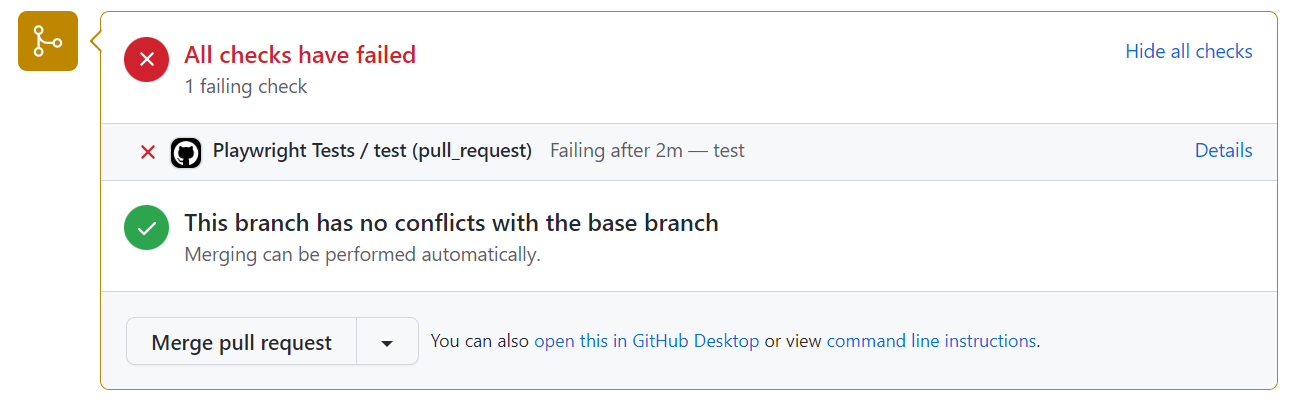 | |
| ## Viewing Test Logs [](https://playwright.dev/dotnet/docs/ci-intro\#viewing-test-logs "Direct link to Viewing Test Logs") | |
| Clicking on the workflow run shows you all the actions that GitHub performed and clicking on **Run Playwright tests** shows the error messages, what was expected and what was received as well as the call log. | |
| ###### [](https://playwright.dev/dotnet/docs/ci-intro\#-2 "Direct link to -2") | |
|  | |
| ## Viewing the Trace [](https://playwright.dev/dotnet/docs/ci-intro\#viewing-the-trace "Direct link to Viewing the Trace") | |
| You can upload Traces which get created on your CI like GitHub Actions as artifacts. This requires [starting and stopping the trace](https://playwright.dev/dotnet/docs/trace-viewer-intro#recording-a-trace). We recommend only recording traces for failing tests. Once your traces have been uploaded to CI, they can then be downloaded and opened using [trace.playwright.dev](https://trace.playwright.dev/), which is a statically hosted variant of the Trace Viewer. You can upload trace files using drag and drop. | |
| ###### [](https://playwright.dev/dotnet/docs/ci-intro\#-3 "Direct link to -3") | |
| ## Properly handling Secrets [](https://playwright.dev/dotnet/docs/ci-intro\#properly-handling-secrets "Direct link to Properly handling Secrets") | |
| Artifacts like trace files or console logs contain information about your test execution. They can contain sensitive data like user credentials for a test user, access tokens to a staging backend, testing source code, or sometimes even your application source code. Treat these files just as carefully as you treat that sensitive data. If you upload reports and traces as part of your CI workflow, make sure that you only upload them to trusted artifact stores, or that you encrypt the files before upload. The same is true for sharing artifacts with team members: Use a trusted file share or encrypt the files before sharing. | |
| ## What's Next [](https://playwright.dev/dotnet/docs/ci-intro\#whats-next "Direct link to What's Next") | |
| - [Learn how to use Locators](https://playwright.dev/dotnet/docs/locators) | |
| - [Learn how to perform Actions](https://playwright.dev/dotnet/docs/input) | |
| - [Learn how to write Assertions](https://playwright.dev/dotnet/docs/test-assertions) | |
| - [Learn more about the Trace Viewer](https://playwright.dev/dotnet/docs/trace-viewer) | |
| - [Learn more ways of running tests on GitHub Actions](https://playwright.dev/dotnet/docs/ci#github-actions) | |
| - [Learn more about running tests on other CI providers](https://playwright.dev/dotnet/docs/ci) | |
| - [Introduction](https://playwright.dev/dotnet/docs/ci-intro#introduction) | |
| - [Setting up GitHub Actions](https://playwright.dev/dotnet/docs/ci-intro#setting-up-github-actions) | |
| - [Create a Repo and Push to GitHub](https://playwright.dev/dotnet/docs/ci-intro#create-a-repo-and-push-to-github) | |
| - [Opening the Workflows](https://playwright.dev/dotnet/docs/ci-intro#opening-the-workflows) | |
| - [Viewing Test Logs](https://playwright.dev/dotnet/docs/ci-intro#viewing-test-logs) | |
| - [Viewing the Trace](https://playwright.dev/dotnet/docs/ci-intro#viewing-the-trace) | |
| - [Properly handling Secrets](https://playwright.dev/dotnet/docs/ci-intro#properly-handling-secrets) | |
| - [What's Next](https://playwright.dev/dotnet/docs/ci-intro#whats-next) | |
| ## Playwright Test Generation | |
| [Skip to main content](https://playwright.dev/python/docs/codegen#__docusaurus_skipToContent_fallback) | |
| On this page | |
| ## Introduction [](https://playwright.dev/python/docs/codegen\#introduction "Direct link to Introduction") | |
| Playwright comes with the ability to generate tests for you as you perform actions in the browser and is a great way to quickly get started with testing. Playwright will look at your page and figure out the best locator, prioritizing [role, text and test id locators](https://playwright.dev/python/docs/locators). If the generator finds multiple elements matching the locator, it will improve the locator to make it resilient that uniquely identify the target element. | |
| ## Generate tests with the Playwright Inspector [](https://playwright.dev/python/docs/codegen\#generate-tests-with-the-playwright-inspector "Direct link to Generate tests with the Playwright Inspector") | |
| When running the `codegen` command two windows will be opened, a browser window where you interact with the website you wish to test and the Playwright Inspector window where you can record your tests and then copy them into your editor. | |
| ### Running Codegen [](https://playwright.dev/python/docs/codegen\#running-codegen "Direct link to Running Codegen") | |
| Use the `codegen` command to run the test generator followed by the URL of the website you want to generate tests for. The URL is optional and you can always run the command without it and then add the URL directly into the browser window instead. | |
| ```codeBlockLines_e6Vv | |
| playwright codegen demo.playwright.dev/todomvc | |
| ``` | |
| ### Recording a test [](https://playwright.dev/python/docs/codegen\#recording-a-test "Direct link to Recording a test") | |
| Run the `codegen` command and perform actions in the browser window. Playwright will generate the code for the user interactions which you can see in the Playwright Inspector window. Once you have finished recording your test stop the recording and press the **copy** button to copy your generated test into your editor. | |
| With the test generator you can record: | |
| - Actions like click or fill by simply interacting with the page | |
| - Assertions by clicking on one of the icons in the toolbar and then clicking on an element on the page to assert against. You can choose: | |
| - `'assert visibility'` to assert that an element is visible | |
| - `'assert text'` to assert that an element contains specific text | |
| - `'assert value'` to assert that an element has a specific value | |
| 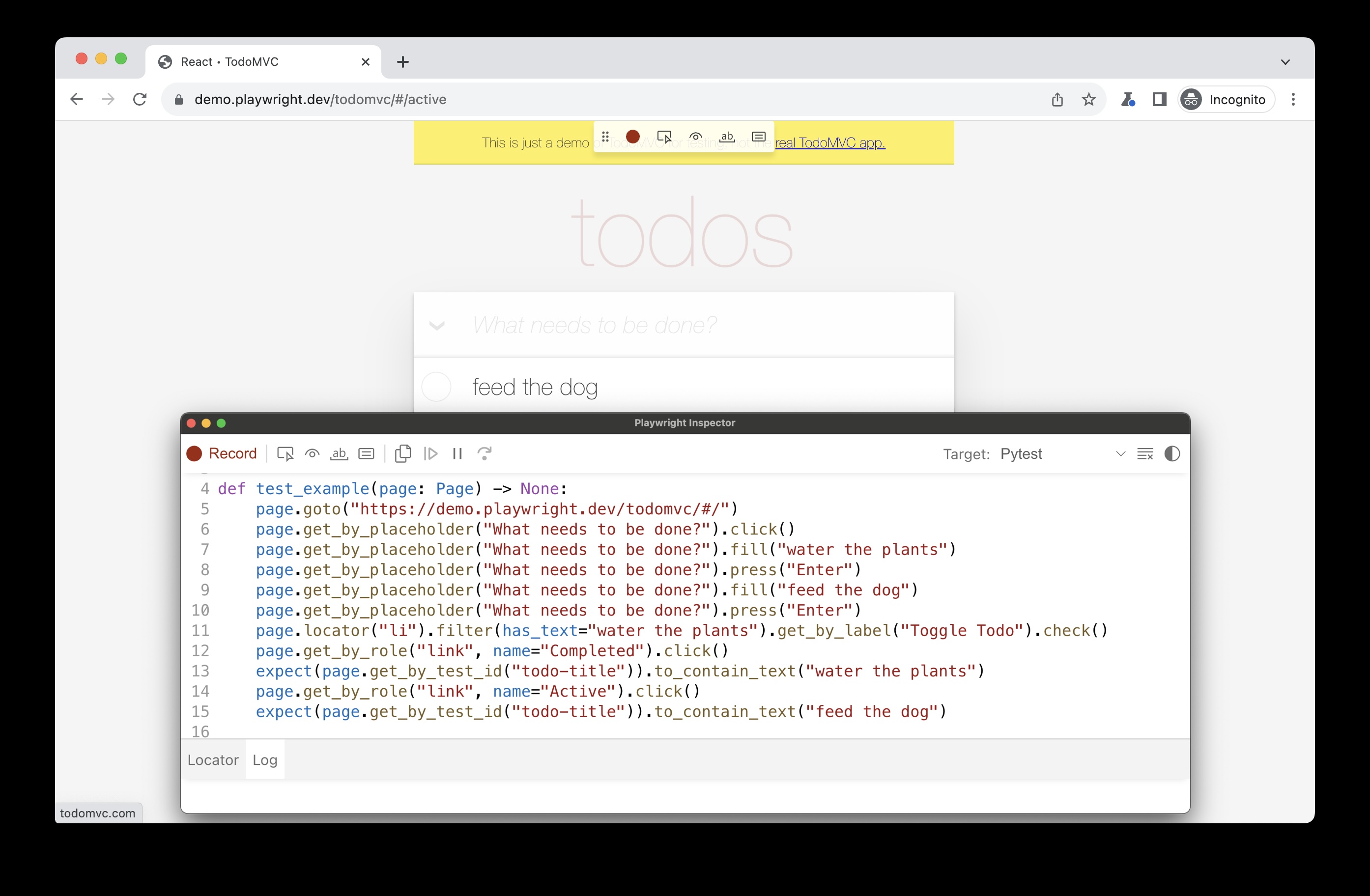 | |
| ###### [](https://playwright.dev/python/docs/codegen\#-1 "Direct link to -1") | |
| When you have finished interacting with the page, press the **record** button to stop the recording and use the **copy** button to copy the generated code to your editor. | |
| Use the **clear** button to clear the code to start recording again. Once finished, close the Playwright inspector window or stop the terminal command. | |
| ### Generating locators [](https://playwright.dev/python/docs/codegen\#generating-locators "Direct link to Generating locators") | |
| You can generate [locators](https://playwright.dev/python/docs/locators) with the test generator. | |
| - Press the `'Record'` button to stop the recording and the `'Pick Locator'` button will appear. | |
| - Click on the `'Pick Locator'` button and then hover over elements in the browser window to see the locator highlighted underneath each element. | |
| - To choose a locator, click on the element you would like to locate and the code for that locator will appear in the field next to the Pick Locator button. | |
| - You can then edit the locator in this field to fine tune it or use the copy button to copy it and paste it into your code. | |
| ###### [](https://playwright.dev/python/docs/codegen\#-2 "Direct link to -2") | |
| 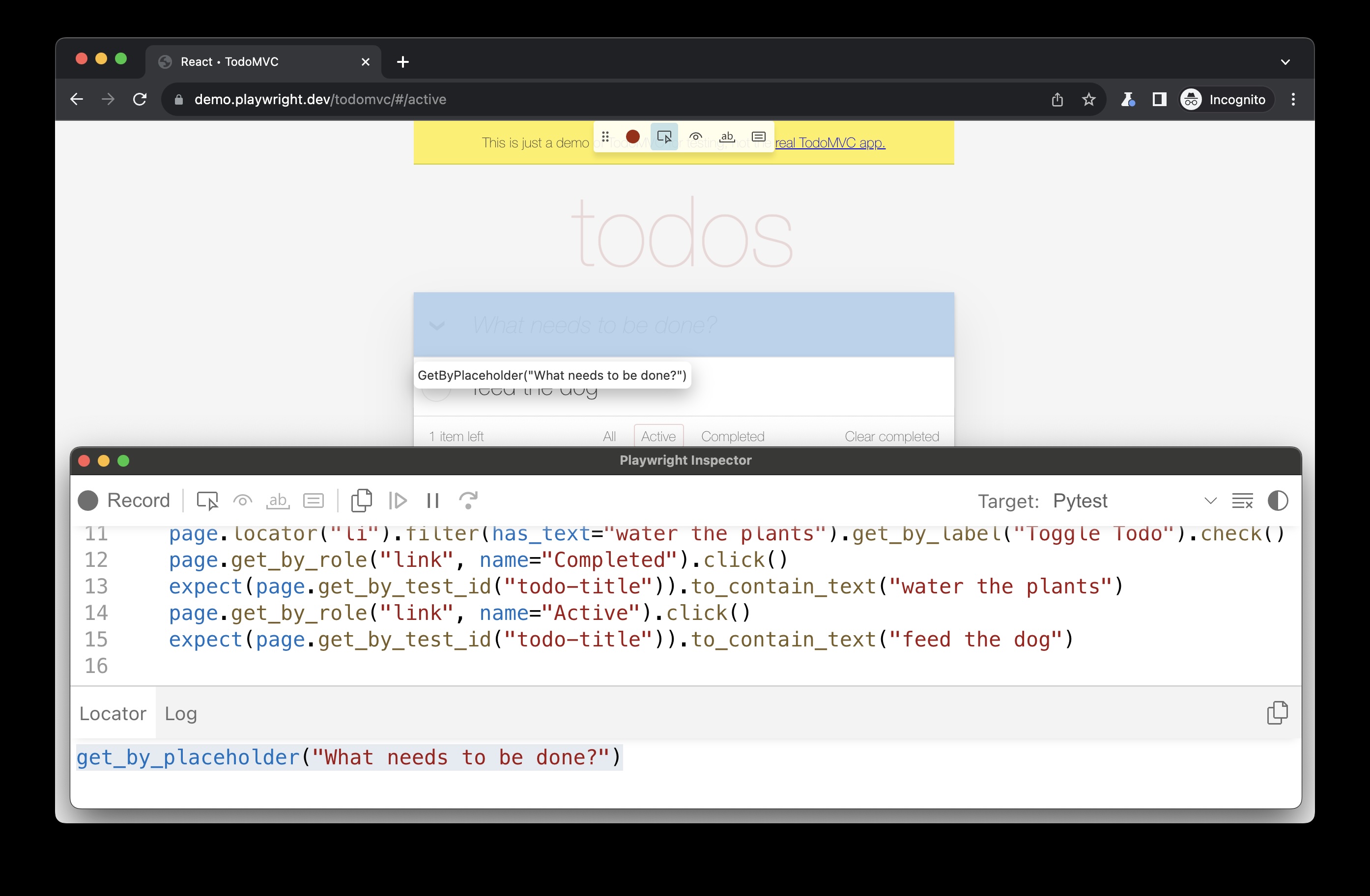 | |
| ## Emulation [](https://playwright.dev/python/docs/codegen\#emulation "Direct link to Emulation") | |
| You can use the test generator to generate tests using emulation so as to generate a test for a specific viewport, device, color scheme, as well as emulate the geolocation, language or timezone. The test generator can also generate a test while preserving authenticated state. | |
| ### Emulate viewport size [](https://playwright.dev/python/docs/codegen\#emulate-viewport-size "Direct link to Emulate viewport size") | |
| Playwright opens a browser window with its viewport set to a specific width and height and is not responsive as tests need to be run under the same conditions. Use the `--viewport` option to generate tests with a different viewport size. | |
| ```codeBlockLines_e6Vv | |
| playwright codegen --viewport-size="800,600" playwright.dev | |
| ``` | |
| ###### [](https://playwright.dev/python/docs/codegen\#-3 "Direct link to -3") | |
| 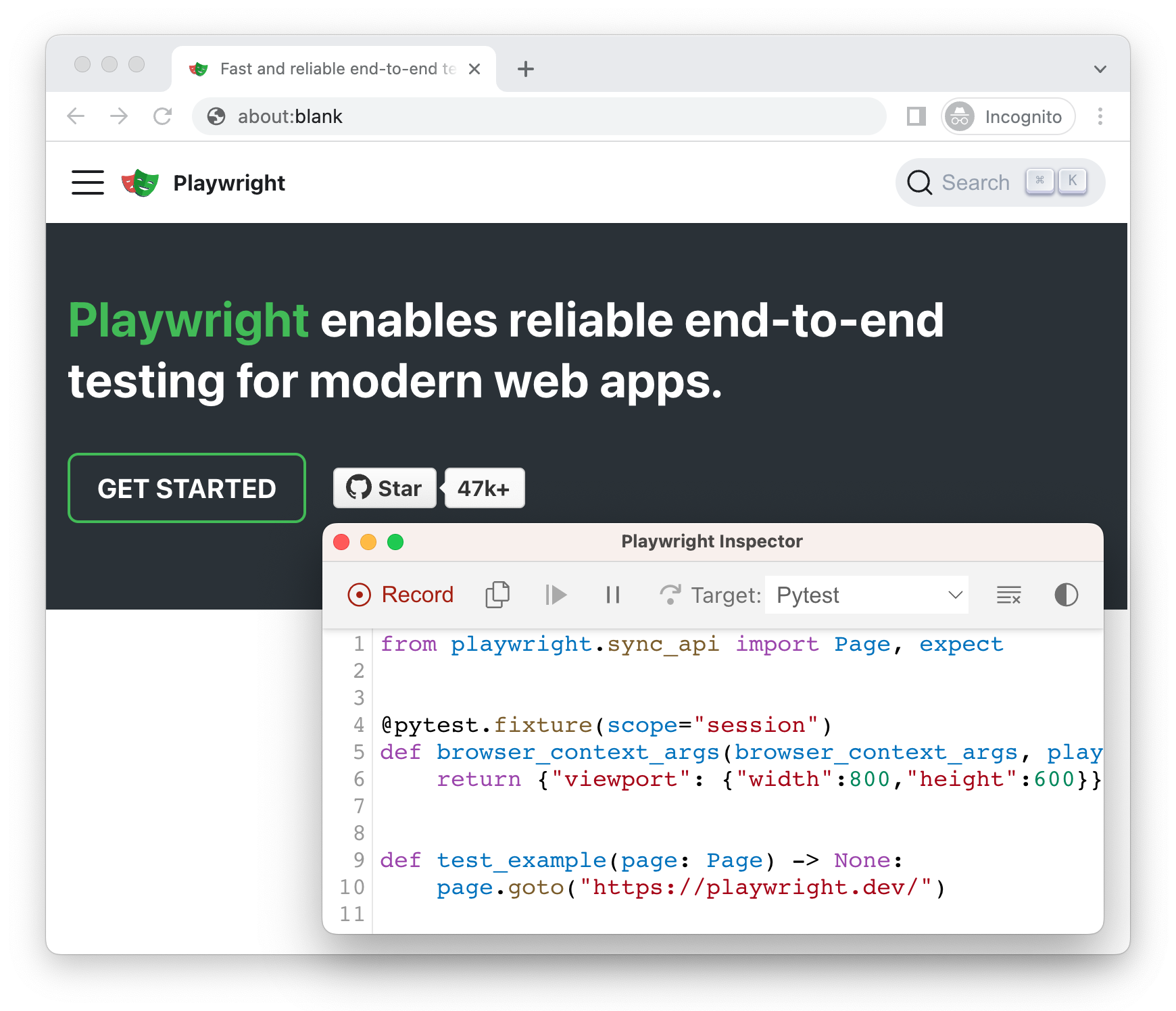 | |
| ### Emulate devices [](https://playwright.dev/python/docs/codegen\#emulate-devices "Direct link to Emulate devices") | |
| Record scripts and tests while emulating a mobile device using the `--device` option which sets the viewport size and user agent among others. | |
| ```codeBlockLines_e6Vv | |
| playwright codegen --device="iPhone 13" playwright.dev | |
| ``` | |
| ###### [](https://playwright.dev/python/docs/codegen\#-4 "Direct link to -4") | |
| 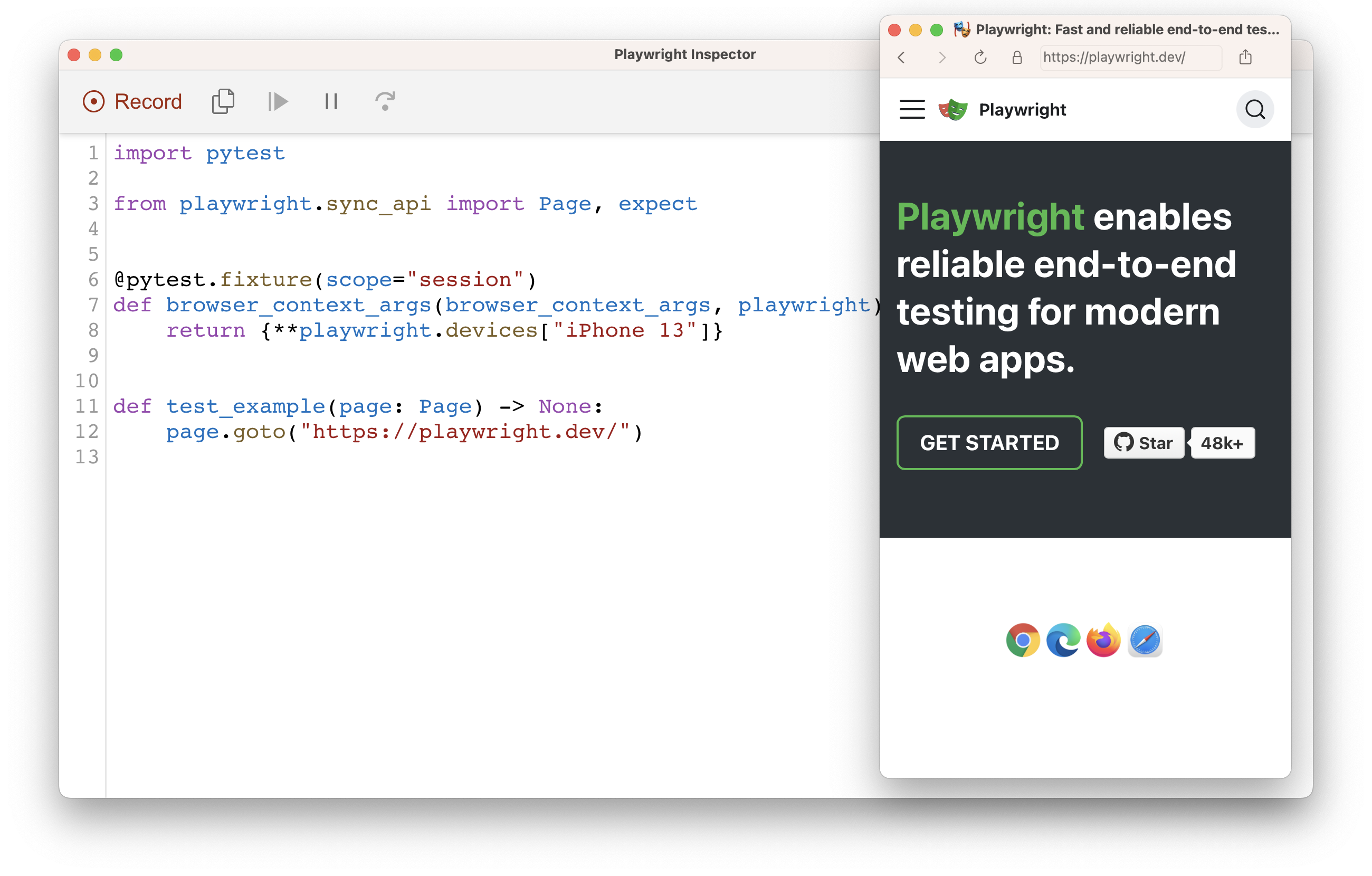 | |
| ### Emulate color scheme [](https://playwright.dev/python/docs/codegen\#emulate-color-scheme "Direct link to Emulate color scheme") | |
| Record scripts and tests while emulating the color scheme with the `--color-scheme` option. | |
| ```codeBlockLines_e6Vv | |
| playwright codegen --color-scheme=dark playwright.dev | |
| ``` | |
| ###### [](https://playwright.dev/python/docs/codegen\#-5 "Direct link to -5") | |
| 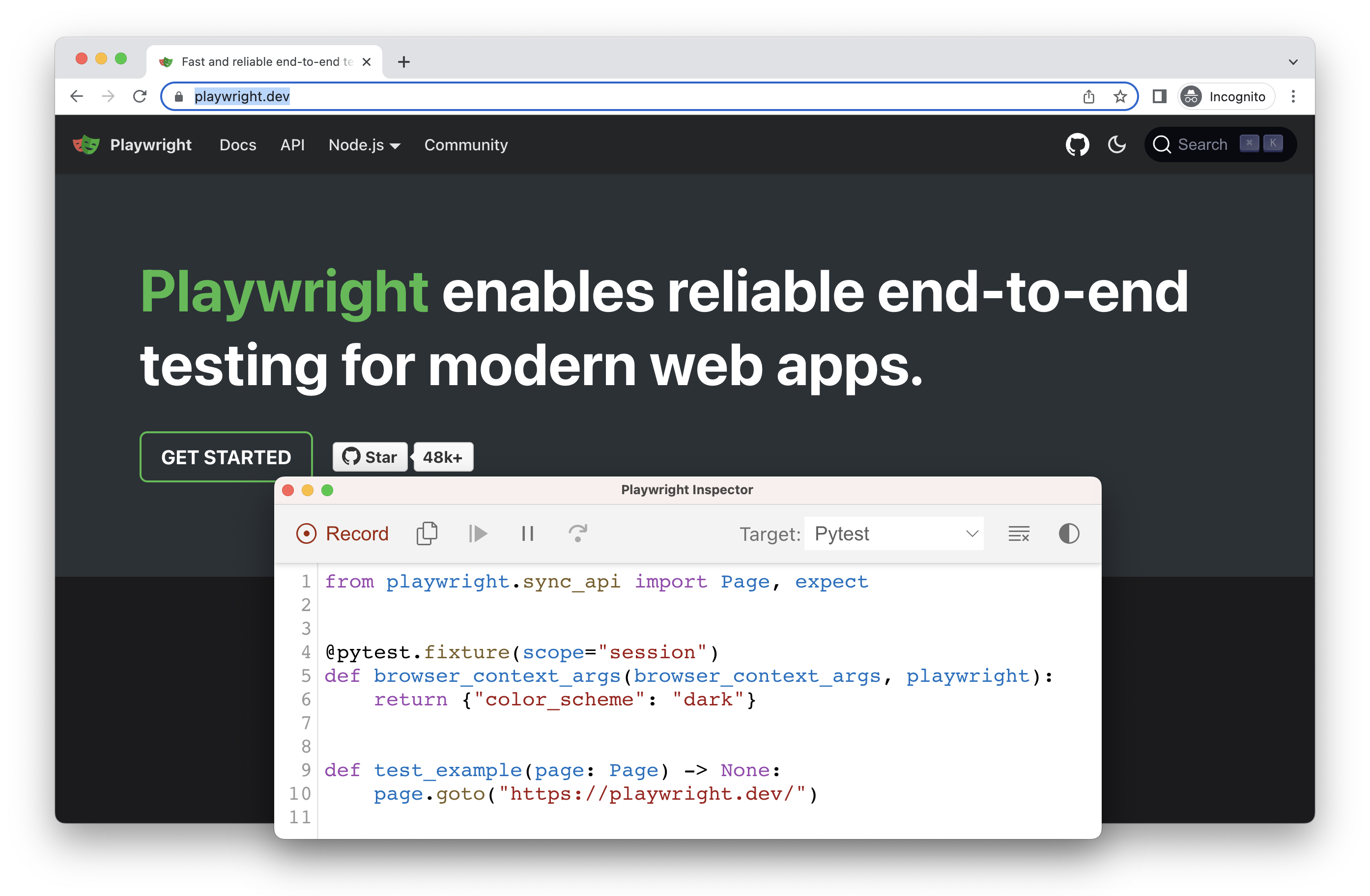 | |
| ### Emulate geolocation, language and timezone [](https://playwright.dev/python/docs/codegen\#emulate-geolocation-language-and-timezone "Direct link to Emulate geolocation, language and timezone") | |
| Record scripts and tests while emulating timezone, language & location using the `--timezone`, `--geolocation` and `--lang` options. Once the page opens: | |
| 1. Accept the cookies | |
| 2. On the top right, click on the locate me button to see geolocation in action. | |
| ```codeBlockLines_e6Vv | |
| playwright codegen --timezone="Europe/Rome" --geolocation="41.890221,12.492348" --lang="it-IT" bing.com/maps | |
| ``` | |
| ###### [](https://playwright.dev/python/docs/codegen\#-6 "Direct link to -6") | |
| 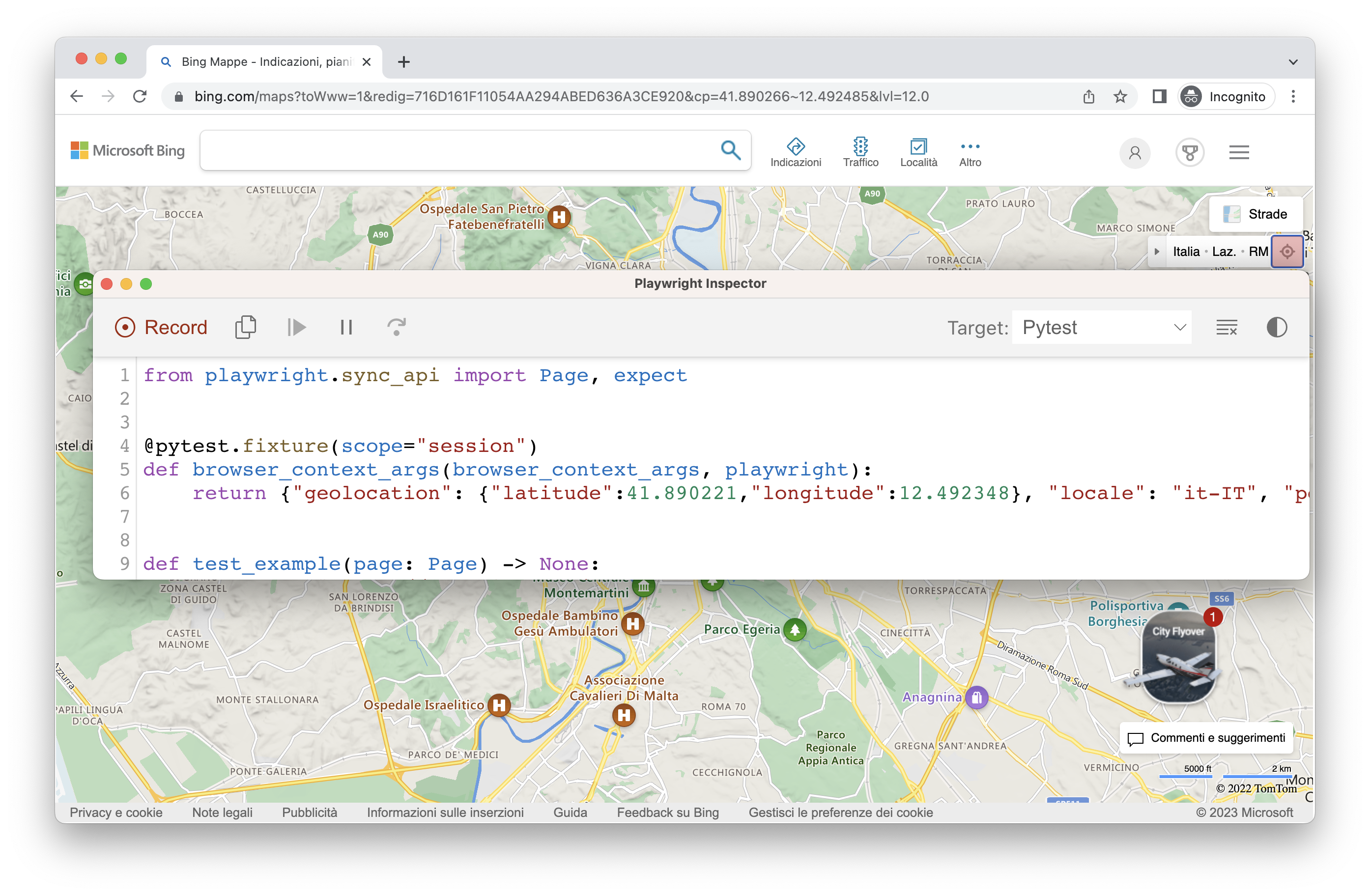 | |
| ### Preserve authenticated state [](https://playwright.dev/python/docs/codegen\#preserve-authenticated-state "Direct link to Preserve authenticated state") | |
| Run `codegen` with `--save-storage` to save [cookies](https://developer.mozilla.org/en-US/docs/Web/HTTP/Cookies), [localStorage](https://developer.mozilla.org/en-US/docs/Web/API/Window/localStorage) and [IndexedDB](https://developer.mozilla.org/en-US/docs/Web/API/IndexedDB_API) data at the end of the session. This is useful to separately record an authentication step and reuse it later when recording more tests. | |
| ```codeBlockLines_e6Vv | |
| playwright codegen github.com/microsoft/playwright --save-storage=auth.json | |
| ``` | |
| ###### [](https://playwright.dev/python/docs/codegen\#-7 "Direct link to -7") | |
| 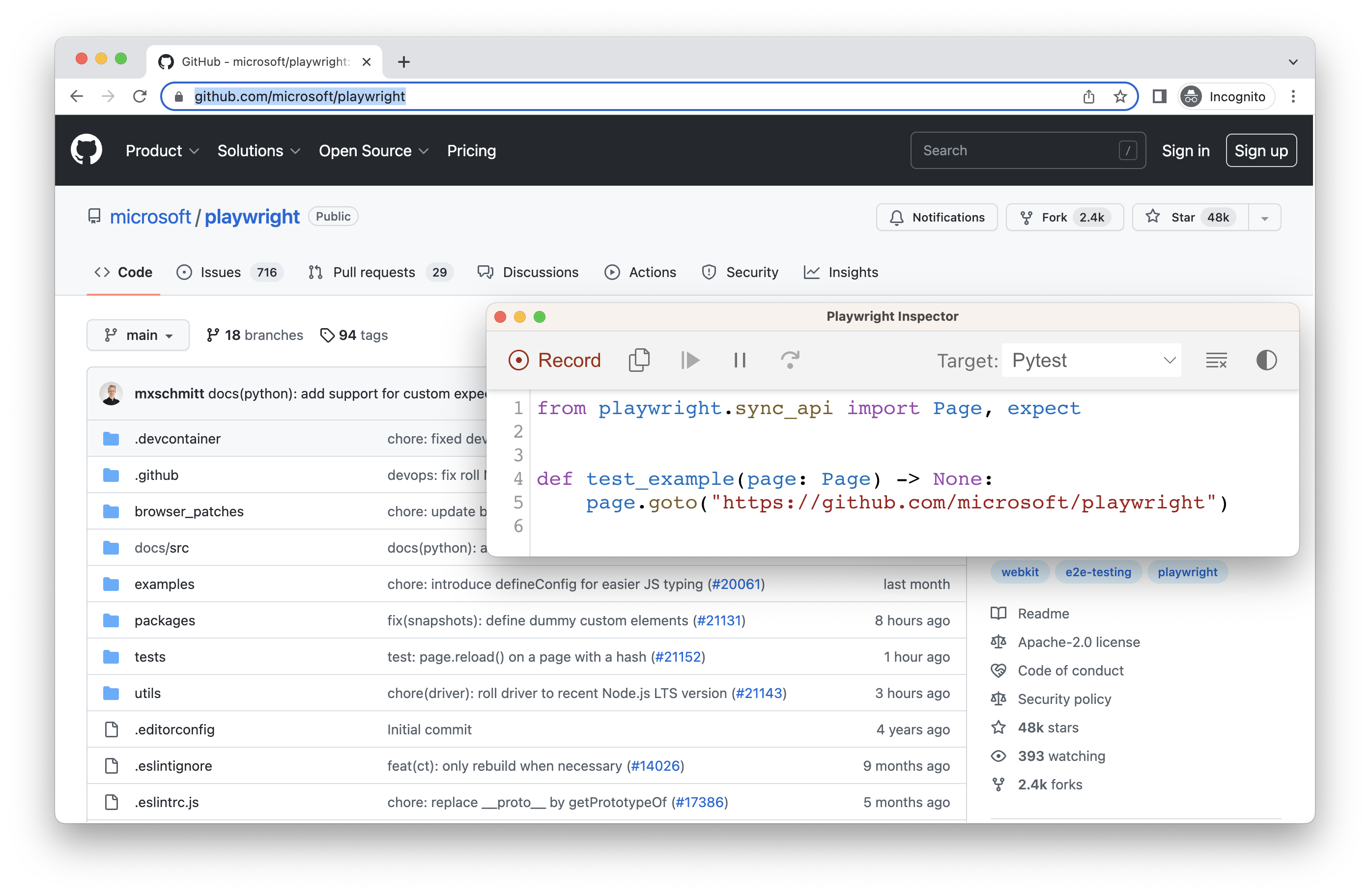 | |
| #### Login [](https://playwright.dev/python/docs/codegen\#login "Direct link to Login") | |
| After performing authentication and closing the browser, `auth.json` will contain the storage state which you can then reuse in your tests. | |
| 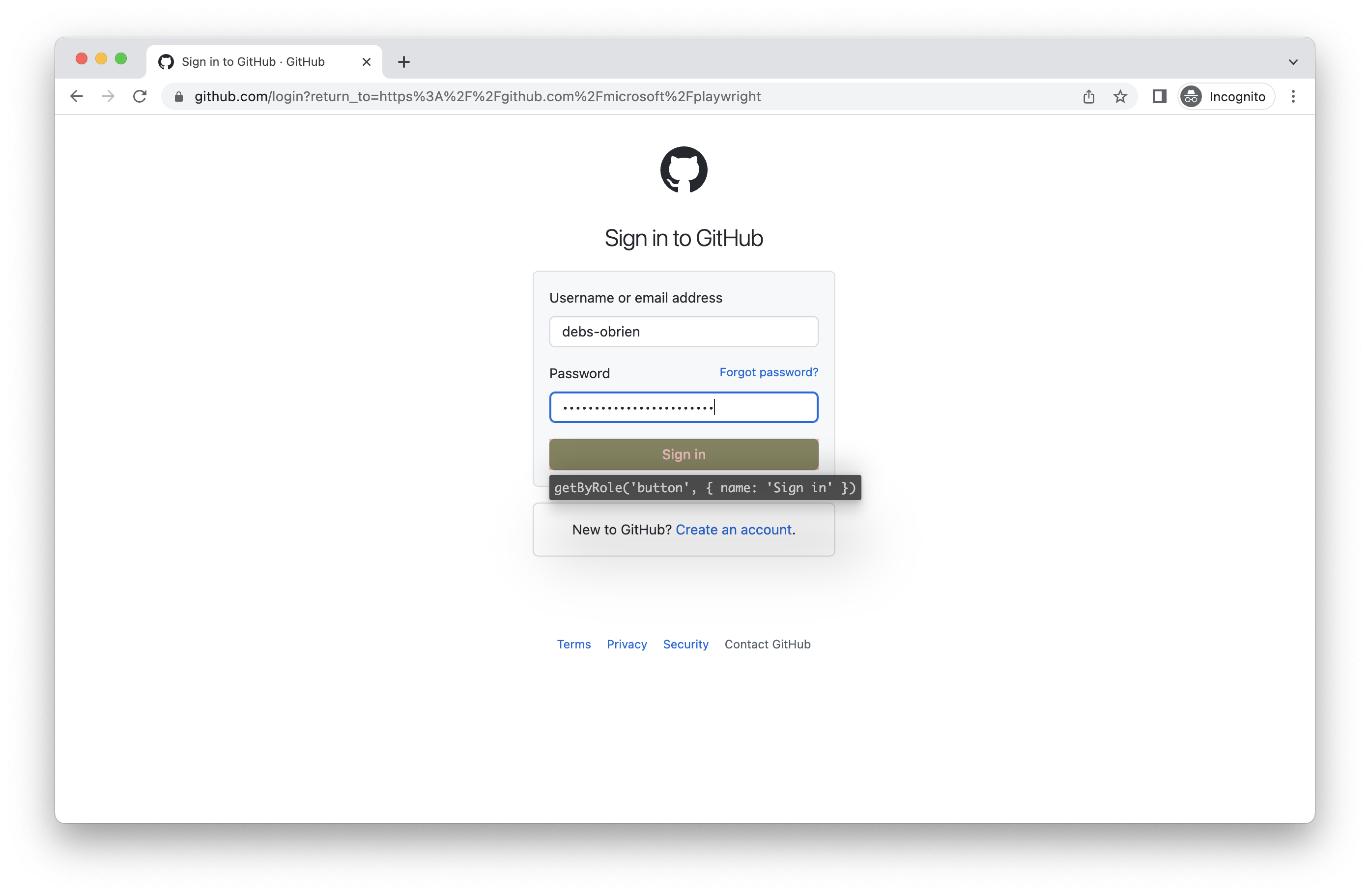 | |
| Make sure you only use the `auth.json` locally as it contains sensitive information. Add it to your `.gitignore` or delete it once you have finished generating your tests. | |
| #### Load authenticated state [](https://playwright.dev/python/docs/codegen\#load-authenticated-state "Direct link to Load authenticated state") | |
| Run with `--load-storage` to consume the previously loaded storage from the `auth.json`. This way, all [cookies](https://developer.mozilla.org/en-US/docs/Web/HTTP/Cookies), [localStorage](https://developer.mozilla.org/en-US/docs/Web/API/Window/localStorage) and [IndexedDB](https://developer.mozilla.org/en-US/docs/Web/API/IndexedDB_API) data will be restored, bringing most web apps to the authenticated state without the need to login again. This means you can continue generating tests from the logged in state. | |
| ```codeBlockLines_e6Vv | |
| playwright codegen --load-storage=auth.json github.com/microsoft/playwright | |
| ``` | |
| ###### [](https://playwright.dev/python/docs/codegen\#-8 "Direct link to -8") | |
| 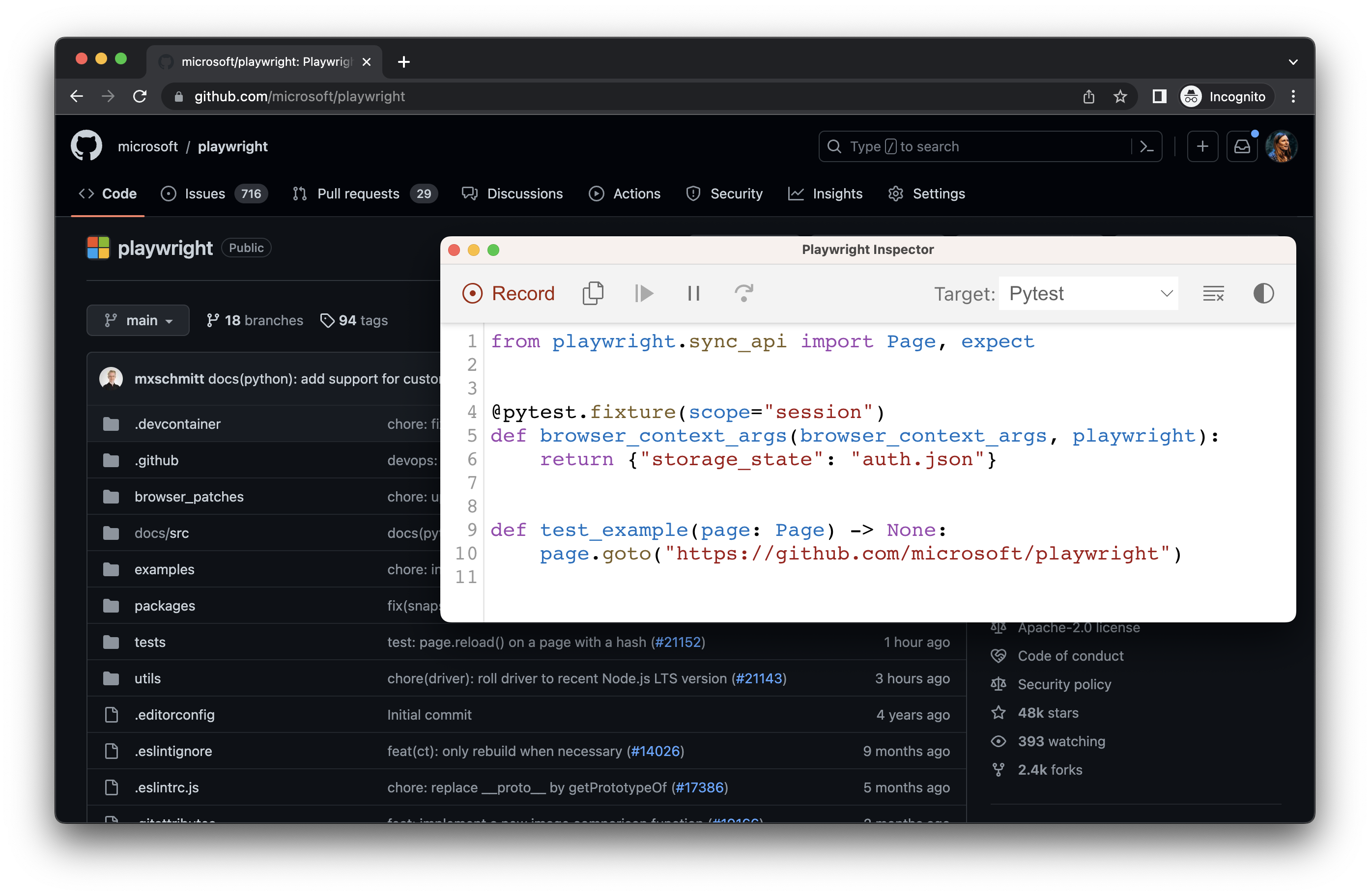 | |
| #### Use existing userDataDir [](https://playwright.dev/python/docs/codegen\#use-existing-userdatadir "Direct link to Use existing userDataDir") | |
| Run `codegen` with `--user-data-dir` to set a fixed [user data directory](https://playwright.dev/docs/api/class-browsertype#browser-type-launch-persistent-context-option-user-data-dir) for the browser session. If you create a custom browser user data directory, codegen will use this existing browser profile and have access to any authentication state present in that profile. | |
| warning | |
| [As of Chrome 136, the default user data directory cannot be accessed via automated tooling](https://developer.chrome.com/blog/remote-debugging-port), such as Playwright. You must create a separate user data directory for use in testing. | |
| ```codeBlockLines_e6Vv | |
| playwright codegen --user-data-dir=/path/to/your/browser/data/ github.com/microsoft/playwright | |
| ``` | |
| ## Record using custom setup [](https://playwright.dev/python/docs/codegen\#record-using-custom-setup "Direct link to Record using custom setup") | |
| If you would like to use codegen in some non-standard setup (for example, use [browser\_context.route()](https://playwright.dev/python/docs/api/class-browsercontext#browser-context-route)), it is possible to call [page.pause()](https://playwright.dev/python/docs/api/class-page#page-pause) that will open a separate window with codegen controls. | |
| - Sync | |
| - Async | |
| ```codeBlockLines_e6Vv | |
| from playwright.sync_api import sync_playwright | |
| with sync_playwright() as p: | |
| # Make sure to run headed. | |
| browser = p.chromium.launch(headless=False) | |
| # Setup context however you like. | |
| context = browser.new_context() # Pass any options | |
| context.route('**/*', lambda route: route.continue_()) | |
| # Pause the page, and start recording manually. | |
| page = context.new_page() | |
| page.pause() | |
| ``` | |
| - [Introduction](https://playwright.dev/python/docs/codegen#introduction) | |
| - [Generate tests with the Playwright Inspector](https://playwright.dev/python/docs/codegen#generate-tests-with-the-playwright-inspector) | |
| - [Running Codegen](https://playwright.dev/python/docs/codegen#running-codegen) | |
| - [Recording a test](https://playwright.dev/python/docs/codegen#recording-a-test) | |
| - [Generating locators](https://playwright.dev/python/docs/codegen#generating-locators) | |
| - [Emulation](https://playwright.dev/python/docs/codegen#emulation) | |
| - [Emulate viewport size](https://playwright.dev/python/docs/codegen#emulate-viewport-size) | |
| - [Emulate devices](https://playwright.dev/python/docs/codegen#emulate-devices) | |
| - [Emulate color scheme](https://playwright.dev/python/docs/codegen#emulate-color-scheme) | |
| - [Emulate geolocation, language and timezone](https://playwright.dev/python/docs/codegen#emulate-geolocation-language-and-timezone) | |
| - [Preserve authenticated state](https://playwright.dev/python/docs/codegen#preserve-authenticated-state) | |
| - [Record using custom setup](https://playwright.dev/python/docs/codegen#record-using-custom-setup) | |
| ## Custom Selector Engines | |
| [Skip to main content](https://playwright.dev/python/docs/api/class-selectors#__docusaurus_skipToContent_fallback) | |
| On this page | |
| Selectors can be used to install custom selector engines. See [extensibility](https://playwright.dev/python/docs/extensibility) for more information. | |
| * * * | |
| ## Methods [](https://playwright.dev/python/docs/api/class-selectors\#methods "Direct link to Methods") | |
| ### register [](https://playwright.dev/python/docs/api/class-selectors\#selectors-register "Direct link to register") | |
| Added before v1.9selectors.register | |
| Selectors must be registered before creating the page. | |
| **Usage** | |
| An example of registering selector engine that queries elements based on a tag name: | |
| - Sync | |
| - Async | |
| ```codeBlockLines_e6Vv | |
| from playwright.sync_api import sync_playwright, Playwright | |
| def run(playwright: Playwright): | |
| tag_selector = """ | |
| { | |
| // Returns the first element matching given selector in the root's subtree. | |
| query(root, selector) { | |
| return root.querySelector(selector); | |
| }, | |
| // Returns all elements matching given selector in the root's subtree. | |
| queryAll(root, selector) { | |
| return Array.from(root.querySelectorAll(selector)); | |
| } | |
| }""" | |
| # Register the engine. Selectors will be prefixed with "tag=". | |
| playwright.selectors.register("tag", tag_selector) | |
| browser = playwright.chromium.launch() | |
| page = browser.new_page() | |
| page.set_content('<div><button>Click me</button></div>') | |
| # Use the selector prefixed with its name. | |
| button = page.locator('tag=button') | |
| # Combine it with built-in locators. | |
| page.locator('tag=div').get_by_text('Click me').click() | |
| # Can use it in any methods supporting selectors. | |
| button_count = page.locator('tag=button').count() | |
| print(button_count) | |
| browser.close() | |
| with sync_playwright() as playwright: | |
| run(playwright) | |
| ``` | |
| **Arguments** | |
| - `name` [str](https://docs.python.org/3/library/stdtypes.html#text-sequence-type-str "str") [#](https://playwright.dev/python/docs/api/class-selectors#selectors-register-option-name) | |
| Name that is used in selectors as a prefix, e.g. `{name: 'foo'}` enables `foo=myselectorbody` selectors. May only contain `[a-zA-Z0-9_]` characters. | |
| - `script` [str](https://docs.python.org/3/library/stdtypes.html#text-sequence-type-str "str") _(optional)_ [#](https://playwright.dev/python/docs/api/class-selectors#selectors-register-option-script) | |
| Raw script content. | |
| - `content_script` [bool](https://docs.python.org/3/library/stdtypes.html "bool") _(optional)_ [#](https://playwright.dev/python/docs/api/class-selectors#selectors-register-option-content-script) | |
| Whether to run this selector engine in isolated JavaScript environment. This environment has access to the same DOM, but not any JavaScript objects from the frame's scripts. Defaults to `false`. Note that running as a content script is not guaranteed when this engine is used together with other registered engines. | |
| - `path` [Union](https://docs.python.org/3/library/typing.html#typing.Union "Union")\[ [str](https://docs.python.org/3/library/stdtypes.html#text-sequence-type-str "str"), [pathlib.Path](https://realpython.com/python-pathlib/ "pathlib.Path")\] _(optional)_ [#](https://playwright.dev/python/docs/api/class-selectors#selectors-register-option-path) | |
| Path to the JavaScript file. If `path` is a relative path, then it is resolved relative to the current working directory. | |
| **Returns** | |
| - [NoneType](https://docs.python.org/3/library/constants.html#None "None") [#](https://playwright.dev/python/docs/api/class-selectors#selectors-register-return) | |
| * * * | |
| ### set\_test\_id\_attribute [](https://playwright.dev/python/docs/api/class-selectors\#selectors-set-test-id-attribute "Direct link to set_test_id_attribute") | |
| Added in: v1.27selectors.set\_test\_id\_attribute | |
| Defines custom attribute name to be used in [page.get\_by\_test\_id()](https://playwright.dev/python/docs/api/class-page#page-get-by-test-id). `data-testid` is used by default. | |
| **Usage** | |
| ```codeBlockLines_e6Vv | |
| selectors.set_test_id_attribute(attribute_name) | |
| ``` | |
| **Arguments** | |
| - `attribute_name` [str](https://docs.python.org/3/library/stdtypes.html#text-sequence-type-str "str") [#](https://playwright.dev/python/docs/api/class-selectors#selectors-set-test-id-attribute-option-attribute-name) | |
| Test id attribute name. | |
| - [Methods](https://playwright.dev/python/docs/api/class-selectors#methods) | |
| - [register](https://playwright.dev/python/docs/api/class-selectors#selectors-register) | |
| - [set\_test\_id\_attribute](https://playwright.dev/python/docs/api/class-selectors#selectors-set-test-id-attribute) | |
| ## Element Actionability Checks | |
| [Skip to main content](https://playwright.dev/java/docs/actionability#__docusaurus_skipToContent_fallback) | |
| On this page | |
| ## Introduction [](https://playwright.dev/java/docs/actionability\#introduction "Direct link to Introduction") | |
| Playwright performs a range of actionability checks on the elements before making actions to ensure these actions behave as expected. It auto-waits for all the relevant checks to pass and only then performs the requested action. If the required checks do not pass within the given `timeout`, action fails with the `TimeoutError`. | |
| For example, for [Locator.click()](https://playwright.dev/java/docs/api/class-locator#locator-click), Playwright will ensure that: | |
| - locator resolves to exactly one element | |
| - element is [Visible](https://playwright.dev/java/docs/actionability#visible "Visible") | |
| - element is [Stable](https://playwright.dev/java/docs/actionability#stable "Stable"), as in not animating or completed animation | |
| - element [Receives Events](https://playwright.dev/java/docs/actionability#receives-events "Receives Events"), as in not obscured by other elements | |
| - element is [Enabled](https://playwright.dev/java/docs/actionability#enabled "Enabled") | |
| Here is the complete list of actionability checks performed for each action: | |
| | Action | [Visible](https://playwright.dev/java/docs/actionability#visible "Visible") | [Stable](https://playwright.dev/java/docs/actionability#stable "Stable") | [Receives Events](https://playwright.dev/java/docs/actionability#receives-events "Receives Events") | [Enabled](https://playwright.dev/java/docs/actionability#enabled "Enabled") | [Editable](https://playwright.dev/java/docs/actionability#editable "Editable") | | |
| | --- | --- | --- | --- | --- | --- | | |
| | [Locator.check()](https://playwright.dev/java/docs/api/class-locator#locator-check) | Yes | Yes | Yes | Yes | - | | |
| | [Locator.click()](https://playwright.dev/java/docs/api/class-locator#locator-click) | Yes | Yes | Yes | Yes | - | | |
| | [Locator.dblclick()](https://playwright.dev/java/docs/api/class-locator#locator-dblclick) | Yes | Yes | Yes | Yes | - | | |
| | [Locator.setChecked()](https://playwright.dev/java/docs/api/class-locator#locator-set-checked) | Yes | Yes | Yes | Yes | - | | |
| | [Locator.tap()](https://playwright.dev/java/docs/api/class-locator#locator-tap) | Yes | Yes | Yes | Yes | - | | |
| | [Locator.uncheck()](https://playwright.dev/java/docs/api/class-locator#locator-uncheck) | Yes | Yes | Yes | Yes | - | | |
| | [Locator.hover()](https://playwright.dev/java/docs/api/class-locator#locator-hover) | Yes | Yes | Yes | - | - | | |
| | [Locator.dragTo()](https://playwright.dev/java/docs/api/class-locator#locator-drag-to) | Yes | Yes | Yes | - | - | | |
| | [Locator.screenshot()](https://playwright.dev/java/docs/api/class-locator#locator-screenshot) | Yes | Yes | - | - | - | | |
| | [Locator.fill()](https://playwright.dev/java/docs/api/class-locator#locator-fill) | Yes | - | - | Yes | Yes | | |
| | [Locator.clear()](https://playwright.dev/java/docs/api/class-locator#locator-clear) | Yes | - | - | Yes | Yes | | |
| | [Locator.selectOption()](https://playwright.dev/java/docs/api/class-locator#locator-select-option) | Yes | - | - | Yes | - | | |
| | [Locator.selectText()](https://playwright.dev/java/docs/api/class-locator#locator-select-text) | Yes | - | - | - | - | | |
| | [Locator.scrollIntoViewIfNeeded()](https://playwright.dev/java/docs/api/class-locator#locator-scroll-into-view-if-needed) | - | Yes | - | - | - | | |
| | [Locator.blur()](https://playwright.dev/java/docs/api/class-locator#locator-blur) | - | - | - | - | - | | |
| | [Locator.dispatchEvent()](https://playwright.dev/java/docs/api/class-locator#locator-dispatch-event) | - | - | - | - | - | | |
| | [Locator.focus()](https://playwright.dev/java/docs/api/class-locator#locator-focus) | - | - | - | - | - | | |
| | [Locator.press()](https://playwright.dev/java/docs/api/class-locator#locator-press) | - | - | - | - | - | | |
| | [Locator.pressSequentially()](https://playwright.dev/java/docs/api/class-locator#locator-press-sequentially) | - | - | - | - | - | | |
| | [Locator.setInputFiles()](https://playwright.dev/java/docs/api/class-locator#locator-set-input-files) | - | - | - | - | - | | |
| ## Forcing actions [](https://playwright.dev/java/docs/actionability\#forcing-actions "Direct link to Forcing actions") | |
| Some actions like [Locator.click()](https://playwright.dev/java/docs/api/class-locator#locator-click) support `force` option that disables non-essential actionability checks, for example passing truthy `force` to [Locator.click()](https://playwright.dev/java/docs/api/class-locator#locator-click) method will not check that the target element actually receives click events. | |
| ## Assertions [](https://playwright.dev/java/docs/actionability\#assertions "Direct link to Assertions") | |
| Playwright includes auto-retrying assertions that remove flakiness by waiting until the condition is met, similarly to auto-waiting before actions. | |
| | Assertion | Description | | |
| | --- | --- | | |
| | [assertThat(locator).isAttached()](https://playwright.dev/java/docs/api/class-locatorassertions#locator-assertions-to-be-attached) | Element is attached | | |
| | [assertThat(locator).isChecked()](https://playwright.dev/java/docs/api/class-locatorassertions#locator-assertions-to-be-checked) | Checkbox is checked | | |
| | [assertThat(locator).isDisabled()](https://playwright.dev/java/docs/api/class-locatorassertions#locator-assertions-to-be-disabled) | Element is disabled | | |
| | [assertThat(locator).isEditable()](https://playwright.dev/java/docs/api/class-locatorassertions#locator-assertions-to-be-editable) | Element is editable | | |
| | [assertThat(locator).isEmpty()](https://playwright.dev/java/docs/api/class-locatorassertions#locator-assertions-to-be-empty) | Container is empty | | |
| | [assertThat(locator).isEnabled()](https://playwright.dev/java/docs/api/class-locatorassertions#locator-assertions-to-be-enabled) | Element is enabled | | |
| | [assertThat(locator).isFocused()](https://playwright.dev/java/docs/api/class-locatorassertions#locator-assertions-to-be-focused) | Element is focused | | |
| | [assertThat(locator).isHidden()](https://playwright.dev/java/docs/api/class-locatorassertions#locator-assertions-to-be-hidden) | Element is not visible | | |
| | [assertThat(locator).isInViewport()](https://playwright.dev/java/docs/api/class-locatorassertions#locator-assertions-to-be-in-viewport) | Element intersects viewport | | |
| | [assertThat(locator).isVisible()](https://playwright.dev/java/docs/api/class-locatorassertions#locator-assertions-to-be-visible) | Element is visible | | |
| | [assertThat(locator).containsText()](https://playwright.dev/java/docs/api/class-locatorassertions#locator-assertions-to-contain-text) | Element contains text | | |
| | [assertThat(locator).hasAttribute()](https://playwright.dev/java/docs/api/class-locatorassertions#locator-assertions-to-have-attribute) | Element has a DOM attribute | | |
| | [assertThat(locator).hasClass()](https://playwright.dev/java/docs/api/class-locatorassertions#locator-assertions-to-have-class) | Element has a class property | | |
| | [assertThat(locator).hasCount()](https://playwright.dev/java/docs/api/class-locatorassertions#locator-assertions-to-have-count) | List has exact number of children | | |
| | [assertThat(locator).hasCSS()](https://playwright.dev/java/docs/api/class-locatorassertions#locator-assertions-to-have-css) | Element has CSS property | | |
| | [assertThat(locator).hasId()](https://playwright.dev/java/docs/api/class-locatorassertions#locator-assertions-to-have-id) | Element has an ID | | |
| | [assertThat(locator).hasJSProperty()](https://playwright.dev/java/docs/api/class-locatorassertions#locator-assertions-to-have-js-property) | Element has a JavaScript property | | |
| | [assertThat(locator).hasText()](https://playwright.dev/java/docs/api/class-locatorassertions#locator-assertions-to-have-text) | Element matches text | | |
| | [assertThat(locator).hasValue()](https://playwright.dev/java/docs/api/class-locatorassertions#locator-assertions-to-have-value) | Input has a value | | |
| | [assertThat(locator).hasValues()](https://playwright.dev/java/docs/api/class-locatorassertions#locator-assertions-to-have-values) | Select has options selected | | |
| | [assertThat(page).hasTitle()](https://playwright.dev/java/docs/api/class-pageassertions#page-assertions-to-have-title) | Page has a title | | |
| | [assertThat(page).hasURL()](https://playwright.dev/java/docs/api/class-pageassertions#page-assertions-to-have-url) | Page has a URL | | |
| | [assertThat(response).isOK()](https://playwright.dev/java/docs/api/class-apiresponseassertions#api-response-assertions-to-be-ok) | Response has an OK status | | |
| Learn more in the [assertions guide](https://playwright.dev/java/docs/test-assertions). | |
| ## Visible [](https://playwright.dev/java/docs/actionability\#visible "Direct link to Visible") | |
| Element is considered visible when it has non-empty bounding box and does not have `visibility:hidden` computed style. | |
| Note that according to this definition: | |
| - Elements of zero size **are not** considered visible. | |
| - Elements with `display:none` **are not** considered visible. | |
| - Elements with `opacity:0` **are** considered visible. | |
| ## Stable [](https://playwright.dev/java/docs/actionability\#stable "Direct link to Stable") | |
| Element is considered stable when it has maintained the same bounding box for at least two consecutive animation frames. | |
| ## Enabled [](https://playwright.dev/java/docs/actionability\#enabled "Direct link to Enabled") | |
| Element is considered enabled when it is **not disabled**. | |
| Element is **disabled** when: | |
| - it is a `<button>`, `<select>`, `<input>`, `<textarea>`, `<option>` or `<optgroup>` with a `[disabled]` attribute; | |
| - it is a `<button>`, `<select>`, `<input>`, `<textarea>`, `<option>` or `<optgroup>` that is a part of a `<fieldset>` with a `[disabled]` attribute; | |
| - it is a descendant of an element with `[aria-disabled=true]` attribute. | |
| ## Editable [](https://playwright.dev/java/docs/actionability\#editable "Direct link to Editable") | |
| Element is considered editable when it is [enabled](https://playwright.dev/java/docs/actionability#enabled "Enabled") and is **not readonly**. | |
| Element is **readonly** when: | |
| - it is a `<select>`, `<input>` or `<textarea>` with a `[readonly]` attribute; | |
| - it has an `[aria-readonly=true]` attribute and an aria role that [supports it](https://w3c.github.io/aria/#aria-readonly). | |
| ## Receives Events [](https://playwright.dev/java/docs/actionability\#receives-events "Direct link to Receives Events") | |
| Element is considered receiving pointer events when it is the hit target of the pointer event at the action point. For example, when clicking at the point `(10;10)`, Playwright checks whether some other element (usually an overlay) will instead capture the click at `(10;10)`. | |
| For example, consider a scenario where Playwright will click `Sign Up` button regardless of when the [Locator.click()](https://playwright.dev/java/docs/api/class-locator#locator-click) call was made: | |
| - page is checking that user name is unique and `Sign Up` button is disabled; | |
| - after checking with the server, the disabled `Sign Up` button is replaced with another one that is now enabled. | |
| - [Introduction](https://playwright.dev/java/docs/actionability#introduction) | |
| - [Forcing actions](https://playwright.dev/java/docs/actionability#forcing-actions) | |
| - [Assertions](https://playwright.dev/java/docs/actionability#assertions) | |
| - [Visible](https://playwright.dev/java/docs/actionability#visible) | |
| - [Stable](https://playwright.dev/java/docs/actionability#stable) | |
| - [Enabled](https://playwright.dev/java/docs/actionability#enabled) | |
| - [Editable](https://playwright.dev/java/docs/actionability#editable) | |
| - [Receives Events](https://playwright.dev/java/docs/actionability#receives-events) | |
| ## Playwright Test Fixtures | |
| [Skip to main content](https://playwright.dev/docs/next/api/class-fixtures#__docusaurus_skipToContent_fallback) | |
| This is unreleased documentation for Playwright **Next** version. | |
| For up-to-date documentation, see the **[latest version](https://playwright.dev/docs/api/class-fixtures)** (stable). | |
| Version: Next | |
| On this page | |
| Playwright Test is based on the concept of the [test fixtures](https://playwright.dev/docs/next/test-fixtures). Test fixtures are used to establish environment for each test, giving the test everything it needs and nothing else. | |
| Playwright Test looks at each test declaration, analyses the set of fixtures the test needs and prepares those fixtures specifically for the test. Values prepared by the fixtures are merged into a single object that is available to the `test`, hooks, annotations and other fixtures as a first parameter. | |
| ```codeBlockLines_e6Vv | |
| import { test, expect } from '@playwright/test'; | |
| test('basic test', async ({ page }) => { | |
| // ... | |
| }); | |
| ``` | |
| Given the test above, Playwright Test will set up the `page` fixture before running the test, and tear it down after the test has finished. `page` fixture provides a [Page](https://playwright.dev/docs/next/api/class-page "Page") object that is available to the test. | |
| Playwright Test comes with builtin fixtures listed below, and you can add your own fixtures as well. Playwright Test also [provides options](https://playwright.dev/docs/next/api/class-testoptions "TestOptions") to configure [fixtures.browser](https://playwright.dev/docs/next/api/class-fixtures#fixtures-browser), [fixtures.context](https://playwright.dev/docs/next/api/class-fixtures#fixtures-context) and [fixtures.page](https://playwright.dev/docs/next/api/class-fixtures#fixtures-page). | |
| * * * | |
| ## Properties [](https://playwright.dev/docs/next/api/class-fixtures\#properties "Direct link to Properties") | |
| ### browser [](https://playwright.dev/docs/next/api/class-fixtures\#fixtures-browser "Direct link to browser") | |
| Added in: v1.10fixtures.browser | |
| [Browser](https://playwright.dev/docs/next/api/class-browser "Browser") instance is shared between all tests in the [same worker](https://playwright.dev/docs/next/test-parallel) \- this makes testing efficient. However, each test runs in an isolated [BrowserContext](https://playwright.dev/docs/next/api/class-browsercontext "BrowserContext") and gets a fresh environment. | |
| Learn how to [configure browser](https://playwright.dev/docs/next/test-configuration) and see [available options](https://playwright.dev/docs/next/api/class-testoptions "TestOptions"). | |
| **Usage** | |
| ```codeBlockLines_e6Vv | |
| test.beforeAll(async ({ browser }) => { | |
| const page = await browser.newPage(); | |
| // ... | |
| }); | |
| ``` | |
| **Type** | |
| - [Browser](https://playwright.dev/docs/next/api/class-browser "Browser") | |
| * * * | |
| ### browserName [](https://playwright.dev/docs/next/api/class-fixtures\#fixtures-browser-name "Direct link to browserName") | |
| Added in: v1.10fixtures.browserName | |
| Name of the browser that runs tests. Defaults to `'chromium'`. Useful to [annotate tests](https://playwright.dev/docs/next/test-annotations) based on the browser. | |
| **Usage** | |
| ```codeBlockLines_e6Vv | |
| test('skip this test in Firefox', async ({ page, browserName }) => { | |
| test.skip(browserName === 'firefox', 'Still working on it'); | |
| // ... | |
| }); | |
| ``` | |
| **Type** | |
| - "chromium" \| "firefox" \| "webkit" | |
| * * * | |
| ### context [](https://playwright.dev/docs/next/api/class-fixtures\#fixtures-context "Direct link to context") | |
| Added in: v1.10fixtures.context | |
| Isolated [BrowserContext](https://playwright.dev/docs/next/api/class-browsercontext "BrowserContext") instance, created for each test. Since contexts are isolated between each other, every test gets a fresh environment, even when multiple tests run in a single [Browser](https://playwright.dev/docs/next/api/class-browser "Browser") for maximum efficiency. | |
| Learn how to [configure context](https://playwright.dev/docs/next/test-configuration) and see [available options](https://playwright.dev/docs/next/api/class-testoptions "TestOptions"). | |
| Default [fixtures.page](https://playwright.dev/docs/next/api/class-fixtures#fixtures-page) belongs to this context. | |
| **Usage** | |
| ```codeBlockLines_e6Vv | |
| test('example test', async ({ page, context }) => { | |
| await context.route('*external.com/*', route => route.abort()); | |
| // ... | |
| }); | |
| ``` | |
| **Type** | |
| - [BrowserContext](https://playwright.dev/docs/next/api/class-browsercontext "BrowserContext") | |
| * * * | |
| ### page [](https://playwright.dev/docs/next/api/class-fixtures\#fixtures-page "Direct link to page") | |
| Added in: v1.10fixtures.page | |
| Isolated [Page](https://playwright.dev/docs/next/api/class-page "Page") instance, created for each test. Pages are isolated between tests due to [fixtures.context](https://playwright.dev/docs/next/api/class-fixtures#fixtures-context) isolation. | |
| This is the most common fixture used in a test. | |
| **Usage** | |
| ```codeBlockLines_e6Vv | |
| import { test, expect } from '@playwright/test'; | |
| test('basic test', async ({ page }) => { | |
| await page.goto('/signin'); | |
| await page.getByLabel('User Name').fill('user'); | |
| await page.getByLabel('Password').fill('password'); | |
| await page.getByText('Sign in').click(); | |
| // ... | |
| }); | |
| ``` | |
| **Type** | |
| - [Page](https://playwright.dev/docs/next/api/class-page "Page") | |
| * * * | |
| ### request [](https://playwright.dev/docs/next/api/class-fixtures\#fixtures-request "Direct link to request") | |
| Added in: v1.10fixtures.request | |
| Isolated [APIRequestContext](https://playwright.dev/docs/next/api/class-apirequestcontext "APIRequestContext") instance for each test. | |
| **Usage** | |
| ```codeBlockLines_e6Vv | |
| import { test, expect } from '@playwright/test'; | |
| test('basic test', async ({ request }) => { | |
| await request.post('/signin', { | |
| data: { | |
| username: 'user', | |
| password: 'password' | |
| } | |
| }); | |
| // ... | |
| }); | |
| ``` | |
| **Type** | |
| - [APIRequestContext](https://playwright.dev/docs/next/api/class-apirequestcontext "APIRequestContext") | |
| - [Properties](https://playwright.dev/docs/next/api/class-fixtures#properties) | |
| - [browser](https://playwright.dev/docs/next/api/class-fixtures#fixtures-browser) | |
| - [browserName](https://playwright.dev/docs/next/api/class-fixtures#fixtures-browser-name) | |
| - [context](https://playwright.dev/docs/next/api/class-fixtures#fixtures-context) | |
| - [page](https://playwright.dev/docs/next/api/class-fixtures#fixtures-page) | |
| - [request](https://playwright.dev/docs/next/api/class-fixtures#fixtures-request) | |
| ## Page Object Models | |
| [Skip to main content](https://playwright.dev/dotnet/docs/pom#__docusaurus_skipToContent_fallback) | |
| On this page | |
| ## Introduction [](https://playwright.dev/dotnet/docs/pom\#introduction "Direct link to Introduction") | |
| Large test suites can be structured to optimize ease of authoring and maintenance. Page object models are one such approach to structure your test suite. | |
| A page object represents a part of your web application. An e-commerce web application might have a home page, a listings page and a checkout page. Each of them can be represented by page object models. | |
| Page objects **simplify authoring** by creating a higher-level API which suits your application and **simplify maintenance** by capturing element selectors in one place and create reusable code to avoid repetition. | |
| ## Implementation [](https://playwright.dev/dotnet/docs/pom\#implementation "Direct link to Implementation") | |
| Page object models wrap over a Playwright [Page](https://playwright.dev/dotnet/docs/api/class-page "Page"). | |
| ```codeBlockLines_e6Vv | |
| using System.Threading.Tasks; | |
| using Microsoft.Playwright; | |
| namespace BigEcommerceApp.Tests.Models; | |
| public class SearchPage | |
| { | |
| private readonly IPage _page; | |
| private readonly ILocator _searchTermInput; | |
| public SearchPage(IPage page) | |
| { | |
| _page = page; | |
| _searchTermInput = page.Locator("[aria-label='Enter your search term']"); | |
| } | |
| public async Task GotoAsync() | |
| { | |
| await _page.GotoAsync("https://bing.com"); | |
| } | |
| public async Task SearchAsync(string text) | |
| { | |
| await _searchTermInput.FillAsync(text); | |
| await _searchTermInput.PressAsync("Enter"); | |
| } | |
| } | |
| ``` | |
| Page objects can then be used inside a test. | |
| ```codeBlockLines_e6Vv | |
| using BigEcommerceApp.Tests.Models; | |
| // in the test | |
| var page = new SearchPage(await browser.NewPageAsync()); | |
| await page.GotoAsync(); | |
| await page.SearchAsync("search query"); | |
| ``` | |
| - [Introduction](https://playwright.dev/dotnet/docs/pom#introduction) | |
| - [Implementation](https://playwright.dev/dotnet/docs/pom#implementation) | |
| ## Playwright Input Handling | |
| [Skip to main content](https://playwright.dev/dotnet/docs/input#__docusaurus_skipToContent_fallback) | |
| On this page | |
| ## Introduction [](https://playwright.dev/dotnet/docs/input\#introduction "Direct link to Introduction") | |
| Playwright can interact with HTML Input elements such as text inputs, checkboxes, radio buttons, select options, mouse clicks, type characters, keys and shortcuts as well as upload files and focus elements. | |
| ## Text input [](https://playwright.dev/dotnet/docs/input\#text-input "Direct link to Text input") | |
| Using [Locator.FillAsync()](https://playwright.dev/dotnet/docs/api/class-locator#locator-fill) is the easiest way to fill out the form fields. It focuses the element and triggers an `input` event with the entered text. It works for `<input>`, `<textarea>` and `[contenteditable]` elements. | |
| ```codeBlockLines_e6Vv | |
| // Text input | |
| await page.GetByRole(AriaRole.Textbox).FillAsync("Peter"); | |
| // Date input | |
| await page.GetByLabel("Birth date").FillAsync("2020-02-02"); | |
| // Time input | |
| await page.GetByLabel("Appointment time").FillAsync("13-15"); | |
| // Local datetime input | |
| await page.GetByLabel("Local time").FillAsync("2020-03-02T05:15"); | |
| ``` | |
| ## Checkboxes and radio buttons [](https://playwright.dev/dotnet/docs/input\#checkboxes-and-radio-buttons "Direct link to Checkboxes and radio buttons") | |
| Using [Locator.SetCheckedAsync()](https://playwright.dev/dotnet/docs/api/class-locator#locator-set-checked) is the easiest way to check and uncheck a checkbox or a radio button. This method can be used with `input[type=checkbox]`, `input[type=radio]` and `[role=checkbox]` elements. | |
| ```codeBlockLines_e6Vv | |
| // Check the checkbox | |
| await page.GetByLabel("I agree to the terms above").CheckAsync(); | |
| // Assert the checked state | |
| await Expect(page.GetByLabel("Subscribe to newsletter")).ToBeCheckedAsync(); | |
| // Select the radio button | |
| await page.GetByLabel("XL").CheckAsync(); | |
| ``` | |
| ## Select options [](https://playwright.dev/dotnet/docs/input\#select-options "Direct link to Select options") | |
| Selects one or multiple options in the `<select>` element with [Locator.SelectOptionAsync()](https://playwright.dev/dotnet/docs/api/class-locator#locator-select-option). You can specify option `value`, or `label` to select. Multiple options can be selected. | |
| ```codeBlockLines_e6Vv | |
| // Single selection matching the value or label | |
| await page.GetByLabel("Choose a color").SelectOptionAsync("blue"); | |
| // Single selection matching the label | |
| await page.GetByLabel("Choose a color").SelectOptionAsync(new SelectOptionValue { Label = "blue" }); | |
| // Multiple selected items | |
| await page.GetByLabel("Choose multiple colors").SelectOptionAsync(new[] { "blue", "green", "red" }); | |
| ``` | |
| ## Mouse click [](https://playwright.dev/dotnet/docs/input\#mouse-click "Direct link to Mouse click") | |
| Performs a simple human click. | |
| ```codeBlockLines_e6Vv | |
| // Generic click | |
| await page.GetByRole(AriaRole.Button).ClickAsync(); | |
| // Double click | |
| await page.GetByText("Item").DblClickAsync(); | |
| // Right click | |
| await page.GetByText("Item").ClickAsync(new() { Button = MouseButton.Right }); | |
| // Shift + click | |
| await page.GetByText("Item").ClickAsync(new() { Modifiers = new[] { KeyboardModifier.Shift } }); | |
| // Ctrl + click on Windows and Linux | |
| // Meta + click on macOS | |
| await page.GetByText("Item").ClickAsync(new() { Modifiers = new[] { KeyboardModifier.ControlOrMeta } }); | |
| // Hover over element | |
| await page.GetByText("Item").HoverAsync(); | |
| // Click the top left corner | |
| await page.GetByText("Item").ClickAsync(new() { position = new Position { X = 0, Y = 0 } }); | |
| ``` | |
| Under the hood, this and other pointer-related methods: | |
| - wait for element with given selector to be in DOM | |
| - wait for it to become displayed, i.e. not empty, no `display:none`, no `visibility:hidden` | |
| - wait for it to stop moving, for example, until css transition finishes | |
| - scroll the element into view | |
| - wait for it to receive pointer events at the action point, for example, waits until element becomes non-obscured by other elements | |
| - retry if the element is detached during any of the above checks | |
| #### Forcing the click [](https://playwright.dev/dotnet/docs/input\#forcing-the-click "Direct link to Forcing the click") | |
| Sometimes, apps use non-trivial logic where hovering the element overlays it with another element that intercepts the click. This behavior is indistinguishable from a bug where element gets covered and the click is dispatched elsewhere. If you know this is taking place, you can bypass the [actionability](https://playwright.dev/dotnet/docs/actionability) checks and force the click: | |
| ```codeBlockLines_e6Vv | |
| await page.GetByRole(AriaRole.Button).ClickAsync(new() { Force = true }); | |
| ``` | |
| #### Programmatic click [](https://playwright.dev/dotnet/docs/input\#programmatic-click "Direct link to Programmatic click") | |
| If you are not interested in testing your app under the real conditions and want to simulate the click by any means possible, you can trigger the [`HTMLElement.click()`](https://developer.mozilla.org/en-US/docs/Web/API/HTMLElement/click) behavior via simply dispatching a click event on the element with [Locator.DispatchEventAsync()](https://playwright.dev/dotnet/docs/api/class-locator#locator-dispatch-event): | |
| ```codeBlockLines_e6Vv | |
| await page.GetByRole(AriaRole.Button).DispatchEventAsync("click"); | |
| ``` | |
| ## Type characters [](https://playwright.dev/dotnet/docs/input\#type-characters "Direct link to Type characters") | |
| caution | |
| Most of the time, you should input text with [Locator.FillAsync()](https://playwright.dev/dotnet/docs/api/class-locator#locator-fill). See the [Text input](https://playwright.dev/dotnet/docs/input#text-input) section above. You only need to type characters if there is special keyboard handling on the page. | |
| Type into the field character by character, as if it was a user with a real keyboard with [Locator.PressSequentiallyAsync()](https://playwright.dev/dotnet/docs/api/class-locator#locator-press-sequentially). | |
| ```codeBlockLines_e6Vv | |
| // Press keys one by one | |
| await Page.Locator("#area").PressSequentiallyAsync("Hello World!"); | |
| ``` | |
| This method will emit all the necessary keyboard events, with all the `keydown`, `keyup`, `keypress` events in place. You can even specify the optional `delay` between the key presses to simulate real user behavior. | |
| ## Keys and shortcuts [](https://playwright.dev/dotnet/docs/input\#keys-and-shortcuts "Direct link to Keys and shortcuts") | |
| ```codeBlockLines_e6Vv | |
| // Hit Enter | |
| await page.GetByText("Submit").PressAsync("Enter"); | |
| // Dispatch Control+Right | |
| await page.GetByRole(AriaRole.Textbox).PressAsync("Control+ArrowRight"); | |
| // Press $ sign on keyboard | |
| await page.GetByRole(AriaRole.Textbox).PressAsync("$"); | |
| ``` | |
| The [Locator.PressAsync()](https://playwright.dev/dotnet/docs/api/class-locator#locator-press) method focuses the selected element and produces a single keystroke. It accepts the logical key names that are emitted in the [keyboardEvent.key](https://developer.mozilla.org/en-US/docs/Web/API/KeyboardEvent/key) property of the keyboard events: | |
| ```codeBlockLines_e6Vv | |
| Backquote, Minus, Equal, Backslash, Backspace, Tab, Delete, Escape, | |
| ArrowDown, End, Enter, Home, Insert, PageDown, PageUp, ArrowRight, | |
| ArrowUp, F1 - F12, Digit0 - Digit9, KeyA - KeyZ, etc. | |
| ``` | |
| - You can alternatively specify a single character you'd like to produce such as `"a"` or `"#"`. | |
| - Following modification shortcuts are also supported: `Shift, Control, Alt, Meta`. | |
| Simple version produces a single character. This character is case-sensitive, so `"a"` and `"A"` will produce different results. | |
| ```codeBlockLines_e6Vv | |
| // <input id=name> | |
| await page.Locator("#name").PressAsync("Shift+A"); | |
| // <input id=name> | |
| await page.Locator("#name").PressAsync("Shift+ArrowLeft"); | |
| ``` | |
| Shortcuts such as `"Control+o"` or `"Control+Shift+T"` are supported as well. When specified with the modifier, modifier is pressed and being held while the subsequent key is being pressed. | |
| Note that you still need to specify the capital `A` in `Shift-A` to produce the capital character. `Shift-a` produces a lower-case one as if you had the `CapsLock` toggled. | |
| ## Upload files [](https://playwright.dev/dotnet/docs/input\#upload-files "Direct link to Upload files") | |
| You can select input files for upload using the [Locator.SetInputFilesAsync()](https://playwright.dev/dotnet/docs/api/class-locator#locator-set-input-files) method. It expects first argument to point to an [input element](https://developer.mozilla.org/en-US/docs/Web/HTML/Element/input) with the type `"file"`. Multiple files can be passed in the array. If some of the file paths are relative, they are resolved relative to the current working directory. Empty array clears the selected files. | |
| ```codeBlockLines_e6Vv | |
| // Select one file | |
| await page.GetByLabel("Upload file").SetInputFilesAsync("myfile.pdf"); | |
| // Select multiple files | |
| await page.GetByLabel("Upload files").SetInputFilesAsync(new[] { "file1.txt", "file12.txt" }); | |
| // Select a directory | |
| await page.GetByLabel("Upload directory").SetInputFilesAsync("mydir"); | |
| // Remove all the selected files | |
| await page.GetByLabel("Upload file").SetInputFilesAsync(new[] {}); | |
| // Upload buffer from memory | |
| await page.GetByLabel("Upload file").SetInputFilesAsync(new FilePayload | |
| { | |
| Name = "file.txt", | |
| MimeType = "text/plain", | |
| Buffer = System.Text.Encoding.UTF8.GetBytes("this is a test"), | |
| }); | |
| ``` | |
| If you don't have input element in hand (it is created dynamically), you can handle the [Page.FileChooser](https://playwright.dev/dotnet/docs/api/class-page#page-event-file-chooser) event or use a corresponding waiting method upon your action: | |
| ```codeBlockLines_e6Vv | |
| var fileChooser = page.RunAndWaitForFileChooserAsync(async () => | |
| { | |
| await page.GetByLabel("Upload file").ClickAsync(); | |
| }); | |
| await fileChooser.SetFilesAsync("myfile.pdf"); | |
| ``` | |
| ## Focus element [](https://playwright.dev/dotnet/docs/input\#focus-element "Direct link to Focus element") | |
| For the dynamic pages that handle focus events, you can focus the given element with [Locator.FocusAsync()](https://playwright.dev/dotnet/docs/api/class-locator#locator-focus). | |
| ```codeBlockLines_e6Vv | |
| await page.GetByLabel("Password").FocusAsync(); | |
| ``` | |
| ## Drag and Drop [](https://playwright.dev/dotnet/docs/input\#drag-and-drop "Direct link to Drag and Drop") | |
| You can perform drag&drop operation with [Locator.DragToAsync()](https://playwright.dev/dotnet/docs/api/class-locator#locator-drag-to). This method will: | |
| - Hover the element that will be dragged. | |
| - Press left mouse button. | |
| - Move mouse to the element that will receive the drop. | |
| - Release left mouse button. | |
| ```codeBlockLines_e6Vv | |
| await page.Locator("#item-to-be-dragged").DragToAsync(page.Locator("#item-to-drop-at")); | |
| ``` | |
| ### Dragging manually [](https://playwright.dev/dotnet/docs/input\#dragging-manually "Direct link to Dragging manually") | |
| If you want precise control over the drag operation, use lower-level methods like [Locator.HoverAsync()](https://playwright.dev/dotnet/docs/api/class-locator#locator-hover), [Mouse.DownAsync()](https://playwright.dev/dotnet/docs/api/class-mouse#mouse-down), [Mouse.MoveAsync()](https://playwright.dev/dotnet/docs/api/class-mouse#mouse-move) and [Mouse.UpAsync()](https://playwright.dev/dotnet/docs/api/class-mouse#mouse-up). | |
| ```codeBlockLines_e6Vv | |
| await page.Locator("#item-to-be-dragged").HoverAsync(); | |
| await page.Mouse.DownAsync(); | |
| await page.Locator("#item-to-drop-at").HoverAsync(); | |
| await page.Mouse.UpAsync(); | |
| ``` | |
| note | |
| If your page relies on the `dragover` event being dispatched, you need at least two mouse moves to trigger it in all browsers. To reliably issue the second mouse move, repeat your [Mouse.MoveAsync()](https://playwright.dev/dotnet/docs/api/class-mouse#mouse-move) or [Locator.HoverAsync()](https://playwright.dev/dotnet/docs/api/class-locator#locator-hover) twice. The sequence of operations would be: hover the drag element, mouse down, hover the drop element, hover the drop element second time, mouse up. | |
| ## Scrolling [](https://playwright.dev/dotnet/docs/input\#scrolling "Direct link to Scrolling") | |
| Most of the time, Playwright will automatically scroll for you before doing any actions. Therefore, you do not need to scroll explicitly. | |
| ```codeBlockLines_e6Vv | |
| // Scrolls automatically so that button is visible | |
| await page.GetByRole(AriaRole.Button).ClickAsync(); | |
| ``` | |
| However, in rare cases you might need to manually scroll. For example, you might want to force an "infinite list" to load more elements, or position the page for a specific screenshot. In such a case, the most reliable way is to find an element that you want to make visible at the bottom, and scroll it into view. | |
| ```codeBlockLines_e6Vv | |
| // Scroll the footer into view, forcing an "infinite list" to load more content | |
| await page.GetByText("Footer text").ScrollIntoViewIfNeededAsync(); | |
| ``` | |
| If you would like to control the scrolling more precisely, use [Mouse.WheelAsync()](https://playwright.dev/dotnet/docs/api/class-mouse#mouse-wheel) or [Locator.EvaluateAsync()](https://playwright.dev/dotnet/docs/api/class-locator#locator-evaluate): | |
| ```codeBlockLines_e6Vv | |
| // Position the mouse and scroll with the mouse wheel | |
| await page.GetByTestId("scrolling-container").HoverAsync(); | |
| await page.Mouse.WheelAsync(0, 10); | |
| // Alternatively, programmatically scroll a specific element | |
| await page.GetByTestId("scrolling-container").EvaluateAsync("e => e.scrollTop += 100"); | |
| ``` | |
| - [Introduction](https://playwright.dev/dotnet/docs/input#introduction) | |
| - [Text input](https://playwright.dev/dotnet/docs/input#text-input) | |
| - [Checkboxes and radio buttons](https://playwright.dev/dotnet/docs/input#checkboxes-and-radio-buttons) | |
| - [Select options](https://playwright.dev/dotnet/docs/input#select-options) | |
| - [Mouse click](https://playwright.dev/dotnet/docs/input#mouse-click) | |
| - [Type characters](https://playwright.dev/dotnet/docs/input#type-characters) | |
| - [Keys and shortcuts](https://playwright.dev/dotnet/docs/input#keys-and-shortcuts) | |
| - [Upload files](https://playwright.dev/dotnet/docs/input#upload-files) | |
| - [Focus element](https://playwright.dev/dotnet/docs/input#focus-element) | |
| - [Drag and Drop](https://playwright.dev/dotnet/docs/input#drag-and-drop) | |
| - [Dragging manually](https://playwright.dev/dotnet/docs/input#dragging-manually) | |
| - [Scrolling](https://playwright.dev/dotnet/docs/input#scrolling) | |
| ## Playwright TestStep API | |
| [Skip to main content](https://playwright.dev/docs/next/api/class-teststep#__docusaurus_skipToContent_fallback) | |
| This is unreleased documentation for Playwright **Next** version. | |
| For up-to-date documentation, see the **[latest version](https://playwright.dev/docs/api/class-teststep)** (stable). | |
| Version: Next | |
| On this page | |
| Represents a step in the \[TestRun\]. | |
| * * * | |
| ## Methods [](https://playwright.dev/docs/next/api/class-teststep\#methods "Direct link to Methods") | |
| ### titlePath [](https://playwright.dev/docs/next/api/class-teststep\#test-step-title-path "Direct link to titlePath") | |
| Added in: v1.10testStep.titlePath | |
| Returns a list of step titles from the root step down to this step. | |
| **Usage** | |
| ```codeBlockLines_e6Vv | |
| testStep.titlePath(); | |
| ``` | |
| **Returns** | |
| - [Array](https://developer.mozilla.org/en-US/docs/Web/JavaScript/Reference/Global_Objects/Array "Array") < [string](https://developer.mozilla.org/en-US/docs/Web/JavaScript/Data_structures#String_type "string") > [#](https://playwright.dev/docs/next/api/class-teststep#test-step-title-path-return) | |
| * * * | |
| ## Properties [](https://playwright.dev/docs/next/api/class-teststep\#properties "Direct link to Properties") | |
| ### annotations [](https://playwright.dev/docs/next/api/class-teststep\#test-step-annotations "Direct link to annotations") | |
| Added in: v1.51testStep.annotations | |
| The list of annotations applicable to the current test step. | |
| **Usage** | |
| ```codeBlockLines_e6Vv | |
| testStep.annotations | |
| ``` | |
| **Type** | |
| - [Array](https://developer.mozilla.org/en-US/docs/Web/JavaScript/Reference/Global_Objects/Array "Array") < [Object](https://developer.mozilla.org/en-US/docs/Web/JavaScript/Reference/Global_Objects/Object "Object") > | |
| - `type` [string](https://developer.mozilla.org/en-US/docs/Web/JavaScript/Data_structures#String_type "string") | |
| Annotation type, for example `'skip'`. | |
| - `description` [string](https://developer.mozilla.org/en-US/docs/Web/JavaScript/Data_structures#String_type "string") _(optional)_ | |
| Optional description. | |
| - `location` [Location](https://playwright.dev/docs/next/api/class-location "Location") _(optional)_ | |
| Optional location in the source where the annotation is added. | |
| * * * | |
| ### attachments [](https://playwright.dev/docs/next/api/class-teststep\#test-step-attachments "Direct link to attachments") | |
| Added in: v1.50testStep.attachments | |
| The list of files or buffers attached in the step execution through [testInfo.attach()](https://playwright.dev/docs/next/api/class-testinfo#test-info-attach). | |
| **Usage** | |
| ```codeBlockLines_e6Vv | |
| testStep.attachments | |
| ``` | |
| **Type** | |
| - [Array](https://developer.mozilla.org/en-US/docs/Web/JavaScript/Reference/Global_Objects/Array "Array") < [Object](https://developer.mozilla.org/en-US/docs/Web/JavaScript/Reference/Global_Objects/Object "Object") > | |
| - `name` [string](https://developer.mozilla.org/en-US/docs/Web/JavaScript/Data_structures#String_type "string") | |
| Attachment name. | |
| - `contentType` [string](https://developer.mozilla.org/en-US/docs/Web/JavaScript/Data_structures#String_type "string") | |
| Content type of this attachment to properly present in the report, for example `'application/json'` or `'image/png'`. | |
| - `path` [string](https://developer.mozilla.org/en-US/docs/Web/JavaScript/Data_structures#String_type "string") _(optional)_ | |
| Optional path on the filesystem to the attached file. | |
| - `body` [Buffer](https://nodejs.org/api/buffer.html#buffer_class_buffer "Buffer") _(optional)_ | |
| Optional attachment body used instead of a file. | |
| * * * | |
| ### category [](https://playwright.dev/docs/next/api/class-teststep\#test-step-category "Direct link to category") | |
| Added in: v1.10testStep.category | |
| Step category to differentiate steps with different origin and verbosity. Built-in categories are: | |
| - `expect` for expect calls | |
| - `fixture` for fixtures setup and teardown | |
| - `hook` for hooks initialization and teardown | |
| - `pw:api` for Playwright API calls. | |
| - `test.step` for test.step API calls. | |
| - `test.attach` for test attachmen calls. | |
| **Usage** | |
| ```codeBlockLines_e6Vv | |
| testStep.category | |
| ``` | |
| **Type** | |
| - [string](https://developer.mozilla.org/en-US/docs/Web/JavaScript/Data_structures#String_type "string") | |
| * * * | |
| ### duration [](https://playwright.dev/docs/next/api/class-teststep\#test-step-duration "Direct link to duration") | |
| Added in: v1.10testStep.duration | |
| Running time in milliseconds. | |
| **Usage** | |
| ```codeBlockLines_e6Vv | |
| testStep.duration | |
| ``` | |
| **Type** | |
| - [number](https://developer.mozilla.org/en-US/docs/Web/JavaScript/Data_structures#Number_type "Number") | |
| * * * | |
| ### error [](https://playwright.dev/docs/next/api/class-teststep\#test-step-error "Direct link to error") | |
| Added in: v1.10testStep.error | |
| Error thrown during the step execution, if any. | |
| **Usage** | |
| ```codeBlockLines_e6Vv | |
| testStep.error | |
| ``` | |
| **Type** | |
| - [TestError](https://playwright.dev/docs/next/api/class-testerror "TestError") | |
| * * * | |
| ### location [](https://playwright.dev/docs/next/api/class-teststep\#test-step-location "Direct link to location") | |
| Added in: v1.10testStep.location | |
| Optional location in the source where the step is defined. | |
| **Usage** | |
| ```codeBlockLines_e6Vv | |
| testStep.location | |
| ``` | |
| **Type** | |
| - [Location](https://playwright.dev/docs/next/api/class-location "Location") | |
| * * * | |
| ### parent [](https://playwright.dev/docs/next/api/class-teststep\#test-step-parent "Direct link to parent") | |
| Added in: v1.10testStep.parent | |
| Parent step, if any. | |
| **Usage** | |
| ```codeBlockLines_e6Vv | |
| testStep.parent | |
| ``` | |
| **Type** | |
| - [TestStep](https://playwright.dev/docs/next/api/class-teststep "TestStep") | |
| * * * | |
| ### startTime [](https://playwright.dev/docs/next/api/class-teststep\#test-step-start-time "Direct link to startTime") | |
| Added in: v1.10testStep.startTime | |
| Start time of this particular test step. | |
| **Usage** | |
| ```codeBlockLines_e6Vv | |
| testStep.startTime | |
| ``` | |
| **Type** | |
| - [Date](https://developer.mozilla.org/en-US/docs/Web/JavaScript/Reference/Global_Objects/Date "Date") | |
| * * * | |
| ### steps [](https://playwright.dev/docs/next/api/class-teststep\#test-step-steps "Direct link to steps") | |
| Added in: v1.10testStep.steps | |
| List of steps inside this step. | |
| **Usage** | |
| ```codeBlockLines_e6Vv | |
| testStep.steps | |
| ``` | |
| **Type** | |
| - [Array](https://developer.mozilla.org/en-US/docs/Web/JavaScript/Reference/Global_Objects/Array "Array") < [TestStep](https://playwright.dev/docs/next/api/class-teststep "TestStep") > | |
| * * * | |
| ### title [](https://playwright.dev/docs/next/api/class-teststep\#test-step-title "Direct link to title") | |
| Added in: v1.10testStep.title | |
| User-friendly test step title. | |
| **Usage** | |
| ```codeBlockLines_e6Vv | |
| testStep.title | |
| ``` | |
| **Type** | |
| - [string](https://developer.mozilla.org/en-US/docs/Web/JavaScript/Data_structures#String_type "string") | |
| - [Methods](https://playwright.dev/docs/next/api/class-teststep#methods) | |
| - [titlePath](https://playwright.dev/docs/next/api/class-teststep#test-step-title-path) | |
| - [Properties](https://playwright.dev/docs/next/api/class-teststep#properties) | |
| - [annotations](https://playwright.dev/docs/next/api/class-teststep#test-step-annotations) | |
| - [attachments](https://playwright.dev/docs/next/api/class-teststep#test-step-attachments) | |
| - [category](https://playwright.dev/docs/next/api/class-teststep#test-step-category) | |
| - [duration](https://playwright.dev/docs/next/api/class-teststep#test-step-duration) | |
| - [error](https://playwright.dev/docs/next/api/class-teststep#test-step-error) | |
| - [location](https://playwright.dev/docs/next/api/class-teststep#test-step-location) | |
| - [parent](https://playwright.dev/docs/next/api/class-teststep#test-step-parent) | |
| - [startTime](https://playwright.dev/docs/next/api/class-teststep#test-step-start-time) | |
| - [steps](https://playwright.dev/docs/next/api/class-teststep#test-step-steps) | |
| - [title](https://playwright.dev/docs/next/api/class-teststep#test-step-title) | |
| ## WebError Class Overview | |
| [Skip to main content](https://playwright.dev/python/docs/api/class-weberror#__docusaurus_skipToContent_fallback) | |
| On this page | |
| [WebError](https://playwright.dev/python/docs/api/class-weberror "WebError") class represents an unhandled exception thrown in the page. It is dispatched via the [browser\_context.on("weberror")](https://playwright.dev/python/docs/api/class-browsercontext#browser-context-event-web-error) event. | |
| - Sync | |
| - Async | |
| ```codeBlockLines_e6Vv | |
| # Log all uncaught errors to the terminal | |
| context.on("weberror", lambda web_error: print(f"uncaught exception: {web_error.error}")) | |
| # Navigate to a page with an exception. | |
| page.goto("data:text/html,<script>throw new Error('test')</script>") | |
| ``` | |
| * * * | |
| ## Properties [](https://playwright.dev/python/docs/api/class-weberror\#properties "Direct link to Properties") | |
| ### error [](https://playwright.dev/python/docs/api/class-weberror\#web-error-error "Direct link to error") | |
| Added in: v1.38webError.error | |
| Unhandled error that was thrown. | |
| **Usage** | |
| ```codeBlockLines_e6Vv | |
| web_error.error | |
| ``` | |
| **Returns** | |
| - [Error](https://playwright.dev/python/docs/api/class-error "Error") [#](https://playwright.dev/python/docs/api/class-weberror#web-error-error-return) | |
| * * * | |
| ### page [](https://playwright.dev/python/docs/api/class-weberror\#web-error-page "Direct link to page") | |
| Added in: v1.38webError.page | |
| The page that produced this unhandled exception, if any. | |
| **Usage** | |
| ```codeBlockLines_e6Vv | |
| web_error.page | |
| ``` | |
| **Returns** | |
| - [NoneType](https://docs.python.org/3/library/constants.html#None "None") \| [Page](https://playwright.dev/python/docs/api/class-page "Page") [#](https://playwright.dev/python/docs/api/class-weberror#web-error-page-return) | |
| - [Properties](https://playwright.dev/python/docs/api/class-weberror#properties) | |
| - [error](https://playwright.dev/python/docs/api/class-weberror#web-error-error) | |
| - [page](https://playwright.dev/python/docs/api/class-weberror#web-error-page) | |
| ## Browser Context Management | |
| [Skip to main content](https://playwright.dev/python/docs/api/class-browsercontext#__docusaurus_skipToContent_fallback) | |
| On this page | |
| BrowserContexts provide a way to operate multiple independent browser sessions. | |
| If a page opens another page, e.g. with a `window.open` call, the popup will belong to the parent page's browser context. | |
| Playwright allows creating isolated non-persistent browser contexts with [browser.new\_context()](https://playwright.dev/python/docs/api/class-browser#browser-new-context) method. Non-persistent browser contexts don't write any browsing data to disk. | |
| - Sync | |
| - Async | |
| ```codeBlockLines_e6Vv | |
| # create a new incognito browser context | |
| context = browser.new_context() | |
| # create a new page inside context. | |
| page = context.new_page() | |
| page.goto("https://example.com") | |
| # dispose context once it is no longer needed. | |
| context.close() | |
| ``` | |
| * * * | |
| ## Methods [](https://playwright.dev/python/docs/api/class-browsercontext\#methods "Direct link to Methods") | |
| ### add\_cookies [](https://playwright.dev/python/docs/api/class-browsercontext\#browser-context-add-cookies "Direct link to add_cookies") | |
| Added before v1.9browserContext.add\_cookies | |
| Adds cookies into this browser context. All pages within this context will have these cookies installed. Cookies can be obtained via [browser\_context.cookies()](https://playwright.dev/python/docs/api/class-browsercontext#browser-context-cookies). | |
| **Usage** | |
| - Sync | |
| - Async | |
| ```codeBlockLines_e6Vv | |
| browser_context.add_cookies([cookie_object1, cookie_object2]) | |
| ``` | |
| **Arguments** | |
| - `cookies` [List](https://docs.python.org/3/library/typing.html#typing.List "List")\[ [Dict](https://docs.python.org/3/library/typing.html#typing.Dict "Dict")\] [#](https://playwright.dev/python/docs/api/class-browsercontext#browser-context-add-cookies-option-cookies) | |
| - `name` [str](https://docs.python.org/3/library/stdtypes.html#text-sequence-type-str "str") | |
| - `value` [str](https://docs.python.org/3/library/stdtypes.html#text-sequence-type-str "str") | |
| - `url` [str](https://docs.python.org/3/library/stdtypes.html#text-sequence-type-str "str") _(optional)_ | |
| Either url or domain / path are required. Optional. | |
| - `domain` [str](https://docs.python.org/3/library/stdtypes.html#text-sequence-type-str "str") _(optional)_ | |
| For the cookie to apply to all subdomains as well, prefix domain with a dot, like this: ".example.com". Either url or domain / path are required. Optional. | |
| - `path` [str](https://docs.python.org/3/library/stdtypes.html#text-sequence-type-str "str") _(optional)_ | |
| Either url or domain / path are required Optional. | |
| - `expires` [float](https://docs.python.org/3/library/stdtypes.html#numeric-types-int-float-complex "float") _(optional)_ | |
| Unix time in seconds. Optional. | |
| - `httpOnly` [bool](https://docs.python.org/3/library/stdtypes.html "bool") _(optional)_ | |
| Optional. | |
| - `secure` [bool](https://docs.python.org/3/library/stdtypes.html "bool") _(optional)_ | |
| Optional. | |
| - `sameSite` "Strict" \| "Lax" \| "None" _(optional)_ | |
| Optional. | |
| - `partitionKey` [str](https://docs.python.org/3/library/stdtypes.html#text-sequence-type-str "str") _(optional)_ | |
| For partitioned third-party cookies (aka [CHIPS](https://developer.mozilla.org/en-US/docs/Web/Privacy/Guides/Privacy_sandbox/Partitioned_cookies)), the partition key. Optional. | |
| **Returns** | |
| - [NoneType](https://docs.python.org/3/library/constants.html#None "None") [#](https://playwright.dev/python/docs/api/class-browsercontext#browser-context-add-cookies-return) | |
| * * * | |
| ### add\_init\_script [](https://playwright.dev/python/docs/api/class-browsercontext\#browser-context-add-init-script "Direct link to add_init_script") | |
| Added before v1.9browserContext.add\_init\_script | |
| Adds a script which would be evaluated in one of the following scenarios: | |
| - Whenever a page is created in the browser context or is navigated. | |
| - Whenever a child frame is attached or navigated in any page in the browser context. In this case, the script is evaluated in the context of the newly attached frame. | |
| The script is evaluated after the document was created but before any of its scripts were run. This is useful to amend the JavaScript environment, e.g. to seed `Math.random`. | |
| **Usage** | |
| An example of overriding `Math.random` before the page loads: | |
| ```codeBlockLines_e6Vv | |
| // preload.js | |
| Math.random = () => 42; | |
| ``` | |
| - Sync | |
| - Async | |
| ```codeBlockLines_e6Vv | |
| # in your playwright script, assuming the preload.js file is in same directory. | |
| browser_context.add_init_script(path="preload.js") | |
| ``` | |
| note | |
| The order of evaluation of multiple scripts installed via [browser\_context.add\_init\_script()](https://playwright.dev/python/docs/api/class-browsercontext#browser-context-add-init-script) and [page.add\_init\_script()](https://playwright.dev/python/docs/api/class-page#page-add-init-script) is not defined. | |
| **Arguments** | |
| - `path` [Union](https://docs.python.org/3/library/typing.html#typing.Union "Union")\[ [str](https://docs.python.org/3/library/stdtypes.html#text-sequence-type-str "str"), [pathlib.Path](https://realpython.com/python-pathlib/ "pathlib.Path")\] _(optional)_ [#](https://playwright.dev/python/docs/api/class-browsercontext#browser-context-add-init-script-option-path) | |
| Path to the JavaScript file. If `path` is a relative path, then it is resolved relative to the current working directory. Optional. | |
| - `script` [str](https://docs.python.org/3/library/stdtypes.html#text-sequence-type-str "str") _(optional)_ [#](https://playwright.dev/python/docs/api/class-browsercontext#browser-context-add-init-script-option-script) | |
| Script to be evaluated in all pages in the browser context. Optional. | |
| **Returns** | |
| - [NoneType](https://docs.python.org/3/library/constants.html#None "None") [#](https://playwright.dev/python/docs/api/class-browsercontext#browser-context-add-init-script-return) | |
| * * * | |
| ### clear\_cookies [](https://playwright.dev/python/docs/api/class-browsercontext\#browser-context-clear-cookies "Direct link to clear_cookies") | |
| Added before v1.9browserContext.clear\_cookies | |
| Removes cookies from context. Accepts optional filter. | |
| **Usage** | |
| - Sync | |
| - Async | |
| ```codeBlockLines_e6Vv | |
| context.clear_cookies() | |
| context.clear_cookies(name="session-id") | |
| context.clear_cookies(domain="my-origin.com") | |
| context.clear_cookies(path="/api/v1") | |
| context.clear_cookies(name="session-id", domain="my-origin.com") | |
| ``` | |
| **Arguments** | |
| - `domain` [str](https://docs.python.org/3/library/stdtypes.html#text-sequence-type-str "str") \| [Pattern](https://docs.python.org/3/library/re.html "Pattern") _(optional)_ Added in: v1.43 [#](https://playwright.dev/python/docs/api/class-browsercontext#browser-context-clear-cookies-option-domain) | |
| Only removes cookies with the given domain. | |
| - `name` [str](https://docs.python.org/3/library/stdtypes.html#text-sequence-type-str "str") \| [Pattern](https://docs.python.org/3/library/re.html "Pattern") _(optional)_ Added in: v1.43 [#](https://playwright.dev/python/docs/api/class-browsercontext#browser-context-clear-cookies-option-name) | |
| Only removes cookies with the given name. | |
| - `path` [str](https://docs.python.org/3/library/stdtypes.html#text-sequence-type-str "str") \| [Pattern](https://docs.python.org/3/library/re.html "Pattern") _(optional)_ Added in: v1.43 [#](https://playwright.dev/python/docs/api/class-browsercontext#browser-context-clear-cookies-option-path) | |
| Only removes cookies with the given path. | |
| **Returns** | |
| - [NoneType](https://docs.python.org/3/library/constants.html#None "None") [#](https://playwright.dev/python/docs/api/class-browsercontext#browser-context-clear-cookies-return) | |
| * * * | |
| ### clear\_permissions [](https://playwright.dev/python/docs/api/class-browsercontext\#browser-context-clear-permissions "Direct link to clear_permissions") | |
| Added before v1.9browserContext.clear\_permissions | |
| Clears all permission overrides for the browser context. | |
| **Usage** | |
| - Sync | |
| - Async | |
| ```codeBlockLines_e6Vv | |
| context = browser.new_context() | |
| context.grant_permissions(["clipboard-read"]) | |
| # do stuff .. | |
| context.clear_permissions() | |
| ``` | |
| **Returns** | |
| - [NoneType](https://docs.python.org/3/library/constants.html#None "None") [#](https://playwright.dev/python/docs/api/class-browsercontext#browser-context-clear-permissions-return) | |
| * * * | |
| ### close [](https://playwright.dev/python/docs/api/class-browsercontext\#browser-context-close "Direct link to close") | |
| Added before v1.9browserContext.close | |
| Closes the browser context. All the pages that belong to the browser context will be closed. | |
| note | |
| The default browser context cannot be closed. | |
| **Usage** | |
| ```codeBlockLines_e6Vv | |
| browser_context.close() | |
| browser_context.close(**kwargs) | |
| ``` | |
| **Arguments** | |
| - `reason` [str](https://docs.python.org/3/library/stdtypes.html#text-sequence-type-str "str") _(optional)_ Added in: v1.40 [#](https://playwright.dev/python/docs/api/class-browsercontext#browser-context-close-option-reason) | |
| The reason to be reported to the operations interrupted by the context closure. | |
| **Returns** | |
| - [NoneType](https://docs.python.org/3/library/constants.html#None "None") [#](https://playwright.dev/python/docs/api/class-browsercontext#browser-context-close-return) | |
| * * * | |
| ### cookies [](https://playwright.dev/python/docs/api/class-browsercontext\#browser-context-cookies "Direct link to cookies") | |
| Added before v1.9browserContext.cookies | |
| If no URLs are specified, this method returns all cookies. If URLs are specified, only cookies that affect those URLs are returned. | |
| **Usage** | |
| ```codeBlockLines_e6Vv | |
| browser_context.cookies() | |
| browser_context.cookies(**kwargs) | |
| ``` | |
| **Arguments** | |
| - `urls` [str](https://docs.python.org/3/library/stdtypes.html#text-sequence-type-str "str") \| [List](https://docs.python.org/3/library/typing.html#typing.List "List")\[ [str](https://docs.python.org/3/library/stdtypes.html#text-sequence-type-str "str")\] _(optional)_ [#](https://playwright.dev/python/docs/api/class-browsercontext#browser-context-cookies-option-urls) | |
| Optional list of URLs. | |
| **Returns** | |
| - [List](https://docs.python.org/3/library/typing.html#typing.List "List")\[ [Dict](https://docs.python.org/3/library/typing.html#typing.Dict "Dict")\] [#](https://playwright.dev/python/docs/api/class-browsercontext#browser-context-cookies-return) | |
| - `name` [str](https://docs.python.org/3/library/stdtypes.html#text-sequence-type-str "str") | |
| - `value` [str](https://docs.python.org/3/library/stdtypes.html#text-sequence-type-str "str") | |
| - `domain` [str](https://docs.python.org/3/library/stdtypes.html#text-sequence-type-str "str") | |
| - `path` [str](https://docs.python.org/3/library/stdtypes.html#text-sequence-type-str "str") | |
| - `expires` [float](https://docs.python.org/3/library/stdtypes.html#numeric-types-int-float-complex "float") | |
| Unix time in seconds. | |
| - `httpOnly` [bool](https://docs.python.org/3/library/stdtypes.html "bool") | |
| - `secure` [bool](https://docs.python.org/3/library/stdtypes.html "bool") | |
| - `sameSite` "Strict" \| "Lax" \| "None" | |
| - `partitionKey` [str](https://docs.python.org/3/library/stdtypes.html#text-sequence-type-str "str") _(optional)_ | |
| * * * | |
| ### expect\_console\_message [](https://playwright.dev/python/docs/api/class-browsercontext\#browser-context-wait-for-console-message "Direct link to expect_console_message") | |
| Added in: v1.34browserContext.expect\_console\_message | |
| Performs action and waits for a [ConsoleMessage](https://playwright.dev/python/docs/api/class-consolemessage "ConsoleMessage") to be logged by in the pages in the context. If predicate is provided, it passes [ConsoleMessage](https://playwright.dev/python/docs/api/class-consolemessage "ConsoleMessage") value into the `predicate` function and waits for `predicate(message)` to return a truthy value. Will throw an error if the page is closed before the [browser\_context.on("console")](https://playwright.dev/python/docs/api/class-browsercontext#browser-context-event-console) event is fired. | |
| **Usage** | |
| ```codeBlockLines_e6Vv | |
| browser_context.expect_console_message() | |
| browser_context.expect_console_message(**kwargs) | |
| ``` | |
| **Arguments** | |
| - `predicate` [Callable](https://docs.python.org/3/library/typing.html#typing.Callable "Callable")\[ [ConsoleMessage](https://playwright.dev/python/docs/api/class-consolemessage "ConsoleMessage")\]: [bool](https://docs.python.org/3/library/stdtypes.html "bool") _(optional)_ [#](https://playwright.dev/python/docs/api/class-browsercontext#browser-context-wait-for-console-message-option-predicate) | |
| Receives the [ConsoleMessage](https://playwright.dev/python/docs/api/class-consolemessage "ConsoleMessage") object and resolves to truthy value when the waiting should resolve. | |
| - `timeout` [float](https://docs.python.org/3/library/stdtypes.html#numeric-types-int-float-complex "float") _(optional)_ [#](https://playwright.dev/python/docs/api/class-browsercontext#browser-context-wait-for-console-message-option-timeout) | |
| Maximum time to wait for in milliseconds. Defaults to `30000` (30 seconds). Pass `0` to disable timeout. The default value can be changed by using the [browser\_context.set\_default\_timeout()](https://playwright.dev/python/docs/api/class-browsercontext#browser-context-set-default-timeout). | |
| **Returns** | |
| - [EventContextManager](https://docs.python.org/3/reference/datamodel.html#context-managers "Event context manager")\[ [ConsoleMessage](https://playwright.dev/python/docs/api/class-consolemessage "ConsoleMessage")\] [#](https://playwright.dev/python/docs/api/class-browsercontext#browser-context-wait-for-console-message-return) | |
| * * * | |
| ### expect\_event [](https://playwright.dev/python/docs/api/class-browsercontext\#browser-context-wait-for-event "Direct link to expect_event") | |
| Added before v1.9browserContext.expect\_event | |
| Waits for event to fire and passes its value into the predicate function. Returns when the predicate returns truthy value. Will throw an error if the context closes before the event is fired. Returns the event data value. | |
| **Usage** | |
| - Sync | |
| - Async | |
| ```codeBlockLines_e6Vv | |
| with context.expect_event("page") as event_info: | |
| page.get_by_role("button").click() | |
| page = event_info.value | |
| ``` | |
| **Arguments** | |
| - `event` [str](https://docs.python.org/3/library/stdtypes.html#text-sequence-type-str "str") [#](https://playwright.dev/python/docs/api/class-browsercontext#browser-context-wait-for-event-option-event) | |
| Event name, same one would pass into `browserContext.on(event)`. | |
| - `predicate` [Callable](https://docs.python.org/3/library/typing.html#typing.Callable "Callable") _(optional)_ [#](https://playwright.dev/python/docs/api/class-browsercontext#browser-context-wait-for-event-option-predicate) | |
| Receives the event data and resolves to truthy value when the waiting should resolve. | |
| - `timeout` [float](https://docs.python.org/3/library/stdtypes.html#numeric-types-int-float-complex "float") _(optional)_ [#](https://playwright.dev/python/docs/api/class-browsercontext#browser-context-wait-for-event-option-timeout) | |
| Maximum time to wait for in milliseconds. Defaults to `30000` (30 seconds). Pass `0` to disable timeout. The default value can be changed by using the [browser\_context.set\_default\_timeout()](https://playwright.dev/python/docs/api/class-browsercontext#browser-context-set-default-timeout). | |
| **Returns** | |
| - [EventContextManager](https://docs.python.org/3/reference/datamodel.html#context-managers "Event context manager") [#](https://playwright.dev/python/docs/api/class-browsercontext#browser-context-wait-for-event-return) | |
| * * * | |
| ### expect\_page [](https://playwright.dev/python/docs/api/class-browsercontext\#browser-context-wait-for-page "Direct link to expect_page") | |
| Added in: v1.9browserContext.expect\_page | |
| Performs action and waits for a new [Page](https://playwright.dev/python/docs/api/class-page "Page") to be created in the context. If predicate is provided, it passes [Page](https://playwright.dev/python/docs/api/class-page "Page") value into the `predicate` function and waits for `predicate(event)` to return a truthy value. Will throw an error if the context closes before new [Page](https://playwright.dev/python/docs/api/class-page "Page") is created. | |
| **Usage** | |
| ```codeBlockLines_e6Vv | |
| browser_context.expect_page() | |
| browser_context.expect_page(**kwargs) | |
| ``` | |
| **Arguments** | |
| - `predicate` [Callable](https://docs.python.org/3/library/typing.html#typing.Callable "Callable")\[ [Page](https://playwright.dev/python/docs/api/class-page "Page")\]: [bool](https://docs.python.org/3/library/stdtypes.html "bool") _(optional)_ [#](https://playwright.dev/python/docs/api/class-browsercontext#browser-context-wait-for-page-option-predicate) | |
| Receives the [Page](https://playwright.dev/python/docs/api/class-page "Page") object and resolves to truthy value when the waiting should resolve. | |
| - `timeout` [float](https://docs.python.org/3/library/stdtypes.html#numeric-types-int-float-complex "float") _(optional)_ [#](https://playwright.dev/python/docs/api/class-browsercontext#browser-context-wait-for-page-option-timeout) | |
| Maximum time to wait for in milliseconds. Defaults to `30000` (30 seconds). Pass `0` to disable timeout. The default value can be changed by using the [browser\_context.set\_default\_timeout()](https://playwright.dev/python/docs/api/class-browsercontext#browser-context-set-default-timeout). | |
| **Returns** | |
| - [EventContextManager](https://docs.python.org/3/reference/datamodel.html#context-managers "Event context manager")\[ [Page](https://playwright.dev/python/docs/api/class-page "Page")\] [#](https://playwright.dev/python/docs/api/class-browsercontext#browser-context-wait-for-page-return) | |
| * * * | |
| ### expose\_binding [](https://playwright.dev/python/docs/api/class-browsercontext\#browser-context-expose-binding "Direct link to expose_binding") | |
| Added before v1.9browserContext.expose\_binding | |
| The method adds a function called [name](https://playwright.dev/python/docs/api/class-browsercontext#browser-context-expose-binding-option-name) on the `window` object of every frame in every page in the context. When called, the function executes [callback](https://playwright.dev/python/docs/api/class-browsercontext#browser-context-expose-binding-option-callback) and returns a [Promise](https://developer.mozilla.org/en-US/docs/Web/JavaScript/Reference/Global_Objects/Promise "Promise") which resolves to the return value of [callback](https://playwright.dev/python/docs/api/class-browsercontext#browser-context-expose-binding-option-callback). If the [callback](https://playwright.dev/python/docs/api/class-browsercontext#browser-context-expose-binding-option-callback) returns a [Promise](https://developer.mozilla.org/en-US/docs/Web/JavaScript/Reference/Global_Objects/Promise "Promise"), it will be awaited. | |
| The first argument of the [callback](https://playwright.dev/python/docs/api/class-browsercontext#browser-context-expose-binding-option-callback) function contains information about the caller: `{ browserContext: BrowserContext, page: Page, frame: Frame }`. | |
| See [page.expose\_binding()](https://playwright.dev/python/docs/api/class-page#page-expose-binding) for page-only version. | |
| **Usage** | |
| An example of exposing page URL to all frames in all pages in the context: | |
| - Sync | |
| - Async | |
| ```codeBlockLines_e6Vv | |
| from playwright.sync_api import sync_playwright, Playwright | |
| def run(playwright: Playwright): | |
| webkit = playwright.webkit | |
| browser = webkit.launch(headless=False) | |
| context = browser.new_context() | |
| context.expose_binding("pageURL", lambda source: source["page"].url) | |
| page = context.new_page() | |
| page.set_content(""" | |
| <script> | |
| async function onClick() { | |
| document.querySelector('div').textContent = await window.pageURL(); | |
| } | |
| </script> | |
| <button onclick="onClick()">Click me</button> | |
| <div></div> | |
| """) | |
| page.get_by_role("button").click() | |
| with sync_playwright() as playwright: | |
| run(playwright) | |
| ``` | |
| **Arguments** | |
| - `name` [str](https://docs.python.org/3/library/stdtypes.html#text-sequence-type-str "str") [#](https://playwright.dev/python/docs/api/class-browsercontext#browser-context-expose-binding-option-name) | |
| Name of the function on the window object. | |
| - `callback` [Callable](https://docs.python.org/3/library/typing.html#typing.Callable "Callable") [#](https://playwright.dev/python/docs/api/class-browsercontext#browser-context-expose-binding-option-callback) | |
| Callback function that will be called in the Playwright's context. | |
| - `handle` [bool](https://docs.python.org/3/library/stdtypes.html "bool") _(optional)_ [#](https://playwright.dev/python/docs/api/class-browsercontext#browser-context-expose-binding-option-handle) | |
| Deprecated | |
| This option will be removed in the future. | |
| Whether to pass the argument as a handle, instead of passing by value. When passing a handle, only one argument is supported. When passing by value, multiple arguments are supported. | |
| **Returns** | |
| - [NoneType](https://docs.python.org/3/library/constants.html#None "None") [#](https://playwright.dev/python/docs/api/class-browsercontext#browser-context-expose-binding-return) | |
| * * * | |
| ### expose\_function [](https://playwright.dev/python/docs/api/class-browsercontext\#browser-context-expose-function "Direct link to expose_function") | |
| Added before v1.9browserContext.expose\_function | |
| The method adds a function called [name](https://playwright.dev/python/docs/api/class-browsercontext#browser-context-expose-function-option-name) on the `window` object of every frame in every page in the context. When called, the function executes [callback](https://playwright.dev/python/docs/api/class-browsercontext#browser-context-expose-function-option-callback) and returns a [Promise](https://developer.mozilla.org/en-US/docs/Web/JavaScript/Reference/Global_Objects/Promise "Promise") which resolves to the return value of [callback](https://playwright.dev/python/docs/api/class-browsercontext#browser-context-expose-function-option-callback). | |
| If the [callback](https://playwright.dev/python/docs/api/class-browsercontext#browser-context-expose-function-option-callback) returns a [Promise](https://developer.mozilla.org/en-US/docs/Web/JavaScript/Reference/Global_Objects/Promise "Promise"), it will be awaited. | |
| See [page.expose\_function()](https://playwright.dev/python/docs/api/class-page#page-expose-function) for page-only version. | |
| **Usage** | |
| An example of adding a `sha256` function to all pages in the context: | |
| - Sync | |
| - Async | |
| ```codeBlockLines_e6Vv | |
| import hashlib | |
| from playwright.sync_api import sync_playwright | |
| def sha256(text: str) -> str: | |
| m = hashlib.sha256() | |
| m.update(bytes(text, "utf8")) | |
| return m.hexdigest() | |
| def run(playwright: Playwright): | |
| webkit = playwright.webkit | |
| browser = webkit.launch(headless=False) | |
| context = browser.new_context() | |
| context.expose_function("sha256", sha256) | |
| page = context.new_page() | |
| page.set_content(""" | |
| <script> | |
| async function onClick() { | |
| document.querySelector('div').textContent = await window.sha256('PLAYWRIGHT'); | |
| } | |
| </script> | |
| <button onclick="onClick()">Click me</button> | |
| <div></div> | |
| """) | |
| page.get_by_role("button").click() | |
| with sync_playwright() as playwright: | |
| run(playwright) | |
| ``` | |
| **Arguments** | |
| - `name` [str](https://docs.python.org/3/library/stdtypes.html#text-sequence-type-str "str") [#](https://playwright.dev/python/docs/api/class-browsercontext#browser-context-expose-function-option-name) | |
| Name of the function on the window object. | |
| - `callback` [Callable](https://docs.python.org/3/library/typing.html#typing.Callable "Callable") [#](https://playwright.dev/python/docs/api/class-browsercontext#browser-context-expose-function-option-callback) | |
| Callback function that will be called in the Playwright's context. | |
| **Returns** | |
| - [NoneType](https://docs.python.org/3/library/constants.html#None "None") [#](https://playwright.dev/python/docs/api/class-browsercontext#browser-context-expose-function-return) | |
| * * * | |
| ### grant\_permissions [](https://playwright.dev/python/docs/api/class-browsercontext\#browser-context-grant-permissions "Direct link to grant_permissions") | |
| Added before v1.9browserContext.grant\_permissions | |
| Grants specified permissions to the browser context. Only grants corresponding permissions to the given origin if specified. | |
| **Usage** | |
| ```codeBlockLines_e6Vv | |
| browser_context.grant_permissions(permissions) | |
| browser_context.grant_permissions(permissions, **kwargs) | |
| ``` | |
| **Arguments** | |
| - `permissions` [List](https://docs.python.org/3/library/typing.html#typing.List "List")\[ [str](https://docs.python.org/3/library/stdtypes.html#text-sequence-type-str "str")\] [#](https://playwright.dev/python/docs/api/class-browsercontext#browser-context-grant-permissions-option-permissions) | |
| A list of permissions to grant. | |
| danger | |
| Supported permissions differ between browsers, and even between different versions of the same browser. Any permission may stop working after an update. | |
| Here are some permissions that may be supported by some browsers: | |
| - `'accelerometer'` | |
| - `'ambient-light-sensor'` | |
| - `'background-sync'` | |
| - `'camera'` | |
| - `'clipboard-read'` | |
| - `'clipboard-write'` | |
| - `'geolocation'` | |
| - `'gyroscope'` | |
| - `'magnetometer'` | |
| - `'microphone'` | |
| - `'midi-sysex'` (system-exclusive midi) | |
| - `'midi'` | |
| - `'notifications'` | |
| - `'payment-handler'` | |
| - `'storage-access'` | |
| - `'local-fonts'` | |
| - `origin` [str](https://docs.python.org/3/library/stdtypes.html#text-sequence-type-str "str") _(optional)_ [#](https://playwright.dev/python/docs/api/class-browsercontext#browser-context-grant-permissions-option-origin) | |
| The [origin](https://developer.mozilla.org/en-US/docs/Glossary/Origin "Origin") to grant permissions to, e.g. " [https://example.com](https://example.com/)". | |
| **Returns** | |
| - [NoneType](https://docs.python.org/3/library/constants.html#None "None") [#](https://playwright.dev/python/docs/api/class-browsercontext#browser-context-grant-permissions-return) | |
| * * * | |
| ### new\_cdp\_session [](https://playwright.dev/python/docs/api/class-browsercontext\#browser-context-new-cdp-session "Direct link to new_cdp_session") | |
| Added in: v1.11browserContext.new\_cdp\_session | |
| note | |
| CDP sessions are only supported on Chromium-based browsers. | |
| Returns the newly created session. | |
| **Usage** | |
| ```codeBlockLines_e6Vv | |
| browser_context.new_cdp_session(page) | |
| ``` | |
| **Arguments** | |
| - `page` [Page](https://playwright.dev/python/docs/api/class-page "Page") \| [Frame](https://playwright.dev/python/docs/api/class-frame "Frame") [#](https://playwright.dev/python/docs/api/class-browsercontext#browser-context-new-cdp-session-option-page) | |
| Target to create new session for. For backwards-compatibility, this parameter is named `page`, but it can be a `Page` or `Frame` type. | |
| **Returns** | |
| - [CDPSession](https://playwright.dev/python/docs/api/class-cdpsession "CDPSession") [#](https://playwright.dev/python/docs/api/class-browsercontext#browser-context-new-cdp-session-return) | |
| * * * | |
| ### new\_page [](https://playwright.dev/python/docs/api/class-browsercontext\#browser-context-new-page "Direct link to new_page") | |
| Added before v1.9browserContext.new\_page | |
| Creates a new page in the browser context. | |
| **Usage** | |
| ```codeBlockLines_e6Vv | |
| browser_context.new_page() | |
| ``` | |
| **Returns** | |
| - [Page](https://playwright.dev/python/docs/api/class-page "Page") [#](https://playwright.dev/python/docs/api/class-browsercontext#browser-context-new-page-return) | |
| * * * | |
| ### route [](https://playwright.dev/python/docs/api/class-browsercontext\#browser-context-route "Direct link to route") | |
| Added before v1.9browserContext.route | |
| Routing provides the capability to modify network requests that are made by any page in the browser context. Once route is enabled, every request matching the url pattern will stall unless it's continued, fulfilled or aborted. | |
| note | |
| [browser\_context.route()](https://playwright.dev/python/docs/api/class-browsercontext#browser-context-route) will not intercept requests intercepted by Service Worker. See [this](https://github.com/microsoft/playwright/issues/1090) issue. We recommend disabling Service Workers when using request interception by setting [service\_workers](https://playwright.dev/python/docs/api/class-browser#browser-new-context-option-service-workers) to `'block'`. | |
| **Usage** | |
| An example of a naive handler that aborts all image requests: | |
| - Sync | |
| - Async | |
| ```codeBlockLines_e6Vv | |
| context = browser.new_context() | |
| page = context.new_page() | |
| context.route("**/*.{png,jpg,jpeg}", lambda route: route.abort()) | |
| page.goto("https://example.com") | |
| browser.close() | |
| ``` | |
| or the same snippet using a regex pattern instead: | |
| - Sync | |
| - Async | |
| ```codeBlockLines_e6Vv | |
| context = browser.new_context() | |
| page = context.new_page() | |
| context.route(re.compile(r"(\.png$)|(\.jpg$)"), lambda route: route.abort()) | |
| page = await context.new_page() | |
| page = context.new_page() | |
| page.goto("https://example.com") | |
| browser.close() | |
| ``` | |
| It is possible to examine the request to decide the route action. For example, mocking all requests that contain some post data, and leaving all other requests as is: | |
| - Sync | |
| - Async | |
| ```codeBlockLines_e6Vv | |
| def handle_route(route: Route): | |
| if ("my-string" in route.request.post_data): | |
| route.fulfill(body="mocked-data") | |
| else: | |
| route.continue_() | |
| context.route("/api/**", handle_route) | |
| ``` | |
| Page routes (set up with [page.route()](https://playwright.dev/python/docs/api/class-page#page-route)) take precedence over browser context routes when request matches both handlers. | |
| To remove a route with its handler you can use [browser\_context.unroute()](https://playwright.dev/python/docs/api/class-browsercontext#browser-context-unroute). | |
| note | |
| Enabling routing disables http cache. | |
| **Arguments** | |
| - `url` [str](https://docs.python.org/3/library/stdtypes.html#text-sequence-type-str "str") \| [Pattern](https://docs.python.org/3/library/re.html "Pattern") \| [Callable](https://docs.python.org/3/library/typing.html#typing.Callable "Callable")\[ [URL](https://en.wikipedia.org/wiki/URL "URL")\]: [bool](https://docs.python.org/3/library/stdtypes.html "bool") [#](https://playwright.dev/python/docs/api/class-browsercontext#browser-context-route-option-url) | |
| A glob pattern, regex pattern, or predicate that receives a [URL](https://en.wikipedia.org/wiki/URL "URL") to match during routing. If [base\_url](https://playwright.dev/python/docs/api/class-browser#browser-new-context-option-base-url) is set in the context options and the provided URL is a string that does not start with `*`, it is resolved using the [`new URL()`](https://developer.mozilla.org/en-US/docs/Web/API/URL/URL) constructor. | |
| - `handler` [Callable](https://docs.python.org/3/library/typing.html#typing.Callable "Callable")\[ [Route](https://playwright.dev/python/docs/api/class-route "Route"), [Request](https://playwright.dev/python/docs/api/class-request "Request")\]: [Promise](https://developer.mozilla.org/en-US/docs/Web/JavaScript/Reference/Global_Objects/Promise "Promise")\[ [Any](https://docs.python.org/3/library/typing.html#typing.Any "Any")\] \| [Any](https://docs.python.org/3/library/typing.html#typing.Any "Any") [#](https://playwright.dev/python/docs/api/class-browsercontext#browser-context-route-option-handler) | |
| handler function to route the request. | |
| - `times` [int](https://docs.python.org/3/library/stdtypes.html#numeric-types-int-float-complex "int") _(optional)_ Added in: v1.15 [#](https://playwright.dev/python/docs/api/class-browsercontext#browser-context-route-option-times) | |
| How often a route should be used. By default it will be used every time. | |
| **Returns** | |
| - [NoneType](https://docs.python.org/3/library/constants.html#None "None") [#](https://playwright.dev/python/docs/api/class-browsercontext#browser-context-route-return) | |
| * * * | |
| ### route\_from\_har [](https://playwright.dev/python/docs/api/class-browsercontext\#browser-context-route-from-har "Direct link to route_from_har") | |
| Added in: v1.23browserContext.route\_from\_har | |
| If specified the network requests that are made in the context will be served from the HAR file. Read more about [Replaying from HAR](https://playwright.dev/python/docs/mock#replaying-from-har). | |
| Playwright will not serve requests intercepted by Service Worker from the HAR file. See [this](https://github.com/microsoft/playwright/issues/1090) issue. We recommend disabling Service Workers when using request interception by setting [service\_workers](https://playwright.dev/python/docs/api/class-browser#browser-new-context-option-service-workers) to `'block'`. | |
| **Usage** | |
| ```codeBlockLines_e6Vv | |
| browser_context.route_from_har(har) | |
| browser_context.route_from_har(har, **kwargs) | |
| ``` | |
| **Arguments** | |
| - `har` [Union](https://docs.python.org/3/library/typing.html#typing.Union "Union")\[ [str](https://docs.python.org/3/library/stdtypes.html#text-sequence-type-str "str"), [pathlib.Path](https://realpython.com/python-pathlib/ "pathlib.Path")\] [#](https://playwright.dev/python/docs/api/class-browsercontext#browser-context-route-from-har-option-har) | |
| Path to a [HAR](http://www.softwareishard.com/blog/har-12-spec) file with prerecorded network data. If `path` is a relative path, then it is resolved relative to the current working directory. | |
| - `not_found` "abort" \| "fallback" _(optional)_ [#](https://playwright.dev/python/docs/api/class-browsercontext#browser-context-route-from-har-option-not-found) | |
| - If set to 'abort' any request not found in the HAR file will be aborted. | |
| - If set to 'fallback' falls through to the next route handler in the handler chain. | |
| Defaults to abort. | |
| - `update` [bool](https://docs.python.org/3/library/stdtypes.html "bool") _(optional)_ [#](https://playwright.dev/python/docs/api/class-browsercontext#browser-context-route-from-har-option-update) | |
| If specified, updates the given HAR with the actual network information instead of serving from file. The file is written to disk when [browser\_context.close()](https://playwright.dev/python/docs/api/class-browsercontext#browser-context-close) is called. | |
| - `update_content` "embed" \| "attach" _(optional)_ Added in: v1.32 [#](https://playwright.dev/python/docs/api/class-browsercontext#browser-context-route-from-har-option-update-content) | |
| Optional setting to control resource content management. If `attach` is specified, resources are persisted as separate files or entries in the ZIP archive. If `embed` is specified, content is stored inline the HAR file. | |
| - `update_mode` "full" \| "minimal" _(optional)_ Added in: v1.32 [#](https://playwright.dev/python/docs/api/class-browsercontext#browser-context-route-from-har-option-update-mode) | |
| When set to `minimal`, only record information necessary for routing from HAR. This omits sizes, timing, page, cookies, security and other types of HAR information that are not used when replaying from HAR. Defaults to `minimal`. | |
| - `url` [str](https://docs.python.org/3/library/stdtypes.html#text-sequence-type-str "str") \| [Pattern](https://docs.python.org/3/library/re.html "Pattern") _(optional)_ [#](https://playwright.dev/python/docs/api/class-browsercontext#browser-context-route-from-har-option-url) | |
| A glob pattern, regular expression or predicate to match the request URL. Only requests with URL matching the pattern will be served from the HAR file. If not specified, all requests are served from the HAR file. | |
| **Returns** | |
| - [NoneType](https://docs.python.org/3/library/constants.html#None "None") [#](https://playwright.dev/python/docs/api/class-browsercontext#browser-context-route-from-har-return) | |
| * * * | |
| ### route\_web\_socket [](https://playwright.dev/python/docs/api/class-browsercontext\#browser-context-route-web-socket "Direct link to route_web_socket") | |
| Added in: v1.48browserContext.route\_web\_socket | |
| This method allows to modify websocket connections that are made by any page in the browser context. | |
| Note that only `WebSocket` s created after this method was called will be routed. It is recommended to call this method before creating any pages. | |
| **Usage** | |
| Below is an example of a simple handler that blocks some websocket messages. See [WebSocketRoute](https://playwright.dev/python/docs/api/class-websocketroute "WebSocketRoute") for more details and examples. | |
| - Sync | |
| - Async | |
| ```codeBlockLines_e6Vv | |
| def message_handler(ws: WebSocketRoute, message: Union[str, bytes]): | |
| if message == "to-be-blocked": | |
| return | |
| ws.send(message) | |
| def handler(ws: WebSocketRoute): | |
| ws.route_send(lambda message: message_handler(ws, message)) | |
| ws.connect() | |
| context.route_web_socket("/ws", handler) | |
| ``` | |
| **Arguments** | |
| - `url` [str](https://docs.python.org/3/library/stdtypes.html#text-sequence-type-str "str") \| [Pattern](https://docs.python.org/3/library/re.html "Pattern") \| [Callable](https://docs.python.org/3/library/typing.html#typing.Callable "Callable")\[ [URL](https://en.wikipedia.org/wiki/URL "URL")\]: [bool](https://docs.python.org/3/library/stdtypes.html "bool") [#](https://playwright.dev/python/docs/api/class-browsercontext#browser-context-route-web-socket-option-url) | |
| Only WebSockets with the url matching this pattern will be routed. A string pattern can be relative to the [base\_url](https://playwright.dev/python/docs/api/class-browser#browser-new-context-option-base-url) context option. | |
| - `handler` [Callable](https://docs.python.org/3/library/typing.html#typing.Callable "Callable")\[ [WebSocketRoute](https://playwright.dev/python/docs/api/class-websocketroute "WebSocketRoute")\]: [Promise](https://developer.mozilla.org/en-US/docs/Web/JavaScript/Reference/Global_Objects/Promise "Promise")\[ [Any](https://docs.python.org/3/library/typing.html#typing.Any "Any")\] \| [Any](https://docs.python.org/3/library/typing.html#typing.Any "Any") [#](https://playwright.dev/python/docs/api/class-browsercontext#browser-context-route-web-socket-option-handler) | |
| Handler function to route the WebSocket. | |
| **Returns** | |
| - [NoneType](https://docs.python.org/3/library/constants.html#None "None") [#](https://playwright.dev/python/docs/api/class-browsercontext#browser-context-route-web-socket-return) | |
| * * * | |
| ### set\_default\_navigation\_timeout [](https://playwright.dev/python/docs/api/class-browsercontext\#browser-context-set-default-navigation-timeout "Direct link to set_default_navigation_timeout") | |
| Added before v1.9browserContext.set\_default\_navigation\_timeout | |
| This setting will change the default maximum navigation time for the following methods and related shortcuts: | |
| - [page.go\_back()](https://playwright.dev/python/docs/api/class-page#page-go-back) | |
| - [page.go\_forward()](https://playwright.dev/python/docs/api/class-page#page-go-forward) | |
| - [page.goto()](https://playwright.dev/python/docs/api/class-page#page-goto) | |
| - [page.reload()](https://playwright.dev/python/docs/api/class-page#page-reload) | |
| - [page.set\_content()](https://playwright.dev/python/docs/api/class-page#page-set-content) | |
| - [page.expect\_navigation()](https://playwright.dev/python/docs/api/class-page#page-wait-for-navigation) | |
| note | |
| [page.set\_default\_navigation\_timeout()](https://playwright.dev/python/docs/api/class-page#page-set-default-navigation-timeout) and [page.set\_default\_timeout()](https://playwright.dev/python/docs/api/class-page#page-set-default-timeout) take priority over [browser\_context.set\_default\_navigation\_timeout()](https://playwright.dev/python/docs/api/class-browsercontext#browser-context-set-default-navigation-timeout). | |
| **Usage** | |
| ```codeBlockLines_e6Vv | |
| browser_context.set_default_navigation_timeout(timeout) | |
| ``` | |
| **Arguments** | |
| - `timeout` [float](https://docs.python.org/3/library/stdtypes.html#numeric-types-int-float-complex "float") [#](https://playwright.dev/python/docs/api/class-browsercontext#browser-context-set-default-navigation-timeout-option-timeout) | |
| Maximum navigation time in milliseconds | |
| * * * | |
| ### set\_default\_timeout [](https://playwright.dev/python/docs/api/class-browsercontext\#browser-context-set-default-timeout "Direct link to set_default_timeout") | |
| Added before v1.9browserContext.set\_default\_timeout | |
| This setting will change the default maximum time for all the methods accepting [timeout](https://playwright.dev/python/docs/api/class-browsercontext#browser-context-set-default-timeout-option-timeout) option. | |
| note | |
| [page.set\_default\_navigation\_timeout()](https://playwright.dev/python/docs/api/class-page#page-set-default-navigation-timeout), [page.set\_default\_timeout()](https://playwright.dev/python/docs/api/class-page#page-set-default-timeout) and [browser\_context.set\_default\_navigation\_timeout()](https://playwright.dev/python/docs/api/class-browsercontext#browser-context-set-default-navigation-timeout) take priority over [browser\_context.set\_default\_timeout()](https://playwright.dev/python/docs/api/class-browsercontext#browser-context-set-default-timeout). | |
| **Usage** | |
| ```codeBlockLines_e6Vv | |
| browser_context.set_default_timeout(timeout) | |
| ``` | |
| **Arguments** | |
| - `timeout` [float](https://docs.python.org/3/library/stdtypes.html#numeric-types-int-float-complex "float") [#](https://playwright.dev/python/docs/api/class-browsercontext#browser-context-set-default-timeout-option-timeout) | |
| Maximum time in milliseconds. Pass `0` to disable timeout. | |
| * * * | |
| ### set\_extra\_http\_headers [](https://playwright.dev/python/docs/api/class-browsercontext\#browser-context-set-extra-http-headers "Direct link to set_extra_http_headers") | |
| Added before v1.9browserContext.set\_extra\_http\_headers | |
| The extra HTTP headers will be sent with every request initiated by any page in the context. These headers are merged with page-specific extra HTTP headers set with [page.set\_extra\_http\_headers()](https://playwright.dev/python/docs/api/class-page#page-set-extra-http-headers). If page overrides a particular header, page-specific header value will be used instead of the browser context header value. | |
| note | |
| [browser\_context.set\_extra\_http\_headers()](https://playwright.dev/python/docs/api/class-browsercontext#browser-context-set-extra-http-headers) does not guarantee the order of headers in the outgoing requests. | |
| **Usage** | |
| ```codeBlockLines_e6Vv | |
| browser_context.set_extra_http_headers(headers) | |
| ``` | |
| **Arguments** | |
| - `headers` [Dict](https://docs.python.org/3/library/typing.html#typing.Dict "Dict")\[ [str](https://docs.python.org/3/library/stdtypes.html#text-sequence-type-str "str"), [str](https://docs.python.org/3/library/stdtypes.html#text-sequence-type-str "str")\] [#](https://playwright.dev/python/docs/api/class-browsercontext#browser-context-set-extra-http-headers-option-headers) | |
| An object containing additional HTTP headers to be sent with every request. All header values must be strings. | |
| **Returns** | |
| - [NoneType](https://docs.python.org/3/library/constants.html#None "None") [#](https://playwright.dev/python/docs/api/class-browsercontext#browser-context-set-extra-http-headers-return) | |
| * * * | |
| ### set\_geolocation [](https://playwright.dev/python/docs/api/class-browsercontext\#browser-context-set-geolocation "Direct link to set_geolocation") | |
| Added before v1.9browserContext.set\_geolocation | |
| Sets the context's geolocation. Passing `null` or `undefined` emulates position unavailable. | |
| **Usage** | |
| - Sync | |
| - Async | |
| ```codeBlockLines_e6Vv | |
| browser_context.set_geolocation({"latitude": 59.95, "longitude": 30.31667}) | |
| ``` | |
| note | |
| Consider using [browser\_context.grant\_permissions()](https://playwright.dev/python/docs/api/class-browsercontext#browser-context-grant-permissions) to grant permissions for the browser context pages to read its geolocation. | |
| **Arguments** | |
| - `geolocation` [NoneType](https://docs.python.org/3/library/constants.html#None "None") \| [Dict](https://docs.python.org/3/library/typing.html#typing.Dict "Dict") [#](https://playwright.dev/python/docs/api/class-browsercontext#browser-context-set-geolocation-option-geolocation) | |
| - `latitude` [float](https://docs.python.org/3/library/stdtypes.html#numeric-types-int-float-complex "float") | |
| Latitude between -90 and 90. | |
| - `longitude` [float](https://docs.python.org/3/library/stdtypes.html#numeric-types-int-float-complex "float") | |
| Longitude between -180 and 180. | |
| - `accuracy` [float](https://docs.python.org/3/library/stdtypes.html#numeric-types-int-float-complex "float") _(optional)_ | |
| Non-negative accuracy value. Defaults to `0`. | |
| **Returns** | |
| - [NoneType](https://docs.python.org/3/library/constants.html#None "None") [#](https://playwright.dev/python/docs/api/class-browsercontext#browser-context-set-geolocation-return) | |
| * * * | |
| ### set\_offline [](https://playwright.dev/python/docs/api/class-browsercontext\#browser-context-set-offline "Direct link to set_offline") | |
| Added before v1.9browserContext.set\_offline | |
| **Usage** | |
| ```codeBlockLines_e6Vv | |
| browser_context.set_offline(offline) | |
| ``` | |
| **Arguments** | |
| - `offline` [bool](https://docs.python.org/3/library/stdtypes.html "bool") [#](https://playwright.dev/python/docs/api/class-browsercontext#browser-context-set-offline-option-offline) | |
| Whether to emulate network being offline for the browser context. | |
| **Returns** | |
| - [NoneType](https://docs.python.org/3/library/constants.html#None "None") [#](https://playwright.dev/python/docs/api/class-browsercontext#browser-context-set-offline-return) | |
| * * * | |
| ### storage\_state [](https://playwright.dev/python/docs/api/class-browsercontext\#browser-context-storage-state "Direct link to storage_state") | |
| Added before v1.9browserContext.storage\_state | |
| Returns storage state for this browser context, contains current cookies, local storage snapshot and IndexedDB snapshot. | |
| **Usage** | |
| ```codeBlockLines_e6Vv | |
| browser_context.storage_state() | |
| browser_context.storage_state(**kwargs) | |
| ``` | |
| **Arguments** | |
| - `indexed_db` [bool](https://docs.python.org/3/library/stdtypes.html "bool") _(optional)_ Added in: v1.51 [#](https://playwright.dev/python/docs/api/class-browsercontext#browser-context-storage-state-option-indexed-db) | |
| Set to `true` to include [IndexedDB](https://developer.mozilla.org/en-US/docs/Web/API/IndexedDB_API) in the storage state snapshot. If your application uses IndexedDB to store authentication tokens, like Firebase Authentication, enable this. | |
| - `path` [Union](https://docs.python.org/3/library/typing.html#typing.Union "Union")\[ [str](https://docs.python.org/3/library/stdtypes.html#text-sequence-type-str "str"), [pathlib.Path](https://realpython.com/python-pathlib/ "pathlib.Path")\] _(optional)_ [#](https://playwright.dev/python/docs/api/class-browsercontext#browser-context-storage-state-option-path) | |
| The file path to save the storage state to. If [path](https://playwright.dev/python/docs/api/class-browsercontext#browser-context-storage-state-option-path) is a relative path, then it is resolved relative to current working directory. If no path is provided, storage state is still returned, but won't be saved to the disk. | |
| **Returns** | |
| - [Dict](https://docs.python.org/3/library/typing.html#typing.Dict "Dict") [#](https://playwright.dev/python/docs/api/class-browsercontext#browser-context-storage-state-return) | |
| - `cookies` [List](https://docs.python.org/3/library/typing.html#typing.List "List")\[ [Dict](https://docs.python.org/3/library/typing.html#typing.Dict "Dict")\] | |
| - `name` [str](https://docs.python.org/3/library/stdtypes.html#text-sequence-type-str "str") | |
| - `value` [str](https://docs.python.org/3/library/stdtypes.html#text-sequence-type-str "str") | |
| - `domain` [str](https://docs.python.org/3/library/stdtypes.html#text-sequence-type-str "str") | |
| - `path` [str](https://docs.python.org/3/library/stdtypes.html#text-sequence-type-str "str") | |
| - `expires` [float](https://docs.python.org/3/library/stdtypes.html#numeric-types-int-float-complex "float") | |
| Unix time in seconds. | |
| - `httpOnly` [bool](https://docs.python.org/3/library/stdtypes.html "bool") | |
| - `secure` [bool](https://docs.python.org/3/library/stdtypes.html "bool") | |
| - `sameSite` "Strict" \| "Lax" \| "None" | |
| - `origins` [List](https://docs.python.org/3/library/typing.html#typing.List "List")\[ [Dict](https://docs.python.org/3/library/typing.html#typing.Dict "Dict")\] | |
| - `origin` [str](https://docs.python.org/3/library/stdtypes.html#text-sequence-type-str "str") | |
| - `localStorage` [List](https://docs.python.org/3/library/typing.html#typing.List "List")\[ [Dict](https://docs.python.org/3/library/typing.html#typing.Dict "Dict")\] | |
| - `name` [str](https://docs.python.org/3/library/stdtypes.html#text-sequence-type-str "str") | |
| - `value` [str](https://docs.python.org/3/library/stdtypes.html#text-sequence-type-str "str") | |
| * * * | |
| ### unroute [](https://playwright.dev/python/docs/api/class-browsercontext\#browser-context-unroute "Direct link to unroute") | |
| Added before v1.9browserContext.unroute | |
| Removes a route created with [browser\_context.route()](https://playwright.dev/python/docs/api/class-browsercontext#browser-context-route). When [handler](https://playwright.dev/python/docs/api/class-browsercontext#browser-context-unroute-option-handler) is not specified, removes all routes for the [url](https://playwright.dev/python/docs/api/class-browsercontext#browser-context-unroute-option-url). | |
| **Usage** | |
| ```codeBlockLines_e6Vv | |
| browser_context.unroute(url) | |
| browser_context.unroute(url, **kwargs) | |
| ``` | |
| **Arguments** | |
| - `url` [str](https://docs.python.org/3/library/stdtypes.html#text-sequence-type-str "str") \| [Pattern](https://docs.python.org/3/library/re.html "Pattern") \| [Callable](https://docs.python.org/3/library/typing.html#typing.Callable "Callable")\[ [URL](https://en.wikipedia.org/wiki/URL "URL")\]: [bool](https://docs.python.org/3/library/stdtypes.html "bool") [#](https://playwright.dev/python/docs/api/class-browsercontext#browser-context-unroute-option-url) | |
| A glob pattern, regex pattern or predicate receiving [URL](https://en.wikipedia.org/wiki/URL "URL") used to register a routing with [browser\_context.route()](https://playwright.dev/python/docs/api/class-browsercontext#browser-context-route). | |
| - `handler` [Callable](https://docs.python.org/3/library/typing.html#typing.Callable "Callable")\[ [Route](https://playwright.dev/python/docs/api/class-route "Route"), [Request](https://playwright.dev/python/docs/api/class-request "Request")\]: [Promise](https://developer.mozilla.org/en-US/docs/Web/JavaScript/Reference/Global_Objects/Promise "Promise")\[ [Any](https://docs.python.org/3/library/typing.html#typing.Any "Any")\] \| [Any](https://docs.python.org/3/library/typing.html#typing.Any "Any") _(optional)_ [#](https://playwright.dev/python/docs/api/class-browsercontext#browser-context-unroute-option-handler) | |
| Optional handler function used to register a routing with [browser\_context.route()](https://playwright.dev/python/docs/api/class-browsercontext#browser-context-route). | |
| **Returns** | |
| - [NoneType](https://docs.python.org/3/library/constants.html#None "None") [#](https://playwright.dev/python/docs/api/class-browsercontext#browser-context-unroute-return) | |
| * * * | |
| ### unroute\_all [](https://playwright.dev/python/docs/api/class-browsercontext\#browser-context-unroute-all "Direct link to unroute_all") | |
| Added in: v1.41browserContext.unroute\_all | |
| Removes all routes created with [browser\_context.route()](https://playwright.dev/python/docs/api/class-browsercontext#browser-context-route) and [browser\_context.route\_from\_har()](https://playwright.dev/python/docs/api/class-browsercontext#browser-context-route-from-har). | |
| **Usage** | |
| ```codeBlockLines_e6Vv | |
| browser_context.unroute_all() | |
| browser_context.unroute_all(**kwargs) | |
| ``` | |
| **Arguments** | |
| - `behavior` "wait" \| "ignoreErrors" \| "default" _(optional)_ [#](https://playwright.dev/python/docs/api/class-browsercontext#browser-context-unroute-all-option-behavior) | |
| Specifies whether to wait for already running handlers and what to do if they throw errors: | |
| - `'default'` \- do not wait for current handler calls (if any) to finish, if unrouted handler throws, it may result in unhandled error | |
| - `'wait'` \- wait for current handler calls (if any) to finish | |
| - `'ignoreErrors'` \- do not wait for current handler calls (if any) to finish, all errors thrown by the handlers after unrouting are silently caught | |
| **Returns** | |
| - [NoneType](https://docs.python.org/3/library/constants.html#None "None") [#](https://playwright.dev/python/docs/api/class-browsercontext#browser-context-unroute-all-return) | |
| * * * | |
| ### wait\_for\_event [](https://playwright.dev/python/docs/api/class-browsercontext\#browser-context-wait-for-event-2 "Direct link to wait_for_event") | |
| Added before v1.9browserContext.wait\_for\_event | |
| note | |
| In most cases, you should use [browser\_context.expect\_event()](https://playwright.dev/python/docs/api/class-browsercontext#browser-context-wait-for-event). | |
| Waits for given `event` to fire. If predicate is provided, it passes event's value into the `predicate` function and waits for `predicate(event)` to return a truthy value. Will throw an error if the browser context is closed before the `event` is fired. | |
| **Usage** | |
| ```codeBlockLines_e6Vv | |
| browser_context.wait_for_event(event) | |
| browser_context.wait_for_event(event, **kwargs) | |
| ``` | |
| **Arguments** | |
| - `event` [str](https://docs.python.org/3/library/stdtypes.html#text-sequence-type-str "str") [#](https://playwright.dev/python/docs/api/class-browsercontext#browser-context-wait-for-event-2-option-event) | |
| Event name, same one typically passed into `*.on(event)`. | |
| - `predicate` [Callable](https://docs.python.org/3/library/typing.html#typing.Callable "Callable") _(optional)_ [#](https://playwright.dev/python/docs/api/class-browsercontext#browser-context-wait-for-event-2-option-predicate) | |
| Receives the event data and resolves to truthy value when the waiting should resolve. | |
| - `timeout` [float](https://docs.python.org/3/library/stdtypes.html#numeric-types-int-float-complex "float") _(optional)_ [#](https://playwright.dev/python/docs/api/class-browsercontext#browser-context-wait-for-event-2-option-timeout) | |
| Maximum time to wait for in milliseconds. Defaults to `30000` (30 seconds). Pass `0` to disable timeout. The default value can be changed by using the [browser\_context.set\_default\_timeout()](https://playwright.dev/python/docs/api/class-browsercontext#browser-context-set-default-timeout). | |
| **Returns** | |
| - [Any](https://docs.python.org/3/library/typing.html#typing.Any "Any") [#](https://playwright.dev/python/docs/api/class-browsercontext#browser-context-wait-for-event-2-return) | |
| * * * | |
| ## Properties [](https://playwright.dev/python/docs/api/class-browsercontext\#properties "Direct link to Properties") | |
| ### background\_pages [](https://playwright.dev/python/docs/api/class-browsercontext\#browser-context-background-pages "Direct link to background_pages") | |
| Added in: v1.11browserContext.background\_pages | |
| note | |
| Background pages are only supported on Chromium-based browsers. | |
| All existing background pages in the context. | |
| **Usage** | |
| ```codeBlockLines_e6Vv | |
| browser_context.background_pages | |
| ``` | |
| **Returns** | |
| - [List](https://docs.python.org/3/library/typing.html#typing.List "List")\[ [Page](https://playwright.dev/python/docs/api/class-page "Page")\] [#](https://playwright.dev/python/docs/api/class-browsercontext#browser-context-background-pages-return) | |
| * * * | |
| ### browser [](https://playwright.dev/python/docs/api/class-browsercontext\#browser-context-browser "Direct link to browser") | |
| Added before v1.9browserContext.browser | |
| Gets the browser instance that owns the context. Returns `null` if the context is created outside of normal browser, e.g. Android or Electron. | |
| **Usage** | |
| ```codeBlockLines_e6Vv | |
| browser_context.browser | |
| ``` | |
| **Returns** | |
| - [NoneType](https://docs.python.org/3/library/constants.html#None "None") \| [Browser](https://playwright.dev/python/docs/api/class-browser "Browser") [#](https://playwright.dev/python/docs/api/class-browsercontext#browser-context-browser-return) | |
| * * * | |
| ### clock [](https://playwright.dev/python/docs/api/class-browsercontext\#browser-context-clock "Direct link to clock") | |
| Added in: v1.45browserContext.clock | |
| Playwright has ability to mock clock and passage of time. | |
| **Usage** | |
| ```codeBlockLines_e6Vv | |
| browser_context.clock | |
| ``` | |
| **Type** | |
| - [Clock](https://playwright.dev/python/docs/api/class-clock "Clock") | |
| * * * | |
| ### pages [](https://playwright.dev/python/docs/api/class-browsercontext\#browser-context-pages "Direct link to pages") | |
| Added before v1.9browserContext.pages | |
| Returns all open pages in the context. | |
| **Usage** | |
| ```codeBlockLines_e6Vv | |
| browser_context.pages | |
| ``` | |
| **Returns** | |
| - [List](https://docs.python.org/3/library/typing.html#typing.List "List")\[ [Page](https://playwright.dev/python/docs/api/class-page "Page")\] [#](https://playwright.dev/python/docs/api/class-browsercontext#browser-context-pages-return) | |
| * * * | |
| ### request [](https://playwright.dev/python/docs/api/class-browsercontext\#browser-context-request "Direct link to request") | |
| Added in: v1.16browserContext.request | |
| API testing helper associated with this context. Requests made with this API will use context cookies. | |
| **Usage** | |
| ```codeBlockLines_e6Vv | |
| browser_context.request | |
| ``` | |
| **Type** | |
| - [APIRequestContext](https://playwright.dev/python/docs/api/class-apirequestcontext "APIRequestContext") | |
| * * * | |
| ### service\_workers [](https://playwright.dev/python/docs/api/class-browsercontext\#browser-context-service-workers "Direct link to service_workers") | |
| Added in: v1.11browserContext.service\_workers | |
| note | |
| Service workers are only supported on Chromium-based browsers. | |
| All existing service workers in the context. | |
| **Usage** | |
| ```codeBlockLines_e6Vv | |
| browser_context.service_workers | |
| ``` | |
| **Returns** | |
| - [List](https://docs.python.org/3/library/typing.html#typing.List "List")\[ [Worker](https://playwright.dev/python/docs/api/class-worker "Worker")\] [#](https://playwright.dev/python/docs/api/class-browsercontext#browser-context-service-workers-return) | |
| * * * | |
| ### tracing [](https://playwright.dev/python/docs/api/class-browsercontext\#browser-context-tracing "Direct link to tracing") | |
| Added in: v1.12browserContext.tracing | |
| **Usage** | |
| ```codeBlockLines_e6Vv | |
| browser_context.tracing | |
| ``` | |
| **Type** | |
| - [Tracing](https://playwright.dev/python/docs/api/class-tracing "Tracing") | |
| * * * | |
| ## Events [](https://playwright.dev/python/docs/api/class-browsercontext\#events "Direct link to Events") | |
| ### on("backgroundpage") [](https://playwright.dev/python/docs/api/class-browsercontext\#browser-context-event-background-page "Direct link to on(\"backgroundpage\")") | |
| Added in: v1.11browserContext.on("backgroundpage") | |
| note | |
| Only works with Chromium browser's persistent context. | |
| Emitted when new background page is created in the context. | |
| - Sync | |
| - Async | |
| ```codeBlockLines_e6Vv | |
| background_page = context.wait_for_event("backgroundpage") | |
| ``` | |
| **Usage** | |
| ```codeBlockLines_e6Vv | |
| browser_context.on("backgroundpage", handler) | |
| ``` | |
| **Event data** | |
| - [Page](https://playwright.dev/python/docs/api/class-page "Page") | |
| * * * | |
| ### on("close") [](https://playwright.dev/python/docs/api/class-browsercontext\#browser-context-event-close "Direct link to on(\"close\")") | |
| Added before v1.9browserContext.on("close") | |
| Emitted when Browser context gets closed. This might happen because of one of the following: | |
| - Browser context is closed. | |
| - Browser application is closed or crashed. | |
| - The [browser.close()](https://playwright.dev/python/docs/api/class-browser#browser-close) method was called. | |
| **Usage** | |
| ```codeBlockLines_e6Vv | |
| browser_context.on("close", handler) | |
| ``` | |
| **Event data** | |
| - [BrowserContext](https://playwright.dev/python/docs/api/class-browsercontext "BrowserContext") | |
| * * * | |
| ### on("console") [](https://playwright.dev/python/docs/api/class-browsercontext\#browser-context-event-console "Direct link to on(\"console\")") | |
| Added in: v1.34browserContext.on("console") | |
| Emitted when JavaScript within the page calls one of console API methods, e.g. `console.log` or `console.dir`. | |
| The arguments passed into `console.log` and the page are available on the [ConsoleMessage](https://playwright.dev/python/docs/api/class-consolemessage "ConsoleMessage") event handler argument. | |
| **Usage** | |
| - Sync | |
| - Async | |
| ```codeBlockLines_e6Vv | |
| def print_args(msg): | |
| for arg in msg.args: | |
| print(arg.json_value()) | |
| context.on("console", print_args) | |
| page.evaluate("console.log('hello', 5, { foo: 'bar' })") | |
| ``` | |
| **Event data** | |
| - [ConsoleMessage](https://playwright.dev/python/docs/api/class-consolemessage "ConsoleMessage") | |
| * * * | |
| ### on("dialog") [](https://playwright.dev/python/docs/api/class-browsercontext\#browser-context-event-dialog "Direct link to on(\"dialog\")") | |
| Added in: v1.34browserContext.on("dialog") | |
| Emitted when a JavaScript dialog appears, such as `alert`, `prompt`, `confirm` or `beforeunload`. Listener **must** either [dialog.accept()](https://playwright.dev/python/docs/api/class-dialog#dialog-accept) or [dialog.dismiss()](https://playwright.dev/python/docs/api/class-dialog#dialog-dismiss) the dialog - otherwise the page will [freeze](https://developer.mozilla.org/en-US/docs/Web/JavaScript/EventLoop#never_blocking) waiting for the dialog, and actions like click will never finish. | |
| **Usage** | |
| ```codeBlockLines_e6Vv | |
| context.on("dialog", lambda dialog: dialog.accept()) | |
| ``` | |
| note | |
| When no [page.on("dialog")](https://playwright.dev/python/docs/api/class-page#page-event-dialog) or [browser\_context.on("dialog")](https://playwright.dev/python/docs/api/class-browsercontext#browser-context-event-dialog) listeners are present, all dialogs are automatically dismissed. | |
| **Event data** | |
| - [Dialog](https://playwright.dev/python/docs/api/class-dialog "Dialog") | |
| * * * | |
| ### on("page") [](https://playwright.dev/python/docs/api/class-browsercontext\#browser-context-event-page "Direct link to on(\"page\")") | |
| Added before v1.9browserContext.on("page") | |
| The event is emitted when a new Page is created in the BrowserContext. The page may still be loading. The event will also fire for popup pages. See also [page.on("popup")](https://playwright.dev/python/docs/api/class-page#page-event-popup) to receive events about popups relevant to a specific page. | |
| The earliest moment that page is available is when it has navigated to the initial url. For example, when opening a popup with `window.open('http://example.com')`, this event will fire when the network request to " [http://example.com](http://example.com/)" is done and its response has started loading in the popup. If you would like to route/listen to this network request, use [browser\_context.route()](https://playwright.dev/python/docs/api/class-browsercontext#browser-context-route) and [browser\_context.on("request")](https://playwright.dev/python/docs/api/class-browsercontext#browser-context-event-request) respectively instead of similar methods on the [Page](https://playwright.dev/python/docs/api/class-page "Page"). | |
| - Sync | |
| - Async | |
| ```codeBlockLines_e6Vv | |
| with context.expect_page() as page_info: | |
| page.get_by_text("open new page").click(), | |
| page = page_info.value | |
| print(page.evaluate("location.href")) | |
| ``` | |
| note | |
| Use [page.wait\_for\_load\_state()](https://playwright.dev/python/docs/api/class-page#page-wait-for-load-state) to wait until the page gets to a particular state (you should not need it in most cases). | |
| **Usage** | |
| ```codeBlockLines_e6Vv | |
| browser_context.on("page", handler) | |
| ``` | |
| **Event data** | |
| - [Page](https://playwright.dev/python/docs/api/class-page "Page") | |
| * * * | |
| ### on("request") [](https://playwright.dev/python/docs/api/class-browsercontext\#browser-context-event-request "Direct link to on(\"request\")") | |
| Added in: v1.12browserContext.on("request") | |
| Emitted when a request is issued from any pages created through this context. The [request](https://playwright.dev/python/docs/api/class-request "Request") object is read-only. To only listen for requests from a particular page, use [page.on("request")](https://playwright.dev/python/docs/api/class-page#page-event-request). | |
| In order to intercept and mutate requests, see [browser\_context.route()](https://playwright.dev/python/docs/api/class-browsercontext#browser-context-route) or [page.route()](https://playwright.dev/python/docs/api/class-page#page-route). | |
| **Usage** | |
| ```codeBlockLines_e6Vv | |
| browser_context.on("request", handler) | |
| ``` | |
| **Event data** | |
| - [Request](https://playwright.dev/python/docs/api/class-request "Request") | |
| * * * | |
| ### on("requestfailed") [](https://playwright.dev/python/docs/api/class-browsercontext\#browser-context-event-request-failed "Direct link to on(\"requestfailed\")") | |
| Added in: v1.12browserContext.on("requestfailed") | |
| Emitted when a request fails, for example by timing out. To only listen for failed requests from a particular page, use [page.on("requestfailed")](https://playwright.dev/python/docs/api/class-page#page-event-request-failed). | |
| note | |
| HTTP Error responses, such as 404 or 503, are still successful responses from HTTP standpoint, so request will complete with [browser\_context.on("requestfinished")](https://playwright.dev/python/docs/api/class-browsercontext#browser-context-event-request-finished) event and not with [browser\_context.on("requestfailed")](https://playwright.dev/python/docs/api/class-browsercontext#browser-context-event-request-failed). | |
| **Usage** | |
| ```codeBlockLines_e6Vv | |
| browser_context.on("requestfailed", handler) | |
| ``` | |
| **Event data** | |
| - [Request](https://playwright.dev/python/docs/api/class-request "Request") | |
| * * * | |
| ### on("requestfinished") [](https://playwright.dev/python/docs/api/class-browsercontext\#browser-context-event-request-finished "Direct link to on(\"requestfinished\")") | |
| Added in: v1.12browserContext.on("requestfinished") | |
| Emitted when a request finishes successfully after downloading the response body. For a successful response, the sequence of events is `request`, `response` and `requestfinished`. To listen for successful requests from a particular page, use [page.on("requestfinished")](https://playwright.dev/python/docs/api/class-page#page-event-request-finished). | |
| **Usage** | |
| ```codeBlockLines_e6Vv | |
| browser_context.on("requestfinished", handler) | |
| ``` | |
| **Event data** | |
| - [Request](https://playwright.dev/python/docs/api/class-request "Request") | |
| * * * | |
| ### on("response") [](https://playwright.dev/python/docs/api/class-browsercontext\#browser-context-event-response "Direct link to on(\"response\")") | |
| Added in: v1.12browserContext.on("response") | |
| Emitted when [response](https://playwright.dev/python/docs/api/class-response "Response") status and headers are received for a request. For a successful response, the sequence of events is `request`, `response` and `requestfinished`. To listen for response events from a particular page, use [page.on("response")](https://playwright.dev/python/docs/api/class-page#page-event-response). | |
| **Usage** | |
| ```codeBlockLines_e6Vv | |
| browser_context.on("response", handler) | |
| ``` | |
| **Event data** | |
| - [Response](https://playwright.dev/python/docs/api/class-response "Response") | |
| * * * | |
| ### on("serviceworker") [](https://playwright.dev/python/docs/api/class-browsercontext\#browser-context-event-service-worker "Direct link to on(\"serviceworker\")") | |
| Added in: v1.11browserContext.on("serviceworker") | |
| note | |
| Service workers are only supported on Chromium-based browsers. | |
| Emitted when new service worker is created in the context. | |
| **Usage** | |
| ```codeBlockLines_e6Vv | |
| browser_context.on("serviceworker", handler) | |
| ``` | |
| **Event data** | |
| - [Worker](https://playwright.dev/python/docs/api/class-worker "Worker") | |
| * * * | |
| ### on("weberror") [](https://playwright.dev/python/docs/api/class-browsercontext\#browser-context-event-web-error "Direct link to on(\"weberror\")") | |
| Added in: v1.38browserContext.on("weberror") | |
| Emitted when exception is unhandled in any of the pages in this context. To listen for errors from a particular page, use [page.on("pageerror")](https://playwright.dev/python/docs/api/class-page#page-event-page-error) instead. | |
| **Usage** | |
| ```codeBlockLines_e6Vv | |
| browser_context.on("weberror", handler) | |
| ``` | |
| **Event data** | |
| - [WebError](https://playwright.dev/python/docs/api/class-weberror "WebError") | |
| - [Methods](https://playwright.dev/python/docs/api/class-browsercontext#methods) | |
| - [add\_cookies](https://playwright.dev/python/docs/api/class-browsercontext#browser-context-add-cookies) | |
| - [add\_init\_script](https://playwright.dev/python/docs/api/class-browsercontext#browser-context-add-init-script) | |
| - [clear\_cookies](https://playwright.dev/python/docs/api/class-browsercontext#browser-context-clear-cookies) | |
| - [clear\_permissions](https://playwright.dev/python/docs/api/class-browsercontext#browser-context-clear-permissions) | |
| - [close](https://playwright.dev/python/docs/api/class-browsercontext#browser-context-close) | |
| - [cookies](https://playwright.dev/python/docs/api/class-browsercontext#browser-context-cookies) | |
| - [expect\_console\_message](https://playwright.dev/python/docs/api/class-browsercontext#browser-context-wait-for-console-message) | |
| - [expect\_event](https://playwright.dev/python/docs/api/class-browsercontext#browser-context-wait-for-event) | |
| - [expect\_page](https://playwright.dev/python/docs/api/class-browsercontext#browser-context-wait-for-page) | |
| - [expose\_binding](https://playwright.dev/python/docs/api/class-browsercontext#browser-context-expose-binding) | |
| - [expose\_function](https://playwright.dev/python/docs/api/class-browsercontext#browser-context-expose-function) | |
| - [grant\_permissions](https://playwright.dev/python/docs/api/class-browsercontext#browser-context-grant-permissions) | |
| - [new\_cdp\_session](https://playwright.dev/python/docs/api/class-browsercontext#browser-context-new-cdp-session) | |
| - [new\_page](https://playwright.dev/python/docs/api/class-browsercontext#browser-context-new-page) | |
| - [route](https://playwright.dev/python/docs/api/class-browsercontext#browser-context-route) | |
| - [route\_from\_har](https://playwright.dev/python/docs/api/class-browsercontext#browser-context-route-from-har) | |
| - [route\_web\_socket](https://playwright.dev/python/docs/api/class-browsercontext#browser-context-route-web-socket) | |
| - [set\_default\_navigation\_timeout](https://playwright.dev/python/docs/api/class-browsercontext#browser-context-set-default-navigation-timeout) | |
| - [set\_default\_timeout](https://playwright.dev/python/docs/api/class-browsercontext#browser-context-set-default-timeout) | |
| - [set\_extra\_http\_headers](https://playwright.dev/python/docs/api/class-browsercontext#browser-context-set-extra-http-headers) | |
| - [set\_geolocation](https://playwright.dev/python/docs/api/class-browsercontext#browser-context-set-geolocation) | |
| - [set\_offline](https://playwright.dev/python/docs/api/class-browsercontext#browser-context-set-offline) | |
| - [storage\_state](https://playwright.dev/python/docs/api/class-browsercontext#browser-context-storage-state) | |
| - [unroute](https://playwright.dev/python/docs/api/class-browsercontext#browser-context-unroute) | |
| - [unroute\_all](https://playwright.dev/python/docs/api/class-browsercontext#browser-context-unroute-all) | |
| - [wait\_for\_event](https://playwright.dev/python/docs/api/class-browsercontext#browser-context-wait-for-event-2) | |
| - [Properties](https://playwright.dev/python/docs/api/class-browsercontext#properties) | |
| - [background\_pages](https://playwright.dev/python/docs/api/class-browsercontext#browser-context-background-pages) | |
| - [browser](https://playwright.dev/python/docs/api/class-browsercontext#browser-context-browser) | |
| - [clock](https://playwright.dev/python/docs/api/class-browsercontext#browser-context-clock) | |
| - [pages](https://playwright.dev/python/docs/api/class-browsercontext#browser-context-pages) | |
| - [request](https://playwright.dev/python/docs/api/class-browsercontext#browser-context-request) | |
| - [service\_workers](https://playwright.dev/python/docs/api/class-browsercontext#browser-context-service-workers) | |
| - [tracing](https://playwright.dev/python/docs/api/class-browsercontext#browser-context-tracing) | |
| - [Events](https://playwright.dev/python/docs/api/class-browsercontext#events) | |
| - [on("backgroundpage")](https://playwright.dev/python/docs/api/class-browsercontext#browser-context-event-background-page) | |
| - [on("close")](https://playwright.dev/python/docs/api/class-browsercontext#browser-context-event-close) | |
| - [on("console")](https://playwright.dev/python/docs/api/class-browsercontext#browser-context-event-console) | |
| - [on("dialog")](https://playwright.dev/python/docs/api/class-browsercontext#browser-context-event-dialog) | |
| - [on("page")](https://playwright.dev/python/docs/api/class-browsercontext#browser-context-event-page) | |
| - [on("request")](https://playwright.dev/python/docs/api/class-browsercontext#browser-context-event-request) | |
| - [on("requestfailed")](https://playwright.dev/python/docs/api/class-browsercontext#browser-context-event-request-failed) | |
| - [on("requestfinished")](https://playwright.dev/python/docs/api/class-browsercontext#browser-context-event-request-finished) | |
| - [on("response")](https://playwright.dev/python/docs/api/class-browsercontext#browser-context-event-response) | |
| - [on("serviceworker")](https://playwright.dev/python/docs/api/class-browsercontext#browser-context-event-service-worker) | |
| - [on("weberror")](https://playwright.dev/python/docs/api/class-browsercontext#browser-context-event-web-error) | |
| ## Locator Assertions Overview | |
| [Skip to main content](https://playwright.dev/python/docs/api/class-locatorassertions#__docusaurus_skipToContent_fallback) | |
| On this page | |
| The [LocatorAssertions](https://playwright.dev/python/docs/api/class-locatorassertions "LocatorAssertions") class provides assertion methods that can be used to make assertions about the [Locator](https://playwright.dev/python/docs/api/class-locator "Locator") state in the tests. | |
| - Sync | |
| - Async | |
| ```codeBlockLines_e6Vv | |
| from playwright.sync_api import Page, expect | |
| def test_status_becomes_submitted(page: Page) -> None: | |
| # .. | |
| page.get_by_role("button").click() | |
| expect(page.locator(".status")).to_have_text("Submitted") | |
| ``` | |
| * * * | |
| ## Methods [](https://playwright.dev/python/docs/api/class-locatorassertions\#methods "Direct link to Methods") | |
| ### not\_to\_be\_attached [](https://playwright.dev/python/docs/api/class-locatorassertions\#locator-assertions-not-to-be-attached "Direct link to not_to_be_attached") | |
| Added in: v1.33locatorAssertions.not\_to\_be\_attached | |
| The opposite of [expect(locator).to\_be\_attached()](https://playwright.dev/python/docs/api/class-locatorassertions#locator-assertions-to-be-attached). | |
| **Usage** | |
| ```codeBlockLines_e6Vv | |
| expect(locator).not_to_be_attached() | |
| expect(locator).not_to_be_attached(**kwargs) | |
| ``` | |
| **Arguments** | |
| - `attached` [bool](https://docs.python.org/3/library/stdtypes.html "bool") _(optional)_ [#](https://playwright.dev/python/docs/api/class-locatorassertions#locator-assertions-not-to-be-attached-option-attached) | |
| - `timeout` [float](https://docs.python.org/3/library/stdtypes.html#numeric-types-int-float-complex "float") _(optional)_ [#](https://playwright.dev/python/docs/api/class-locatorassertions#locator-assertions-not-to-be-attached-option-timeout) | |
| Time to retry the assertion for in milliseconds. Defaults to `5000`. | |
| **Returns** | |
| - [NoneType](https://docs.python.org/3/library/constants.html#None "None") [#](https://playwright.dev/python/docs/api/class-locatorassertions#locator-assertions-not-to-be-attached-return) | |
| * * * | |
| ### not\_to\_be\_checked [](https://playwright.dev/python/docs/api/class-locatorassertions\#locator-assertions-not-to-be-checked "Direct link to not_to_be_checked") | |
| Added in: v1.20locatorAssertions.not\_to\_be\_checked | |
| The opposite of [expect(locator).to\_be\_checked()](https://playwright.dev/python/docs/api/class-locatorassertions#locator-assertions-to-be-checked). | |
| **Usage** | |
| ```codeBlockLines_e6Vv | |
| expect(locator).not_to_be_checked() | |
| expect(locator).not_to_be_checked(**kwargs) | |
| ``` | |
| **Arguments** | |
| - `timeout` [float](https://docs.python.org/3/library/stdtypes.html#numeric-types-int-float-complex "float") _(optional)_ Added in: v1.18 [#](https://playwright.dev/python/docs/api/class-locatorassertions#locator-assertions-not-to-be-checked-option-timeout) | |
| Time to retry the assertion for in milliseconds. Defaults to `5000`. | |
| **Returns** | |
| - [NoneType](https://docs.python.org/3/library/constants.html#None "None") [#](https://playwright.dev/python/docs/api/class-locatorassertions#locator-assertions-not-to-be-checked-return) | |
| * * * | |
| ### not\_to\_be\_disabled [](https://playwright.dev/python/docs/api/class-locatorassertions\#locator-assertions-not-to-be-disabled "Direct link to not_to_be_disabled") | |
| Added in: v1.20locatorAssertions.not\_to\_be\_disabled | |
| The opposite of [expect(locator).to\_be\_disabled()](https://playwright.dev/python/docs/api/class-locatorassertions#locator-assertions-to-be-disabled). | |
| **Usage** | |
| ```codeBlockLines_e6Vv | |
| expect(locator).not_to_be_disabled() | |
| expect(locator).not_to_be_disabled(**kwargs) | |
| ``` | |
| **Arguments** | |
| - `timeout` [float](https://docs.python.org/3/library/stdtypes.html#numeric-types-int-float-complex "float") _(optional)_ Added in: v1.18 [#](https://playwright.dev/python/docs/api/class-locatorassertions#locator-assertions-not-to-be-disabled-option-timeout) | |
| Time to retry the assertion for in milliseconds. Defaults to `5000`. | |
| **Returns** | |
| - [NoneType](https://docs.python.org/3/library/constants.html#None "None") [#](https://playwright.dev/python/docs/api/class-locatorassertions#locator-assertions-not-to-be-disabled-return) | |
| * * * | |
| ### not\_to\_be\_editable [](https://playwright.dev/python/docs/api/class-locatorassertions\#locator-assertions-not-to-be-editable "Direct link to not_to_be_editable") | |
| Added in: v1.20locatorAssertions.not\_to\_be\_editable | |
| The opposite of [expect(locator).to\_be\_editable()](https://playwright.dev/python/docs/api/class-locatorassertions#locator-assertions-to-be-editable). | |
| **Usage** | |
| ```codeBlockLines_e6Vv | |
| expect(locator).not_to_be_editable() | |
| expect(locator).not_to_be_editable(**kwargs) | |
| ``` | |
| **Arguments** | |
| - `editable` [bool](https://docs.python.org/3/library/stdtypes.html "bool") _(optional)_ Added in: v1.26 [#](https://playwright.dev/python/docs/api/class-locatorassertions#locator-assertions-not-to-be-editable-option-editable) | |
| - `timeout` [float](https://docs.python.org/3/library/stdtypes.html#numeric-types-int-float-complex "float") _(optional)_ Added in: v1.18 [#](https://playwright.dev/python/docs/api/class-locatorassertions#locator-assertions-not-to-be-editable-option-timeout) | |
| Time to retry the assertion for in milliseconds. Defaults to `5000`. | |
| **Returns** | |
| - [NoneType](https://docs.python.org/3/library/constants.html#None "None") [#](https://playwright.dev/python/docs/api/class-locatorassertions#locator-assertions-not-to-be-editable-return) | |
| * * * | |
| ### not\_to\_be\_empty [](https://playwright.dev/python/docs/api/class-locatorassertions\#locator-assertions-not-to-be-empty "Direct link to not_to_be_empty") | |
| Added in: v1.20locatorAssertions.not\_to\_be\_empty | |
| The opposite of [expect(locator).to\_be\_empty()](https://playwright.dev/python/docs/api/class-locatorassertions#locator-assertions-to-be-empty). | |
| **Usage** | |
| ```codeBlockLines_e6Vv | |
| expect(locator).not_to_be_empty() | |
| expect(locator).not_to_be_empty(**kwargs) | |
| ``` | |
| **Arguments** | |
| - `timeout` [float](https://docs.python.org/3/library/stdtypes.html#numeric-types-int-float-complex "float") _(optional)_ Added in: v1.18 [#](https://playwright.dev/python/docs/api/class-locatorassertions#locator-assertions-not-to-be-empty-option-timeout) | |
| Time to retry the assertion for in milliseconds. Defaults to `5000`. | |
| **Returns** | |
| - [NoneType](https://docs.python.org/3/library/constants.html#None "None") [#](https://playwright.dev/python/docs/api/class-locatorassertions#locator-assertions-not-to-be-empty-return) | |
| * * * | |
| ### not\_to\_be\_enabled [](https://playwright.dev/python/docs/api/class-locatorassertions\#locator-assertions-not-to-be-enabled "Direct link to not_to_be_enabled") | |
| Added in: v1.20locatorAssertions.not\_to\_be\_enabled | |
| The opposite of [expect(locator).to\_be\_enabled()](https://playwright.dev/python/docs/api/class-locatorassertions#locator-assertions-to-be-enabled). | |
| **Usage** | |
| ```codeBlockLines_e6Vv | |
| expect(locator).not_to_be_enabled() | |
| expect(locator).not_to_be_enabled(**kwargs) | |
| ``` | |
| **Arguments** | |
| - `enabled` [bool](https://docs.python.org/3/library/stdtypes.html "bool") _(optional)_ Added in: v1.26 [#](https://playwright.dev/python/docs/api/class-locatorassertions#locator-assertions-not-to-be-enabled-option-enabled) | |
| - `timeout` [float](https://docs.python.org/3/library/stdtypes.html#numeric-types-int-float-complex "float") _(optional)_ Added in: v1.18 [#](https://playwright.dev/python/docs/api/class-locatorassertions#locator-assertions-not-to-be-enabled-option-timeout) | |
| Time to retry the assertion for in milliseconds. Defaults to `5000`. | |
| **Returns** | |
| - [NoneType](https://docs.python.org/3/library/constants.html#None "None") [#](https://playwright.dev/python/docs/api/class-locatorassertions#locator-assertions-not-to-be-enabled-return) | |
| * * * | |
| ### not\_to\_be\_focused [](https://playwright.dev/python/docs/api/class-locatorassertions\#locator-assertions-not-to-be-focused "Direct link to not_to_be_focused") | |
| Added in: v1.20locatorAssertions.not\_to\_be\_focused | |
| The opposite of [expect(locator).to\_be\_focused()](https://playwright.dev/python/docs/api/class-locatorassertions#locator-assertions-to-be-focused). | |
| **Usage** | |
| ```codeBlockLines_e6Vv | |
| expect(locator).not_to_be_focused() | |
| expect(locator).not_to_be_focused(**kwargs) | |
| ``` | |
| **Arguments** | |
| - `timeout` [float](https://docs.python.org/3/library/stdtypes.html#numeric-types-int-float-complex "float") _(optional)_ Added in: v1.18 [#](https://playwright.dev/python/docs/api/class-locatorassertions#locator-assertions-not-to-be-focused-option-timeout) | |
| Time to retry the assertion for in milliseconds. Defaults to `5000`. | |
| **Returns** | |
| - [NoneType](https://docs.python.org/3/library/constants.html#None "None") [#](https://playwright.dev/python/docs/api/class-locatorassertions#locator-assertions-not-to-be-focused-return) | |
| * * * | |
| ### not\_to\_be\_hidden [](https://playwright.dev/python/docs/api/class-locatorassertions\#locator-assertions-not-to-be-hidden "Direct link to not_to_be_hidden") | |
| Added in: v1.20locatorAssertions.not\_to\_be\_hidden | |
| The opposite of [expect(locator).to\_be\_hidden()](https://playwright.dev/python/docs/api/class-locatorassertions#locator-assertions-to-be-hidden). | |
| **Usage** | |
| ```codeBlockLines_e6Vv | |
| expect(locator).not_to_be_hidden() | |
| expect(locator).not_to_be_hidden(**kwargs) | |
| ``` | |
| **Arguments** | |
| - `timeout` [float](https://docs.python.org/3/library/stdtypes.html#numeric-types-int-float-complex "float") _(optional)_ Added in: v1.18 [#](https://playwright.dev/python/docs/api/class-locatorassertions#locator-assertions-not-to-be-hidden-option-timeout) | |
| Time to retry the assertion for in milliseconds. Defaults to `5000`. | |
| **Returns** | |
| - [NoneType](https://docs.python.org/3/library/constants.html#None "None") [#](https://playwright.dev/python/docs/api/class-locatorassertions#locator-assertions-not-to-be-hidden-return) | |
| * * * | |
| ### not\_to\_be\_in\_viewport [](https://playwright.dev/python/docs/api/class-locatorassertions\#locator-assertions-not-to-be-in-viewport "Direct link to not_to_be_in_viewport") | |
| Added in: v1.31locatorAssertions.not\_to\_be\_in\_viewport | |
| The opposite of [expect(locator).to\_be\_in\_viewport()](https://playwright.dev/python/docs/api/class-locatorassertions#locator-assertions-to-be-in-viewport). | |
| **Usage** | |
| ```codeBlockLines_e6Vv | |
| expect(locator).not_to_be_in_viewport() | |
| expect(locator).not_to_be_in_viewport(**kwargs) | |
| ``` | |
| **Arguments** | |
| - `ratio` [float](https://docs.python.org/3/library/stdtypes.html#numeric-types-int-float-complex "float") _(optional)_ [#](https://playwright.dev/python/docs/api/class-locatorassertions#locator-assertions-not-to-be-in-viewport-option-ratio) | |
| - `timeout` [float](https://docs.python.org/3/library/stdtypes.html#numeric-types-int-float-complex "float") _(optional)_ [#](https://playwright.dev/python/docs/api/class-locatorassertions#locator-assertions-not-to-be-in-viewport-option-timeout) | |
| Time to retry the assertion for in milliseconds. Defaults to `5000`. | |
| **Returns** | |
| - [NoneType](https://docs.python.org/3/library/constants.html#None "None") [#](https://playwright.dev/python/docs/api/class-locatorassertions#locator-assertions-not-to-be-in-viewport-return) | |
| * * * | |
| ### not\_to\_be\_visible [](https://playwright.dev/python/docs/api/class-locatorassertions\#locator-assertions-not-to-be-visible "Direct link to not_to_be_visible") | |
| Added in: v1.20locatorAssertions.not\_to\_be\_visible | |
| The opposite of [expect(locator).to\_be\_visible()](https://playwright.dev/python/docs/api/class-locatorassertions#locator-assertions-to-be-visible). | |
| **Usage** | |
| ```codeBlockLines_e6Vv | |
| expect(locator).not_to_be_visible() | |
| expect(locator).not_to_be_visible(**kwargs) | |
| ``` | |
| **Arguments** | |
| - `timeout` [float](https://docs.python.org/3/library/stdtypes.html#numeric-types-int-float-complex "float") _(optional)_ Added in: v1.18 [#](https://playwright.dev/python/docs/api/class-locatorassertions#locator-assertions-not-to-be-visible-option-timeout) | |
| Time to retry the assertion for in milliseconds. Defaults to `5000`. | |
| - `visible` [bool](https://docs.python.org/3/library/stdtypes.html "bool") _(optional)_ Added in: v1.26 [#](https://playwright.dev/python/docs/api/class-locatorassertions#locator-assertions-not-to-be-visible-option-visible) | |
| **Returns** | |
| - [NoneType](https://docs.python.org/3/library/constants.html#None "None") [#](https://playwright.dev/python/docs/api/class-locatorassertions#locator-assertions-not-to-be-visible-return) | |
| * * * | |
| ### not\_to\_contain\_class [](https://playwright.dev/python/docs/api/class-locatorassertions\#locator-assertions-not-to-contain-class "Direct link to not_to_contain_class") | |
| Added in: v1.52locatorAssertions.not\_to\_contain\_class | |
| The opposite of [expect(locator).to\_contain\_class()](https://playwright.dev/python/docs/api/class-locatorassertions#locator-assertions-to-contain-class). | |
| **Usage** | |
| ```codeBlockLines_e6Vv | |
| expect(locator).not_to_contain_class(expected) | |
| expect(locator).not_to_contain_class(expected, **kwargs) | |
| ``` | |
| **Arguments** | |
| - `expected` [str](https://docs.python.org/3/library/stdtypes.html#text-sequence-type-str "str") \| [List](https://docs.python.org/3/library/typing.html#typing.List "List")\[ [str](https://docs.python.org/3/library/stdtypes.html#text-sequence-type-str "str")\] [#](https://playwright.dev/python/docs/api/class-locatorassertions#locator-assertions-not-to-contain-class-option-expected) | |
| Expected class or RegExp or a list of those. | |
| - `timeout` [float](https://docs.python.org/3/library/stdtypes.html#numeric-types-int-float-complex "float") _(optional)_ [#](https://playwright.dev/python/docs/api/class-locatorassertions#locator-assertions-not-to-contain-class-option-timeout) | |
| Time to retry the assertion for in milliseconds. Defaults to `5000`. | |
| **Returns** | |
| - [NoneType](https://docs.python.org/3/library/constants.html#None "None") [#](https://playwright.dev/python/docs/api/class-locatorassertions#locator-assertions-not-to-contain-class-return) | |
| * * * | |
| ### not\_to\_contain\_text [](https://playwright.dev/python/docs/api/class-locatorassertions\#locator-assertions-not-to-contain-text "Direct link to not_to_contain_text") | |
| Added in: v1.20locatorAssertions.not\_to\_contain\_text | |
| The opposite of [expect(locator).to\_contain\_text()](https://playwright.dev/python/docs/api/class-locatorassertions#locator-assertions-to-contain-text). | |
| **Usage** | |
| ```codeBlockLines_e6Vv | |
| expect(locator).not_to_contain_text(expected) | |
| expect(locator).not_to_contain_text(expected, **kwargs) | |
| ``` | |
| **Arguments** | |
| - `expected` [str](https://docs.python.org/3/library/stdtypes.html#text-sequence-type-str "str") \| [Pattern](https://docs.python.org/3/library/re.html "Pattern") \| [List](https://docs.python.org/3/library/typing.html#typing.List "List")\[ [str](https://docs.python.org/3/library/stdtypes.html#text-sequence-type-str "str")\] \| [List](https://docs.python.org/3/library/typing.html#typing.List "List")\[ [Pattern](https://docs.python.org/3/library/re.html "Pattern")\] \| [List](https://docs.python.org/3/library/typing.html#typing.List "List")\[ [str](https://docs.python.org/3/library/stdtypes.html#text-sequence-type-str "str") \| [Pattern](https://docs.python.org/3/library/re.html "Pattern")\] Added in: v1.18 [#](https://playwright.dev/python/docs/api/class-locatorassertions#locator-assertions-not-to-contain-text-option-expected) | |
| Expected substring or RegExp or a list of those. | |
| - `ignore_case` [bool](https://docs.python.org/3/library/stdtypes.html "bool") _(optional)_ Added in: v1.23 [#](https://playwright.dev/python/docs/api/class-locatorassertions#locator-assertions-not-to-contain-text-option-ignore-case) | |
| Whether to perform case-insensitive match. [ignore\_case](https://playwright.dev/python/docs/api/class-locatorassertions#locator-assertions-not-to-contain-text-option-ignore-case) option takes precedence over the corresponding regular expression flag if specified. | |
| - `timeout` [float](https://docs.python.org/3/library/stdtypes.html#numeric-types-int-float-complex "float") _(optional)_ Added in: v1.18 [#](https://playwright.dev/python/docs/api/class-locatorassertions#locator-assertions-not-to-contain-text-option-timeout) | |
| Time to retry the assertion for in milliseconds. Defaults to `5000`. | |
| - `use_inner_text` [bool](https://docs.python.org/3/library/stdtypes.html "bool") _(optional)_ Added in: v1.18 [#](https://playwright.dev/python/docs/api/class-locatorassertions#locator-assertions-not-to-contain-text-option-use-inner-text) | |
| Whether to use `element.innerText` instead of `element.textContent` when retrieving DOM node text. | |
| **Returns** | |
| - [NoneType](https://docs.python.org/3/library/constants.html#None "None") [#](https://playwright.dev/python/docs/api/class-locatorassertions#locator-assertions-not-to-contain-text-return) | |
| * * * | |
| ### not\_to\_have\_accessible\_description [](https://playwright.dev/python/docs/api/class-locatorassertions\#locator-assertions-not-to-have-accessible-description "Direct link to not_to_have_accessible_description") | |
| Added in: v1.44locatorAssertions.not\_to\_have\_accessible\_description | |
| The opposite of [expect(locator).to\_have\_accessible\_description()](https://playwright.dev/python/docs/api/class-locatorassertions#locator-assertions-to-have-accessible-description). | |
| **Usage** | |
| ```codeBlockLines_e6Vv | |
| expect(locator).not_to_have_accessible_description(name) | |
| expect(locator).not_to_have_accessible_description(name, **kwargs) | |
| ``` | |
| **Arguments** | |
| - `description` [str](https://docs.python.org/3/library/stdtypes.html#text-sequence-type-str "str") \| [Pattern](https://docs.python.org/3/library/re.html "Pattern") [#](https://playwright.dev/python/docs/api/class-locatorassertions#locator-assertions-not-to-have-accessible-description-option-name) | |
| Expected accessible description. | |
| - `ignore_case` [bool](https://docs.python.org/3/library/stdtypes.html "bool") _(optional)_ [#](https://playwright.dev/python/docs/api/class-locatorassertions#locator-assertions-not-to-have-accessible-description-option-ignore-case) | |
| Whether to perform case-insensitive match. [ignore\_case](https://playwright.dev/python/docs/api/class-locatorassertions#locator-assertions-not-to-have-accessible-description-option-ignore-case) option takes precedence over the corresponding regular expression flag if specified. | |
| - `timeout` [float](https://docs.python.org/3/library/stdtypes.html#numeric-types-int-float-complex "float") _(optional)_ [#](https://playwright.dev/python/docs/api/class-locatorassertions#locator-assertions-not-to-have-accessible-description-option-timeout) | |
| Time to retry the assertion for in milliseconds. Defaults to `5000`. | |
| **Returns** | |
| - [NoneType](https://docs.python.org/3/library/constants.html#None "None") [#](https://playwright.dev/python/docs/api/class-locatorassertions#locator-assertions-not-to-have-accessible-description-return) | |
| * * * | |
| ### not\_to\_have\_accessible\_error\_message [](https://playwright.dev/python/docs/api/class-locatorassertions\#locator-assertions-not-to-have-accessible-error-message "Direct link to not_to_have_accessible_error_message") | |
| Added in: v1.50locatorAssertions.not\_to\_have\_accessible\_error\_message | |
| The opposite of [expect(locator).to\_have\_accessible\_error\_message()](https://playwright.dev/python/docs/api/class-locatorassertions#locator-assertions-to-have-accessible-error-message). | |
| **Usage** | |
| ```codeBlockLines_e6Vv | |
| expect(locator).not_to_have_accessible_error_message(error_message) | |
| expect(locator).not_to_have_accessible_error_message(error_message, **kwargs) | |
| ``` | |
| **Arguments** | |
| - `error_message` [str](https://docs.python.org/3/library/stdtypes.html#text-sequence-type-str "str") \| [Pattern](https://docs.python.org/3/library/re.html "Pattern") [#](https://playwright.dev/python/docs/api/class-locatorassertions#locator-assertions-not-to-have-accessible-error-message-option-error-message) | |
| Expected accessible error message. | |
| - `ignore_case` [bool](https://docs.python.org/3/library/stdtypes.html "bool") _(optional)_ [#](https://playwright.dev/python/docs/api/class-locatorassertions#locator-assertions-not-to-have-accessible-error-message-option-ignore-case) | |
| Whether to perform case-insensitive match. [ignore\_case](https://playwright.dev/python/docs/api/class-locatorassertions#locator-assertions-not-to-have-accessible-error-message-option-ignore-case) option takes precedence over the corresponding regular expression flag if specified. | |
| - `timeout` [float](https://docs.python.org/3/library/stdtypes.html#numeric-types-int-float-complex "float") _(optional)_ [#](https://playwright.dev/python/docs/api/class-locatorassertions#locator-assertions-not-to-have-accessible-error-message-option-timeout) | |
| Time to retry the assertion for in milliseconds. Defaults to `5000`. | |
| **Returns** | |
| - [NoneType](https://docs.python.org/3/library/constants.html#None "None") [#](https://playwright.dev/python/docs/api/class-locatorassertions#locator-assertions-not-to-have-accessible-error-message-return) | |
| * * * | |
| ### not\_to\_have\_accessible\_name [](https://playwright.dev/python/docs/api/class-locatorassertions\#locator-assertions-not-to-have-accessible-name "Direct link to not_to_have_accessible_name") | |
| Added in: v1.44locatorAssertions.not\_to\_have\_accessible\_name | |
| The opposite of [expect(locator).to\_have\_accessible\_name()](https://playwright.dev/python/docs/api/class-locatorassertions#locator-assertions-to-have-accessible-name). | |
| **Usage** | |
| ```codeBlockLines_e6Vv | |
| expect(locator).not_to_have_accessible_name(name) | |
| expect(locator).not_to_have_accessible_name(name, **kwargs) | |
| ``` | |
| **Arguments** | |
| - `name` [str](https://docs.python.org/3/library/stdtypes.html#text-sequence-type-str "str") \| [Pattern](https://docs.python.org/3/library/re.html "Pattern") [#](https://playwright.dev/python/docs/api/class-locatorassertions#locator-assertions-not-to-have-accessible-name-option-name) | |
| Expected accessible name. | |
| - `ignore_case` [bool](https://docs.python.org/3/library/stdtypes.html "bool") _(optional)_ [#](https://playwright.dev/python/docs/api/class-locatorassertions#locator-assertions-not-to-have-accessible-name-option-ignore-case) | |
| Whether to perform case-insensitive match. [ignore\_case](https://playwright.dev/python/docs/api/class-locatorassertions#locator-assertions-not-to-have-accessible-name-option-ignore-case) option takes precedence over the corresponding regular expression flag if specified. | |
| - `timeout` [float](https://docs.python.org/3/library/stdtypes.html#numeric-types-int-float-complex "float") _(optional)_ [#](https://playwright.dev/python/docs/api/class-locatorassertions#locator-assertions-not-to-have-accessible-name-option-timeout) | |
| Time to retry the assertion for in milliseconds. Defaults to `5000`. | |
| **Returns** | |
| - [NoneType](https://docs.python.org/3/library/constants.html#None "None") [#](https://playwright.dev/python/docs/api/class-locatorassertions#locator-assertions-not-to-have-accessible-name-return) | |
| * * * | |
| ### not\_to\_have\_attribute [](https://playwright.dev/python/docs/api/class-locatorassertions\#locator-assertions-not-to-have-attribute "Direct link to not_to_have_attribute") | |
| Added in: v1.20locatorAssertions.not\_to\_have\_attribute | |
| The opposite of [expect(locator).to\_have\_attribute()](https://playwright.dev/python/docs/api/class-locatorassertions#locator-assertions-to-have-attribute). | |
| **Usage** | |
| ```codeBlockLines_e6Vv | |
| expect(locator).not_to_have_attribute(name, value) | |
| expect(locator).not_to_have_attribute(name, value, **kwargs) | |
| ``` | |
| **Arguments** | |
| - `name` [str](https://docs.python.org/3/library/stdtypes.html#text-sequence-type-str "str") Added in: v1.18 [#](https://playwright.dev/python/docs/api/class-locatorassertions#locator-assertions-not-to-have-attribute-option-name) | |
| Attribute name. | |
| - `value` [str](https://docs.python.org/3/library/stdtypes.html#text-sequence-type-str "str") \| [Pattern](https://docs.python.org/3/library/re.html "Pattern") Added in: v1.18 [#](https://playwright.dev/python/docs/api/class-locatorassertions#locator-assertions-not-to-have-attribute-option-value) | |
| Expected attribute value. | |
| - `ignore_case` [bool](https://docs.python.org/3/library/stdtypes.html "bool") _(optional)_ Added in: v1.40 [#](https://playwright.dev/python/docs/api/class-locatorassertions#locator-assertions-not-to-have-attribute-option-ignore-case) | |
| Whether to perform case-insensitive match. [ignore\_case](https://playwright.dev/python/docs/api/class-locatorassertions#locator-assertions-not-to-have-attribute-option-ignore-case) option takes precedence over the corresponding regular expression flag if specified. | |
| - `timeout` [float](https://docs.python.org/3/library/stdtypes.html#numeric-types-int-float-complex "float") _(optional)_ Added in: v1.18 [#](https://playwright.dev/python/docs/api/class-locatorassertions#locator-assertions-not-to-have-attribute-option-timeout) | |
| Time to retry the assertion for in milliseconds. Defaults to `5000`. | |
| **Returns** | |
| - [NoneType](https://docs.python.org/3/library/constants.html#None "None") [#](https://playwright.dev/python/docs/api/class-locatorassertions#locator-assertions-not-to-have-attribute-return) | |
| * * * | |
| ### not\_to\_have\_class [](https://playwright.dev/python/docs/api/class-locatorassertions\#locator-assertions-not-to-have-class "Direct link to not_to_have_class") | |
| Added in: v1.20locatorAssertions.not\_to\_have\_class | |
| The opposite of [expect(locator).to\_have\_class()](https://playwright.dev/python/docs/api/class-locatorassertions#locator-assertions-to-have-class). | |
| **Usage** | |
| ```codeBlockLines_e6Vv | |
| expect(locator).not_to_have_class(expected) | |
| expect(locator).not_to_have_class(expected, **kwargs) | |
| ``` | |
| **Arguments** | |
| - `expected` [str](https://docs.python.org/3/library/stdtypes.html#text-sequence-type-str "str") \| [Pattern](https://docs.python.org/3/library/re.html "Pattern") \| [List](https://docs.python.org/3/library/typing.html#typing.List "List")\[ [str](https://docs.python.org/3/library/stdtypes.html#text-sequence-type-str "str")\] \| [List](https://docs.python.org/3/library/typing.html#typing.List "List")\[ [Pattern](https://docs.python.org/3/library/re.html "Pattern")\] \| [List](https://docs.python.org/3/library/typing.html#typing.List "List")\[ [str](https://docs.python.org/3/library/stdtypes.html#text-sequence-type-str "str") \| [Pattern](https://docs.python.org/3/library/re.html "Pattern")\] Added in: v1.18 [#](https://playwright.dev/python/docs/api/class-locatorassertions#locator-assertions-not-to-have-class-option-expected) | |
| Expected class or RegExp or a list of those. | |
| - `timeout` [float](https://docs.python.org/3/library/stdtypes.html#numeric-types-int-float-complex "float") _(optional)_ Added in: v1.18 [#](https://playwright.dev/python/docs/api/class-locatorassertions#locator-assertions-not-to-have-class-option-timeout) | |
| Time to retry the assertion for in milliseconds. Defaults to `5000`. | |
| **Returns** | |
| - [NoneType](https://docs.python.org/3/library/constants.html#None "None") [#](https://playwright.dev/python/docs/api/class-locatorassertions#locator-assertions-not-to-have-class-return) | |
| * * * | |
| ### not\_to\_have\_count [](https://playwright.dev/python/docs/api/class-locatorassertions\#locator-assertions-not-to-have-count "Direct link to not_to_have_count") | |
| Added in: v1.20locatorAssertions.not\_to\_have\_count | |
| The opposite of [expect(locator).to\_have\_count()](https://playwright.dev/python/docs/api/class-locatorassertions#locator-assertions-to-have-count). | |
| **Usage** | |
| ```codeBlockLines_e6Vv | |
| expect(locator).not_to_have_count(count) | |
| expect(locator).not_to_have_count(count, **kwargs) | |
| ``` | |
| **Arguments** | |
| - `count` [int](https://docs.python.org/3/library/stdtypes.html#numeric-types-int-float-complex "int") Added in: v1.18 [#](https://playwright.dev/python/docs/api/class-locatorassertions#locator-assertions-not-to-have-count-option-count) | |
| Expected count. | |
| - `timeout` [float](https://docs.python.org/3/library/stdtypes.html#numeric-types-int-float-complex "float") _(optional)_ Added in: v1.18 [#](https://playwright.dev/python/docs/api/class-locatorassertions#locator-assertions-not-to-have-count-option-timeout) | |
| Time to retry the assertion for in milliseconds. Defaults to `5000`. | |
| **Returns** | |
| - [NoneType](https://docs.python.org/3/library/constants.html#None "None") [#](https://playwright.dev/python/docs/api/class-locatorassertions#locator-assertions-not-to-have-count-return) | |
| * * * | |
| ### not\_to\_have\_css [](https://playwright.dev/python/docs/api/class-locatorassertions\#locator-assertions-not-to-have-css "Direct link to not_to_have_css") | |
| Added in: v1.20locatorAssertions.not\_to\_have\_css | |
| The opposite of [expect(locator).to\_have\_css()](https://playwright.dev/python/docs/api/class-locatorassertions#locator-assertions-to-have-css). | |
| **Usage** | |
| ```codeBlockLines_e6Vv | |
| expect(locator).not_to_have_css(name, value) | |
| expect(locator).not_to_have_css(name, value, **kwargs) | |
| ``` | |
| **Arguments** | |
| - `name` [str](https://docs.python.org/3/library/stdtypes.html#text-sequence-type-str "str") Added in: v1.18 [#](https://playwright.dev/python/docs/api/class-locatorassertions#locator-assertions-not-to-have-css-option-name) | |
| CSS property name. | |
| - `value` [str](https://docs.python.org/3/library/stdtypes.html#text-sequence-type-str "str") \| [Pattern](https://docs.python.org/3/library/re.html "Pattern") Added in: v1.18 [#](https://playwright.dev/python/docs/api/class-locatorassertions#locator-assertions-not-to-have-css-option-value) | |
| CSS property value. | |
| - `timeout` [float](https://docs.python.org/3/library/stdtypes.html#numeric-types-int-float-complex "float") _(optional)_ Added in: v1.18 [#](https://playwright.dev/python/docs/api/class-locatorassertions#locator-assertions-not-to-have-css-option-timeout) | |
| Time to retry the assertion for in milliseconds. Defaults to `5000`. | |
| **Returns** | |
| - [NoneType](https://docs.python.org/3/library/constants.html#None "None") [#](https://playwright.dev/python/docs/api/class-locatorassertions#locator-assertions-not-to-have-css-return) | |
| * * * | |
| ### not\_to\_have\_id [](https://playwright.dev/python/docs/api/class-locatorassertions\#locator-assertions-not-to-have-id "Direct link to not_to_have_id") | |
| Added in: v1.20locatorAssertions.not\_to\_have\_id | |
| The opposite of [expect(locator).to\_have\_id()](https://playwright.dev/python/docs/api/class-locatorassertions#locator-assertions-to-have-id). | |
| **Usage** | |
| ```codeBlockLines_e6Vv | |
| expect(locator).not_to_have_id(id) | |
| expect(locator).not_to_have_id(id, **kwargs) | |
| ``` | |
| **Arguments** | |
| - `id` [str](https://docs.python.org/3/library/stdtypes.html#text-sequence-type-str "str") \| [Pattern](https://docs.python.org/3/library/re.html "Pattern") Added in: v1.18 [#](https://playwright.dev/python/docs/api/class-locatorassertions#locator-assertions-not-to-have-id-option-id) | |
| Element id. | |
| - `timeout` [float](https://docs.python.org/3/library/stdtypes.html#numeric-types-int-float-complex "float") _(optional)_ Added in: v1.18 [#](https://playwright.dev/python/docs/api/class-locatorassertions#locator-assertions-not-to-have-id-option-timeout) | |
| Time to retry the assertion for in milliseconds. Defaults to `5000`. | |
| **Returns** | |
| - [NoneType](https://docs.python.org/3/library/constants.html#None "None") [#](https://playwright.dev/python/docs/api/class-locatorassertions#locator-assertions-not-to-have-id-return) | |
| * * * | |
| ### not\_to\_have\_js\_property [](https://playwright.dev/python/docs/api/class-locatorassertions\#locator-assertions-not-to-have-js-property "Direct link to not_to_have_js_property") | |
| Added in: v1.20locatorAssertions.not\_to\_have\_js\_property | |
| The opposite of [expect(locator).to\_have\_js\_property()](https://playwright.dev/python/docs/api/class-locatorassertions#locator-assertions-to-have-js-property). | |
| **Usage** | |
| ```codeBlockLines_e6Vv | |
| expect(locator).not_to_have_js_property(name, value) | |
| expect(locator).not_to_have_js_property(name, value, **kwargs) | |
| ``` | |
| **Arguments** | |
| - `name` [str](https://docs.python.org/3/library/stdtypes.html#text-sequence-type-str "str") Added in: v1.18 [#](https://playwright.dev/python/docs/api/class-locatorassertions#locator-assertions-not-to-have-js-property-option-name) | |
| Property name. | |
| - `value` [Any](https://docs.python.org/3/library/typing.html#typing.Any "Any") Added in: v1.18 [#](https://playwright.dev/python/docs/api/class-locatorassertions#locator-assertions-not-to-have-js-property-option-value) | |
| Property value. | |
| - `timeout` [float](https://docs.python.org/3/library/stdtypes.html#numeric-types-int-float-complex "float") _(optional)_ Added in: v1.18 [#](https://playwright.dev/python/docs/api/class-locatorassertions#locator-assertions-not-to-have-js-property-option-timeout) | |
| Time to retry the assertion for in milliseconds. Defaults to `5000`. | |
| **Returns** | |
| - [NoneType](https://docs.python.org/3/library/constants.html#None "None") [#](https://playwright.dev/python/docs/api/class-locatorassertions#locator-assertions-not-to-have-js-property-return) | |
| * * * | |
| ### not\_to\_have\_role [](https://playwright.dev/python/docs/api/class-locatorassertions\#locator-assertions-not-to-have-role "Direct link to not_to_have_role") | |
| Added in: v1.44locatorAssertions.not\_to\_have\_role | |
| The opposite of [expect(locator).to\_have\_role()](https://playwright.dev/python/docs/api/class-locatorassertions#locator-assertions-to-have-role). | |
| **Usage** | |
| ```codeBlockLines_e6Vv | |
| expect(locator).not_to_have_role(role) | |
| expect(locator).not_to_have_role(role, **kwargs) | |
| ``` | |
| **Arguments** | |
| - `role` "alert" \| "alertdialog" \| "application" \| "article" \| "banner" \| "blockquote" \| "button" \| "caption" \| "cell" \| "checkbox" \| "code" \| "columnheader" \| "combobox" \| "complementary" \| "contentinfo" \| "definition" \| "deletion" \| "dialog" \| "directory" \| "document" \| "emphasis" \| "feed" \| "figure" \| "form" \| "generic" \| "grid" \| "gridcell" \| "group" \| "heading" \| "img" \| "insertion" \| "link" \| "list" \| "listbox" \| "listitem" \| "log" \| "main" \| "marquee" \| "math" \| "meter" \| "menu" \| "menubar" \| "menuitem" \| "menuitemcheckbox" \| "menuitemradio" \| "navigation" \| "none" \| "note" \| "option" \| "paragraph" \| "presentation" \| "progressbar" \| "radio" \| "radiogroup" \| "region" \| "row" \| "rowgroup" \| "rowheader" \| "scrollbar" \| "search" \| "searchbox" \| "separator" \| "slider" \| "spinbutton" \| "status" \| "strong" \| "subscript" \| "superscript" \| "switch" \| "tab" \| "table" \| "tablist" \| "tabpanel" \| "term" \| "textbox" \| "time" \| "timer" \| "toolbar" \| "tooltip" \| "tree" \| "treegrid" \| "treeitem" [#](https://playwright.dev/python/docs/api/class-locatorassertions#locator-assertions-not-to-have-role-option-role) | |
| Required aria role. | |
| - `timeout` [float](https://docs.python.org/3/library/stdtypes.html#numeric-types-int-float-complex "float") _(optional)_ [#](https://playwright.dev/python/docs/api/class-locatorassertions#locator-assertions-not-to-have-role-option-timeout) | |
| Time to retry the assertion for in milliseconds. Defaults to `5000`. | |
| **Returns** | |
| - [NoneType](https://docs.python.org/3/library/constants.html#None "None") [#](https://playwright.dev/python/docs/api/class-locatorassertions#locator-assertions-not-to-have-role-return) | |
| * * * | |
| ### not\_to\_have\_text [](https://playwright.dev/python/docs/api/class-locatorassertions\#locator-assertions-not-to-have-text "Direct link to not_to_have_text") | |
| Added in: v1.20locatorAssertions.not\_to\_have\_text | |
| The opposite of [expect(locator).to\_have\_text()](https://playwright.dev/python/docs/api/class-locatorassertions#locator-assertions-to-have-text). | |
| **Usage** | |
| ```codeBlockLines_e6Vv | |
| expect(locator).not_to_have_text(expected) | |
| expect(locator).not_to_have_text(expected, **kwargs) | |
| ``` | |
| **Arguments** | |
| - `expected` [str](https://docs.python.org/3/library/stdtypes.html#text-sequence-type-str "str") \| [Pattern](https://docs.python.org/3/library/re.html "Pattern") \| [List](https://docs.python.org/3/library/typing.html#typing.List "List")\[ [str](https://docs.python.org/3/library/stdtypes.html#text-sequence-type-str "str")\] \| [List](https://docs.python.org/3/library/typing.html#typing.List "List")\[ [Pattern](https://docs.python.org/3/library/re.html "Pattern")\] \| [List](https://docs.python.org/3/library/typing.html#typing.List "List")\[ [str](https://docs.python.org/3/library/stdtypes.html#text-sequence-type-str "str") \| [Pattern](https://docs.python.org/3/library/re.html "Pattern")\] Added in: v1.18 [#](https://playwright.dev/python/docs/api/class-locatorassertions#locator-assertions-not-to-have-text-option-expected) | |
| Expected string or RegExp or a list of those. | |
| - `ignore_case` [bool](https://docs.python.org/3/library/stdtypes.html "bool") _(optional)_ Added in: v1.23 [#](https://playwright.dev/python/docs/api/class-locatorassertions#locator-assertions-not-to-have-text-option-ignore-case) | |
| Whether to perform case-insensitive match. [ignore\_case](https://playwright.dev/python/docs/api/class-locatorassertions#locator-assertions-not-to-have-text-option-ignore-case) option takes precedence over the corresponding regular expression flag if specified. | |
| - `timeout` [float](https://docs.python.org/3/library/stdtypes.html#numeric-types-int-float-complex "float") _(optional)_ Added in: v1.18 [#](https://playwright.dev/python/docs/api/class-locatorassertions#locator-assertions-not-to-have-text-option-timeout) | |
| Time to retry the assertion for in milliseconds. Defaults to `5000`. | |
| - `use_inner_text` [bool](https://docs.python.org/3/library/stdtypes.html "bool") _(optional)_ Added in: v1.18 [#](https://playwright.dev/python/docs/api/class-locatorassertions#locator-assertions-not-to-have-text-option-use-inner-text) | |
| Whether to use `element.innerText` instead of `element.textContent` when retrieving DOM node text. | |
| **Returns** | |
| - [NoneType](https://docs.python.org/3/library/constants.html#None "None") [#](https://playwright.dev/python/docs/api/class-locatorassertions#locator-assertions-not-to-have-text-return) | |
| * * * | |
| ### not\_to\_have\_value [](https://playwright.dev/python/docs/api/class-locatorassertions\#locator-assertions-not-to-have-value "Direct link to not_to_have_value") | |
| Added in: v1.20locatorAssertions.not\_to\_have\_value | |
| The opposite of [expect(locator).to\_have\_value()](https://playwright.dev/python/docs/api/class-locatorassertions#locator-assertions-to-have-value). | |
| **Usage** | |
| ```codeBlockLines_e6Vv | |
| expect(locator).not_to_have_value(value) | |
| expect(locator).not_to_have_value(value, **kwargs) | |
| ``` | |
| **Arguments** | |
| - `value` [str](https://docs.python.org/3/library/stdtypes.html#text-sequence-type-str "str") \| [Pattern](https://docs.python.org/3/library/re.html "Pattern") Added in: v1.18 [#](https://playwright.dev/python/docs/api/class-locatorassertions#locator-assertions-not-to-have-value-option-value) | |
| Expected value. | |
| - `timeout` [float](https://docs.python.org/3/library/stdtypes.html#numeric-types-int-float-complex "float") _(optional)_ Added in: v1.18 [#](https://playwright.dev/python/docs/api/class-locatorassertions#locator-assertions-not-to-have-value-option-timeout) | |
| Time to retry the assertion for in milliseconds. Defaults to `5000`. | |
| **Returns** | |
| - [NoneType](https://docs.python.org/3/library/constants.html#None "None") [#](https://playwright.dev/python/docs/api/class-locatorassertions#locator-assertions-not-to-have-value-return) | |
| * * * | |
| ### not\_to\_have\_values [](https://playwright.dev/python/docs/api/class-locatorassertions\#locator-assertions-not-to-have-values "Direct link to not_to_have_values") | |
| Added in: v1.23locatorAssertions.not\_to\_have\_values | |
| The opposite of [expect(locator).to\_have\_values()](https://playwright.dev/python/docs/api/class-locatorassertions#locator-assertions-to-have-values). | |
| **Usage** | |
| ```codeBlockLines_e6Vv | |
| expect(locator).not_to_have_values(values) | |
| expect(locator).not_to_have_values(values, **kwargs) | |
| ``` | |
| **Arguments** | |
| - `values` [List](https://docs.python.org/3/library/typing.html#typing.List "List")\[ [str](https://docs.python.org/3/library/stdtypes.html#text-sequence-type-str "str")\] \| [List](https://docs.python.org/3/library/typing.html#typing.List "List")\[ [Pattern](https://docs.python.org/3/library/re.html "Pattern")\] \| [List](https://docs.python.org/3/library/typing.html#typing.List "List")\[ [str](https://docs.python.org/3/library/stdtypes.html#text-sequence-type-str "str") \| [Pattern](https://docs.python.org/3/library/re.html "Pattern")\] [#](https://playwright.dev/python/docs/api/class-locatorassertions#locator-assertions-not-to-have-values-option-values) | |
| Expected options currently selected. | |
| - `timeout` [float](https://docs.python.org/3/library/stdtypes.html#numeric-types-int-float-complex "float") _(optional)_ [#](https://playwright.dev/python/docs/api/class-locatorassertions#locator-assertions-not-to-have-values-option-timeout) | |
| Time to retry the assertion for in milliseconds. Defaults to `5000`. | |
| **Returns** | |
| - [NoneType](https://docs.python.org/3/library/constants.html#None "None") [#](https://playwright.dev/python/docs/api/class-locatorassertions#locator-assertions-not-to-have-values-return) | |
| * * * | |
| ### not\_to\_match\_aria\_snapshot [](https://playwright.dev/python/docs/api/class-locatorassertions\#locator-assertions-not-to-match-aria-snapshot "Direct link to not_to_match_aria_snapshot") | |
| Added in: v1.49locatorAssertions.not\_to\_match\_aria\_snapshot | |
| The opposite of [expect(locator).to\_match\_aria\_snapshot()](https://playwright.dev/python/docs/api/class-locatorassertions#locator-assertions-to-match-aria-snapshot). | |
| **Usage** | |
| ```codeBlockLines_e6Vv | |
| expect(locator).not_to_match_aria_snapshot(expected) | |
| expect(locator).not_to_match_aria_snapshot(expected, **kwargs) | |
| ``` | |
| **Arguments** | |
| - `expected` [str](https://docs.python.org/3/library/stdtypes.html#text-sequence-type-str "str") [#](https://playwright.dev/python/docs/api/class-locatorassertions#locator-assertions-not-to-match-aria-snapshot-option-expected) | |
| - `timeout` [float](https://docs.python.org/3/library/stdtypes.html#numeric-types-int-float-complex "float") _(optional)_ [#](https://playwright.dev/python/docs/api/class-locatorassertions#locator-assertions-not-to-match-aria-snapshot-option-timeout) | |
| Time to retry the assertion for in milliseconds. Defaults to `5000`. | |
| **Returns** | |
| - [NoneType](https://docs.python.org/3/library/constants.html#None "None") [#](https://playwright.dev/python/docs/api/class-locatorassertions#locator-assertions-not-to-match-aria-snapshot-return) | |
| * * * | |
| ### to\_be\_attached [](https://playwright.dev/python/docs/api/class-locatorassertions\#locator-assertions-to-be-attached "Direct link to to_be_attached") | |
| Added in: v1.33locatorAssertions.to\_be\_attached | |
| Ensures that [Locator](https://playwright.dev/python/docs/api/class-locator "Locator") points to an element that is [connected](https://developer.mozilla.org/en-US/docs/Web/API/Node/isConnected) to a Document or a ShadowRoot. | |
| **Usage** | |
| - Sync | |
| - Async | |
| ```codeBlockLines_e6Vv | |
| expect(page.get_by_text("Hidden text")).to_be_attached() | |
| ``` | |
| **Arguments** | |
| - `attached` [bool](https://docs.python.org/3/library/stdtypes.html "bool") _(optional)_ [#](https://playwright.dev/python/docs/api/class-locatorassertions#locator-assertions-to-be-attached-option-attached) | |
| - `timeout` [float](https://docs.python.org/3/library/stdtypes.html#numeric-types-int-float-complex "float") _(optional)_ [#](https://playwright.dev/python/docs/api/class-locatorassertions#locator-assertions-to-be-attached-option-timeout) | |
| Time to retry the assertion for in milliseconds. Defaults to `5000`. | |
| **Returns** | |
| - [NoneType](https://docs.python.org/3/library/constants.html#None "None") [#](https://playwright.dev/python/docs/api/class-locatorassertions#locator-assertions-to-be-attached-return) | |
| * * * | |
| ### to\_be\_checked [](https://playwright.dev/python/docs/api/class-locatorassertions\#locator-assertions-to-be-checked "Direct link to to_be_checked") | |
| Added in: v1.20locatorAssertions.to\_be\_checked | |
| Ensures the [Locator](https://playwright.dev/python/docs/api/class-locator "Locator") points to a checked input. | |
| **Usage** | |
| - Sync | |
| - Async | |
| ```codeBlockLines_e6Vv | |
| from playwright.sync_api import expect | |
| locator = page.get_by_label("Subscribe to newsletter") | |
| expect(locator).to_be_checked() | |
| ``` | |
| **Arguments** | |
| - `checked` [bool](https://docs.python.org/3/library/stdtypes.html "bool") _(optional)_ Added in: v1.18 [#](https://playwright.dev/python/docs/api/class-locatorassertions#locator-assertions-to-be-checked-option-checked) | |
| Provides state to assert for. Asserts for input to be checked by default. This option can't be used when [indeterminate](https://playwright.dev/python/docs/api/class-locatorassertions#locator-assertions-to-be-checked-option-indeterminate) is set to true. | |
| - `indeterminate` [bool](https://docs.python.org/3/library/stdtypes.html "bool") _(optional)_ Added in: v1.50 [#](https://playwright.dev/python/docs/api/class-locatorassertions#locator-assertions-to-be-checked-option-indeterminate) | |
| Asserts that the element is in the indeterminate (mixed) state. Only supported for checkboxes and radio buttons. This option can't be true when [checked](https://playwright.dev/python/docs/api/class-locatorassertions#locator-assertions-to-be-checked-option-checked) is provided. | |
| - `timeout` [float](https://docs.python.org/3/library/stdtypes.html#numeric-types-int-float-complex "float") _(optional)_ Added in: v1.18 [#](https://playwright.dev/python/docs/api/class-locatorassertions#locator-assertions-to-be-checked-option-timeout) | |
| Time to retry the assertion for in milliseconds. Defaults to `5000`. | |
| **Returns** | |
| - [NoneType](https://docs.python.org/3/library/constants.html#None "None") [#](https://playwright.dev/python/docs/api/class-locatorassertions#locator-assertions-to-be-checked-return) | |
| * * * | |
| ### to\_be\_disabled [](https://playwright.dev/python/docs/api/class-locatorassertions\#locator-assertions-to-be-disabled "Direct link to to_be_disabled") | |
| Added in: v1.20locatorAssertions.to\_be\_disabled | |
| Ensures the [Locator](https://playwright.dev/python/docs/api/class-locator "Locator") points to a disabled element. Element is disabled if it has "disabled" attribute or is disabled via ['aria-disabled'](https://developer.mozilla.org/en-US/docs/Web/Accessibility/ARIA/Attributes/aria-disabled). Note that only native control elements such as HTML `button`, `input`, `select`, `textarea`, `option`, `optgroup` can be disabled by setting "disabled" attribute. "disabled" attribute on other elements is ignored by the browser. | |
| **Usage** | |
| - Sync | |
| - Async | |
| ```codeBlockLines_e6Vv | |
| from playwright.sync_api import expect | |
| locator = page.locator("button.submit") | |
| expect(locator).to_be_disabled() | |
| ``` | |
| **Arguments** | |
| - `timeout` [float](https://docs.python.org/3/library/stdtypes.html#numeric-types-int-float-complex "float") _(optional)_ Added in: v1.18 [#](https://playwright.dev/python/docs/api/class-locatorassertions#locator-assertions-to-be-disabled-option-timeout) | |
| Time to retry the assertion for in milliseconds. Defaults to `5000`. | |
| **Returns** | |
| - [NoneType](https://docs.python.org/3/library/constants.html#None "None") [#](https://playwright.dev/python/docs/api/class-locatorassertions#locator-assertions-to-be-disabled-return) | |
| * * * | |
| ### to\_be\_editable [](https://playwright.dev/python/docs/api/class-locatorassertions\#locator-assertions-to-be-editable "Direct link to to_be_editable") | |
| Added in: v1.20locatorAssertions.to\_be\_editable | |
| Ensures the [Locator](https://playwright.dev/python/docs/api/class-locator "Locator") points to an editable element. | |
| **Usage** | |
| - Sync | |
| - Async | |
| ```codeBlockLines_e6Vv | |
| from playwright.sync_api import expect | |
| locator = page.get_by_role("textbox") | |
| expect(locator).to_be_editable() | |
| ``` | |
| **Arguments** | |
| - `editable` [bool](https://docs.python.org/3/library/stdtypes.html "bool") _(optional)_ Added in: v1.26 [#](https://playwright.dev/python/docs/api/class-locatorassertions#locator-assertions-to-be-editable-option-editable) | |
| - `timeout` [float](https://docs.python.org/3/library/stdtypes.html#numeric-types-int-float-complex "float") _(optional)_ Added in: v1.18 [#](https://playwright.dev/python/docs/api/class-locatorassertions#locator-assertions-to-be-editable-option-timeout) | |
| Time to retry the assertion for in milliseconds. Defaults to `5000`. | |
| **Returns** | |
| - [NoneType](https://docs.python.org/3/library/constants.html#None "None") [#](https://playwright.dev/python/docs/api/class-locatorassertions#locator-assertions-to-be-editable-return) | |
| * * * | |
| ### to\_be\_empty [](https://playwright.dev/python/docs/api/class-locatorassertions\#locator-assertions-to-be-empty "Direct link to to_be_empty") | |
| Added in: v1.20locatorAssertions.to\_be\_empty | |
| Ensures the [Locator](https://playwright.dev/python/docs/api/class-locator "Locator") points to an empty editable element or to a DOM node that has no text. | |
| **Usage** | |
| - Sync | |
| - Async | |
| ```codeBlockLines_e6Vv | |
| from playwright.sync_api import expect | |
| locator = page.locator("div.warning") | |
| expect(locator).to_be_empty() | |
| ``` | |
| **Arguments** | |
| - `timeout` [float](https://docs.python.org/3/library/stdtypes.html#numeric-types-int-float-complex "float") _(optional)_ Added in: v1.18 [#](https://playwright.dev/python/docs/api/class-locatorassertions#locator-assertions-to-be-empty-option-timeout) | |
| Time to retry the assertion for in milliseconds. Defaults to `5000`. | |
| **Returns** | |
| - [NoneType](https://docs.python.org/3/library/constants.html#None "None") [#](https://playwright.dev/python/docs/api/class-locatorassertions#locator-assertions-to-be-empty-return) | |
| * * * | |
| ### to\_be\_enabled [](https://playwright.dev/python/docs/api/class-locatorassertions\#locator-assertions-to-be-enabled "Direct link to to_be_enabled") | |
| Added in: v1.20locatorAssertions.to\_be\_enabled | |
| Ensures the [Locator](https://playwright.dev/python/docs/api/class-locator "Locator") points to an enabled element. | |
| **Usage** | |
| - Sync | |
| - Async | |
| ```codeBlockLines_e6Vv | |
| from playwright.sync_api import expect | |
| locator = page.locator("button.submit") | |
| expect(locator).to_be_enabled() | |
| ``` | |
| **Arguments** | |
| - `enabled` [bool](https://docs.python.org/3/library/stdtypes.html "bool") _(optional)_ Added in: v1.26 [#](https://playwright.dev/python/docs/api/class-locatorassertions#locator-assertions-to-be-enabled-option-enabled) | |
| - `timeout` [float](https://docs.python.org/3/library/stdtypes.html#numeric-types-int-float-complex "float") _(optional)_ Added in: v1.18 [#](https://playwright.dev/python/docs/api/class-locatorassertions#locator-assertions-to-be-enabled-option-timeout) | |
| Time to retry the assertion for in milliseconds. Defaults to `5000`. | |
| **Returns** | |
| - [NoneType](https://docs.python.org/3/library/constants.html#None "None") [#](https://playwright.dev/python/docs/api/class-locatorassertions#locator-assertions-to-be-enabled-return) | |
| * * * | |
| ### to\_be\_focused [](https://playwright.dev/python/docs/api/class-locatorassertions\#locator-assertions-to-be-focused "Direct link to to_be_focused") | |
| Added in: v1.20locatorAssertions.to\_be\_focused | |
| Ensures the [Locator](https://playwright.dev/python/docs/api/class-locator "Locator") points to a focused DOM node. | |
| **Usage** | |
| - Sync | |
| - Async | |
| ```codeBlockLines_e6Vv | |
| from playwright.sync_api import expect | |
| locator = page.get_by_role("textbox") | |
| expect(locator).to_be_focused() | |
| ``` | |
| **Arguments** | |
| - `timeout` [float](https://docs.python.org/3/library/stdtypes.html#numeric-types-int-float-complex "float") _(optional)_ Added in: v1.18 [#](https://playwright.dev/python/docs/api/class-locatorassertions#locator-assertions-to-be-focused-option-timeout) | |
| Time to retry the assertion for in milliseconds. Defaults to `5000`. | |
| **Returns** | |
| - [NoneType](https://docs.python.org/3/library/constants.html#None "None") [#](https://playwright.dev/python/docs/api/class-locatorassertions#locator-assertions-to-be-focused-return) | |
| * * * | |
| ### to\_be\_hidden [](https://playwright.dev/python/docs/api/class-locatorassertions\#locator-assertions-to-be-hidden "Direct link to to_be_hidden") | |
| Added in: v1.20locatorAssertions.to\_be\_hidden | |
| Ensures that [Locator](https://playwright.dev/python/docs/api/class-locator "Locator") either does not resolve to any DOM node, or resolves to a [non-visible](https://playwright.dev/python/docs/actionability#visible) one. | |
| **Usage** | |
| - Sync | |
| - Async | |
| ```codeBlockLines_e6Vv | |
| from playwright.sync_api import expect | |
| locator = page.locator('.my-element') | |
| expect(locator).to_be_hidden() | |
| ``` | |
| **Arguments** | |
| - `timeout` [float](https://docs.python.org/3/library/stdtypes.html#numeric-types-int-float-complex "float") _(optional)_ Added in: v1.18 [#](https://playwright.dev/python/docs/api/class-locatorassertions#locator-assertions-to-be-hidden-option-timeout) | |
| Time to retry the assertion for in milliseconds. Defaults to `5000`. | |
| **Returns** | |
| - [NoneType](https://docs.python.org/3/library/constants.html#None "None") [#](https://playwright.dev/python/docs/api/class-locatorassertions#locator-assertions-to-be-hidden-return) | |
| * * * | |
| ### to\_be\_in\_viewport [](https://playwright.dev/python/docs/api/class-locatorassertions\#locator-assertions-to-be-in-viewport "Direct link to to_be_in_viewport") | |
| Added in: v1.31locatorAssertions.to\_be\_in\_viewport | |
| Ensures the [Locator](https://playwright.dev/python/docs/api/class-locator "Locator") points to an element that intersects viewport, according to the [intersection observer API](https://developer.mozilla.org/en-US/docs/Web/API/Intersection_Observer_API). | |
| **Usage** | |
| - Sync | |
| - Async | |
| ```codeBlockLines_e6Vv | |
| from playwright.sync_api import expect | |
| locator = page.get_by_role("button") | |
| # Make sure at least some part of element intersects viewport. | |
| expect(locator).to_be_in_viewport() | |
| # Make sure element is fully outside of viewport. | |
| expect(locator).not_to_be_in_viewport() | |
| # Make sure that at least half of the element intersects viewport. | |
| expect(locator).to_be_in_viewport(ratio=0.5) | |
| ``` | |
| **Arguments** | |
| - `ratio` [float](https://docs.python.org/3/library/stdtypes.html#numeric-types-int-float-complex "float") _(optional)_ [#](https://playwright.dev/python/docs/api/class-locatorassertions#locator-assertions-to-be-in-viewport-option-ratio) | |
| The minimal ratio of the element to intersect viewport. If equals to `0`, then element should intersect viewport at any positive ratio. Defaults to `0`. | |
| - `timeout` [float](https://docs.python.org/3/library/stdtypes.html#numeric-types-int-float-complex "float") _(optional)_ [#](https://playwright.dev/python/docs/api/class-locatorassertions#locator-assertions-to-be-in-viewport-option-timeout) | |
| Time to retry the assertion for in milliseconds. Defaults to `5000`. | |
| **Returns** | |
| - [NoneType](https://docs.python.org/3/library/constants.html#None "None") [#](https://playwright.dev/python/docs/api/class-locatorassertions#locator-assertions-to-be-in-viewport-return) | |
| * * * | |
| ### to\_be\_visible [](https://playwright.dev/python/docs/api/class-locatorassertions\#locator-assertions-to-be-visible "Direct link to to_be_visible") | |
| Added in: v1.20locatorAssertions.to\_be\_visible | |
| Ensures that [Locator](https://playwright.dev/python/docs/api/class-locator "Locator") points to an attached and [visible](https://playwright.dev/python/docs/actionability#visible) DOM node. | |
| To check that at least one element from the list is visible, use [locator.first](https://playwright.dev/python/docs/api/class-locator#locator-first). | |
| **Usage** | |
| - Sync | |
| - Async | |
| ```codeBlockLines_e6Vv | |
| # A specific element is visible. | |
| expect(page.get_by_text("Welcome")).to_be_visible() | |
| # At least one item in the list is visible. | |
| expect(page.get_by_test_id("todo-item").first).to_be_visible() | |
| # At least one of the two elements is visible, possibly both. | |
| expect( | |
| page.get_by_role("button", name="Sign in") | |
| .or_(page.get_by_role("button", name="Sign up")) | |
| .first | |
| ).to_be_visible() | |
| ``` | |
| **Arguments** | |
| - `timeout` [float](https://docs.python.org/3/library/stdtypes.html#numeric-types-int-float-complex "float") _(optional)_ Added in: v1.18 [#](https://playwright.dev/python/docs/api/class-locatorassertions#locator-assertions-to-be-visible-option-timeout) | |
| Time to retry the assertion for in milliseconds. Defaults to `5000`. | |
| - `visible` [bool](https://docs.python.org/3/library/stdtypes.html "bool") _(optional)_ Added in: v1.26 [#](https://playwright.dev/python/docs/api/class-locatorassertions#locator-assertions-to-be-visible-option-visible) | |
| **Returns** | |
| - [NoneType](https://docs.python.org/3/library/constants.html#None "None") [#](https://playwright.dev/python/docs/api/class-locatorassertions#locator-assertions-to-be-visible-return) | |
| * * * | |
| ### to\_contain\_class [](https://playwright.dev/python/docs/api/class-locatorassertions\#locator-assertions-to-contain-class "Direct link to to_contain_class") | |
| Added in: v1.52locatorAssertions.to\_contain\_class | |
| Ensures the [Locator](https://playwright.dev/python/docs/api/class-locator "Locator") points to an element with given CSS classes. All classes from the asserted value, separated by spaces, must be present in the [Element.classList](https://developer.mozilla.org/en-US/docs/Web/API/Element/classList) in any order. | |
| **Usage** | |
| ```codeBlockLines_e6Vv | |
| <div class='middle selected row' id='component'></div> | |
| ``` | |
| - Sync | |
| - Async | |
| ```codeBlockLines_e6Vv | |
| from playwright.sync_api import expect | |
| locator = page.locator("#component") | |
| expect(locator).to_contain_class("middle selected row") | |
| expect(locator).to_contain_class("selected") | |
| expect(locator).to_contain_class("row middle") | |
| ``` | |
| When an array is passed, the method asserts that the list of elements located matches the corresponding list of expected class lists. Each element's class attribute is matched against the corresponding class in the array: | |
| ```codeBlockLines_e6Vv | |
| <div class='list'> | |
| <div class='component inactive'></div> | |
| <div class='component active'></div> | |
| <div class='component inactive'></div> | |
| </div> | |
| ``` | |
| - Sync | |
| - Async | |
| ```codeBlockLines_e6Vv | |
| from playwright.sync_api import expect | |
| locator = page.locator(".list > .component") | |
| await expect(locator).to_contain_class(["inactive", "active", "inactive"]) | |
| ``` | |
| **Arguments** | |
| - `expected` [str](https://docs.python.org/3/library/stdtypes.html#text-sequence-type-str "str") \| [List](https://docs.python.org/3/library/typing.html#typing.List "List")\[ [str](https://docs.python.org/3/library/stdtypes.html#text-sequence-type-str "str")\] [#](https://playwright.dev/python/docs/api/class-locatorassertions#locator-assertions-to-contain-class-option-expected) | |
| A string containing expected class names, separated by spaces, or a list of such strings to assert multiple elements. | |
| - `timeout` [float](https://docs.python.org/3/library/stdtypes.html#numeric-types-int-float-complex "float") _(optional)_ [#](https://playwright.dev/python/docs/api/class-locatorassertions#locator-assertions-to-contain-class-option-timeout) | |
| Time to retry the assertion for in milliseconds. Defaults to `5000`. | |
| **Returns** | |
| - [NoneType](https://docs.python.org/3/library/constants.html#None "None") [#](https://playwright.dev/python/docs/api/class-locatorassertions#locator-assertions-to-contain-class-return) | |
| * * * | |
| ### to\_contain\_text [](https://playwright.dev/python/docs/api/class-locatorassertions\#locator-assertions-to-contain-text "Direct link to to_contain_text") | |
| Added in: v1.20locatorAssertions.to\_contain\_text | |
| Ensures the [Locator](https://playwright.dev/python/docs/api/class-locator "Locator") points to an element that contains the given text. All nested elements will be considered when computing the text content of the element. You can use regular expressions for the value as well. | |
| **Usage** | |
| - Sync | |
| - Async | |
| ```codeBlockLines_e6Vv | |
| import re | |
| from playwright.sync_api import expect | |
| locator = page.locator('.title') | |
| expect(locator).to_contain_text("substring") | |
| expect(locator).to_contain_text(re.compile(r"\d messages")) | |
| ``` | |
| If you pass an array as an expected value, the expectations are: | |
| 1. Locator resolves to a list of elements. | |
| 2. Elements from a **subset** of this list contain text from the expected array, respectively. | |
| 3. The matching subset of elements has the same order as the expected array. | |
| 4. Each text value from the expected array is matched by some element from the list. | |
| For example, consider the following list: | |
| ```codeBlockLines_e6Vv | |
| <ul> | |
| <li>Item Text 1</li> | |
| <li>Item Text 2</li> | |
| <li>Item Text 3</li> | |
| </ul> | |
| ``` | |
| Let's see how we can use the assertion: | |
| - Sync | |
| - Async | |
| ```codeBlockLines_e6Vv | |
| from playwright.sync_api import expect | |
| # ✓ Contains the right items in the right order | |
| expect(page.locator("ul > li")).to_contain_text(["Text 1", "Text 3", "Text 4"]) | |
| # ✖ Wrong order | |
| expect(page.locator("ul > li")).to_contain_text(["Text 3", "Text 2"]) | |
| # ✖ No item contains this text | |
| expect(page.locator("ul > li")).to_contain_text(["Some 33"]) | |
| # ✖ Locator points to the outer list element, not to the list items | |
| expect(page.locator("ul")).to_contain_text(["Text 3"]) | |
| ``` | |
| **Arguments** | |
| - `expected` [str](https://docs.python.org/3/library/stdtypes.html#text-sequence-type-str "str") \| [Pattern](https://docs.python.org/3/library/re.html "Pattern") \| [List](https://docs.python.org/3/library/typing.html#typing.List "List")\[ [str](https://docs.python.org/3/library/stdtypes.html#text-sequence-type-str "str")\] \| [List](https://docs.python.org/3/library/typing.html#typing.List "List")\[ [Pattern](https://docs.python.org/3/library/re.html "Pattern")\] \| [List](https://docs.python.org/3/library/typing.html#typing.List "List")\[ [str](https://docs.python.org/3/library/stdtypes.html#text-sequence-type-str "str") \| [Pattern](https://docs.python.org/3/library/re.html "Pattern")\] Added in: v1.18 [#](https://playwright.dev/python/docs/api/class-locatorassertions#locator-assertions-to-contain-text-option-expected) | |
| Expected substring or RegExp or a list of those. | |
| - `ignore_case` [bool](https://docs.python.org/3/library/stdtypes.html "bool") _(optional)_ Added in: v1.23 [#](https://playwright.dev/python/docs/api/class-locatorassertions#locator-assertions-to-contain-text-option-ignore-case) | |
| Whether to perform case-insensitive match. [ignore\_case](https://playwright.dev/python/docs/api/class-locatorassertions#locator-assertions-to-contain-text-option-ignore-case) option takes precedence over the corresponding regular expression flag if specified. | |
| - `timeout` [float](https://docs.python.org/3/library/stdtypes.html#numeric-types-int-float-complex "float") _(optional)_ Added in: v1.18 [#](https://playwright.dev/python/docs/api/class-locatorassertions#locator-assertions-to-contain-text-option-timeout) | |
| Time to retry the assertion for in milliseconds. Defaults to `5000`. | |
| - `use_inner_text` [bool](https://docs.python.org/3/library/stdtypes.html "bool") _(optional)_ Added in: v1.18 [#](https://playwright.dev/python/docs/api/class-locatorassertions#locator-assertions-to-contain-text-option-use-inner-text) | |
| Whether to use `element.innerText` instead of `element.textContent` when retrieving DOM node text. | |
| **Returns** | |
| - [NoneType](https://docs.python.org/3/library/constants.html#None "None") [#](https://playwright.dev/python/docs/api/class-locatorassertions#locator-assertions-to-contain-text-return) | |
| **Details** | |
| When `expected` parameter is a string, Playwright will normalize whitespaces and line breaks both in the actual text and in the expected string before matching. When regular expression is used, the actual text is matched as is. | |
| * * * | |
| ### to\_have\_accessible\_description [](https://playwright.dev/python/docs/api/class-locatorassertions\#locator-assertions-to-have-accessible-description "Direct link to to_have_accessible_description") | |
| Added in: v1.44locatorAssertions.to\_have\_accessible\_description | |
| Ensures the [Locator](https://playwright.dev/python/docs/api/class-locator "Locator") points to an element with a given [accessible description](https://w3c.github.io/accname/#dfn-accessible-description). | |
| **Usage** | |
| - Sync | |
| - Async | |
| ```codeBlockLines_e6Vv | |
| locator = page.get_by_test_id("save-button") | |
| expect(locator).to_have_accessible_description("Save results to disk") | |
| ``` | |
| **Arguments** | |
| - `description` [str](https://docs.python.org/3/library/stdtypes.html#text-sequence-type-str "str") \| [Pattern](https://docs.python.org/3/library/re.html "Pattern") [#](https://playwright.dev/python/docs/api/class-locatorassertions#locator-assertions-to-have-accessible-description-option-description) | |
| Expected accessible description. | |
| - `ignore_case` [bool](https://docs.python.org/3/library/stdtypes.html "bool") _(optional)_ [#](https://playwright.dev/python/docs/api/class-locatorassertions#locator-assertions-to-have-accessible-description-option-ignore-case) | |
| Whether to perform case-insensitive match. [ignore\_case](https://playwright.dev/python/docs/api/class-locatorassertions#locator-assertions-to-have-accessible-description-option-ignore-case) option takes precedence over the corresponding regular expression flag if specified. | |
| - `timeout` [float](https://docs.python.org/3/library/stdtypes.html#numeric-types-int-float-complex "float") _(optional)_ [#](https://playwright.dev/python/docs/api/class-locatorassertions#locator-assertions-to-have-accessible-description-option-timeout) | |
| Time to retry the assertion for in milliseconds. Defaults to `5000`. | |
| **Returns** | |
| - [NoneType](https://docs.python.org/3/library/constants.html#None "None") [#](https://playwright.dev/python/docs/api/class-locatorassertions#locator-assertions-to-have-accessible-description-return) | |
| * * * | |
| ### to\_have\_accessible\_error\_message [](https://playwright.dev/python/docs/api/class-locatorassertions\#locator-assertions-to-have-accessible-error-message "Direct link to to_have_accessible_error_message") | |
| Added in: v1.50locatorAssertions.to\_have\_accessible\_error\_message | |
| Ensures the [Locator](https://playwright.dev/python/docs/api/class-locator "Locator") points to an element with a given [aria errormessage](https://w3c.github.io/aria/#aria-errormessage). | |
| **Usage** | |
| - Sync | |
| - Async | |
| ```codeBlockLines_e6Vv | |
| locator = page.get_by_test_id("username-input") | |
| expect(locator).to_have_accessible_error_message("Username is required.") | |
| ``` | |
| **Arguments** | |
| - `error_message` [str](https://docs.python.org/3/library/stdtypes.html#text-sequence-type-str "str") \| [Pattern](https://docs.python.org/3/library/re.html "Pattern") [#](https://playwright.dev/python/docs/api/class-locatorassertions#locator-assertions-to-have-accessible-error-message-option-error-message) | |
| Expected accessible error message. | |
| - `ignore_case` [bool](https://docs.python.org/3/library/stdtypes.html "bool") _(optional)_ [#](https://playwright.dev/python/docs/api/class-locatorassertions#locator-assertions-to-have-accessible-error-message-option-ignore-case) | |
| Whether to perform case-insensitive match. [ignore\_case](https://playwright.dev/python/docs/api/class-locatorassertions#locator-assertions-to-have-accessible-error-message-option-ignore-case) option takes precedence over the corresponding regular expression flag if specified. | |
| - `timeout` [float](https://docs.python.org/3/library/stdtypes.html#numeric-types-int-float-complex "float") _(optional)_ [#](https://playwright.dev/python/docs/api/class-locatorassertions#locator-assertions-to-have-accessible-error-message-option-timeout) | |
| Time to retry the assertion for in milliseconds. Defaults to `5000`. | |
| **Returns** | |
| - [NoneType](https://docs.python.org/3/library/constants.html#None "None") [#](https://playwright.dev/python/docs/api/class-locatorassertions#locator-assertions-to-have-accessible-error-message-return) | |
| * * * | |
| ### to\_have\_accessible\_name [](https://playwright.dev/python/docs/api/class-locatorassertions\#locator-assertions-to-have-accessible-name "Direct link to to_have_accessible_name") | |
| Added in: v1.44locatorAssertions.to\_have\_accessible\_name | |
| Ensures the [Locator](https://playwright.dev/python/docs/api/class-locator "Locator") points to an element with a given [accessible name](https://w3c.github.io/accname/#dfn-accessible-name). | |
| **Usage** | |
| - Sync | |
| - Async | |
| ```codeBlockLines_e6Vv | |
| locator = page.get_by_test_id("save-button") | |
| expect(locator).to_have_accessible_name("Save to disk") | |
| ``` | |
| **Arguments** | |
| - `name` [str](https://docs.python.org/3/library/stdtypes.html#text-sequence-type-str "str") \| [Pattern](https://docs.python.org/3/library/re.html "Pattern") [#](https://playwright.dev/python/docs/api/class-locatorassertions#locator-assertions-to-have-accessible-name-option-name) | |
| Expected accessible name. | |
| - `ignore_case` [bool](https://docs.python.org/3/library/stdtypes.html "bool") _(optional)_ [#](https://playwright.dev/python/docs/api/class-locatorassertions#locator-assertions-to-have-accessible-name-option-ignore-case) | |
| Whether to perform case-insensitive match. [ignore\_case](https://playwright.dev/python/docs/api/class-locatorassertions#locator-assertions-to-have-accessible-name-option-ignore-case) option takes precedence over the corresponding regular expression flag if specified. | |
| - `timeout` [float](https://docs.python.org/3/library/stdtypes.html#numeric-types-int-float-complex "float") _(optional)_ [#](https://playwright.dev/python/docs/api/class-locatorassertions#locator-assertions-to-have-accessible-name-option-timeout) | |
| Time to retry the assertion for in milliseconds. Defaults to `5000`. | |
| **Returns** | |
| - [NoneType](https://docs.python.org/3/library/constants.html#None "None") [#](https://playwright.dev/python/docs/api/class-locatorassertions#locator-assertions-to-have-accessible-name-return) | |
| * * * | |
| ### to\_have\_attribute [](https://playwright.dev/python/docs/api/class-locatorassertions\#locator-assertions-to-have-attribute "Direct link to to_have_attribute") | |
| Added in: v1.20locatorAssertions.to\_have\_attribute | |
| Ensures the [Locator](https://playwright.dev/python/docs/api/class-locator "Locator") points to an element with given attribute. | |
| **Usage** | |
| - Sync | |
| - Async | |
| ```codeBlockLines_e6Vv | |
| from playwright.sync_api import expect | |
| locator = page.locator("input") | |
| expect(locator).to_have_attribute("type", "text") | |
| ``` | |
| **Arguments** | |
| - `name` [str](https://docs.python.org/3/library/stdtypes.html#text-sequence-type-str "str") Added in: v1.18 [#](https://playwright.dev/python/docs/api/class-locatorassertions#locator-assertions-to-have-attribute-option-name) | |
| Attribute name. | |
| - `value` [str](https://docs.python.org/3/library/stdtypes.html#text-sequence-type-str "str") \| [Pattern](https://docs.python.org/3/library/re.html "Pattern") Added in: v1.18 [#](https://playwright.dev/python/docs/api/class-locatorassertions#locator-assertions-to-have-attribute-option-value) | |
| Expected attribute value. | |
| - `ignore_case` [bool](https://docs.python.org/3/library/stdtypes.html "bool") _(optional)_ Added in: v1.40 [#](https://playwright.dev/python/docs/api/class-locatorassertions#locator-assertions-to-have-attribute-option-ignore-case) | |
| Whether to perform case-insensitive match. [ignore\_case](https://playwright.dev/python/docs/api/class-locatorassertions#locator-assertions-to-have-attribute-option-ignore-case) option takes precedence over the corresponding regular expression flag if specified. | |
| - `timeout` [float](https://docs.python.org/3/library/stdtypes.html#numeric-types-int-float-complex "float") _(optional)_ Added in: v1.18 [#](https://playwright.dev/python/docs/api/class-locatorassertions#locator-assertions-to-have-attribute-option-timeout) | |
| Time to retry the assertion for in milliseconds. Defaults to `5000`. | |
| **Returns** | |
| - [NoneType](https://docs.python.org/3/library/constants.html#None "None") [#](https://playwright.dev/python/docs/api/class-locatorassertions#locator-assertions-to-have-attribute-return) | |
| * * * | |
| ### to\_have\_class [](https://playwright.dev/python/docs/api/class-locatorassertions\#locator-assertions-to-have-class "Direct link to to_have_class") | |
| Added in: v1.20locatorAssertions.to\_have\_class | |
| Ensures the [Locator](https://playwright.dev/python/docs/api/class-locator "Locator") points to an element with given CSS classes. When a string is provided, it must fully match the element's `class` attribute. To match individual classes use [expect(locator).to\_contain\_class()](https://playwright.dev/python/docs/api/class-locatorassertions#locator-assertions-to-contain-class). | |
| **Usage** | |
| ```codeBlockLines_e6Vv | |
| <div class='middle selected row' id='component'></div> | |
| ``` | |
| - Sync | |
| - Async | |
| ```codeBlockLines_e6Vv | |
| from playwright.sync_api import expect | |
| locator = page.locator("#component") | |
| expect(locator).to_have_class("middle selected row") | |
| expect(locator).to_have_class(re.compile(r"(^|\\s)selected(\\s|$)")) | |
| ``` | |
| When an array is passed, the method asserts that the list of elements located matches the corresponding list of expected class values. Each element's class attribute is matched against the corresponding string or regular expression in the array: | |
| - Sync | |
| - Async | |
| ```codeBlockLines_e6Vv | |
| from playwright.sync_api import expect | |
| locator = page.locator(".list > .component") | |
| expect(locator).to_have_class(["component", "component selected", "component"]) | |
| ``` | |
| **Arguments** | |
| - `expected` [str](https://docs.python.org/3/library/stdtypes.html#text-sequence-type-str "str") \| [Pattern](https://docs.python.org/3/library/re.html "Pattern") \| [List](https://docs.python.org/3/library/typing.html#typing.List "List")\[ [str](https://docs.python.org/3/library/stdtypes.html#text-sequence-type-str "str")\] \| [List](https://docs.python.org/3/library/typing.html#typing.List "List")\[ [Pattern](https://docs.python.org/3/library/re.html "Pattern")\] \| [List](https://docs.python.org/3/library/typing.html#typing.List "List")\[ [str](https://docs.python.org/3/library/stdtypes.html#text-sequence-type-str "str") \| [Pattern](https://docs.python.org/3/library/re.html "Pattern")\] Added in: v1.18 [#](https://playwright.dev/python/docs/api/class-locatorassertions#locator-assertions-to-have-class-option-expected) | |
| Expected class or RegExp or a list of those. | |
| - `timeout` [float](https://docs.python.org/3/library/stdtypes.html#numeric-types-int-float-complex "float") _(optional)_ Added in: v1.18 [#](https://playwright.dev/python/docs/api/class-locatorassertions#locator-assertions-to-have-class-option-timeout) | |
| Time to retry the assertion for in milliseconds. Defaults to `5000`. | |
| **Returns** | |
| - [NoneType](https://docs.python.org/3/library/constants.html#None "None") [#](https://playwright.dev/python/docs/api/class-locatorassertions#locator-assertions-to-have-class-return) | |
| * * * | |
| ### to\_have\_count [](https://playwright.dev/python/docs/api/class-locatorassertions\#locator-assertions-to-have-count "Direct link to to_have_count") | |
| Added in: v1.20locatorAssertions.to\_have\_count | |
| Ensures the [Locator](https://playwright.dev/python/docs/api/class-locator "Locator") resolves to an exact number of DOM nodes. | |
| **Usage** | |
| - Sync | |
| - Async | |
| ```codeBlockLines_e6Vv | |
| from playwright.sync_api import expect | |
| locator = page.locator("list > .component") | |
| expect(locator).to_have_count(3) | |
| ``` | |
| **Arguments** | |
| - `count` [int](https://docs.python.org/3/library/stdtypes.html#numeric-types-int-float-complex "int") Added in: v1.18 [#](https://playwright.dev/python/docs/api/class-locatorassertions#locator-assertions-to-have-count-option-count) | |
| Expected count. | |
| - `timeout` [float](https://docs.python.org/3/library/stdtypes.html#numeric-types-int-float-complex "float") _(optional)_ Added in: v1.18 [#](https://playwright.dev/python/docs/api/class-locatorassertions#locator-assertions-to-have-count-option-timeout) | |
| Time to retry the assertion for in milliseconds. Defaults to `5000`. | |
| **Returns** | |
| - [NoneType](https://docs.python.org/3/library/constants.html#None "None") [#](https://playwright.dev/python/docs/api/class-locatorassertions#locator-assertions-to-have-count-return) | |
| * * * | |
| ### to\_have\_css [](https://playwright.dev/python/docs/api/class-locatorassertions\#locator-assertions-to-have-css "Direct link to to_have_css") | |
| Added in: v1.20locatorAssertions.to\_have\_css | |
| Ensures the [Locator](https://playwright.dev/python/docs/api/class-locator "Locator") resolves to an element with the given computed CSS style. | |
| **Usage** | |
| - Sync | |
| - Async | |
| ```codeBlockLines_e6Vv | |
| from playwright.sync_api import expect | |
| locator = page.get_by_role("button") | |
| expect(locator).to_have_css("display", "flex") | |
| ``` | |
| **Arguments** | |
| - `name` [str](https://docs.python.org/3/library/stdtypes.html#text-sequence-type-str "str") Added in: v1.18 [#](https://playwright.dev/python/docs/api/class-locatorassertions#locator-assertions-to-have-css-option-name) | |
| CSS property name. | |
| - `value` [str](https://docs.python.org/3/library/stdtypes.html#text-sequence-type-str "str") \| [Pattern](https://docs.python.org/3/library/re.html "Pattern") Added in: v1.18 [#](https://playwright.dev/python/docs/api/class-locatorassertions#locator-assertions-to-have-css-option-value) | |
| CSS property value. | |
| - `timeout` [float](https://docs.python.org/3/library/stdtypes.html#numeric-types-int-float-complex "float") _(optional)_ Added in: v1.18 [#](https://playwright.dev/python/docs/api/class-locatorassertions#locator-assertions-to-have-css-option-timeout) | |
| Time to retry the assertion for in milliseconds. Defaults to `5000`. | |
| **Returns** | |
| - [NoneType](https://docs.python.org/3/library/constants.html#None "None") [#](https://playwright.dev/python/docs/api/class-locatorassertions#locator-assertions-to-have-css-return) | |
| * * * | |
| ### to\_have\_id [](https://playwright.dev/python/docs/api/class-locatorassertions\#locator-assertions-to-have-id "Direct link to to_have_id") | |
| Added in: v1.20locatorAssertions.to\_have\_id | |
| Ensures the [Locator](https://playwright.dev/python/docs/api/class-locator "Locator") points to an element with the given DOM Node ID. | |
| **Usage** | |
| - Sync | |
| - Async | |
| ```codeBlockLines_e6Vv | |
| from playwright.sync_api import expect | |
| locator = page.get_by_role("textbox") | |
| expect(locator).to_have_id("lastname") | |
| ``` | |
| **Arguments** | |
| - `id` [str](https://docs.python.org/3/library/stdtypes.html#text-sequence-type-str "str") \| [Pattern](https://docs.python.org/3/library/re.html "Pattern") Added in: v1.18 [#](https://playwright.dev/python/docs/api/class-locatorassertions#locator-assertions-to-have-id-option-id) | |
| Element id. | |
| - `timeout` [float](https://docs.python.org/3/library/stdtypes.html#numeric-types-int-float-complex "float") _(optional)_ Added in: v1.18 [#](https://playwright.dev/python/docs/api/class-locatorassertions#locator-assertions-to-have-id-option-timeout) | |
| Time to retry the assertion for in milliseconds. Defaults to `5000`. | |
| **Returns** | |
| - [NoneType](https://docs.python.org/3/library/constants.html#None "None") [#](https://playwright.dev/python/docs/api/class-locatorassertions#locator-assertions-to-have-id-return) | |
| * * * | |
| ### to\_have\_js\_property [](https://playwright.dev/python/docs/api/class-locatorassertions\#locator-assertions-to-have-js-property "Direct link to to_have_js_property") | |
| Added in: v1.20locatorAssertions.to\_have\_js\_property | |
| Ensures the [Locator](https://playwright.dev/python/docs/api/class-locator "Locator") points to an element with given JavaScript property. Note that this property can be of a primitive type as well as a plain serializable JavaScript object. | |
| **Usage** | |
| - Sync | |
| - Async | |
| ```codeBlockLines_e6Vv | |
| from playwright.sync_api import expect | |
| locator = page.locator(".component") | |
| expect(locator).to_have_js_property("loaded", True) | |
| ``` | |
| **Arguments** | |
| - `name` [str](https://docs.python.org/3/library/stdtypes.html#text-sequence-type-str "str") Added in: v1.18 [#](https://playwright.dev/python/docs/api/class-locatorassertions#locator-assertions-to-have-js-property-option-name) | |
| Property name. | |
| - `value` [Any](https://docs.python.org/3/library/typing.html#typing.Any "Any") Added in: v1.18 [#](https://playwright.dev/python/docs/api/class-locatorassertions#locator-assertions-to-have-js-property-option-value) | |
| Property value. | |
| - `timeout` [float](https://docs.python.org/3/library/stdtypes.html#numeric-types-int-float-complex "float") _(optional)_ Added in: v1.18 [#](https://playwright.dev/python/docs/api/class-locatorassertions#locator-assertions-to-have-js-property-option-timeout) | |
| Time to retry the assertion for in milliseconds. Defaults to `5000`. | |
| **Returns** | |
| - [NoneType](https://docs.python.org/3/library/constants.html#None "None") [#](https://playwright.dev/python/docs/api/class-locatorassertions#locator-assertions-to-have-js-property-return) | |
| * * * | |
| ### to\_have\_role [](https://playwright.dev/python/docs/api/class-locatorassertions\#locator-assertions-to-have-role "Direct link to to_have_role") | |
| Added in: v1.44locatorAssertions.to\_have\_role | |
| Ensures the [Locator](https://playwright.dev/python/docs/api/class-locator "Locator") points to an element with a given [ARIA role](https://www.w3.org/TR/wai-aria-1.2/#roles). | |
| Note that role is matched as a string, disregarding the ARIA role hierarchy. For example, asserting a superclass role `"checkbox"` on an element with a subclass role `"switch"` will fail. | |
| **Usage** | |
| - Sync | |
| - Async | |
| ```codeBlockLines_e6Vv | |
| locator = page.get_by_test_id("save-button") | |
| expect(locator).to_have_role("button") | |
| ``` | |
| **Arguments** | |
| - `role` "alert" \| "alertdialog" \| "application" \| "article" \| "banner" \| "blockquote" \| "button" \| "caption" \| "cell" \| "checkbox" \| "code" \| "columnheader" \| "combobox" \| "complementary" \| "contentinfo" \| "definition" \| "deletion" \| "dialog" \| "directory" \| "document" \| "emphasis" \| "feed" \| "figure" \| "form" \| "generic" \| "grid" \| "gridcell" \| "group" \| "heading" \| "img" \| "insertion" \| "link" \| "list" \| "listbox" \| "listitem" \| "log" \| "main" \| "marquee" \| "math" \| "meter" \| "menu" \| "menubar" \| "menuitem" \| "menuitemcheckbox" \| "menuitemradio" \| "navigation" \| "none" \| "note" \| "option" \| "paragraph" \| "presentation" \| "progressbar" \| "radio" \| "radiogroup" \| "region" \| "row" \| "rowgroup" \| "rowheader" \| "scrollbar" \| "search" \| "searchbox" \| "separator" \| "slider" \| "spinbutton" \| "status" \| "strong" \| "subscript" \| "superscript" \| "switch" \| "tab" \| "table" \| "tablist" \| "tabpanel" \| "term" \| "textbox" \| "time" \| "timer" \| "toolbar" \| "tooltip" \| "tree" \| "treegrid" \| "treeitem" [#](https://playwright.dev/python/docs/api/class-locatorassertions#locator-assertions-to-have-role-option-role) | |
| Required aria role. | |
| - `timeout` [float](https://docs.python.org/3/library/stdtypes.html#numeric-types-int-float-complex "float") _(optional)_ [#](https://playwright.dev/python/docs/api/class-locatorassertions#locator-assertions-to-have-role-option-timeout) | |
| Time to retry the assertion for in milliseconds. Defaults to `5000`. | |
| **Returns** | |
| - [NoneType](https://docs.python.org/3/library/constants.html#None "None") [#](https://playwright.dev/python/docs/api/class-locatorassertions#locator-assertions-to-have-role-return) | |
| * * * | |
| ### to\_have\_text [](https://playwright.dev/python/docs/api/class-locatorassertions\#locator-assertions-to-have-text "Direct link to to_have_text") | |
| Added in: v1.20locatorAssertions.to\_have\_text | |
| Ensures the [Locator](https://playwright.dev/python/docs/api/class-locator "Locator") points to an element with the given text. All nested elements will be considered when computing the text content of the element. You can use regular expressions for the value as well. | |
| **Usage** | |
| - Sync | |
| - Async | |
| ```codeBlockLines_e6Vv | |
| import re | |
| from playwright.sync_api import expect | |
| locator = page.locator(".title") | |
| expect(locator).to_have_text(re.compile(r"Welcome, Test User")) | |
| expect(locator).to_have_text(re.compile(r"Welcome, .*")) | |
| ``` | |
| If you pass an array as an expected value, the expectations are: | |
| 1. Locator resolves to a list of elements. | |
| 2. The number of elements equals the number of expected values in the array. | |
| 3. Elements from the list have text matching expected array values, one by one, in order. | |
| For example, consider the following list: | |
| ```codeBlockLines_e6Vv | |
| <ul> | |
| <li>Text 1</li> | |
| <li>Text 2</li> | |
| <li>Text 3</li> | |
| </ul> | |
| ``` | |
| Let's see how we can use the assertion: | |
| - Sync | |
| - Async | |
| ```codeBlockLines_e6Vv | |
| from playwright.sync_api import expect | |
| # ✓ Has the right items in the right order | |
| expect(page.locator("ul > li")).to_have_text(["Text 1", "Text 2", "Text 3"]) | |
| # ✖ Wrong order | |
| expect(page.locator("ul > li")).to_have_text(["Text 3", "Text 2", "Text 1"]) | |
| # ✖ Last item does not match | |
| expect(page.locator("ul > li")).to_have_text(["Text 1", "Text 2", "Text"]) | |
| # ✖ Locator points to the outer list element, not to the list items | |
| expect(page.locator("ul")).to_have_text(["Text 1", "Text 2", "Text 3"]) | |
| ``` | |
| **Arguments** | |
| - `expected` [str](https://docs.python.org/3/library/stdtypes.html#text-sequence-type-str "str") \| [Pattern](https://docs.python.org/3/library/re.html "Pattern") \| [List](https://docs.python.org/3/library/typing.html#typing.List "List")\[ [str](https://docs.python.org/3/library/stdtypes.html#text-sequence-type-str "str")\] \| [List](https://docs.python.org/3/library/typing.html#typing.List "List")\[ [Pattern](https://docs.python.org/3/library/re.html "Pattern")\] \| [List](https://docs.python.org/3/library/typing.html#typing.List "List")\[ [str](https://docs.python.org/3/library/stdtypes.html#text-sequence-type-str "str") \| [Pattern](https://docs.python.org/3/library/re.html "Pattern")\] Added in: v1.18 [#](https://playwright.dev/python/docs/api/class-locatorassertions#locator-assertions-to-have-text-option-expected) | |
| Expected string or RegExp or a list of those. | |
| - `ignore_case` [bool](https://docs.python.org/3/library/stdtypes.html "bool") _(optional)_ Added in: v1.23 [#](https://playwright.dev/python/docs/api/class-locatorassertions#locator-assertions-to-have-text-option-ignore-case) | |
| Whether to perform case-insensitive match. [ignore\_case](https://playwright.dev/python/docs/api/class-locatorassertions#locator-assertions-to-have-text-option-ignore-case) option takes precedence over the corresponding regular expression flag if specified. | |
| - `timeout` [float](https://docs.python.org/3/library/stdtypes.html#numeric-types-int-float-complex "float") _(optional)_ Added in: v1.18 [#](https://playwright.dev/python/docs/api/class-locatorassertions#locator-assertions-to-have-text-option-timeout) | |
| Time to retry the assertion for in milliseconds. Defaults to `5000`. | |
| - `use_inner_text` [bool](https://docs.python.org/3/library/stdtypes.html "bool") _(optional)_ Added in: v1.18 [#](https://playwright.dev/python/docs/api/class-locatorassertions#locator-assertions-to-have-text-option-use-inner-text) | |
| Whether to use `element.innerText` instead of `element.textContent` when retrieving DOM node text. | |
| **Returns** | |
| - [NoneType](https://docs.python.org/3/library/constants.html#None "None") [#](https://playwright.dev/python/docs/api/class-locatorassertions#locator-assertions-to-have-text-return) | |
| **Details** | |
| When `expected` parameter is a string, Playwright will normalize whitespaces and line breaks both in the actual text and in the expected string before matching. When regular expression is used, the actual text is matched as is. | |
| * * * | |
| ### to\_have\_value [](https://playwright.dev/python/docs/api/class-locatorassertions\#locator-assertions-to-have-value "Direct link to to_have_value") | |
| Added in: v1.20locatorAssertions.to\_have\_value | |
| Ensures the [Locator](https://playwright.dev/python/docs/api/class-locator "Locator") points to an element with the given input value. You can use regular expressions for the value as well. | |
| **Usage** | |
| - Sync | |
| - Async | |
| ```codeBlockLines_e6Vv | |
| import re | |
| from playwright.sync_api import expect | |
| locator = page.locator("input[type=number]") | |
| expect(locator).to_have_value(re.compile(r"[0-9]")) | |
| ``` | |
| **Arguments** | |
| - `value` [str](https://docs.python.org/3/library/stdtypes.html#text-sequence-type-str "str") \| [Pattern](https://docs.python.org/3/library/re.html "Pattern") Added in: v1.18 [#](https://playwright.dev/python/docs/api/class-locatorassertions#locator-assertions-to-have-value-option-value) | |
| Expected value. | |
| - `timeout` [float](https://docs.python.org/3/library/stdtypes.html#numeric-types-int-float-complex "float") _(optional)_ Added in: v1.18 [#](https://playwright.dev/python/docs/api/class-locatorassertions#locator-assertions-to-have-value-option-timeout) | |
| Time to retry the assertion for in milliseconds. Defaults to `5000`. | |
| **Returns** | |
| - [NoneType](https://docs.python.org/3/library/constants.html#None "None") [#](https://playwright.dev/python/docs/api/class-locatorassertions#locator-assertions-to-have-value-return) | |
| * * * | |
| ### to\_have\_values [](https://playwright.dev/python/docs/api/class-locatorassertions\#locator-assertions-to-have-values "Direct link to to_have_values") | |
| Added in: v1.23locatorAssertions.to\_have\_values | |
| Ensures the [Locator](https://playwright.dev/python/docs/api/class-locator "Locator") points to multi-select/combobox (i.e. a `select` with the `multiple` attribute) and the specified values are selected. | |
| **Usage** | |
| For example, given the following element: | |
| ```codeBlockLines_e6Vv | |
| <select id="favorite-colors" multiple> | |
| <option value="R">Red</option> | |
| <option value="G">Green</option> | |
| <option value="B">Blue</option> | |
| </select> | |
| ``` | |
| - Sync | |
| - Async | |
| ```codeBlockLines_e6Vv | |
| import re | |
| from playwright.sync_api import expect | |
| locator = page.locator("id=favorite-colors") | |
| locator.select_option(["R", "G"]) | |
| expect(locator).to_have_values([re.compile(r"R"), re.compile(r"G")]) | |
| ``` | |
| **Arguments** | |
| - `values` [List](https://docs.python.org/3/library/typing.html#typing.List "List")\[ [str](https://docs.python.org/3/library/stdtypes.html#text-sequence-type-str "str")\] \| [List](https://docs.python.org/3/library/typing.html#typing.List "List")\[ [Pattern](https://docs.python.org/3/library/re.html "Pattern")\] \| [List](https://docs.python.org/3/library/typing.html#typing.List "List")\[ [str](https://docs.python.org/3/library/stdtypes.html#text-sequence-type-str "str") \| [Pattern](https://docs.python.org/3/library/re.html "Pattern")\] [#](https://playwright.dev/python/docs/api/class-locatorassertions#locator-assertions-to-have-values-option-values) | |
| Expected options currently selected. | |
| - `timeout` [float](https://docs.python.org/3/library/stdtypes.html#numeric-types-int-float-complex "float") _(optional)_ [#](https://playwright.dev/python/docs/api/class-locatorassertions#locator-assertions-to-have-values-option-timeout) | |
| Time to retry the assertion for in milliseconds. Defaults to `5000`. | |
| **Returns** | |
| - [NoneType](https://docs.python.org/3/library/constants.html#None "None") [#](https://playwright.dev/python/docs/api/class-locatorassertions#locator-assertions-to-have-values-return) | |
| * * * | |
| ### to\_match\_aria\_snapshot [](https://playwright.dev/python/docs/api/class-locatorassertions\#locator-assertions-to-match-aria-snapshot "Direct link to to_match_aria_snapshot") | |
| Added in: v1.49locatorAssertions.to\_match\_aria\_snapshot | |
| Asserts that the target element matches the given [accessibility snapshot](https://playwright.dev/python/docs/aria-snapshots). | |
| **Usage** | |
| - Sync | |
| - Async | |
| ```codeBlockLines_e6Vv | |
| page.goto("https://demo.playwright.dev/todomvc/") | |
| expect(page.locator('body')).to_match_aria_snapshot(''' | |
| - heading "todos" | |
| - textbox "What needs to be done?" | |
| ''') | |
| ``` | |
| **Arguments** | |
| - `expected` [str](https://docs.python.org/3/library/stdtypes.html#text-sequence-type-str "str") [#](https://playwright.dev/python/docs/api/class-locatorassertions#locator-assertions-to-match-aria-snapshot-option-expected) | |
| - `timeout` [float](https://docs.python.org/3/library/stdtypes.html#numeric-types-int-float-complex "float") _(optional)_ [#](https://playwright.dev/python/docs/api/class-locatorassertions#locator-assertions-to-match-aria-snapshot-option-timeout) | |
| Time to retry the assertion for in milliseconds. Defaults to `5000`. | |
| **Returns** | |
| - [NoneType](https://docs.python.org/3/library/constants.html#None "None") [#](https://playwright.dev/python/docs/api/class-locatorassertions#locator-assertions-to-match-aria-snapshot-return) | |
| - [Methods](https://playwright.dev/python/docs/api/class-locatorassertions#methods) | |
| - [not\_to\_be\_attached](https://playwright.dev/python/docs/api/class-locatorassertions#locator-assertions-not-to-be-attached) | |
| - [not\_to\_be\_checked](https://playwright.dev/python/docs/api/class-locatorassertions#locator-assertions-not-to-be-checked) | |
| - [not\_to\_be\_disabled](https://playwright.dev/python/docs/api/class-locatorassertions#locator-assertions-not-to-be-disabled) | |
| - [not\_to\_be\_editable](https://playwright.dev/python/docs/api/class-locatorassertions#locator-assertions-not-to-be-editable) | |
| - [not\_to\_be\_empty](https://playwright.dev/python/docs/api/class-locatorassertions#locator-assertions-not-to-be-empty) | |
| - [not\_to\_be\_enabled](https://playwright.dev/python/docs/api/class-locatorassertions#locator-assertions-not-to-be-enabled) | |
| - [not\_to\_be\_focused](https://playwright.dev/python/docs/api/class-locatorassertions#locator-assertions-not-to-be-focused) | |
| - [not\_to\_be\_hidden](https://playwright.dev/python/docs/api/class-locatorassertions#locator-assertions-not-to-be-hidden) | |
| - [not\_to\_be\_in\_viewport](https://playwright.dev/python/docs/api/class-locatorassertions#locator-assertions-not-to-be-in-viewport) | |
| - [not\_to\_be\_visible](https://playwright.dev/python/docs/api/class-locatorassertions#locator-assertions-not-to-be-visible) | |
| - [not\_to\_contain\_class](https://playwright.dev/python/docs/api/class-locatorassertions#locator-assertions-not-to-contain-class) | |
| - [not\_to\_contain\_text](https://playwright.dev/python/docs/api/class-locatorassertions#locator-assertions-not-to-contain-text) | |
| - [not\_to\_have\_accessible\_description](https://playwright.dev/python/docs/api/class-locatorassertions#locator-assertions-not-to-have-accessible-description) | |
| - [not\_to\_have\_accessible\_error\_message](https://playwright.dev/python/docs/api/class-locatorassertions#locator-assertions-not-to-have-accessible-error-message) | |
| - [not\_to\_have\_accessible\_name](https://playwright.dev/python/docs/api/class-locatorassertions#locator-assertions-not-to-have-accessible-name) | |
| - [not\_to\_have\_attribute](https://playwright.dev/python/docs/api/class-locatorassertions#locator-assertions-not-to-have-attribute) | |
| - [not\_to\_have\_class](https://playwright.dev/python/docs/api/class-locatorassertions#locator-assertions-not-to-have-class) | |
| - [not\_to\_have\_count](https://playwright.dev/python/docs/api/class-locatorassertions#locator-assertions-not-to-have-count) | |
| - [not\_to\_have\_css](https://playwright.dev/python/docs/api/class-locatorassertions#locator-assertions-not-to-have-css) | |
| - [not\_to\_have\_id](https://playwright.dev/python/docs/api/class-locatorassertions#locator-assertions-not-to-have-id) | |
| - [not\_to\_have\_js\_property](https://playwright.dev/python/docs/api/class-locatorassertions#locator-assertions-not-to-have-js-property) | |
| - [not\_to\_have\_role](https://playwright.dev/python/docs/api/class-locatorassertions#locator-assertions-not-to-have-role) | |
| - [not\_to\_have\_text](https://playwright.dev/python/docs/api/class-locatorassertions#locator-assertions-not-to-have-text) | |
| - [not\_to\_have\_value](https://playwright.dev/python/docs/api/class-locatorassertions#locator-assertions-not-to-have-value) | |
| - [not\_to\_have\_values](https://playwright.dev/python/docs/api/class-locatorassertions#locator-assertions-not-to-have-values) | |
| - [not\_to\_match\_aria\_snapshot](https://playwright.dev/python/docs/api/class-locatorassertions#locator-assertions-not-to-match-aria-snapshot) | |
| - [to\_be\_attached](https://playwright.dev/python/docs/api/class-locatorassertions#locator-assertions-to-be-attached) | |
| - [to\_be\_checked](https://playwright.dev/python/docs/api/class-locatorassertions#locator-assertions-to-be-checked) | |
| - [to\_be\_disabled](https://playwright.dev/python/docs/api/class-locatorassertions#locator-assertions-to-be-disabled) | |
| - [to\_be\_editable](https://playwright.dev/python/docs/api/class-locatorassertions#locator-assertions-to-be-editable) | |
| - [to\_be\_empty](https://playwright.dev/python/docs/api/class-locatorassertions#locator-assertions-to-be-empty) | |
| - [to\_be\_enabled](https://playwright.dev/python/docs/api/class-locatorassertions#locator-assertions-to-be-enabled) | |
| - [to\_be\_focused](https://playwright.dev/python/docs/api/class-locatorassertions#locator-assertions-to-be-focused) | |
| - [to\_be\_hidden](https://playwright.dev/python/docs/api/class-locatorassertions#locator-assertions-to-be-hidden) | |
| - [to\_be\_in\_viewport](https://playwright.dev/python/docs/api/class-locatorassertions#locator-assertions-to-be-in-viewport) | |
| - [to\_be\_visible](https://playwright.dev/python/docs/api/class-locatorassertions#locator-assertions-to-be-visible) | |
| - [to\_contain\_class](https://playwright.dev/python/docs/api/class-locatorassertions#locator-assertions-to-contain-class) | |
| - [to\_contain\_text](https://playwright.dev/python/docs/api/class-locatorassertions#locator-assertions-to-contain-text) | |
| - [to\_have\_accessible\_description](https://playwright.dev/python/docs/api/class-locatorassertions#locator-assertions-to-have-accessible-description) | |
| - [to\_have\_accessible\_error\_message](https://playwright.dev/python/docs/api/class-locatorassertions#locator-assertions-to-have-accessible-error-message) | |
| - [to\_have\_accessible\_name](https://playwright.dev/python/docs/api/class-locatorassertions#locator-assertions-to-have-accessible-name) | |
| - [to\_have\_attribute](https://playwright.dev/python/docs/api/class-locatorassertions#locator-assertions-to-have-attribute) | |
| - [to\_have\_class](https://playwright.dev/python/docs/api/class-locatorassertions#locator-assertions-to-have-class) | |
| - [to\_have\_count](https://playwright.dev/python/docs/api/class-locatorassertions#locator-assertions-to-have-count) | |
| - [to\_have\_css](https://playwright.dev/python/docs/api/class-locatorassertions#locator-assertions-to-have-css) | |
| - [to\_have\_id](https://playwright.dev/python/docs/api/class-locatorassertions#locator-assertions-to-have-id) | |
| - [to\_have\_js\_property](https://playwright.dev/python/docs/api/class-locatorassertions#locator-assertions-to-have-js-property) | |
| - [to\_have\_role](https://playwright.dev/python/docs/api/class-locatorassertions#locator-assertions-to-have-role) | |
| - [to\_have\_text](https://playwright.dev/python/docs/api/class-locatorassertions#locator-assertions-to-have-text) | |
| - [to\_have\_value](https://playwright.dev/python/docs/api/class-locatorassertions#locator-assertions-to-have-value) | |
| - [to\_have\_values](https://playwright.dev/python/docs/api/class-locatorassertions#locator-assertions-to-have-values) | |
| - [to\_match\_aria\_snapshot](https://playwright.dev/python/docs/api/class-locatorassertions#locator-assertions-to-match-aria-snapshot) | |
| ## Playwright Release Notes | |
| [Skip to main content](https://playwright.dev/python/docs/release-notes#__docusaurus_skipToContent_fallback) | |
| On this page | |
| ## Version 1.55 [](https://playwright.dev/python/docs/release-notes\#version-155 "Direct link to Version 1.55") | |
| ### Codegen [](https://playwright.dev/python/docs/release-notes\#codegen "Direct link to Codegen") | |
| - Automatic `toBeVisible()` assertions: Codegen can now generate automatic `toBeVisible()` assertions for common UI interactions. This feature can be enabled in the Codegen settings UI. | |
| ### Breaking Changes [](https://playwright.dev/python/docs/release-notes\#breaking-changes "Direct link to Breaking Changes") | |
| - ⚠️ Dropped support for Chromium extension manifest v2. | |
| ### Miscellaneous [](https://playwright.dev/python/docs/release-notes\#miscellaneous "Direct link to Miscellaneous") | |
| - Added support for Debian 13 "Trixie". | |
| ### Browser Versions [](https://playwright.dev/python/docs/release-notes\#browser-versions "Direct link to Browser Versions") | |
| - Chromium 140.0.7339.16 | |
| - Mozilla Firefox 141.0 | |
| - WebKit 26.0 | |
| This version was also tested against the following stable channels: | |
| - Google Chrome 139 | |
| - Microsoft Edge 139 | |
| ## Version 1.54 [](https://playwright.dev/python/docs/release-notes\#version-154 "Direct link to Version 1.54") | |
| ### Highlights [](https://playwright.dev/python/docs/release-notes\#highlights "Direct link to Highlights") | |
| - New cookie property `partition_key` in [browser\_context.cookies()](https://playwright.dev/python/docs/api/class-browsercontext#browser-context-cookies) and [browser\_context.add\_cookies()](https://playwright.dev/python/docs/api/class-browsercontext#browser-context-add-cookies). This property allows to save and restore partitioned cookies. See [CHIPS MDN article](https://developer.mozilla.org/en-US/docs/Web/Privacy/Guides/Privacy_sandbox/Partitioned_cookies) for more information. Note that browsers have different support and defaults for cookie partitioning. | |
| - New option `--user-data-dir` in multiple commands. You can specify the same user data dir to reuse browsing state, like authentication, between sessions. | |
| ```codeBlockLines_e6Vv | |
| playwright codegen --user-data-dir=./user-data | |
| ``` | |
| - `playwright open` does not open the test recorder anymore. Use `playwright codegen` instead. | |
| ### Browser Versions [](https://playwright.dev/python/docs/release-notes\#browser-versions-1 "Direct link to Browser Versions") | |
| - Chromium 139.0.7258.5 | |
| - Mozilla Firefox 140.0.2 | |
| - WebKit 26.0 | |
| This version was also tested against the following stable channels: | |
| - Google Chrome 140 | |
| - Microsoft Edge 140 | |
| ## Version 1.53 [](https://playwright.dev/python/docs/release-notes\#version-153 "Direct link to Version 1.53") | |
| ### Trace Viewer and HTML Reporter Updates [](https://playwright.dev/python/docs/release-notes\#trace-viewer-and-html-reporter-updates "Direct link to Trace Viewer and HTML Reporter Updates") | |
| - New Steps in Trace Viewer:  | |
| - New method [locator.describe()](https://playwright.dev/python/docs/api/class-locator#locator-describe) to describe a locator. Used for trace viewer. | |
| ```codeBlockLines_e6Vv | |
| button = page.get_by_test_id("btn-sub").describe("Subscribe button") | |
| button.click() | |
| ``` | |
| - `python -m playwright install --list` will now list all installed browsers, versions and locations. | |
| ### Browser Versions [](https://playwright.dev/python/docs/release-notes\#browser-versions-2 "Direct link to Browser Versions") | |
| - Chromium 138.0.7204.4 | |
| - Mozilla Firefox 139.0 | |
| - WebKit 18.5 | |
| This version was also tested against the following stable channels: | |
| - Google Chrome 137 | |
| - Microsoft Edge 137 | |
| ## Version 1.52 [](https://playwright.dev/python/docs/release-notes\#version-152 "Direct link to Version 1.52") | |
| ### Highlights [](https://playwright.dev/python/docs/release-notes\#highlights-1 "Direct link to Highlights") | |
| - New method [expect(locator).to\_contain\_class()](https://playwright.dev/python/docs/api/class-locatorassertions#locator-assertions-to-contain-class) to ergonomically assert individual class names on the element. | |
| ```codeBlockLines_e6Vv | |
| expect(page.get_by_role('listitem', name='Ship v1.52')).to_contain_class('done') | |
| ``` | |
| - [Aria Snapshots](https://playwright.dev/python/docs/aria-snapshots) got two new properties: [`/children`](https://playwright.dev/python/docs/aria-snapshots#strict-matching) for strict matching and `/url` for links. | |
| ```codeBlockLines_e6Vv | |
| expect(locator).to_match_aria_snapshot(""" | |
| - list | |
| - /children: equal | |
| - listitem: Feature A | |
| - listitem: | |
| - link "Feature B": | |
| - /url: "https://playwright.dev" | |
| """) | |
| ``` | |
| ### Miscellaneous [](https://playwright.dev/python/docs/release-notes\#miscellaneous-1 "Direct link to Miscellaneous") | |
| - New option [max\_redirects](https://playwright.dev/python/docs/api/class-apirequest#api-request-new-context-option-max-redirects) in [api\_request.new\_context()](https://playwright.dev/python/docs/api/class-apirequest#api-request-new-context) to control the maximum number of redirects. | |
| ### Breaking Changes [](https://playwright.dev/python/docs/release-notes\#breaking-changes-1 "Direct link to Breaking Changes") | |
| - Glob URL patterns in methods like [page.route()](https://playwright.dev/python/docs/api/class-page#page-route) do not support `?` and `[]` anymore. We recommend using regular expressions instead. | |
| - Method [route.continue\_()](https://playwright.dev/python/docs/api/class-route#route-continue) does not allow to override the `Cookie` header anymore. If a `Cookie` header is provided, it will be ignored, and the cookie will be loaded from the browser's cookie store. To set custom cookies, use [browser\_context.add\_cookies()](https://playwright.dev/python/docs/api/class-browsercontext#browser-context-add-cookies). | |
| - macOS 13 is now deprecated and will no longer receive WebKit updates. Please upgrade to a more recent macOS version to continue benefiting from the latest WebKit improvements. | |
| ### Browser Versions [](https://playwright.dev/python/docs/release-notes\#browser-versions-3 "Direct link to Browser Versions") | |
| - Chromium 136.0.7103.25 | |
| - Mozilla Firefox 137.0 | |
| - WebKit 18.4 | |
| This version was also tested against the following stable channels: | |
| - Google Chrome 135 | |
| - Microsoft Edge 135 | |
| ## Version 1.51 [](https://playwright.dev/python/docs/release-notes\#version-151 "Direct link to Version 1.51") | |
| ### Highlights [](https://playwright.dev/python/docs/release-notes\#highlights-2 "Direct link to Highlights") | |
| - New option [indexed\_db](https://playwright.dev/python/docs/api/class-browsercontext#browser-context-storage-state-option-indexed-db) for [browser\_context.storage\_state()](https://playwright.dev/python/docs/api/class-browsercontext#browser-context-storage-state) allows to save and restore IndexedDB contents. Useful when your application uses [IndexedDB API](https://developer.mozilla.org/en-US/docs/Web/API/IndexedDB_API) to store authentication tokens, like Firebase Authentication. | |
| Here is an example following the [authentication guide](https://playwright.dev/python/docs/auth#reusing-signed-in-state): | |
| ```codeBlockLines_e6Vv | |
| # Save storage state into the file. Make sure to include IndexedDB. | |
| storage = await context.storage_state(path="state.json", indexed_db=True) | |
| # Create a new context with the saved storage state. | |
| context = await browser.new_context(storage_state="state.json") | |
| ``` | |
| - New option [visible](https://playwright.dev/python/docs/api/class-locator#locator-filter-option-visible) for [locator.filter()](https://playwright.dev/python/docs/api/class-locator#locator-filter) allows matching only visible elements. | |
| ```codeBlockLines_e6Vv | |
| # Ignore invisible todo items. | |
| todo_items = page.get_by_test_id("todo-item").filter(visible=True) | |
| # Check there are exactly 3 visible ones. | |
| await expect(todo_items).to_have_count(3) | |
| ``` | |
| - New option `contrast` for methods [page.emulate\_media()](https://playwright.dev/python/docs/api/class-page#page-emulate-media) and [browser.new\_context()](https://playwright.dev/python/docs/api/class-browser#browser-new-context) allows to emulate the `prefers-contrast` media feature. | |
| - New option [fail\_on\_status\_code](https://playwright.dev/python/docs/api/class-apirequest#api-request-new-context-option-fail-on-status-code) makes all fetch requests made through the [APIRequestContext](https://playwright.dev/python/docs/api/class-apirequestcontext "APIRequestContext") throw on response codes other than 2xx and 3xx. | |
| ### Browser Versions [](https://playwright.dev/python/docs/release-notes\#browser-versions-4 "Direct link to Browser Versions") | |
| - Chromium 134.0.6998.35 | |
| - Mozilla Firefox 135.0 | |
| - WebKit 18.4 | |
| This version was also tested against the following stable channels: | |
| - Google Chrome 133 | |
| - Microsoft Edge 133 | |
| ## Version 1.50 [](https://playwright.dev/python/docs/release-notes\#version-150 "Direct link to Version 1.50") | |
| ### Async Pytest Plugin [](https://playwright.dev/python/docs/release-notes\#async-pytest-plugin "Direct link to Async Pytest Plugin") | |
| - [Playwright's Pytest plugin](https://playwright.dev/python/docs/test-runners) now has support for [Async Fixtures](https://playwright.dev/python/docs/test-runners#async-fixtures). | |
| ### Miscellaneous [](https://playwright.dev/python/docs/release-notes\#miscellaneous-2 "Direct link to Miscellaneous") | |
| - Added method [expect(locator).to\_have\_accessible\_error\_message()](https://playwright.dev/python/docs/api/class-locatorassertions#locator-assertions-to-have-accessible-error-message) to assert the Locator points to an element with a given [aria errormessage](https://w3c.github.io/aria/#aria-errormessage). | |
| ### UI updates [](https://playwright.dev/python/docs/release-notes\#ui-updates "Direct link to UI updates") | |
| - New button in Codegen for picking elements to produce aria snapshots. | |
| - Additional details (such as keys pressed) are now displayed alongside action API calls in traces. | |
| - Display of `canvas` content in traces is error-prone. Display is now disabled by default, and can be enabled via the `Display canvas content` UI setting. | |
| - `Call` and `Network` panels now display additional time information. | |
| ### Breaking [](https://playwright.dev/python/docs/release-notes\#breaking "Direct link to Breaking") | |
| - [expect(locator).to\_be\_editable()](https://playwright.dev/python/docs/api/class-locatorassertions#locator-assertions-to-be-editable) and [locator.is\_editable()](https://playwright.dev/python/docs/api/class-locator#locator-is-editable) now throw if the target element is not `<input>`, `<select>`, or a number of other editable elements. | |
| ### Browser Versions [](https://playwright.dev/python/docs/release-notes\#browser-versions-5 "Direct link to Browser Versions") | |
| - Chromium 133.0.6943.16 | |
| - Mozilla Firefox 134.0 | |
| - WebKit 18.2 | |
| This version was also tested against the following stable channels: | |
| - Google Chrome 132 | |
| - Microsoft Edge 132 | |
| ## Version 1.49 [](https://playwright.dev/python/docs/release-notes\#version-149 "Direct link to Version 1.49") | |
| ### Aria snapshots [](https://playwright.dev/python/docs/release-notes\#aria-snapshots "Direct link to Aria snapshots") | |
| New assertion [expect(locator).to\_match\_aria\_snapshot()](https://playwright.dev/python/docs/api/class-locatorassertions#locator-assertions-to-match-aria-snapshot) verifies page structure by comparing to an expected accessibility tree, represented as YAML. | |
| ```codeBlockLines_e6Vv | |
| page.goto("https://playwright.dev") | |
| expect(page.locator('body')).to_match_aria_snapshot(''' | |
| - banner: | |
| - heading /Playwright enables reliable/ [level=1] | |
| - link "Get started" | |
| - link "Star microsoft/playwright on GitHub" | |
| - main: | |
| - img "Browsers (Chromium, Firefox, WebKit)" | |
| - heading "Any browser • Any platform • One API" | |
| ''') | |
| ``` | |
| You can generate this assertion with [Test Generator](https://playwright.dev/python/docs/codegen) or by calling [locator.aria\_snapshot()](https://playwright.dev/python/docs/api/class-locator#locator-aria-snapshot). | |
| Learn more in the [aria snapshots guide](https://playwright.dev/python/docs/aria-snapshots). | |
| ### Tracing groups [](https://playwright.dev/python/docs/release-notes\#tracing-groups "Direct link to Tracing groups") | |
| New method [tracing.group()](https://playwright.dev/python/docs/api/class-tracing#tracing-group) allows you to visually group actions in the trace viewer. | |
| ```codeBlockLines_e6Vv | |
| # All actions between group and group_end | |
| # will be shown in the trace viewer as a group. | |
| page.context.tracing.group("Open Playwright.dev > API") | |
| page.goto("https://playwright.dev/") | |
| page.get_by_role("link", name="API").click() | |
| page.context.tracing.group_end() | |
| ``` | |
| ### Breaking: `chrome` and `msedge` channels switch to new headless mode [](https://playwright.dev/python/docs/release-notes\#breaking-chrome-and-msedge-channels-switch-to-new-headless-mode "Direct link to breaking-chrome-and-msedge-channels-switch-to-new-headless-mode") | |
| This change affects you if you're using one of the following channels in your `playwright.config.ts`: | |
| - `chrome`, `chrome-dev`, `chrome-beta`, or `chrome-canary` | |
| - `msedge`, `msedge-dev`, `msedge-beta`, or `msedge-canary` | |
| After updating to Playwright v1.49, run your test suite. If it still passes, you're good to go. If not, you will probably need to update your snapshots, and adapt some of your test code around PDF viewers and extensions. See [issue #33566](https://github.com/microsoft/playwright/issues/33566) for more details. | |
| ### Try new Chromium headless [](https://playwright.dev/python/docs/release-notes\#try-new-chromium-headless "Direct link to Try new Chromium headless") | |
| You can opt into the new headless mode by using `'chromium'` channel. As [official Chrome documentation puts it](https://developer.chrome.com/blog/chrome-headless-shell): | |
| > New Headless on the other hand is the real Chrome browser, and is thus more authentic, reliable, and offers more features. This makes it more suitable for high-accuracy end-to-end web app testing or browser extension testing. | |
| See [issue #33566](https://github.com/microsoft/playwright/issues/33566) for the list of possible breakages you could encounter and more details on Chromium headless. Please file an issue if you see any problems after opting in. | |
| ```codeBlockLines_e6Vv | |
| pytest test_login.py --browser-channel chromium | |
| ``` | |
| ### Miscellaneous [](https://playwright.dev/python/docs/release-notes\#miscellaneous-3 "Direct link to Miscellaneous") | |
| - There will be no more updates for WebKit on Ubuntu 20.04 and Debian 11. We recommend updating your OS to a later version. | |
| - `<canvas>` elements inside a snapshot now draw a preview. | |
| - Python 3.8 is not supported anymore. | |
| ### Browser Versions [](https://playwright.dev/python/docs/release-notes\#browser-versions-6 "Direct link to Browser Versions") | |
| - Chromium 131.0.6778.33 | |
| - Mozilla Firefox 132.0 | |
| - WebKit 18.2 | |
| This version was also tested against the following stable channels: | |
| - Google Chrome 130 | |
| - Microsoft Edge 130 | |
| ## Version 1.48 [](https://playwright.dev/python/docs/release-notes\#version-148 "Direct link to Version 1.48") | |
| ### WebSocket routing [](https://playwright.dev/python/docs/release-notes\#websocket-routing "Direct link to WebSocket routing") | |
| New methods [page.route\_web\_socket()](https://playwright.dev/python/docs/api/class-page#page-route-web-socket) and [browser\_context.route\_web\_socket()](https://playwright.dev/python/docs/api/class-browsercontext#browser-context-route-web-socket) allow to intercept, modify and mock WebSocket connections initiated in the page. Below is a simple example that mocks WebSocket communication by responding to a `"request"` with a `"response"`. | |
| ```codeBlockLines_e6Vv | |
| def message_handler(ws: WebSocketRoute, message: Union[str, bytes]): | |
| if message == "request": | |
| ws.send("response") | |
| page.route_web_socket("/ws", lambda ws: ws.on_message( | |
| lambda message: message_handler(ws, message) | |
| )) | |
| ``` | |
| See [WebSocketRoute](https://playwright.dev/python/docs/api/class-websocketroute "WebSocketRoute") for more details. | |
| ### UI updates [](https://playwright.dev/python/docs/release-notes\#ui-updates-1 "Direct link to UI updates") | |
| - New "copy" buttons for annotations and test location in the HTML report. | |
| - Route method calls like [route.fulfill()](https://playwright.dev/python/docs/api/class-route#route-fulfill) are not shown in the report and trace viewer anymore. You can see which network requests were routed in the network tab instead. | |
| - New "Copy as cURL" and "Copy as fetch" buttons for requests in the network tab. | |
| ### Miscellaneous [](https://playwright.dev/python/docs/release-notes\#miscellaneous-4 "Direct link to Miscellaneous") | |
| - New method [page.request\_gc()](https://playwright.dev/python/docs/api/class-page#page-request-gc) may help detect memory leaks. | |
| - Requests made by [APIRequestContext](https://playwright.dev/python/docs/api/class-apirequestcontext "APIRequestContext") now record detailed timing and security information in the HAR. | |
| ### Browser Versions [](https://playwright.dev/python/docs/release-notes\#browser-versions-7 "Direct link to Browser Versions") | |
| - Chromium 130.0.6723.19 | |
| - Mozilla Firefox 130.0 | |
| - WebKit 18.0 | |
| This version was also tested against the following stable channels: | |
| - Google Chrome 129 | |
| - Microsoft Edge 129 | |
| ## Version 1.47 [](https://playwright.dev/python/docs/release-notes\#version-147 "Direct link to Version 1.47") | |
| ### Network Tab improvements [](https://playwright.dev/python/docs/release-notes\#network-tab-improvements "Direct link to Network Tab improvements") | |
| The Network tab in the trace viewer has several nice improvements: | |
| - filtering by asset type and URL | |
| - better display of query string parameters | |
| - preview of font assets | |
|  | |
| ### Miscellaneous [](https://playwright.dev/python/docs/release-notes\#miscellaneous-5 "Direct link to Miscellaneous") | |
| - The `mcr.microsoft.com/playwright/python:v1.47.0` now serves a Playwright image based on Ubuntu 24.04 Noble. To use the 22.04 jammy-based image, please use `mcr.microsoft.com/playwright/python:v1.47.0-jammy` instead. | |
| - The `:latest`/ `:focal`/ `:jammy` tag for Playwright Docker images is no longer being published. Pin to a specific version for better stability and reproducibility. | |
| - TLS client certificates can now be passed from memory by passing [client\_certificates.cert](https://playwright.dev/python/docs/api/class-browser#browser-new-context-option-client-certificates) and [client\_certificates.key](https://playwright.dev/python/docs/api/class-browser#browser-new-context-option-client-certificates) as bytes instead of file paths. | |
| - [no\_wait\_after](https://playwright.dev/python/docs/api/class-locator#locator-select-option-option-no-wait-after) in [locator.select\_option()](https://playwright.dev/python/docs/api/class-locator#locator-select-option) was deprecated. | |
| - We've seen reports of WebGL in Webkit misbehaving on GitHub Actions `macos-13`. We recommend upgrading GitHub Actions to `macos-14`. | |
| ### Browser Versions [](https://playwright.dev/python/docs/release-notes\#browser-versions-8 "Direct link to Browser Versions") | |
| - Chromium 129.0.6668.29 | |
| - Mozilla Firefox 130.0 | |
| - WebKit 18.0 | |
| This version was also tested against the following stable channels: | |
| - Google Chrome 128 | |
| - Microsoft Edge 128 | |
| ## Version 1.46 [](https://playwright.dev/python/docs/release-notes\#version-146 "Direct link to Version 1.46") | |
| ### TLS Client Certificates [](https://playwright.dev/python/docs/release-notes\#tls-client-certificates "Direct link to TLS Client Certificates") | |
| Playwright now allows to supply client-side certificates, so that server can verify them, as specified by TLS Client Authentication. | |
| You can provide client certificates as a parameter of [browser.new\_context()](https://playwright.dev/python/docs/api/class-browser#browser-new-context) and [api\_request.new\_context()](https://playwright.dev/python/docs/api/class-apirequest#api-request-new-context). The following snippet sets up a client certificate for `https://example.com`: | |
| ```codeBlockLines_e6Vv | |
| context = browser.new_context( | |
| client_certificates=[\ | |
| {\ | |
| "origin": "https://example.com",\ | |
| "certPath": "client-certificates/cert.pem",\ | |
| "keyPath": "client-certificates/key.pem",\ | |
| }\ | |
| ], | |
| ) | |
| ``` | |
| ### Trace Viewer Updates [](https://playwright.dev/python/docs/release-notes\#trace-viewer-updates "Direct link to Trace Viewer Updates") | |
| - Content of text attachments is now rendered inline in the attachments pane. | |
| - New setting to show/hide routing actions like [route.continue\_()](https://playwright.dev/python/docs/api/class-route#route-continue). | |
| - Request method and status are shown in the network details tab. | |
| - New button to copy source file location to clipboard. | |
| - Metadata pane now displays the `base_url`. | |
| ### Miscellaneous [](https://playwright.dev/python/docs/release-notes\#miscellaneous-6 "Direct link to Miscellaneous") | |
| - New `maxRetries` option in [api\_request\_context.fetch()](https://playwright.dev/python/docs/api/class-apirequestcontext#api-request-context-fetch) which retries on the `ECONNRESET` network error. | |
| ### Browser Versions [](https://playwright.dev/python/docs/release-notes\#browser-versions-9 "Direct link to Browser Versions") | |
| - Chromium 128.0.6613.18 | |
| - Mozilla Firefox 128.0 | |
| - WebKit 18.0 | |
| This version was also tested against the following stable channels: | |
| - Google Chrome 127 | |
| - Microsoft Edge 127 | |
| ## Version 1.45 [](https://playwright.dev/python/docs/release-notes\#version-145 "Direct link to Version 1.45") | |
| ### Clock [](https://playwright.dev/python/docs/release-notes\#clock "Direct link to Clock") | |
| Utilizing the new [Clock](https://playwright.dev/python/docs/api/class-clock "Clock") API allows to manipulate and control time within tests to verify time-related behavior. This API covers many common scenarios, including: | |
| - testing with predefined time; | |
| - keeping consistent time and timers; | |
| - monitoring inactivity; | |
| - ticking through time manually. | |
| ```codeBlockLines_e6Vv | |
| # Initialize clock with some time before the test time and let the page load | |
| # naturally. `Date.now` will progress as the timers fire. | |
| page.clock.install(time=datetime.datetime(2024, 2, 2, 8, 0, 0)) | |
| page.goto("http://localhost:3333") | |
| # Pretend that the user closed the laptop lid and opened it again at 10am. | |
| # Pause the time once reached that point. | |
| page.clock.pause_at(datetime.datetime(2024, 2, 2, 10, 0, 0)) | |
| # Assert the page state. | |
| expect(page.get_by_test_id("current-time")).to_have_text("2/2/2024, 10:00:00 AM") | |
| # Close the laptop lid again and open it at 10:30am. | |
| page.clock.fast_forward("30:00") | |
| expect(page.get_by_test_id("current-time")).to_have_text("2/2/2024, 10:30:00 AM") | |
| ``` | |
| See [the clock guide](https://playwright.dev/python/docs/clock) for more details. | |
| ### Miscellaneous [](https://playwright.dev/python/docs/release-notes\#miscellaneous-7 "Direct link to Miscellaneous") | |
| - Method [locator.set\_input\_files()](https://playwright.dev/python/docs/api/class-locator#locator-set-input-files) now supports uploading a directory for `<input type=file webkitdirectory>` elements. | |
| ```codeBlockLines_e6Vv | |
| page.get_by_label("Upload directory").set_input_files('mydir') | |
| ``` | |
| - Multiple methods like [locator.click()](https://playwright.dev/python/docs/api/class-locator#locator-click) or [locator.press()](https://playwright.dev/python/docs/api/class-locator#locator-press) now support a `ControlOrMeta` modifier key. This key maps to `Meta` on macOS and maps to `Control` on Windows and Linux. | |
| ```codeBlockLines_e6Vv | |
| # Press the common keyboard shortcut Control+S or Meta+S to trigger a "Save" operation. | |
| page.keyboard.press("ControlOrMeta+S") | |
| ``` | |
| - New property `httpCredentials.send` in [api\_request.new\_context()](https://playwright.dev/python/docs/api/class-apirequest#api-request-new-context) that allows to either always send the `Authorization` header or only send it in response to `401 Unauthorized`. | |
| - Playwright now supports Chromium, Firefox and WebKit on Ubuntu 24.04. | |
| - v1.45 is the last release to receive WebKit update for macOS 12 Monterey. Please update macOS to keep using the latest WebKit. | |
| ### Browser Versions [](https://playwright.dev/python/docs/release-notes\#browser-versions-10 "Direct link to Browser Versions") | |
| - Chromium 127.0.6533.5 | |
| - Mozilla Firefox 127.0 | |
| - WebKit 17.4 | |
| This version was also tested against the following stable channels: | |
| - Google Chrome 126 | |
| - Microsoft Edge 126 | |
| ## Version 1.44 [](https://playwright.dev/python/docs/release-notes\#version-144 "Direct link to Version 1.44") | |
| ### New APIs [](https://playwright.dev/python/docs/release-notes\#new-apis "Direct link to New APIs") | |
| **Accessibility assertions** | |
| - [expect(locator).to\_have\_accessible\_name()](https://playwright.dev/python/docs/api/class-locatorassertions#locator-assertions-to-have-accessible-name) checks if the element has the specified accessible name: | |
| ```codeBlockLines_e6Vv | |
| locator = page.get_by_role("button") | |
| expect(locator).to_have_accessible_name("Submit") | |
| ``` | |
| - [expect(locator).to\_have\_accessible\_description()](https://playwright.dev/python/docs/api/class-locatorassertions#locator-assertions-to-have-accessible-description) checks if the element has the specified accessible description: | |
| ```codeBlockLines_e6Vv | |
| locator = page.get_by_role("button") | |
| expect(locator).to_have_accessible_description("Upload a photo") | |
| ``` | |
| - [expect(locator).to\_have\_role()](https://playwright.dev/python/docs/api/class-locatorassertions#locator-assertions-to-have-role) checks if the element has the specified ARIA role: | |
| ```codeBlockLines_e6Vv | |
| locator = page.get_by_test_id("save-button") | |
| expect(locator).to_have_role("button") | |
| ``` | |
| **Locator handler** | |
| - After executing the handler added with [page.add\_locator\_handler()](https://playwright.dev/python/docs/api/class-page#page-add-locator-handler), Playwright will now wait until the overlay that triggered the handler is not visible anymore. You can opt-out of this behavior with the new `no_wait_after` option. | |
| - You can use new `times` option in [page.add\_locator\_handler()](https://playwright.dev/python/docs/api/class-page#page-add-locator-handler) to specify maximum number of times the handler should be run. | |
| - The handler in [page.add\_locator\_handler()](https://playwright.dev/python/docs/api/class-page#page-add-locator-handler) now accepts the locator as argument. | |
| - New [page.remove\_locator\_handler()](https://playwright.dev/python/docs/api/class-page#page-remove-locator-handler) method for removing previously added locator handlers. | |
| ```codeBlockLines_e6Vv | |
| locator = page.get_by_text("This interstitial covers the button") | |
| page.add_locator_handler(locator, lambda overlay: overlay.locator("#close").click(), times=3, no_wait_after=True) | |
| # Run your tests that can be interrupted by the overlay. | |
| # ... | |
| page.remove_locator_handler(locator) | |
| ``` | |
| **Miscellaneous options** | |
| - [expect(page).to\_have\_url()](https://playwright.dev/python/docs/api/class-pageassertions#page-assertions-to-have-url) now supports `ignore_case` [option](https://playwright.dev/python/docs/api/class-pageassertions#page-assertions-to-have-url-option-ignore-case). | |
| ### Browser Versions [](https://playwright.dev/python/docs/release-notes\#browser-versions-11 "Direct link to Browser Versions") | |
| - Chromium 125.0.6422.14 | |
| - Mozilla Firefox 125.0.1 | |
| - WebKit 17.4 | |
| This version was also tested against the following stable channels: | |
| - Google Chrome 124 | |
| - Microsoft Edge 124 | |
| ## Version 1.43 [](https://playwright.dev/python/docs/release-notes\#version-143 "Direct link to Version 1.43") | |
| ### New APIs [](https://playwright.dev/python/docs/release-notes\#new-apis-1 "Direct link to New APIs") | |
| - Method [browser\_context.clear\_cookies()](https://playwright.dev/python/docs/api/class-browsercontext#browser-context-clear-cookies) now supports filters to remove only some cookies. | |
| ```codeBlockLines_e6Vv | |
| # Clear all cookies. | |
| context.clear_cookies() | |
| # New: clear cookies with a particular name. | |
| context.clear_cookies(name="session-id") | |
| # New: clear cookies for a particular domain. | |
| context.clear_cookies(domain="my-origin.com") | |
| ``` | |
| - New method [locator.content\_frame](https://playwright.dev/python/docs/api/class-locator#locator-content-frame) converts a [Locator](https://playwright.dev/python/docs/api/class-locator "Locator") object to a [FrameLocator](https://playwright.dev/python/docs/api/class-framelocator "FrameLocator"). This can be useful when you have a [Locator](https://playwright.dev/python/docs/api/class-locator "Locator") object obtained somewhere, and later on would like to interact with the content inside the frame. | |
| ```codeBlockLines_e6Vv | |
| locator = page.locator("iframe[name='embedded']") | |
| # ... | |
| frame_locator = locator.content_frame | |
| frame_locator.getByRole("button").click() | |
| ``` | |
| - New method [frame\_locator.owner](https://playwright.dev/python/docs/api/class-framelocator#frame-locator-owner) converts a [FrameLocator](https://playwright.dev/python/docs/api/class-framelocator "FrameLocator") object to a [Locator](https://playwright.dev/python/docs/api/class-locator "Locator"). This can be useful when you have a [FrameLocator](https://playwright.dev/python/docs/api/class-framelocator "FrameLocator") object obtained somewhere, and later on would like to interact with the `iframe` element. | |
| ```codeBlockLines_e6Vv | |
| frame_locator = page.frame_locator("iframe[name='embedded']") | |
| # ... | |
| locator = frame_locator.owner | |
| expect(locator).to_be_visible() | |
| ``` | |
| - Conda builds are now published for macOS-arm64 and Linux-arm64. | |
| ### Browser Versions [](https://playwright.dev/python/docs/release-notes\#browser-versions-12 "Direct link to Browser Versions") | |
| - Chromium 124.0.6367.8 | |
| - Mozilla Firefox 124.0 | |
| - WebKit 17.4 | |
| This version was also tested against the following stable channels: | |
| - Google Chrome 123 | |
| - Microsoft Edge 123 | |
| ## Version 1.42 [](https://playwright.dev/python/docs/release-notes\#version-142 "Direct link to Version 1.42") | |
| ### New Locator Handler [](https://playwright.dev/python/docs/release-notes\#new-locator-handler "Direct link to New Locator Handler") | |
| New method [page.add\_locator\_handler()](https://playwright.dev/python/docs/api/class-page#page-add-locator-handler) registers a callback that will be invoked when specified element becomes visible and may block Playwright actions. The callback can get rid of the overlay. Here is an example that closes a cookie dialog when it appears. | |
| ```codeBlockLines_e6Vv | |
| # Setup the handler. | |
| page.add_locator_handler( | |
| page.get_by_role("heading", name="Hej! You are in control of your cookies."), | |
| lambda: page.get_by_role("button", name="Accept all").click(), | |
| ) | |
| # Write the test as usual. | |
| page.goto("https://www.ikea.com/") | |
| page.get_by_role("link", name="Collection of blue and white").click() | |
| expect(page.get_by_role("heading", name="Light and easy")).to_be_visible() | |
| ``` | |
| ### New APIs [](https://playwright.dev/python/docs/release-notes\#new-apis-2 "Direct link to New APIs") | |
| - [page.pdf()](https://playwright.dev/python/docs/api/class-page#page-pdf) accepts two new options [tagged](https://playwright.dev/python/docs/api/class-page#page-pdf-option-tagged) and [outline](https://playwright.dev/python/docs/api/class-page#page-pdf-option-outline). | |
| ### Announcements [](https://playwright.dev/python/docs/release-notes\#announcements "Direct link to Announcements") | |
| - ⚠️ Ubuntu 18 is not supported anymore. | |
| ### Browser Versions [](https://playwright.dev/python/docs/release-notes\#browser-versions-13 "Direct link to Browser Versions") | |
| - Chromium 123.0.6312.4 | |
| - Mozilla Firefox 123.0 | |
| - WebKit 17.4 | |
| This version was also tested against the following stable channels: | |
| - Google Chrome 122 | |
| - Microsoft Edge 123 | |
| ## Version 1.41 [](https://playwright.dev/python/docs/release-notes\#version-141 "Direct link to Version 1.41") | |
| ### New APIs [](https://playwright.dev/python/docs/release-notes\#new-apis-3 "Direct link to New APIs") | |
| - New method [page.unroute\_all()](https://playwright.dev/python/docs/api/class-page#page-unroute-all) removes all routes registered by [page.route()](https://playwright.dev/python/docs/api/class-page#page-route) and [page.route\_from\_har()](https://playwright.dev/python/docs/api/class-page#page-route-from-har). Optionally allows to wait for ongoing routes to finish, or ignore any errors from them. | |
| - New method [browser\_context.unroute\_all()](https://playwright.dev/python/docs/api/class-browsercontext#browser-context-unroute-all) removes all routes registered by [browser\_context.route()](https://playwright.dev/python/docs/api/class-browsercontext#browser-context-route) and [browser\_context.route\_from\_har()](https://playwright.dev/python/docs/api/class-browsercontext#browser-context-route-from-har). Optionally allows to wait for ongoing routes to finish, or ignore any errors from them. | |
| - New options [style](https://playwright.dev/python/docs/api/class-page#page-screenshot-option-style) in [page.screenshot()](https://playwright.dev/python/docs/api/class-page#page-screenshot) and [style](https://playwright.dev/python/docs/api/class-locator#locator-screenshot-option-style) in [locator.screenshot()](https://playwright.dev/python/docs/api/class-locator#locator-screenshot) to add custom CSS to the page before taking a screenshot. | |
| ### Browser Versions [](https://playwright.dev/python/docs/release-notes\#browser-versions-14 "Direct link to Browser Versions") | |
| - Chromium 121.0.6167.57 | |
| - Mozilla Firefox 121.0 | |
| - WebKit 17.4 | |
| This version was also tested against the following stable channels: | |
| - Google Chrome 120 | |
| - Microsoft Edge 120 | |
| ## Version 1.40 [](https://playwright.dev/python/docs/release-notes\#version-140 "Direct link to Version 1.40") | |
| ### Test Generator Update [](https://playwright.dev/python/docs/release-notes\#test-generator-update "Direct link to Test Generator Update") | |
| 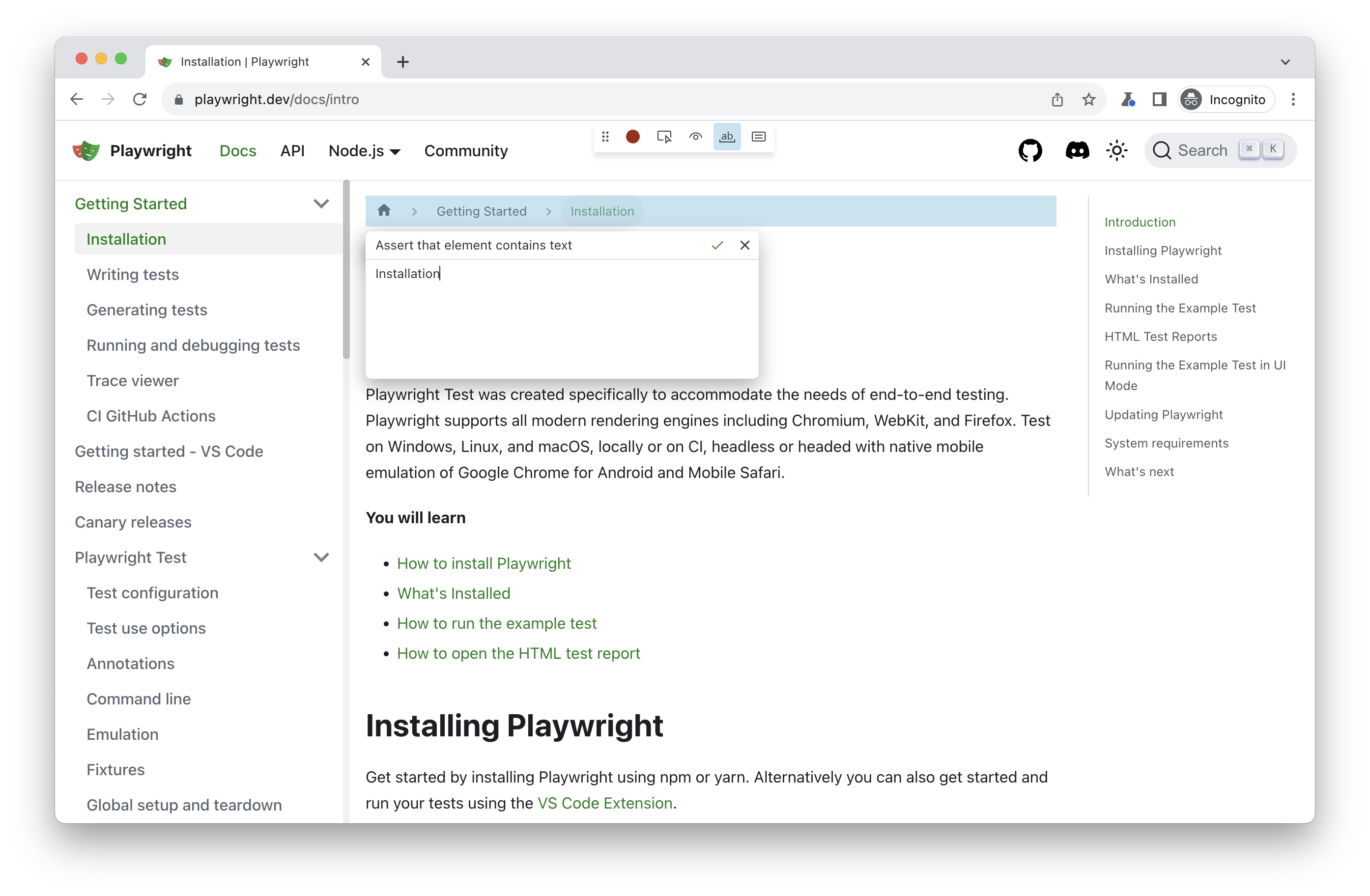 | |
| New tools to generate assertions: | |
| - "Assert visibility" tool generates [expect(locator).to\_be\_visible()](https://playwright.dev/python/docs/api/class-locatorassertions#locator-assertions-to-be-visible). | |
| - "Assert value" tool generates [expect(locator).to\_have\_value()](https://playwright.dev/python/docs/api/class-locatorassertions#locator-assertions-to-have-value). | |
| - "Assert text" tool generates [expect(locator).to\_contain\_text()](https://playwright.dev/python/docs/api/class-locatorassertions#locator-assertions-to-contain-text). | |
| Here is an example of a generated test with assertions: | |
| ```codeBlockLines_e6Vv | |
| from playwright.sync_api import Page, expect | |
| def test_example(page: Page) -> None: | |
| page.goto("https://playwright.dev/") | |
| page.get_by_role("link", name="Get started").click() | |
| expect(page.get_by_label("Breadcrumbs").get_by_role("list")).to_contain_text("Installation") | |
| expect(page.get_by_label("Search")).to_be_visible() | |
| page.get_by_label("Search").click() | |
| page.get_by_placeholder("Search docs").fill("locator") | |
| expect(page.get_by_placeholder("Search docs")).to_have_value("locator"); | |
| ``` | |
| ### New APIs [](https://playwright.dev/python/docs/release-notes\#new-apis-4 "Direct link to New APIs") | |
| - Options [reason](https://playwright.dev/python/docs/api/class-page#page-close-option-reason) in [page.close()](https://playwright.dev/python/docs/api/class-page#page-close), [reason](https://playwright.dev/python/docs/api/class-browsercontext#browser-context-close-option-reason) in [browser\_context.close()](https://playwright.dev/python/docs/api/class-browsercontext#browser-context-close) and [reason](https://playwright.dev/python/docs/api/class-browser#browser-close-option-reason) in [browser.close()](https://playwright.dev/python/docs/api/class-browser#browser-close). Close reason is reported for all operations interrupted by the closure. | |
| - Option [firefox\_user\_prefs](https://playwright.dev/python/docs/api/class-browsertype#browser-type-launch-persistent-context-option-firefox-user-prefs) in [browser\_type.launch\_persistent\_context()](https://playwright.dev/python/docs/api/class-browsertype#browser-type-launch-persistent-context). | |
| ### Other Changes [](https://playwright.dev/python/docs/release-notes\#other-changes "Direct link to Other Changes") | |
| - Method [download.path()](https://playwright.dev/python/docs/api/class-download#download-path) throws an error for failed and cancelled downloads. | |
| ### Browser Versions [](https://playwright.dev/python/docs/release-notes\#browser-versions-15 "Direct link to Browser Versions") | |
| - Chromium 120.0.6099.28 | |
| - Mozilla Firefox 119.0 | |
| - WebKit 17.4 | |
| This version was also tested against the following stable channels: | |
| - Google Chrome 119 | |
| - Microsoft Edge 119 | |
| ## Version 1.39 [](https://playwright.dev/python/docs/release-notes\#version-139 "Direct link to Version 1.39") | |
| Evergreen browsers update. | |
| ### Browser Versions [](https://playwright.dev/python/docs/release-notes\#browser-versions-16 "Direct link to Browser Versions") | |
| - Chromium 119.0.6045.9 | |
| - Mozilla Firefox 118.0.1 | |
| - WebKit 17.4 | |
| This version was also tested against the following stable channels: | |
| - Google Chrome 118 | |
| - Microsoft Edge 118 | |
| ## Version 1.38 [](https://playwright.dev/python/docs/release-notes\#version-138 "Direct link to Version 1.38") | |
| ### Trace Viewer Updates [](https://playwright.dev/python/docs/release-notes\#trace-viewer-updates-1 "Direct link to Trace Viewer Updates") | |
|  | |
| 1. Zoom into time range. | |
| 2. Network panel redesign. | |
| ### New APIs [](https://playwright.dev/python/docs/release-notes\#new-apis-5 "Direct link to New APIs") | |
| - [browser\_context.on("weberror")](https://playwright.dev/python/docs/api/class-browsercontext#browser-context-event-web-error) | |
| - [locator.press\_sequentially()](https://playwright.dev/python/docs/api/class-locator#locator-press-sequentially) | |
| ### Deprecations [](https://playwright.dev/python/docs/release-notes\#deprecations "Direct link to Deprecations") | |
| - The following methods were deprecated: [page.type()](https://playwright.dev/python/docs/api/class-page#page-type), [frame.type()](https://playwright.dev/python/docs/api/class-frame#frame-type), [locator.type()](https://playwright.dev/python/docs/api/class-locator#locator-type) and [element\_handle.type()](https://playwright.dev/python/docs/api/class-elementhandle#element-handle-type). Please use [locator.fill()](https://playwright.dev/python/docs/api/class-locator#locator-fill) instead which is much faster. Use [locator.press\_sequentially()](https://playwright.dev/python/docs/api/class-locator#locator-press-sequentially) only if there is a special keyboard handling on the page, and you need to press keys one-by-one. | |
| ### Browser Versions [](https://playwright.dev/python/docs/release-notes\#browser-versions-17 "Direct link to Browser Versions") | |
| - Chromium 117.0.5938.62 | |
| - Mozilla Firefox 117.0 | |
| - WebKit 17.0 | |
| This version was also tested against the following stable channels: | |
| - Google Chrome 116 | |
| - Microsoft Edge 116 | |
| ## Version 1.37 [](https://playwright.dev/python/docs/release-notes\#version-137 "Direct link to Version 1.37") | |
| ### Highlights [](https://playwright.dev/python/docs/release-notes\#highlights-3 "Direct link to Highlights") | |
| - New [--full-page-screenshot](https://playwright.dev/python/docs/test-runners#cli-arguments) command line flag allows taking a full page screenshot on failure. | |
| - It is now possible to override the context options for a single test by using the [browser\_context\_args](https://playwright.dev/python/docs/test-runners#fixtures) marker. | |
| - `pytest-playwright` is now also getting published [on Anaconda](https://anaconda.org/Microsoft/pytest-playwright/) | |
| ### 📚 Debian 12 Bookworm Support [](https://playwright.dev/python/docs/release-notes\#-debian-12-bookworm-support "Direct link to 📚 Debian 12 Bookworm Support") | |
| Playwright now supports Debian 12 Bookworm on both x86\_64 and arm64 for Chromium, Firefox and WebKit. Let us know if you encounter any issues! | |
| Linux support looks like this: | |
| | | Ubuntu 20.04 | Ubuntu 22.04 | Debian 11 | Debian 12 | | |
| | --- | --- | --- | --- | --- | | |
| | Chromium | ✅ | ✅ | ✅ | ✅ | | |
| | WebKit | ✅ | ✅ | ✅ | ✅ | | |
| | Firefox | ✅ | ✅ | ✅ | ✅ | | |
| ### Browser Versions [](https://playwright.dev/python/docs/release-notes\#browser-versions-18 "Direct link to Browser Versions") | |
| - Chromium 116.0.5845.82 | |
| - Mozilla Firefox 115.0 | |
| - WebKit 17.0 | |
| This version was also tested against the following stable channels: | |
| - Google Chrome 115 | |
| - Microsoft Edge 115 | |
| ## Version 1.36 [](https://playwright.dev/python/docs/release-notes\#version-136 "Direct link to Version 1.36") | |
| 🏝️ Summer maintenance release. | |
| ### Browser Versions [](https://playwright.dev/python/docs/release-notes\#browser-versions-19 "Direct link to Browser Versions") | |
| - Chromium 115.0.5790.75 | |
| - Mozilla Firefox 115.0 | |
| - WebKit 17.0 | |
| This version was also tested against the following stable channels: | |
| - Google Chrome 114 | |
| - Microsoft Edge 114 | |
| ## Version 1.35 [](https://playwright.dev/python/docs/release-notes\#version-135 "Direct link to Version 1.35") | |
| ### Highlights [](https://playwright.dev/python/docs/release-notes\#highlights-4 "Direct link to Highlights") | |
| - New option `mask_color` for methods [page.screenshot()](https://playwright.dev/python/docs/api/class-page#page-screenshot) and [locator.screenshot()](https://playwright.dev/python/docs/api/class-locator#locator-screenshot) to change default masking color. | |
| - New `uninstall` CLI command to uninstall browser binaries: | |
| ```codeBlockLines_e6Vv | |
| $ playwright uninstall # remove browsers installed by this installation | |
| $ playwright uninstall --all # remove all ever-install Playwright browsers | |
| ``` | |
| ### Browser Versions [](https://playwright.dev/python/docs/release-notes\#browser-versions-20 "Direct link to Browser Versions") | |
| - Chromium 115.0.5790.13 | |
| - Mozilla Firefox 113.0 | |
| - WebKit 16.4 | |
| This version was also tested against the following stable channels: | |
| - Google Chrome 114 | |
| - Microsoft Edge 114 | |
| ## Version 1.34 [](https://playwright.dev/python/docs/release-notes\#version-134 "Direct link to Version 1.34") | |
| ### Highlights [](https://playwright.dev/python/docs/release-notes\#highlights-5 "Direct link to Highlights") | |
| - New [locator.and\_()](https://playwright.dev/python/docs/api/class-locator#locator-and) to create a locator that matches both locators. | |
| ```codeBlockLines_e6Vv | |
| button = page.get_by_role("button").and_(page.get_by_title("Subscribe")) | |
| ``` | |
| - New events [browser\_context.on("console")](https://playwright.dev/python/docs/api/class-browsercontext#browser-context-event-console) and [browser\_context.on("dialog")](https://playwright.dev/python/docs/api/class-browsercontext#browser-context-event-dialog) to subscribe to any dialogs and console messages from any page from the given browser context. Use the new methods [console\_message.page](https://playwright.dev/python/docs/api/class-consolemessage#console-message-page) and [dialog.page](https://playwright.dev/python/docs/api/class-dialog#dialog-page) to pin-point event source. | |
| ### Browser Versions [](https://playwright.dev/python/docs/release-notes\#browser-versions-21 "Direct link to Browser Versions") | |
| - Chromium 114.0.5735.26 | |
| - Mozilla Firefox 113.0 | |
| - WebKit 16.4 | |
| This version was also tested against the following stable channels: | |
| - Google Chrome 113 | |
| - Microsoft Edge 113 | |
| ## Version 1.33 [](https://playwright.dev/python/docs/release-notes\#version-133 "Direct link to Version 1.33") | |
| ### Locators Update [](https://playwright.dev/python/docs/release-notes\#locators-update "Direct link to Locators Update") | |
| - Use [locator.or\_()](https://playwright.dev/python/docs/api/class-locator#locator-or) to create a locator that matches either of the two locators. Consider a scenario where you'd like to click on a "New email" button, but sometimes a security settings dialog shows up instead. In this case, you can wait for either a "New email" button, or a dialog and act accordingly: | |
| ```codeBlockLines_e6Vv | |
| new_email = page.get_by_role("button", name="New email") | |
| dialog = page.get_by_text("Confirm security settings") | |
| expect(new_email.or_(dialog)).is_visible() | |
| if (dialog.is_visible()): | |
| page.get_by_role("button", name="Dismiss").click() | |
| new_email.click() | |
| ``` | |
| - Use new options [has\_not](https://playwright.dev/python/docs/api/class-locator#locator-filter-option-has-not) and [has\_not\_text](https://playwright.dev/python/docs/api/class-locator#locator-filter-option-has-not-text) in [locator.filter()](https://playwright.dev/python/docs/api/class-locator#locator-filter) to find elements that **do not match** certain conditions. | |
| ```codeBlockLines_e6Vv | |
| row_locator = page.locator("tr") | |
| row_locator.filter(has_not_text="text in column 1").filter( | |
| has_not=page.get_by_role("button", name="column 2 button") | |
| ).screenshot() | |
| ``` | |
| - Use new web-first assertion [expect(locator).to\_be\_attached()](https://playwright.dev/python/docs/api/class-locatorassertions#locator-assertions-to-be-attached) to ensure that the element is present in the page's DOM. Do not confuse with the [expect(locator).to\_be\_visible()](https://playwright.dev/python/docs/api/class-locatorassertions#locator-assertions-to-be-visible) that ensures that element is both attached & visible. | |
| ### New APIs [](https://playwright.dev/python/docs/release-notes\#new-apis-6 "Direct link to New APIs") | |
| - [locator.or\_()](https://playwright.dev/python/docs/api/class-locator#locator-or) | |
| - New option [has\_not](https://playwright.dev/python/docs/api/class-locator#locator-filter-option-has-not) in [locator.filter()](https://playwright.dev/python/docs/api/class-locator#locator-filter) | |
| - New option [has\_not\_text](https://playwright.dev/python/docs/api/class-locator#locator-filter-option-has-not-text) in [locator.filter()](https://playwright.dev/python/docs/api/class-locator#locator-filter) | |
| - [expect(locator).to\_be\_attached()](https://playwright.dev/python/docs/api/class-locatorassertions#locator-assertions-to-be-attached) | |
| - New option [timeout](https://playwright.dev/python/docs/api/class-route#route-fetch-option-timeout) in [route.fetch()](https://playwright.dev/python/docs/api/class-route#route-fetch) | |
| ### ⚠️ Breaking change [](https://playwright.dev/python/docs/release-notes\#%EF%B8%8F-breaking-change "Direct link to ⚠️ Breaking change") | |
| - The `mcr.microsoft.com/playwright/python:v1.33.0` now serves a Playwright image based on Ubuntu Jammy. To use the focal-based image, please use `mcr.microsoft.com/playwright/python:v1.33.0-focal` instead. | |
| ### Browser Versions [](https://playwright.dev/python/docs/release-notes\#browser-versions-22 "Direct link to Browser Versions") | |
| - Chromium 113.0.5672.53 | |
| - Mozilla Firefox 112.0 | |
| - WebKit 16.4 | |
| This version was also tested against the following stable channels: | |
| - Google Chrome 112 | |
| - Microsoft Edge 112 | |
| ## Version 1.32 [](https://playwright.dev/python/docs/release-notes\#version-132 "Direct link to Version 1.32") | |
| ### New APIs [](https://playwright.dev/python/docs/release-notes\#new-apis-7 "Direct link to New APIs") | |
| - Custom expect message, see [test assertions documentation](https://playwright.dev/python/docs/test-assertions#custom-expect-message). | |
| - New options [update\_mode](https://playwright.dev/python/docs/api/class-page#page-route-from-har-option-update-mode) and [update\_content](https://playwright.dev/python/docs/api/class-page#page-route-from-har-option-update-content) in [page.route\_from\_har()](https://playwright.dev/python/docs/api/class-page#page-route-from-har) and [browser\_context.route\_from\_har()](https://playwright.dev/python/docs/api/class-browsercontext#browser-context-route-from-har). | |
| - Chaining existing locator objects, see [locator docs](https://playwright.dev/python/docs/locators#matching-inside-a-locator) for details. | |
| - New option [name](https://playwright.dev/python/docs/api/class-tracing#tracing-start-chunk-option-name) in method [tracing.start\_chunk()](https://playwright.dev/python/docs/api/class-tracing#tracing-start-chunk). | |
| ### Browser Versions [](https://playwright.dev/python/docs/release-notes\#browser-versions-23 "Direct link to Browser Versions") | |
| - Chromium 112.0.5615.29 | |
| - Mozilla Firefox 111.0 | |
| - WebKit 16.4 | |
| This version was also tested against the following stable channels: | |
| - Google Chrome 111 | |
| - Microsoft Edge 111 | |
| ## Version 1.31 [](https://playwright.dev/python/docs/release-notes\#version-131 "Direct link to Version 1.31") | |
| ### New APIs [](https://playwright.dev/python/docs/release-notes\#new-apis-8 "Direct link to New APIs") | |
| - New assertion [expect(locator).to\_be\_in\_viewport()](https://playwright.dev/python/docs/api/class-locatorassertions#locator-assertions-to-be-in-viewport) ensures that locator points to an element that intersects viewport, according to the [intersection observer API](https://developer.mozilla.org/en-US/docs/Web/API/Intersection_Observer_API). | |
| ```codeBlockLines_e6Vv | |
| from playwright.sync_api import expect | |
| locator = page.get_by_role("button") | |
| # Make sure at least some part of element intersects viewport. | |
| expect(locator).to_be_in_viewport() | |
| # Make sure element is fully outside of viewport. | |
| expect(locator).not_to_be_in_viewport() | |
| # Make sure that at least half of the element intersects viewport. | |
| expect(locator).to_be_in_viewport(ratio=0.5) | |
| ``` | |
| ### Miscellaneous [](https://playwright.dev/python/docs/release-notes\#miscellaneous-8 "Direct link to Miscellaneous") | |
| - DOM snapshots in trace viewer can be now opened in a separate window. | |
| - New option [max\_redirects](https://playwright.dev/python/docs/api/class-route#route-fetch-option-max-redirects) for method [route.fetch()](https://playwright.dev/python/docs/api/class-route#route-fetch). | |
| - Playwright now supports Debian 11 arm64. | |
| - Official [docker images](https://playwright.dev/python/docs/docker) now include Node 18 instead of Node 16. | |
| ### Browser Versions [](https://playwright.dev/python/docs/release-notes\#browser-versions-24 "Direct link to Browser Versions") | |
| - Chromium 111.0.5563.19 | |
| - Mozilla Firefox 109.0 | |
| - WebKit 16.4 | |
| This version was also tested against the following stable channels: | |
| - Google Chrome 110 | |
| - Microsoft Edge 110 | |
| ## Version 1.30 [](https://playwright.dev/python/docs/release-notes\#version-130 "Direct link to Version 1.30") | |
| ### Browser Versions [](https://playwright.dev/python/docs/release-notes\#browser-versions-25 "Direct link to Browser Versions") | |
| - Chromium 110.0.5481.38 | |
| - Mozilla Firefox 108.0.2 | |
| - WebKit 16.4 | |
| This version was also tested against the following stable channels: | |
| - Google Chrome 109 | |
| - Microsoft Edge 109 | |
| ## Version 1.29 [](https://playwright.dev/python/docs/release-notes\#version-129 "Direct link to Version 1.29") | |
| ### New APIs [](https://playwright.dev/python/docs/release-notes\#new-apis-9 "Direct link to New APIs") | |
| - New method [route.fetch()](https://playwright.dev/python/docs/api/class-route#route-fetch) and new option `json` for [route.fulfill()](https://playwright.dev/python/docs/api/class-route#route-fulfill): | |
| ```codeBlockLines_e6Vv | |
| def handle_route(route: Route): | |
| # Fetch original settings. | |
| response = route.fetch() | |
| # Force settings theme to a predefined value. | |
| json = response.json() | |
| json["theme"] = "Solorized" | |
| # Fulfill with modified data. | |
| route.fulfill(json=json) | |
| page.route("**/api/settings", handle_route) | |
| ``` | |
| - New method [locator.all()](https://playwright.dev/python/docs/api/class-locator#locator-all) to iterate over all matching elements: | |
| ```codeBlockLines_e6Vv | |
| # Check all checkboxes! | |
| checkboxes = page.get_by_role("checkbox") | |
| for checkbox in checkboxes.all(): | |
| checkbox.check() | |
| ``` | |
| - [locator.select\_option()](https://playwright.dev/python/docs/api/class-locator#locator-select-option) matches now by value or label: | |
| ```codeBlockLines_e6Vv | |
| <select multiple> | |
| <option value="red">Red</option> | |
| <option value="green">Green</option> | |
| <option value="blue">Blue</option> | |
| </select> | |
| ``` | |
| ```codeBlockLines_e6Vv | |
| element.select_option("Red") | |
| ``` | |
| ### Miscellaneous [](https://playwright.dev/python/docs/release-notes\#miscellaneous-9 "Direct link to Miscellaneous") | |
| - Option `postData` in method [route.continue\_()](https://playwright.dev/python/docs/api/class-route#route-continue) now supports [Serializable](https://developer.mozilla.org/en-US/docs/Web/JavaScript/Reference/Global_Objects/JSON/stringify#Description "Serializable") values. | |
| ### Browser Versions [](https://playwright.dev/python/docs/release-notes\#browser-versions-26 "Direct link to Browser Versions") | |
| - Chromium 109.0.5414.46 | |
| - Mozilla Firefox 107.0 | |
| - WebKit 16.4 | |
| This version was also tested against the following stable channels: | |
| - Google Chrome 108 | |
| - Microsoft Edge 108 | |
| ## Version 1.28 [](https://playwright.dev/python/docs/release-notes\#version-128 "Direct link to Version 1.28") | |
| ### Playwright Tools [](https://playwright.dev/python/docs/release-notes\#playwright-tools "Direct link to Playwright Tools") | |
| - **Live Locators in CodeGen.** Generate a locator for any element on the page using "Explore" tool. | |
|  | |
| ### New APIs [](https://playwright.dev/python/docs/release-notes\#new-apis-10 "Direct link to New APIs") | |
| - [locator.blur()](https://playwright.dev/python/docs/api/class-locator#locator-blur) | |
| - [locator.clear()](https://playwright.dev/python/docs/api/class-locator#locator-clear) | |
| ### Browser Versions [](https://playwright.dev/python/docs/release-notes\#browser-versions-27 "Direct link to Browser Versions") | |
| - Chromium 108.0.5359.29 | |
| - Mozilla Firefox 106.0 | |
| - WebKit 16.4 | |
| This version was also tested against the following stable channels: | |
| - Google Chrome 107 | |
| - Microsoft Edge 107 | |
| ## Version 1.27 [](https://playwright.dev/python/docs/release-notes\#version-127 "Direct link to Version 1.27") | |
| ### Locators [](https://playwright.dev/python/docs/release-notes\#locators "Direct link to Locators") | |
| With these new APIs writing locators is a joy: | |
| - [page.get\_by\_text()](https://playwright.dev/python/docs/api/class-page#page-get-by-text) to locate by text content. | |
| - [page.get\_by\_role()](https://playwright.dev/python/docs/api/class-page#page-get-by-role) to locate by [ARIA role](https://www.w3.org/TR/wai-aria-1.2/#roles), [ARIA attributes](https://www.w3.org/TR/wai-aria-1.2/#aria-attributes) and [accessible name](https://w3c.github.io/accname/#dfn-accessible-name). | |
| - [page.get\_by\_label()](https://playwright.dev/python/docs/api/class-page#page-get-by-label) to locate a form control by associated label's text. | |
| - [page.get\_by\_test\_id()](https://playwright.dev/python/docs/api/class-page#page-get-by-test-id) to locate an element based on its `data-testid` attribute (other attribute can be configured). | |
| - [page.get\_by\_placeholder()](https://playwright.dev/python/docs/api/class-page#page-get-by-placeholder) to locate an input by placeholder. | |
| - [page.get\_by\_alt\_text()](https://playwright.dev/python/docs/api/class-page#page-get-by-alt-text) to locate an element, usually image, by its text alternative. | |
| - [page.get\_by\_title()](https://playwright.dev/python/docs/api/class-page#page-get-by-title) to locate an element by its title. | |
| ```codeBlockLines_e6Vv | |
| page.get_by_label("User Name").fill("John") | |
| page.get_by_label("Password").fill("secret-password") | |
| page.get_by_role("button", name="Sign in").click() | |
| expect(page.get_by_text("Welcome, John!")).to_be_visible() | |
| ``` | |
| All the same methods are also available on [Locator](https://playwright.dev/python/docs/api/class-locator "Locator"), [FrameLocator](https://playwright.dev/python/docs/api/class-framelocator "FrameLocator") and [Frame](https://playwright.dev/python/docs/api/class-frame "Frame") classes. | |
| ### Other highlights [](https://playwright.dev/python/docs/release-notes\#other-highlights "Direct link to Other highlights") | |
| - As announced in v1.25, Ubuntu 18 will not be supported as of Dec 2022. In addition to that, there will be no WebKit updates on Ubuntu 18 starting from the next Playwright release. | |
| ### Behavior Changes [](https://playwright.dev/python/docs/release-notes\#behavior-changes "Direct link to Behavior Changes") | |
| - [expect(locator).to\_have\_attribute()](https://playwright.dev/python/docs/api/class-locatorassertions#locator-assertions-to-have-attribute) with an empty value does not match missing attribute anymore. For example, the following snippet will succeed when `button` **does not** have a `disabled` attribute. | |
| ```codeBlockLines_e6Vv | |
| expect(page.get_by_role("button")).to_have_attribute("disabled", "") | |
| ``` | |
| ### Browser Versions [](https://playwright.dev/python/docs/release-notes\#browser-versions-28 "Direct link to Browser Versions") | |
| - Chromium 107.0.5304.18 | |
| - Mozilla Firefox 105.0.1 | |
| - WebKit 16.0 | |
| This version was also tested against the following stable channels: | |
| - Google Chrome 106 | |
| - Microsoft Edge 106 | |
| ## Version 1.26 [](https://playwright.dev/python/docs/release-notes\#version-126 "Direct link to Version 1.26") | |
| ### Assertions [](https://playwright.dev/python/docs/release-notes\#assertions "Direct link to Assertions") | |
| - New option `enabled` for [expect(locator).to\_be\_enabled()](https://playwright.dev/python/docs/api/class-locatorassertions#locator-assertions-to-be-enabled). | |
| - [expect(locator).to\_have\_text()](https://playwright.dev/python/docs/api/class-locatorassertions#locator-assertions-to-have-text) now pierces open shadow roots. | |
| - New option `editable` for [expect(locator).to\_be\_editable()](https://playwright.dev/python/docs/api/class-locatorassertions#locator-assertions-to-be-editable). | |
| - New option `visible` for [expect(locator).to\_be\_visible()](https://playwright.dev/python/docs/api/class-locatorassertions#locator-assertions-to-be-visible). | |
| ### Other highlights [](https://playwright.dev/python/docs/release-notes\#other-highlights-1 "Direct link to Other highlights") | |
| - New option `max_redirects` for [api\_request\_context.get()](https://playwright.dev/python/docs/api/class-apirequestcontext#api-request-context-get) and others to limit redirect count. | |
| - Python 3.11 is now supported. | |
| ### Behavior Change [](https://playwright.dev/python/docs/release-notes\#behavior-change "Direct link to Behavior Change") | |
| A bunch of Playwright APIs already support the `wait_until: "domcontentloaded"` option. For example: | |
| ```codeBlockLines_e6Vv | |
| page.goto("https://playwright.dev", wait_until="domcontentloaded") | |
| ``` | |
| Prior to 1.26, this would wait for all iframes to fire the `DOMContentLoaded` event. | |
| To align with web specification, the `'domcontentloaded'` value only waits for the target frame to fire the `'DOMContentLoaded'` event. Use `wait_until="load"` to wait for all iframes. | |
| ### Browser Versions [](https://playwright.dev/python/docs/release-notes\#browser-versions-29 "Direct link to Browser Versions") | |
| - Chromium 106.0.5249.30 | |
| - Mozilla Firefox 104.0 | |
| - WebKit 16.0 | |
| This version was also tested against the following stable channels: | |
| - Google Chrome 105 | |
| - Microsoft Edge 105 | |
| ## Version 1.25 [](https://playwright.dev/python/docs/release-notes\#version-125 "Direct link to Version 1.25") | |
| ### Announcements [](https://playwright.dev/python/docs/release-notes\#announcements-1 "Direct link to Announcements") | |
| - 🎁 We now ship Ubuntu 22.04 Jammy Jellyfish docker image: `mcr.microsoft.com/playwright/python:v1.34.0-jammy`. | |
| - 🪦 This is the last release with macOS 10.15 support (deprecated as of 1.21). | |
| - ⚠️ Ubuntu 18 is now deprecated and will not be supported as of Dec 2022. | |
| ### Browser Versions [](https://playwright.dev/python/docs/release-notes\#browser-versions-30 "Direct link to Browser Versions") | |
| - Chromium 105.0.5195.19 | |
| - Mozilla Firefox 103.0 | |
| - WebKit 16.0 | |
| This version was also tested against the following stable channels: | |
| - Google Chrome 104 | |
| - Microsoft Edge 104 | |
| ## Version 1.24 [](https://playwright.dev/python/docs/release-notes\#version-124 "Direct link to Version 1.24") | |
| What's new in Playwright v1.24 - YouTube | |
| [Photo image of Playwright](https://www.youtube.com/channel/UC46Zj8pDH5tDosqm1gd7WTg?embeds_referring_euri=https%3A%2F%2Fplaywright.dev%2F) | |
| Playwright | |
| 23.5K subscribers | |
| [What's new in Playwright v1.24](https://www.youtube.com/watch?v=9F05o1shxcY) | |
| Playwright | |
| Search | |
| Watch later | |
| Share | |
| Copy link | |
| Info | |
| Shopping | |
| Tap to unmute | |
| If playback doesn't begin shortly, try restarting your device. | |
| Full screen is unavailable. [Learn More](https://support.google.com/youtube/answer/6276924) | |
| More videos | |
| ## More videos | |
| You're signed out | |
| Videos you watch may be added to the TV's watch history and influence TV recommendations. To avoid this, cancel and sign in to YouTube on your computer. | |
| CancelConfirm | |
| Share | |
| Include playlist | |
| An error occurred while retrieving sharing information. Please try again later. | |
| [Watch on](https://www.youtube.com/watch?v=9F05o1shxcY&embeds_referring_euri=https%3A%2F%2Fplaywright.dev%2F) | |
| 0:00 | |
| 0:00 / 7:02 | |
| •Live | |
| • | |
| ### 🐂 Debian 11 Bullseye Support [](https://playwright.dev/python/docs/release-notes\#-debian-11-bullseye-support "Direct link to 🐂 Debian 11 Bullseye Support") | |
| Playwright now supports Debian 11 Bullseye on x86\_64 for Chromium, Firefox and WebKit. Let us know if you encounter any issues! | |
| Linux support looks like this: | |
| \| \| Ubuntu 20.04 \| Ubuntu 22.04 \| Debian 11 | |
| \| :\-\-\- \| :---: \| :---: \| :---: \| :---: \| | |
| \| Chromium \| ✅ \| ✅ \| ✅ \| | |
| \| WebKit \| ✅ \| ✅ \| ✅ \| | |
| \| Firefox \| ✅ \| ✅ \| ✅ \| | |
| ### New introduction docs [](https://playwright.dev/python/docs/release-notes\#new-introduction-docs "Direct link to New introduction docs") | |
| We rewrote our Getting Started docs to be more end-to-end testing focused. Check them out on [playwright.dev](https://playwright.dev/python/docs/intro). | |
| ## Version 1.23 [](https://playwright.dev/python/docs/release-notes\#version-123 "Direct link to Version 1.23") | |
| ### Network Replay [](https://playwright.dev/python/docs/release-notes\#network-replay "Direct link to Network Replay") | |
| Now you can record network traffic into a HAR file and re-use this traffic in your tests. | |
| To record network into HAR file: | |
| ```codeBlockLines_e6Vv | |
| npx playwright open --save-har=github.har.zip https://github.com/microsoft | |
| ``` | |
| Alternatively, you can record HAR programmatically: | |
| - Sync | |
| - Async | |
| ```codeBlockLines_e6Vv | |
| context = browser.new_context(record_har_path="github.har.zip") | |
| # ... do stuff ... | |
| context.close() | |
| ``` | |
| Use the new methods [page.route\_from\_har()](https://playwright.dev/python/docs/api/class-page#page-route-from-har) or [browser\_context.route\_from\_har()](https://playwright.dev/python/docs/api/class-browsercontext#browser-context-route-from-har) to serve matching responses from the [HAR](http://www.softwareishard.com/blog/har-12-spec/) file: | |
| - Sync | |
| - Async | |
| ```codeBlockLines_e6Vv | |
| context.route_from_har("github.har.zip") | |
| ``` | |
| Read more in [our documentation](https://playwright.dev/python/docs/mock#mocking-with-har-files). | |
| ### Advanced Routing [](https://playwright.dev/python/docs/release-notes\#advanced-routing "Direct link to Advanced Routing") | |
| You can now use [route.fallback()](https://playwright.dev/python/docs/api/class-route#route-fallback) to defer routing to other handlers. | |
| Consider the following example: | |
| - Sync | |
| - Async | |
| ```codeBlockLines_e6Vv | |
| # Remove a header from all requests | |
| def remove_header_handler(route: Route) -> None: | |
| headers = route.request.all_headers() | |
| if "if-none-match" in headers: | |
| del headers["if-none-match"] | |
| route.fallback(headers=headers) | |
| page.route("**/*", remove_header_handler) | |
| # Abort all images | |
| def abort_images_handler(route: Route) -> None: | |
| if route.request.resource_type == "image": | |
| route.abort() | |
| else: | |
| route.fallback() | |
| page.route("**/*", abort_images_handler) | |
| ``` | |
| Note that the new methods [page.route\_from\_har()](https://playwright.dev/python/docs/api/class-page#page-route-from-har) and [browser\_context.route\_from\_har()](https://playwright.dev/python/docs/api/class-browsercontext#browser-context-route-from-har) also participate in routing and could be deferred to. | |
| ### Web-First Assertions Update [](https://playwright.dev/python/docs/release-notes\#web-first-assertions-update "Direct link to Web-First Assertions Update") | |
| - New method [expect(locator).to\_have\_values()](https://playwright.dev/python/docs/api/class-locatorassertions#locator-assertions-to-have-values) that asserts all selected values of `<select multiple>` element. | |
| - Methods [expect(locator).to\_contain\_text()](https://playwright.dev/python/docs/api/class-locatorassertions#locator-assertions-to-contain-text) and [expect(locator).to\_have\_text()](https://playwright.dev/python/docs/api/class-locatorassertions#locator-assertions-to-have-text) now accept `ignore_case` option. | |
| ### Miscellaneous [](https://playwright.dev/python/docs/release-notes\#miscellaneous-10 "Direct link to Miscellaneous") | |
| - If there's a service worker that's in your way, you can now easily disable it with a new context option `service_workers`: | |
| - Sync | |
| - Async | |
| ```codeBlockLines_e6Vv | |
| context = browser.new_context(service_workers="block") | |
| page = context.new_page() | |
| ``` | |
| - Using `.zip` path for `recordHar` context option automatically zips the resulting HAR: | |
| - Sync | |
| - Async | |
| ```codeBlockLines_e6Vv | |
| context = browser.new_context(record_har_path="github.har.zip") | |
| ``` | |
| - If you intend to edit HAR by hand, consider using the `"minimal"` HAR recording mode that only records information that is essential for replaying: | |
| - Sync | |
| - Async | |
| ```codeBlockLines_e6Vv | |
| context = browser.new_context(record_har_mode="minimal", record_har_path="har.har") | |
| ``` | |
| - Playwright now runs on Ubuntu 22 amd64 and Ubuntu 22 arm64. | |
| ## Version 1.22 [](https://playwright.dev/python/docs/release-notes\#version-122 "Direct link to Version 1.22") | |
| ### Highlights [](https://playwright.dev/python/docs/release-notes\#highlights-6 "Direct link to Highlights") | |
| - Role selectors that allow selecting elements by their [ARIA role](https://www.w3.org/TR/wai-aria-1.2/#roles), [ARIA attributes](https://www.w3.org/TR/wai-aria-1.2/#aria-attributes) and [accessible name](https://w3c.github.io/accname/#dfn-accessible-name). | |
| ```codeBlockLines_e6Vv | |
| # Click a button with accessible name "log in" | |
| page.locator("role=button[name='log in']").click() | |
| ``` | |
| Read more in [our documentation](https://playwright.dev/python/docs/locators#locate-by-role). | |
| - New [locator.filter()](https://playwright.dev/python/docs/api/class-locator#locator-filter) API to filter an existing locator | |
| ```codeBlockLines_e6Vv | |
| buttons = page.locator("role=button") | |
| # ... | |
| submit_button = buttons.filter(has_text="Submit") | |
| submit_button.click() | |
| ``` | |
| - Codegen now supports generating Pytest Tests | |
|  | |
| ## Version 1.21 [](https://playwright.dev/python/docs/release-notes\#version-121 "Direct link to Version 1.21") | |
| ### Highlights [](https://playwright.dev/python/docs/release-notes\#highlights-7 "Direct link to Highlights") | |
| - New role selectors that allow selecting elements by their [ARIA role](https://www.w3.org/TR/wai-aria-1.2/#roles), [ARIA attributes](https://www.w3.org/TR/wai-aria-1.2/#aria-attributes) and [accessible name](https://w3c.github.io/accname/#dfn-accessible-name). | |
| - Sync | |
| - Async | |
| ```codeBlockLines_e6Vv | |
| # Click a button with accessible name "log in" | |
| page.locator("role=button[name='log in']").click() | |
| ``` | |
| Read more in [our documentation](https://playwright.dev/python/docs/locators#locate-by-role). | |
| - New `scale` option in [page.screenshot()](https://playwright.dev/python/docs/api/class-page#page-screenshot) for smaller sized screenshots. | |
| - New `caret` option in [page.screenshot()](https://playwright.dev/python/docs/api/class-page#page-screenshot) to control text caret. Defaults to `"hide"`. | |
| ### Behavior Changes [](https://playwright.dev/python/docs/release-notes\#behavior-changes-1 "Direct link to Behavior Changes") | |
| - The `mcr.microsoft.com/playwright` docker image no longer contains Python. Please use `mcr.microsoft.com/playwright/python` as a Playwright-ready docker image with pre-installed Python. | |
| - Playwright now supports large file uploads (100s of MBs) via [locator.set\_input\_files()](https://playwright.dev/python/docs/api/class-locator#locator-set-input-files) API. | |
| ### Browser Versions [](https://playwright.dev/python/docs/release-notes\#browser-versions-31 "Direct link to Browser Versions") | |
| - Chromium 101.0.4951.26 | |
| - Mozilla Firefox 98.0.2 | |
| - WebKit 15.4 | |
| This version was also tested against the following stable channels: | |
| - Google Chrome 100 | |
| - Microsoft Edge 100 | |
| ## Version 1.20 [](https://playwright.dev/python/docs/release-notes\#version-120 "Direct link to Version 1.20") | |
| ### Highlights [](https://playwright.dev/python/docs/release-notes\#highlights-8 "Direct link to Highlights") | |
| - New options for methods [page.screenshot()](https://playwright.dev/python/docs/api/class-page#page-screenshot), [locator.screenshot()](https://playwright.dev/python/docs/api/class-locator#locator-screenshot) and [element\_handle.screenshot()](https://playwright.dev/python/docs/api/class-elementhandle#element-handle-screenshot): | |
| - Option `animations: "disabled"` rewinds all CSS animations and transitions to a consistent state | |
| - Option `mask: Locator[]` masks given elements, overlaying them with pink `#FF00FF` boxes. | |
| - [Trace Viewer](https://playwright.dev/python/docs/trace-viewer) now shows [API testing requests](https://playwright.dev/python/docs/api-testing). | |
| - [locator.highlight()](https://playwright.dev/python/docs/api/class-locator#locator-highlight) visually reveals element(s) for easier debugging. | |
| ### Announcements [](https://playwright.dev/python/docs/release-notes\#announcements-2 "Direct link to Announcements") | |
| - We now ship a designated Python docker image `mcr.microsoft.com/playwright/python`. Please switch over to it if you use Python. This is the last release that includes Python inside our javascript `mcr.microsoft.com/playwright` docker image. | |
| - v1.20 is the last release to receive WebKit update for macOS 10.15 Catalina. Please update macOS to keep using latest & greatest WebKit! | |
| ### Browser Versions [](https://playwright.dev/python/docs/release-notes\#browser-versions-32 "Direct link to Browser Versions") | |
| - Chromium 101.0.4921.0 | |
| - Mozilla Firefox 97.0.1 | |
| - WebKit 15.4 | |
| This version was also tested against the following stable channels: | |
| - Google Chrome 99 | |
| - Microsoft Edge 99 | |
| ## Version 1.19 [](https://playwright.dev/python/docs/release-notes\#version-119 "Direct link to Version 1.19") | |
| ### Highlights [](https://playwright.dev/python/docs/release-notes\#highlights-9 "Direct link to Highlights") | |
| - Locator now supports a `has` option that makes sure it contains another locator inside: | |
| - Sync | |
| - Async | |
| ```codeBlockLines_e6Vv | |
| page.locator("article", has=page.locator(".highlight")).click() | |
| ``` | |
| Read more in [locator documentation](https://playwright.dev/python/docs/api/class-locator#locator-locator) | |
| - New [locator.page](https://playwright.dev/python/docs/api/class-locator#locator-page) | |
| - [page.screenshot()](https://playwright.dev/python/docs/api/class-page#page-screenshot) and [locator.screenshot()](https://playwright.dev/python/docs/api/class-locator#locator-screenshot) now automatically hide blinking caret | |
| - Playwright Codegen now generates locators and frame locators | |
| ### Browser Versions [](https://playwright.dev/python/docs/release-notes\#browser-versions-33 "Direct link to Browser Versions") | |
| - Chromium 100.0.4863.0 | |
| - Mozilla Firefox 96.0.1 | |
| - WebKit 15.4 | |
| This version was also tested against the following stable channels: | |
| - Google Chrome 98 | |
| - Microsoft Edge 98 | |
| ## Version 1.18 [](https://playwright.dev/python/docs/release-notes\#version-118 "Direct link to Version 1.18") | |
| ### API Testing [](https://playwright.dev/python/docs/release-notes\#api-testing "Direct link to API Testing") | |
| Playwright for Python 1.18 introduces new [API Testing](https://playwright.dev/python/docs/api/class-apirequestcontext) that lets you send requests to the server directly from Python! Now you can: | |
| - test your server API | |
| - prepare server side state before visiting the web application in a test | |
| - validate server side post-conditions after running some actions in the browser | |
| To do a request on behalf of Playwright's Page, use **new [page.request](https://playwright.dev/python/docs/api/class-page#page-request) API**: | |
| - Sync | |
| - Async | |
| ```codeBlockLines_e6Vv | |
| # Do a GET request on behalf of page | |
| res = page.request.get("http://example.com/foo.json") | |
| ``` | |
| Read more in [our documentation](https://playwright.dev/python/docs/api/class-apirequestcontext). | |
| ### Web-First Assertions [](https://playwright.dev/python/docs/release-notes\#web-first-assertions "Direct link to Web-First Assertions") | |
| Playwright for Python 1.18 introduces [Web-First Assertions](https://playwright.dev/python/docs/test-assertions). | |
| Consider the following example: | |
| - Sync | |
| - Async | |
| ```codeBlockLines_e6Vv | |
| from playwright.sync_api import Page, expect | |
| def test_status_becomes_submitted(page: Page) -> None: | |
| # .. | |
| page.locator("#submit-button").click() | |
| expect(page.locator(".status")).to_have_text("Submitted") | |
| ``` | |
| Playwright will be re-testing the node with the selector `.status` until fetched Node has the `"Submitted"` text. It will be re-fetching the node and checking it over and over, until the condition is met or until the timeout is reached. You can pass this timeout as an option. | |
| Read more in [our documentation](https://playwright.dev/python/docs/test-assertions). | |
| ### Locator Improvements [](https://playwright.dev/python/docs/release-notes\#locator-improvements "Direct link to Locator Improvements") | |
| - [locator.drag\_to()](https://playwright.dev/python/docs/api/class-locator#locator-drag-to) | |
| - Each locator can now be optionally filtered by the text it contains: | |
| - Sync | |
| - Async | |
| ```codeBlockLines_e6Vv | |
| page.locator("li", has_text="my item").locator("button").click() | |
| ``` | |
| Read more in [locator documentation](https://playwright.dev/python/docs/api/class-locator#locator-locator) | |
| ### New APIs & changes [](https://playwright.dev/python/docs/release-notes\#new-apis--changes "Direct link to New APIs & changes") | |
| - [`accept_downloads`](https://playwright.dev/python/docs/api/class-browser#browser-new-context-option-accept-downloads) option now defaults to `True`. | |
| - [`sources`](https://playwright.dev/python/docs/api/class-tracing#tracing-start-option-sources) option to embed sources into traces. | |
| ### Browser Versions [](https://playwright.dev/python/docs/release-notes\#browser-versions-34 "Direct link to Browser Versions") | |
| - Chromium 99.0.4812.0 | |
| - Mozilla Firefox 95.0 | |
| - WebKit 15.4 | |
| This version was also tested against the following stable channels: | |
| - Google Chrome 97 | |
| - Microsoft Edge 97 | |
| ## Version 1.17 [](https://playwright.dev/python/docs/release-notes\#version-117 "Direct link to Version 1.17") | |
| ### Frame Locators [](https://playwright.dev/python/docs/release-notes\#frame-locators "Direct link to Frame Locators") | |
| Playwright 1.17 introduces [frame locators](https://playwright.dev/python/docs/api/class-framelocator) \- a locator to the iframe on the page. Frame locators capture the logic sufficient to retrieve the `iframe` and then locate elements in that iframe. Frame locators are strict by default, will wait for `iframe` to appear and can be used in Web-First assertions. | |
|  | |
| Frame locators can be created with either [page.frame\_locator()](https://playwright.dev/python/docs/api/class-page#page-frame-locator) or [locator.frame\_locator()](https://playwright.dev/python/docs/api/class-locator#locator-frame-locator) method. | |
| ```codeBlockLines_e6Vv | |
| locator = page.frame_locator("my-frame").locator("text=Submit") | |
| locator.click() | |
| ``` | |
| Read more at [our documentation](https://playwright.dev/python/docs/api/class-framelocator). | |
| ### Trace Viewer Update [](https://playwright.dev/python/docs/release-notes\#trace-viewer-update "Direct link to Trace Viewer Update") | |
| Playwright Trace Viewer is now **available online** at [https://trace.playwright.dev](https://trace.playwright.dev/)! Just drag-and-drop your `trace.zip` file to inspect its contents. | |
| > **NOTE**: trace files are not uploaded anywhere; [trace.playwright.dev](https://trace.playwright.dev/) is a [progressive web application](https://web.dev/progressive-web-apps/) that processes traces locally. | |
| - Playwright Test traces now include sources by default (these could be turned off with tracing option) | |
| - Trace Viewer now shows test name | |
| - New trace metadata tab with browser details | |
| - Snapshots now have URL bar | |
| 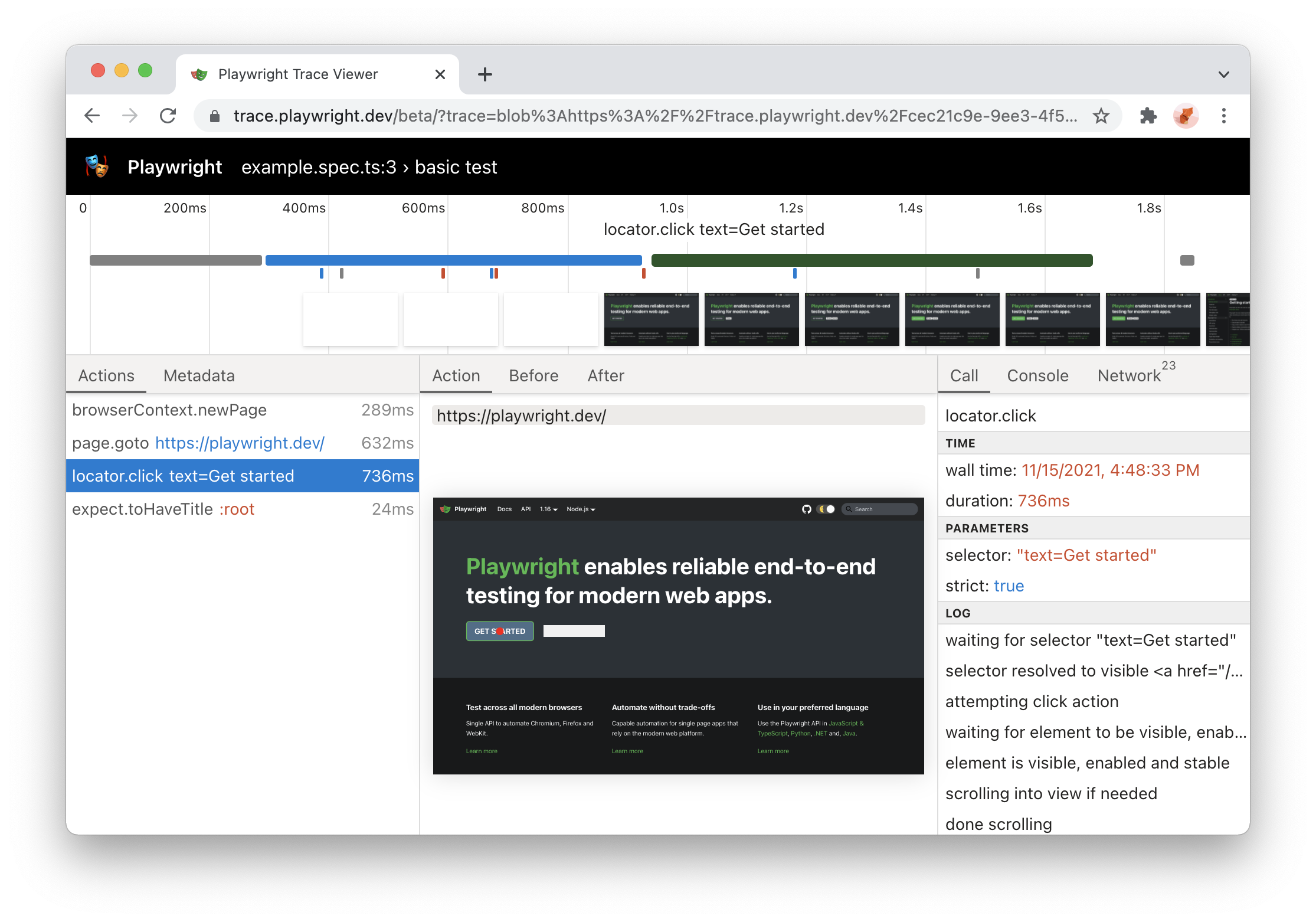 | |
| ### HTML Report Update [](https://playwright.dev/python/docs/release-notes\#html-report-update "Direct link to HTML Report Update") | |
| - HTML report now supports dynamic filtering | |
| - Report is now a **single static HTML file** that could be sent by e-mail or as a slack attachment. | |
|  | |
| ### Ubuntu ARM64 support + more [](https://playwright.dev/python/docs/release-notes\#ubuntu-arm64-support--more "Direct link to Ubuntu ARM64 support + more") | |
| - Playwright now supports **Ubuntu 20.04 ARM64**. You can now run Playwright tests inside Docker on Apple M1 and on Raspberry Pi. | |
| - You can now use Playwright to install stable version of Edge on Linux: | |
| ```codeBlockLines_e6Vv | |
| npx playwright install msedge | |
| ``` | |
| ### New APIs [](https://playwright.dev/python/docs/release-notes\#new-apis-11 "Direct link to New APIs") | |
| - Tracing now supports a [`'title'`](https://playwright.dev/python/docs/api/class-tracing#tracing-start-option-title) option | |
| - Page navigations support a new [`'commit'`](https://playwright.dev/python/docs/api/class-page#page-goto) waiting option | |
| ## Version 1.16 [](https://playwright.dev/python/docs/release-notes\#version-116 "Direct link to Version 1.16") | |
| ### 🎭 Playwright Library [](https://playwright.dev/python/docs/release-notes\#-playwright-library "Direct link to 🎭 Playwright Library") | |
| #### `locator.wait_for` [](https://playwright.dev/python/docs/release-notes\#locatorwait_for "Direct link to locatorwait_for") | |
| Wait for a locator to resolve to a single element with a given state. Defaults to the `state: 'visible'`. | |
| Comes especially handy when working with lists: | |
| ```codeBlockLines_e6Vv | |
| order_sent = page.locator("#order-sent") | |
| order_sent.wait_for() | |
| ``` | |
| Read more about [locator.wait\_for()](https://playwright.dev/python/docs/api/class-locator#locator-wait-for). | |
| ### Docker support for Arm64 [](https://playwright.dev/python/docs/release-notes\#docker-support-for-arm64 "Direct link to Docker support for Arm64") | |
| Playwright Docker image is now published for Arm64 so it can be used on Apple Silicon. | |
| Read more about [Docker integration](https://playwright.dev/python/docs/docker). | |
| ### 🎭 Playwright Trace Viewer [](https://playwright.dev/python/docs/release-notes\#-playwright-trace-viewer "Direct link to 🎭 Playwright Trace Viewer") | |
| - run trace viewer with `npx playwright show-trace` and drop trace files to the trace viewer PWA | |
| - better visual attribution of action targets | |
| Read more about [Trace Viewer](https://playwright.dev/python/docs/trace-viewer). | |
| ### Browser Versions [](https://playwright.dev/python/docs/release-notes\#browser-versions-35 "Direct link to Browser Versions") | |
| - Chromium 97.0.4666.0 | |
| - Mozilla Firefox 93.0 | |
| - WebKit 15.4 | |
| This version of Playwright was also tested against the following stable channels: | |
| - Google Chrome 94 | |
| - Microsoft Edge 94 | |
| ## Version 1.15 [](https://playwright.dev/python/docs/release-notes\#version-115 "Direct link to Version 1.15") | |
| ### 🖱️ Mouse Wheel [](https://playwright.dev/python/docs/release-notes\#%EF%B8%8F-mouse-wheel "Direct link to 🖱️ Mouse Wheel") | |
| By using [mouse.wheel()](https://playwright.dev/python/docs/api/class-mouse#mouse-wheel) you are now able to scroll vertically or horizontally. | |
| ### 📜 New Headers API [](https://playwright.dev/python/docs/release-notes\#-new-headers-api "Direct link to 📜 New Headers API") | |
| Previously it was not possible to get multiple header values of a response. This is now possible and additional helper functions are available: | |
| - [request.all\_headers()](https://playwright.dev/python/docs/api/class-request#request-all-headers) | |
| - [request.headers\_array()](https://playwright.dev/python/docs/api/class-request#request-headers-array) | |
| - [request.header\_value()](https://playwright.dev/python/docs/api/class-request#request-header-value) | |
| - [response.all\_headers()](https://playwright.dev/python/docs/api/class-response#response-all-headers) | |
| - [response.headers\_array()](https://playwright.dev/python/docs/api/class-response#response-headers-array) | |
| - [response.header\_value()](https://playwright.dev/python/docs/api/class-response#response-header-value) | |
| - [response.header\_values()](https://playwright.dev/python/docs/api/class-response#response-header-values) | |
| ### 🌈 Forced-Colors emulation [](https://playwright.dev/python/docs/release-notes\#-forced-colors-emulation "Direct link to 🌈 Forced-Colors emulation") | |
| Its now possible to emulate the `forced-colors` CSS media feature by passing it in the [browser.new\_context()](https://playwright.dev/python/docs/api/class-browser#browser-new-context) or calling [page.emulate\_media()](https://playwright.dev/python/docs/api/class-page#page-emulate-media). | |
| ### New APIs [](https://playwright.dev/python/docs/release-notes\#new-apis-12 "Direct link to New APIs") | |
| - [page.route()](https://playwright.dev/python/docs/api/class-page#page-route) accepts new `times` option to specify how many times this route should be matched. | |
| - [page.set\_checked()](https://playwright.dev/python/docs/api/class-page#page-set-checked) and [locator.set\_checked()](https://playwright.dev/python/docs/api/class-locator#locator-set-checked) were introduced to set the checked state of a checkbox. | |
| - [request.sizes()](https://playwright.dev/python/docs/api/class-request#request-sizes) Returns resource size information for given http request. | |
| - [tracing.start\_chunk()](https://playwright.dev/python/docs/api/class-tracing#tracing-start-chunk) \- Start a new trace chunk. | |
| - [tracing.stop\_chunk()](https://playwright.dev/python/docs/api/class-tracing#tracing-stop-chunk) \- Stops a new trace chunk. | |
| ### Browser Versions [](https://playwright.dev/python/docs/release-notes\#browser-versions-36 "Direct link to Browser Versions") | |
| - Chromium 96.0.4641.0 | |
| - Mozilla Firefox 92.0 | |
| - WebKit 15.0 | |
| ## Version 1.14 [](https://playwright.dev/python/docs/release-notes\#version-114 "Direct link to Version 1.14") | |
| #### ⚡️ New "strict" mode [](https://playwright.dev/python/docs/release-notes\#%EF%B8%8F-new-strict-mode "Direct link to ⚡️ New \"strict\" mode") | |
| Selector ambiguity is a common problem in automation testing. **"strict" mode** ensures that your selector points to a single element and throws otherwise. | |
| Pass `strict=true` into your action calls to opt in. | |
| ```codeBlockLines_e6Vv | |
| # This will throw if you have more than one button! | |
| page.click("button", strict=True) | |
| ``` | |
| #### 📍 New [**Locators API**](https://playwright.dev/python/docs/api/class-locator) [](https://playwright.dev/python/docs/release-notes\#-new-locators-api "Direct link to -new-locators-api") | |
| Locator represents a view to the element(s) on the page. It captures the logic sufficient to retrieve the element at any given moment. | |
| The difference between the [Locator](https://playwright.dev/python/docs/api/class-locator) and [ElementHandle](https://playwright.dev/python/docs/api/class-elementhandle) is that the latter points to a particular element, while [Locator](https://playwright.dev/python/docs/api/class-locator) captures the logic of how to retrieve that element. | |
| Also, locators are **"strict" by default**! | |
| ```codeBlockLines_e6Vv | |
| locator = page.locator("button") | |
| locator.click() | |
| ``` | |
| Learn more in the [documentation](https://playwright.dev/python/docs/api/class-locator). | |
| #### 🧩 Experimental [**React**](https://playwright.dev/python/docs/other-locators\#react-locator) and [**Vue**](https://playwright.dev/python/docs/other-locators\#vue-locator) selector engines [](https://playwright.dev/python/docs/release-notes\#-experimental-react-and-vue-selector-engines "Direct link to -experimental-react-and-vue-selector-engines") | |
| React and Vue selectors allow selecting elements by its component name and/or property values. The syntax is very similar to [attribute selectors](https://developer.mozilla.org/en-US/docs/Web/CSS/Attribute_selectors) and supports all attribute selector operators. | |
| ```codeBlockLines_e6Vv | |
| page.locator("_react=SubmitButton[enabled=true]").click() | |
| page.locator("_vue=submit-button[enabled=true]").click() | |
| ``` | |
| Learn more in the [react selectors documentation](https://playwright.dev/python/docs/other-locators#react-locator) and the [vue selectors documentation](https://playwright.dev/python/docs/other-locators#vue-locator). | |
| #### ✨ New [**`nth`**](https://playwright.dev/python/docs/other-locators\#n-th-element-locator) and [**`visible`**](https://playwright.dev/python/docs/other-locators\#css-matching-only-visible-elements) selector engines [](https://playwright.dev/python/docs/release-notes\#-new-nth-and-visible-selector-engines "Direct link to -new-nth-and-visible-selector-engines") | |
| - [`nth`](https://playwright.dev/python/docs/other-locators#n-th-element-locator) selector engine is equivalent to the `:nth-match` pseudo class, but could be combined with other selector engines. | |
| - [`visible`](https://playwright.dev/python/docs/other-locators#css-matching-only-visible-elements) selector engine is equivalent to the `:visible` pseudo class, but could be combined with other selector engines. | |
| ```codeBlockLines_e6Vv | |
| # select the first button among all buttons | |
| button.click("button >> nth=0") | |
| # or if you are using locators, you can use first, nth() and last | |
| page.locator("button").first.click() | |
| # click a visible button | |
| button.click("button >> visible=true") | |
| ``` | |
| ### Browser Versions [](https://playwright.dev/python/docs/release-notes\#browser-versions-37 "Direct link to Browser Versions") | |
| - Chromium 94.0.4595.0 | |
| - Mozilla Firefox 91.0 | |
| - WebKit 15.0 | |
| ## Version 1.13 [](https://playwright.dev/python/docs/release-notes\#version-113 "Direct link to Version 1.13") | |
| #### Playwright [](https://playwright.dev/python/docs/release-notes\#playwright "Direct link to Playwright") | |
| - **🖖 Programmatic drag-and-drop support** via the [page.drag\_and\_drop()](https://playwright.dev/python/docs/api/class-page#page-drag-and-drop) API. | |
| - **🔎 Enhanced HAR** with body sizes for requests and responses. Use via `recordHar` option in [browser.new\_context()](https://playwright.dev/python/docs/api/class-browser#browser-new-context). | |
| #### Tools [](https://playwright.dev/python/docs/release-notes\#tools "Direct link to Tools") | |
| - Playwright Trace Viewer now shows parameters, returned values and `console.log()` calls. | |
| #### New and Overhauled Guides [](https://playwright.dev/python/docs/release-notes\#new-and-overhauled-guides "Direct link to New and Overhauled Guides") | |
| - [Intro](https://playwright.dev/python/docs/intro) | |
| - [Authentication](https://playwright.dev/python/docs/auth) | |
| - [Chrome Extensions](https://playwright.dev/python/docs/chrome-extensions) | |
| #### Browser Versions [](https://playwright.dev/python/docs/release-notes\#browser-versions-38 "Direct link to Browser Versions") | |
| - Chromium 93.0.4576.0 | |
| - Mozilla Firefox 90.0 | |
| - WebKit 14.2 | |
| #### New Playwright APIs [](https://playwright.dev/python/docs/release-notes\#new-playwright-apis "Direct link to New Playwright APIs") | |
| - new `baseURL` option in [browser.new\_context()](https://playwright.dev/python/docs/api/class-browser#browser-new-context) and [browser.new\_page()](https://playwright.dev/python/docs/api/class-browser#browser-new-page) | |
| - [response.security\_details()](https://playwright.dev/python/docs/api/class-response#response-security-details) and [response.server\_addr()](https://playwright.dev/python/docs/api/class-response#response-server-addr) | |
| - [page.drag\_and\_drop()](https://playwright.dev/python/docs/api/class-page#page-drag-and-drop) and [frame.drag\_and\_drop()](https://playwright.dev/python/docs/api/class-frame#frame-drag-and-drop) | |
| - [download.cancel()](https://playwright.dev/python/docs/api/class-download#download-cancel) | |
| - [page.input\_value()](https://playwright.dev/python/docs/api/class-page#page-input-value), [frame.input\_value()](https://playwright.dev/python/docs/api/class-frame#frame-input-value) and [element\_handle.input\_value()](https://playwright.dev/python/docs/api/class-elementhandle#element-handle-input-value) | |
| - new `force` option in [page.fill()](https://playwright.dev/python/docs/api/class-page#page-fill), [frame.fill()](https://playwright.dev/python/docs/api/class-frame#frame-fill), and [element\_handle.fill()](https://playwright.dev/python/docs/api/class-elementhandle#element-handle-fill) | |
| - new `force` option in [page.select\_option()](https://playwright.dev/python/docs/api/class-page#page-select-option), [frame.select\_option()](https://playwright.dev/python/docs/api/class-frame#frame-select-option), and [element\_handle.select\_option()](https://playwright.dev/python/docs/api/class-elementhandle#element-handle-select-option) | |
| ## Version 1.12 [](https://playwright.dev/python/docs/release-notes\#version-112 "Direct link to Version 1.12") | |
| #### 🧟♂️ Introducing Playwright Trace Viewer [](https://playwright.dev/python/docs/release-notes\#%EF%B8%8F-introducing-playwright-trace-viewer "Direct link to 🧟♂️ Introducing Playwright Trace Viewer") | |
| [Playwright Trace Viewer](https://playwright.dev/python/docs/trace-viewer) is a new GUI tool that helps exploring recorded Playwright traces after the script ran. Playwright traces let you examine: | |
| - page DOM before and after each Playwright action | |
| - page rendering before and after each Playwright action | |
| - browser network during script execution | |
| Traces are recorded using the new [browser\_context.tracing](https://playwright.dev/python/docs/api/class-browsercontext#browser-context-tracing) API: | |
| ```codeBlockLines_e6Vv | |
| browser = chromium.launch() | |
| context = browser.new_context() | |
| # Start tracing before creating / navigating a page. | |
| context.tracing.start(screenshots=True, snapshots=True) | |
| page.goto("https://playwright.dev") | |
| # Stop tracing and export it into a zip archive. | |
| context.tracing.stop(path = "trace.zip") | |
| ``` | |
| Traces are examined later with the Playwright CLI: | |
| ```codeBlockLines_e6Vv | |
| playwright show-trace trace.zip | |
| ``` | |
| That will open the following GUI: | |
|  | |
| 👉 Read more in [trace viewer documentation](https://playwright.dev/python/docs/trace-viewer). | |
| #### Browser Versions [](https://playwright.dev/python/docs/release-notes\#browser-versions-39 "Direct link to Browser Versions") | |
| - Chromium 93.0.4530.0 | |
| - Mozilla Firefox 89.0 | |
| - WebKit 14.2 | |
| This version of Playwright was also tested against the following stable channels: | |
| - Google Chrome 91 | |
| - Microsoft Edge 91 | |
| #### New APIs [](https://playwright.dev/python/docs/release-notes\#new-apis-13 "Direct link to New APIs") | |
| - `reducedMotion` option in [page.emulate\_media()](https://playwright.dev/python/docs/api/class-page#page-emulate-media), [browser\_type.launch\_persistent\_context()](https://playwright.dev/python/docs/api/class-browsertype#browser-type-launch-persistent-context), [browser.new\_context()](https://playwright.dev/python/docs/api/class-browser#browser-new-context) and [browser.new\_page()](https://playwright.dev/python/docs/api/class-browser#browser-new-page) | |
| - [browser\_context.on("request")](https://playwright.dev/python/docs/api/class-browsercontext#browser-context-event-request) | |
| - [browser\_context.on("requestfailed")](https://playwright.dev/python/docs/api/class-browsercontext#browser-context-event-request-failed) | |
| - [browser\_context.on("requestfinished")](https://playwright.dev/python/docs/api/class-browsercontext#browser-context-event-request-finished) | |
| - [browser\_context.on("response")](https://playwright.dev/python/docs/api/class-browsercontext#browser-context-event-response) | |
| - `tracesDir` option in [browser\_type.launch()](https://playwright.dev/python/docs/api/class-browsertype#browser-type-launch) and [browser\_type.launch\_persistent\_context()](https://playwright.dev/python/docs/api/class-browsertype#browser-type-launch-persistent-context) | |
| - new [browser\_context.tracing](https://playwright.dev/python/docs/api/class-browsercontext#browser-context-tracing) API namespace | |
| - new [download.page](https://playwright.dev/python/docs/api/class-download#download-page) method | |
| ## Version 1.11 [](https://playwright.dev/python/docs/release-notes\#version-111 "Direct link to Version 1.11") | |
| 🎥 New video: [Playwright: A New Test Automation Framework for the Modern Web](https://youtu.be/_Jla6DyuEu4) ( [slides](https://docs.google.com/presentation/d/1xFhZIJrdHkVe2CuMKOrni92HoG2SWslo0DhJJQMR1DI/edit?usp=sharing)) | |
| - We talked about Playwright | |
| - Showed engineering work behind the scenes | |
| - Did live demos with new features ✨ | |
| - **Special thanks** to [applitools](http://applitools.com/) for hosting the event and inviting us! | |
| #### Browser Versions [](https://playwright.dev/python/docs/release-notes\#browser-versions-40 "Direct link to Browser Versions") | |
| - Chromium 92.0.4498.0 | |
| - Mozilla Firefox 89.0b6 | |
| - WebKit 14.2 | |
| #### New APIs [](https://playwright.dev/python/docs/release-notes\#new-apis-14 "Direct link to New APIs") | |
| - support for **async predicates** across the API in methods such as [page.expect\_request()](https://playwright.dev/python/docs/api/class-page#page-wait-for-request) and others | |
| - new **emulation devices**: Galaxy S8, Galaxy S9+, Galaxy Tab S4, Pixel 3, Pixel 4 | |
| - new methods: | |
| - [page.wait\_for\_url()](https://playwright.dev/python/docs/api/class-page#page-wait-for-url) to await navigations to URL | |
| - [video.delete()](https://playwright.dev/python/docs/api/class-video#video-delete) and [video.save\_as()](https://playwright.dev/python/docs/api/class-video#video-save-as) to manage screen recording | |
| - new options: | |
| - `screen` option in the [browser.new\_context()](https://playwright.dev/python/docs/api/class-browser#browser-new-context) method to emulate `window.screen` dimensions | |
| - `position` option in [page.check()](https://playwright.dev/python/docs/api/class-page#page-check) and [page.uncheck()](https://playwright.dev/python/docs/api/class-page#page-uncheck) methods | |
| - `trial` option to dry-run actions in [page.check()](https://playwright.dev/python/docs/api/class-page#page-check), [page.uncheck()](https://playwright.dev/python/docs/api/class-page#page-uncheck), [page.click()](https://playwright.dev/python/docs/api/class-page#page-click), [page.dblclick()](https://playwright.dev/python/docs/api/class-page#page-dblclick), [page.hover()](https://playwright.dev/python/docs/api/class-page#page-hover) and [page.tap()](https://playwright.dev/python/docs/api/class-page#page-tap) | |
| ## Version 1.10 [](https://playwright.dev/python/docs/release-notes\#version-110 "Direct link to Version 1.10") | |
| - [Playwright for Java v1.10](https://github.com/microsoft/playwright-java) is **now stable**! | |
| - Run Playwright against **Google Chrome** and **Microsoft Edge** stable channels with the [new channels API](https://playwright.dev/python/docs/browsers). | |
| - Chromium screenshots are **fast** on Mac & Windows. | |
| #### Bundled Browser Versions [](https://playwright.dev/python/docs/release-notes\#bundled-browser-versions "Direct link to Bundled Browser Versions") | |
| - Chromium 90.0.4430.0 | |
| - Mozilla Firefox 87.0b10 | |
| - WebKit 14.2 | |
| This version of Playwright was also tested against the following stable channels: | |
| - Google Chrome 89 | |
| - Microsoft Edge 89 | |
| #### New APIs [](https://playwright.dev/python/docs/release-notes\#new-apis-15 "Direct link to New APIs") | |
| - [browser\_type.launch()](https://playwright.dev/python/docs/api/class-browsertype#browser-type-launch) now accepts the new `'channel'` option. Read more in [our documentation](https://playwright.dev/python/docs/browsers). | |
| ## Version 1.9 [](https://playwright.dev/python/docs/release-notes\#version-19 "Direct link to Version 1.9") | |
| - [Playwright Inspector](https://playwright.dev/python/docs/debug) is a **new GUI tool** to author and debug your tests. | |
| - **Line-by-line debugging** of your Playwright scripts, with play, pause and step-through. | |
| - Author new scripts by **recording user actions**. | |
| - **Generate element selectors** for your script by hovering over elements. | |
| - Set the `PWDEBUG=1` environment variable to launch the Inspector | |
| - **Pause script execution** with [page.pause()](https://playwright.dev/python/docs/api/class-page#page-pause) in headed mode. Pausing the page launches [Playwright Inspector](https://playwright.dev/python/docs/debug) for debugging. | |
| - **New has-text pseudo-class** for CSS selectors. `:has-text("example")` matches any element containing `"example"` somewhere inside, possibly in a child or a descendant element. See [more examples](https://playwright.dev/python/docs/other-locators#css-matching-by-text). | |
| - **Page dialogs are now auto-dismissed** during execution, unless a listener for `dialog` event is configured. [Learn more](https://playwright.dev/python/docs/dialogs) about this. | |
| - [Playwright for Python](https://github.com/microsoft/playwright-python) is **now stable** with an idiomatic snake case API and pre-built [Docker image](https://playwright.dev/python/docs/docker) to run tests in CI/CD. | |
| #### Browser Versions [](https://playwright.dev/python/docs/release-notes\#browser-versions-41 "Direct link to Browser Versions") | |
| - Chromium 90.0.4421.0 | |
| - Mozilla Firefox 86.0b10 | |
| - WebKit 14.1 | |
| #### New APIs [](https://playwright.dev/python/docs/release-notes\#new-apis-16 "Direct link to New APIs") | |
| - [page.pause()](https://playwright.dev/python/docs/api/class-page#page-pause). | |
| ## Version 1.8 [](https://playwright.dev/python/docs/release-notes\#version-18 "Direct link to Version 1.8") | |
| - [Selecting elements based on layout](https://playwright.dev/python/docs/other-locators#css-matching-elements-based-on-layout) with `:left-of()`, `:right-of()`, `:above()` and `:below()`. | |
| - Playwright now includes command line interface, former playwright-cli. | |
| ```codeBlockLines_e6Vv | |
| playwright --help | |
| ``` | |
| - [page.select\_option()](https://playwright.dev/python/docs/api/class-page#page-select-option) now waits for the options to be present. | |
| - New methods to [assert element state](https://playwright.dev/python/docs/actionability#assertions) like [page.is\_editable()](https://playwright.dev/python/docs/api/class-page#page-is-editable). | |
| #### New APIs [](https://playwright.dev/python/docs/release-notes\#new-apis-17 "Direct link to New APIs") | |
| - [element\_handle.is\_checked()](https://playwright.dev/python/docs/api/class-elementhandle#element-handle-is-checked). | |
| - [element\_handle.is\_disabled()](https://playwright.dev/python/docs/api/class-elementhandle#element-handle-is-disabled). | |
| - [element\_handle.is\_editable()](https://playwright.dev/python/docs/api/class-elementhandle#element-handle-is-editable). | |
| - [element\_handle.is\_enabled()](https://playwright.dev/python/docs/api/class-elementhandle#element-handle-is-enabled). | |
| - [element\_handle.is\_hidden()](https://playwright.dev/python/docs/api/class-elementhandle#element-handle-is-hidden). | |
| - [element\_handle.is\_visible()](https://playwright.dev/python/docs/api/class-elementhandle#element-handle-is-visible). | |
| - [page.is\_checked()](https://playwright.dev/python/docs/api/class-page#page-is-checked). | |
| - [page.is\_disabled()](https://playwright.dev/python/docs/api/class-page#page-is-disabled). | |
| - [page.is\_editable()](https://playwright.dev/python/docs/api/class-page#page-is-editable). | |
| - [page.is\_enabled()](https://playwright.dev/python/docs/api/class-page#page-is-enabled). | |
| - [page.is\_hidden()](https://playwright.dev/python/docs/api/class-page#page-is-hidden). | |
| - [page.is\_visible()](https://playwright.dev/python/docs/api/class-page#page-is-visible). | |
| - New option `'editable'` in [element\_handle.wait\_for\_element\_state()](https://playwright.dev/python/docs/api/class-elementhandle#element-handle-wait-for-element-state). | |
| #### Browser Versions [](https://playwright.dev/python/docs/release-notes\#browser-versions-42 "Direct link to Browser Versions") | |
| - Chromium 90.0.4392.0 | |
| - Mozilla Firefox 85.0b5 | |
| - WebKit 14.1 | |
| ## Version 1.7 [](https://playwright.dev/python/docs/release-notes\#version-17 "Direct link to Version 1.7") | |
| - **New Java SDK**: [Playwright for Java](https://github.com/microsoft/playwright-java) is now on par with [JavaScript](https://github.com/microsoft/playwright), [Python](https://github.com/microsoft/playwright-python) and [.NET bindings](https://github.com/microsoft/playwright-dotnet). | |
| - **Browser storage API**: New convenience APIs to save and load browser storage state (cookies, local storage) to simplify automation scenarios with authentication. | |
| - **New CSS selectors**: We heard your feedback for more flexible selectors and have revamped the selectors implementation. Playwright 1.7 introduces [new CSS extensions](https://playwright.dev/python/docs/other-locators#css-locator) and there's more coming soon. | |
| - **New website**: The docs website at [playwright.dev](https://playwright.dev/) has been updated and is now built with [Docusaurus](https://v2.docusaurus.io/). | |
| - **Support for Apple Silicon**: Playwright browser binaries for WebKit and Chromium are now built for Apple Silicon. | |
| #### New APIs [](https://playwright.dev/python/docs/release-notes\#new-apis-18 "Direct link to New APIs") | |
| - [browser\_context.storage\_state()](https://playwright.dev/python/docs/api/class-browsercontext#browser-context-storage-state) to get current state for later reuse. | |
| - `storageState` option in [browser.new\_context()](https://playwright.dev/python/docs/api/class-browser#browser-new-context) and [browser.new\_page()](https://playwright.dev/python/docs/api/class-browser#browser-new-page) to setup browser context state. | |
| #### Browser Versions [](https://playwright.dev/python/docs/release-notes\#browser-versions-43 "Direct link to Browser Versions") | |
| - Chromium 89.0.4344.0 | |
| - Mozilla Firefox 84.0b9 | |
| - WebKit 14.1 | |
| - [Version 1.55](https://playwright.dev/python/docs/release-notes#version-155) | |
| - [Version 1.54](https://playwright.dev/python/docs/release-notes#version-154) | |
| - [Version 1.53](https://playwright.dev/python/docs/release-notes#version-153) | |
| - [Version 1.52](https://playwright.dev/python/docs/release-notes#version-152) | |
| - [Version 1.51](https://playwright.dev/python/docs/release-notes#version-151) | |
| - [Version 1.50](https://playwright.dev/python/docs/release-notes#version-150) | |
| - [Version 1.49](https://playwright.dev/python/docs/release-notes#version-149) | |
| - [Version 1.48](https://playwright.dev/python/docs/release-notes#version-148) | |
| - [Version 1.47](https://playwright.dev/python/docs/release-notes#version-147) | |
| - [Version 1.46](https://playwright.dev/python/docs/release-notes#version-146) | |
| - [Version 1.45](https://playwright.dev/python/docs/release-notes#version-145) | |
| - [Version 1.44](https://playwright.dev/python/docs/release-notes#version-144) | |
| - [Version 1.43](https://playwright.dev/python/docs/release-notes#version-143) | |
| - [Version 1.42](https://playwright.dev/python/docs/release-notes#version-142) | |
| - [Version 1.41](https://playwright.dev/python/docs/release-notes#version-141) | |
| - [Version 1.40](https://playwright.dev/python/docs/release-notes#version-140) | |
| - [Version 1.39](https://playwright.dev/python/docs/release-notes#version-139) | |
| - [Version 1.38](https://playwright.dev/python/docs/release-notes#version-138) | |
| - [Version 1.37](https://playwright.dev/python/docs/release-notes#version-137) | |
| - [Version 1.36](https://playwright.dev/python/docs/release-notes#version-136) | |
| - [Version 1.35](https://playwright.dev/python/docs/release-notes#version-135) | |
| - [Version 1.34](https://playwright.dev/python/docs/release-notes#version-134) | |
| - [Version 1.33](https://playwright.dev/python/docs/release-notes#version-133) | |
| - [Version 1.32](https://playwright.dev/python/docs/release-notes#version-132) | |
| - [Version 1.31](https://playwright.dev/python/docs/release-notes#version-131) | |
| - [Version 1.30](https://playwright.dev/python/docs/release-notes#version-130) | |
| - [Version 1.29](https://playwright.dev/python/docs/release-notes#version-129) | |
| - [Version 1.28](https://playwright.dev/python/docs/release-notes#version-128) | |
| - [Version 1.27](https://playwright.dev/python/docs/release-notes#version-127) | |
| - [Version 1.26](https://playwright.dev/python/docs/release-notes#version-126) | |
| - [Version 1.25](https://playwright.dev/python/docs/release-notes#version-125) | |
| - [Version 1.24](https://playwright.dev/python/docs/release-notes#version-124) | |
| - [Version 1.23](https://playwright.dev/python/docs/release-notes#version-123) | |
| - [Version 1.22](https://playwright.dev/python/docs/release-notes#version-122) | |
| - [Version 1.21](https://playwright.dev/python/docs/release-notes#version-121) | |
| - [Version 1.20](https://playwright.dev/python/docs/release-notes#version-120) | |
| - [Version 1.19](https://playwright.dev/python/docs/release-notes#version-119) | |
| - [Version 1.18](https://playwright.dev/python/docs/release-notes#version-118) | |
| - [Version 1.17](https://playwright.dev/python/docs/release-notes#version-117) | |
| - [Version 1.16](https://playwright.dev/python/docs/release-notes#version-116) | |
| - [Version 1.15](https://playwright.dev/python/docs/release-notes#version-115) | |
| - [Version 1.14](https://playwright.dev/python/docs/release-notes#version-114) | |
| - [Version 1.13](https://playwright.dev/python/docs/release-notes#version-113) | |
| - [Version 1.12](https://playwright.dev/python/docs/release-notes#version-112) | |
| - [Version 1.11](https://playwright.dev/python/docs/release-notes#version-111) | |
| - [Version 1.10](https://playwright.dev/python/docs/release-notes#version-110) | |
| - [Version 1.9](https://playwright.dev/python/docs/release-notes#version-19) | |
| - [Version 1.8](https://playwright.dev/python/docs/release-notes#version-18) | |
| - [Version 1.7](https://playwright.dev/python/docs/release-notes#version-17) | |
| ## Playwright Error Class | |
| [Skip to main content](https://playwright.dev/python/docs/api/class-error#__docusaurus_skipToContent_fallback) | |
| On this page | |
| - extends: [Exception](https://docs.python.org/3/library/exceptions.html#Exception "Exception") | |
| Error is raised whenever certain operations are terminated abnormally, e.g. browser closes while [page.evaluate()](https://playwright.dev/python/docs/api/class-page#page-evaluate) is running. All Playwright exceptions inherit from this class. | |
| * * * | |
| ## Properties [](https://playwright.dev/python/docs/api/class-error\#properties "Direct link to Properties") | |
| ### message [](https://playwright.dev/python/docs/api/class-error\#error-message "Direct link to message") | |
| Added in: v1.11error.message | |
| Message of the error. | |
| **Usage** | |
| ```codeBlockLines_e6Vv | |
| error.message | |
| ``` | |
| **Type** | |
| - [str](https://docs.python.org/3/library/stdtypes.html#text-sequence-type-str "str") | |
| * * * | |
| ### name [](https://playwright.dev/python/docs/api/class-error\#error-name "Direct link to name") | |
| Added in: v1.11error.name | |
| Name of the error which got thrown inside the browser. Optional. | |
| **Usage** | |
| ```codeBlockLines_e6Vv | |
| error.name | |
| ``` | |
| **Type** | |
| - [str](https://docs.python.org/3/library/stdtypes.html#text-sequence-type-str "str") | |
| * * * | |
| ### stack [](https://playwright.dev/python/docs/api/class-error\#error-stack "Direct link to stack") | |
| Added in: v1.11error.stack | |
| Stack of the error which got thrown inside the browser. Optional. | |
| **Usage** | |
| ```codeBlockLines_e6Vv | |
| error.stack | |
| ``` | |
| **Type** | |
| - [str](https://docs.python.org/3/library/stdtypes.html#text-sequence-type-str "str") | |
| - [Properties](https://playwright.dev/python/docs/api/class-error#properties) | |
| - [message](https://playwright.dev/python/docs/api/class-error#error-message) | |
| - [name](https://playwright.dev/python/docs/api/class-error#error-name) | |
| - [stack](https://playwright.dev/python/docs/api/class-error#error-stack) | |
| ## Playwright Debugging Guide | |
| [Skip to main content](https://playwright.dev/docs/debug#__docusaurus_skipToContent_fallback) | |
| On this page | |
| ## VS Code debugger [](https://playwright.dev/docs/debug\#vs-code-debugger "Direct link to VS Code debugger") | |
| We recommend using the [VS Code Extension](https://playwright.dev/docs/getting-started-vscode) for debugging for a better developer experience. With the VS Code extension you can debug your tests right in VS Code, see error messages, set breakpoints and step through your tests. | |
|  | |
| ### Error Messages [](https://playwright.dev/docs/debug\#error-messages "Direct link to Error Messages") | |
| If your test fails VS Code will show you error messages right in the editor showing what was expected, what was received as well as a complete call log. | |
|  | |
| ### Live Debugging [](https://playwright.dev/docs/debug\#live-debugging "Direct link to Live Debugging") | |
| You can debug your test live in VS Code. After running a test with the `Show Browser` option checked, click on any of the locators in VS Code and it will be highlighted in the Browser window. Playwright will also show you if there are multiple matches. | |
|  | |
| You can also edit the locators in VS Code and Playwright will show you the changes live in the browser window. | |
|  | |
| ### Picking a Locator [](https://playwright.dev/docs/debug\#picking-a-locator "Direct link to Picking a Locator") | |
| Pick a [locator](https://playwright.dev/docs/locators) and copy it into your test file by clicking the **Pick locator** button form the testing sidebar. Then in the browser click the element you require and it will now show up in the **Pick locator** box in VS Code. Press 'enter' on your keyboard to copy the locator into the clipboard and then paste anywhere in your code. Or press 'escape' if you want to cancel. | |
|  | |
| Playwright will look at your page and figure out the best locator, prioritizing [role, text and test id locators](https://playwright.dev/docs/locators). If Playwright finds multiple elements matching the locator, it will improve the locator to make it resilient and uniquely identify the target element, so you don't have to worry about failing tests due to locators. | |
| ### Run in Debug Mode [](https://playwright.dev/docs/debug\#run-in-debug-mode "Direct link to Run in Debug Mode") | |
| To set a breakpoint click next to the line number where you want the breakpoint to be until a red dot appears. Run the tests in debug mode by right clicking on the line next to the test you want to run. | |
| 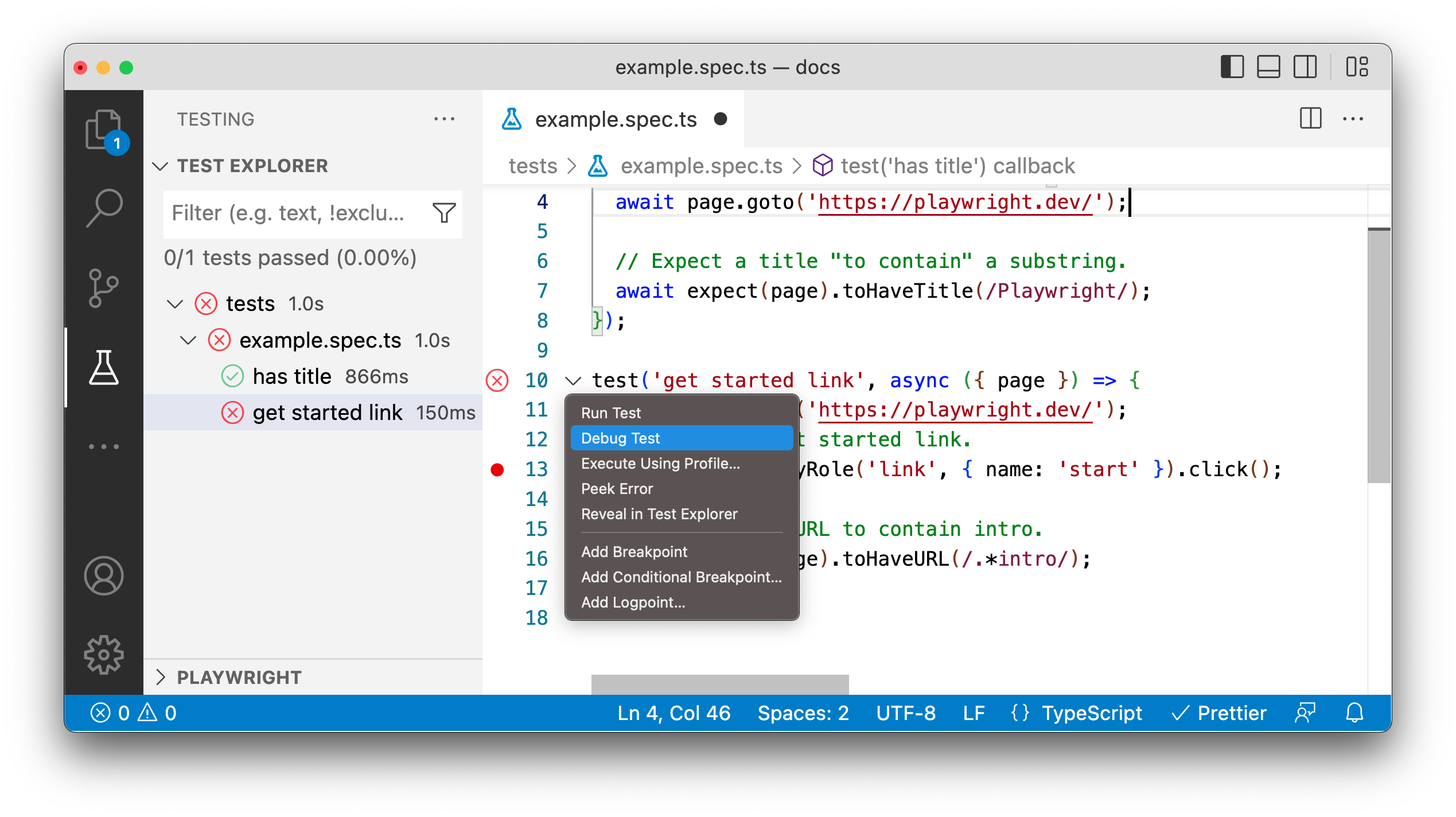 | |
| A browser window will open and the test will run and pause at where the breakpoint is set. You can step through the tests, pause the test and rerun the tests from the menu in VS Code. | |
|  | |
| ### Debug Tests Using Chrome DevTools [](https://playwright.dev/docs/debug\#debug-tests-using-chrome-devtools "Direct link to Debug Tests Using Chrome DevTools") | |
| Instead of using `Debug Test`, choose `Run Test` in VS Code. With `Show Browser` enabled, the browser session is reused, letting you open Chrome DevTools for continuous debugging of your tests and the web application. | |
| ### Debug in different Browsers [](https://playwright.dev/docs/debug\#debug-in-different-browsers "Direct link to Debug in different Browsers") | |
| By default, debugging is done using the Chromium profile. You can debug your tests on different browsers by right clicking on the debug icon in the testing sidebar and clicking on the 'Select Default Profile' option from the dropdown. | |
| 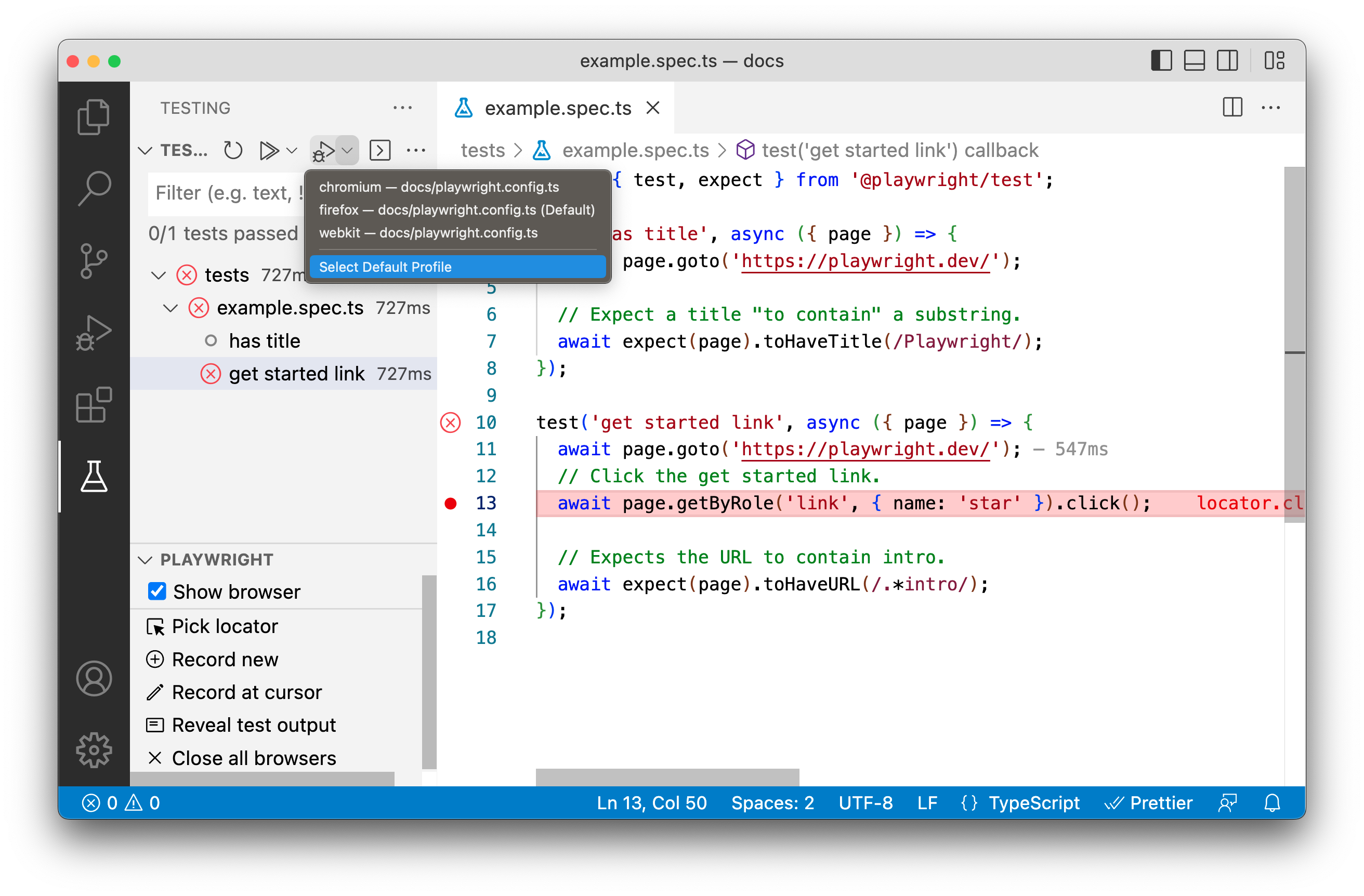 | |
| Then choose the test profile you would like to use for debugging your tests. Each time you run your test in debug mode it will use the profile you selected. You can run tests in debug mode by right clicking the line number where your test is and selecting 'Debug Test' from the menu. | |
| 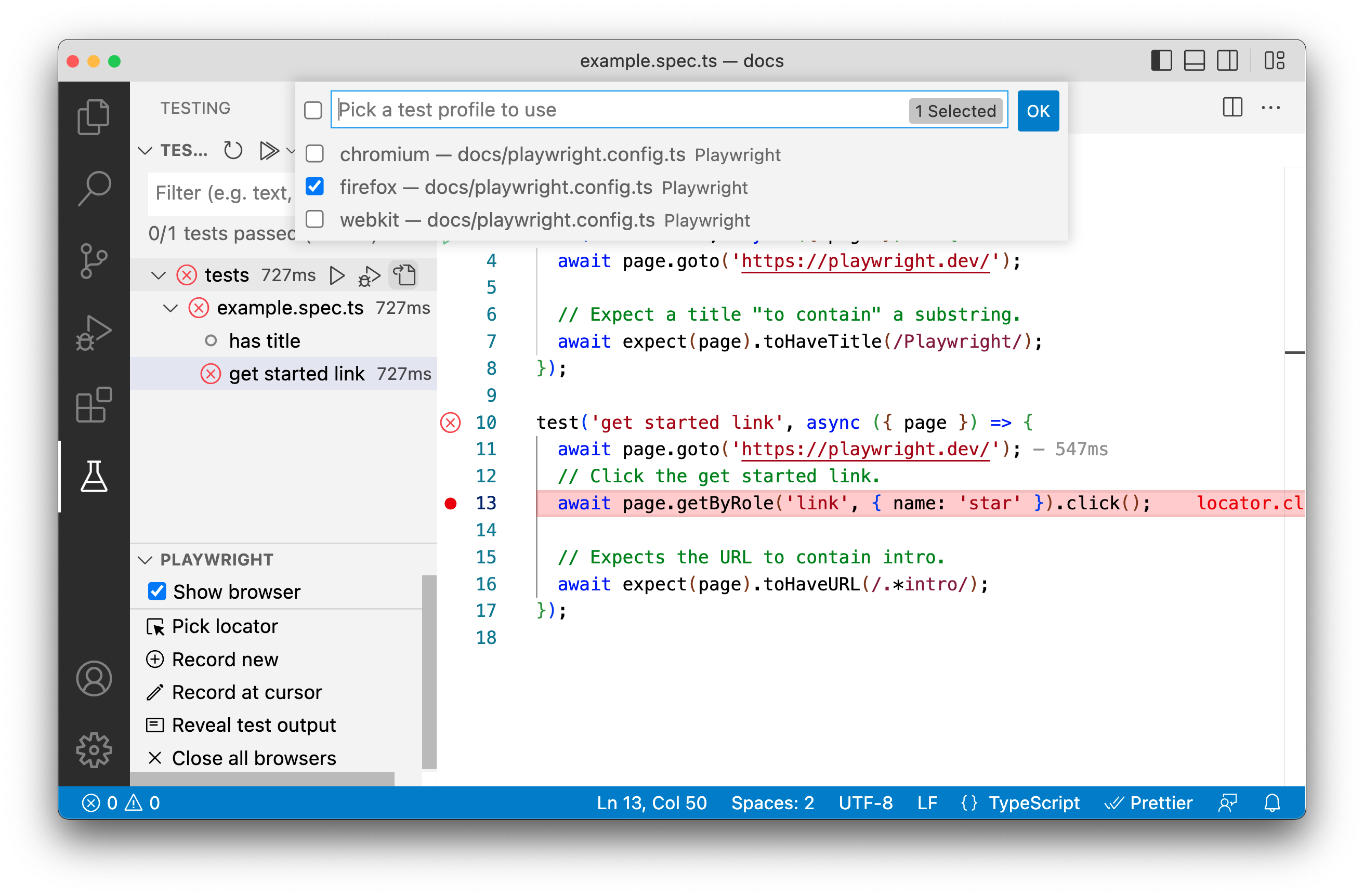 | |
| To learn more about debugging, see [Debugging in Visual Studio Code](https://code.visualstudio.com/docs/editor/debugging). | |
| ## Playwright Inspector [](https://playwright.dev/docs/debug\#playwright-inspector "Direct link to Playwright Inspector") | |
| The Playwright Inspector is a GUI tool to help you debug your Playwright tests. It allows you to step through your tests, live edit locators, pick locators and see actionability logs. | |
| 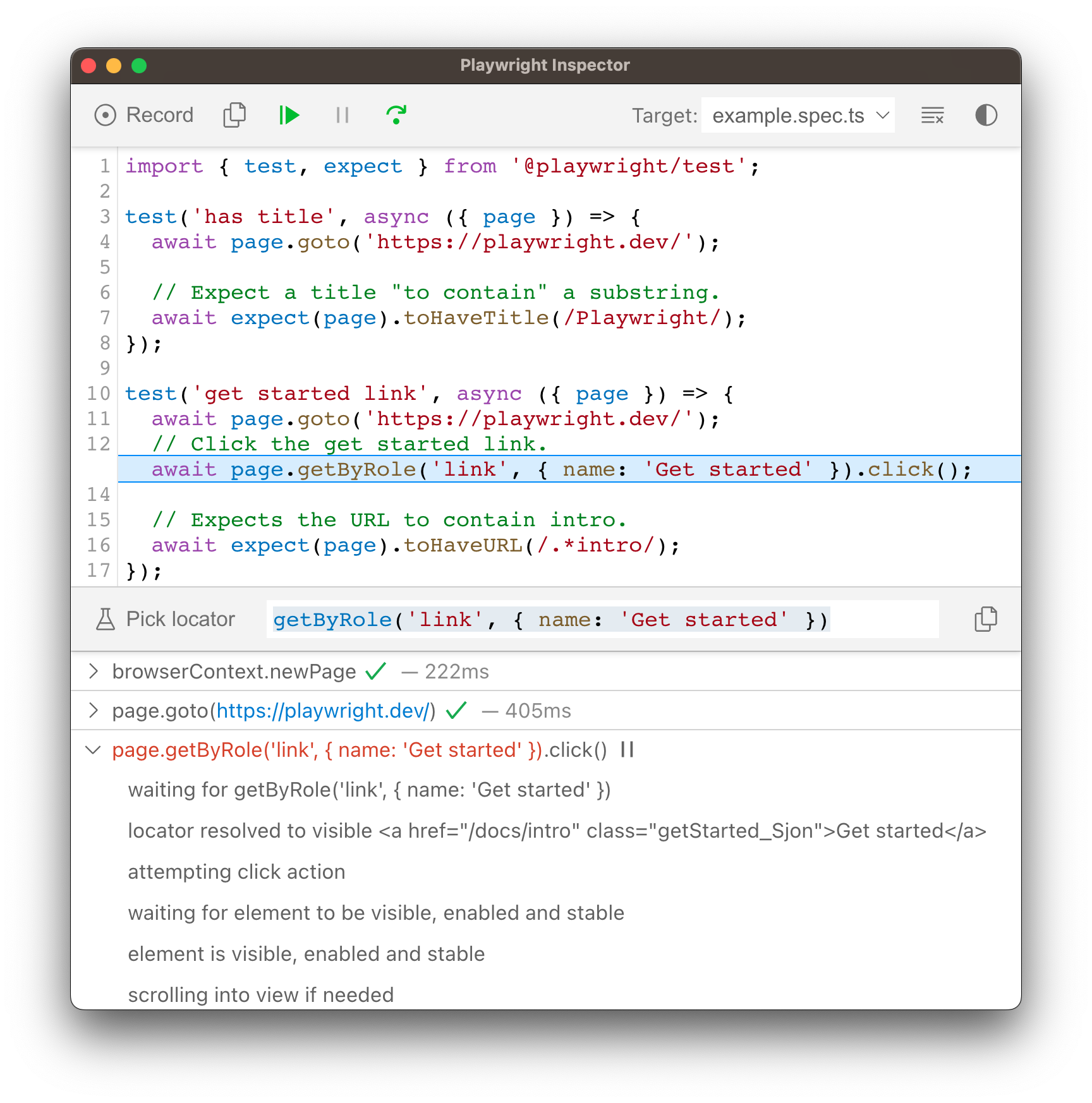 | |
| ### Run in debug mode [](https://playwright.dev/docs/debug\#run-in-debug-mode-1 "Direct link to Run in debug mode") | |
| Run your tests with the `--debug` flag to open the inspector. This configures Playwright for debugging and opens the inspector. Additional useful defaults are configured when `--debug` is used: | |
| - Browsers launch in headed mode | |
| - Default timeout is set to 0 (= no timeout) | |
| #### Debug all tests on all browsers [](https://playwright.dev/docs/debug\#debug-all-tests-on-all-browsers "Direct link to Debug all tests on all browsers") | |
| To debug all tests run the test command with the `--debug` flag. This will run tests one by one, and open the inspector and a browser window for each test. | |
| ```codeBlockLines_e6Vv | |
| npx playwright test --debug | |
| ``` | |
| #### Debug one test on all browsers [](https://playwright.dev/docs/debug\#debug-one-test-on-all-browsers "Direct link to Debug one test on all browsers") | |
| To debug one test on a specific line, run the test command followed by the name of the test file and the line number of the test you want to debug, followed by the `--debug` flag. This will run a single test in each browser configured in your [`playwright.config`](https://playwright.dev/docs/test-projects#configure-projects-for-multiple-browsers) and open the inspector. | |
| ```codeBlockLines_e6Vv | |
| npx playwright test example.spec.ts:10 --debug | |
| ``` | |
| #### Debug on a specific browser [](https://playwright.dev/docs/debug\#debug-on-a-specific-browser "Direct link to Debug on a specific browser") | |
| In Playwright you can configure projects in your [`playwright.config`](https://playwright.dev/docs/test-projects#configure-projects-for-multiple-browsers). Once configured you can then debug your tests on a specific browser or mobile viewport using the `--project` flag followed by the name of the project configured in your `playwright.config`. | |
| ```codeBlockLines_e6Vv | |
| npx playwright test --project=chromium --debug | |
| npx playwright test --project="Mobile Safari" --debug | |
| npx playwright test --project="Microsoft Edge" --debug | |
| ``` | |
| #### Debug one test on a specific browser [](https://playwright.dev/docs/debug\#debug-one-test-on-a-specific-browser "Direct link to Debug one test on a specific browser") | |
| To run one test on a specific browser add the name of the test file and the line number of the test you want to debug as well as the `--project` flag followed by the name of the project. | |
| ```codeBlockLines_e6Vv | |
| npx playwright test example.spec.ts:10 --project=webkit --debug | |
| ``` | |
| ### Stepping through your tests [](https://playwright.dev/docs/debug\#stepping-through-your-tests "Direct link to Stepping through your tests") | |
| You can play, pause or step through each action of your test using the toolbar at the top of the Inspector. You can see the current action highlighted in the test code, and matching elements highlighted in the browser window. | |
| 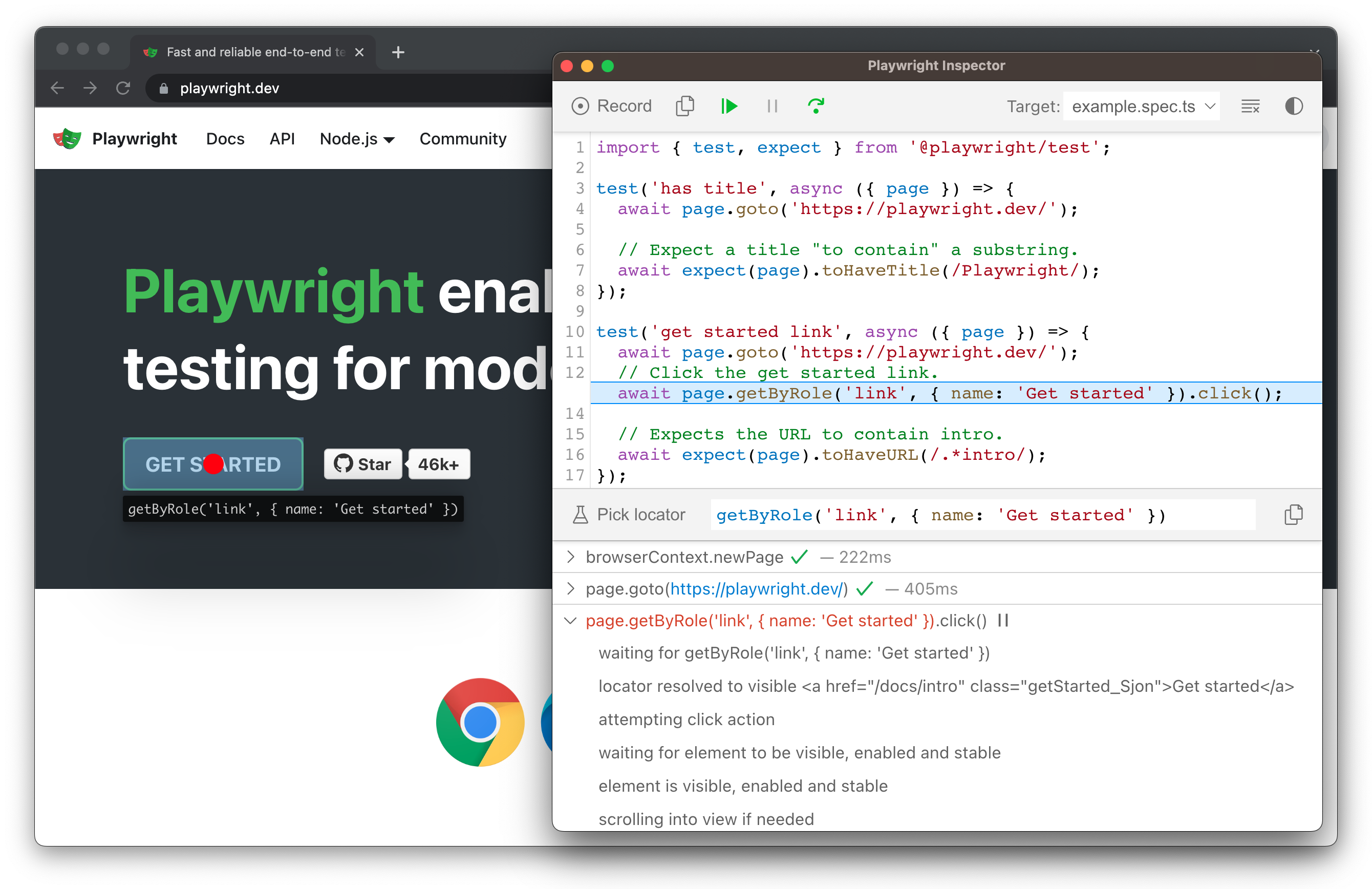 | |
| ### Run a test from a specific breakpoint [](https://playwright.dev/docs/debug\#run-a-test-from-a-specific-breakpoint "Direct link to Run a test from a specific breakpoint") | |
| To speed up the debugging process you can add a [page.pause()](https://playwright.dev/docs/api/class-page#page-pause) method to your test. This way you won't have to step through each action of your test to get to the point where you want to debug. | |
| ```codeBlockLines_e6Vv | |
| await page.pause(); | |
| ``` | |
| Once you add a `page.pause()` call, run your tests in debug mode. Clicking the "Resume" button in the Inspector will run the test and only stop on the `page.pause()`. | |
| 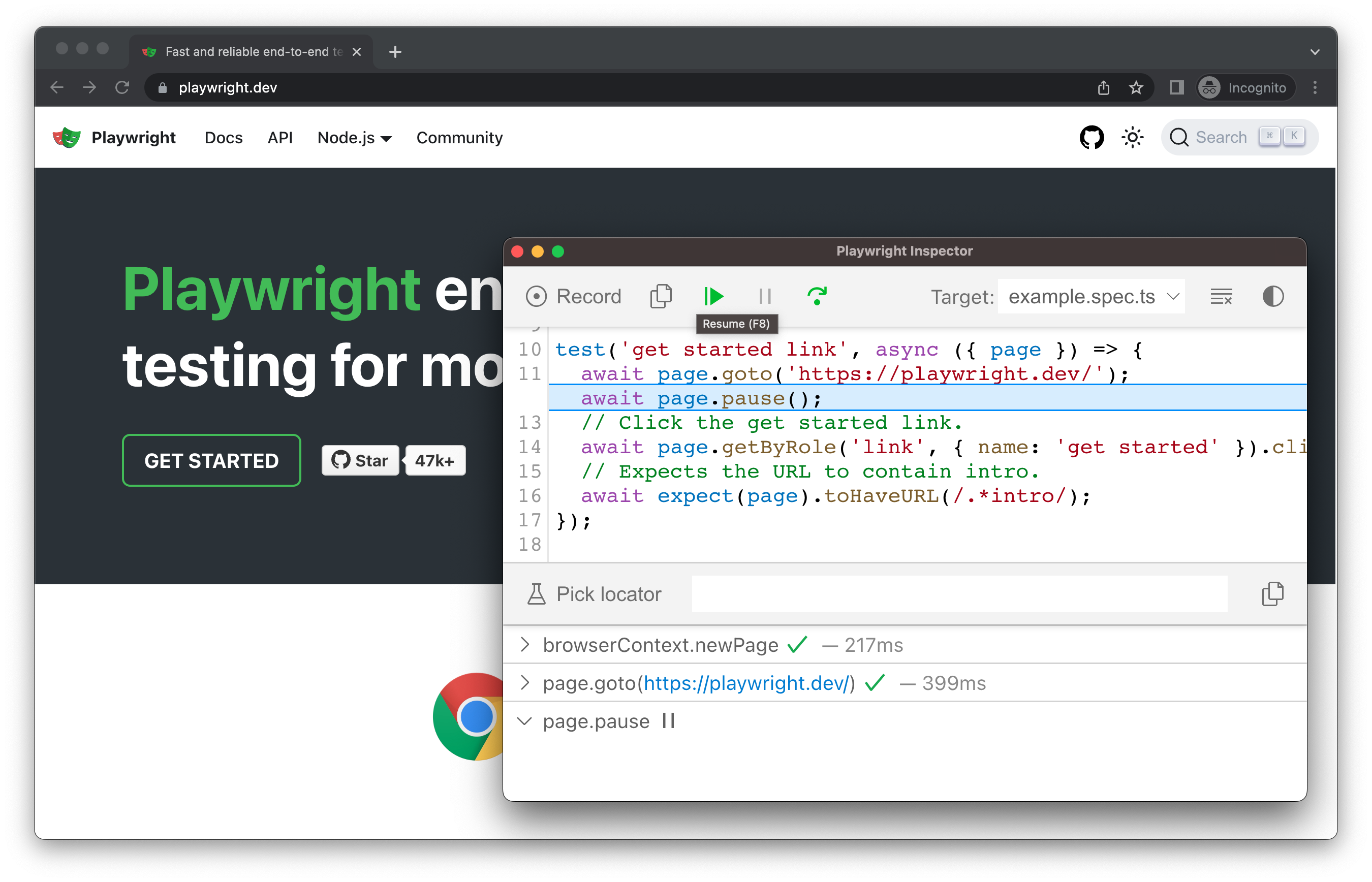 | |
| ### Live editing locators [](https://playwright.dev/docs/debug\#live-editing-locators "Direct link to Live editing locators") | |
| While running in debug mode you can live edit the locators. Next to the 'Pick Locator' button there is a field showing the [locator](https://playwright.dev/docs/locators) that the test is paused on. You can edit this locator directly in the **Pick Locator** field, and matching elements will be highlighted in the browser window. | |
| 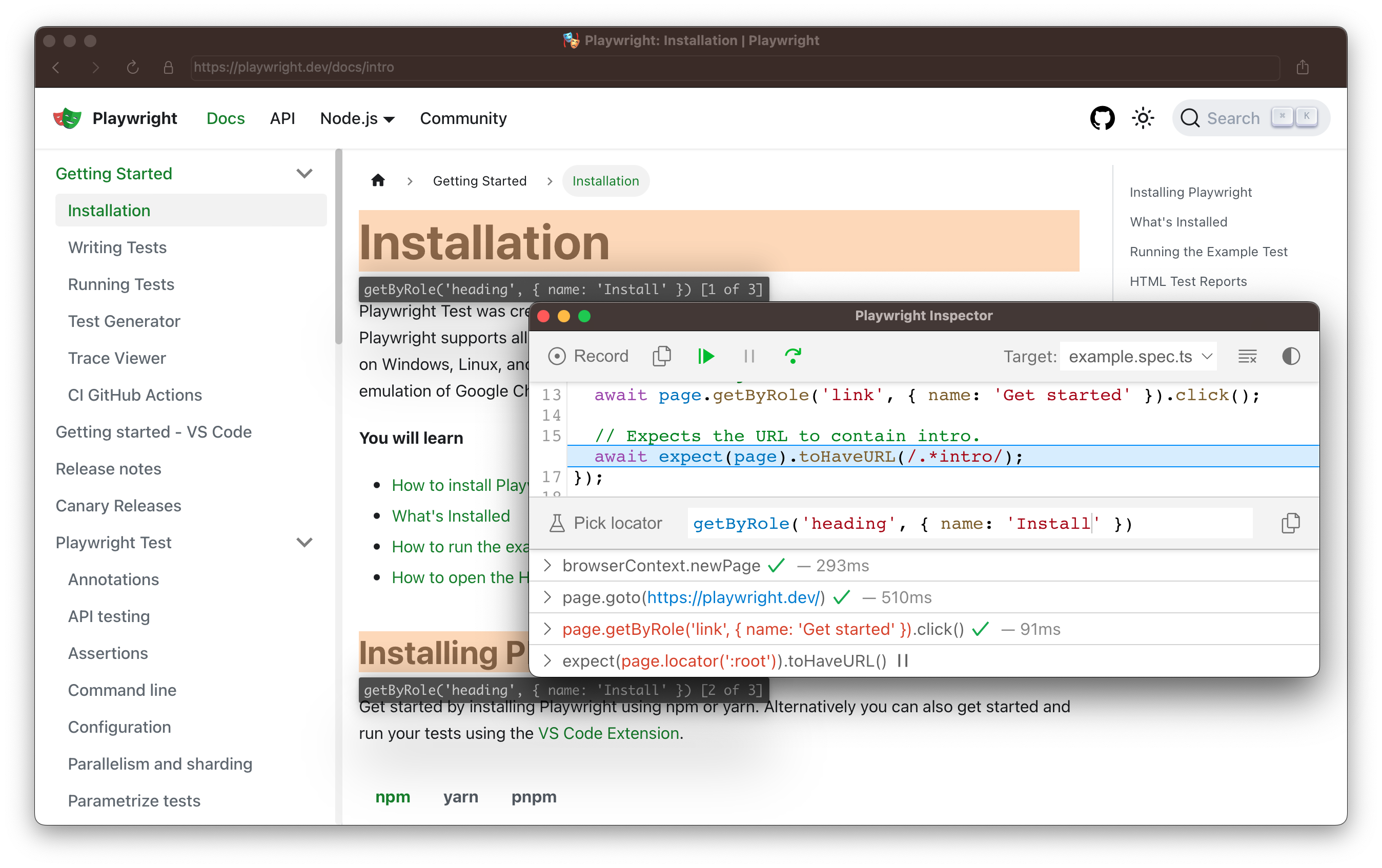 | |
| ### Picking locators [](https://playwright.dev/docs/debug\#picking-locators "Direct link to Picking locators") | |
| While debugging, you might need to choose a more resilient locator. You can do this by clicking on the **Pick Locator** button and hovering over any element in the browser window. While hovering over an element you will see the code needed to locate this element highlighted below. Clicking an element in the browser will add the locator into the field where you can then either tweak it or copy it into your code. | |
| 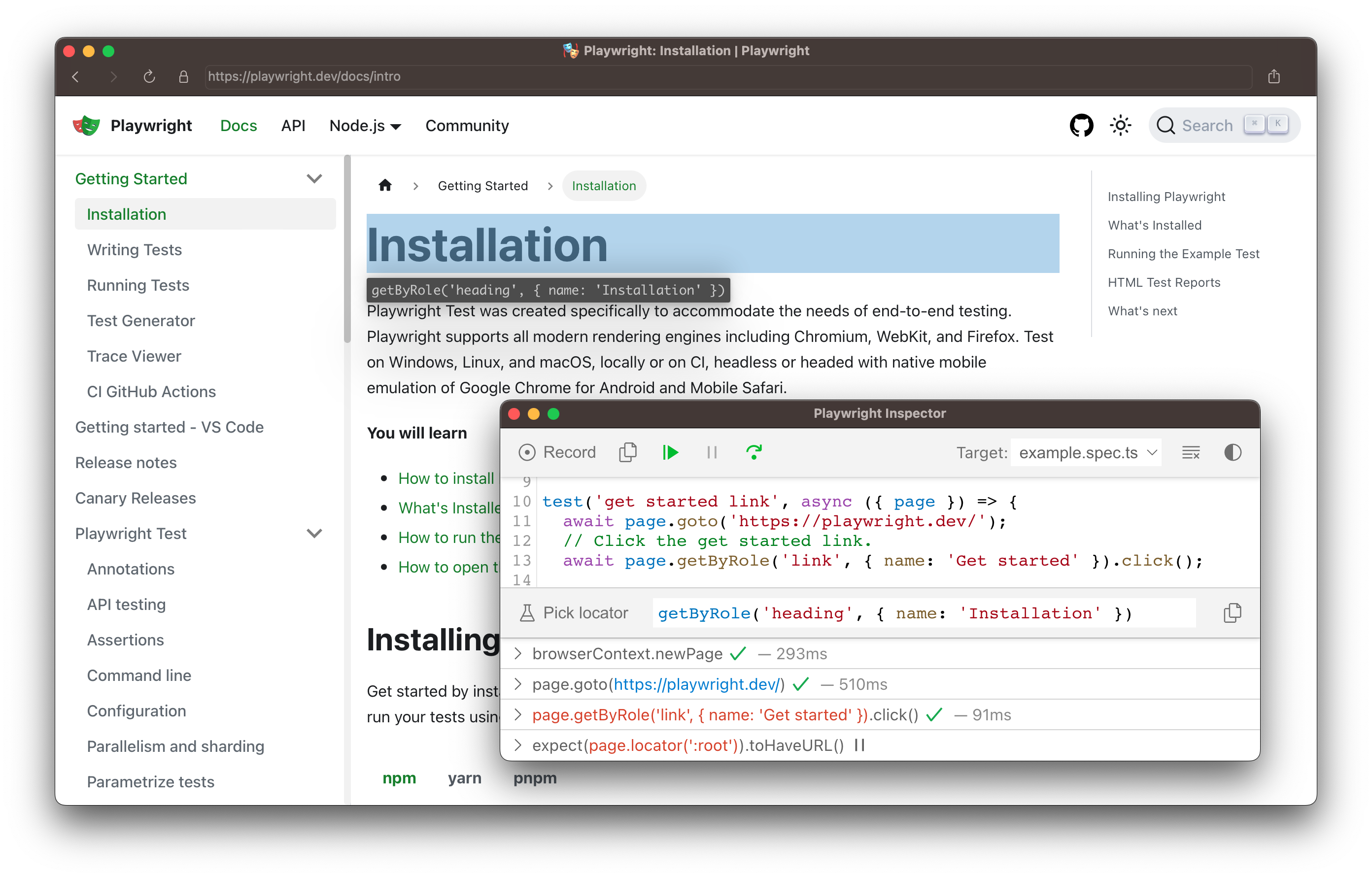 | |
| Playwright will look at your page and figure out the best locator, prioritizing [role, text and test id locators](https://playwright.dev/docs/locators). If Playwright finds multiple elements matching the locator, it will improve the locator to make it resilient and uniquely identify the target element, so you don't have to worry about failing tests due to locators. | |
| ### Actionability logs [](https://playwright.dev/docs/debug\#actionability-logs "Direct link to Actionability logs") | |
| By the time Playwright has paused on a click action, it has already performed [actionability checks](https://playwright.dev/docs/actionability) that can be found in the log. This can help you understand what happened during your test and what Playwright did or tried to do. The log tells you if the element was visible, enabled and stable, if the locator resolved to an element, scrolled into view, and so much more. If actionability can't be reached, it will show the action as pending. | |
| 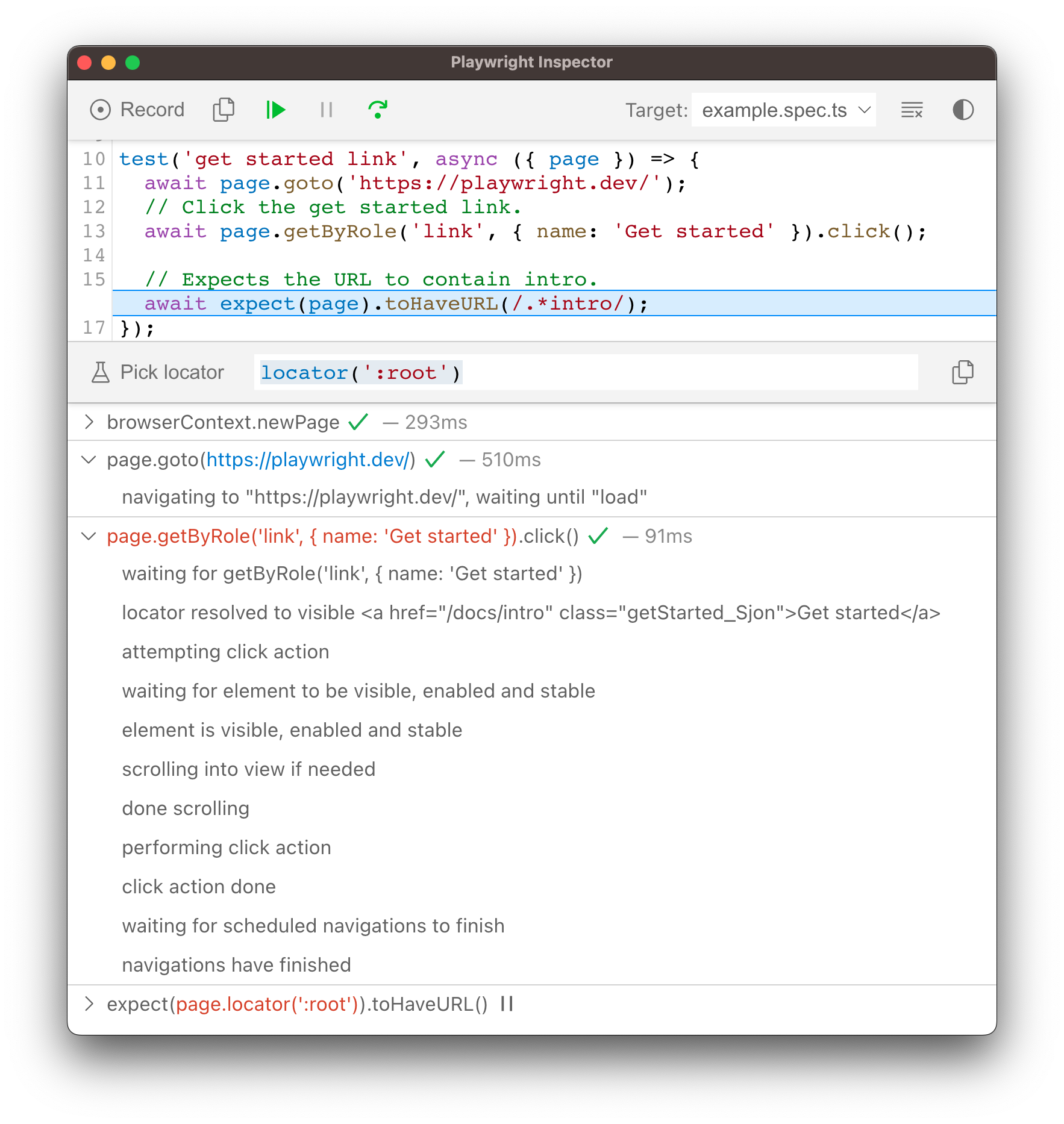 | |
| ## Trace Viewer [](https://playwright.dev/docs/debug\#trace-viewer "Direct link to Trace Viewer") | |
| Playwright [Trace Viewer](https://playwright.dev/docs/trace-viewer) is a GUI tool that lets you explore recorded Playwright traces of your tests. You can go back and forward through each action on the left side, and visually see what was happening during the action. In the middle of the screen, you can see a DOM snapshot for the action. On the right side you can see action details, such as time, parameters, return value and log. You can also explore console messages, network requests and the source code. | |
| To learn more about how to record traces and use the Trace Viewer, check out the [Trace Viewer](https://playwright.dev/docs/trace-viewer) guide. | |
| ## Browser Developer Tools [](https://playwright.dev/docs/debug\#browser-developer-tools "Direct link to Browser Developer Tools") | |
| When running in Debug Mode with `PWDEBUG=console`, a `playwright` object is available in the Developer tools console. Developer tools can help you to: | |
| - Inspect the DOM tree and **find element selectors** | |
| - **See console logs** during execution (or learn how to [read logs via API](https://playwright.dev/docs/api/class-page#page-event-console)) | |
| - Check **network activity** and other developer tools features | |
| This will also set the default timeouts of Playwright to 0 (= no timeout). | |
| 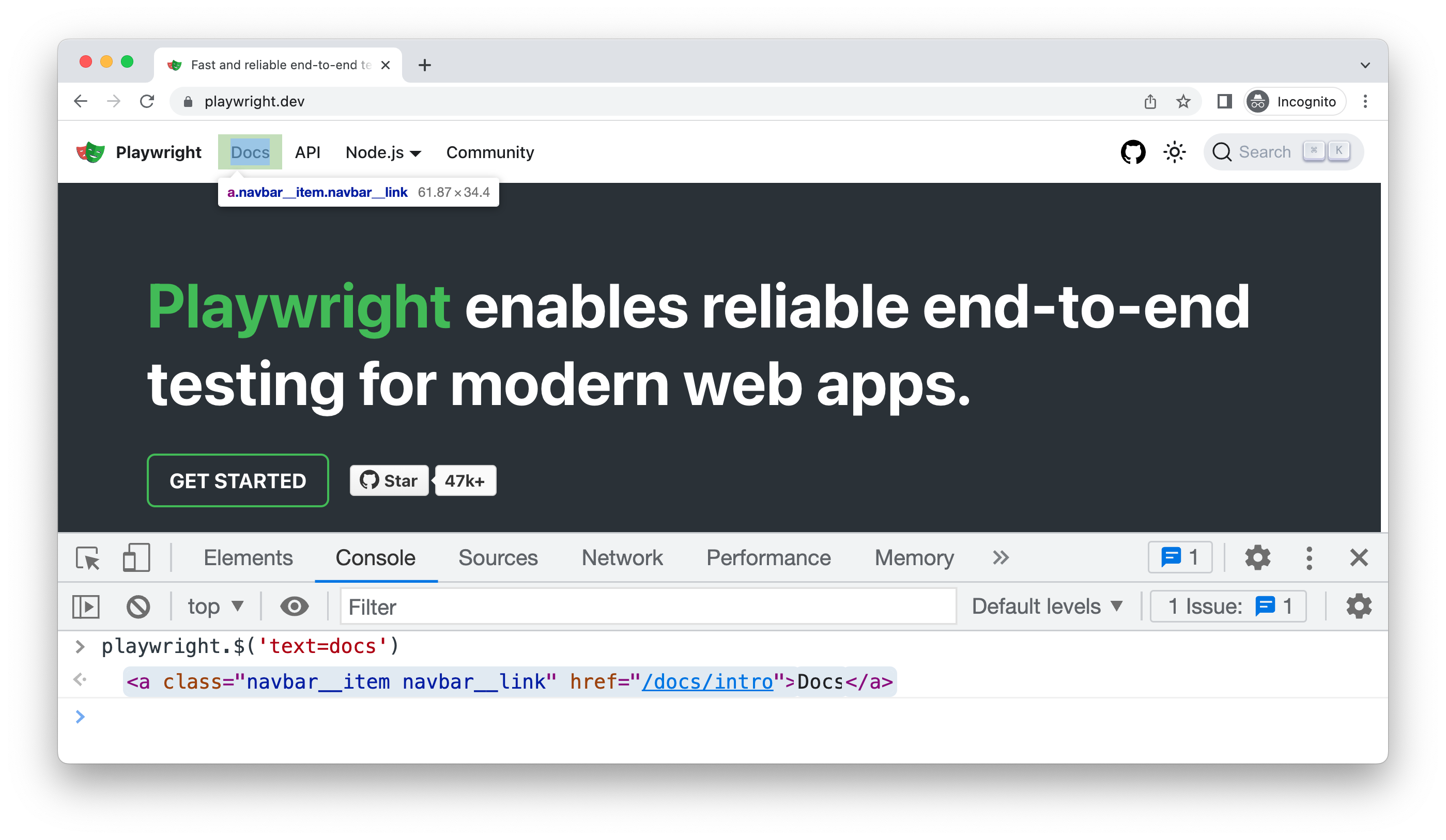 | |
| To debug your tests using the browser developer tools, start by setting a breakpoint in your test to pause the execution using the [page.pause()](https://playwright.dev/docs/api/class-page#page-pause) method. | |
| ```codeBlockLines_e6Vv | |
| await page.pause(); | |
| ``` | |
| Once you have set a breakpoint in your test, you can then run your test with `PWDEBUG=console`. | |
| - Bash | |
| - PowerShell | |
| - Batch | |
| ```codeBlockLines_e6Vv | |
| PWDEBUG=console npx playwright test | |
| ``` | |
| Once Playwright launches the browser window, you can open the developer tools. The `playwright` object will be available in the console panel. | |
| #### playwright.$(selector) [](https://playwright.dev/docs/debug\#playwrightselector "Direct link to playwright.$(selector)") | |
| Query the Playwright selector, using the actual Playwright query engine, for example: | |
| ```codeBlockLines_e6Vv | |
| playwright.$('.auth-form >> text=Log in'); | |
| <button>Log in</button> | |
| ``` | |
| #### playwright.$$(selector) [](https://playwright.dev/docs/debug\#playwrightselector-1 "Direct link to playwright.$$(selector)") | |
| Same as `playwright.$`, but returns all matching elements. | |
| ```codeBlockLines_e6Vv | |
| playwright.$$('li >> text=John') | |
| [<li>, <li>, <li>, <li>] | |
| ``` | |
| #### playwright.inspect(selector) [](https://playwright.dev/docs/debug\#playwrightinspectselector "Direct link to playwright.inspect(selector)") | |
| Reveal element in the Elements panel. | |
| ```codeBlockLines_e6Vv | |
| playwright.inspect('text=Log in') | |
| ``` | |
| #### playwright.locator(selector) [](https://playwright.dev/docs/debug\#playwrightlocatorselector "Direct link to playwright.locator(selector)") | |
| Create a locator and query matching elements, for example: | |
| ```codeBlockLines_e6Vv | |
| playwright.locator('.auth-form', { hasText: 'Log in' }); | |
| Locator () | |
| - element: button | |
| - elements: [button] | |
| ``` | |
| #### playwright.selector(element) [](https://playwright.dev/docs/debug\#playwrightselectorelement "Direct link to playwright.selector(element)") | |
| Generates selector for the given element. For example, select an element in the Elements panel and pass `$0`: | |
| ```codeBlockLines_e6Vv | |
| playwright.selector($0) | |
| "div[id="glow-ingress-block"] >> text=/.*Hello.*/" | |
| ``` | |
| ## Verbose API logs [](https://playwright.dev/docs/debug\#verbose-api-logs "Direct link to Verbose API logs") | |
| Playwright supports verbose logging with the `DEBUG` environment variable. | |
| - Bash | |
| - PowerShell | |
| - Batch | |
| ```codeBlockLines_e6Vv | |
| DEBUG=pw:api npx playwright test | |
| ``` | |
| note | |
| **For WebKit**: launching WebKit Inspector during the execution will prevent the Playwright script from executing any further and will reset pre-configured user agent and device emulation. | |
| ## Headed mode [](https://playwright.dev/docs/debug\#headed-mode "Direct link to Headed mode") | |
| Playwright runs browsers in headless mode by default. To change this behavior, use `headless: false` as a launch option. | |
| You can also use the [slowMo](https://playwright.dev/docs/api/class-browsertype#browser-type-launch-option-slow-mo) option to slow down execution (by N milliseconds per operation) and follow along while debugging. | |
| ```codeBlockLines_e6Vv | |
| // Chromium, Firefox, or WebKit | |
| await chromium.launch({ headless: false, slowMo: 100 }); | |
| ``` | |
| - [VS Code debugger](https://playwright.dev/docs/debug#vs-code-debugger) | |
| - [Error Messages](https://playwright.dev/docs/debug#error-messages) | |
| - [Live Debugging](https://playwright.dev/docs/debug#live-debugging) | |
| - [Picking a Locator](https://playwright.dev/docs/debug#picking-a-locator) | |
| - [Run in Debug Mode](https://playwright.dev/docs/debug#run-in-debug-mode) | |
| - [Debug Tests Using Chrome DevTools](https://playwright.dev/docs/debug#debug-tests-using-chrome-devtools) | |
| - [Debug in different Browsers](https://playwright.dev/docs/debug#debug-in-different-browsers) | |
| - [Playwright Inspector](https://playwright.dev/docs/debug#playwright-inspector) | |
| - [Run in debug mode](https://playwright.dev/docs/debug#run-in-debug-mode-1) | |
| - [Stepping through your tests](https://playwright.dev/docs/debug#stepping-through-your-tests) | |
| - [Run a test from a specific breakpoint](https://playwright.dev/docs/debug#run-a-test-from-a-specific-breakpoint) | |
| - [Live editing locators](https://playwright.dev/docs/debug#live-editing-locators) | |
| - [Picking locators](https://playwright.dev/docs/debug#picking-locators) | |
| - [Actionability logs](https://playwright.dev/docs/debug#actionability-logs) | |
| - [Trace Viewer](https://playwright.dev/docs/debug#trace-viewer) | |
| - [Browser Developer Tools](https://playwright.dev/docs/debug#browser-developer-tools) | |
| - [Verbose API logs](https://playwright.dev/docs/debug#verbose-api-logs) | |
| - [Headed mode](https://playwright.dev/docs/debug#headed-mode) | |
| ## Browser Contexts Overview | |
| [Skip to main content](https://playwright.dev/dotnet/docs/api/class-browsercontext#__docusaurus_skipToContent_fallback) | |
| On this page | |
| BrowserContexts provide a way to operate multiple independent browser sessions. | |
| If a page opens another page, e.g. with a `window.open` call, the popup will belong to the parent page's browser context. | |
| Playwright allows creating isolated non-persistent browser contexts with [Browser.NewContextAsync()](https://playwright.dev/dotnet/docs/api/class-browser#browser-new-context) method. Non-persistent browser contexts don't write any browsing data to disk. | |
| ```codeBlockLines_e6Vv | |
| using var playwright = await Playwright.CreateAsync(); | |
| var browser = await playwright.Firefox.LaunchAsync(new() { Headless = false }); | |
| // Create a new incognito browser context | |
| var context = await browser.NewContextAsync(); | |
| // Create a new page inside context. | |
| var page = await context.NewPageAsync(); | |
| await page.GotoAsync("https://bing.com"); | |
| // Dispose context once it is no longer needed. | |
| await context.CloseAsync(); | |
| ``` | |
| * * * | |
| ## Methods [](https://playwright.dev/dotnet/docs/api/class-browsercontext\#methods "Direct link to Methods") | |
| ### AddCookiesAsync [](https://playwright.dev/dotnet/docs/api/class-browsercontext\#browser-context-add-cookies "Direct link to AddCookiesAsync") | |
| Added before v1.9browserContext.AddCookiesAsync | |
| Adds cookies into this browser context. All pages within this context will have these cookies installed. Cookies can be obtained via [BrowserContext.CookiesAsync()](https://playwright.dev/dotnet/docs/api/class-browsercontext#browser-context-cookies). | |
| **Usage** | |
| ```codeBlockLines_e6Vv | |
| await context.AddCookiesAsync(new[] { cookie1, cookie2 }); | |
| ``` | |
| **Arguments** | |
| - `cookies` [IEnumerable](https://docs.microsoft.com/en-us/dotnet/api/system.collections.ienumerable "IEnumerable") < `Cookie` > [#](https://playwright.dev/dotnet/docs/api/class-browsercontext#browser-context-add-cookies-option-cookies) | |
| - `Name` [string](https://docs.microsoft.com/en-us/dotnet/api/system.string "string") | |
| - `Value` [string](https://docs.microsoft.com/en-us/dotnet/api/system.string "string") | |
| - `Url` [string](https://docs.microsoft.com/en-us/dotnet/api/system.string "string")? _(optional)_ | |
| Either url or domain / path are required. Optional. | |
| - `Domain` [string](https://docs.microsoft.com/en-us/dotnet/api/system.string "string")? _(optional)_ | |
| For the cookie to apply to all subdomains as well, prefix domain with a dot, like this: ".example.com". Either url or domain / path are required. Optional. | |
| - `Path` [string](https://docs.microsoft.com/en-us/dotnet/api/system.string "string")? _(optional)_ | |
| Either url or domain / path are required Optional. | |
| - `Expires` \[float\]? _(optional)_ | |
| Unix time in seconds. Optional. | |
| - `HttpOnly` [bool](https://docs.microsoft.com/en-us/dotnet/api/system.boolean "bool")? _(optional)_ | |
| Optional. | |
| - `Secure` [bool](https://docs.microsoft.com/en-us/dotnet/api/system.boolean "bool")? _(optional)_ | |
| Optional. | |
| - `SameSite` `enum SameSiteAttribute { Strict, Lax, None }?` _(optional)_ | |
| Optional. | |
| - `PartitionKey` [string](https://docs.microsoft.com/en-us/dotnet/api/system.string "string")? _(optional)_ | |
| For partitioned third-party cookies (aka [CHIPS](https://developer.mozilla.org/en-US/docs/Web/Privacy/Guides/Privacy_sandbox/Partitioned_cookies)), the partition key. Optional. | |
| **Returns** | |
| - [void](https://docs.microsoft.com/en-us/dotnet/csharp/language-reference/builtin-types/void "void") [#](https://playwright.dev/dotnet/docs/api/class-browsercontext#browser-context-add-cookies-return) | |
| * * * | |
| ### AddInitScriptAsync [](https://playwright.dev/dotnet/docs/api/class-browsercontext\#browser-context-add-init-script "Direct link to AddInitScriptAsync") | |
| Added before v1.9browserContext.AddInitScriptAsync | |
| Adds a script which would be evaluated in one of the following scenarios: | |
| - Whenever a page is created in the browser context or is navigated. | |
| - Whenever a child frame is attached or navigated in any page in the browser context. In this case, the script is evaluated in the context of the newly attached frame. | |
| The script is evaluated after the document was created but before any of its scripts were run. This is useful to amend the JavaScript environment, e.g. to seed `Math.random`. | |
| **Usage** | |
| An example of overriding `Math.random` before the page loads: | |
| ```codeBlockLines_e6Vv | |
| // preload.js | |
| Math.random = () => 42; | |
| ``` | |
| ```codeBlockLines_e6Vv | |
| await Context.AddInitScriptAsync(scriptPath: "preload.js"); | |
| ``` | |
| note | |
| The order of evaluation of multiple scripts installed via [BrowserContext.AddInitScriptAsync()](https://playwright.dev/dotnet/docs/api/class-browsercontext#browser-context-add-init-script) and [Page.AddInitScriptAsync()](https://playwright.dev/dotnet/docs/api/class-page#page-add-init-script) is not defined. | |
| **Arguments** | |
| - `script` [string](https://docs.microsoft.com/en-us/dotnet/api/system.string "string") \| [string](https://docs.microsoft.com/en-us/dotnet/api/system.string "string") [#](https://playwright.dev/dotnet/docs/api/class-browsercontext#browser-context-add-init-script-option-script) | |
| Script to be evaluated in all pages in the browser context. | |
| **Returns** | |
| - [void](https://docs.microsoft.com/en-us/dotnet/csharp/language-reference/builtin-types/void "void") [#](https://playwright.dev/dotnet/docs/api/class-browsercontext#browser-context-add-init-script-return) | |
| * * * | |
| ### BackgroundPages [](https://playwright.dev/dotnet/docs/api/class-browsercontext\#browser-context-background-pages "Direct link to BackgroundPages") | |
| Added in: v1.11browserContext.BackgroundPages | |
| note | |
| Background pages are only supported on Chromium-based browsers. | |
| All existing background pages in the context. | |
| **Usage** | |
| ```codeBlockLines_e6Vv | |
| BrowserContext.BackgroundPages | |
| ``` | |
| **Returns** | |
| - [IReadOnlyList](https://learn.microsoft.com/en-us/dotnet/api/system.collections.generic.ireadonlylist-1?view=net-9.0 "IReadOnlyList") < [Page](https://playwright.dev/dotnet/docs/api/class-page "Page") > [#](https://playwright.dev/dotnet/docs/api/class-browsercontext#browser-context-background-pages-return) | |
| * * * | |
| ### Browser [](https://playwright.dev/dotnet/docs/api/class-browsercontext\#browser-context-browser "Direct link to Browser") | |
| Added before v1.9browserContext.Browser | |
| Gets the browser instance that owns the context. Returns `null` if the context is created outside of normal browser, e.g. Android or Electron. | |
| **Usage** | |
| ```codeBlockLines_e6Vv | |
| BrowserContext.Browser | |
| ``` | |
| **Returns** | |
| - [Browser](https://playwright.dev/dotnet/docs/api/class-browser "Browser")? [#](https://playwright.dev/dotnet/docs/api/class-browsercontext#browser-context-browser-return) | |
| * * * | |
| ### ClearCookiesAsync [](https://playwright.dev/dotnet/docs/api/class-browsercontext\#browser-context-clear-cookies "Direct link to ClearCookiesAsync") | |
| Added before v1.9browserContext.ClearCookiesAsync | |
| Removes cookies from context. Accepts optional filter. | |
| **Usage** | |
| ```codeBlockLines_e6Vv | |
| await context.ClearCookiesAsync(); | |
| await context.ClearCookiesAsync(new() { Name = "session-id" }); | |
| await context.ClearCookiesAsync(new() { Domain = "my-origin.com" }); | |
| await context.ClearCookiesAsync(new() { Path = "/api/v1" }); | |
| await context.ClearCookiesAsync(new() { Name = "session-id", Domain = "my-origin.com" }); | |
| ``` | |
| **Arguments** | |
| - `options` `BrowserContextClearCookiesOptions?` _(optional)_ | |
| - `Domain|DomainRegex` [string](https://docs.microsoft.com/en-us/dotnet/api/system.string "string")? \| [Regex](https://docs.microsoft.com/en-us/dotnet/api/system.text.regularexpressions.regex "Regex")? _(optional)_ Added in: v1.43 [#](https://playwright.dev/dotnet/docs/api/class-browsercontext#browser-context-clear-cookies-option-domain) | |
| Only removes cookies with the given domain. | |
| - `Name|NameRegex` [string](https://docs.microsoft.com/en-us/dotnet/api/system.string "string")? \| [Regex](https://docs.microsoft.com/en-us/dotnet/api/system.text.regularexpressions.regex "Regex")? _(optional)_ Added in: v1.43 [#](https://playwright.dev/dotnet/docs/api/class-browsercontext#browser-context-clear-cookies-option-name) | |
| Only removes cookies with the given name. | |
| - `Path|PathRegex` [string](https://docs.microsoft.com/en-us/dotnet/api/system.string "string")? \| [Regex](https://docs.microsoft.com/en-us/dotnet/api/system.text.regularexpressions.regex "Regex")? _(optional)_ Added in: v1.43 [#](https://playwright.dev/dotnet/docs/api/class-browsercontext#browser-context-clear-cookies-option-path) | |
| Only removes cookies with the given path. | |
| **Returns** | |
| - [void](https://docs.microsoft.com/en-us/dotnet/csharp/language-reference/builtin-types/void "void") [#](https://playwright.dev/dotnet/docs/api/class-browsercontext#browser-context-clear-cookies-return) | |
| * * * | |
| ### ClearPermissionsAsync [](https://playwright.dev/dotnet/docs/api/class-browsercontext\#browser-context-clear-permissions "Direct link to ClearPermissionsAsync") | |
| Added before v1.9browserContext.ClearPermissionsAsync | |
| Clears all permission overrides for the browser context. | |
| **Usage** | |
| ```codeBlockLines_e6Vv | |
| var context = await browser.NewContextAsync(); | |
| await context.GrantPermissionsAsync(new[] { "clipboard-read" }); | |
| // Alternatively, you can use the helper class ContextPermissions | |
| // to specify the permissions... | |
| // do stuff ... | |
| await context.ClearPermissionsAsync(); | |
| ``` | |
| **Returns** | |
| - [void](https://docs.microsoft.com/en-us/dotnet/csharp/language-reference/builtin-types/void "void") [#](https://playwright.dev/dotnet/docs/api/class-browsercontext#browser-context-clear-permissions-return) | |
| * * * | |
| ### CloseAsync [](https://playwright.dev/dotnet/docs/api/class-browsercontext\#browser-context-close "Direct link to CloseAsync") | |
| Added before v1.9browserContext.CloseAsync | |
| Closes the browser context. All the pages that belong to the browser context will be closed. | |
| note | |
| The default browser context cannot be closed. | |
| **Usage** | |
| ```codeBlockLines_e6Vv | |
| await BrowserContext.CloseAsync(options); | |
| ``` | |
| **Arguments** | |
| - `options` `BrowserContextCloseOptions?` _(optional)_ | |
| - `Reason` [string](https://docs.microsoft.com/en-us/dotnet/api/system.string "string")? _(optional)_ Added in: v1.40 [#](https://playwright.dev/dotnet/docs/api/class-browsercontext#browser-context-close-option-reason) | |
| The reason to be reported to the operations interrupted by the context closure. | |
| **Returns** | |
| - [void](https://docs.microsoft.com/en-us/dotnet/csharp/language-reference/builtin-types/void "void") [#](https://playwright.dev/dotnet/docs/api/class-browsercontext#browser-context-close-return) | |
| * * * | |
| ### CookiesAsync [](https://playwright.dev/dotnet/docs/api/class-browsercontext\#browser-context-cookies "Direct link to CookiesAsync") | |
| Added before v1.9browserContext.CookiesAsync | |
| If no URLs are specified, this method returns all cookies. If URLs are specified, only cookies that affect those URLs are returned. | |
| **Usage** | |
| ```codeBlockLines_e6Vv | |
| await BrowserContext.CookiesAsync(urls); | |
| ``` | |
| **Arguments** | |
| - `urls` [string](https://docs.microsoft.com/en-us/dotnet/api/system.string "string")? \| [IEnumerable](https://docs.microsoft.com/en-us/dotnet/api/system.collections.ienumerable "IEnumerable")?< [string](https://docs.microsoft.com/en-us/dotnet/api/system.string "string") \> _(optional)_ [#](https://playwright.dev/dotnet/docs/api/class-browsercontext#browser-context-cookies-option-urls) | |
| Optional list of URLs. | |
| **Returns** | |
| - [IReadOnlyList](https://learn.microsoft.com/en-us/dotnet/api/system.collections.generic.ireadonlylist-1?view=net-9.0 "IReadOnlyList") < `BrowserContextCookiesResult` > [#](https://playwright.dev/dotnet/docs/api/class-browsercontext#browser-context-cookies-return) | |
| - `name` [string](https://docs.microsoft.com/en-us/dotnet/api/system.string "string") | |
| - `value` [string](https://docs.microsoft.com/en-us/dotnet/api/system.string "string") | |
| - `domain` [string](https://docs.microsoft.com/en-us/dotnet/api/system.string "string") | |
| - `path` [string](https://docs.microsoft.com/en-us/dotnet/api/system.string "string") | |
| - `expires` \[float\] | |
| Unix time in seconds. | |
| - `httpOnly` [bool](https://docs.microsoft.com/en-us/dotnet/api/system.boolean "bool") | |
| - `secure` [bool](https://docs.microsoft.com/en-us/dotnet/api/system.boolean "bool") | |
| - `sameSite` `enum SameSiteAttribute { Strict, Lax, None }` | |
| - `partitionKey` [string](https://docs.microsoft.com/en-us/dotnet/api/system.string "string")? _(optional)_ | |
| * * * | |
| ### ExposeBindingAsync [](https://playwright.dev/dotnet/docs/api/class-browsercontext\#browser-context-expose-binding "Direct link to ExposeBindingAsync") | |
| Added before v1.9browserContext.ExposeBindingAsync | |
| The method adds a function called [name](https://playwright.dev/dotnet/docs/api/class-browsercontext#browser-context-expose-binding-option-name) on the `window` object of every frame in every page in the context. When called, the function executes [callback](https://playwright.dev/dotnet/docs/api/class-browsercontext#browser-context-expose-binding-option-callback) and returns a [Promise](https://developer.mozilla.org/en-US/docs/Web/JavaScript/Reference/Global_Objects/Promise "Promise") which resolves to the return value of [callback](https://playwright.dev/dotnet/docs/api/class-browsercontext#browser-context-expose-binding-option-callback). If the [callback](https://playwright.dev/dotnet/docs/api/class-browsercontext#browser-context-expose-binding-option-callback) returns a [Promise](https://developer.mozilla.org/en-US/docs/Web/JavaScript/Reference/Global_Objects/Promise "Promise"), it will be awaited. | |
| The first argument of the [callback](https://playwright.dev/dotnet/docs/api/class-browsercontext#browser-context-expose-binding-option-callback) function contains information about the caller: `{ browserContext: BrowserContext, page: Page, frame: Frame }`. | |
| See [Page.ExposeBindingAsync()](https://playwright.dev/dotnet/docs/api/class-page#page-expose-binding) for page-only version. | |
| **Usage** | |
| An example of exposing page URL to all frames in all pages in the context: | |
| ```codeBlockLines_e6Vv | |
| using Microsoft.Playwright; | |
| using var playwright = await Playwright.CreateAsync(); | |
| var browser = await playwright.Webkit.LaunchAsync(new() { Headless = false }); | |
| var context = await browser.NewContextAsync(); | |
| await context.ExposeBindingAsync("pageURL", source => source.Page.Url); | |
| var page = await context.NewPageAsync(); | |
| await page.SetContentAsync("<script>\n" + | |
| " async function onClick() {\n" + | |
| " document.querySelector('div').textContent = await window.pageURL();\n" + | |
| " }\n" + | |
| "</script>\n" + | |
| "<button onclick=\"onClick()\">Click me</button>\n" + | |
| "<div></div>"); | |
| await page.GetByRole(AriaRole.Button).ClickAsync(); | |
| ``` | |
| **Arguments** | |
| - `name` [string](https://docs.microsoft.com/en-us/dotnet/api/system.string "string") [#](https://playwright.dev/dotnet/docs/api/class-browsercontext#browser-context-expose-binding-option-name) | |
| Name of the function on the window object. | |
| - `callback` [Action](https://docs.microsoft.com/en-us/dotnet/api/system.action-1 "Action") <BindingSource, T, \[TResult\]> [#](https://playwright.dev/dotnet/docs/api/class-browsercontext#browser-context-expose-binding-option-callback) | |
| Callback function that will be called in the Playwright's context. | |
| - `options` `BrowserContextExposeBindingOptions?` _(optional)_ | |
| - `Handle` [bool](https://docs.microsoft.com/en-us/dotnet/api/system.boolean "bool")? _(optional)_ [#](https://playwright.dev/dotnet/docs/api/class-browsercontext#browser-context-expose-binding-option-handle) | |
| Deprecated | |
| This option will be removed in the future. | |
| Whether to pass the argument as a handle, instead of passing by value. When passing a handle, only one argument is supported. When passing by value, multiple arguments are supported. | |
| **Returns** | |
| - [void](https://docs.microsoft.com/en-us/dotnet/csharp/language-reference/builtin-types/void "void") [#](https://playwright.dev/dotnet/docs/api/class-browsercontext#browser-context-expose-binding-return) | |
| * * * | |
| ### ExposeFunctionAsync [](https://playwright.dev/dotnet/docs/api/class-browsercontext\#browser-context-expose-function "Direct link to ExposeFunctionAsync") | |
| Added before v1.9browserContext.ExposeFunctionAsync | |
| The method adds a function called [name](https://playwright.dev/dotnet/docs/api/class-browsercontext#browser-context-expose-function-option-name) on the `window` object of every frame in every page in the context. When called, the function executes [callback](https://playwright.dev/dotnet/docs/api/class-browsercontext#browser-context-expose-function-option-callback) and returns a [Promise](https://developer.mozilla.org/en-US/docs/Web/JavaScript/Reference/Global_Objects/Promise "Promise") which resolves to the return value of [callback](https://playwright.dev/dotnet/docs/api/class-browsercontext#browser-context-expose-function-option-callback). | |
| If the [callback](https://playwright.dev/dotnet/docs/api/class-browsercontext#browser-context-expose-function-option-callback) returns a [Promise](https://developer.mozilla.org/en-US/docs/Web/JavaScript/Reference/Global_Objects/Promise "Promise"), it will be awaited. | |
| See [Page.ExposeFunctionAsync()](https://playwright.dev/dotnet/docs/api/class-page#page-expose-function) for page-only version. | |
| **Usage** | |
| An example of adding a `sha256` function to all pages in the context: | |
| ```codeBlockLines_e6Vv | |
| using Microsoft.Playwright; | |
| using System; | |
| using System.Security.Cryptography; | |
| using System.Threading.Tasks; | |
| class BrowserContextExamples | |
| { | |
| public static async Task Main() | |
| { | |
| using var playwright = await Playwright.CreateAsync(); | |
| var browser = await playwright.Webkit.LaunchAsync(new() { Headless = false }); | |
| var context = await browser.NewContextAsync(); | |
| await context.ExposeFunctionAsync("sha256", (string input) => | |
| { | |
| return Convert.ToBase64String( | |
| SHA256.Create().ComputeHash(System.Text.Encoding.UTF8.GetBytes(input))); | |
| }); | |
| var page = await context.NewPageAsync(); | |
| await page.SetContentAsync("<script>\n" + | |
| " async function onClick() {\n" + | |
| " document.querySelector('div').textContent = await window.sha256('PLAYWRIGHT');\n" + | |
| " }\n" + | |
| "</script>\n" + | |
| "<button onclick=\"onClick()\">Click me</button>\n" + | |
| "<div></div>"); | |
| await page.GetByRole(AriaRole.Button).ClickAsync(); | |
| Console.WriteLine(await page.TextContentAsync("div")); | |
| } | |
| } | |
| ``` | |
| **Arguments** | |
| - `name` [string](https://docs.microsoft.com/en-us/dotnet/api/system.string "string") [#](https://playwright.dev/dotnet/docs/api/class-browsercontext#browser-context-expose-function-option-name) | |
| Name of the function on the window object. | |
| - `callback` [Action](https://docs.microsoft.com/en-us/dotnet/api/system.action-1 "Action") <T, \[TResult\]> [#](https://playwright.dev/dotnet/docs/api/class-browsercontext#browser-context-expose-function-option-callback) | |
| Callback function that will be called in the Playwright's context. | |
| **Returns** | |
| - [void](https://docs.microsoft.com/en-us/dotnet/csharp/language-reference/builtin-types/void "void") [#](https://playwright.dev/dotnet/docs/api/class-browsercontext#browser-context-expose-function-return) | |
| * * * | |
| ### GrantPermissionsAsync [](https://playwright.dev/dotnet/docs/api/class-browsercontext\#browser-context-grant-permissions "Direct link to GrantPermissionsAsync") | |
| Added before v1.9browserContext.GrantPermissionsAsync | |
| Grants specified permissions to the browser context. Only grants corresponding permissions to the given origin if specified. | |
| **Usage** | |
| ```codeBlockLines_e6Vv | |
| await BrowserContext.GrantPermissionsAsync(permissions, options); | |
| ``` | |
| **Arguments** | |
| - `permissions` [IEnumerable](https://docs.microsoft.com/en-us/dotnet/api/system.collections.ienumerable "IEnumerable") < [string](https://docs.microsoft.com/en-us/dotnet/api/system.string "string") > [#](https://playwright.dev/dotnet/docs/api/class-browsercontext#browser-context-grant-permissions-option-permissions) | |
| A list of permissions to grant. | |
| danger | |
| Supported permissions differ between browsers, and even between different versions of the same browser. Any permission may stop working after an update. | |
| Here are some permissions that may be supported by some browsers: | |
| - `'accelerometer'` | |
| - `'ambient-light-sensor'` | |
| - `'background-sync'` | |
| - `'camera'` | |
| - `'clipboard-read'` | |
| - `'clipboard-write'` | |
| - `'geolocation'` | |
| - `'gyroscope'` | |
| - `'magnetometer'` | |
| - `'microphone'` | |
| - `'midi-sysex'` (system-exclusive midi) | |
| - `'midi'` | |
| - `'notifications'` | |
| - `'payment-handler'` | |
| - `'storage-access'` | |
| - `'local-fonts'` | |
| - `options` `BrowserContextGrantPermissionsOptions?` _(optional)_ | |
| - `Origin` [string](https://docs.microsoft.com/en-us/dotnet/api/system.string "string")? _(optional)_ [#](https://playwright.dev/dotnet/docs/api/class-browsercontext#browser-context-grant-permissions-option-origin) | |
| The [origin](https://developer.mozilla.org/en-US/docs/Glossary/Origin "Origin") to grant permissions to, e.g. " [https://example.com](https://example.com/)". | |
| **Returns** | |
| - [void](https://docs.microsoft.com/en-us/dotnet/csharp/language-reference/builtin-types/void "void") [#](https://playwright.dev/dotnet/docs/api/class-browsercontext#browser-context-grant-permissions-return) | |
| * * * | |
| ### NewCDPSessionAsync [](https://playwright.dev/dotnet/docs/api/class-browsercontext\#browser-context-new-cdp-session "Direct link to NewCDPSessionAsync") | |
| Added in: v1.11browserContext.NewCDPSessionAsync | |
| note | |
| CDP sessions are only supported on Chromium-based browsers. | |
| Returns the newly created session. | |
| **Usage** | |
| ```codeBlockLines_e6Vv | |
| await BrowserContext.NewCDPSessionAsync(page); | |
| ``` | |
| **Arguments** | |
| - `page` [Page](https://playwright.dev/dotnet/docs/api/class-page "Page") \| [Frame](https://playwright.dev/dotnet/docs/api/class-frame "Frame") [#](https://playwright.dev/dotnet/docs/api/class-browsercontext#browser-context-new-cdp-session-option-page) | |
| Target to create new session for. For backwards-compatibility, this parameter is named `page`, but it can be a `Page` or `Frame` type. | |
| **Returns** | |
| - [CDPSession](https://playwright.dev/dotnet/docs/api/class-cdpsession "CDPSession") [#](https://playwright.dev/dotnet/docs/api/class-browsercontext#browser-context-new-cdp-session-return) | |
| * * * | |
| ### NewPageAsync [](https://playwright.dev/dotnet/docs/api/class-browsercontext\#browser-context-new-page "Direct link to NewPageAsync") | |
| Added before v1.9browserContext.NewPageAsync | |
| Creates a new page in the browser context. | |
| **Usage** | |
| ```codeBlockLines_e6Vv | |
| await BrowserContext.NewPageAsync(); | |
| ``` | |
| **Returns** | |
| - [Page](https://playwright.dev/dotnet/docs/api/class-page "Page") [#](https://playwright.dev/dotnet/docs/api/class-browsercontext#browser-context-new-page-return) | |
| * * * | |
| ### Pages [](https://playwright.dev/dotnet/docs/api/class-browsercontext\#browser-context-pages "Direct link to Pages") | |
| Added before v1.9browserContext.Pages | |
| Returns all open pages in the context. | |
| **Usage** | |
| ```codeBlockLines_e6Vv | |
| BrowserContext.Pages | |
| ``` | |
| **Returns** | |
| - [IReadOnlyList](https://learn.microsoft.com/en-us/dotnet/api/system.collections.generic.ireadonlylist-1?view=net-9.0 "IReadOnlyList") < [Page](https://playwright.dev/dotnet/docs/api/class-page "Page") > [#](https://playwright.dev/dotnet/docs/api/class-browsercontext#browser-context-pages-return) | |
| * * * | |
| ### RouteAsync [](https://playwright.dev/dotnet/docs/api/class-browsercontext\#browser-context-route "Direct link to RouteAsync") | |
| Added before v1.9browserContext.RouteAsync | |
| Routing provides the capability to modify network requests that are made by any page in the browser context. Once route is enabled, every request matching the url pattern will stall unless it's continued, fulfilled or aborted. | |
| note | |
| [BrowserContext.RouteAsync()](https://playwright.dev/dotnet/docs/api/class-browsercontext#browser-context-route) will not intercept requests intercepted by Service Worker. See [this](https://github.com/microsoft/playwright/issues/1090) issue. We recommend disabling Service Workers when using request interception by setting [ServiceWorkers](https://playwright.dev/dotnet/docs/api/class-browser#browser-new-context-option-service-workers) to `'block'`. | |
| **Usage** | |
| An example of a naive handler that aborts all image requests: | |
| ```codeBlockLines_e6Vv | |
| var context = await browser.NewContextAsync(); | |
| var page = await context.NewPageAsync(); | |
| await context.RouteAsync("**/*.{png,jpg,jpeg}", r => r.AbortAsync()); | |
| await page.GotoAsync("https://theverge.com"); | |
| await browser.CloseAsync(); | |
| ``` | |
| or the same snippet using a regex pattern instead: | |
| ```codeBlockLines_e6Vv | |
| var context = await browser.NewContextAsync(); | |
| var page = await context.NewPageAsync(); | |
| await context.RouteAsync(new Regex("(\\.png$)|(\\.jpg$)"), r => r.AbortAsync()); | |
| await page.GotoAsync("https://theverge.com"); | |
| await browser.CloseAsync(); | |
| ``` | |
| It is possible to examine the request to decide the route action. For example, mocking all requests that contain some post data, and leaving all other requests as is: | |
| ```codeBlockLines_e6Vv | |
| await page.RouteAsync("/api/**", async r => | |
| { | |
| if (r.Request.PostData.Contains("my-string")) | |
| await r.FulfillAsync(new() { Body = "mocked-data" }); | |
| else | |
| await r.ContinueAsync(); | |
| }); | |
| ``` | |
| Page routes (set up with [Page.RouteAsync()](https://playwright.dev/dotnet/docs/api/class-page#page-route)) take precedence over browser context routes when request matches both handlers. | |
| To remove a route with its handler you can use [BrowserContext.UnrouteAsync()](https://playwright.dev/dotnet/docs/api/class-browsercontext#browser-context-unroute). | |
| note | |
| Enabling routing disables http cache. | |
| **Arguments** | |
| - `url` [string](https://docs.microsoft.com/en-us/dotnet/api/system.string "string") \| [Regex](https://docs.microsoft.com/en-us/dotnet/api/system.text.regularexpressions.regex "Regex") \| [Func](https://docs.microsoft.com/en-us/dotnet/api/system.func-2 "Func") < [string](https://docs.microsoft.com/en-us/dotnet/api/system.string "string"), bool> [#](https://playwright.dev/dotnet/docs/api/class-browsercontext#browser-context-route-option-url) | |
| A glob pattern, regex pattern, or predicate that receives a [URL](https://nodejs.org/api/url.html "URL") to match during routing. If [BaseURL](https://playwright.dev/dotnet/docs/api/class-browser#browser-new-context-option-base-url) is set in the context options and the provided URL is a string that does not start with `*`, it is resolved using the [`new URL()`](https://developer.mozilla.org/en-US/docs/Web/API/URL/URL) constructor. | |
| - `handler` [Action](https://docs.microsoft.com/en-us/dotnet/api/system.action-1 "Action") < [Route](https://playwright.dev/dotnet/docs/api/class-route "Route") > [#](https://playwright.dev/dotnet/docs/api/class-browsercontext#browser-context-route-option-handler) | |
| handler function to route the request. | |
| - `options` `BrowserContextRouteOptions?` _(optional)_ | |
| - `Times` [int](https://docs.microsoft.com/en-us/dotnet/api/system.int32 "int")? _(optional)_ Added in: v1.15 [#](https://playwright.dev/dotnet/docs/api/class-browsercontext#browser-context-route-option-times) | |
| How often a route should be used. By default it will be used every time. | |
| **Returns** | |
| - [void](https://docs.microsoft.com/en-us/dotnet/csharp/language-reference/builtin-types/void "void") [#](https://playwright.dev/dotnet/docs/api/class-browsercontext#browser-context-route-return) | |
| * * * | |
| ### RouteFromHARAsync [](https://playwright.dev/dotnet/docs/api/class-browsercontext\#browser-context-route-from-har "Direct link to RouteFromHARAsync") | |
| Added in: v1.23browserContext.RouteFromHARAsync | |
| If specified the network requests that are made in the context will be served from the HAR file. Read more about [Replaying from HAR](https://playwright.dev/dotnet/docs/mock#replaying-from-har). | |
| Playwright will not serve requests intercepted by Service Worker from the HAR file. See [this](https://github.com/microsoft/playwright/issues/1090) issue. We recommend disabling Service Workers when using request interception by setting [ServiceWorkers](https://playwright.dev/dotnet/docs/api/class-browser#browser-new-context-option-service-workers) to `'block'`. | |
| **Usage** | |
| ```codeBlockLines_e6Vv | |
| await BrowserContext.RouteFromHARAsync(har, options); | |
| ``` | |
| **Arguments** | |
| - `har` [string](https://docs.microsoft.com/en-us/dotnet/api/system.string "string") [#](https://playwright.dev/dotnet/docs/api/class-browsercontext#browser-context-route-from-har-option-har) | |
| Path to a [HAR](http://www.softwareishard.com/blog/har-12-spec) file with prerecorded network data. If `path` is a relative path, then it is resolved relative to the current working directory. | |
| - `options` `BrowserContextRouteFromHAROptions?` _(optional)_ | |
| - `NotFound` `enum HarNotFound { Abort, Fallback }?` _(optional)_ [#](https://playwright.dev/dotnet/docs/api/class-browsercontext#browser-context-route-from-har-option-not-found) | |
| - If set to 'abort' any request not found in the HAR file will be aborted. | |
| - If set to 'fallback' falls through to the next route handler in the handler chain. | |
| Defaults to abort. | |
| - `Update` [bool](https://docs.microsoft.com/en-us/dotnet/api/system.boolean "bool")? _(optional)_ [#](https://playwright.dev/dotnet/docs/api/class-browsercontext#browser-context-route-from-har-option-update) | |
| If specified, updates the given HAR with the actual network information instead of serving from file. The file is written to disk when [BrowserContext.CloseAsync()](https://playwright.dev/dotnet/docs/api/class-browsercontext#browser-context-close) is called. | |
| - `UpdateContent` `enum RouteFromHarUpdateContentPolicy { Embed, Attach }?` _(optional)_ Added in: v1.32 [#](https://playwright.dev/dotnet/docs/api/class-browsercontext#browser-context-route-from-har-option-update-content) | |
| Optional setting to control resource content management. If `attach` is specified, resources are persisted as separate files or entries in the ZIP archive. If `embed` is specified, content is stored inline the HAR file. | |
| - `UpdateMode` `enum HarMode { Full, Minimal }?` _(optional)_ Added in: v1.32 [#](https://playwright.dev/dotnet/docs/api/class-browsercontext#browser-context-route-from-har-option-update-mode) | |
| When set to `minimal`, only record information necessary for routing from HAR. This omits sizes, timing, page, cookies, security and other types of HAR information that are not used when replaying from HAR. Defaults to `minimal`. | |
| - `Url|UrlRegex` [string](https://docs.microsoft.com/en-us/dotnet/api/system.string "string")? \| [Regex](https://docs.microsoft.com/en-us/dotnet/api/system.text.regularexpressions.regex "Regex")? _(optional)_ [#](https://playwright.dev/dotnet/docs/api/class-browsercontext#browser-context-route-from-har-option-url) | |
| A glob pattern, regular expression or predicate to match the request URL. Only requests with URL matching the pattern will be served from the HAR file. If not specified, all requests are served from the HAR file. | |
| **Returns** | |
| - [void](https://docs.microsoft.com/en-us/dotnet/csharp/language-reference/builtin-types/void "void") [#](https://playwright.dev/dotnet/docs/api/class-browsercontext#browser-context-route-from-har-return) | |
| * * * | |
| ### RouteWebSocketAsync [](https://playwright.dev/dotnet/docs/api/class-browsercontext\#browser-context-route-web-socket "Direct link to RouteWebSocketAsync") | |
| Added in: v1.48browserContext.RouteWebSocketAsync | |
| This method allows to modify websocket connections that are made by any page in the browser context. | |
| Note that only `WebSocket` s created after this method was called will be routed. It is recommended to call this method before creating any pages. | |
| **Usage** | |
| Below is an example of a simple handler that blocks some websocket messages. See [WebSocketRoute](https://playwright.dev/dotnet/docs/api/class-websocketroute "WebSocketRoute") for more details and examples. | |
| ```codeBlockLines_e6Vv | |
| await context.RouteWebSocketAsync("/ws", async ws => { | |
| ws.RouteSend(message => { | |
| if (message == "to-be-blocked") | |
| return; | |
| ws.Send(message); | |
| }); | |
| await ws.ConnectAsync(); | |
| }); | |
| ``` | |
| **Arguments** | |
| - `url` [string](https://docs.microsoft.com/en-us/dotnet/api/system.string "string") \| [Regex](https://docs.microsoft.com/en-us/dotnet/api/system.text.regularexpressions.regex "Regex") \| [Func](https://docs.microsoft.com/en-us/dotnet/api/system.func-2 "Func") < [string](https://docs.microsoft.com/en-us/dotnet/api/system.string "string"), bool> [#](https://playwright.dev/dotnet/docs/api/class-browsercontext#browser-context-route-web-socket-option-url) | |
| Only WebSockets with the url matching this pattern will be routed. A string pattern can be relative to the [BaseURL](https://playwright.dev/dotnet/docs/api/class-browser#browser-new-context-option-base-url) context option. | |
| - `handler` [Action](https://docs.microsoft.com/en-us/dotnet/api/system.action-1 "Action") < [WebSocketRoute](https://playwright.dev/dotnet/docs/api/class-websocketroute "WebSocketRoute") > [#](https://playwright.dev/dotnet/docs/api/class-browsercontext#browser-context-route-web-socket-option-handler) | |
| Handler function to route the WebSocket. | |
| **Returns** | |
| - [void](https://docs.microsoft.com/en-us/dotnet/csharp/language-reference/builtin-types/void "void") [#](https://playwright.dev/dotnet/docs/api/class-browsercontext#browser-context-route-web-socket-return) | |
| * * * | |
| ### RunAndWaitForConsoleMessageAsync [](https://playwright.dev/dotnet/docs/api/class-browsercontext\#browser-context-wait-for-console-message "Direct link to RunAndWaitForConsoleMessageAsync") | |
| Added in: v1.34browserContext.RunAndWaitForConsoleMessageAsync | |
| Performs action and waits for a [ConsoleMessage](https://playwright.dev/dotnet/docs/api/class-consolemessage "ConsoleMessage") to be logged by in the pages in the context. If predicate is provided, it passes [ConsoleMessage](https://playwright.dev/dotnet/docs/api/class-consolemessage "ConsoleMessage") value into the `predicate` function and waits for `predicate(message)` to return a truthy value. Will throw an error if the page is closed before the [BrowserContext.Console](https://playwright.dev/dotnet/docs/api/class-browsercontext#browser-context-event-console) event is fired. | |
| **Usage** | |
| ```codeBlockLines_e6Vv | |
| await BrowserContext.RunAndWaitForConsoleMessageAsync(action, options); | |
| ``` | |
| **Arguments** | |
| - `action` [Func](https://docs.microsoft.com/en-us/dotnet/api/system.func-2 "Func") < [Task](https://docs.microsoft.com/en-us/dotnet/api/system.threading.tasks.task?view=net-5.0 "Task") > [#](https://playwright.dev/dotnet/docs/api/class-browsercontext#browser-context-wait-for-console-message-option-action) | |
| Action that triggers the event. | |
| - `options` `BrowserContextRunAndWaitForConsoleMessageOptions?` _(optional)_ | |
| - `Predicate` [Func](https://docs.microsoft.com/en-us/dotnet/api/system.func-2 "Func") < [ConsoleMessage](https://playwright.dev/dotnet/docs/api/class-consolemessage "ConsoleMessage")?, bool> _(optional)_ [#](https://playwright.dev/dotnet/docs/api/class-browsercontext#browser-context-wait-for-console-message-option-predicate) | |
| Receives the [ConsoleMessage](https://playwright.dev/dotnet/docs/api/class-consolemessage "ConsoleMessage") object and resolves to truthy value when the waiting should resolve. | |
| - `Timeout` \[float\]? _(optional)_ [#](https://playwright.dev/dotnet/docs/api/class-browsercontext#browser-context-wait-for-console-message-option-timeout) | |
| Maximum time to wait for in milliseconds. Defaults to `30000` (30 seconds). Pass `0` to disable timeout. The default value can be changed by using the [BrowserContext.SetDefaultTimeout()](https://playwright.dev/dotnet/docs/api/class-browsercontext#browser-context-set-default-timeout). | |
| **Returns** | |
| - [ConsoleMessage](https://playwright.dev/dotnet/docs/api/class-consolemessage "ConsoleMessage") [#](https://playwright.dev/dotnet/docs/api/class-browsercontext#browser-context-wait-for-console-message-return) | |
| * * * | |
| ### WaitForConsoleMessageAsync [](https://playwright.dev/dotnet/docs/api/class-browsercontext\#browser-context-wait-for-console-message "Direct link to WaitForConsoleMessageAsync") | |
| Added in: v1.34browserContext.WaitForConsoleMessageAsync | |
| Performs action and waits for a [ConsoleMessage](https://playwright.dev/dotnet/docs/api/class-consolemessage "ConsoleMessage") to be logged by in the pages in the context. If predicate is provided, it passes [ConsoleMessage](https://playwright.dev/dotnet/docs/api/class-consolemessage "ConsoleMessage") value into the `predicate` function and waits for `predicate(message)` to return a truthy value. Will throw an error if the page is closed before the [BrowserContext.Console](https://playwright.dev/dotnet/docs/api/class-browsercontext#browser-context-event-console) event is fired. | |
| **Usage** | |
| ```codeBlockLines_e6Vv | |
| await BrowserContext.WaitForConsoleMessageAsync(action, options); | |
| ``` | |
| **Arguments** | |
| - `options` `BrowserContextRunAndWaitForConsoleMessageOptions?` _(optional)_ | |
| - `Predicate` [Func](https://docs.microsoft.com/en-us/dotnet/api/system.func-2 "Func") < [ConsoleMessage](https://playwright.dev/dotnet/docs/api/class-consolemessage "ConsoleMessage")?, bool> _(optional)_ [#](https://playwright.dev/dotnet/docs/api/class-browsercontext#browser-context-wait-for-console-message-option-predicate) | |
| Receives the [ConsoleMessage](https://playwright.dev/dotnet/docs/api/class-consolemessage "ConsoleMessage") object and resolves to truthy value when the waiting should resolve. | |
| - `Timeout` \[float\]? _(optional)_ [#](https://playwright.dev/dotnet/docs/api/class-browsercontext#browser-context-wait-for-console-message-option-timeout) | |
| Maximum time to wait for in milliseconds. Defaults to `30000` (30 seconds). Pass `0` to disable timeout. The default value can be changed by using the [BrowserContext.SetDefaultTimeout()](https://playwright.dev/dotnet/docs/api/class-browsercontext#browser-context-set-default-timeout). | |
| **Returns** | |
| - [ConsoleMessage](https://playwright.dev/dotnet/docs/api/class-consolemessage "ConsoleMessage") [#](https://playwright.dev/dotnet/docs/api/class-browsercontext#browser-context-wait-for-console-message-return) | |
| * * * | |
| ### RunAndWaitForPageAsync [](https://playwright.dev/dotnet/docs/api/class-browsercontext\#browser-context-wait-for-page "Direct link to RunAndWaitForPageAsync") | |
| Added in: v1.9browserContext.RunAndWaitForPageAsync | |
| Performs action and waits for a new [Page](https://playwright.dev/dotnet/docs/api/class-page "Page") to be created in the context. If predicate is provided, it passes [Page](https://playwright.dev/dotnet/docs/api/class-page "Page") value into the `predicate` function and waits for `predicate(event)` to return a truthy value. Will throw an error if the context closes before new [Page](https://playwright.dev/dotnet/docs/api/class-page "Page") is created. | |
| **Usage** | |
| ```codeBlockLines_e6Vv | |
| await BrowserContext.RunAndWaitForPageAsync(action, options); | |
| ``` | |
| **Arguments** | |
| - `action` [Func](https://docs.microsoft.com/en-us/dotnet/api/system.func-2 "Func") < [Task](https://docs.microsoft.com/en-us/dotnet/api/system.threading.tasks.task?view=net-5.0 "Task") \> Added in: v1.12 [#](https://playwright.dev/dotnet/docs/api/class-browsercontext#browser-context-wait-for-page-option-action) | |
| Action that triggers the event. | |
| - `options` `BrowserContextRunAndWaitForPageOptions?` _(optional)_ | |
| - `Predicate` [Func](https://docs.microsoft.com/en-us/dotnet/api/system.func-2 "Func") < [Page](https://playwright.dev/dotnet/docs/api/class-page "Page")?, bool> _(optional)_ [#](https://playwright.dev/dotnet/docs/api/class-browsercontext#browser-context-wait-for-page-option-predicate) | |
| Receives the [Page](https://playwright.dev/dotnet/docs/api/class-page "Page") object and resolves to truthy value when the waiting should resolve. | |
| - `Timeout` \[float\]? _(optional)_ [#](https://playwright.dev/dotnet/docs/api/class-browsercontext#browser-context-wait-for-page-option-timeout) | |
| Maximum time to wait for in milliseconds. Defaults to `30000` (30 seconds). Pass `0` to disable timeout. The default value can be changed by using the [BrowserContext.SetDefaultTimeout()](https://playwright.dev/dotnet/docs/api/class-browsercontext#browser-context-set-default-timeout). | |
| **Returns** | |
| - [Page](https://playwright.dev/dotnet/docs/api/class-page "Page") [#](https://playwright.dev/dotnet/docs/api/class-browsercontext#browser-context-wait-for-page-return) | |
| * * * | |
| ### WaitForPageAsync [](https://playwright.dev/dotnet/docs/api/class-browsercontext\#browser-context-wait-for-page "Direct link to WaitForPageAsync") | |
| Added in: v1.9browserContext.WaitForPageAsync | |
| Performs action and waits for a new [Page](https://playwright.dev/dotnet/docs/api/class-page "Page") to be created in the context. If predicate is provided, it passes [Page](https://playwright.dev/dotnet/docs/api/class-page "Page") value into the `predicate` function and waits for `predicate(event)` to return a truthy value. Will throw an error if the context closes before new [Page](https://playwright.dev/dotnet/docs/api/class-page "Page") is created. | |
| **Usage** | |
| ```codeBlockLines_e6Vv | |
| await BrowserContext.WaitForPageAsync(action, options); | |
| ``` | |
| **Arguments** | |
| - `options` `BrowserContextRunAndWaitForPageOptions?` _(optional)_ | |
| - `Predicate` [Func](https://docs.microsoft.com/en-us/dotnet/api/system.func-2 "Func") < [Page](https://playwright.dev/dotnet/docs/api/class-page "Page")?, bool> _(optional)_ [#](https://playwright.dev/dotnet/docs/api/class-browsercontext#browser-context-wait-for-page-option-predicate) | |
| Receives the [Page](https://playwright.dev/dotnet/docs/api/class-page "Page") object and resolves to truthy value when the waiting should resolve. | |
| - `Timeout` \[float\]? _(optional)_ [#](https://playwright.dev/dotnet/docs/api/class-browsercontext#browser-context-wait-for-page-option-timeout) | |
| Maximum time to wait for in milliseconds. Defaults to `30000` (30 seconds). Pass `0` to disable timeout. The default value can be changed by using the [BrowserContext.SetDefaultTimeout()](https://playwright.dev/dotnet/docs/api/class-browsercontext#browser-context-set-default-timeout). | |
| **Returns** | |
| - [Page](https://playwright.dev/dotnet/docs/api/class-page "Page") [#](https://playwright.dev/dotnet/docs/api/class-browsercontext#browser-context-wait-for-page-return) | |
| * * * | |
| ### SetDefaultNavigationTimeout [](https://playwright.dev/dotnet/docs/api/class-browsercontext\#browser-context-set-default-navigation-timeout "Direct link to SetDefaultNavigationTimeout") | |
| Added before v1.9browserContext.SetDefaultNavigationTimeout | |
| This setting will change the default maximum navigation time for the following methods and related shortcuts: | |
| - [Page.GoBackAsync()](https://playwright.dev/dotnet/docs/api/class-page#page-go-back) | |
| - [Page.GoForwardAsync()](https://playwright.dev/dotnet/docs/api/class-page#page-go-forward) | |
| - [Page.GotoAsync()](https://playwright.dev/dotnet/docs/api/class-page#page-goto) | |
| - [Page.ReloadAsync()](https://playwright.dev/dotnet/docs/api/class-page#page-reload) | |
| - [Page.SetContentAsync()](https://playwright.dev/dotnet/docs/api/class-page#page-set-content) | |
| - [Page.RunAndWaitForNavigationAsync()](https://playwright.dev/dotnet/docs/api/class-page#page-wait-for-navigation) | |
| note | |
| [Page.SetDefaultNavigationTimeout()](https://playwright.dev/dotnet/docs/api/class-page#page-set-default-navigation-timeout) and [Page.SetDefaultTimeout()](https://playwright.dev/dotnet/docs/api/class-page#page-set-default-timeout) take priority over [BrowserContext.SetDefaultNavigationTimeout()](https://playwright.dev/dotnet/docs/api/class-browsercontext#browser-context-set-default-navigation-timeout). | |
| **Usage** | |
| ```codeBlockLines_e6Vv | |
| BrowserContext.SetDefaultNavigationTimeout(timeout); | |
| ``` | |
| **Arguments** | |
| - `timeout` \[float\] [#](https://playwright.dev/dotnet/docs/api/class-browsercontext#browser-context-set-default-navigation-timeout-option-timeout) | |
| Maximum navigation time in milliseconds | |
| * * * | |
| ### SetDefaultTimeout [](https://playwright.dev/dotnet/docs/api/class-browsercontext\#browser-context-set-default-timeout "Direct link to SetDefaultTimeout") | |
| Added before v1.9browserContext.SetDefaultTimeout | |
| This setting will change the default maximum time for all the methods accepting [timeout](https://playwright.dev/dotnet/docs/api/class-browsercontext#browser-context-set-default-timeout-option-timeout) option. | |
| note | |
| [Page.SetDefaultNavigationTimeout()](https://playwright.dev/dotnet/docs/api/class-page#page-set-default-navigation-timeout), [Page.SetDefaultTimeout()](https://playwright.dev/dotnet/docs/api/class-page#page-set-default-timeout) and [BrowserContext.SetDefaultNavigationTimeout()](https://playwright.dev/dotnet/docs/api/class-browsercontext#browser-context-set-default-navigation-timeout) take priority over [BrowserContext.SetDefaultTimeout()](https://playwright.dev/dotnet/docs/api/class-browsercontext#browser-context-set-default-timeout). | |
| **Usage** | |
| ```codeBlockLines_e6Vv | |
| BrowserContext.SetDefaultTimeout(timeout); | |
| ``` | |
| **Arguments** | |
| - `timeout` \[float\] [#](https://playwright.dev/dotnet/docs/api/class-browsercontext#browser-context-set-default-timeout-option-timeout) | |
| Maximum time in milliseconds. Pass `0` to disable timeout. | |
| * * * | |
| ### SetExtraHTTPHeadersAsync [](https://playwright.dev/dotnet/docs/api/class-browsercontext\#browser-context-set-extra-http-headers "Direct link to SetExtraHTTPHeadersAsync") | |
| Added before v1.9browserContext.SetExtraHTTPHeadersAsync | |
| The extra HTTP headers will be sent with every request initiated by any page in the context. These headers are merged with page-specific extra HTTP headers set with [Page.SetExtraHTTPHeadersAsync()](https://playwright.dev/dotnet/docs/api/class-page#page-set-extra-http-headers). If page overrides a particular header, page-specific header value will be used instead of the browser context header value. | |
| note | |
| [BrowserContext.SetExtraHTTPHeadersAsync()](https://playwright.dev/dotnet/docs/api/class-browsercontext#browser-context-set-extra-http-headers) does not guarantee the order of headers in the outgoing requests. | |
| **Usage** | |
| ```codeBlockLines_e6Vv | |
| await BrowserContext.SetExtraHTTPHeadersAsync(headers); | |
| ``` | |
| **Arguments** | |
| - `headers` [IDictionary](https://docs.microsoft.com/en-us/dotnet/api/system.collections.idictionary "IDictionary") < [string](https://docs.microsoft.com/en-us/dotnet/api/system.string "string"), [string](https://docs.microsoft.com/en-us/dotnet/api/system.string "string") > [#](https://playwright.dev/dotnet/docs/api/class-browsercontext#browser-context-set-extra-http-headers-option-headers) | |
| An object containing additional HTTP headers to be sent with every request. All header values must be strings. | |
| **Returns** | |
| - [void](https://docs.microsoft.com/en-us/dotnet/csharp/language-reference/builtin-types/void "void") [#](https://playwright.dev/dotnet/docs/api/class-browsercontext#browser-context-set-extra-http-headers-return) | |
| * * * | |
| ### SetGeolocationAsync [](https://playwright.dev/dotnet/docs/api/class-browsercontext\#browser-context-set-geolocation "Direct link to SetGeolocationAsync") | |
| Added before v1.9browserContext.SetGeolocationAsync | |
| Sets the context's geolocation. Passing `null` or `undefined` emulates position unavailable. | |
| **Usage** | |
| ```codeBlockLines_e6Vv | |
| await context.SetGeolocationAsync(new Geolocation() | |
| { | |
| Latitude = 59.95f, | |
| Longitude = 30.31667f | |
| }); | |
| ``` | |
| note | |
| Consider using [BrowserContext.GrantPermissionsAsync()](https://playwright.dev/dotnet/docs/api/class-browsercontext#browser-context-grant-permissions) to grant permissions for the browser context pages to read its geolocation. | |
| **Arguments** | |
| - `geolocation` Geolocation? [#](https://playwright.dev/dotnet/docs/api/class-browsercontext#browser-context-set-geolocation-option-geolocation) | |
| - `Latitude` \[float\] | |
| Latitude between -90 and 90. | |
| - `Longitude` \[float\] | |
| Longitude between -180 and 180. | |
| - `Accuracy` \[float\]? _(optional)_ | |
| Non-negative accuracy value. Defaults to `0`. | |
| **Returns** | |
| - [void](https://docs.microsoft.com/en-us/dotnet/csharp/language-reference/builtin-types/void "void") [#](https://playwright.dev/dotnet/docs/api/class-browsercontext#browser-context-set-geolocation-return) | |
| * * * | |
| ### SetOfflineAsync [](https://playwright.dev/dotnet/docs/api/class-browsercontext\#browser-context-set-offline "Direct link to SetOfflineAsync") | |
| Added before v1.9browserContext.SetOfflineAsync | |
| **Usage** | |
| ```codeBlockLines_e6Vv | |
| await BrowserContext.SetOfflineAsync(offline); | |
| ``` | |
| **Arguments** | |
| - `offline` [bool](https://docs.microsoft.com/en-us/dotnet/api/system.boolean "bool") [#](https://playwright.dev/dotnet/docs/api/class-browsercontext#browser-context-set-offline-option-offline) | |
| Whether to emulate network being offline for the browser context. | |
| **Returns** | |
| - [void](https://docs.microsoft.com/en-us/dotnet/csharp/language-reference/builtin-types/void "void") [#](https://playwright.dev/dotnet/docs/api/class-browsercontext#browser-context-set-offline-return) | |
| * * * | |
| ### StorageStateAsync [](https://playwright.dev/dotnet/docs/api/class-browsercontext\#browser-context-storage-state "Direct link to StorageStateAsync") | |
| Added before v1.9browserContext.StorageStateAsync | |
| Returns storage state for this browser context, contains current cookies, local storage snapshot and IndexedDB snapshot. | |
| **Usage** | |
| ```codeBlockLines_e6Vv | |
| await BrowserContext.StorageStateAsync(options); | |
| ``` | |
| **Arguments** | |
| - `options` `BrowserContextStorageStateOptions?` _(optional)_ | |
| - `IndexedDB` [bool](https://docs.microsoft.com/en-us/dotnet/api/system.boolean "bool")? _(optional)_ Added in: v1.51 [#](https://playwright.dev/dotnet/docs/api/class-browsercontext#browser-context-storage-state-option-indexed-db) | |
| Set to `true` to include [IndexedDB](https://developer.mozilla.org/en-US/docs/Web/API/IndexedDB_API) in the storage state snapshot. If your application uses IndexedDB to store authentication tokens, like Firebase Authentication, enable this. | |
| - `Path` [string](https://docs.microsoft.com/en-us/dotnet/api/system.string "string")? _(optional)_ [#](https://playwright.dev/dotnet/docs/api/class-browsercontext#browser-context-storage-state-option-path) | |
| The file path to save the storage state to. If [Path](https://playwright.dev/dotnet/docs/api/class-browsercontext#browser-context-storage-state-option-path) is a relative path, then it is resolved relative to current working directory. If no path is provided, storage state is still returned, but won't be saved to the disk. | |
| **Returns** | |
| - [string](https://docs.microsoft.com/en-us/dotnet/api/system.string "string") [#](https://playwright.dev/dotnet/docs/api/class-browsercontext#browser-context-storage-state-return) | |
| * * * | |
| ### UnrouteAsync [](https://playwright.dev/dotnet/docs/api/class-browsercontext\#browser-context-unroute "Direct link to UnrouteAsync") | |
| Added before v1.9browserContext.UnrouteAsync | |
| Removes a route created with [BrowserContext.RouteAsync()](https://playwright.dev/dotnet/docs/api/class-browsercontext#browser-context-route). When [handler](https://playwright.dev/dotnet/docs/api/class-browsercontext#browser-context-unroute-option-handler) is not specified, removes all routes for the [url](https://playwright.dev/dotnet/docs/api/class-browsercontext#browser-context-unroute-option-url). | |
| **Usage** | |
| ```codeBlockLines_e6Vv | |
| await BrowserContext.UnrouteAsync(url, handler); | |
| ``` | |
| **Arguments** | |
| - `url` [string](https://docs.microsoft.com/en-us/dotnet/api/system.string "string") \| [Regex](https://docs.microsoft.com/en-us/dotnet/api/system.text.regularexpressions.regex "Regex") \| [Func](https://docs.microsoft.com/en-us/dotnet/api/system.func-2 "Func") < [string](https://docs.microsoft.com/en-us/dotnet/api/system.string "string"), bool> [#](https://playwright.dev/dotnet/docs/api/class-browsercontext#browser-context-unroute-option-url) | |
| A glob pattern, regex pattern or predicate receiving [URL](https://nodejs.org/api/url.html "URL") used to register a routing with [BrowserContext.RouteAsync()](https://playwright.dev/dotnet/docs/api/class-browsercontext#browser-context-route). | |
| - `handler` [Action](https://docs.microsoft.com/en-us/dotnet/api/system.action-1 "Action") < [Route](https://playwright.dev/dotnet/docs/api/class-route "Route")?\> _(optional)_ [#](https://playwright.dev/dotnet/docs/api/class-browsercontext#browser-context-unroute-option-handler) | |
| Optional handler function used to register a routing with [BrowserContext.RouteAsync()](https://playwright.dev/dotnet/docs/api/class-browsercontext#browser-context-route). | |
| **Returns** | |
| - [void](https://docs.microsoft.com/en-us/dotnet/csharp/language-reference/builtin-types/void "void") [#](https://playwright.dev/dotnet/docs/api/class-browsercontext#browser-context-unroute-return) | |
| * * * | |
| ### UnrouteAllAsync [](https://playwright.dev/dotnet/docs/api/class-browsercontext\#browser-context-unroute-all "Direct link to UnrouteAllAsync") | |
| Added in: v1.41browserContext.UnrouteAllAsync | |
| Removes all routes created with [BrowserContext.RouteAsync()](https://playwright.dev/dotnet/docs/api/class-browsercontext#browser-context-route) and [BrowserContext.RouteFromHARAsync()](https://playwright.dev/dotnet/docs/api/class-browsercontext#browser-context-route-from-har). | |
| **Usage** | |
| ```codeBlockLines_e6Vv | |
| await BrowserContext.UnrouteAllAsync(options); | |
| ``` | |
| **Arguments** | |
| - `options` `BrowserContextUnrouteAllOptions?` _(optional)_ | |
| - `Behavior` `enum UnrouteBehavior { Wait, IgnoreErrors, Default }?` _(optional)_ [#](https://playwright.dev/dotnet/docs/api/class-browsercontext#browser-context-unroute-all-option-behavior) | |
| Specifies whether to wait for already running handlers and what to do if they throw errors: | |
| - `'default'` \- do not wait for current handler calls (if any) to finish, if unrouted handler throws, it may result in unhandled error | |
| - `'wait'` \- wait for current handler calls (if any) to finish | |
| - `'ignoreErrors'` \- do not wait for current handler calls (if any) to finish, all errors thrown by the handlers after unrouting are silently caught | |
| **Returns** | |
| - [void](https://docs.microsoft.com/en-us/dotnet/csharp/language-reference/builtin-types/void "void") [#](https://playwright.dev/dotnet/docs/api/class-browsercontext#browser-context-unroute-all-return) | |
| * * * | |
| ## Properties [](https://playwright.dev/dotnet/docs/api/class-browsercontext\#properties "Direct link to Properties") | |
| ### APIRequest [](https://playwright.dev/dotnet/docs/api/class-browsercontext\#browser-context-request "Direct link to APIRequest") | |
| Added in: v1.16browserContext.APIRequest | |
| API testing helper associated with this context. Requests made with this API will use context cookies. | |
| **Usage** | |
| ```codeBlockLines_e6Vv | |
| BrowserContext.APIRequest | |
| ``` | |
| **Type** | |
| - [APIRequestContext](https://playwright.dev/dotnet/docs/api/class-apirequestcontext "APIRequestContext") | |
| * * * | |
| ### Clock [](https://playwright.dev/dotnet/docs/api/class-browsercontext\#browser-context-clock "Direct link to Clock") | |
| Added in: v1.45browserContext.Clock | |
| Playwright has ability to mock clock and passage of time. | |
| **Usage** | |
| ```codeBlockLines_e6Vv | |
| BrowserContext.Clock | |
| ``` | |
| **Type** | |
| - [Clock](https://playwright.dev/dotnet/docs/api/class-clock "Clock") | |
| * * * | |
| ### Tracing [](https://playwright.dev/dotnet/docs/api/class-browsercontext\#browser-context-tracing "Direct link to Tracing") | |
| Added in: v1.12browserContext.Tracing | |
| **Usage** | |
| ```codeBlockLines_e6Vv | |
| BrowserContext.Tracing | |
| ``` | |
| **Type** | |
| - [Tracing](https://playwright.dev/dotnet/docs/api/class-tracing "Tracing") | |
| * * * | |
| ## Events [](https://playwright.dev/dotnet/docs/api/class-browsercontext\#events "Direct link to Events") | |
| ### event BackgroundPage [](https://playwright.dev/dotnet/docs/api/class-browsercontext\#browser-context-event-background-page "Direct link to event BackgroundPage") | |
| Added in: v1.11browserContext.event BackgroundPage | |
| note | |
| Only works with Chromium browser's persistent context. | |
| Emitted when new background page is created in the context. | |
| ```codeBlockLines_e6Vv | |
| context.BackgroundPage += (_, backgroundPage) => | |
| { | |
| Console.WriteLine(backgroundPage.Url); | |
| }; | |
| ``` | |
| **Usage** | |
| ```codeBlockLines_e6Vv | |
| BrowserContext.BackgroundPage += async (_, page) => {}; | |
| ``` | |
| **Event data** | |
| - [Page](https://playwright.dev/dotnet/docs/api/class-page "Page") | |
| * * * | |
| ### event Close [](https://playwright.dev/dotnet/docs/api/class-browsercontext\#browser-context-event-close "Direct link to event Close") | |
| Added before v1.9browserContext.event Close | |
| Emitted when Browser context gets closed. This might happen because of one of the following: | |
| - Browser context is closed. | |
| - Browser application is closed or crashed. | |
| - The [Browser.CloseAsync()](https://playwright.dev/dotnet/docs/api/class-browser#browser-close) method was called. | |
| **Usage** | |
| ```codeBlockLines_e6Vv | |
| BrowserContext.Close += async (_, browserContext) => {}; | |
| ``` | |
| **Event data** | |
| - [BrowserContext](https://playwright.dev/dotnet/docs/api/class-browsercontext "BrowserContext") | |
| * * * | |
| ### event Console [](https://playwright.dev/dotnet/docs/api/class-browsercontext\#browser-context-event-console "Direct link to event Console") | |
| Added in: v1.34browserContext.event Console | |
| Emitted when JavaScript within the page calls one of console API methods, e.g. `console.log` or `console.dir`. | |
| The arguments passed into `console.log` and the page are available on the [ConsoleMessage](https://playwright.dev/dotnet/docs/api/class-consolemessage "ConsoleMessage") event handler argument. | |
| **Usage** | |
| ```codeBlockLines_e6Vv | |
| context.Console += async (_, msg) => | |
| { | |
| foreach (var arg in msg.Args) | |
| Console.WriteLine(await arg.JsonValueAsync<object>()); | |
| }; | |
| await page.EvaluateAsync("console.log('hello', 5, { foo: 'bar' })"); | |
| ``` | |
| **Event data** | |
| - [ConsoleMessage](https://playwright.dev/dotnet/docs/api/class-consolemessage "ConsoleMessage") | |
| * * * | |
| ### event Dialog [](https://playwright.dev/dotnet/docs/api/class-browsercontext\#browser-context-event-dialog "Direct link to event Dialog") | |
| Added in: v1.34browserContext.event Dialog | |
| Emitted when a JavaScript dialog appears, such as `alert`, `prompt`, `confirm` or `beforeunload`. Listener **must** either [Dialog.AcceptAsync()](https://playwright.dev/dotnet/docs/api/class-dialog#dialog-accept) or [Dialog.DismissAsync()](https://playwright.dev/dotnet/docs/api/class-dialog#dialog-dismiss) the dialog - otherwise the page will [freeze](https://developer.mozilla.org/en-US/docs/Web/JavaScript/EventLoop#never_blocking) waiting for the dialog, and actions like click will never finish. | |
| **Usage** | |
| ```codeBlockLines_e6Vv | |
| Context.Dialog += async (_, dialog) => | |
| { | |
| await dialog.AcceptAsync(); | |
| }; | |
| ``` | |
| note | |
| When no [Page.Dialog](https://playwright.dev/dotnet/docs/api/class-page#page-event-dialog) or [BrowserContext.Dialog](https://playwright.dev/dotnet/docs/api/class-browsercontext#browser-context-event-dialog) listeners are present, all dialogs are automatically dismissed. | |
| **Event data** | |
| - [Dialog](https://playwright.dev/dotnet/docs/api/class-dialog "Dialog") | |
| * * * | |
| ### event Page [](https://playwright.dev/dotnet/docs/api/class-browsercontext\#browser-context-event-page "Direct link to event Page") | |
| Added before v1.9browserContext.event Page | |
| The event is emitted when a new Page is created in the BrowserContext. The page may still be loading. The event will also fire for popup pages. See also [Page.Popup](https://playwright.dev/dotnet/docs/api/class-page#page-event-popup) to receive events about popups relevant to a specific page. | |
| The earliest moment that page is available is when it has navigated to the initial url. For example, when opening a popup with `window.open('http://example.com')`, this event will fire when the network request to " [http://example.com](http://example.com/)" is done and its response has started loading in the popup. If you would like to route/listen to this network request, use [BrowserContext.RouteAsync()](https://playwright.dev/dotnet/docs/api/class-browsercontext#browser-context-route) and [BrowserContext.Request](https://playwright.dev/dotnet/docs/api/class-browsercontext#browser-context-event-request) respectively instead of similar methods on the [Page](https://playwright.dev/dotnet/docs/api/class-page "Page"). | |
| ```codeBlockLines_e6Vv | |
| var popup = await context.RunAndWaitForPageAsync(async => | |
| { | |
| await page.GetByText("open new page").ClickAsync(); | |
| }); | |
| Console.WriteLine(await popup.EvaluateAsync<string>("location.href")); | |
| ``` | |
| note | |
| Use [Page.WaitForLoadStateAsync()](https://playwright.dev/dotnet/docs/api/class-page#page-wait-for-load-state) to wait until the page gets to a particular state (you should not need it in most cases). | |
| **Usage** | |
| ```codeBlockLines_e6Vv | |
| BrowserContext.Page += async (_, page) => {}; | |
| ``` | |
| **Event data** | |
| - [Page](https://playwright.dev/dotnet/docs/api/class-page "Page") | |
| * * * | |
| ### event Request [](https://playwright.dev/dotnet/docs/api/class-browsercontext\#browser-context-event-request "Direct link to event Request") | |
| Added in: v1.12browserContext.event Request | |
| Emitted when a request is issued from any pages created through this context. The [request](https://playwright.dev/dotnet/docs/api/class-request "Request") object is read-only. To only listen for requests from a particular page, use [Page.Request](https://playwright.dev/dotnet/docs/api/class-page#page-event-request). | |
| In order to intercept and mutate requests, see [BrowserContext.RouteAsync()](https://playwright.dev/dotnet/docs/api/class-browsercontext#browser-context-route) or [Page.RouteAsync()](https://playwright.dev/dotnet/docs/api/class-page#page-route). | |
| **Usage** | |
| ```codeBlockLines_e6Vv | |
| BrowserContext.Request += async (_, request) => {}; | |
| ``` | |
| **Event data** | |
| - [Request](https://playwright.dev/dotnet/docs/api/class-request "Request") | |
| * * * | |
| ### event RequestFailed [](https://playwright.dev/dotnet/docs/api/class-browsercontext\#browser-context-event-request-failed "Direct link to event RequestFailed") | |
| Added in: v1.12browserContext.event RequestFailed | |
| Emitted when a request fails, for example by timing out. To only listen for failed requests from a particular page, use [Page.RequestFailed](https://playwright.dev/dotnet/docs/api/class-page#page-event-request-failed). | |
| note | |
| HTTP Error responses, such as 404 or 503, are still successful responses from HTTP standpoint, so request will complete with [BrowserContext.RequestFinished](https://playwright.dev/dotnet/docs/api/class-browsercontext#browser-context-event-request-finished) event and not with [BrowserContext.RequestFailed](https://playwright.dev/dotnet/docs/api/class-browsercontext#browser-context-event-request-failed). | |
| **Usage** | |
| ```codeBlockLines_e6Vv | |
| BrowserContext.RequestFailed += async (_, request) => {}; | |
| ``` | |
| **Event data** | |
| - [Request](https://playwright.dev/dotnet/docs/api/class-request "Request") | |
| * * * | |
| ### event RequestFinished [](https://playwright.dev/dotnet/docs/api/class-browsercontext\#browser-context-event-request-finished "Direct link to event RequestFinished") | |
| Added in: v1.12browserContext.event RequestFinished | |
| Emitted when a request finishes successfully after downloading the response body. For a successful response, the sequence of events is `request`, `response` and `requestfinished`. To listen for successful requests from a particular page, use [Page.RequestFinished](https://playwright.dev/dotnet/docs/api/class-page#page-event-request-finished). | |
| **Usage** | |
| ```codeBlockLines_e6Vv | |
| BrowserContext.RequestFinished += async (_, request) => {}; | |
| ``` | |
| **Event data** | |
| - [Request](https://playwright.dev/dotnet/docs/api/class-request "Request") | |
| * * * | |
| ### event Response [](https://playwright.dev/dotnet/docs/api/class-browsercontext\#browser-context-event-response "Direct link to event Response") | |
| Added in: v1.12browserContext.event Response | |
| Emitted when [response](https://playwright.dev/dotnet/docs/api/class-response "Response") status and headers are received for a request. For a successful response, the sequence of events is `request`, `response` and `requestfinished`. To listen for response events from a particular page, use [Page.Response](https://playwright.dev/dotnet/docs/api/class-page#page-event-response). | |
| **Usage** | |
| ```codeBlockLines_e6Vv | |
| BrowserContext.Response += async (_, response) => {}; | |
| ``` | |
| **Event data** | |
| - [Response](https://playwright.dev/dotnet/docs/api/class-response "Response") | |
| * * * | |
| ### event WebError [](https://playwright.dev/dotnet/docs/api/class-browsercontext\#browser-context-event-web-error "Direct link to event WebError") | |
| Added in: v1.38browserContext.event WebError | |
| Emitted when exception is unhandled in any of the pages in this context. To listen for errors from a particular page, use [Page.PageError](https://playwright.dev/dotnet/docs/api/class-page#page-event-page-error) instead. | |
| **Usage** | |
| ```codeBlockLines_e6Vv | |
| BrowserContext.WebError += async (_, webError) => {}; | |
| ``` | |
| **Event data** | |
| - [WebError](https://playwright.dev/dotnet/docs/api/class-weberror "WebError") | |
| - [Methods](https://playwright.dev/dotnet/docs/api/class-browsercontext#methods) | |
| - [AddCookiesAsync](https://playwright.dev/dotnet/docs/api/class-browsercontext#browser-context-add-cookies) | |
| - [AddInitScriptAsync](https://playwright.dev/dotnet/docs/api/class-browsercontext#browser-context-add-init-script) | |
| - [BackgroundPages](https://playwright.dev/dotnet/docs/api/class-browsercontext#browser-context-background-pages) | |
| - [Browser](https://playwright.dev/dotnet/docs/api/class-browsercontext#browser-context-browser) | |
| - [ClearCookiesAsync](https://playwright.dev/dotnet/docs/api/class-browsercontext#browser-context-clear-cookies) | |
| - [ClearPermissionsAsync](https://playwright.dev/dotnet/docs/api/class-browsercontext#browser-context-clear-permissions) | |
| - [CloseAsync](https://playwright.dev/dotnet/docs/api/class-browsercontext#browser-context-close) | |
| - [CookiesAsync](https://playwright.dev/dotnet/docs/api/class-browsercontext#browser-context-cookies) | |
| - [ExposeBindingAsync](https://playwright.dev/dotnet/docs/api/class-browsercontext#browser-context-expose-binding) | |
| - [ExposeFunctionAsync](https://playwright.dev/dotnet/docs/api/class-browsercontext#browser-context-expose-function) | |
| - [GrantPermissionsAsync](https://playwright.dev/dotnet/docs/api/class-browsercontext#browser-context-grant-permissions) | |
| - [NewCDPSessionAsync](https://playwright.dev/dotnet/docs/api/class-browsercontext#browser-context-new-cdp-session) | |
| - [NewPageAsync](https://playwright.dev/dotnet/docs/api/class-browsercontext#browser-context-new-page) | |
| - [Pages](https://playwright.dev/dotnet/docs/api/class-browsercontext#browser-context-pages) | |
| - [RouteAsync](https://playwright.dev/dotnet/docs/api/class-browsercontext#browser-context-route) | |
| - [RouteFromHARAsync](https://playwright.dev/dotnet/docs/api/class-browsercontext#browser-context-route-from-har) | |
| - [RouteWebSocketAsync](https://playwright.dev/dotnet/docs/api/class-browsercontext#browser-context-route-web-socket) | |
| - [RunAndWaitForConsoleMessageAsync](https://playwright.dev/dotnet/docs/api/class-browsercontext#browser-context-wait-for-console-message) | |
| - [WaitForConsoleMessageAsync](https://playwright.dev/dotnet/docs/api/class-browsercontext#browser-context-wait-for-console-message) | |
| - [RunAndWaitForPageAsync](https://playwright.dev/dotnet/docs/api/class-browsercontext#browser-context-wait-for-page) | |
| - [WaitForPageAsync](https://playwright.dev/dotnet/docs/api/class-browsercontext#browser-context-wait-for-page) | |
| - [SetDefaultNavigationTimeout](https://playwright.dev/dotnet/docs/api/class-browsercontext#browser-context-set-default-navigation-timeout) | |
| - [SetDefaultTimeout](https://playwright.dev/dotnet/docs/api/class-browsercontext#browser-context-set-default-timeout) | |
| - [SetExtraHTTPHeadersAsync](https://playwright.dev/dotnet/docs/api/class-browsercontext#browser-context-set-extra-http-headers) | |
| - [SetGeolocationAsync](https://playwright.dev/dotnet/docs/api/class-browsercontext#browser-context-set-geolocation) | |
| - [SetOfflineAsync](https://playwright.dev/dotnet/docs/api/class-browsercontext#browser-context-set-offline) | |
| - [StorageStateAsync](https://playwright.dev/dotnet/docs/api/class-browsercontext#browser-context-storage-state) | |
| - [UnrouteAsync](https://playwright.dev/dotnet/docs/api/class-browsercontext#browser-context-unroute) | |
| - [UnrouteAllAsync](https://playwright.dev/dotnet/docs/api/class-browsercontext#browser-context-unroute-all) | |
| - [Properties](https://playwright.dev/dotnet/docs/api/class-browsercontext#properties) | |
| - [APIRequest](https://playwright.dev/dotnet/docs/api/class-browsercontext#browser-context-request) | |
| - [Clock](https://playwright.dev/dotnet/docs/api/class-browsercontext#browser-context-clock) | |
| - [Tracing](https://playwright.dev/dotnet/docs/api/class-browsercontext#browser-context-tracing) | |
| - [Events](https://playwright.dev/dotnet/docs/api/class-browsercontext#events) | |
| - [event BackgroundPage](https://playwright.dev/dotnet/docs/api/class-browsercontext#browser-context-event-background-page) | |
| - [event Close](https://playwright.dev/dotnet/docs/api/class-browsercontext#browser-context-event-close) | |
| - [event Console](https://playwright.dev/dotnet/docs/api/class-browsercontext#browser-context-event-console) | |
| - [event Dialog](https://playwright.dev/dotnet/docs/api/class-browsercontext#browser-context-event-dialog) | |
| - [event Page](https://playwright.dev/dotnet/docs/api/class-browsercontext#browser-context-event-page) | |
| - [event Request](https://playwright.dev/dotnet/docs/api/class-browsercontext#browser-context-event-request) | |
| - [event RequestFailed](https://playwright.dev/dotnet/docs/api/class-browsercontext#browser-context-event-request-failed) | |
| - [event RequestFinished](https://playwright.dev/dotnet/docs/api/class-browsercontext#browser-context-event-request-finished) | |
| - [event Response](https://playwright.dev/dotnet/docs/api/class-browsercontext#browser-context-event-response) | |
| - [event WebError](https://playwright.dev/dotnet/docs/api/class-browsercontext#browser-context-event-web-error) | |
| ## Playwright Dialogs Handling | |
| [Skip to main content](https://playwright.dev/docs/dialogs#__docusaurus_skipToContent_fallback) | |
| On this page | |
| ## Introduction [](https://playwright.dev/docs/dialogs\#introduction "Direct link to Introduction") | |
| Playwright can interact with the web page dialogs such as [`alert`](https://developer.mozilla.org/en-US/docs/Web/API/Window/alert), [`confirm`](https://developer.mozilla.org/en-US/docs/Web/API/Window/confirm), [`prompt`](https://developer.mozilla.org/en-US/docs/Web/API/Window/prompt) as well as [`beforeunload`](https://developer.mozilla.org/en-US/docs/Web/API/Window/beforeunload_event) confirmation. For print dialogs, see [Print](https://playwright.dev/docs/dialogs#print-dialogs). | |
| ## alert(), confirm(), prompt() dialogs [](https://playwright.dev/docs/dialogs\#alert-confirm-prompt-dialogs "Direct link to alert(), confirm(), prompt() dialogs") | |
| By default, dialogs are auto-dismissed by Playwright, so you don't have to handle them. However, you can register a dialog handler before the action that triggers the dialog to either [dialog.accept()](https://playwright.dev/docs/api/class-dialog#dialog-accept) or [dialog.dismiss()](https://playwright.dev/docs/api/class-dialog#dialog-dismiss) it. | |
| ```codeBlockLines_e6Vv | |
| page.on('dialog', dialog => dialog.accept()); | |
| await page.getByRole('button').click(); | |
| ``` | |
| note | |
| [page.on('dialog')](https://playwright.dev/docs/api/class-page#page-event-dialog) listener **must handle** the dialog. Otherwise your action will stall, be it [locator.click()](https://playwright.dev/docs/api/class-locator#locator-click) or something else. That's because dialogs in Web are modals and therefore block further page execution until they are handled. | |
| As a result, the following snippet will never resolve: | |
| warning | |
| WRONG! | |
| ```codeBlockLines_e6Vv | |
| page.on('dialog', dialog => console.log(dialog.message())); | |
| await page.getByRole('button').click(); // Will hang here | |
| ``` | |
| note | |
| If there is no listener for [page.on('dialog')](https://playwright.dev/docs/api/class-page#page-event-dialog), all dialogs are automatically dismissed. | |
| ## beforeunload dialog [](https://playwright.dev/docs/dialogs\#beforeunload-dialog "Direct link to beforeunload dialog") | |
| When [page.close()](https://playwright.dev/docs/api/class-page#page-close) is invoked with the truthy [runBeforeUnload](https://playwright.dev/docs/api/class-page#page-close-option-run-before-unload) value, the page runs its unload handlers. This is the only case when [page.close()](https://playwright.dev/docs/api/class-page#page-close) does not wait for the page to actually close, because it might be that the page stays open in the end of the operation. | |
| You can register a dialog handler to handle the `beforeunload` dialog yourself: | |
| ```codeBlockLines_e6Vv | |
| page.on('dialog', async dialog => { | |
| assert(dialog.type() === 'beforeunload'); | |
| await dialog.dismiss(); | |
| }); | |
| await page.close({ runBeforeUnload: true }); | |
| ``` | |
| ## Print dialogs [](https://playwright.dev/docs/dialogs\#print-dialogs "Direct link to Print dialogs") | |
| In order to assert that a print dialog via [`window.print`](https://developer.mozilla.org/en-US/docs/Web/API/Window/print) was triggered, you can use the following snippet: | |
| ```codeBlockLines_e6Vv | |
| await page.goto('<url>'); | |
| await page.evaluate('(() => {window.waitForPrintDialog = new Promise(f => window.print = f);})()'); | |
| await page.getByText('Print it!').click(); | |
| await page.waitForFunction('window.waitForPrintDialog'); | |
| ``` | |
| This will wait for the print dialog to be opened after the button is clicked. Make sure to evaluate the script before clicking the button / after the page is loaded. | |
| - [Introduction](https://playwright.dev/docs/dialogs#introduction) | |
| - [alert(), confirm(), prompt() dialogs](https://playwright.dev/docs/dialogs#alert-confirm-prompt-dialogs) | |
| - [beforeunload dialog](https://playwright.dev/docs/dialogs#beforeunload-dialog) | |
| - [Print dialogs](https://playwright.dev/docs/dialogs#print-dialogs) | |
| ## Playwright Test Timeouts | |
| [Skip to main content](https://playwright.dev/docs/test-timeouts#__docusaurus_skipToContent_fallback) | |
| On this page | |
| Playwright Test has multiple configurable timeouts for various tasks. | |
| | Timeout | Default | Description | | |
| | --- | --- | --- | | |
| | Test timeout | 30\_000 ms | Timeout for each test<br>Set in config<br>`{ timeout: 60_000 }`<br>Override in test<br>`test.setTimeout(120_000)` | | |
| | Expect timeout | 5\_000 ms | Timeout for each assertion<br>Set in config<br>`{ expect: { timeout: 10_000 } }`<br>Override in test<br>`expect(locator).toBeVisible({ timeout: 10_000 })` | | |
| ## Test timeout [](https://playwright.dev/docs/test-timeouts\#test-timeout "Direct link to Test timeout") | |
| Playwright Test enforces a timeout for each test, 30 seconds by default. Time spent by the test function, fixture setups, and `beforeEach` hooks is included in the test timeout. | |
| Timed out test produces the following error: | |
| ```codeBlockLines_e6Vv | |
| example.spec.ts:3:1 › basic test =========================== | |
| Timeout of 30000ms exceeded. | |
| ``` | |
| Additional separate timeout, of the same value, is shared between fixture teardowns and `afterEach` hooks, after the test function has finished. | |
| The same timeout value also applies to `beforeAll` and `afterAll` hooks, but they do not share time with any test. | |
| ### Set test timeout in the config [](https://playwright.dev/docs/test-timeouts\#set-test-timeout-in-the-config "Direct link to Set test timeout in the config") | |
| playwright.config.ts | |
| ```codeBlockLines_e6Vv | |
| import { defineConfig } from '@playwright/test'; | |
| export default defineConfig({ | |
| timeout: 120_000, | |
| }); | |
| ``` | |
| API reference: [testConfig.timeout](https://playwright.dev/docs/api/class-testconfig#test-config-timeout). | |
| ### Set timeout for a single test [](https://playwright.dev/docs/test-timeouts\#set-timeout-for-a-single-test "Direct link to Set timeout for a single test") | |
| example.spec.ts | |
| ```codeBlockLines_e6Vv | |
| import { test, expect } from '@playwright/test'; | |
| test('slow test', async ({ page }) => { | |
| test.slow(); // Easy way to triple the default timeout | |
| // ... | |
| }); | |
| test('very slow test', async ({ page }) => { | |
| test.setTimeout(120_000); | |
| // ... | |
| }); | |
| ``` | |
| API reference: [test.setTimeout()](https://playwright.dev/docs/api/class-test#test-set-timeout) and [test.slow()](https://playwright.dev/docs/api/class-test#test-slow). | |
| ### Change timeout from a `beforeEach` hook [](https://playwright.dev/docs/test-timeouts\#change-timeout-from-a-beforeeach-hook "Direct link to change-timeout-from-a-beforeeach-hook") | |
| example.spec.ts | |
| ```codeBlockLines_e6Vv | |
| import { test, expect } from '@playwright/test'; | |
| test.beforeEach(async ({ page }, testInfo) => { | |
| // Extend timeout for all tests running this hook by 30 seconds. | |
| testInfo.setTimeout(testInfo.timeout + 30_000); | |
| }); | |
| ``` | |
| API reference: [testInfo.setTimeout()](https://playwright.dev/docs/api/class-testinfo#test-info-set-timeout). | |
| ### Change timeout for `beforeAll`/ `afterAll` hook [](https://playwright.dev/docs/test-timeouts\#change-timeout-for-beforeallafterall-hook "Direct link to change-timeout-for-beforeallafterall-hook") | |
| `beforeAll` and `afterAll` hooks have a separate timeout, by default equal to test timeout. You can change it separately for each hook by calling [testInfo.setTimeout()](https://playwright.dev/docs/api/class-testinfo#test-info-set-timeout) inside the hook. | |
| example.spec.ts | |
| ```codeBlockLines_e6Vv | |
| import { test, expect } from '@playwright/test'; | |
| test.beforeAll(async () => { | |
| // Set timeout for this hook. | |
| test.setTimeout(60000); | |
| }); | |
| ``` | |
| API reference: [testInfo.setTimeout()](https://playwright.dev/docs/api/class-testinfo#test-info-set-timeout). | |
| ## Expect timeout [](https://playwright.dev/docs/test-timeouts\#expect-timeout "Direct link to Expect timeout") | |
| Auto-retrying assertions like [expect(locator).toHaveText()](https://playwright.dev/docs/api/class-locatorassertions#locator-assertions-to-have-text) have a separate timeout, 5 seconds by default. Assertion timeout is unrelated to the test timeout. It produces the following error: | |
| ```codeBlockLines_e6Vv | |
| example.spec.ts:3:1 › basic test =========================== | |
| Error: expect(received).toHaveText(expected) | |
| Expected string: "my text" | |
| Received string: "" | |
| Call log: | |
| - expect.toHaveText with timeout 5000ms | |
| - waiting for "locator('button')" | |
| ``` | |
| ### Set expect timeout in the config [](https://playwright.dev/docs/test-timeouts\#set-expect-timeout-in-the-config "Direct link to Set expect timeout in the config") | |
| playwright.config.ts | |
| ```codeBlockLines_e6Vv | |
| import { defineConfig } from '@playwright/test'; | |
| export default defineConfig({ | |
| expect: { | |
| timeout: 10_000, | |
| }, | |
| }); | |
| ``` | |
| API reference: [testConfig.expect](https://playwright.dev/docs/api/class-testconfig#test-config-expect). | |
| ### Specify expect timeout for a single assertion [](https://playwright.dev/docs/test-timeouts\#specify-expect-timeout-for-a-single-assertion "Direct link to Specify expect timeout for a single assertion") | |
| example.spec.ts | |
| ```codeBlockLines_e6Vv | |
| import { test, expect } from '@playwright/test'; | |
| test('example', async ({ page }) => { | |
| await expect(locator).toHaveText('hello', { timeout: 10_000 }); | |
| }); | |
| ``` | |
| ## Global timeout [](https://playwright.dev/docs/test-timeouts\#global-timeout "Direct link to Global timeout") | |
| Playwright Test supports a timeout for the whole test run. This prevents excess resource usage when everything went wrong. There is no default global timeout, but you can set a reasonable one in the config, for example one hour. Global timeout produces the following error: | |
| ```codeBlockLines_e6Vv | |
| Running 1000 tests using 10 workers | |
| 514 skipped | |
| 486 passed | |
| Timed out waiting 3600s for the entire test run | |
| ``` | |
| You can set global timeout in the config. | |
| playwright.config.ts | |
| ```codeBlockLines_e6Vv | |
| import { defineConfig } from '@playwright/test'; | |
| export default defineConfig({ | |
| globalTimeout: 3_600_000, | |
| }); | |
| ``` | |
| API reference: [testConfig.globalTimeout](https://playwright.dev/docs/api/class-testconfig#test-config-global-timeout). | |
| ## Advanced: low level timeouts [](https://playwright.dev/docs/test-timeouts\#advanced-low-level-timeouts "Direct link to Advanced: low level timeouts") | |
| These are the low-level timeouts that are pre-configured by the test runner, you should not need to change these. If you happen to be in this section because your test are flaky, it is very likely that you should be looking for the solution elsewhere. | |
| | Timeout | Default | Description | | |
| | --- | --- | --- | | |
| | Action timeout | no timeout | Timeout for each action<br>Set in config<br>`{ use: { actionTimeout: 10_000 } }`<br>Override in test<br>`locator.click({ timeout: 10_000 })` | | |
| | Navigation timeout | no timeout | Timeout for each navigation action<br>Set in config<br>`{ use: { navigationTimeout: 30_000 } }`<br>Override in test<br>`page.goto('/', { timeout: 30_000 })` | | |
| | Global timeout | no timeout | Global timeout for the whole test run<br>Set in config<br>`{ globalTimeout: 3_600_000 }` | | |
| | `beforeAll`/ `afterAll` timeout | 30\_000 ms | Timeout for the hook<br>Set in hook<br>`test.setTimeout(60_000)` | | |
| | Fixture timeout | no timeout | Timeout for an individual fixture<br>Set in fixture<br>`{ scope: 'test', timeout: 30_000 }` | | |
| ### Set action and navigation timeouts in the config [](https://playwright.dev/docs/test-timeouts\#set-action-and-navigation-timeouts-in-the-config "Direct link to Set action and navigation timeouts in the config") | |
| playwright.config.ts | |
| ```codeBlockLines_e6Vv | |
| import { defineConfig } from '@playwright/test'; | |
| export default defineConfig({ | |
| use: { | |
| actionTimeout: 10 * 1000, | |
| navigationTimeout: 30 * 1000, | |
| }, | |
| }); | |
| ``` | |
| API reference: [testOptions.actionTimeout](https://playwright.dev/docs/api/class-testoptions#test-options-action-timeout) and [testOptions.navigationTimeout](https://playwright.dev/docs/api/class-testoptions#test-options-navigation-timeout). | |
| ### Set timeout for a single action [](https://playwright.dev/docs/test-timeouts\#set-timeout-for-a-single-action "Direct link to Set timeout for a single action") | |
| example.spec.ts | |
| ```codeBlockLines_e6Vv | |
| import { test, expect } from '@playwright/test'; | |
| test('basic test', async ({ page }) => { | |
| await page.goto('https://playwright.dev', { timeout: 30000 }); | |
| await page.getByText('Get Started').click({ timeout: 10000 }); | |
| }); | |
| ``` | |
| ## Fixture timeout [](https://playwright.dev/docs/test-timeouts\#fixture-timeout "Direct link to Fixture timeout") | |
| By default, [fixture](https://playwright.dev/docs/test-fixtures) shares timeout with the test. However, for slow fixtures, especially [worker-scoped](https://playwright.dev/docs/test-fixtures#worker-scoped-fixtures) ones, it is convenient to have a separate timeout. This way you can keep the overall test timeout small, and give the slow fixture more time. | |
| example.spec.ts | |
| ```codeBlockLines_e6Vv | |
| import { test as base, expect } from '@playwright/test'; | |
| const test = base.extend<{ slowFixture: string }>({ | |
| slowFixture: [async ({}, use) => {\ | |
| // ... perform a slow operation ...\ | |
| await use('hello');\ | |
| }, { timeout: 60_000 }] | |
| }); | |
| test('example test', async ({ slowFixture }) => { | |
| // ... | |
| }); | |
| ``` | |
| API reference: [test.extend()](https://playwright.dev/docs/api/class-test#test-extend). | |
| - [Test timeout](https://playwright.dev/docs/test-timeouts#test-timeout) | |
| - [Set test timeout in the config](https://playwright.dev/docs/test-timeouts#set-test-timeout-in-the-config) | |
| - [Set timeout for a single test](https://playwright.dev/docs/test-timeouts#set-timeout-for-a-single-test) | |
| - [Change timeout from a `beforeEach` hook](https://playwright.dev/docs/test-timeouts#change-timeout-from-a-beforeeach-hook) | |
| - [Change timeout for `beforeAll`/ `afterAll` hook](https://playwright.dev/docs/test-timeouts#change-timeout-for-beforeallafterall-hook) | |
| - [Expect timeout](https://playwright.dev/docs/test-timeouts#expect-timeout) | |
| - [Set expect timeout in the config](https://playwright.dev/docs/test-timeouts#set-expect-timeout-in-the-config) | |
| - [Specify expect timeout for a single assertion](https://playwright.dev/docs/test-timeouts#specify-expect-timeout-for-a-single-assertion) | |
| - [Global timeout](https://playwright.dev/docs/test-timeouts#global-timeout) | |
| - [Advanced: low level timeouts](https://playwright.dev/docs/test-timeouts#advanced-low-level-timeouts) | |
| - [Set action and navigation timeouts in the config](https://playwright.dev/docs/test-timeouts#set-action-and-navigation-timeouts-in-the-config) | |
| - [Set timeout for a single action](https://playwright.dev/docs/test-timeouts#set-timeout-for-a-single-action) | |
| - [Fixture timeout](https://playwright.dev/docs/test-timeouts#fixture-timeout) | |
| ## Playwright Route Class | |
| [Skip to main content](https://playwright.dev/docs/api/class-route#__docusaurus_skipToContent_fallback) | |
| On this page | |
| Whenever a network route is set up with [page.route()](https://playwright.dev/docs/api/class-page#page-route) or [browserContext.route()](https://playwright.dev/docs/api/class-browsercontext#browser-context-route), the `Route` object allows to handle the route. | |
| Learn more about [networking](https://playwright.dev/docs/network). | |
| * * * | |
| ## Methods [](https://playwright.dev/docs/api/class-route\#methods "Direct link to Methods") | |
| ### abort [](https://playwright.dev/docs/api/class-route\#route-abort "Direct link to abort") | |
| Added before v1.9route.abort | |
| Aborts the route's request. | |
| **Usage** | |
| ```codeBlockLines_e6Vv | |
| await route.abort(); | |
| await route.abort(errorCode); | |
| ``` | |
| **Arguments** | |
| - `errorCode` [string](https://developer.mozilla.org/en-US/docs/Web/JavaScript/Data_structures#String_type "string") _(optional)_ [#](https://playwright.dev/docs/api/class-route#route-abort-option-error-code) | |
| Optional error code. Defaults to `failed`, could be one of the following: | |
| - `'aborted'` \- An operation was aborted (due to user action) | |
| - `'accessdenied'` \- Permission to access a resource, other than the network, was denied | |
| - `'addressunreachable'` \- The IP address is unreachable. This usually means that there is no route to the specified host or network. | |
| - `'blockedbyclient'` \- The client chose to block the request. | |
| - `'blockedbyresponse'` \- The request failed because the response was delivered along with requirements which are not met ('X-Frame-Options' and 'Content-Security-Policy' ancestor checks, for instance). | |
| - `'connectionaborted'` \- A connection timed out as a result of not receiving an ACK for data sent. | |
| - `'connectionclosed'` \- A connection was closed (corresponding to a TCP FIN). | |
| - `'connectionfailed'` \- A connection attempt failed. | |
| - `'connectionrefused'` \- A connection attempt was refused. | |
| - `'connectionreset'` \- A connection was reset (corresponding to a TCP RST). | |
| - `'internetdisconnected'` \- The Internet connection has been lost. | |
| - `'namenotresolved'` \- The host name could not be resolved. | |
| - `'timedout'` \- An operation timed out. | |
| - `'failed'` \- A generic failure occurred. | |
| **Returns** | |
| - [Promise](https://developer.mozilla.org/en-US/docs/Web/JavaScript/Reference/Global_Objects/Promise "Promise") < [void](https://developer.mozilla.org/en-US/docs/Web/JavaScript/Reference/Global_Objects/undefined "void") > [#](https://playwright.dev/docs/api/class-route#route-abort-return) | |
| * * * | |
| ### continue [](https://playwright.dev/docs/api/class-route\#route-continue "Direct link to continue") | |
| Added before v1.9route.continue | |
| Sends route's request to the network with optional overrides. | |
| **Usage** | |
| ```codeBlockLines_e6Vv | |
| await page.route('**/*', async (route, request) => { | |
| // Override headers | |
| const headers = { | |
| ...request.headers(), | |
| foo: 'foo-value', // set "foo" header | |
| bar: undefined, // remove "bar" header | |
| }; | |
| await route.continue({ headers }); | |
| }); | |
| ``` | |
| **Arguments** | |
| - `options` [Object](https://developer.mozilla.org/en-US/docs/Web/JavaScript/Reference/Global_Objects/Object "Object") _(optional)_ | |
| - `headers` [Object](https://developer.mozilla.org/en-US/docs/Web/JavaScript/Reference/Global_Objects/Object "Object") < [string](https://developer.mozilla.org/en-US/docs/Web/JavaScript/Data_structures#String_type "string"), [string](https://developer.mozilla.org/en-US/docs/Web/JavaScript/Data_structures#String_type "string") \> _(optional)_ [#](https://playwright.dev/docs/api/class-route#route-continue-option-headers) | |
| If set changes the request HTTP headers. Header values will be converted to a string. | |
| - `method` [string](https://developer.mozilla.org/en-US/docs/Web/JavaScript/Data_structures#String_type "string") _(optional)_ [#](https://playwright.dev/docs/api/class-route#route-continue-option-method) | |
| If set changes the request method (e.g. GET or POST). | |
| - `postData` [string](https://developer.mozilla.org/en-US/docs/Web/JavaScript/Data_structures#String_type "string") \| [Buffer](https://nodejs.org/api/buffer.html#buffer_class_buffer "Buffer") \| [Serializable](https://developer.mozilla.org/en-US/docs/Web/JavaScript/Reference/Global_Objects/JSON/stringify#Description "Serializable") _(optional)_ [#](https://playwright.dev/docs/api/class-route#route-continue-option-post-data) | |
| If set changes the post data of request. | |
| - `url` [string](https://developer.mozilla.org/en-US/docs/Web/JavaScript/Data_structures#String_type "string") _(optional)_ [#](https://playwright.dev/docs/api/class-route#route-continue-option-url) | |
| If set changes the request URL. New URL must have same protocol as original one. | |
| **Returns** | |
| - [Promise](https://developer.mozilla.org/en-US/docs/Web/JavaScript/Reference/Global_Objects/Promise "Promise") < [void](https://developer.mozilla.org/en-US/docs/Web/JavaScript/Reference/Global_Objects/undefined "void") > [#](https://playwright.dev/docs/api/class-route#route-continue-return) | |
| **Details** | |
| The [headers](https://playwright.dev/docs/api/class-route#route-continue-option-headers) option applies to both the routed request and any redirects it initiates. However, [url](https://playwright.dev/docs/api/class-route#route-continue-option-url), [method](https://playwright.dev/docs/api/class-route#route-continue-option-method), and [postData](https://playwright.dev/docs/api/class-route#route-continue-option-post-data) only apply to the original request and are not carried over to redirected requests. | |
| [route.continue()](https://playwright.dev/docs/api/class-route#route-continue) will immediately send the request to the network, other matching handlers won't be invoked. Use [route.fallback()](https://playwright.dev/docs/api/class-route#route-fallback) If you want next matching handler in the chain to be invoked. | |
| warning | |
| The `Cookie` header cannot be overridden using this method. If a value is provided, it will be ignored, and the cookie will be loaded from the browser's cookie store. To set custom cookies, use [browserContext.addCookies()](https://playwright.dev/docs/api/class-browsercontext#browser-context-add-cookies). | |
| * * * | |
| ### fallback [](https://playwright.dev/docs/api/class-route\#route-fallback "Direct link to fallback") | |
| Added in: v1.23route.fallback | |
| Continues route's request with optional overrides. The method is similar to [route.continue()](https://playwright.dev/docs/api/class-route#route-continue) with the difference that other matching handlers will be invoked before sending the request. | |
| **Usage** | |
| When several routes match the given pattern, they run in the order opposite to their registration. That way the last registered route can always override all the previous ones. In the example below, request will be handled by the bottom-most handler first, then it'll fall back to the previous one and in the end will be aborted by the first registered route. | |
| ```codeBlockLines_e6Vv | |
| await page.route('**/*', async route => { | |
| // Runs last. | |
| await route.abort(); | |
| }); | |
| await page.route('**/*', async route => { | |
| // Runs second. | |
| await route.fallback(); | |
| }); | |
| await page.route('**/*', async route => { | |
| // Runs first. | |
| await route.fallback(); | |
| }); | |
| ``` | |
| Registering multiple routes is useful when you want separate handlers to handle different kinds of requests, for example API calls vs page resources or GET requests vs POST requests as in the example below. | |
| ```codeBlockLines_e6Vv | |
| // Handle GET requests. | |
| await page.route('**/*', async route => { | |
| if (route.request().method() !== 'GET') { | |
| await route.fallback(); | |
| return; | |
| } | |
| // Handling GET only. | |
| // ... | |
| }); | |
| // Handle POST requests. | |
| await page.route('**/*', async route => { | |
| if (route.request().method() !== 'POST') { | |
| await route.fallback(); | |
| return; | |
| } | |
| // Handling POST only. | |
| // ... | |
| }); | |
| ``` | |
| One can also modify request while falling back to the subsequent handler, that way intermediate route handler can modify url, method, headers and postData of the request. | |
| ```codeBlockLines_e6Vv | |
| await page.route('**/*', async (route, request) => { | |
| // Override headers | |
| const headers = { | |
| ...request.headers(), | |
| foo: 'foo-value', // set "foo" header | |
| bar: undefined, // remove "bar" header | |
| }; | |
| await route.fallback({ headers }); | |
| }); | |
| ``` | |
| Use [route.continue()](https://playwright.dev/docs/api/class-route#route-continue) to immediately send the request to the network, other matching handlers won't be invoked in that case. | |
| **Arguments** | |
| - `options` [Object](https://developer.mozilla.org/en-US/docs/Web/JavaScript/Reference/Global_Objects/Object "Object") _(optional)_ | |
| - `headers` [Object](https://developer.mozilla.org/en-US/docs/Web/JavaScript/Reference/Global_Objects/Object "Object") < [string](https://developer.mozilla.org/en-US/docs/Web/JavaScript/Data_structures#String_type "string"), [string](https://developer.mozilla.org/en-US/docs/Web/JavaScript/Data_structures#String_type "string") \> _(optional)_ [#](https://playwright.dev/docs/api/class-route#route-fallback-option-headers) | |
| If set changes the request HTTP headers. Header values will be converted to a string. | |
| - `method` [string](https://developer.mozilla.org/en-US/docs/Web/JavaScript/Data_structures#String_type "string") _(optional)_ [#](https://playwright.dev/docs/api/class-route#route-fallback-option-method) | |
| If set changes the request method (e.g. GET or POST). | |
| - `postData` [string](https://developer.mozilla.org/en-US/docs/Web/JavaScript/Data_structures#String_type "string") \| [Buffer](https://nodejs.org/api/buffer.html#buffer_class_buffer "Buffer") \| [Serializable](https://developer.mozilla.org/en-US/docs/Web/JavaScript/Reference/Global_Objects/JSON/stringify#Description "Serializable") _(optional)_ [#](https://playwright.dev/docs/api/class-route#route-fallback-option-post-data) | |
| If set changes the post data of request. | |
| - `url` [string](https://developer.mozilla.org/en-US/docs/Web/JavaScript/Data_structures#String_type "string") _(optional)_ [#](https://playwright.dev/docs/api/class-route#route-fallback-option-url) | |
| If set changes the request URL. New URL must have same protocol as original one. Changing the URL won't affect the route matching, all the routes are matched using the original request URL. | |
| **Returns** | |
| - [Promise](https://developer.mozilla.org/en-US/docs/Web/JavaScript/Reference/Global_Objects/Promise "Promise") < [void](https://developer.mozilla.org/en-US/docs/Web/JavaScript/Reference/Global_Objects/undefined "void") > [#](https://playwright.dev/docs/api/class-route#route-fallback-return) | |
| * * * | |
| ### fetch [](https://playwright.dev/docs/api/class-route\#route-fetch "Direct link to fetch") | |
| Added in: v1.29route.fetch | |
| Performs the request and fetches result without fulfilling it, so that the response could be modified and then fulfilled. | |
| **Usage** | |
| ```codeBlockLines_e6Vv | |
| await page.route('https://dog.ceo/api/breeds/list/all', async route => { | |
| const response = await route.fetch(); | |
| const json = await response.json(); | |
| json.message['big_red_dog'] = []; | |
| await route.fulfill({ response, json }); | |
| }); | |
| ``` | |
| **Arguments** | |
| - `options` [Object](https://developer.mozilla.org/en-US/docs/Web/JavaScript/Reference/Global_Objects/Object "Object") _(optional)_ | |
| - `headers` [Object](https://developer.mozilla.org/en-US/docs/Web/JavaScript/Reference/Global_Objects/Object "Object") < [string](https://developer.mozilla.org/en-US/docs/Web/JavaScript/Data_structures#String_type "string"), [string](https://developer.mozilla.org/en-US/docs/Web/JavaScript/Data_structures#String_type "string") \> _(optional)_ [#](https://playwright.dev/docs/api/class-route#route-fetch-option-headers) | |
| If set changes the request HTTP headers. Header values will be converted to a string. | |
| - `maxRedirects` [number](https://developer.mozilla.org/en-US/docs/Web/JavaScript/Data_structures#Number_type "Number") _(optional)_ Added in: v1.31 [#](https://playwright.dev/docs/api/class-route#route-fetch-option-max-redirects) | |
| Maximum number of request redirects that will be followed automatically. An error will be thrown if the number is exceeded. Defaults to `20`. Pass `0` to not follow redirects. | |
| - `maxRetries` [number](https://developer.mozilla.org/en-US/docs/Web/JavaScript/Data_structures#Number_type "Number") _(optional)_ Added in: v1.46 [#](https://playwright.dev/docs/api/class-route#route-fetch-option-max-retries) | |
| Maximum number of times network errors should be retried. Currently only `ECONNRESET` error is retried. Does not retry based on HTTP response codes. An error will be thrown if the limit is exceeded. Defaults to `0` \- no retries. | |
| - `method` [string](https://developer.mozilla.org/en-US/docs/Web/JavaScript/Data_structures#String_type "string") _(optional)_ [#](https://playwright.dev/docs/api/class-route#route-fetch-option-method) | |
| If set changes the request method (e.g. GET or POST). | |
| - `postData` [string](https://developer.mozilla.org/en-US/docs/Web/JavaScript/Data_structures#String_type "string") \| [Buffer](https://nodejs.org/api/buffer.html#buffer_class_buffer "Buffer") \| [Serializable](https://developer.mozilla.org/en-US/docs/Web/JavaScript/Reference/Global_Objects/JSON/stringify#Description "Serializable") _(optional)_ [#](https://playwright.dev/docs/api/class-route#route-fetch-option-post-data) | |
| Allows to set post data of the request. If the data parameter is an object, it will be serialized to json string and `content-type` header will be set to `application/json` if not explicitly set. Otherwise the `content-type` header will be set to `application/octet-stream` if not explicitly set. | |
| - `timeout` [number](https://developer.mozilla.org/en-US/docs/Web/JavaScript/Data_structures#Number_type "Number") _(optional)_ Added in: v1.33 [#](https://playwright.dev/docs/api/class-route#route-fetch-option-timeout) | |
| Request timeout in milliseconds. Defaults to `30000` (30 seconds). Pass `0` to disable timeout. | |
| - `url` [string](https://developer.mozilla.org/en-US/docs/Web/JavaScript/Data_structures#String_type "string") _(optional)_ [#](https://playwright.dev/docs/api/class-route#route-fetch-option-url) | |
| If set changes the request URL. New URL must have same protocol as original one. | |
| **Returns** | |
| - [Promise](https://developer.mozilla.org/en-US/docs/Web/JavaScript/Reference/Global_Objects/Promise "Promise") < [APIResponse](https://playwright.dev/docs/api/class-apiresponse "APIResponse") > [#](https://playwright.dev/docs/api/class-route#route-fetch-return) | |
| **Details** | |
| Note that [headers](https://playwright.dev/docs/api/class-route#route-fetch-option-headers) option will apply to the fetched request as well as any redirects initiated by it. If you want to only apply [headers](https://playwright.dev/docs/api/class-route#route-fetch-option-headers) to the original request, but not to redirects, look into [route.continue()](https://playwright.dev/docs/api/class-route#route-continue) instead. | |
| * * * | |
| ### fulfill [](https://playwright.dev/docs/api/class-route\#route-fulfill "Direct link to fulfill") | |
| Added before v1.9route.fulfill | |
| Fulfills route's request with given response. | |
| **Usage** | |
| An example of fulfilling all requests with 404 responses: | |
| ```codeBlockLines_e6Vv | |
| await page.route('**/*', async route => { | |
| await route.fulfill({ | |
| status: 404, | |
| contentType: 'text/plain', | |
| body: 'Not Found!' | |
| }); | |
| }); | |
| ``` | |
| An example of serving static file: | |
| ```codeBlockLines_e6Vv | |
| await page.route('**/xhr_endpoint', route => route.fulfill({ path: 'mock_data.json' })); | |
| ``` | |
| **Arguments** | |
| - `options` [Object](https://developer.mozilla.org/en-US/docs/Web/JavaScript/Reference/Global_Objects/Object "Object") _(optional)_ | |
| - `body` [string](https://developer.mozilla.org/en-US/docs/Web/JavaScript/Data_structures#String_type "string") \| [Buffer](https://nodejs.org/api/buffer.html#buffer_class_buffer "Buffer") _(optional)_ [#](https://playwright.dev/docs/api/class-route#route-fulfill-option-body) | |
| Response body. | |
| - `contentType` [string](https://developer.mozilla.org/en-US/docs/Web/JavaScript/Data_structures#String_type "string") _(optional)_ [#](https://playwright.dev/docs/api/class-route#route-fulfill-option-content-type) | |
| If set, equals to setting `Content-Type` response header. | |
| - `headers` [Object](https://developer.mozilla.org/en-US/docs/Web/JavaScript/Reference/Global_Objects/Object "Object") < [string](https://developer.mozilla.org/en-US/docs/Web/JavaScript/Data_structures#String_type "string"), [string](https://developer.mozilla.org/en-US/docs/Web/JavaScript/Data_structures#String_type "string") \> _(optional)_ [#](https://playwright.dev/docs/api/class-route#route-fulfill-option-headers) | |
| Response headers. Header values will be converted to a string. | |
| - `json` [Serializable](https://developer.mozilla.org/en-US/docs/Web/JavaScript/Reference/Global_Objects/JSON/stringify#Description "Serializable") _(optional)_ Added in: v1.29 [#](https://playwright.dev/docs/api/class-route#route-fulfill-option-json) | |
| JSON response. This method will set the content type to `application/json` if not set. | |
| - `path` [string](https://developer.mozilla.org/en-US/docs/Web/JavaScript/Data_structures#String_type "string") _(optional)_ [#](https://playwright.dev/docs/api/class-route#route-fulfill-option-path) | |
| File path to respond with. The content type will be inferred from file extension. If `path` is a relative path, then it is resolved relative to the current working directory. | |
| - `response` [APIResponse](https://playwright.dev/docs/api/class-apiresponse "APIResponse") _(optional)_ Added in: v1.15 [#](https://playwright.dev/docs/api/class-route#route-fulfill-option-response) | |
| [APIResponse](https://playwright.dev/docs/api/class-apiresponse "APIResponse") to fulfill route's request with. Individual fields of the response (such as headers) can be overridden using fulfill options. | |
| - `status` [number](https://developer.mozilla.org/en-US/docs/Web/JavaScript/Data_structures#Number_type "Number") _(optional)_ [#](https://playwright.dev/docs/api/class-route#route-fulfill-option-status) | |
| Response status code, defaults to `200`. | |
| **Returns** | |
| - [Promise](https://developer.mozilla.org/en-US/docs/Web/JavaScript/Reference/Global_Objects/Promise "Promise") < [void](https://developer.mozilla.org/en-US/docs/Web/JavaScript/Reference/Global_Objects/undefined "void") > [#](https://playwright.dev/docs/api/class-route#route-fulfill-return) | |
| * * * | |
| ### request [](https://playwright.dev/docs/api/class-route\#route-request "Direct link to request") | |
| Added before v1.9route.request | |
| A request to be routed. | |
| **Usage** | |
| ```codeBlockLines_e6Vv | |
| route.request(); | |
| ``` | |
| **Returns** | |
| - [Request](https://playwright.dev/docs/api/class-request "Request") [#](https://playwright.dev/docs/api/class-route#route-request-return) | |
| - [Methods](https://playwright.dev/docs/api/class-route#methods) | |
| - [abort](https://playwright.dev/docs/api/class-route#route-abort) | |
| - [continue](https://playwright.dev/docs/api/class-route#route-continue) | |
| - [fallback](https://playwright.dev/docs/api/class-route#route-fallback) | |
| - [fetch](https://playwright.dev/docs/api/class-route#route-fetch) | |
| - [fulfill](https://playwright.dev/docs/api/class-route#route-fulfill) | |
| - [request](https://playwright.dev/docs/api/class-route#route-request) | |
| ## Playwright CI Setup | |
| [Skip to main content](https://playwright.dev/python/docs/ci-intro#__docusaurus_skipToContent_fallback) | |
| On this page | |
| ## Introduction [](https://playwright.dev/python/docs/ci-intro\#introduction "Direct link to Introduction") | |
| Playwright tests can be run on any CI provider. In this section we cover running tests on GitHub using GitHub Actions. If you would like to see how to configure other CI providers, check out our detailed doc on Continuous Integration. | |
| #### You will learn [](https://playwright.dev/python/docs/ci-intro\#you-will-learn "Direct link to You will learn") | |
| - [How to set up GitHub Actions](https://playwright.dev/python/docs/ci-intro#setting-up-github-actions) | |
| - [How to view test logs](https://playwright.dev/python/docs/ci-intro#viewing-test-logs) | |
| - [How to view the trace](https://playwright.dev/python/docs/ci-intro#viewing-the-trace) | |
| ## Setting up GitHub Actions [](https://playwright.dev/python/docs/ci-intro\#setting-up-github-actions "Direct link to Setting up GitHub Actions") | |
| To add a [GitHub Actions](https://docs.github.com/en/actions) file, first create `.github/workflows` folder and inside it add a `playwright.yml` file containing the example code below so that your tests run on each push and pull request for the main/master branch. | |
| .github/workflows/playwright.yml | |
| ```codeBlockLines_e6Vv | |
| name: Playwright Tests | |
| on: | |
| push: | |
| branches: [ main, master ] | |
| pull_request: | |
| branches: [ main, master ] | |
| jobs: | |
| test: | |
| timeout-minutes: 60 | |
| runs-on: ubuntu-latest | |
| steps: | |
| - uses: actions/checkout@v4 | |
| - name: Set up Python | |
| uses: actions/setup-python@v4 | |
| with: | |
| python-version: '3.11' | |
| - name: Install dependencies | |
| run: | | |
| python -m pip install --upgrade pip | |
| pip install -r requirements.txt | |
| - name: Ensure browsers are installed | |
| run: python -m playwright install --with-deps | |
| - name: Run your tests | |
| run: pytest --tracing=retain-on-failure | |
| - uses: actions/upload-artifact@v4 | |
| if: ${{ !cancelled() }} | |
| with: | |
| name: playwright-traces | |
| path: test-results/ | |
| ``` | |
| To learn more about this, see ["Understanding GitHub Actions"](https://docs.github.com/en/actions/learn-github-actions/understanding-github-actions). | |
| Looking at the list of steps in `jobs.test.steps`, you can see that the workflow performs these steps: | |
| 1. Clone your repository | |
| 2. Install language dependencies | |
| 3. Install project dependencies and build | |
| 4. Install Playwright Browsers | |
| 5. Run tests | |
| ## Create a Repo and Push to GitHub [](https://playwright.dev/python/docs/ci-intro\#create-a-repo-and-push-to-github "Direct link to Create a Repo and Push to GitHub") | |
| Once you have your [GitHub Actions workflow](https://playwright.dev/python/docs/ci-intro#setting-up-github-actions) setup, then all you need to do is [Create a repo on GitHub](https://docs.github.com/en/get-started/quickstart/create-a-repo) or push your code to an existing repository. Follow the instructions on GitHub and don't forget to [initialize a git repository](https://github.com/git-guides/git-init) using the `git init` command so you can [add](https://github.com/git-guides/git-add), [commit](https://github.com/git-guides/git-commit), and [push](https://github.com/git-guides/git-push) your code. | |
|  | |
| ## Opening the Workflows [](https://playwright.dev/python/docs/ci-intro\#opening-the-workflows "Direct link to Opening the Workflows") | |
| Click on the **Actions** tab to see the workflows. Here you see if your tests have passed or failed. | |
| ###### [](https://playwright.dev/python/docs/ci-intro\#-1 "Direct link to -1") | |
|  | |
| ## Viewing Test Logs [](https://playwright.dev/python/docs/ci-intro\#viewing-test-logs "Direct link to Viewing Test Logs") | |
| Clicking on the workflow run shows you all the actions that GitHub performed and clicking on **Run Playwright tests** shows the error messages, what was expected and what was received as well as the call log. | |
| ###### [](https://playwright.dev/python/docs/ci-intro\#-2 "Direct link to -2") | |
|  | |
| ## Viewing the Trace [](https://playwright.dev/python/docs/ci-intro\#viewing-the-trace "Direct link to Viewing the Trace") | |
| [trace.playwright.dev](https://trace.playwright.dev/) is a statically hosted variant of the Trace Viewer. You can upload trace files using drag and drop. | |
| ## Properly handling Secrets [](https://playwright.dev/python/docs/ci-intro\#properly-handling-secrets "Direct link to Properly handling Secrets") | |
| Artifacts like trace files or console logs contain information about your test execution. They can contain sensitive data like user credentials for a test user, access tokens to a staging backend, testing source code, or sometimes even your application source code. Treat these files just as carefully as you treat that sensitive data. If you upload reports and traces as part of your CI workflow, make sure that you only upload them to trusted artifact stores, or that you encrypt the files before upload. The same is true for sharing artifacts with team members: Use a trusted file share or encrypt the files before sharing. | |
| ## What's Next [](https://playwright.dev/python/docs/ci-intro\#whats-next "Direct link to What's Next") | |
| - [Learn how to use Locators](https://playwright.dev/python/docs/locators) | |
| - [Learn how to perform Actions](https://playwright.dev/python/docs/input) | |
| - [Learn how to write Assertions](https://playwright.dev/python/docs/test-assertions) | |
| - [Learn more about the Trace Viewer](https://playwright.dev/python/docs/trace-viewer) | |
| - [Learn more ways of running tests on GitHub Actions](https://playwright.dev/python/docs/ci#github-actions) | |
| - [Learn more about running tests on other CI providers](https://playwright.dev/python/docs/ci) | |
| - [Introduction](https://playwright.dev/python/docs/ci-intro#introduction) | |
| - [Setting up GitHub Actions](https://playwright.dev/python/docs/ci-intro#setting-up-github-actions) | |
| - [Create a Repo and Push to GitHub](https://playwright.dev/python/docs/ci-intro#create-a-repo-and-push-to-github) | |
| - [Opening the Workflows](https://playwright.dev/python/docs/ci-intro#opening-the-workflows) | |
| - [Viewing Test Logs](https://playwright.dev/python/docs/ci-intro#viewing-test-logs) | |
| - [Viewing the Trace](https://playwright.dev/python/docs/ci-intro#viewing-the-trace) | |
| - [Properly handling Secrets](https://playwright.dev/python/docs/ci-intro#properly-handling-secrets) | |
| - [What's Next](https://playwright.dev/python/docs/ci-intro#whats-next) | |
| ## Playwright Test Fixtures | |
| [Skip to main content](https://playwright.dev/docs/test-fixtures#__docusaurus_skipToContent_fallback) | |
| On this page | |
| ## Introduction [](https://playwright.dev/docs/test-fixtures\#introduction "Direct link to Introduction") | |
| Playwright Test is based on the concept of test fixtures. Test fixtures are used to establish the environment for each test, giving the test everything it needs and nothing else. Test fixtures are isolated between tests. With fixtures, you can group tests based on their meaning, instead of their common setup. | |
| ### Built-in fixtures [](https://playwright.dev/docs/test-fixtures\#built-in-fixtures "Direct link to Built-in fixtures") | |
| You have already used test fixtures in your first test. | |
| ```codeBlockLines_e6Vv | |
| import { test, expect } from '@playwright/test'; | |
| test('basic test', async ({ page }) => { | |
| await page.goto('https://playwright.dev/'); | |
| await expect(page).toHaveTitle(/Playwright/); | |
| }); | |
| ``` | |
| The `{ page }` argument tells Playwright Test to set up the `page` fixture and provide it to your test function. | |
| Here is a list of the pre-defined fixtures that you are likely to use most of the time: | |
| | Fixture | Type | Description | | |
| | --- | --- | --- | | |
| | page | [Page](https://playwright.dev/docs/api/class-page "Page") | Isolated page for this test run. | | |
| | context | [BrowserContext](https://playwright.dev/docs/api/class-browsercontext "BrowserContext") | Isolated context for this test run. The `page` fixture belongs to this context as well. Learn how to [configure context](https://playwright.dev/docs/test-configuration). | | |
| | browser | [Browser](https://playwright.dev/docs/api/class-browser "Browser") | Browsers are shared across tests to optimize resources. Learn how to [configure browsers](https://playwright.dev/docs/test-configuration). | | |
| | browserName | [string](https://developer.mozilla.org/en-US/docs/Web/JavaScript/Data_structures#String_type "string") | The name of the browser currently running the test. Either `chromium`, `firefox` or `webkit`. | | |
| | request | [APIRequestContext](https://playwright.dev/docs/api/class-apirequestcontext "APIRequestContext") | Isolated [APIRequestContext](https://playwright.dev/docs/api/class-apirequestcontext) instance for this test run. | | |
| ### Without fixtures [](https://playwright.dev/docs/test-fixtures\#without-fixtures "Direct link to Without fixtures") | |
| Here is how a typical test environment setup differs between the traditional test style and the fixture-based one. | |
| `TodoPage` is a class that helps us interact with a "todo list" page of the web app, following the [Page Object Model](https://playwright.dev/docs/pom) pattern. It uses Playwright's `page` internally. | |
| Click to expand the code for the `TodoPage` | |
| todo-page.ts | |
| ```codeBlockLines_e6Vv | |
| import type { Page, Locator } from '@playwright/test'; | |
| export class TodoPage { | |
| private readonly inputBox: Locator; | |
| private readonly todoItems: Locator; | |
| constructor(public readonly page: Page) { | |
| this.inputBox = this.page.locator('input.new-todo'); | |
| this.todoItems = this.page.getByTestId('todo-item'); | |
| } | |
| async goto() { | |
| await this.page.goto('https://demo.playwright.dev/todomvc/'); | |
| } | |
| async addToDo(text: string) { | |
| await this.inputBox.fill(text); | |
| await this.inputBox.press('Enter'); | |
| } | |
| async remove(text: string) { | |
| const todo = this.todoItems.filter({ hasText: text }); | |
| await todo.hover(); | |
| await todo.getByLabel('Delete').click(); | |
| } | |
| async removeAll() { | |
| while ((await this.todoItems.count()) > 0) { | |
| await this.todoItems.first().hover(); | |
| await this.todoItems.getByLabel('Delete').first().click(); | |
| } | |
| } | |
| } | |
| ``` | |
| todo.spec.ts | |
| ```codeBlockLines_e6Vv | |
| const { test } = require('@playwright/test'); | |
| const { TodoPage } = require('./todo-page'); | |
| test.describe('todo tests', () => { | |
| let todoPage; | |
| test.beforeEach(async ({ page }) => { | |
| todoPage = new TodoPage(page); | |
| await todoPage.goto(); | |
| await todoPage.addToDo('item1'); | |
| await todoPage.addToDo('item2'); | |
| }); | |
| test.afterEach(async () => { | |
| await todoPage.removeAll(); | |
| }); | |
| test('should add an item', async () => { | |
| await todoPage.addToDo('my item'); | |
| // ... | |
| }); | |
| test('should remove an item', async () => { | |
| await todoPage.remove('item1'); | |
| // ... | |
| }); | |
| }); | |
| ``` | |
| ### With fixtures [](https://playwright.dev/docs/test-fixtures\#with-fixtures "Direct link to With fixtures") | |
| Fixtures have a number of advantages over before/after hooks: | |
| - Fixtures **encapsulate** setup and teardown in the same place so it is easier to write. So if you have an after hook that tears down what was created in a before hook, consider turning them into a fixture. | |
| - Fixtures are **reusable** between test files - you can define them once and use them in all your tests. That's how Playwright's built-in `page` fixture works. So if you have a helper function that is used in multiple tests, consider turning it into a fixture. | |
| - Fixtures are **on-demand** \- you can define as many fixtures as you'd like, and Playwright Test will setup only the ones needed by your test and nothing else. | |
| - Fixtures are **composable** \- they can depend on each other to provide complex behaviors. | |
| - Fixtures are **flexible**. Tests can use any combination of fixtures to precisely tailor the environment to their needs, without affecting other tests. | |
| - Fixtures simplify **grouping**. You no longer need to wrap tests in `describe` s that set up their environment, and are free to group your tests by their meaning instead. | |
| Click to expand the code for the `TodoPage` | |
| todo-page.ts | |
| ```codeBlockLines_e6Vv | |
| import type { Page, Locator } from '@playwright/test'; | |
| export class TodoPage { | |
| private readonly inputBox: Locator; | |
| private readonly todoItems: Locator; | |
| constructor(public readonly page: Page) { | |
| this.inputBox = this.page.locator('input.new-todo'); | |
| this.todoItems = this.page.getByTestId('todo-item'); | |
| } | |
| async goto() { | |
| await this.page.goto('https://demo.playwright.dev/todomvc/'); | |
| } | |
| async addToDo(text: string) { | |
| await this.inputBox.fill(text); | |
| await this.inputBox.press('Enter'); | |
| } | |
| async remove(text: string) { | |
| const todo = this.todoItems.filter({ hasText: text }); | |
| await todo.hover(); | |
| await todo.getByLabel('Delete').click(); | |
| } | |
| async removeAll() { | |
| while ((await this.todoItems.count()) > 0) { | |
| await this.todoItems.first().hover(); | |
| await this.todoItems.getByLabel('Delete').first().click(); | |
| } | |
| } | |
| } | |
| ``` | |
| example.spec.ts | |
| ```codeBlockLines_e6Vv | |
| import { test as base } from '@playwright/test'; | |
| import { TodoPage } from './todo-page'; | |
| // Extend basic test by providing a "todoPage" fixture. | |
| const test = base.extend<{ todoPage: TodoPage }>({ | |
| todoPage: async ({ page }, use) => { | |
| const todoPage = new TodoPage(page); | |
| await todoPage.goto(); | |
| await todoPage.addToDo('item1'); | |
| await todoPage.addToDo('item2'); | |
| await use(todoPage); | |
| await todoPage.removeAll(); | |
| }, | |
| }); | |
| test('should add an item', async ({ todoPage }) => { | |
| await todoPage.addToDo('my item'); | |
| // ... | |
| }); | |
| test('should remove an item', async ({ todoPage }) => { | |
| await todoPage.remove('item1'); | |
| // ... | |
| }); | |
| ``` | |
| ## Creating a fixture [](https://playwright.dev/docs/test-fixtures\#creating-a-fixture "Direct link to Creating a fixture") | |
| To create your own fixture, use [test.extend()](https://playwright.dev/docs/api/class-test#test-extend) to create a new `test` object that will include it. | |
| Below we create two fixtures `todoPage` and `settingsPage` that follow the [Page Object Model](https://playwright.dev/docs/pom) pattern. | |
| Click to expand the code for the `TodoPage` and `SettingsPage` | |
| todo-page.ts | |
| ```codeBlockLines_e6Vv | |
| import type { Page, Locator } from '@playwright/test'; | |
| export class TodoPage { | |
| private readonly inputBox: Locator; | |
| private readonly todoItems: Locator; | |
| constructor(public readonly page: Page) { | |
| this.inputBox = this.page.locator('input.new-todo'); | |
| this.todoItems = this.page.getByTestId('todo-item'); | |
| } | |
| async goto() { | |
| await this.page.goto('https://demo.playwright.dev/todomvc/'); | |
| } | |
| async addToDo(text: string) { | |
| await this.inputBox.fill(text); | |
| await this.inputBox.press('Enter'); | |
| } | |
| async remove(text: string) { | |
| const todo = this.todoItems.filter({ hasText: text }); | |
| await todo.hover(); | |
| await todo.getByLabel('Delete').click(); | |
| } | |
| async removeAll() { | |
| while ((await this.todoItems.count()) > 0) { | |
| await this.todoItems.first().hover(); | |
| await this.todoItems.getByLabel('Delete').first().click(); | |
| } | |
| } | |
| } | |
| ``` | |
| SettingsPage is similar: | |
| settings-page.ts | |
| ```codeBlockLines_e6Vv | |
| import type { Page } from '@playwright/test'; | |
| export class SettingsPage { | |
| constructor(public readonly page: Page) { | |
| } | |
| async switchToDarkMode() { | |
| // ... | |
| } | |
| } | |
| ``` | |
| my-test.ts | |
| ```codeBlockLines_e6Vv | |
| import { test as base } from '@playwright/test'; | |
| import { TodoPage } from './todo-page'; | |
| import { SettingsPage } from './settings-page'; | |
| // Declare the types of your fixtures. | |
| type MyFixtures = { | |
| todoPage: TodoPage; | |
| settingsPage: SettingsPage; | |
| }; | |
| // Extend base test by providing "todoPage" and "settingsPage". | |
| // This new "test" can be used in multiple test files, and each of them will get the fixtures. | |
| export const test = base.extend<MyFixtures>({ | |
| todoPage: async ({ page }, use) => { | |
| // Set up the fixture. | |
| const todoPage = new TodoPage(page); | |
| await todoPage.goto(); | |
| await todoPage.addToDo('item1'); | |
| await todoPage.addToDo('item2'); | |
| // Use the fixture value in the test. | |
| await use(todoPage); | |
| // Clean up the fixture. | |
| await todoPage.removeAll(); | |
| }, | |
| settingsPage: async ({ page }, use) => { | |
| await use(new SettingsPage(page)); | |
| }, | |
| }); | |
| export { expect } from '@playwright/test'; | |
| ``` | |
| note | |
| Custom fixture names should start with a letter or underscore, and can contain only letters, numbers, and underscores. | |
| ## Using a fixture [](https://playwright.dev/docs/test-fixtures\#using-a-fixture "Direct link to Using a fixture") | |
| Just mention a fixture in your test function argument, and the test runner will take care of it. Fixtures are also available in hooks and other fixtures. If you use TypeScript, fixtures will be type safe. | |
| Below we use the `todoPage` and `settingsPage` fixtures that we defined above. | |
| ```codeBlockLines_e6Vv | |
| import { test, expect } from './my-test'; | |
| test.beforeEach(async ({ settingsPage }) => { | |
| await settingsPage.switchToDarkMode(); | |
| }); | |
| test('basic test', async ({ todoPage, page }) => { | |
| await todoPage.addToDo('something nice'); | |
| await expect(page.getByTestId('todo-title')).toContainText(['something nice']); | |
| }); | |
| ``` | |
| ## Overriding fixtures [](https://playwright.dev/docs/test-fixtures\#overriding-fixtures "Direct link to Overriding fixtures") | |
| In addition to creating your own fixtures, you can also override existing fixtures to fit your needs. Consider the following example which overrides the `page` fixture by automatically navigating to the `baseURL`: | |
| ```codeBlockLines_e6Vv | |
| import { test as base } from '@playwright/test'; | |
| export const test = base.extend({ | |
| page: async ({ baseURL, page }, use) => { | |
| await page.goto(baseURL); | |
| await use(page); | |
| }, | |
| }); | |
| ``` | |
| Notice that in this example, the `page` fixture is able to depend on other built-in fixtures such as [testOptions.baseURL](https://playwright.dev/docs/api/class-testoptions#test-options-base-url). We can now configure `baseURL` in the configuration file, or locally in the test file with [test.use()](https://playwright.dev/docs/api/class-test#test-use). | |
| example.spec.ts | |
| ```codeBlockLines_e6Vv | |
| test.use({ baseURL: 'https://playwright.dev' }); | |
| ``` | |
| Fixtures can also be overridden, causing the base fixture to be completely replaced with something different. For example, we could override the [testOptions.storageState](https://playwright.dev/docs/api/class-testoptions#test-options-storage-state) fixture to provide our own data. | |
| ```codeBlockLines_e6Vv | |
| import { test as base } from '@playwright/test'; | |
| export const test = base.extend({ | |
| storageState: async ({}, use) => { | |
| const cookie = await getAuthCookie(); | |
| await use({ cookies: [cookie] }); | |
| }, | |
| }); | |
| ``` | |
| ## Worker-scoped fixtures [](https://playwright.dev/docs/test-fixtures\#worker-scoped-fixtures "Direct link to Worker-scoped fixtures") | |
| Playwright Test uses [worker processes](https://playwright.dev/docs/test-parallel) to run test files. Similar to how test fixtures are set up for individual test runs, worker fixtures are set up for each worker process. That's where you can set up services, run servers, etc. Playwright Test will reuse the worker process for as many test files as it can, provided their worker fixtures match and hence environments are identical. | |
| Below we'll create an `account` fixture that will be shared by all tests in the same worker, and override the `page` fixture to log in to this account for each test. To generate unique accounts, we'll use the [workerInfo.workerIndex](https://playwright.dev/docs/api/class-workerinfo#worker-info-worker-index) that is available to any test or fixture. Note the tuple-like syntax for the worker fixture - we have to pass `{scope: 'worker'}` so that test runner sets this fixture up once per worker. | |
| my-test.ts | |
| ```codeBlockLines_e6Vv | |
| import { test as base } from '@playwright/test'; | |
| type Account = { | |
| username: string; | |
| password: string; | |
| }; | |
| // Note that we pass worker fixture types as a second template parameter. | |
| export const test = base.extend<{}, { account: Account }>({ | |
| account: [async ({ browser }, use, workerInfo) => {\ | |
| // Unique username.\ | |
| const username = 'user' + workerInfo.workerIndex;\ | |
| const password = 'verysecure';\ | |
| \ | |
| // Create the account with Playwright.\ | |
| const page = await browser.newPage();\ | |
| await page.goto('/signup');\ | |
| await page.getByLabel('User Name').fill(username);\ | |
| await page.getByLabel('Password').fill(password);\ | |
| await page.getByText('Sign up').click();\ | |
| // Make sure everything is ok.\ | |
| await expect(page.getByTestId('result')).toHaveText('Success');\ | |
| // Do not forget to cleanup.\ | |
| await page.close();\ | |
| \ | |
| // Use the account value.\ | |
| await use({ username, password });\ | |
| }, { scope: 'worker' }], | |
| page: async ({ page, account }, use) => { | |
| // Sign in with our account. | |
| const { username, password } = account; | |
| await page.goto('/signin'); | |
| await page.getByLabel('User Name').fill(username); | |
| await page.getByLabel('Password').fill(password); | |
| await page.getByText('Sign in').click(); | |
| await expect(page.getByTestId('userinfo')).toHaveText(username); | |
| // Use signed-in page in the test. | |
| await use(page); | |
| }, | |
| }); | |
| export { expect } from '@playwright/test'; | |
| ``` | |
| ## Automatic fixtures [](https://playwright.dev/docs/test-fixtures\#automatic-fixtures "Direct link to Automatic fixtures") | |
| Automatic fixtures are set up for each test/worker, even when the test does not list them directly. To create an automatic fixture, use the tuple syntax and pass `{ auto: true }`. | |
| Here is an example fixture that automatically attaches debug logs when the test fails, so we can later review the logs in the reporter. Note how it uses the [TestInfo](https://playwright.dev/docs/api/class-testinfo "TestInfo") object that is available in each test/fixture to retrieve metadata about the test being run. | |
| my-test.ts | |
| ```codeBlockLines_e6Vv | |
| import debug from 'debug'; | |
| import fs from 'fs'; | |
| import { test as base } from '@playwright/test'; | |
| export const test = base.extend<{ saveLogs: void }>({ | |
| saveLogs: [async ({}, use, testInfo) => {\ | |
| // Collecting logs during the test.\ | |
| const logs = [];\ | |
| debug.log = (...args) => logs.push(args.map(String).join(''));\ | |
| debug.enable('myserver');\ | |
| \ | |
| await use();\ | |
| \ | |
| // After the test we can check whether the test passed or failed.\ | |
| if (testInfo.status !== testInfo.expectedStatus) {\ | |
| // outputPath() API guarantees a unique file name.\ | |
| const logFile = testInfo.outputPath('logs.txt');\ | |
| await fs.promises.writeFile(logFile, logs.join('\n'), 'utf8');\ | |
| testInfo.attachments.push({ name: 'logs', contentType: 'text/plain', path: logFile });\ | |
| }\ | |
| }, { auto: true }], | |
| }); | |
| export { expect } from '@playwright/test'; | |
| ``` | |
| ## Fixture timeout [](https://playwright.dev/docs/test-fixtures\#fixture-timeout "Direct link to Fixture timeout") | |
| By default, the fixture inherits the timeout value of the test. However, for slow fixtures, especially [worker-scoped](https://playwright.dev/docs/test-fixtures#worker-scoped-fixtures) ones, it is convenient to have a separate timeout. This way you can keep the overall test timeout small, and give the slow fixture more time. | |
| ```codeBlockLines_e6Vv | |
| import { test as base, expect } from '@playwright/test'; | |
| const test = base.extend<{ slowFixture: string }>({ | |
| slowFixture: [async ({}, use) => {\ | |
| // ... perform a slow operation ...\ | |
| await use('hello');\ | |
| }, { timeout: 60000 }] | |
| }); | |
| test('example test', async ({ slowFixture }) => { | |
| // ... | |
| }); | |
| ``` | |
| ## Fixtures-options [](https://playwright.dev/docs/test-fixtures\#fixtures-options "Direct link to Fixtures-options") | |
| Playwright Test supports running multiple test projects that can be configured separately. You can use "option" fixtures to make your configuration options declarative and type safe. Learn more about [parameterizing tests](https://playwright.dev/docs/test-parameterize). | |
| Below we'll create a `defaultItem` option in addition to the `todoPage` fixture from other examples. This option will be set in the configuration file. Note the tuple syntax and `{ option: true }` argument. | |
| Click to expand the code for the `TodoPage` | |
| todo-page.ts | |
| ```codeBlockLines_e6Vv | |
| import type { Page, Locator } from '@playwright/test'; | |
| export class TodoPage { | |
| private readonly inputBox: Locator; | |
| private readonly todoItems: Locator; | |
| constructor(public readonly page: Page) { | |
| this.inputBox = this.page.locator('input.new-todo'); | |
| this.todoItems = this.page.getByTestId('todo-item'); | |
| } | |
| async goto() { | |
| await this.page.goto('https://demo.playwright.dev/todomvc/'); | |
| } | |
| async addToDo(text: string) { | |
| await this.inputBox.fill(text); | |
| await this.inputBox.press('Enter'); | |
| } | |
| async remove(text: string) { | |
| const todo = this.todoItems.filter({ hasText: text }); | |
| await todo.hover(); | |
| await todo.getByLabel('Delete').click(); | |
| } | |
| async removeAll() { | |
| while ((await this.todoItems.count()) > 0) { | |
| await this.todoItems.first().hover(); | |
| await this.todoItems.getByLabel('Delete').first().click(); | |
| } | |
| } | |
| } | |
| ``` | |
| my-test.ts | |
| ```codeBlockLines_e6Vv | |
| import { test as base } from '@playwright/test'; | |
| import { TodoPage } from './todo-page'; | |
| // Declare your options to type-check your configuration. | |
| export type MyOptions = { | |
| defaultItem: string; | |
| }; | |
| type MyFixtures = { | |
| todoPage: TodoPage; | |
| }; | |
| // Specify both option and fixture types. | |
| export const test = base.extend<MyOptions & MyFixtures>({ | |
| // Define an option and provide a default value. | |
| // We can later override it in the config. | |
| defaultItem: ['Something nice', { option: true }], | |
| // Our "todoPage" fixture depends on the option. | |
| todoPage: async ({ page, defaultItem }, use) => { | |
| const todoPage = new TodoPage(page); | |
| await todoPage.goto(); | |
| await todoPage.addToDo(defaultItem); | |
| await use(todoPage); | |
| await todoPage.removeAll(); | |
| }, | |
| }); | |
| export { expect } from '@playwright/test'; | |
| ``` | |
| We can now use the `todoPage` fixture as usual, and set the `defaultItem` option in the configuration file. | |
| playwright.config.ts | |
| ```codeBlockLines_e6Vv | |
| import { defineConfig } from '@playwright/test'; | |
| import type { MyOptions } from './my-test'; | |
| export default defineConfig<MyOptions>({ | |
| projects: [\ | |
| {\ | |
| name: 'shopping',\ | |
| use: { defaultItem: 'Buy milk' },\ | |
| },\ | |
| {\ | |
| name: 'wellbeing',\ | |
| use: { defaultItem: 'Exercise!' },\ | |
| },\ | |
| ] | |
| }); | |
| ``` | |
| **Array as an option value** | |
| If the value of your option is an array, for example `[{ name: 'Alice' }, { name: 'Bob' }]`, you'll need to wrap it into an extra array when providing the value. This is best illustrated with an example. | |
| ```codeBlockLines_e6Vv | |
| type Person = { name: string }; | |
| const test = base.extend<{ persons: Person[] }>({ | |
| // Declare the option, default value is an empty array. | |
| persons: [[], { option: true }], | |
| }); | |
| // Option value is an array of persons. | |
| const actualPersons = [{ name: 'Alice' }, { name: 'Bob' }]; | |
| test.use({ | |
| // CORRECT: Wrap the value into an array and pass the scope. | |
| persons: [actualPersons, { scope: 'test' }], | |
| }); | |
| test.use({ | |
| // WRONG: passing an array value directly will not work. | |
| persons: actualPersons, | |
| }); | |
| ``` | |
| **Reset an option** | |
| You can reset an option to the value defined in the config file by setting it to `undefined`. Consider the following config that sets a `baseURL`: | |
| playwright.config.ts | |
| ```codeBlockLines_e6Vv | |
| import { defineConfig } from '@playwright/test'; | |
| export default defineConfig({ | |
| use: { | |
| baseURL: 'https://playwright.dev', | |
| }, | |
| }); | |
| ``` | |
| You can now configure `baseURL` for a file, and also opt-out for a single test. | |
| intro.spec.ts | |
| ```codeBlockLines_e6Vv | |
| import { test } from '@playwright/test'; | |
| // Configure baseURL for this file. | |
| test.use({ baseURL: 'https://playwright.dev/docs/intro' }); | |
| test('check intro contents', async ({ page }) => { | |
| // This test will use "https://playwright.dev/docs/intro" base url as defined above. | |
| }); | |
| test.describe(() => { | |
| // Reset the value to a config-defined one. | |
| test.use({ baseURL: undefined }); | |
| test('can navigate to intro from the home page', async ({ page }) => { | |
| // This test will use "https://playwright.dev" base url as defined in the config. | |
| }); | |
| }); | |
| ``` | |
| If you would like to completely reset the value to `undefined`, use a long-form fixture notation. | |
| intro.spec.ts | |
| ```codeBlockLines_e6Vv | |
| import { test } from '@playwright/test'; | |
| // Completely unset baseURL for this file. | |
| test.use({ | |
| baseURL: [async ({}, use) => use(undefined), { scope: 'test' }], | |
| }); | |
| test('no base url', async ({ page }) => { | |
| // This test will not have a base url. | |
| }); | |
| ``` | |
| ## Execution order [](https://playwright.dev/docs/test-fixtures\#execution-order "Direct link to Execution order") | |
| Each fixture has a setup and teardown phase before and after the `await use()` call in the fixture. Setup is executed before the test/hook requiring it is run, and teardown is executed when the fixture is no longer being used by the test/hook. | |
| Fixtures follow these rules to determine the execution order: | |
| - When fixture A depends on fixture B: B is always set up before A and torn down after A. | |
| - Non-automatic fixtures are executed lazily, only when the test/hook needs them. | |
| - Test-scoped fixtures are torn down after each test, while worker-scoped fixtures are only torn down when the worker process executing tests is torn down. | |
| Consider the following example: | |
| ```codeBlockLines_e6Vv | |
| import { test as base } from '@playwright/test'; | |
| const test = base.extend<{ | |
| testFixture: string, | |
| autoTestFixture: string, | |
| unusedFixture: string, | |
| }, { | |
| workerFixture: string, | |
| autoWorkerFixture: string, | |
| }>({ | |
| workerFixture: [async ({ browser }) => {\ | |
| // workerFixture setup...\ | |
| await use('workerFixture');\ | |
| // workerFixture teardown...\ | |
| }, { scope: 'worker' }], | |
| autoWorkerFixture: [async ({ browser }) => {\ | |
| // autoWorkerFixture setup...\ | |
| await use('autoWorkerFixture');\ | |
| // autoWorkerFixture teardown...\ | |
| }, { scope: 'worker', auto: true }], | |
| testFixture: [async ({ page, workerFixture }) => {\ | |
| // testFixture setup...\ | |
| await use('testFixture');\ | |
| // testFixture teardown...\ | |
| }, { scope: 'test' }], | |
| autoTestFixture: [async () => {\ | |
| // autoTestFixture setup...\ | |
| await use('autoTestFixture');\ | |
| // autoTestFixture teardown...\ | |
| }, { scope: 'test', auto: true }], | |
| unusedFixture: [async ({ page }) => {\ | |
| // unusedFixture setup...\ | |
| await use('unusedFixture');\ | |
| // unusedFixture teardown...\ | |
| }, { scope: 'test' }], | |
| }); | |
| test.beforeAll(async () => { /* ... */ }); | |
| test.beforeEach(async ({ page }) => { /* ... */ }); | |
| test('first test', async ({ page }) => { /* ... */ }); | |
| test('second test', async ({ testFixture }) => { /* ... */ }); | |
| test.afterEach(async () => { /* ... */ }); | |
| test.afterAll(async () => { /* ... */ }); | |
| ``` | |
| Normally, if all tests pass and no errors are thrown, the order of execution is as following. | |
| - worker setup and `beforeAll` section: | |
| - `browser` setup because it is required by `autoWorkerFixture`. | |
| - `autoWorkerFixture` setup because automatic worker fixtures are always set up before anything else. | |
| - `beforeAll` runs. | |
| - `first test` section: | |
| - `autoTestFixture` setup because automatic test fixtures are always set up before test and `beforeEach` hooks. | |
| - `page` setup because it is required in `beforeEach` hook. | |
| - `beforeEach` runs. | |
| - `first test` runs. | |
| - `afterEach` runs. | |
| - `page` teardown because it is a test-scoped fixture and should be torn down after the test finishes. | |
| - `autoTestFixture` teardown because it is a test-scoped fixture and should be torn down after the test finishes. | |
| - `second test` section: | |
| - `autoTestFixture` setup because automatic test fixtures are always set up before test and `beforeEach` hooks. | |
| - `page` setup because it is required in `beforeEach` hook. | |
| - `beforeEach` runs. | |
| - `workerFixture` setup because it is required by `testFixture` that is required by the `second test`. | |
| - `testFixture` setup because it is required by the `second test`. | |
| - `second test` runs. | |
| - `afterEach` runs. | |
| - `testFixture` teardown because it is a test-scoped fixture and should be torn down after the test finishes. | |
| - `page` teardown because it is a test-scoped fixture and should be torn down after the test finishes. | |
| - `autoTestFixture` teardown because it is a test-scoped fixture and should be torn down after the test finishes. | |
| - `afterAll` and worker teardown section: | |
| - `afterAll` runs. | |
| - `workerFixture` teardown because it is a workers-scoped fixture and should be torn down once at the end. | |
| - `autoWorkerFixture` teardown because it is a workers-scoped fixture and should be torn down once at the end. | |
| - `browser` teardown because it is a workers-scoped fixture and should be torn down once at the end. | |
| A few observations: | |
| - `page` and `autoTestFixture` are set up and torn down for each test, as test-scoped fixtures. | |
| - `unusedFixture` is never set up because it is not used by any tests/hooks. | |
| - `testFixture` depends on `workerFixture` and triggers its setup. | |
| - `workerFixture` is lazily set up before the second test, but torn down once during worker shutdown, as a worker-scoped fixture. | |
| - `autoWorkerFixture` is set up for `beforeAll` hook, but `autoTestFixture` is not. | |
| ## Combine custom fixtures from multiple modules [](https://playwright.dev/docs/test-fixtures\#combine-custom-fixtures-from-multiple-modules "Direct link to Combine custom fixtures from multiple modules") | |
| You can merge test fixtures from multiple files or modules: | |
| fixtures.ts | |
| ```codeBlockLines_e6Vv | |
| import { mergeTests } from '@playwright/test'; | |
| import { test as dbTest } from 'database-test-utils'; | |
| import { test as a11yTest } from 'a11y-test-utils'; | |
| export const test = mergeTests(dbTest, a11yTest); | |
| ``` | |
| test.spec.ts | |
| ```codeBlockLines_e6Vv | |
| import { test } from './fixtures'; | |
| test('passes', async ({ database, page, a11y }) => { | |
| // use database and a11y fixtures. | |
| }); | |
| ``` | |
| ## Box fixtures [](https://playwright.dev/docs/test-fixtures\#box-fixtures "Direct link to Box fixtures") | |
| Usually, custom fixtures are reported as separate steps in the UI mode, Trace Viewer and various test reports. They also appear in error messages from the test runner. For frequently used fixtures, this can mean lots of noise. You can stop the fixtures steps from being shown in the UI by "boxing" it. | |
| ```codeBlockLines_e6Vv | |
| import { test as base } from '@playwright/test'; | |
| export const test = base.extend({ | |
| helperFixture: [async ({}, use, testInfo) => {\ | |
| // ...\ | |
| }, { box: true }], | |
| }); | |
| ``` | |
| This is useful for non-interesting helper fixtures. For example, an [automatic](https://playwright.dev/docs/test-fixtures#automatic-fixtures) fixture that sets up some common data can be safely hidden from a test report. | |
| ## Custom fixture title [](https://playwright.dev/docs/test-fixtures\#custom-fixture-title "Direct link to Custom fixture title") | |
| Instead of the usual fixture name, you can give fixtures a custom title that will be shown in test reports and error messages. | |
| ```codeBlockLines_e6Vv | |
| import { test as base } from '@playwright/test'; | |
| export const test = base.extend({ | |
| innerFixture: [async ({}, use, testInfo) => {\ | |
| // ...\ | |
| }, { title: 'my fixture' }], | |
| }); | |
| ``` | |
| ## Adding global beforeEach/afterEach hooks [](https://playwright.dev/docs/test-fixtures\#adding-global-beforeeachaftereach-hooks "Direct link to Adding global beforeEach/afterEach hooks") | |
| [test.beforeEach()](https://playwright.dev/docs/api/class-test#test-before-each) and [test.afterEach()](https://playwright.dev/docs/api/class-test#test-after-each) hooks run before/after each test declared in the same file and same [test.describe()](https://playwright.dev/docs/api/class-test#test-describe) block (if any). If you want to declare hooks that run before/after each test globally, you can declare them as auto fixtures like this: | |
| fixtures.ts | |
| ```codeBlockLines_e6Vv | |
| import { test as base } from '@playwright/test'; | |
| export const test = base.extend<{ forEachTest: void }>({ | |
| forEachTest: [async ({ page }, use) => {\ | |
| // This code runs before every test.\ | |
| await page.goto('http://localhost:8000');\ | |
| await use();\ | |
| // This code runs after every test.\ | |
| console.log('Last URL:', page.url());\ | |
| }, { auto: true }], // automatically starts for every test. | |
| }); | |
| ``` | |
| And then import the fixtures in all your tests: | |
| mytest.spec.ts | |
| ```codeBlockLines_e6Vv | |
| import { test } from './fixtures'; | |
| import { expect } from '@playwright/test'; | |
| test('basic', async ({ page }) => { | |
| expect(page).toHaveURL('http://localhost:8000'); | |
| await page.goto('https://playwright.dev'); | |
| }); | |
| ``` | |
| ## Adding global beforeAll/afterAll hooks [](https://playwright.dev/docs/test-fixtures\#adding-global-beforeallafterall-hooks "Direct link to Adding global beforeAll/afterAll hooks") | |
| [test.beforeAll()](https://playwright.dev/docs/api/class-test#test-before-all) and [test.afterAll()](https://playwright.dev/docs/api/class-test#test-after-all) hooks run before/after all tests declared in the same file and same [test.describe()](https://playwright.dev/docs/api/class-test#test-describe) block (if any), once per worker process. If you want to declare hooks that run before/after all tests in every file, you can declare them as auto fixtures with `scope: 'worker'` as follows: | |
| fixtures.ts | |
| ```codeBlockLines_e6Vv | |
| import { test as base } from '@playwright/test'; | |
| export const test = base.extend<{}, { forEachWorker: void }>({ | |
| forEachWorker: [async ({}, use) => {\ | |
| // This code runs before all the tests in the worker process.\ | |
| console.log(`Starting test worker ${test.info().workerIndex}`);\ | |
| await use();\ | |
| // This code runs after all the tests in the worker process.\ | |
| console.log(`Stopping test worker ${test.info().workerIndex}`);\ | |
| }, { scope: 'worker', auto: true }], // automatically starts for every worker. | |
| }); | |
| ``` | |
| And then import the fixtures in all your tests: | |
| mytest.spec.ts | |
| ```codeBlockLines_e6Vv | |
| import { test } from './fixtures'; | |
| import { expect } from '@playwright/test'; | |
| test('basic', async ({ }) => { | |
| // ... | |
| }); | |
| ``` | |
| Note that the fixtures will still run once per [worker process](https://playwright.dev/docs/test-parallel#worker-processes), but you don't need to redeclare them in every file. | |
| - [Introduction](https://playwright.dev/docs/test-fixtures#introduction) | |
| - [Built-in fixtures](https://playwright.dev/docs/test-fixtures#built-in-fixtures) | |
| - [Without fixtures](https://playwright.dev/docs/test-fixtures#without-fixtures) | |
| - [With fixtures](https://playwright.dev/docs/test-fixtures#with-fixtures) | |
| - [Creating a fixture](https://playwright.dev/docs/test-fixtures#creating-a-fixture) | |
| - [Using a fixture](https://playwright.dev/docs/test-fixtures#using-a-fixture) | |
| - [Overriding fixtures](https://playwright.dev/docs/test-fixtures#overriding-fixtures) | |
| - [Worker-scoped fixtures](https://playwright.dev/docs/test-fixtures#worker-scoped-fixtures) | |
| - [Automatic fixtures](https://playwright.dev/docs/test-fixtures#automatic-fixtures) | |
| - [Fixture timeout](https://playwright.dev/docs/test-fixtures#fixture-timeout) | |
| - [Fixtures-options](https://playwright.dev/docs/test-fixtures#fixtures-options) | |
| - [Execution order](https://playwright.dev/docs/test-fixtures#execution-order) | |
| - [Combine custom fixtures from multiple modules](https://playwright.dev/docs/test-fixtures#combine-custom-fixtures-from-multiple-modules) | |
| - [Box fixtures](https://playwright.dev/docs/test-fixtures#box-fixtures) | |
| - [Custom fixture title](https://playwright.dev/docs/test-fixtures#custom-fixture-title) | |
| - [Adding global beforeEach/afterEach hooks](https://playwright.dev/docs/test-fixtures#adding-global-beforeeachaftereach-hooks) | |
| - [Adding global beforeAll/afterAll hooks](https://playwright.dev/docs/test-fixtures#adding-global-beforeallafterall-hooks) | |
| ## Playwright Suite Class | |
| [Skip to main content](https://playwright.dev/docs/next/api/class-suite#__docusaurus_skipToContent_fallback) | |
| This is unreleased documentation for Playwright **Next** version. | |
| For up-to-date documentation, see the **[latest version](https://playwright.dev/docs/api/class-suite)** (stable). | |
| Version: Next | |
| On this page | |
| `Suite` is a group of tests. All tests in Playwright Test form the following hierarchy: | |
| - Root suite has a child suite for each [FullProject](https://playwright.dev/docs/next/api/class-fullproject "FullProject"). | |
| - Project suite #1. Has a child suite for each test file in the project. | |
| - File suite #1 | |
| - [TestCase](https://playwright.dev/docs/next/api/class-testcase "TestCase") #1 | |
| - [TestCase](https://playwright.dev/docs/next/api/class-testcase "TestCase") #2 | |
| - Suite corresponding to a [test.describe()](https://playwright.dev/docs/next/api/class-test#test-describe) group | |
| - [TestCase](https://playwright.dev/docs/next/api/class-testcase "TestCase") #1 in a group | |
| - [TestCase](https://playwright.dev/docs/next/api/class-testcase "TestCase") #2 in a group | |
| - < more test cases ... > | |
| - File suite #2 | |
| - < more file suites ... > | |
| - Project suite #2 | |
| - < more project suites ... > | |
| Reporter is given a root suite in the [reporter.onBegin()](https://playwright.dev/docs/next/api/class-reporter#reporter-on-begin) method. | |
| * * * | |
| ## Methods [](https://playwright.dev/docs/next/api/class-suite\#methods "Direct link to Methods") | |
| ### allTests [](https://playwright.dev/docs/next/api/class-suite\#suite-all-tests "Direct link to allTests") | |
| Added in: v1.10suite.allTests | |
| Returns the list of all test cases in this suite and its descendants, as opposite to [suite.tests](https://playwright.dev/docs/next/api/class-suite#suite-tests). | |
| **Usage** | |
| ```codeBlockLines_e6Vv | |
| suite.allTests(); | |
| ``` | |
| **Returns** | |
| - [Array](https://developer.mozilla.org/en-US/docs/Web/JavaScript/Reference/Global_Objects/Array "Array") < [TestCase](https://playwright.dev/docs/next/api/class-testcase "TestCase") > [#](https://playwright.dev/docs/next/api/class-suite#suite-all-tests-return) | |
| * * * | |
| ### entries [](https://playwright.dev/docs/next/api/class-suite\#suite-entries "Direct link to entries") | |
| Added in: v1.44suite.entries | |
| Test cases and suites defined directly in this suite. The elements are returned in their declaration order. You can differentiate between various entry types by using [testCase.type](https://playwright.dev/docs/next/api/class-testcase#test-case-type) and [suite.type](https://playwright.dev/docs/next/api/class-suite#suite-type). | |
| **Usage** | |
| ```codeBlockLines_e6Vv | |
| suite.entries(); | |
| ``` | |
| **Returns** | |
| - [Array](https://developer.mozilla.org/en-US/docs/Web/JavaScript/Reference/Global_Objects/Array "Array") < [TestCase](https://playwright.dev/docs/next/api/class-testcase "TestCase") \| [Suite](https://playwright.dev/docs/next/api/class-suite "Suite") > [#](https://playwright.dev/docs/next/api/class-suite#suite-entries-return) | |
| * * * | |
| ### project [](https://playwright.dev/docs/next/api/class-suite\#suite-project "Direct link to project") | |
| Added in: v1.10suite.project | |
| Configuration of the project this suite belongs to, or [void](https://developer.mozilla.org/en-US/docs/Web/JavaScript/Reference/Global_Objects/undefined "void") for the root suite. | |
| **Usage** | |
| ```codeBlockLines_e6Vv | |
| suite.project(); | |
| ``` | |
| **Returns** | |
| - [FullProject](https://playwright.dev/docs/next/api/class-fullproject "FullProject") \| \[undefined\] [#](https://playwright.dev/docs/next/api/class-suite#suite-project-return) | |
| * * * | |
| ### titlePath [](https://playwright.dev/docs/next/api/class-suite\#suite-title-path "Direct link to titlePath") | |
| Added in: v1.10suite.titlePath | |
| Returns a list of titles from the root down to this suite. | |
| **Usage** | |
| ```codeBlockLines_e6Vv | |
| suite.titlePath(); | |
| ``` | |
| **Returns** | |
| - [Array](https://developer.mozilla.org/en-US/docs/Web/JavaScript/Reference/Global_Objects/Array "Array") < [string](https://developer.mozilla.org/en-US/docs/Web/JavaScript/Data_structures#String_type "string") > [#](https://playwright.dev/docs/next/api/class-suite#suite-title-path-return) | |
| * * * | |
| ## Properties [](https://playwright.dev/docs/next/api/class-suite\#properties "Direct link to Properties") | |
| ### location [](https://playwright.dev/docs/next/api/class-suite\#suite-location "Direct link to location") | |
| Added in: v1.10suite.location | |
| Location in the source where the suite is defined. Missing for root and project suites. | |
| **Usage** | |
| ```codeBlockLines_e6Vv | |
| suite.location | |
| ``` | |
| **Type** | |
| - [Location](https://playwright.dev/docs/next/api/class-location "Location") | |
| * * * | |
| ### parent [](https://playwright.dev/docs/next/api/class-suite\#suite-parent "Direct link to parent") | |
| Added in: v1.10suite.parent | |
| Parent suite, missing for the root suite. | |
| **Usage** | |
| ```codeBlockLines_e6Vv | |
| suite.parent | |
| ``` | |
| **Type** | |
| - [Suite](https://playwright.dev/docs/next/api/class-suite "Suite") | |
| * * * | |
| ### suites [](https://playwright.dev/docs/next/api/class-suite\#suite-suites "Direct link to suites") | |
| Added in: v1.10suite.suites | |
| Child suites. See [Suite](https://playwright.dev/docs/next/api/class-suite "Suite") for the hierarchy of suites. | |
| **Usage** | |
| ```codeBlockLines_e6Vv | |
| suite.suites | |
| ``` | |
| **Type** | |
| - [Array](https://developer.mozilla.org/en-US/docs/Web/JavaScript/Reference/Global_Objects/Array "Array") < [Suite](https://playwright.dev/docs/next/api/class-suite "Suite") > | |
| * * * | |
| ### tests [](https://playwright.dev/docs/next/api/class-suite\#suite-tests "Direct link to tests") | |
| Added in: v1.10suite.tests | |
| Test cases in the suite. Note that only test cases defined directly in this suite are in the list. Any test cases defined in nested [test.describe()](https://playwright.dev/docs/next/api/class-test#test-describe) groups are listed in the child [suite.suites](https://playwright.dev/docs/next/api/class-suite#suite-suites). | |
| **Usage** | |
| ```codeBlockLines_e6Vv | |
| suite.tests | |
| ``` | |
| **Type** | |
| - [Array](https://developer.mozilla.org/en-US/docs/Web/JavaScript/Reference/Global_Objects/Array "Array") < [TestCase](https://playwright.dev/docs/next/api/class-testcase "TestCase") > | |
| * * * | |
| ### title [](https://playwright.dev/docs/next/api/class-suite\#suite-title "Direct link to title") | |
| Added in: v1.10suite.title | |
| Suite title. | |
| - Empty for root suite. | |
| - Project name for project suite. | |
| - File path for file suite. | |
| - Title passed to [test.describe()](https://playwright.dev/docs/next/api/class-test#test-describe) for a group suite. | |
| **Usage** | |
| ```codeBlockLines_e6Vv | |
| suite.title | |
| ``` | |
| **Type** | |
| - [string](https://developer.mozilla.org/en-US/docs/Web/JavaScript/Data_structures#String_type "string") | |
| * * * | |
| ### type [](https://playwright.dev/docs/next/api/class-suite\#suite-type "Direct link to type") | |
| Added in: v1.44suite.type | |
| Returns the type of the suite. The Suites form the following hierarchy: `root` -\> `project` -\> `file` -\> `describe` -\> ... `describe` -\> `test`. | |
| **Usage** | |
| ```codeBlockLines_e6Vv | |
| suite.type | |
| ``` | |
| **Type** | |
| - "root" \| "project" \| "file" \| "describe" | |
| - [Methods](https://playwright.dev/docs/next/api/class-suite#methods) | |
| - [allTests](https://playwright.dev/docs/next/api/class-suite#suite-all-tests) | |
| - [entries](https://playwright.dev/docs/next/api/class-suite#suite-entries) | |
| - [project](https://playwright.dev/docs/next/api/class-suite#suite-project) | |
| - [titlePath](https://playwright.dev/docs/next/api/class-suite#suite-title-path) | |
| - [Properties](https://playwright.dev/docs/next/api/class-suite#properties) | |
| - [location](https://playwright.dev/docs/next/api/class-suite#suite-location) | |
| - [parent](https://playwright.dev/docs/next/api/class-suite#suite-parent) | |
| - [suites](https://playwright.dev/docs/next/api/class-suite#suite-suites) | |
| - [tests](https://playwright.dev/docs/next/api/class-suite#suite-tests) | |
| - [title](https://playwright.dev/docs/next/api/class-suite#suite-title) | |
| - [type](https://playwright.dev/docs/next/api/class-suite#suite-type) | |
| ## APIResponseAssertions Overview | |
| [Skip to main content](https://playwright.dev/docs/next/api/class-apiresponseassertions#__docusaurus_skipToContent_fallback) | |
| This is unreleased documentation for Playwright **Next** version. | |
| For up-to-date documentation, see the **[latest version](https://playwright.dev/docs/api/class-apiresponseassertions)** (stable). | |
| Version: Next | |
| On this page | |
| The [APIResponseAssertions](https://playwright.dev/docs/next/api/class-apiresponseassertions "APIResponseAssertions") class provides assertion methods that can be used to make assertions about the [APIResponse](https://playwright.dev/docs/next/api/class-apiresponse "APIResponse") in the tests. | |
| ```codeBlockLines_e6Vv | |
| import { test, expect } from '@playwright/test'; | |
| test('navigates to login', async ({ page }) => { | |
| // ... | |
| const response = await page.request.get('https://playwright.dev'); | |
| await expect(response).toBeOK(); | |
| }); | |
| ``` | |
| * * * | |
| ## Methods [](https://playwright.dev/docs/next/api/class-apiresponseassertions\#methods "Direct link to Methods") | |
| ### toBeOK [](https://playwright.dev/docs/next/api/class-apiresponseassertions\#api-response-assertions-to-be-ok "Direct link to toBeOK") | |
| Added in: v1.18apiResponseAssertions.toBeOK | |
| Ensures the response status code is within `200..299` range. | |
| **Usage** | |
| ```codeBlockLines_e6Vv | |
| await expect(response).toBeOK(); | |
| ``` | |
| **Returns** | |
| - [Promise](https://developer.mozilla.org/en-US/docs/Web/JavaScript/Reference/Global_Objects/Promise "Promise") < [void](https://developer.mozilla.org/en-US/docs/Web/JavaScript/Reference/Global_Objects/undefined "void") > [#](https://playwright.dev/docs/next/api/class-apiresponseassertions#api-response-assertions-to-be-ok-return) | |
| * * * | |
| ## Properties [](https://playwright.dev/docs/next/api/class-apiresponseassertions\#properties "Direct link to Properties") | |
| ### not [](https://playwright.dev/docs/next/api/class-apiresponseassertions\#api-response-assertions-not "Direct link to not") | |
| Added in: v1.20apiResponseAssertions.not | |
| Makes the assertion check for the opposite condition. For example, this code tests that the response status is not successful: | |
| ```codeBlockLines_e6Vv | |
| await expect(response).not.toBeOK(); | |
| ``` | |
| **Usage** | |
| ```codeBlockLines_e6Vv | |
| expect(response).not | |
| ``` | |
| **Type** | |
| - [APIResponseAssertions](https://playwright.dev/docs/next/api/class-apiresponseassertions "APIResponseAssertions") | |
| - [Methods](https://playwright.dev/docs/next/api/class-apiresponseassertions#methods) | |
| - [toBeOK](https://playwright.dev/docs/next/api/class-apiresponseassertions#api-response-assertions-to-be-ok) | |
| - [Properties](https://playwright.dev/docs/next/api/class-apiresponseassertions#properties) | |
| - [not](https://playwright.dev/docs/next/api/class-apiresponseassertions#api-response-assertions-not) | |
| ## Network Traffic Management | |
| [Skip to main content](https://playwright.dev/docs/next/network#__docusaurus_skipToContent_fallback) | |
| This is unreleased documentation for Playwright **Next** version. | |
| For up-to-date documentation, see the **[latest version](https://playwright.dev/docs/network)** (stable). | |
| Version: Next | |
| On this page | |
| ## Introduction [](https://playwright.dev/docs/next/network\#introduction "Direct link to Introduction") | |
| Playwright provides APIs to **monitor** and **modify** browser network traffic, both HTTP and HTTPS. Any requests that a page does, including [XHRs](https://developer.mozilla.org/en-US/docs/Web/API/XMLHttpRequest) and [fetch](https://developer.mozilla.org/en-US/docs/Web/API/Fetch_API) requests, can be tracked, modified and handled. | |
| ## Mock APIs [](https://playwright.dev/docs/next/network\#mock-apis "Direct link to Mock APIs") | |
| Check out our [API mocking guide](https://playwright.dev/docs/next/mock) to learn more on how to | |
| - mock API requests and never hit the API | |
| - perform the API request and modify the response | |
| - use HAR files to mock network requests. | |
| ## Network mocking [](https://playwright.dev/docs/next/network\#network-mocking "Direct link to Network mocking") | |
| You don't have to configure anything to mock network requests. Just define a custom [Route](https://playwright.dev/docs/next/api/class-route "Route") that mocks network for a browser context. | |
| example.spec.ts | |
| ```codeBlockLines_e6Vv | |
| import { test, expect } from '@playwright/test'; | |
| test.beforeEach(async ({ context }) => { | |
| // Block any css requests for each test in this file. | |
| await context.route(/.css$/, route => route.abort()); | |
| }); | |
| test('loads page without css', async ({ page }) => { | |
| await page.goto('https://playwright.dev'); | |
| // ... test goes here | |
| }); | |
| ``` | |
| Alternatively, you can use [page.route()](https://playwright.dev/docs/next/api/class-page#page-route) to mock network in a single page. | |
| example.spec.ts | |
| ```codeBlockLines_e6Vv | |
| import { test, expect } from '@playwright/test'; | |
| test('loads page without images', async ({ page }) => { | |
| // Block png and jpeg images. | |
| await page.route(/(png|jpeg)$/, route => route.abort()); | |
| await page.goto('https://playwright.dev'); | |
| // ... test goes here | |
| }); | |
| ``` | |
| ## HTTP Authentication [](https://playwright.dev/docs/next/network\#http-authentication "Direct link to HTTP Authentication") | |
| Perform HTTP Authentication. | |
| - Test | |
| - Library | |
| playwright.config.ts | |
| ```codeBlockLines_e6Vv | |
| import { defineConfig } from '@playwright/test'; | |
| export default defineConfig({ | |
| use: { | |
| httpCredentials: { | |
| username: 'bill', | |
| password: 'pa55w0rd', | |
| } | |
| } | |
| }); | |
| ``` | |
| ## HTTP Proxy [](https://playwright.dev/docs/next/network\#http-proxy "Direct link to HTTP Proxy") | |
| You can configure pages to load over the HTTP(S) proxy or SOCKSv5. Proxy can be either set globally for the entire browser, or for each browser context individually. | |
| You can optionally specify username and password for HTTP(S) proxy, you can also specify hosts to bypass the [proxy](https://playwright.dev/docs/next/api/class-browser#browser-new-context-option-proxy) for. | |
| Here is an example of a global proxy: | |
| - Test | |
| - Library | |
| playwright.config.ts | |
| ```codeBlockLines_e6Vv | |
| import { defineConfig } from '@playwright/test'; | |
| export default defineConfig({ | |
| use: { | |
| proxy: { | |
| server: 'http://myproxy.com:3128', | |
| username: 'usr', | |
| password: 'pwd' | |
| } | |
| } | |
| }); | |
| ``` | |
| Its also possible to specify it per context: | |
| - Test | |
| - Library | |
| example.spec.ts | |
| ```codeBlockLines_e6Vv | |
| import { test, expect } from '@playwright/test'; | |
| test('should use custom proxy on a new context', async ({ browser }) => { | |
| const context = await browser.newContext({ | |
| proxy: { | |
| server: 'http://myproxy.com:3128', | |
| } | |
| }); | |
| const page = await context.newPage(); | |
| await context.close(); | |
| }); | |
| ``` | |
| ## Network events [](https://playwright.dev/docs/next/network\#network-events "Direct link to Network events") | |
| You can monitor all the [Request](https://playwright.dev/docs/next/api/class-request "Request") s and [Response](https://playwright.dev/docs/next/api/class-response "Response") s: | |
| ```codeBlockLines_e6Vv | |
| // Subscribe to 'request' and 'response' events. | |
| page.on('request', request => console.log('>>', request.method(), request.url())); | |
| page.on('response', response => console.log('<<', response.status(), response.url())); | |
| await page.goto('https://example.com'); | |
| ``` | |
| Or wait for a network response after the button click with [page.waitForResponse()](https://playwright.dev/docs/next/api/class-page#page-wait-for-response): | |
| ```codeBlockLines_e6Vv | |
| // Use a glob URL pattern. Note no await. | |
| const responsePromise = page.waitForResponse('**/api/fetch_data'); | |
| await page.getByText('Update').click(); | |
| const response = await responsePromise; | |
| ``` | |
| #### Variations [](https://playwright.dev/docs/next/network\#variations "Direct link to Variations") | |
| Wait for [Response](https://playwright.dev/docs/next/api/class-response "Response") s with [page.waitForResponse()](https://playwright.dev/docs/next/api/class-page#page-wait-for-response) | |
| ```codeBlockLines_e6Vv | |
| // Use a RegExp. Note no await. | |
| const responsePromise = page.waitForResponse(/\.jpeg$/); | |
| await page.getByText('Update').click(); | |
| const response = await responsePromise; | |
| // Use a predicate taking a Response object. Note no await. | |
| const responsePromise = page.waitForResponse(response => response.url().includes(token)); | |
| await page.getByText('Update').click(); | |
| const response = await responsePromise; | |
| ``` | |
| ## Handle requests [](https://playwright.dev/docs/next/network\#handle-requests "Direct link to Handle requests") | |
| ```codeBlockLines_e6Vv | |
| await page.route('**/api/fetch_data', route => route.fulfill({ | |
| status: 200, | |
| body: testData, | |
| })); | |
| await page.goto('https://example.com'); | |
| ``` | |
| You can mock API endpoints via handling the network requests in your Playwright script. | |
| #### Variations [](https://playwright.dev/docs/next/network\#variations-1 "Direct link to Variations") | |
| Set up route on the entire browser context with [browserContext.route()](https://playwright.dev/docs/next/api/class-browsercontext#browser-context-route) or page with [page.route()](https://playwright.dev/docs/next/api/class-page#page-route). It will apply to popup windows and opened links. | |
| ```codeBlockLines_e6Vv | |
| await browserContext.route('**/api/login', route => route.fulfill({ | |
| status: 200, | |
| body: 'accept', | |
| })); | |
| await page.goto('https://example.com'); | |
| ``` | |
| ## Modify requests [](https://playwright.dev/docs/next/network\#modify-requests "Direct link to Modify requests") | |
| ```codeBlockLines_e6Vv | |
| // Delete header | |
| await page.route('**/*', async route => { | |
| const headers = route.request().headers(); | |
| delete headers['X-Secret']; | |
| await route.continue({ headers }); | |
| }); | |
| // Continue requests as POST. | |
| await page.route('**/*', route => route.continue({ method: 'POST' })); | |
| ``` | |
| You can continue requests with modifications. Example above removes an HTTP header from the outgoing requests. | |
| ## Abort requests [](https://playwright.dev/docs/next/network\#abort-requests "Direct link to Abort requests") | |
| You can abort requests using [page.route()](https://playwright.dev/docs/next/api/class-page#page-route) and [route.abort()](https://playwright.dev/docs/next/api/class-route#route-abort). | |
| ```codeBlockLines_e6Vv | |
| await page.route('**/*.{png,jpg,jpeg}', route => route.abort()); | |
| // Abort based on the request type | |
| await page.route('**/*', route => { | |
| return route.request().resourceType() === 'image' ? route.abort() : route.continue(); | |
| }); | |
| ``` | |
| ## Modify responses [](https://playwright.dev/docs/next/network\#modify-responses "Direct link to Modify responses") | |
| To modify a response use [APIRequestContext](https://playwright.dev/docs/next/api/class-apirequestcontext "APIRequestContext") to get the original response and then pass the response to [route.fulfill()](https://playwright.dev/docs/next/api/class-route#route-fulfill). You can override individual fields on the response via options: | |
| ```codeBlockLines_e6Vv | |
| await page.route('**/title.html', async route => { | |
| // Fetch original response. | |
| const response = await route.fetch(); | |
| // Add a prefix to the title. | |
| let body = await response.text(); | |
| body = body.replace('<title>', '<title>My prefix:'); | |
| await route.fulfill({ | |
| // Pass all fields from the response. | |
| response, | |
| // Override response body. | |
| body, | |
| // Force content type to be html. | |
| headers: { | |
| ...response.headers(), | |
| 'content-type': 'text/html' | |
| } | |
| }); | |
| }); | |
| ``` | |
| ## Glob URL patterns [](https://playwright.dev/docs/next/network\#glob-url-patterns "Direct link to Glob URL patterns") | |
| Playwright uses simplified glob patterns for URL matching in network interception methods like [page.route()](https://playwright.dev/docs/next/api/class-page#page-route) or [page.waitForResponse()](https://playwright.dev/docs/next/api/class-page#page-wait-for-response). These patterns support basic wildcards: | |
| 1. Asterisks: | |
| - A single `*` matches any characters except `/` | |
| - A double `**` matches any characters including `/` | |
| 2. Question mark `?` matches only question mark `?`. If you want to match any character, use `*` instead. | |
| 3. Curly braces `{}` can be used to match a list of options separated by commas `,` | |
| 4. Backslash `\` can be used to escape any of special characters (note to escape backslash itself as `\\`) | |
| Examples: | |
| - `https://example.com/*.js` matches `https://example.com/file.js` but not `https://example.com/path/file.js` | |
| - `https://example.com/?page=1` matches `https://example.com/?page=1` but not `https://example.com` | |
| - `**/*.js` matches both `https://example.com/file.js` and `https://example.com/path/file.js` | |
| - `**/*.{png,jpg,jpeg}` matches all image requests | |
| Important notes: | |
| - The glob pattern must match the entire URL, not just a part of it. | |
| - When using globs for URL matching, consider the full URL structure, including the protocol and path separators. | |
| - For more complex matching requirements, consider using [RegExp](https://developer.mozilla.org/en-US/docs/Web/JavaScript/Reference/Global_Objects/RegExp "RegExp") instead of glob patterns. | |
| ## WebSockets [](https://playwright.dev/docs/next/network\#websockets "Direct link to WebSockets") | |
| Playwright supports [WebSockets](https://developer.mozilla.org/en-US/docs/Web/API/WebSockets_API) inspection, mocking and modifying out of the box. See our [API mocking guide](https://playwright.dev/docs/next/mock#mock-websockets) to learn how to mock WebSockets. | |
| Every time a WebSocket is created, the [page.on('websocket')](https://playwright.dev/docs/next/api/class-page#page-event-web-socket) event is fired. This event contains the [WebSocket](https://playwright.dev/docs/next/api/class-websocket "WebSocket") instance for further web socket frames inspection: | |
| ```codeBlockLines_e6Vv | |
| page.on('websocket', ws => { | |
| console.log(`WebSocket opened: ${ws.url()}>`); | |
| ws.on('framesent', event => console.log(event.payload)); | |
| ws.on('framereceived', event => console.log(event.payload)); | |
| ws.on('close', () => console.log('WebSocket closed')); | |
| }); | |
| ``` | |
| ## Missing Network Events and Service Workers [](https://playwright.dev/docs/next/network\#missing-network-events-and-service-workers "Direct link to Missing Network Events and Service Workers") | |
| Playwright's built-in [browserContext.route()](https://playwright.dev/docs/next/api/class-browsercontext#browser-context-route) and [page.route()](https://playwright.dev/docs/next/api/class-page#page-route) allow your tests to natively route requests and perform mocking and interception. | |
| 1. If you're using Playwright's native [browserContext.route()](https://playwright.dev/docs/next/api/class-browsercontext#browser-context-route) and [page.route()](https://playwright.dev/docs/next/api/class-page#page-route), and it appears network events are missing, disable Service Workers by setting [serviceWorkers](https://playwright.dev/docs/next/api/class-browser#browser-new-context-option-service-workers) to `'block'`. | |
| 2. It might be that you are using a mock tool such as Mock Service Worker (MSW). While this tool works out of the box for mocking responses, it adds its own Service Worker that takes over the network requests, hence making them invisible to [browserContext.route()](https://playwright.dev/docs/next/api/class-browsercontext#browser-context-route) and [page.route()](https://playwright.dev/docs/next/api/class-page#page-route). If you are interested in both network testing and mocking, consider using built-in [browserContext.route()](https://playwright.dev/docs/next/api/class-browsercontext#browser-context-route) and [page.route()](https://playwright.dev/docs/next/api/class-page#page-route) for [response mocking](https://playwright.dev/docs/next/network#handle-requests). | |
| 3. If you're interested in not solely using Service Workers for testing and network mocking, but in routing and listening for requests made by Service Workers themselves, please see [this experimental feature](https://github.com/microsoft/playwright/issues/15684). | |
| - [Introduction](https://playwright.dev/docs/next/network#introduction) | |
| - [Mock APIs](https://playwright.dev/docs/next/network#mock-apis) | |
| - [Network mocking](https://playwright.dev/docs/next/network#network-mocking) | |
| - [HTTP Authentication](https://playwright.dev/docs/next/network#http-authentication) | |
| - [HTTP Proxy](https://playwright.dev/docs/next/network#http-proxy) | |
| - [Network events](https://playwright.dev/docs/next/network#network-events) | |
| - [Handle requests](https://playwright.dev/docs/next/network#handle-requests) | |
| - [Modify requests](https://playwright.dev/docs/next/network#modify-requests) | |
| - [Abort requests](https://playwright.dev/docs/next/network#abort-requests) | |
| - [Modify responses](https://playwright.dev/docs/next/network#modify-responses) | |
| - [Glob URL patterns](https://playwright.dev/docs/next/network#glob-url-patterns) | |
| - [WebSockets](https://playwright.dev/docs/next/network#websockets) | |
| - [Missing Network Events and Service Workers](https://playwright.dev/docs/next/network#missing-network-events-and-service-workers) | |
| ## Playwright Page Class | |
| [Skip to main content](https://playwright.dev/java/docs/api/class-page#__docusaurus_skipToContent_fallback) | |
| On this page | |
| Page provides methods to interact with a single tab in a [Browser](https://playwright.dev/java/docs/api/class-browser "Browser"), or an [extension background page](https://developer.chrome.com/extensions/background_pages) in Chromium. One [Browser](https://playwright.dev/java/docs/api/class-browser "Browser") instance might have multiple [Page](https://playwright.dev/java/docs/api/class-page "Page") instances. | |
| This example creates a page, navigates it to a URL, and then saves a screenshot: | |
| ```codeBlockLines_e6Vv | |
| import com.microsoft.playwright.*; | |
| public class Example { | |
| public static void main(String[] args) { | |
| try (Playwright playwright = Playwright.create()) { | |
| BrowserType webkit = playwright.webkit(); | |
| Browser browser = webkit.launch(); | |
| BrowserContext context = browser.newContext(); | |
| Page page = context.newPage(); | |
| page.navigate("https://example.com"); | |
| page.screenshot(new Page.ScreenshotOptions().setPath(Paths.get("screenshot.png"))); | |
| browser.close(); | |
| } | |
| } | |
| } | |
| ``` | |
| The Page class emits various events (described below) which can be handled using any of Node's native [`EventEmitter`](https://nodejs.org/api/events.html#events_class_eventemitter) methods, such as `on`, `once` or `removeListener`. | |
| This example logs a message for a single page `load` event: | |
| ```codeBlockLines_e6Vv | |
| page.onLoad(p -> System.out.println("Page loaded!")); | |
| ``` | |
| To unsubscribe from events use the `removeListener` method: | |
| ```codeBlockLines_e6Vv | |
| Consumer<Request> logRequest = interceptedRequest -> { | |
| System.out.println("A request was made: " + interceptedRequest.url()); | |
| }; | |
| page.onRequest(logRequest); | |
| // Sometime later... | |
| page.offRequest(logRequest); | |
| ``` | |
| * * * | |
| ## Methods [](https://playwright.dev/java/docs/api/class-page\#methods "Direct link to Methods") | |
| ### addInitScript [](https://playwright.dev/java/docs/api/class-page\#page-add-init-script "Direct link to addInitScript") | |
| Added before v1.9page.addInitScript | |
| Adds a script which would be evaluated in one of the following scenarios: | |
| - Whenever the page is navigated. | |
| - Whenever the child frame is attached or navigated. In this case, the script is evaluated in the context of the newly attached frame. | |
| The script is evaluated after the document was created but before any of its scripts were run. This is useful to amend the JavaScript environment, e.g. to seed `Math.random`. | |
| **Usage** | |
| An example of overriding `Math.random` before the page loads: | |
| ```codeBlockLines_e6Vv | |
| // preload.js | |
| Math.random = () => 42; | |
| ``` | |
| ```codeBlockLines_e6Vv | |
| // In your playwright script, assuming the preload.js file is in same directory | |
| page.addInitScript(Paths.get("./preload.js")); | |
| ``` | |
| note | |
| The order of evaluation of multiple scripts installed via [BrowserContext.addInitScript()](https://playwright.dev/java/docs/api/class-browsercontext#browser-context-add-init-script) and [Page.addInitScript()](https://playwright.dev/java/docs/api/class-page#page-add-init-script) is not defined. | |
| **Arguments** | |
| - `script` [String](https://docs.oracle.com/javase/8/docs/api/java/lang/String.html "String") \| [Path](https://docs.oracle.com/javase/8/docs/api/java/nio/file/Path.html "Path") [#](https://playwright.dev/java/docs/api/class-page#page-add-init-script-option-script) | |
| Script to be evaluated in all pages in the browser context. | |
| **Returns** | |
| - [void](https://docs.oracle.com/javase/tutorial/java/javaOO/methods.html "void") [#](https://playwright.dev/java/docs/api/class-page#page-add-init-script-return) | |
| * * * | |
| ### addLocatorHandler [](https://playwright.dev/java/docs/api/class-page\#page-add-locator-handler "Direct link to addLocatorHandler") | |
| Added in: v1.42page.addLocatorHandler | |
| When testing a web page, sometimes unexpected overlays like a "Sign up" dialog appear and block actions you want to automate, e.g. clicking a button. These overlays don't always show up in the same way or at the same time, making them tricky to handle in automated tests. | |
| This method lets you set up a special function, called a handler, that activates when it detects that overlay is visible. The handler's job is to remove the overlay, allowing your test to continue as if the overlay wasn't there. | |
| Things to keep in mind: | |
| - When an overlay is shown predictably, we recommend explicitly waiting for it in your test and dismissing it as a part of your normal test flow, instead of using [Page.addLocatorHandler()](https://playwright.dev/java/docs/api/class-page#page-add-locator-handler). | |
| - Playwright checks for the overlay every time before executing or retrying an action that requires an [actionability check](https://playwright.dev/java/docs/actionability), or before performing an auto-waiting assertion check. When overlay is visible, Playwright calls the handler first, and then proceeds with the action/assertion. Note that the handler is only called when you perform an action/assertion - if the overlay becomes visible but you don't perform any actions, the handler will not be triggered. | |
| - After executing the handler, Playwright will ensure that overlay that triggered the handler is not visible anymore. You can opt-out of this behavior with [setNoWaitAfter](https://playwright.dev/java/docs/api/class-page#page-add-locator-handler-option-no-wait-after). | |
| - The execution time of the handler counts towards the timeout of the action/assertion that executed the handler. If your handler takes too long, it might cause timeouts. | |
| - You can register multiple handlers. However, only a single handler will be running at a time. Make sure the actions within a handler don't depend on another handler. | |
| warning | |
| Running the handler will alter your page state mid-test. For example it will change the currently focused element and move the mouse. Make sure that actions that run after the handler are self-contained and do not rely on the focus and mouse state being unchanged. | |
| For example, consider a test that calls [Locator.focus()](https://playwright.dev/java/docs/api/class-locator#locator-focus) followed by [Keyboard.press()](https://playwright.dev/java/docs/api/class-keyboard#keyboard-press). If your handler clicks a button between these two actions, the focused element most likely will be wrong, and key press will happen on the unexpected element. Use [Locator.press()](https://playwright.dev/java/docs/api/class-locator#locator-press) instead to avoid this problem. | |
| Another example is a series of mouse actions, where [Mouse.move()](https://playwright.dev/java/docs/api/class-mouse#mouse-move) is followed by [Mouse.down()](https://playwright.dev/java/docs/api/class-mouse#mouse-down). Again, when the handler runs between these two actions, the mouse position will be wrong during the mouse down. Prefer self-contained actions like [Locator.click()](https://playwright.dev/java/docs/api/class-locator#locator-click) that do not rely on the state being unchanged by a handler. | |
| **Usage** | |
| An example that closes a "Sign up to the newsletter" dialog when it appears: | |
| ```codeBlockLines_e6Vv | |
| // Setup the handler. | |
| page.addLocatorHandler(page.getByText("Sign up to the newsletter"), () -> { | |
| page.getByRole(AriaRole.BUTTON, new Page.GetByRoleOptions().setName("No thanks")).click(); | |
| }); | |
| // Write the test as usual. | |
| page.navigate("https://example.com"); | |
| page.getByRole("button", Page.GetByRoleOptions().setName("Start here")).click(); | |
| ``` | |
| An example that skips the "Confirm your security details" page when it is shown: | |
| ```codeBlockLines_e6Vv | |
| // Setup the handler. | |
| page.addLocatorHandler(page.getByText("Confirm your security details"), () -> { | |
| page.getByRole(AriaRole.BUTTON, new Page.GetByRoleOptions().setName("Remind me later")).click(); | |
| }); | |
| // Write the test as usual. | |
| page.navigate("https://example.com"); | |
| page.getByRole("button", Page.GetByRoleOptions().setName("Start here")).click(); | |
| ``` | |
| An example with a custom callback on every actionability check. It uses a `<body>` locator that is always visible, so the handler is called before every actionability check. It is important to specify [setNoWaitAfter](https://playwright.dev/java/docs/api/class-page#page-add-locator-handler-option-no-wait-after), because the handler does not hide the `<body>` element. | |
| ```codeBlockLines_e6Vv | |
| // Setup the handler. | |
| page.addLocatorHandler(page.locator("body"), () -> { | |
| page.evaluate("window.removeObstructionsForTestIfNeeded()"); | |
| }, new Page.AddLocatorHandlerOptions().setNoWaitAfter(true)); | |
| // Write the test as usual. | |
| page.navigate("https://example.com"); | |
| page.getByRole("button", Page.GetByRoleOptions().setName("Start here")).click(); | |
| ``` | |
| Handler takes the original locator as an argument. You can also automatically remove the handler after a number of invocations by setting [setTimes](https://playwright.dev/java/docs/api/class-page#page-add-locator-handler-option-times): | |
| ```codeBlockLines_e6Vv | |
| page.addLocatorHandler(page.getByLabel("Close"), locator -> { | |
| locator.click(); | |
| }, new Page.AddLocatorHandlerOptions().setTimes(1)); | |
| ``` | |
| **Arguments** | |
| - `locator` [Locator](https://playwright.dev/java/docs/api/class-locator "Locator") [#](https://playwright.dev/java/docs/api/class-page#page-add-locator-handler-option-locator) | |
| Locator that triggers the handler. | |
| - `handler` [Consumer](https://docs.oracle.com/javase/8/docs/api/java/util/function/Consumer.html "Consumer") < [Locator](https://playwright.dev/java/docs/api/class-locator "Locator") > [#](https://playwright.dev/java/docs/api/class-page#page-add-locator-handler-option-handler) | |
| Function that should be run once [locator](https://playwright.dev/java/docs/api/class-page#page-add-locator-handler-option-locator) appears. This function should get rid of the element that blocks actions like click. | |
| - `options` `Page.AddLocatorHandlerOptions` _(optional)_ | |
| - `setNoWaitAfter` [boolean](https://docs.oracle.com/javase/tutorial/java/nutsandbolts/datatypes.html "boolean") _(optional)_ Added in: v1.44 [#](https://playwright.dev/java/docs/api/class-page#page-add-locator-handler-option-no-wait-after) | |
| By default, after calling the handler Playwright will wait until the overlay becomes hidden, and only then Playwright will continue with the action/assertion that triggered the handler. This option allows to opt-out of this behavior, so that overlay can stay visible after the handler has run. | |
| - `setTimes` [int](https://docs.oracle.com/javase/tutorial/java/nutsandbolts/datatypes.html "int") _(optional)_ Added in: v1.44 [#](https://playwright.dev/java/docs/api/class-page#page-add-locator-handler-option-times) | |
| Specifies the maximum number of times this handler should be called. Unlimited by default. | |
| **Returns** | |
| - [void](https://docs.oracle.com/javase/tutorial/java/javaOO/methods.html "void") [#](https://playwright.dev/java/docs/api/class-page#page-add-locator-handler-return) | |
| * * * | |
| ### addScriptTag [](https://playwright.dev/java/docs/api/class-page\#page-add-script-tag "Direct link to addScriptTag") | |
| Added before v1.9page.addScriptTag | |
| Adds a `<script>` tag into the page with the desired url or content. Returns the added tag when the script's onload fires or when the script content was injected into frame. | |
| **Usage** | |
| ```codeBlockLines_e6Vv | |
| Page.addScriptTag(); | |
| Page.addScriptTag(options); | |
| ``` | |
| **Arguments** | |
| - `options` `Page.AddScriptTagOptions` _(optional)_ | |
| - `setContent` [String](https://docs.oracle.com/javase/8/docs/api/java/lang/String.html "String") _(optional)_ [#](https://playwright.dev/java/docs/api/class-page#page-add-script-tag-option-content) | |
| Raw JavaScript content to be injected into frame. | |
| - `setPath` [Path](https://docs.oracle.com/javase/8/docs/api/java/nio/file/Path.html "Path") _(optional)_ [#](https://playwright.dev/java/docs/api/class-page#page-add-script-tag-option-path) | |
| Path to the JavaScript file to be injected into frame. If `path` is a relative path, then it is resolved relative to the current working directory. | |
| - `setType` [String](https://docs.oracle.com/javase/8/docs/api/java/lang/String.html "String") _(optional)_ [#](https://playwright.dev/java/docs/api/class-page#page-add-script-tag-option-type) | |
| Script type. Use 'module' in order to load a JavaScript ES6 module. See [script](https://developer.mozilla.org/en-US/docs/Web/HTML/Element/script) for more details. | |
| - `setUrl` [String](https://docs.oracle.com/javase/8/docs/api/java/lang/String.html "String") _(optional)_ [#](https://playwright.dev/java/docs/api/class-page#page-add-script-tag-option-url) | |
| URL of a script to be added. | |
| **Returns** | |
| - [ElementHandle](https://playwright.dev/java/docs/api/class-elementhandle "ElementHandle") [#](https://playwright.dev/java/docs/api/class-page#page-add-script-tag-return) | |
| * * * | |
| ### addStyleTag [](https://playwright.dev/java/docs/api/class-page\#page-add-style-tag "Direct link to addStyleTag") | |
| Added before v1.9page.addStyleTag | |
| Adds a `<link rel="stylesheet">` tag into the page with the desired url or a `<style type="text/css">` tag with the content. Returns the added tag when the stylesheet's onload fires or when the CSS content was injected into frame. | |
| **Usage** | |
| ```codeBlockLines_e6Vv | |
| Page.addStyleTag(); | |
| Page.addStyleTag(options); | |
| ``` | |
| **Arguments** | |
| - `options` `Page.AddStyleTagOptions` _(optional)_ | |
| - `setContent` [String](https://docs.oracle.com/javase/8/docs/api/java/lang/String.html "String") _(optional)_ [#](https://playwright.dev/java/docs/api/class-page#page-add-style-tag-option-content) | |
| Raw CSS content to be injected into frame. | |
| - `setPath` [Path](https://docs.oracle.com/javase/8/docs/api/java/nio/file/Path.html "Path") _(optional)_ [#](https://playwright.dev/java/docs/api/class-page#page-add-style-tag-option-path) | |
| Path to the CSS file to be injected into frame. If `path` is a relative path, then it is resolved relative to the current working directory. | |
| - `setUrl` [String](https://docs.oracle.com/javase/8/docs/api/java/lang/String.html "String") _(optional)_ [#](https://playwright.dev/java/docs/api/class-page#page-add-style-tag-option-url) | |
| URL of the `<link>` tag. | |
| **Returns** | |
| - [ElementHandle](https://playwright.dev/java/docs/api/class-elementhandle "ElementHandle") [#](https://playwright.dev/java/docs/api/class-page#page-add-style-tag-return) | |
| * * * | |
| ### bringToFront [](https://playwright.dev/java/docs/api/class-page\#page-bring-to-front "Direct link to bringToFront") | |
| Added before v1.9page.bringToFront | |
| Brings page to front (activates tab). | |
| **Usage** | |
| ```codeBlockLines_e6Vv | |
| Page.bringToFront(); | |
| ``` | |
| **Returns** | |
| - [void](https://docs.oracle.com/javase/tutorial/java/javaOO/methods.html "void") [#](https://playwright.dev/java/docs/api/class-page#page-bring-to-front-return) | |
| * * * | |
| ### close [](https://playwright.dev/java/docs/api/class-page\#page-close "Direct link to close") | |
| Added before v1.9page.close | |
| If [setRunBeforeUnload](https://playwright.dev/java/docs/api/class-page#page-close-option-run-before-unload) is `false`, does not run any unload handlers and waits for the page to be closed. If [setRunBeforeUnload](https://playwright.dev/java/docs/api/class-page#page-close-option-run-before-unload) is `true` the method will run unload handlers, but will **not** wait for the page to close. | |
| By default, `page.close()` **does not** run `beforeunload` handlers. | |
| note | |
| if [setRunBeforeUnload](https://playwright.dev/java/docs/api/class-page#page-close-option-run-before-unload) is passed as true, a `beforeunload` dialog might be summoned and should be handled manually via [Page.onDialog(handler)](https://playwright.dev/java/docs/api/class-page#page-event-dialog) event. | |
| **Usage** | |
| ```codeBlockLines_e6Vv | |
| Page.close(); | |
| Page.close(options); | |
| ``` | |
| **Arguments** | |
| - `options` `Page.CloseOptions` _(optional)_ | |
| - `setReason` [String](https://docs.oracle.com/javase/8/docs/api/java/lang/String.html "String") _(optional)_ Added in: v1.40 [#](https://playwright.dev/java/docs/api/class-page#page-close-option-reason) | |
| The reason to be reported to the operations interrupted by the page closure. | |
| - `setRunBeforeUnload` [boolean](https://docs.oracle.com/javase/tutorial/java/nutsandbolts/datatypes.html "boolean") _(optional)_ [#](https://playwright.dev/java/docs/api/class-page#page-close-option-run-before-unload) | |
| Defaults to `false`. Whether to run the [before unload](https://developer.mozilla.org/en-US/docs/Web/Events/beforeunload) page handlers. | |
| **Returns** | |
| - [void](https://docs.oracle.com/javase/tutorial/java/javaOO/methods.html "void") [#](https://playwright.dev/java/docs/api/class-page#page-close-return) | |
| * * * | |
| ### content [](https://playwright.dev/java/docs/api/class-page\#page-content "Direct link to content") | |
| Added before v1.9page.content | |
| Gets the full HTML contents of the page, including the doctype. | |
| **Usage** | |
| ```codeBlockLines_e6Vv | |
| Page.content(); | |
| ``` | |
| **Returns** | |
| - [String](https://docs.oracle.com/javase/8/docs/api/java/lang/String.html "String") [#](https://playwright.dev/java/docs/api/class-page#page-content-return) | |
| * * * | |
| ### context [](https://playwright.dev/java/docs/api/class-page\#page-context "Direct link to context") | |
| Added before v1.9page.context | |
| Get the browser context that the page belongs to. | |
| **Usage** | |
| ```codeBlockLines_e6Vv | |
| Page.context(); | |
| ``` | |
| **Returns** | |
| - [BrowserContext](https://playwright.dev/java/docs/api/class-browsercontext "BrowserContext") [#](https://playwright.dev/java/docs/api/class-page#page-context-return) | |
| * * * | |
| ### dragAndDrop [](https://playwright.dev/java/docs/api/class-page\#page-drag-and-drop "Direct link to dragAndDrop") | |
| Added in: v1.13page.dragAndDrop | |
| This method drags the source element to the target element. It will first move to the source element, perform a `mousedown`, then move to the target element and perform a `mouseup`. | |
| **Usage** | |
| ```codeBlockLines_e6Vv | |
| page.dragAndDrop("#source", "#target"); | |
| // or specify exact positions relative to the top-left corners of the elements: | |
| page.dragAndDrop("#source", "#target", new Page.DragAndDropOptions() | |
| .setSourcePosition(34, 7).setTargetPosition(10, 20)); | |
| ``` | |
| **Arguments** | |
| - `source` [String](https://docs.oracle.com/javase/8/docs/api/java/lang/String.html "String") [#](https://playwright.dev/java/docs/api/class-page#page-drag-and-drop-option-source) | |
| A selector to search for an element to drag. If there are multiple elements satisfying the selector, the first will be used. | |
| - `target` [String](https://docs.oracle.com/javase/8/docs/api/java/lang/String.html "String") [#](https://playwright.dev/java/docs/api/class-page#page-drag-and-drop-option-target) | |
| A selector to search for an element to drop onto. If there are multiple elements satisfying the selector, the first will be used. | |
| - `options` `Page.DragAndDropOptions` _(optional)_ | |
| - `setForce` [boolean](https://docs.oracle.com/javase/tutorial/java/nutsandbolts/datatypes.html "boolean") _(optional)_ [#](https://playwright.dev/java/docs/api/class-page#page-drag-and-drop-option-force) | |
| Whether to bypass the [actionability](https://playwright.dev/java/docs/actionability) checks. Defaults to `false`. | |
| - `setNoWaitAfter` [boolean](https://docs.oracle.com/javase/tutorial/java/nutsandbolts/datatypes.html "boolean") _(optional)_ [#](https://playwright.dev/java/docs/api/class-page#page-drag-and-drop-option-no-wait-after) | |
| Deprecated | |
| This option has no effect. | |
| This option has no effect. | |
| - `setSourcePosition` SourcePosition _(optional)_ Added in: v1.14 [#](https://playwright.dev/java/docs/api/class-page#page-drag-and-drop-option-source-position) | |
| - `setX` [double](https://docs.oracle.com/javase/tutorial/java/nutsandbolts/datatypes.html "double") | |
| - `setY` [double](https://docs.oracle.com/javase/tutorial/java/nutsandbolts/datatypes.html "double") | |
| Clicks on the source element at this point relative to the top-left corner of the element's padding box. If not specified, some visible point of the element is used. | |
| - `setStrict` [boolean](https://docs.oracle.com/javase/tutorial/java/nutsandbolts/datatypes.html "boolean") _(optional)_ Added in: v1.14 [#](https://playwright.dev/java/docs/api/class-page#page-drag-and-drop-option-strict) | |
| When true, the call requires selector to resolve to a single element. If given selector resolves to more than one element, the call throws an exception. | |
| - `setTargetPosition` TargetPosition _(optional)_ Added in: v1.14 [#](https://playwright.dev/java/docs/api/class-page#page-drag-and-drop-option-target-position) | |
| - `setX` [double](https://docs.oracle.com/javase/tutorial/java/nutsandbolts/datatypes.html "double") | |
| - `setY` [double](https://docs.oracle.com/javase/tutorial/java/nutsandbolts/datatypes.html "double") | |
| Drops on the target element at this point relative to the top-left corner of the element's padding box. If not specified, some visible point of the element is used. | |
| - `setTimeout` [double](https://docs.oracle.com/javase/tutorial/java/nutsandbolts/datatypes.html "double") _(optional)_ [#](https://playwright.dev/java/docs/api/class-page#page-drag-and-drop-option-timeout) | |
| Maximum time in milliseconds. Defaults to `30000` (30 seconds). Pass `0` to disable timeout. The default value can be changed by using the [BrowserContext.setDefaultTimeout()](https://playwright.dev/java/docs/api/class-browsercontext#browser-context-set-default-timeout) or [Page.setDefaultTimeout()](https://playwright.dev/java/docs/api/class-page#page-set-default-timeout) methods. | |
| - `setTrial` [boolean](https://docs.oracle.com/javase/tutorial/java/nutsandbolts/datatypes.html "boolean") _(optional)_ [#](https://playwright.dev/java/docs/api/class-page#page-drag-and-drop-option-trial) | |
| When set, this method only performs the [actionability](https://playwright.dev/java/docs/actionability) checks and skips the action. Defaults to `false`. Useful to wait until the element is ready for the action without performing it. | |
| **Returns** | |
| - [void](https://docs.oracle.com/javase/tutorial/java/javaOO/methods.html "void") [#](https://playwright.dev/java/docs/api/class-page#page-drag-and-drop-return) | |
| * * * | |
| ### emulateMedia [](https://playwright.dev/java/docs/api/class-page\#page-emulate-media "Direct link to emulateMedia") | |
| Added before v1.9page.emulateMedia | |
| This method changes the `CSS media type` through the `media` argument, and/or the `'prefers-colors-scheme'` media feature, using the `colorScheme` argument. | |
| **Usage** | |
| ```codeBlockLines_e6Vv | |
| page.evaluate("() => matchMedia('screen').matches"); | |
| // → true | |
| page.evaluate("() => matchMedia('print').matches"); | |
| // → false | |
| page.emulateMedia(new Page.EmulateMediaOptions().setMedia(Media.PRINT)); | |
| page.evaluate("() => matchMedia('screen').matches"); | |
| // → false | |
| page.evaluate("() => matchMedia('print').matches"); | |
| // → true | |
| page.emulateMedia(new Page.EmulateMediaOptions()); | |
| page.evaluate("() => matchMedia('screen').matches"); | |
| // → true | |
| page.evaluate("() => matchMedia('print').matches"); | |
| // → false | |
| ``` | |
| ```codeBlockLines_e6Vv | |
| page.emulateMedia(new Page.EmulateMediaOptions().setColorScheme(ColorScheme.DARK)); | |
| page.evaluate("() => matchMedia('(prefers-color-scheme: dark)').matches"); | |
| // → true | |
| page.evaluate("() => matchMedia('(prefers-color-scheme: light)').matches"); | |
| // → false | |
| ``` | |
| **Arguments** | |
| - `options` `Page.EmulateMediaOptions` _(optional)_ | |
| - `setColorScheme` [null](https://docs.oracle.com/javase/specs/jls/se8/html/jls-3.html#jls-3.10.7 "null") \| `enum ColorScheme { LIGHT, DARK, NO_PREFERENCE }` _(optional)_ Added in: v1.9 [#](https://playwright.dev/java/docs/api/class-page#page-emulate-media-option-color-scheme) | |
| Emulates [prefers-colors-scheme](https://developer.mozilla.org/en-US/docs/Web/CSS/@media/prefers-color-scheme) media feature, supported values are `'light'` and `'dark'`. Passing `null` disables color scheme emulation. `'no-preference'` is deprecated. | |
| - `setContrast` [null](https://docs.oracle.com/javase/specs/jls/se8/html/jls-3.html#jls-3.10.7 "null") \| `enum Contrast { NO_PREFERENCE, MORE }` _(optional)_ Added in: v1.51 [#](https://playwright.dev/java/docs/api/class-page#page-emulate-media-option-contrast) | |
| Emulates `'prefers-contrast'` media feature, supported values are `'no-preference'`, `'more'`. Passing `null` disables contrast emulation. | |
| - `setForcedColors` [null](https://docs.oracle.com/javase/specs/jls/se8/html/jls-3.html#jls-3.10.7 "null") \| `enum ForcedColors { ACTIVE, NONE }` _(optional)_ Added in: v1.15 [#](https://playwright.dev/java/docs/api/class-page#page-emulate-media-option-forced-colors) | |
| Emulates `'forced-colors'` media feature, supported values are `'active'` and `'none'`. Passing `null` disables forced colors emulation. | |
| - `setMedia` [null](https://docs.oracle.com/javase/specs/jls/se8/html/jls-3.html#jls-3.10.7 "null") \| `enum Media { SCREEN, PRINT }` _(optional)_ Added in: v1.9 [#](https://playwright.dev/java/docs/api/class-page#page-emulate-media-option-media) | |
| Changes the CSS media type of the page. The only allowed values are `'screen'`, `'print'` and `null`. Passing `null` disables CSS media emulation. | |
| - `setReducedMotion` [null](https://docs.oracle.com/javase/specs/jls/se8/html/jls-3.html#jls-3.10.7 "null") \| `enum ReducedMotion { REDUCE, NO_PREFERENCE }` _(optional)_ Added in: v1.12 [#](https://playwright.dev/java/docs/api/class-page#page-emulate-media-option-reduced-motion) | |
| Emulates `'prefers-reduced-motion'` media feature, supported values are `'reduce'`, `'no-preference'`. Passing `null` disables reduced motion emulation. | |
| **Returns** | |
| - [void](https://docs.oracle.com/javase/tutorial/java/javaOO/methods.html "void") [#](https://playwright.dev/java/docs/api/class-page#page-emulate-media-return) | |
| * * * | |
| ### evaluate [](https://playwright.dev/java/docs/api/class-page\#page-evaluate "Direct link to evaluate") | |
| Added before v1.9page.evaluate | |
| Returns the value of the [expression](https://playwright.dev/java/docs/api/class-page#page-evaluate-option-expression) invocation. | |
| If the function passed to the [Page.evaluate()](https://playwright.dev/java/docs/api/class-page#page-evaluate) returns a [Promise](https://developer.mozilla.org/en-US/docs/Web/JavaScript/Reference/Global_Objects/Promise "Promise"), then [Page.evaluate()](https://playwright.dev/java/docs/api/class-page#page-evaluate) would wait for the promise to resolve and return its value. | |
| If the function passed to the [Page.evaluate()](https://playwright.dev/java/docs/api/class-page#page-evaluate) returns a non- [Serializable](https://developer.mozilla.org/en-US/docs/Web/JavaScript/Reference/Global_Objects/JSON/stringify#Description "Serializable") value, then [Page.evaluate()](https://playwright.dev/java/docs/api/class-page#page-evaluate) resolves to `undefined`. Playwright also supports transferring some additional values that are not serializable by `JSON`: `-0`, `NaN`, `Infinity`, `-Infinity`. | |
| **Usage** | |
| Passing argument to [expression](https://playwright.dev/java/docs/api/class-page#page-evaluate-option-expression): | |
| ```codeBlockLines_e6Vv | |
| Object result = page.evaluate("([x, y]) => {\n" + | |
| " return Promise.resolve(x * y);\n" + | |
| "}", Arrays.asList(7, 8)); | |
| System.out.println(result); // prints "56" | |
| ``` | |
| A string can also be passed in instead of a function: | |
| ```codeBlockLines_e6Vv | |
| System.out.println(page.evaluate("1 + 2")); // prints "3" | |
| ``` | |
| [ElementHandle](https://playwright.dev/java/docs/api/class-elementhandle "ElementHandle") instances can be passed as an argument to the [Page.evaluate()](https://playwright.dev/java/docs/api/class-page#page-evaluate): | |
| ```codeBlockLines_e6Vv | |
| ElementHandle bodyHandle = page.evaluate("document.body"); | |
| String html = (String) page.evaluate("([body, suffix]) => body.innerHTML + suffix", Arrays.asList(bodyHandle, "hello")); | |
| bodyHandle.dispose(); | |
| ``` | |
| **Arguments** | |
| - `expression` [String](https://docs.oracle.com/javase/8/docs/api/java/lang/String.html "String") [#](https://playwright.dev/java/docs/api/class-page#page-evaluate-option-expression) | |
| JavaScript expression to be evaluated in the browser context. If the expression evaluates to a function, the function is automatically invoked. | |
| - `arg` [EvaluationArgument](https://playwright.dev/java/docs/evaluating#evaluation-argument "EvaluationArgument") _(optional)_ [#](https://playwright.dev/java/docs/api/class-page#page-evaluate-option-arg) | |
| Optional argument to pass to [expression](https://playwright.dev/java/docs/api/class-page#page-evaluate-option-expression). | |
| **Returns** | |
| - [Object](https://docs.oracle.com/javase/8/docs/api/java/lang/Object.html "Object") [#](https://playwright.dev/java/docs/api/class-page#page-evaluate-return) | |
| * * * | |
| ### evaluateHandle [](https://playwright.dev/java/docs/api/class-page\#page-evaluate-handle "Direct link to evaluateHandle") | |
| Added before v1.9page.evaluateHandle | |
| Returns the value of the [expression](https://playwright.dev/java/docs/api/class-page#page-evaluate-handle-option-expression) invocation as a [JSHandle](https://playwright.dev/java/docs/api/class-jshandle "JSHandle"). | |
| The only difference between [Page.evaluate()](https://playwright.dev/java/docs/api/class-page#page-evaluate) and [Page.evaluateHandle()](https://playwright.dev/java/docs/api/class-page#page-evaluate-handle) is that [Page.evaluateHandle()](https://playwright.dev/java/docs/api/class-page#page-evaluate-handle) returns [JSHandle](https://playwright.dev/java/docs/api/class-jshandle "JSHandle"). | |
| If the function passed to the [Page.evaluateHandle()](https://playwright.dev/java/docs/api/class-page#page-evaluate-handle) returns a [Promise](https://developer.mozilla.org/en-US/docs/Web/JavaScript/Reference/Global_Objects/Promise "Promise"), then [Page.evaluateHandle()](https://playwright.dev/java/docs/api/class-page#page-evaluate-handle) would wait for the promise to resolve and return its value. | |
| **Usage** | |
| ```codeBlockLines_e6Vv | |
| // Handle for the window object. | |
| JSHandle aWindowHandle = page.evaluateHandle("() => Promise.resolve(window)"); | |
| ``` | |
| A string can also be passed in instead of a function: | |
| ```codeBlockLines_e6Vv | |
| JSHandle aHandle = page.evaluateHandle("document"); // Handle for the "document". | |
| ``` | |
| [JSHandle](https://playwright.dev/java/docs/api/class-jshandle "JSHandle") instances can be passed as an argument to the [Page.evaluateHandle()](https://playwright.dev/java/docs/api/class-page#page-evaluate-handle): | |
| ```codeBlockLines_e6Vv | |
| JSHandle aHandle = page.evaluateHandle("() => document.body"); | |
| JSHandle resultHandle = page.evaluateHandle("([body, suffix]) => body.innerHTML + suffix", Arrays.asList(aHandle, "hello")); | |
| System.out.println(resultHandle.jsonValue()); | |
| resultHandle.dispose(); | |
| ``` | |
| **Arguments** | |
| - `expression` [String](https://docs.oracle.com/javase/8/docs/api/java/lang/String.html "String") [#](https://playwright.dev/java/docs/api/class-page#page-evaluate-handle-option-expression) | |
| JavaScript expression to be evaluated in the browser context. If the expression evaluates to a function, the function is automatically invoked. | |
| - `arg` [EvaluationArgument](https://playwright.dev/java/docs/evaluating#evaluation-argument "EvaluationArgument") _(optional)_ [#](https://playwright.dev/java/docs/api/class-page#page-evaluate-handle-option-arg) | |
| Optional argument to pass to [expression](https://playwright.dev/java/docs/api/class-page#page-evaluate-handle-option-expression). | |
| **Returns** | |
| - [JSHandle](https://playwright.dev/java/docs/api/class-jshandle "JSHandle") [#](https://playwright.dev/java/docs/api/class-page#page-evaluate-handle-return) | |
| * * * | |
| ### exposeBinding [](https://playwright.dev/java/docs/api/class-page\#page-expose-binding "Direct link to exposeBinding") | |
| Added before v1.9page.exposeBinding | |
| The method adds a function called [name](https://playwright.dev/java/docs/api/class-page#page-expose-binding-option-name) on the `window` object of every frame in this page. When called, the function executes [callback](https://playwright.dev/java/docs/api/class-page#page-expose-binding-option-callback) and returns a [Promise](https://developer.mozilla.org/en-US/docs/Web/JavaScript/Reference/Global_Objects/Promise "Promise") which resolves to the return value of [callback](https://playwright.dev/java/docs/api/class-page#page-expose-binding-option-callback). If the [callback](https://playwright.dev/java/docs/api/class-page#page-expose-binding-option-callback) returns a [Promise](https://developer.mozilla.org/en-US/docs/Web/JavaScript/Reference/Global_Objects/Promise "Promise"), it will be awaited. | |
| The first argument of the [callback](https://playwright.dev/java/docs/api/class-page#page-expose-binding-option-callback) function contains information about the caller: `{ browserContext: BrowserContext, page: Page, frame: Frame }`. | |
| See [BrowserContext.exposeBinding()](https://playwright.dev/java/docs/api/class-browsercontext#browser-context-expose-binding) for the context-wide version. | |
| note | |
| Functions installed via [Page.exposeBinding()](https://playwright.dev/java/docs/api/class-page#page-expose-binding) survive navigations. | |
| **Usage** | |
| An example of exposing page URL to all frames in a page: | |
| ```codeBlockLines_e6Vv | |
| import com.microsoft.playwright.*; | |
| public class Example { | |
| public static void main(String[] args) { | |
| try (Playwright playwright = Playwright.create()) { | |
| BrowserType webkit = playwright.webkit(); | |
| Browser browser = webkit.launch(new BrowserType.LaunchOptions().setHeadless(false)); | |
| BrowserContext context = browser.newContext(); | |
| Page page = context.newPage(); | |
| page.exposeBinding("pageURL", (source, args) -> source.page().url()); | |
| page.setContent("<script>\n" + | |
| " async function onClick() {\n" + | |
| " document.querySelector('div').textContent = await window.pageURL();\n" + | |
| " }\n" + | |
| "</script>\n" + | |
| "<button onclick=\"onClick()\">Click me</button>\n" + | |
| "<div></div>"); | |
| page.click("button"); | |
| } | |
| } | |
| } | |
| ``` | |
| **Arguments** | |
| - `name` [String](https://docs.oracle.com/javase/8/docs/api/java/lang/String.html "String") [#](https://playwright.dev/java/docs/api/class-page#page-expose-binding-option-name) | |
| Name of the function on the window object. | |
| - `callback` `BindingCallback` [#](https://playwright.dev/java/docs/api/class-page#page-expose-binding-option-callback) | |
| Callback function that will be called in the Playwright's context. | |
| - `options` `Page.ExposeBindingOptions` _(optional)_ | |
| - `setHandle` [boolean](https://docs.oracle.com/javase/tutorial/java/nutsandbolts/datatypes.html "boolean") _(optional)_ [#](https://playwright.dev/java/docs/api/class-page#page-expose-binding-option-handle) | |
| Deprecated | |
| This option will be removed in the future. | |
| Whether to pass the argument as a handle, instead of passing by value. When passing a handle, only one argument is supported. When passing by value, multiple arguments are supported. | |
| **Returns** | |
| - [void](https://docs.oracle.com/javase/tutorial/java/javaOO/methods.html "void") [#](https://playwright.dev/java/docs/api/class-page#page-expose-binding-return) | |
| * * * | |
| ### exposeFunction [](https://playwright.dev/java/docs/api/class-page\#page-expose-function "Direct link to exposeFunction") | |
| Added before v1.9page.exposeFunction | |
| The method adds a function called [name](https://playwright.dev/java/docs/api/class-page#page-expose-function-option-name) on the `window` object of every frame in the page. When called, the function executes [callback](https://playwright.dev/java/docs/api/class-page#page-expose-function-option-callback) and returns a [Promise](https://developer.mozilla.org/en-US/docs/Web/JavaScript/Reference/Global_Objects/Promise "Promise") which resolves to the return value of [callback](https://playwright.dev/java/docs/api/class-page#page-expose-function-option-callback). | |
| If the [callback](https://playwright.dev/java/docs/api/class-page#page-expose-function-option-callback) returns a [Promise](https://developer.mozilla.org/en-US/docs/Web/JavaScript/Reference/Global_Objects/Promise "Promise"), it will be awaited. | |
| See [BrowserContext.exposeFunction()](https://playwright.dev/java/docs/api/class-browsercontext#browser-context-expose-function) for context-wide exposed function. | |
| note | |
| Functions installed via [Page.exposeFunction()](https://playwright.dev/java/docs/api/class-page#page-expose-function) survive navigations. | |
| **Usage** | |
| An example of adding a `sha256` function to the page: | |
| ```codeBlockLines_e6Vv | |
| import com.microsoft.playwright.*; | |
| import java.nio.charset.StandardCharsets; | |
| import java.security.MessageDigest; | |
| import java.security.NoSuchAlgorithmException; | |
| import java.util.Base64; | |
| public class Example { | |
| public static void main(String[] args) { | |
| try (Playwright playwright = Playwright.create()) { | |
| BrowserType webkit = playwright.webkit(); | |
| Browser browser = webkit.launch(new BrowserType.LaunchOptions().setHeadless(false)); | |
| Page page = browser.newPage(); | |
| page.exposeFunction("sha256", args -> { | |
| try { | |
| String text = (String) args[0]; | |
| MessageDigest crypto = MessageDigest.getInstance("SHA-256"); | |
| byte[] token = crypto.digest(text.getBytes(StandardCharsets.UTF_8)); | |
| return Base64.getEncoder().encodeToString(token); | |
| } catch (NoSuchAlgorithmException e) { | |
| return null; | |
| } | |
| }); | |
| page.setContent( | |
| "<script>\n" + | |
| " async function onClick() {\n" + | |
| " document.querySelector('div').textContent = await window.sha256('PLAYWRIGHT');\n" + | |
| " }\n" + | |
| "</script>\n" + | |
| "<button onclick=\"onClick()\">Click me</button>\n" + | |
| "<div></div>" | |
| ); | |
| page.click("button"); | |
| } | |
| } | |
| } | |
| ``` | |
| **Arguments** | |
| - `name` [String](https://docs.oracle.com/javase/8/docs/api/java/lang/String.html "String") [#](https://playwright.dev/java/docs/api/class-page#page-expose-function-option-name) | |
| Name of the function on the window object | |
| - `callback` `FunctionCallback` [#](https://playwright.dev/java/docs/api/class-page#page-expose-function-option-callback) | |
| Callback function which will be called in Playwright's context. | |
| **Returns** | |
| - [void](https://docs.oracle.com/javase/tutorial/java/javaOO/methods.html "void") [#](https://playwright.dev/java/docs/api/class-page#page-expose-function-return) | |
| * * * | |
| ### frame [](https://playwright.dev/java/docs/api/class-page\#page-frame "Direct link to frame") | |
| Added before v1.9page.frame | |
| Returns frame matching the specified criteria. Either `name` or `url` must be specified. | |
| **Usage** | |
| ```codeBlockLines_e6Vv | |
| Frame frame = page.frame("frame-name"); | |
| ``` | |
| ```codeBlockLines_e6Vv | |
| Frame frame = page.frameByUrl(Pattern.compile(".*domain.*")); | |
| ``` | |
| **Arguments** | |
| - `name` [String](https://docs.oracle.com/javase/8/docs/api/java/lang/String.html "String") Added in: v1.9 [#](https://playwright.dev/java/docs/api/class-page#page-frame-option-name) | |
| Frame name specified in the `iframe`'s `name` attribute. | |
| **Returns** | |
| - [null](https://docs.oracle.com/javase/specs/jls/se8/html/jls-3.html#jls-3.10.7 "null") \| [Frame](https://playwright.dev/java/docs/api/class-frame "Frame") [#](https://playwright.dev/java/docs/api/class-page#page-frame-return) | |
| * * * | |
| ### frameByUrl [](https://playwright.dev/java/docs/api/class-page\#page-frame-by-url "Direct link to frameByUrl") | |
| Added in: v1.9page.frameByUrl | |
| Returns frame with matching URL. | |
| **Usage** | |
| ```codeBlockLines_e6Vv | |
| Page.frameByUrl(url); | |
| ``` | |
| **Arguments** | |
| - `url` [String](https://docs.oracle.com/javase/8/docs/api/java/lang/String.html "String") \| [Pattern](https://docs.oracle.com/javase/8/docs/api/java/util/regex/Pattern.html "Pattern") \| [Predicate](https://docs.oracle.com/javase/8/docs/api/java/util/function/Predicate.html "Predicate") < [String](https://docs.oracle.com/javase/8/docs/api/java/lang/String.html "String") > [#](https://playwright.dev/java/docs/api/class-page#page-frame-by-url-option-url) | |
| A glob pattern, regex pattern or predicate receiving frame's `url` as a \[URL\] object. | |
| **Returns** | |
| - [null](https://docs.oracle.com/javase/specs/jls/se8/html/jls-3.html#jls-3.10.7 "null") \| [Frame](https://playwright.dev/java/docs/api/class-frame "Frame") [#](https://playwright.dev/java/docs/api/class-page#page-frame-by-url-return) | |
| * * * | |
| ### frameLocator [](https://playwright.dev/java/docs/api/class-page\#page-frame-locator "Direct link to frameLocator") | |
| Added in: v1.17page.frameLocator | |
| When working with iframes, you can create a frame locator that will enter the iframe and allow selecting elements in that iframe. | |
| **Usage** | |
| Following snippet locates element with text "Submit" in the iframe with id `my-frame`, like `<iframe id="my-frame">`: | |
| ```codeBlockLines_e6Vv | |
| Locator locator = page.frameLocator("#my-iframe").getByText("Submit"); | |
| locator.click(); | |
| ``` | |
| **Arguments** | |
| - `selector` [String](https://docs.oracle.com/javase/8/docs/api/java/lang/String.html "String") [#](https://playwright.dev/java/docs/api/class-page#page-frame-locator-option-selector) | |
| A selector to use when resolving DOM element. | |
| **Returns** | |
| - [FrameLocator](https://playwright.dev/java/docs/api/class-framelocator "FrameLocator") [#](https://playwright.dev/java/docs/api/class-page#page-frame-locator-return) | |
| * * * | |
| ### frames [](https://playwright.dev/java/docs/api/class-page\#page-frames "Direct link to frames") | |
| Added before v1.9page.frames | |
| An array of all frames attached to the page. | |
| **Usage** | |
| ```codeBlockLines_e6Vv | |
| Page.frames(); | |
| ``` | |
| **Returns** | |
| - [List](https://docs.oracle.com/javase/8/docs/api/java/util/List.html "List") < [Frame](https://playwright.dev/java/docs/api/class-frame "Frame") > [#](https://playwright.dev/java/docs/api/class-page#page-frames-return) | |
| * * * | |
| ### getByAltText [](https://playwright.dev/java/docs/api/class-page\#page-get-by-alt-text "Direct link to getByAltText") | |
| Added in: v1.27page.getByAltText | |
| Allows locating elements by their alt text. | |
| **Usage** | |
| For example, this method will find the image by alt text "Playwright logo": | |
| ```codeBlockLines_e6Vv | |
| <img alt='Playwright logo'> | |
| ``` | |
| ```codeBlockLines_e6Vv | |
| page.getByAltText("Playwright logo").click(); | |
| ``` | |
| **Arguments** | |
| - `text` [String](https://docs.oracle.com/javase/8/docs/api/java/lang/String.html "String") \| [Pattern](https://docs.oracle.com/javase/8/docs/api/java/util/regex/Pattern.html "Pattern") [#](https://playwright.dev/java/docs/api/class-page#page-get-by-alt-text-option-text) | |
| Text to locate the element for. | |
| - `options` `Page.GetByAltTextOptions` _(optional)_ | |
| - `setExact` [boolean](https://docs.oracle.com/javase/tutorial/java/nutsandbolts/datatypes.html "boolean") _(optional)_ [#](https://playwright.dev/java/docs/api/class-page#page-get-by-alt-text-option-exact) | |
| Whether to find an exact match: case-sensitive and whole-string. Default to false. Ignored when locating by a regular expression. Note that exact match still trims whitespace. | |
| **Returns** | |
| - [Locator](https://playwright.dev/java/docs/api/class-locator "Locator") [#](https://playwright.dev/java/docs/api/class-page#page-get-by-alt-text-return) | |
| * * * | |
| ### getByLabel [](https://playwright.dev/java/docs/api/class-page\#page-get-by-label "Direct link to getByLabel") | |
| Added in: v1.27page.getByLabel | |
| Allows locating input elements by the text of the associated `<label>` or `aria-labelledby` element, or by the `aria-label` attribute. | |
| **Usage** | |
| For example, this method will find inputs by label "Username" and "Password" in the following DOM: | |
| ```codeBlockLines_e6Vv | |
| <input aria-label="Username"> | |
| <label for="password-input">Password:</label> | |
| <input id="password-input"> | |
| ``` | |
| ```codeBlockLines_e6Vv | |
| page.getByLabel("Username").fill("john"); | |
| page.getByLabel("Password").fill("secret"); | |
| ``` | |
| **Arguments** | |
| - `text` [String](https://docs.oracle.com/javase/8/docs/api/java/lang/String.html "String") \| [Pattern](https://docs.oracle.com/javase/8/docs/api/java/util/regex/Pattern.html "Pattern") [#](https://playwright.dev/java/docs/api/class-page#page-get-by-label-option-text) | |
| Text to locate the element for. | |
| - `options` `Page.GetByLabelOptions` _(optional)_ | |
| - `setExact` [boolean](https://docs.oracle.com/javase/tutorial/java/nutsandbolts/datatypes.html "boolean") _(optional)_ [#](https://playwright.dev/java/docs/api/class-page#page-get-by-label-option-exact) | |
| Whether to find an exact match: case-sensitive and whole-string. Default to false. Ignored when locating by a regular expression. Note that exact match still trims whitespace. | |
| **Returns** | |
| - [Locator](https://playwright.dev/java/docs/api/class-locator "Locator") [#](https://playwright.dev/java/docs/api/class-page#page-get-by-label-return) | |
| * * * | |
| ### getByPlaceholder [](https://playwright.dev/java/docs/api/class-page\#page-get-by-placeholder "Direct link to getByPlaceholder") | |
| Added in: v1.27page.getByPlaceholder | |
| Allows locating input elements by the placeholder text. | |
| **Usage** | |
| For example, consider the following DOM structure. | |
| ```codeBlockLines_e6Vv | |
| <input type="email" placeholder="name@example.com" /> | |
| ``` | |
| You can fill the input after locating it by the placeholder text: | |
| ```codeBlockLines_e6Vv | |
| page.getByPlaceholder("name@example.com").fill("playwright@microsoft.com"); | |
| ``` | |
| **Arguments** | |
| - `text` [String](https://docs.oracle.com/javase/8/docs/api/java/lang/String.html "String") \| [Pattern](https://docs.oracle.com/javase/8/docs/api/java/util/regex/Pattern.html "Pattern") [#](https://playwright.dev/java/docs/api/class-page#page-get-by-placeholder-option-text) | |
| Text to locate the element for. | |
| - `options` `Page.GetByPlaceholderOptions` _(optional)_ | |
| - `setExact` [boolean](https://docs.oracle.com/javase/tutorial/java/nutsandbolts/datatypes.html "boolean") _(optional)_ [#](https://playwright.dev/java/docs/api/class-page#page-get-by-placeholder-option-exact) | |
| Whether to find an exact match: case-sensitive and whole-string. Default to false. Ignored when locating by a regular expression. Note that exact match still trims whitespace. | |
| **Returns** | |
| - [Locator](https://playwright.dev/java/docs/api/class-locator "Locator") [#](https://playwright.dev/java/docs/api/class-page#page-get-by-placeholder-return) | |
| * * * | |
| ### getByRole [](https://playwright.dev/java/docs/api/class-page\#page-get-by-role "Direct link to getByRole") | |
| Added in: v1.27page.getByRole | |
| Allows locating elements by their [ARIA role](https://www.w3.org/TR/wai-aria-1.2/#roles), [ARIA attributes](https://www.w3.org/TR/wai-aria-1.2/#aria-attributes) and [accessible name](https://w3c.github.io/accname/#dfn-accessible-name). | |
| **Usage** | |
| Consider the following DOM structure. | |
| ```codeBlockLines_e6Vv | |
| <h3>Sign up</h3> | |
| <label> | |
| <input type="checkbox" /> Subscribe | |
| </label> | |
| <br/> | |
| <button>Submit</button> | |
| ``` | |
| You can locate each element by it's implicit role: | |
| ```codeBlockLines_e6Vv | |
| assertThat(page | |
| .getByRole(AriaRole.HEADING, | |
| new Page.GetByRoleOptions().setName("Sign up"))) | |
| .isVisible(); | |
| page.getByRole(AriaRole.CHECKBOX, | |
| new Page.GetByRoleOptions().setName("Subscribe")) | |
| .check(); | |
| page.getByRole(AriaRole.BUTTON, | |
| new Page.GetByRoleOptions().setName( | |
| Pattern.compile("submit", Pattern.CASE_INSENSITIVE))) | |
| .click(); | |
| ``` | |
| **Arguments** | |
| - `role` `enum AriaRole { ALERT, ALERTDIALOG, APPLICATION, ARTICLE, BANNER, BLOCKQUOTE, BUTTON, CAPTION, CELL, CHECKBOX, CODE, COLUMNHEADER, COMBOBOX, COMPLEMENTARY, CONTENTINFO, DEFINITION, DELETION, DIALOG, DIRECTORY, DOCUMENT, EMPHASIS, FEED, FIGURE, FORM, GENERIC, GRID, GRIDCELL, GROUP, HEADING, IMG, INSERTION, LINK, LIST, LISTBOX, LISTITEM, LOG, MAIN, MARQUEE, MATH, METER, MENU, MENUBAR, MENUITEM, MENUITEMCHECKBOX, MENUITEMRADIO, NAVIGATION, NONE, NOTE, OPTION, PARAGRAPH, PRESENTATION, PROGRESSBAR, RADIO, RADIOGROUP, REGION, ROW, ROWGROUP, ROWHEADER, SCROLLBAR, SEARCH, SEARCHBOX, SEPARATOR, SLIDER, SPINBUTTON, STATUS, STRONG, SUBSCRIPT, SUPERSCRIPT, SWITCH, TAB, TABLE, TABLIST, TABPANEL, TERM, TEXTBOX, TIME, TIMER, TOOLBAR, TOOLTIP, TREE, TREEGRID, TREEITEM }` [#](https://playwright.dev/java/docs/api/class-page#page-get-by-role-option-role) | |
| Required aria role. | |
| - `options` `Page.GetByRoleOptions` _(optional)_ | |
| - `setChecked` [boolean](https://docs.oracle.com/javase/tutorial/java/nutsandbolts/datatypes.html "boolean") _(optional)_ [#](https://playwright.dev/java/docs/api/class-page#page-get-by-role-option-checked) | |
| An attribute that is usually set by `aria-checked` or native `<input type=checkbox>` controls. | |
| Learn more about [`aria-checked`](https://www.w3.org/TR/wai-aria-1.2/#aria-checked). | |
| - `setDisabled` [boolean](https://docs.oracle.com/javase/tutorial/java/nutsandbolts/datatypes.html "boolean") _(optional)_ [#](https://playwright.dev/java/docs/api/class-page#page-get-by-role-option-disabled) | |
| An attribute that is usually set by `aria-disabled` or `disabled`. | |
| note | |
| Unlike most other attributes, `disabled` is inherited through the DOM hierarchy. Learn more about [`aria-disabled`](https://www.w3.org/TR/wai-aria-1.2/#aria-disabled). | |
| - `setExact` [boolean](https://docs.oracle.com/javase/tutorial/java/nutsandbolts/datatypes.html "boolean") _(optional)_ Added in: v1.28 [#](https://playwright.dev/java/docs/api/class-page#page-get-by-role-option-exact) | |
| Whether [setName](https://playwright.dev/java/docs/api/class-page#page-get-by-role-option-name) is matched exactly: case-sensitive and whole-string. Defaults to false. Ignored when [setName](https://playwright.dev/java/docs/api/class-page#page-get-by-role-option-name) is a regular expression. Note that exact match still trims whitespace. | |
| - `setExpanded` [boolean](https://docs.oracle.com/javase/tutorial/java/nutsandbolts/datatypes.html "boolean") _(optional)_ [#](https://playwright.dev/java/docs/api/class-page#page-get-by-role-option-expanded) | |
| An attribute that is usually set by `aria-expanded`. | |
| Learn more about [`aria-expanded`](https://www.w3.org/TR/wai-aria-1.2/#aria-expanded). | |
| - `setIncludeHidden` [boolean](https://docs.oracle.com/javase/tutorial/java/nutsandbolts/datatypes.html "boolean") _(optional)_ [#](https://playwright.dev/java/docs/api/class-page#page-get-by-role-option-include-hidden) | |
| Option that controls whether hidden elements are matched. By default, only non-hidden elements, as [defined by ARIA](https://www.w3.org/TR/wai-aria-1.2/#tree_exclusion), are matched by role selector. | |
| Learn more about [`aria-hidden`](https://www.w3.org/TR/wai-aria-1.2/#aria-hidden). | |
| - `setLevel` [int](https://docs.oracle.com/javase/tutorial/java/nutsandbolts/datatypes.html "int") _(optional)_ [#](https://playwright.dev/java/docs/api/class-page#page-get-by-role-option-level) | |
| A number attribute that is usually present for roles `heading`, `listitem`, `row`, `treeitem`, with default values for `<h1>-<h6>` elements. | |
| Learn more about [`aria-level`](https://www.w3.org/TR/wai-aria-1.2/#aria-level). | |
| - `setName` [String](https://docs.oracle.com/javase/8/docs/api/java/lang/String.html "String") \| [Pattern](https://docs.oracle.com/javase/8/docs/api/java/util/regex/Pattern.html "Pattern") _(optional)_ [#](https://playwright.dev/java/docs/api/class-page#page-get-by-role-option-name) | |
| Option to match the [accessible name](https://w3c.github.io/accname/#dfn-accessible-name). By default, matching is case-insensitive and searches for a substring, use [setExact](https://playwright.dev/java/docs/api/class-page#page-get-by-role-option-exact) to control this behavior. | |
| Learn more about [accessible name](https://w3c.github.io/accname/#dfn-accessible-name). | |
| - `setPressed` [boolean](https://docs.oracle.com/javase/tutorial/java/nutsandbolts/datatypes.html "boolean") _(optional)_ [#](https://playwright.dev/java/docs/api/class-page#page-get-by-role-option-pressed) | |
| An attribute that is usually set by `aria-pressed`. | |
| Learn more about [`aria-pressed`](https://www.w3.org/TR/wai-aria-1.2/#aria-pressed). | |
| - `setSelected` [boolean](https://docs.oracle.com/javase/tutorial/java/nutsandbolts/datatypes.html "boolean") _(optional)_ [#](https://playwright.dev/java/docs/api/class-page#page-get-by-role-option-selected) | |
| An attribute that is usually set by `aria-selected`. | |
| Learn more about [`aria-selected`](https://www.w3.org/TR/wai-aria-1.2/#aria-selected). | |
| **Returns** | |
| - [Locator](https://playwright.dev/java/docs/api/class-locator "Locator") [#](https://playwright.dev/java/docs/api/class-page#page-get-by-role-return) | |
| **Details** | |
| Role selector **does not replace** accessibility audits and conformance tests, but rather gives early feedback about the ARIA guidelines. | |
| Many html elements have an implicitly [defined role](https://w3c.github.io/html-aam/#html-element-role-mappings) that is recognized by the role selector. You can find all the [supported roles here](https://www.w3.org/TR/wai-aria-1.2/#role_definitions). ARIA guidelines **do not recommend** duplicating implicit roles and attributes by setting `role` and/or `aria-*` attributes to default values. | |
| * * * | |
| ### getByTestId [](https://playwright.dev/java/docs/api/class-page\#page-get-by-test-id "Direct link to getByTestId") | |
| Added in: v1.27page.getByTestId | |
| Locate element by the test id. | |
| **Usage** | |
| Consider the following DOM structure. | |
| ```codeBlockLines_e6Vv | |
| <button data-testid="directions">Itinéraire</button> | |
| ``` | |
| You can locate the element by it's test id: | |
| ```codeBlockLines_e6Vv | |
| page.getByTestId("directions").click(); | |
| ``` | |
| **Arguments** | |
| - `testId` [String](https://docs.oracle.com/javase/8/docs/api/java/lang/String.html "String") \| [Pattern](https://docs.oracle.com/javase/8/docs/api/java/util/regex/Pattern.html "Pattern") [#](https://playwright.dev/java/docs/api/class-page#page-get-by-test-id-option-test-id) | |
| Id to locate the element by. | |
| **Returns** | |
| - [Locator](https://playwright.dev/java/docs/api/class-locator "Locator") [#](https://playwright.dev/java/docs/api/class-page#page-get-by-test-id-return) | |
| **Details** | |
| By default, the `data-testid` attribute is used as a test id. Use [Selectors.setTestIdAttribute()](https://playwright.dev/java/docs/api/class-selectors#selectors-set-test-id-attribute) to configure a different test id attribute if necessary. | |
| * * * | |
| ### getByText [](https://playwright.dev/java/docs/api/class-page\#page-get-by-text "Direct link to getByText") | |
| Added in: v1.27page.getByText | |
| Allows locating elements that contain given text. | |
| See also [Locator.filter()](https://playwright.dev/java/docs/api/class-locator#locator-filter) that allows to match by another criteria, like an accessible role, and then filter by the text content. | |
| **Usage** | |
| Consider the following DOM structure: | |
| ```codeBlockLines_e6Vv | |
| <div>Hello <span>world</span></div> | |
| <div>Hello</div> | |
| ``` | |
| You can locate by text substring, exact string, or a regular expression: | |
| ```codeBlockLines_e6Vv | |
| // Matches <span> | |
| page.getByText("world"); | |
| // Matches first <div> | |
| page.getByText("Hello world"); | |
| // Matches second <div> | |
| page.getByText("Hello", new Page.GetByTextOptions().setExact(true)); | |
| // Matches both <div>s | |
| page.getByText(Pattern.compile("Hello")); | |
| // Matches second <div> | |
| page.getByText(Pattern.compile("^hello$", Pattern.CASE_INSENSITIVE)); | |
| ``` | |
| **Arguments** | |
| - `text` [String](https://docs.oracle.com/javase/8/docs/api/java/lang/String.html "String") \| [Pattern](https://docs.oracle.com/javase/8/docs/api/java/util/regex/Pattern.html "Pattern") [#](https://playwright.dev/java/docs/api/class-page#page-get-by-text-option-text) | |
| Text to locate the element for. | |
| - `options` `Page.GetByTextOptions` _(optional)_ | |
| - `setExact` [boolean](https://docs.oracle.com/javase/tutorial/java/nutsandbolts/datatypes.html "boolean") _(optional)_ [#](https://playwright.dev/java/docs/api/class-page#page-get-by-text-option-exact) | |
| Whether to find an exact match: case-sensitive and whole-string. Default to false. Ignored when locating by a regular expression. Note that exact match still trims whitespace. | |
| **Returns** | |
| - [Locator](https://playwright.dev/java/docs/api/class-locator "Locator") [#](https://playwright.dev/java/docs/api/class-page#page-get-by-text-return) | |
| **Details** | |
| Matching by text always normalizes whitespace, even with exact match. For example, it turns multiple spaces into one, turns line breaks into spaces and ignores leading and trailing whitespace. | |
| Input elements of the type `button` and `submit` are matched by their `value` instead of the text content. For example, locating by text `"Log in"` matches `<input type=button value="Log in">`. | |
| * * * | |
| ### getByTitle [](https://playwright.dev/java/docs/api/class-page\#page-get-by-title "Direct link to getByTitle") | |
| Added in: v1.27page.getByTitle | |
| Allows locating elements by their title attribute. | |
| **Usage** | |
| Consider the following DOM structure. | |
| ```codeBlockLines_e6Vv | |
| <span title='Issues count'>25 issues</span> | |
| ``` | |
| You can check the issues count after locating it by the title text: | |
| ```codeBlockLines_e6Vv | |
| assertThat(page.getByTitle("Issues count")).hasText("25 issues"); | |
| ``` | |
| **Arguments** | |
| - `text` [String](https://docs.oracle.com/javase/8/docs/api/java/lang/String.html "String") \| [Pattern](https://docs.oracle.com/javase/8/docs/api/java/util/regex/Pattern.html "Pattern") [#](https://playwright.dev/java/docs/api/class-page#page-get-by-title-option-text) | |
| Text to locate the element for. | |
| - `options` `Page.GetByTitleOptions` _(optional)_ | |
| - `setExact` [boolean](https://docs.oracle.com/javase/tutorial/java/nutsandbolts/datatypes.html "boolean") _(optional)_ [#](https://playwright.dev/java/docs/api/class-page#page-get-by-title-option-exact) | |
| Whether to find an exact match: case-sensitive and whole-string. Default to false. Ignored when locating by a regular expression. Note that exact match still trims whitespace. | |
| **Returns** | |
| - [Locator](https://playwright.dev/java/docs/api/class-locator "Locator") [#](https://playwright.dev/java/docs/api/class-page#page-get-by-title-return) | |
| * * * | |
| ### goBack [](https://playwright.dev/java/docs/api/class-page\#page-go-back "Direct link to goBack") | |
| Added before v1.9page.goBack | |
| Returns the main resource response. In case of multiple redirects, the navigation will resolve with the response of the last redirect. If cannot go back, returns `null`. | |
| Navigate to the previous page in history. | |
| **Usage** | |
| ```codeBlockLines_e6Vv | |
| Page.goBack(); | |
| Page.goBack(options); | |
| ``` | |
| **Arguments** | |
| - `options` `Page.GoBackOptions` _(optional)_ | |
| - `setTimeout` [double](https://docs.oracle.com/javase/tutorial/java/nutsandbolts/datatypes.html "double") _(optional)_ [#](https://playwright.dev/java/docs/api/class-page#page-go-back-option-timeout) | |
| Maximum operation time in milliseconds, defaults to 30 seconds, pass `0` to disable timeout. The default value can be changed by using the [BrowserContext.setDefaultNavigationTimeout()](https://playwright.dev/java/docs/api/class-browsercontext#browser-context-set-default-navigation-timeout), [BrowserContext.setDefaultTimeout()](https://playwright.dev/java/docs/api/class-browsercontext#browser-context-set-default-timeout), [Page.setDefaultNavigationTimeout()](https://playwright.dev/java/docs/api/class-page#page-set-default-navigation-timeout) or [Page.setDefaultTimeout()](https://playwright.dev/java/docs/api/class-page#page-set-default-timeout) methods. | |
| - `setWaitUntil` `enum WaitUntilState { LOAD, DOMCONTENTLOADED, NETWORKIDLE, COMMIT }` _(optional)_ [#](https://playwright.dev/java/docs/api/class-page#page-go-back-option-wait-until) | |
| When to consider operation succeeded, defaults to `load`. Events can be either: | |
| - `'domcontentloaded'` \- consider operation to be finished when the `DOMContentLoaded` event is fired. | |
| - `'load'` \- consider operation to be finished when the `load` event is fired. | |
| - `'networkidle'` \- **DISCOURAGED** consider operation to be finished when there are no network connections for at least `500` ms. Don't use this method for testing, rely on web assertions to assess readiness instead. | |
| - `'commit'` \- consider operation to be finished when network response is received and the document started loading. | |
| **Returns** | |
| - [null](https://docs.oracle.com/javase/specs/jls/se8/html/jls-3.html#jls-3.10.7 "null") \| [Response](https://playwright.dev/java/docs/api/class-response "Response") [#](https://playwright.dev/java/docs/api/class-page#page-go-back-return) | |
| * * * | |
| ### goForward [](https://playwright.dev/java/docs/api/class-page\#page-go-forward "Direct link to goForward") | |
| Added before v1.9page.goForward | |
| Returns the main resource response. In case of multiple redirects, the navigation will resolve with the response of the last redirect. If cannot go forward, returns `null`. | |
| Navigate to the next page in history. | |
| **Usage** | |
| ```codeBlockLines_e6Vv | |
| Page.goForward(); | |
| Page.goForward(options); | |
| ``` | |
| **Arguments** | |
| - `options` `Page.GoForwardOptions` _(optional)_ | |
| - `setTimeout` [double](https://docs.oracle.com/javase/tutorial/java/nutsandbolts/datatypes.html "double") _(optional)_ [#](https://playwright.dev/java/docs/api/class-page#page-go-forward-option-timeout) | |
| Maximum operation time in milliseconds, defaults to 30 seconds, pass `0` to disable timeout. The default value can be changed by using the [BrowserContext.setDefaultNavigationTimeout()](https://playwright.dev/java/docs/api/class-browsercontext#browser-context-set-default-navigation-timeout), [BrowserContext.setDefaultTimeout()](https://playwright.dev/java/docs/api/class-browsercontext#browser-context-set-default-timeout), [Page.setDefaultNavigationTimeout()](https://playwright.dev/java/docs/api/class-page#page-set-default-navigation-timeout) or [Page.setDefaultTimeout()](https://playwright.dev/java/docs/api/class-page#page-set-default-timeout) methods. | |
| - `setWaitUntil` `enum WaitUntilState { LOAD, DOMCONTENTLOADED, NETWORKIDLE, COMMIT }` _(optional)_ [#](https://playwright.dev/java/docs/api/class-page#page-go-forward-option-wait-until) | |
| When to consider operation succeeded, defaults to `load`. Events can be either: | |
| - `'domcontentloaded'` \- consider operation to be finished when the `DOMContentLoaded` event is fired. | |
| - `'load'` \- consider operation to be finished when the `load` event is fired. | |
| - `'networkidle'` \- **DISCOURAGED** consider operation to be finished when there are no network connections for at least `500` ms. Don't use this method for testing, rely on web assertions to assess readiness instead. | |
| - `'commit'` \- consider operation to be finished when network response is received and the document started loading. | |
| **Returns** | |
| - [null](https://docs.oracle.com/javase/specs/jls/se8/html/jls-3.html#jls-3.10.7 "null") \| [Response](https://playwright.dev/java/docs/api/class-response "Response") [#](https://playwright.dev/java/docs/api/class-page#page-go-forward-return) | |
| * * * | |
| ### isClosed [](https://playwright.dev/java/docs/api/class-page\#page-is-closed "Direct link to isClosed") | |
| Added before v1.9page.isClosed | |
| Indicates that the page has been closed. | |
| **Usage** | |
| ```codeBlockLines_e6Vv | |
| Page.isClosed(); | |
| ``` | |
| **Returns** | |
| - [boolean](https://docs.oracle.com/javase/tutorial/java/nutsandbolts/datatypes.html "boolean") [#](https://playwright.dev/java/docs/api/class-page#page-is-closed-return) | |
| * * * | |
| ### locator [](https://playwright.dev/java/docs/api/class-page\#page-locator "Direct link to locator") | |
| Added in: v1.14page.locator | |
| The method returns an element locator that can be used to perform actions on this page / frame. Locator is resolved to the element immediately before performing an action, so a series of actions on the same locator can in fact be performed on different DOM elements. That would happen if the DOM structure between those actions has changed. | |
| [Learn more about locators](https://playwright.dev/java/docs/locators). | |
| **Usage** | |
| ```codeBlockLines_e6Vv | |
| Page.locator(selector); | |
| Page.locator(selector, options); | |
| ``` | |
| **Arguments** | |
| - `selector` [String](https://docs.oracle.com/javase/8/docs/api/java/lang/String.html "String") [#](https://playwright.dev/java/docs/api/class-page#page-locator-option-selector) | |
| A selector to use when resolving DOM element. | |
| - `options` `Page.LocatorOptions` _(optional)_ | |
| - `setHas` [Locator](https://playwright.dev/java/docs/api/class-locator "Locator") _(optional)_ [#](https://playwright.dev/java/docs/api/class-page#page-locator-option-has) | |
| Narrows down the results of the method to those which contain elements matching this relative locator. For example, `article` that has `text=Playwright` matches `<article><div>Playwright</div></article>`. | |
| Inner locator **must be relative** to the outer locator and is queried starting with the outer locator match, not the document root. For example, you can find `content` that has `div` in `<article><content><div>Playwright</div></content></article>`. However, looking for `content` that has `article div` will fail, because the inner locator must be relative and should not use any elements outside the `content`. | |
| Note that outer and inner locators must belong to the same frame. Inner locator must not contain [FrameLocator](https://playwright.dev/java/docs/api/class-framelocator "FrameLocator") s. | |
| - `setHasNot` [Locator](https://playwright.dev/java/docs/api/class-locator "Locator") _(optional)_ Added in: v1.33 [#](https://playwright.dev/java/docs/api/class-page#page-locator-option-has-not) | |
| Matches elements that do not contain an element that matches an inner locator. Inner locator is queried against the outer one. For example, `article` that does not have `div` matches `<article><span>Playwright</span></article>`. | |
| Note that outer and inner locators must belong to the same frame. Inner locator must not contain [FrameLocator](https://playwright.dev/java/docs/api/class-framelocator "FrameLocator") s. | |
| - `setHasNotText` [String](https://docs.oracle.com/javase/8/docs/api/java/lang/String.html "String") \| [Pattern](https://docs.oracle.com/javase/8/docs/api/java/util/regex/Pattern.html "Pattern") _(optional)_ Added in: v1.33 [#](https://playwright.dev/java/docs/api/class-page#page-locator-option-has-not-text) | |
| Matches elements that do not contain specified text somewhere inside, possibly in a child or a descendant element. When passed a [string](https://docs.oracle.com/javase/8/docs/api/java/lang/String.html "String"), matching is case-insensitive and searches for a substring. | |
| - `setHasText` [String](https://docs.oracle.com/javase/8/docs/api/java/lang/String.html "String") \| [Pattern](https://docs.oracle.com/javase/8/docs/api/java/util/regex/Pattern.html "Pattern") _(optional)_ [#](https://playwright.dev/java/docs/api/class-page#page-locator-option-has-text) | |
| Matches elements containing specified text somewhere inside, possibly in a child or a descendant element. When passed a [string](https://docs.oracle.com/javase/8/docs/api/java/lang/String.html "String"), matching is case-insensitive and searches for a substring. For example, `"Playwright"` matches `<article><div>Playwright</div></article>`. | |
| **Returns** | |
| - [Locator](https://playwright.dev/java/docs/api/class-locator "Locator") [#](https://playwright.dev/java/docs/api/class-page#page-locator-return) | |
| * * * | |
| ### mainFrame [](https://playwright.dev/java/docs/api/class-page\#page-main-frame "Direct link to mainFrame") | |
| Added before v1.9page.mainFrame | |
| The page's main frame. Page is guaranteed to have a main frame which persists during navigations. | |
| **Usage** | |
| ```codeBlockLines_e6Vv | |
| Page.mainFrame(); | |
| ``` | |
| **Returns** | |
| - [Frame](https://playwright.dev/java/docs/api/class-frame "Frame") [#](https://playwright.dev/java/docs/api/class-page#page-main-frame-return) | |
| * * * | |
| ### navigate [](https://playwright.dev/java/docs/api/class-page\#page-goto "Direct link to navigate") | |
| Added before v1.9page.navigate | |
| Returns the main resource response. In case of multiple redirects, the navigation will resolve with the first non-redirect response. | |
| The method will throw an error if: | |
| - there's an SSL error (e.g. in case of self-signed certificates). | |
| - target URL is invalid. | |
| - the [setTimeout](https://playwright.dev/java/docs/api/class-page#page-goto-option-timeout) is exceeded during navigation. | |
| - the remote server does not respond or is unreachable. | |
| - the main resource failed to load. | |
| The method will not throw an error when any valid HTTP status code is returned by the remote server, including 404 "Not Found" and 500 "Internal Server Error". The status code for such responses can be retrieved by calling [Response.status()](https://playwright.dev/java/docs/api/class-response#response-status). | |
| note | |
| The method either throws an error or returns a main resource response. The only exceptions are navigation to `about:blank` or navigation to the same URL with a different hash, which would succeed and return `null`. | |
| note | |
| Headless mode doesn't support navigation to a PDF document. See the [upstream issue](https://bugs.chromium.org/p/chromium/issues/detail?id=761295). | |
| **Usage** | |
| ```codeBlockLines_e6Vv | |
| Page.navigate(url); | |
| Page.navigate(url, options); | |
| ``` | |
| **Arguments** | |
| - `url` [String](https://docs.oracle.com/javase/8/docs/api/java/lang/String.html "String") [#](https://playwright.dev/java/docs/api/class-page#page-goto-option-url) | |
| URL to navigate page to. The url should include scheme, e.g. `https://`. When a [setBaseURL](https://playwright.dev/java/docs/api/class-browser#browser-new-context-option-base-url) via the context options was provided and the passed URL is a path, it gets merged via the [`new URL()`](https://developer.mozilla.org/en-US/docs/Web/API/URL/URL) constructor. | |
| - `options` `Page.NavigateOptions` _(optional)_ | |
| - `setReferer` [String](https://docs.oracle.com/javase/8/docs/api/java/lang/String.html "String") _(optional)_ [#](https://playwright.dev/java/docs/api/class-page#page-goto-option-referer) | |
| Referer header value. If provided it will take preference over the referer header value set by [Page.setExtraHTTPHeaders()](https://playwright.dev/java/docs/api/class-page#page-set-extra-http-headers). | |
| - `setTimeout` [double](https://docs.oracle.com/javase/tutorial/java/nutsandbolts/datatypes.html "double") _(optional)_ [#](https://playwright.dev/java/docs/api/class-page#page-goto-option-timeout) | |
| Maximum operation time in milliseconds, defaults to 30 seconds, pass `0` to disable timeout. The default value can be changed by using the [BrowserContext.setDefaultNavigationTimeout()](https://playwright.dev/java/docs/api/class-browsercontext#browser-context-set-default-navigation-timeout), [BrowserContext.setDefaultTimeout()](https://playwright.dev/java/docs/api/class-browsercontext#browser-context-set-default-timeout), [Page.setDefaultNavigationTimeout()](https://playwright.dev/java/docs/api/class-page#page-set-default-navigation-timeout) or [Page.setDefaultTimeout()](https://playwright.dev/java/docs/api/class-page#page-set-default-timeout) methods. | |
| - `setWaitUntil` `enum WaitUntilState { LOAD, DOMCONTENTLOADED, NETWORKIDLE, COMMIT }` _(optional)_ [#](https://playwright.dev/java/docs/api/class-page#page-goto-option-wait-until) | |
| When to consider operation succeeded, defaults to `load`. Events can be either: | |
| - `'domcontentloaded'` \- consider operation to be finished when the `DOMContentLoaded` event is fired. | |
| - `'load'` \- consider operation to be finished when the `load` event is fired. | |
| - `'networkidle'` \- **DISCOURAGED** consider operation to be finished when there are no network connections for at least `500` ms. Don't use this method for testing, rely on web assertions to assess readiness instead. | |
| - `'commit'` \- consider operation to be finished when network response is received and the document started loading. | |
| **Returns** | |
| - [null](https://docs.oracle.com/javase/specs/jls/se8/html/jls-3.html#jls-3.10.7 "null") \| [Response](https://playwright.dev/java/docs/api/class-response "Response") [#](https://playwright.dev/java/docs/api/class-page#page-goto-return) | |
| * * * | |
| ### onceDialog [](https://playwright.dev/java/docs/api/class-page\#page-once-dialog "Direct link to onceDialog") | |
| Added in: v1.10page.onceDialog | |
| Adds one-off [Dialog](https://playwright.dev/java/docs/api/class-dialog "Dialog") handler. The handler will be removed immediately after next [Dialog](https://playwright.dev/java/docs/api/class-dialog "Dialog") is created. | |
| ```codeBlockLines_e6Vv | |
| page.onceDialog(dialog -> { | |
| dialog.accept("foo"); | |
| }); | |
| // prints 'foo' | |
| System.out.println(page.evaluate("prompt('Enter string:')")); | |
| // prints 'null' as the dialog will be auto-dismissed because there are no handlers. | |
| System.out.println(page.evaluate("prompt('Enter string:')")); | |
| ``` | |
| This code above is equivalent to: | |
| ```codeBlockLines_e6Vv | |
| Consumer<Dialog> handler = new Consumer<Dialog>() { | |
| @Override | |
| public void accept(Dialog dialog) { | |
| dialog.accept("foo"); | |
| page.offDialog(this); | |
| } | |
| }; | |
| page.onDialog(handler); | |
| // prints 'foo' | |
| System.out.println(page.evaluate("prompt('Enter string:')")); | |
| // prints 'null' as the dialog will be auto-dismissed because there are no handlers. | |
| System.out.println(page.evaluate("prompt('Enter string:')")); | |
| ``` | |
| **Usage** | |
| ```codeBlockLines_e6Vv | |
| Page.onceDialog(handler); | |
| ``` | |
| **Arguments** | |
| - `handler` [Consumer](https://docs.oracle.com/javase/8/docs/api/java/util/function/Consumer.html "Consumer") < [Dialog](https://playwright.dev/java/docs/api/class-dialog "Dialog") > [#](https://playwright.dev/java/docs/api/class-page#page-once-dialog-option-handler) | |
| Receives the [Dialog](https://playwright.dev/java/docs/api/class-dialog "Dialog") object, it **must** either [Dialog.accept()](https://playwright.dev/java/docs/api/class-dialog#dialog-accept) or [Dialog.dismiss()](https://playwright.dev/java/docs/api/class-dialog#dialog-dismiss) the dialog - otherwise the page will [freeze](https://developer.mozilla.org/en-US/docs/Web/JavaScript/EventLoop#never_blocking) waiting for the dialog, and actions like click will never finish. | |
| * * * | |
| ### opener [](https://playwright.dev/java/docs/api/class-page\#page-opener "Direct link to opener") | |
| Added before v1.9page.opener | |
| Returns the opener for popup pages and `null` for others. If the opener has been closed already the returns `null`. | |
| **Usage** | |
| ```codeBlockLines_e6Vv | |
| Page.opener(); | |
| ``` | |
| **Returns** | |
| - [null](https://docs.oracle.com/javase/specs/jls/se8/html/jls-3.html#jls-3.10.7 "null") \| [Page](https://playwright.dev/java/docs/api/class-page "Page") [#](https://playwright.dev/java/docs/api/class-page#page-opener-return) | |
| * * * | |
| ### pause [](https://playwright.dev/java/docs/api/class-page\#page-pause "Direct link to pause") | |
| Added in: v1.9page.pause | |
| Pauses script execution. Playwright will stop executing the script and wait for the user to either press the 'Resume' button in the page overlay or to call `playwright.resume()` in the DevTools console. | |
| User can inspect selectors or perform manual steps while paused. Resume will continue running the original script from the place it was paused. | |
| note | |
| This method requires Playwright to be started in a headed mode, with a falsy [setHeadless](https://playwright.dev/java/docs/api/class-browsertype#browser-type-launch-option-headless) option. | |
| **Usage** | |
| ```codeBlockLines_e6Vv | |
| Page.pause(); | |
| ``` | |
| **Returns** | |
| - [void](https://docs.oracle.com/javase/tutorial/java/javaOO/methods.html "void") [#](https://playwright.dev/java/docs/api/class-page#page-pause-return) | |
| * * * | |
| ### pdf [](https://playwright.dev/java/docs/api/class-page\#page-pdf "Direct link to pdf") | |
| Added before v1.9page.pdf | |
| Returns the PDF buffer. | |
| `page.pdf()` generates a pdf of the page with `print` css media. To generate a pdf with `screen` media, call [Page.emulateMedia()](https://playwright.dev/java/docs/api/class-page#page-emulate-media) before calling `page.pdf()`: | |
| note | |
| By default, `page.pdf()` generates a pdf with modified colors for printing. Use the [`-webkit-print-color-adjust`](https://developer.mozilla.org/en-US/docs/Web/CSS/-webkit-print-color-adjust) property to force rendering of exact colors. | |
| **Usage** | |
| ```codeBlockLines_e6Vv | |
| // Generates a PDF with "screen" media type. | |
| page.emulateMedia(new Page.EmulateMediaOptions().setMedia(Media.SCREEN)); | |
| page.pdf(new Page.PdfOptions().setPath(Paths.get("page.pdf"))); | |
| ``` | |
| The [setWidth](https://playwright.dev/java/docs/api/class-page#page-pdf-option-width), [setHeight](https://playwright.dev/java/docs/api/class-page#page-pdf-option-height), and [setMargin](https://playwright.dev/java/docs/api/class-page#page-pdf-option-margin) options accept values labeled with units. Unlabeled values are treated as pixels. | |
| A few examples: | |
| - `page.pdf({width: 100})` \- prints with width set to 100 pixels | |
| - `page.pdf({width: '100px'})` \- prints with width set to 100 pixels | |
| - `page.pdf({width: '10cm'})` \- prints with width set to 10 centimeters. | |
| All possible units are: | |
| - `px` \- pixel | |
| - `in` \- inch | |
| - `cm` \- centimeter | |
| - `mm` \- millimeter | |
| The [setFormat](https://playwright.dev/java/docs/api/class-page#page-pdf-option-format) options are: | |
| - `Letter`: 8.5in x 11in | |
| - `Legal`: 8.5in x 14in | |
| - `Tabloid`: 11in x 17in | |
| - `Ledger`: 17in x 11in | |
| - `A0`: 33.1in x 46.8in | |
| - `A1`: 23.4in x 33.1in | |
| - `A2`: 16.54in x 23.4in | |
| - `A3`: 11.7in x 16.54in | |
| - `A4`: 8.27in x 11.7in | |
| - `A5`: 5.83in x 8.27in | |
| - `A6`: 4.13in x 5.83in | |
| note | |
| [setHeaderTemplate](https://playwright.dev/java/docs/api/class-page#page-pdf-option-header-template) and [setFooterTemplate](https://playwright.dev/java/docs/api/class-page#page-pdf-option-footer-template) markup have the following limitations: > 1. Script tags inside templates are not evaluated. > 2. Page styles are not visible inside templates. | |
| **Arguments** | |
| - `options` `Page.PdfOptions` _(optional)_ | |
| - `setDisplayHeaderFooter` [boolean](https://docs.oracle.com/javase/tutorial/java/nutsandbolts/datatypes.html "boolean") _(optional)_ [#](https://playwright.dev/java/docs/api/class-page#page-pdf-option-display-header-footer) | |
| Display header and footer. Defaults to `false`. | |
| - `setFooterTemplate` [String](https://docs.oracle.com/javase/8/docs/api/java/lang/String.html "String") _(optional)_ [#](https://playwright.dev/java/docs/api/class-page#page-pdf-option-footer-template) | |
| HTML template for the print footer. Should use the same format as the [setHeaderTemplate](https://playwright.dev/java/docs/api/class-page#page-pdf-option-header-template). | |
| - `setFormat` [String](https://docs.oracle.com/javase/8/docs/api/java/lang/String.html "String") _(optional)_ [#](https://playwright.dev/java/docs/api/class-page#page-pdf-option-format) | |
| Paper format. If set, takes priority over [setWidth](https://playwright.dev/java/docs/api/class-page#page-pdf-option-width) or [setHeight](https://playwright.dev/java/docs/api/class-page#page-pdf-option-height) options. Defaults to 'Letter'. | |
| - `setHeaderTemplate` [String](https://docs.oracle.com/javase/8/docs/api/java/lang/String.html "String") _(optional)_ [#](https://playwright.dev/java/docs/api/class-page#page-pdf-option-header-template) | |
| HTML template for the print header. Should be valid HTML markup with following classes used to inject printing values into them: | |
| - `'date'` formatted print date | |
| - `'title'` document title | |
| - `'url'` document location | |
| - `'pageNumber'` current page number | |
| - `'totalPages'` total pages in the document | |
| - `setHeight` [String](https://docs.oracle.com/javase/8/docs/api/java/lang/String.html "String") _(optional)_ [#](https://playwright.dev/java/docs/api/class-page#page-pdf-option-height) | |
| Paper height, accepts values labeled with units. | |
| - `setLandscape` [boolean](https://docs.oracle.com/javase/tutorial/java/nutsandbolts/datatypes.html "boolean") _(optional)_ [#](https://playwright.dev/java/docs/api/class-page#page-pdf-option-landscape) | |
| Paper orientation. Defaults to `false`. | |
| - `setMargin` Margin _(optional)_ [#](https://playwright.dev/java/docs/api/class-page#page-pdf-option-margin) | |
| - `setTop` [String](https://docs.oracle.com/javase/8/docs/api/java/lang/String.html "String") _(optional)_ | |
| Top margin, accepts values labeled with units. Defaults to `0`. | |
| - `setRight` [String](https://docs.oracle.com/javase/8/docs/api/java/lang/String.html "String") _(optional)_ | |
| Right margin, accepts values labeled with units. Defaults to `0`. | |
| - `setBottom` [String](https://docs.oracle.com/javase/8/docs/api/java/lang/String.html "String") _(optional)_ | |
| Bottom margin, accepts values labeled with units. Defaults to `0`. | |
| - `setLeft` [String](https://docs.oracle.com/javase/8/docs/api/java/lang/String.html "String") _(optional)_ | |
| Left margin, accepts values labeled with units. Defaults to `0`. | |
| Paper margins, defaults to none. | |
| - `setOutline` [boolean](https://docs.oracle.com/javase/tutorial/java/nutsandbolts/datatypes.html "boolean") _(optional)_ Added in: v1.42 [#](https://playwright.dev/java/docs/api/class-page#page-pdf-option-outline) | |
| Whether or not to embed the document outline into the PDF. Defaults to `false`. | |
| - `setPageRanges` [String](https://docs.oracle.com/javase/8/docs/api/java/lang/String.html "String") _(optional)_ [#](https://playwright.dev/java/docs/api/class-page#page-pdf-option-page-ranges) | |
| Paper ranges to print, e.g., '1-5, 8, 11-13'. Defaults to the empty string, which means print all pages. | |
| - `setPath` [Path](https://docs.oracle.com/javase/8/docs/api/java/nio/file/Path.html "Path") _(optional)_ [#](https://playwright.dev/java/docs/api/class-page#page-pdf-option-path) | |
| The file path to save the PDF to. If [setPath](https://playwright.dev/java/docs/api/class-page#page-pdf-option-path) is a relative path, then it is resolved relative to the current working directory. If no path is provided, the PDF won't be saved to the disk. | |
| - `setPreferCSSPageSize` [boolean](https://docs.oracle.com/javase/tutorial/java/nutsandbolts/datatypes.html "boolean") _(optional)_ [#](https://playwright.dev/java/docs/api/class-page#page-pdf-option-prefer-css-page-size) | |
| Give any CSS `@page` size declared in the page priority over what is declared in [setWidth](https://playwright.dev/java/docs/api/class-page#page-pdf-option-width) and [setHeight](https://playwright.dev/java/docs/api/class-page#page-pdf-option-height) or [setFormat](https://playwright.dev/java/docs/api/class-page#page-pdf-option-format) options. Defaults to `false`, which will scale the content to fit the paper size. | |
| - `setPrintBackground` [boolean](https://docs.oracle.com/javase/tutorial/java/nutsandbolts/datatypes.html "boolean") _(optional)_ [#](https://playwright.dev/java/docs/api/class-page#page-pdf-option-print-background) | |
| Print background graphics. Defaults to `false`. | |
| - `setScale` [double](https://docs.oracle.com/javase/tutorial/java/nutsandbolts/datatypes.html "double") _(optional)_ [#](https://playwright.dev/java/docs/api/class-page#page-pdf-option-scale) | |
| Scale of the webpage rendering. Defaults to `1`. Scale amount must be between 0.1 and 2. | |
| - `setTagged` [boolean](https://docs.oracle.com/javase/tutorial/java/nutsandbolts/datatypes.html "boolean") _(optional)_ Added in: v1.42 [#](https://playwright.dev/java/docs/api/class-page#page-pdf-option-tagged) | |
| Whether or not to generate tagged (accessible) PDF. Defaults to `false`. | |
| - `setWidth` [String](https://docs.oracle.com/javase/8/docs/api/java/lang/String.html "String") _(optional)_ [#](https://playwright.dev/java/docs/api/class-page#page-pdf-option-width) | |
| Paper width, accepts values labeled with units. | |
| **Returns** | |
| - [byte\[\]](https://docs.oracle.com/javase/tutorial/java/nutsandbolts/datatypes.html "byte[]") [#](https://playwright.dev/java/docs/api/class-page#page-pdf-return) | |
| * * * | |
| ### reload [](https://playwright.dev/java/docs/api/class-page\#page-reload "Direct link to reload") | |
| Added before v1.9page.reload | |
| This method reloads the current page, in the same way as if the user had triggered a browser refresh. Returns the main resource response. In case of multiple redirects, the navigation will resolve with the response of the last redirect. | |
| **Usage** | |
| ```codeBlockLines_e6Vv | |
| Page.reload(); | |
| Page.reload(options); | |
| ``` | |
| **Arguments** | |
| - `options` `Page.ReloadOptions` _(optional)_ | |
| - `setTimeout` [double](https://docs.oracle.com/javase/tutorial/java/nutsandbolts/datatypes.html "double") _(optional)_ [#](https://playwright.dev/java/docs/api/class-page#page-reload-option-timeout) | |
| Maximum operation time in milliseconds, defaults to 30 seconds, pass `0` to disable timeout. The default value can be changed by using the [BrowserContext.setDefaultNavigationTimeout()](https://playwright.dev/java/docs/api/class-browsercontext#browser-context-set-default-navigation-timeout), [BrowserContext.setDefaultTimeout()](https://playwright.dev/java/docs/api/class-browsercontext#browser-context-set-default-timeout), [Page.setDefaultNavigationTimeout()](https://playwright.dev/java/docs/api/class-page#page-set-default-navigation-timeout) or [Page.setDefaultTimeout()](https://playwright.dev/java/docs/api/class-page#page-set-default-timeout) methods. | |
| - `setWaitUntil` `enum WaitUntilState { LOAD, DOMCONTENTLOADED, NETWORKIDLE, COMMIT }` _(optional)_ [#](https://playwright.dev/java/docs/api/class-page#page-reload-option-wait-until) | |
| When to consider operation succeeded, defaults to `load`. Events can be either: | |
| - `'domcontentloaded'` \- consider operation to be finished when the `DOMContentLoaded` event is fired. | |
| - `'load'` \- consider operation to be finished when the `load` event is fired. | |
| - `'networkidle'` \- **DISCOURAGED** consider operation to be finished when there are no network connections for at least `500` ms. Don't use this method for testing, rely on web assertions to assess readiness instead. | |
| - `'commit'` \- consider operation to be finished when network response is received and the document started loading. | |
| **Returns** | |
| - [null](https://docs.oracle.com/javase/specs/jls/se8/html/jls-3.html#jls-3.10.7 "null") \| [Response](https://playwright.dev/java/docs/api/class-response "Response") [#](https://playwright.dev/java/docs/api/class-page#page-reload-return) | |
| * * * | |
| ### removeLocatorHandler [](https://playwright.dev/java/docs/api/class-page\#page-remove-locator-handler "Direct link to removeLocatorHandler") | |
| Added in: v1.44page.removeLocatorHandler | |
| Removes all locator handlers added by [Page.addLocatorHandler()](https://playwright.dev/java/docs/api/class-page#page-add-locator-handler) for a specific locator. | |
| **Usage** | |
| ```codeBlockLines_e6Vv | |
| Page.removeLocatorHandler(locator); | |
| ``` | |
| **Arguments** | |
| - `locator` [Locator](https://playwright.dev/java/docs/api/class-locator "Locator") [#](https://playwright.dev/java/docs/api/class-page#page-remove-locator-handler-option-locator) | |
| Locator passed to [Page.addLocatorHandler()](https://playwright.dev/java/docs/api/class-page#page-add-locator-handler). | |
| **Returns** | |
| - [void](https://docs.oracle.com/javase/tutorial/java/javaOO/methods.html "void") [#](https://playwright.dev/java/docs/api/class-page#page-remove-locator-handler-return) | |
| * * * | |
| ### requestGC [](https://playwright.dev/java/docs/api/class-page\#page-request-gc "Direct link to requestGC") | |
| Added in: v1.48page.requestGC | |
| Request the page to perform garbage collection. Note that there is no guarantee that all unreachable objects will be collected. | |
| This is useful to help detect memory leaks. For example, if your page has a large object `'suspect'` that might be leaked, you can check that it does not leak by using a [`WeakRef`](https://developer.mozilla.org/en-US/docs/Web/JavaScript/Reference/Global_Objects/WeakRef). | |
| ```codeBlockLines_e6Vv | |
| // 1. In your page, save a WeakRef for the "suspect". | |
| page.evaluate("globalThis.suspectWeakRef = new WeakRef(suspect)"); | |
| // 2. Request garbage collection. | |
| page.requestGC(); | |
| // 3. Check that weak ref does not deref to the original object. | |
| assertTrue(page.evaluate("!globalThis.suspectWeakRef.deref()")); | |
| ``` | |
| **Usage** | |
| ```codeBlockLines_e6Vv | |
| Page.requestGC(); | |
| ``` | |
| **Returns** | |
| - [void](https://docs.oracle.com/javase/tutorial/java/javaOO/methods.html "void") [#](https://playwright.dev/java/docs/api/class-page#page-request-gc-return) | |
| * * * | |
| ### route [](https://playwright.dev/java/docs/api/class-page\#page-route "Direct link to route") | |
| Added before v1.9page.route | |
| Routing provides the capability to modify network requests that are made by a page. | |
| Once routing is enabled, every request matching the url pattern will stall unless it's continued, fulfilled or aborted. | |
| note | |
| The handler will only be called for the first url if the response is a redirect. | |
| note | |
| [Page.route()](https://playwright.dev/java/docs/api/class-page#page-route) will not intercept requests intercepted by Service Worker. See [this](https://github.com/microsoft/playwright/issues/1090) issue. We recommend disabling Service Workers when using request interception by setting [setServiceWorkers](https://playwright.dev/java/docs/api/class-browser#browser-new-context-option-service-workers) to `'block'`. | |
| note | |
| [Page.route()](https://playwright.dev/java/docs/api/class-page#page-route) will not intercept the first request of a popup page. Use [BrowserContext.route()](https://playwright.dev/java/docs/api/class-browsercontext#browser-context-route) instead. | |
| **Usage** | |
| An example of a naive handler that aborts all image requests: | |
| ```codeBlockLines_e6Vv | |
| Page page = browser.newPage(); | |
| page.route("**/*.{png,jpg,jpeg}", route -> route.abort()); | |
| page.navigate("https://example.com"); | |
| browser.close(); | |
| ``` | |
| or the same snippet using a regex pattern instead: | |
| ```codeBlockLines_e6Vv | |
| Page page = browser.newPage(); | |
| page.route(Pattern.compile("(\\.png$)|(\\.jpg$)"),route -> route.abort()); | |
| page.navigate("https://example.com"); | |
| browser.close(); | |
| ``` | |
| It is possible to examine the request to decide the route action. For example, mocking all requests that contain some post data, and leaving all other requests as is: | |
| ```codeBlockLines_e6Vv | |
| page.route("/api/**", route -> { | |
| if (route.request().postData().contains("my-string")) | |
| route.fulfill(new Route.FulfillOptions().setBody("mocked-data")); | |
| else | |
| route.resume(); | |
| }); | |
| ``` | |
| Page routes take precedence over browser context routes (set up with [BrowserContext.route()](https://playwright.dev/java/docs/api/class-browsercontext#browser-context-route)) when request matches both handlers. | |
| To remove a route with its handler you can use [Page.unroute()](https://playwright.dev/java/docs/api/class-page#page-unroute). | |
| note | |
| Enabling routing disables http cache. | |
| **Arguments** | |
| - `url` [String](https://docs.oracle.com/javase/8/docs/api/java/lang/String.html "String") \| [Pattern](https://docs.oracle.com/javase/8/docs/api/java/util/regex/Pattern.html "Pattern") \| [Predicate](https://docs.oracle.com/javase/8/docs/api/java/util/function/Predicate.html "Predicate") < [String](https://docs.oracle.com/javase/8/docs/api/java/lang/String.html "String") > [#](https://playwright.dev/java/docs/api/class-page#page-route-option-url) | |
| A glob pattern, regex pattern, or predicate that receives a \[URL\] to match during routing. If [setBaseURL](https://playwright.dev/java/docs/api/class-browser#browser-new-context-option-base-url) is set in the context options and the provided URL is a string that does not start with `*`, it is resolved using the [`new URL()`](https://developer.mozilla.org/en-US/docs/Web/API/URL/URL) constructor. | |
| - `handler` [Consumer](https://docs.oracle.com/javase/8/docs/api/java/util/function/Consumer.html "Consumer") < [Route](https://playwright.dev/java/docs/api/class-route "Route") > [#](https://playwright.dev/java/docs/api/class-page#page-route-option-handler) | |
| handler function to route the request. | |
| - `options` `Page.RouteOptions` _(optional)_ | |
| - `setTimes` [int](https://docs.oracle.com/javase/tutorial/java/nutsandbolts/datatypes.html "int") _(optional)_ Added in: v1.15 [#](https://playwright.dev/java/docs/api/class-page#page-route-option-times) | |
| How often a route should be used. By default it will be used every time. | |
| **Returns** | |
| - [void](https://docs.oracle.com/javase/tutorial/java/javaOO/methods.html "void") [#](https://playwright.dev/java/docs/api/class-page#page-route-return) | |
| * * * | |
| ### routeFromHAR [](https://playwright.dev/java/docs/api/class-page\#page-route-from-har "Direct link to routeFromHAR") | |
| Added in: v1.23page.routeFromHAR | |
| If specified the network requests that are made in the page will be served from the HAR file. Read more about [Replaying from HAR](https://playwright.dev/java/docs/mock#replaying-from-har). | |
| Playwright will not serve requests intercepted by Service Worker from the HAR file. See [this](https://github.com/microsoft/playwright/issues/1090) issue. We recommend disabling Service Workers when using request interception by setting [setServiceWorkers](https://playwright.dev/java/docs/api/class-browser#browser-new-context-option-service-workers) to `'block'`. | |
| **Usage** | |
| ```codeBlockLines_e6Vv | |
| Page.routeFromHAR(har); | |
| Page.routeFromHAR(har, options); | |
| ``` | |
| **Arguments** | |
| - `har` [Path](https://docs.oracle.com/javase/8/docs/api/java/nio/file/Path.html "Path") [#](https://playwright.dev/java/docs/api/class-page#page-route-from-har-option-har) | |
| Path to a [HAR](http://www.softwareishard.com/blog/har-12-spec) file with prerecorded network data. If `path` is a relative path, then it is resolved relative to the current working directory. | |
| - `options` `Page.RouteFromHAROptions` _(optional)_ | |
| - `setNotFound` `enum HarNotFound { ABORT, FALLBACK }` _(optional)_ [#](https://playwright.dev/java/docs/api/class-page#page-route-from-har-option-not-found) | |
| - If set to 'abort' any request not found in the HAR file will be aborted. | |
| - If set to 'fallback' missing requests will be sent to the network. | |
| Defaults to abort. | |
| - `setUpdate` [boolean](https://docs.oracle.com/javase/tutorial/java/nutsandbolts/datatypes.html "boolean") _(optional)_ [#](https://playwright.dev/java/docs/api/class-page#page-route-from-har-option-update) | |
| If specified, updates the given HAR with the actual network information instead of serving from file. The file is written to disk when [BrowserContext.close()](https://playwright.dev/java/docs/api/class-browsercontext#browser-context-close) is called. | |
| - `setUpdateContent` `enum RouteFromHarUpdateContentPolicy { EMBED, ATTACH }` _(optional)_ Added in: v1.32 [#](https://playwright.dev/java/docs/api/class-page#page-route-from-har-option-update-content) | |
| Optional setting to control resource content management. If `attach` is specified, resources are persisted as separate files or entries in the ZIP archive. If `embed` is specified, content is stored inline the HAR file. | |
| - `setUpdateMode` `enum HarMode { FULL, MINIMAL }` _(optional)_ Added in: v1.32 [#](https://playwright.dev/java/docs/api/class-page#page-route-from-har-option-update-mode) | |
| When set to `minimal`, only record information necessary for routing from HAR. This omits sizes, timing, page, cookies, security and other types of HAR information that are not used when replaying from HAR. Defaults to `minimal`. | |
| - `setUrl` [String](https://docs.oracle.com/javase/8/docs/api/java/lang/String.html "String") \| [Pattern](https://docs.oracle.com/javase/8/docs/api/java/util/regex/Pattern.html "Pattern") _(optional)_ [#](https://playwright.dev/java/docs/api/class-page#page-route-from-har-option-url) | |
| A glob pattern, regular expression or predicate to match the request URL. Only requests with URL matching the pattern will be served from the HAR file. If not specified, all requests are served from the HAR file. | |
| **Returns** | |
| - [void](https://docs.oracle.com/javase/tutorial/java/javaOO/methods.html "void") [#](https://playwright.dev/java/docs/api/class-page#page-route-from-har-return) | |
| * * * | |
| ### routeWebSocket [](https://playwright.dev/java/docs/api/class-page\#page-route-web-socket "Direct link to routeWebSocket") | |
| Added in: v1.48page.routeWebSocket | |
| This method allows to modify websocket connections that are made by the page. | |
| Note that only `WebSocket` s created after this method was called will be routed. It is recommended to call this method before navigating the page. | |
| **Usage** | |
| Below is an example of a simple mock that responds to a single message. See [WebSocketRoute](https://playwright.dev/java/docs/api/class-websocketroute "WebSocketRoute") for more details and examples. | |
| ```codeBlockLines_e6Vv | |
| page.routeWebSocket("/ws", ws -> { | |
| ws.onMessage(frame -> { | |
| if ("request".equals(frame.text())) | |
| ws.send("response"); | |
| }); | |
| }); | |
| ``` | |
| **Arguments** | |
| - `url` [String](https://docs.oracle.com/javase/8/docs/api/java/lang/String.html "String") \| [Pattern](https://docs.oracle.com/javase/8/docs/api/java/util/regex/Pattern.html "Pattern") \| [Predicate](https://docs.oracle.com/javase/8/docs/api/java/util/function/Predicate.html "Predicate") < [String](https://docs.oracle.com/javase/8/docs/api/java/lang/String.html "String") > [#](https://playwright.dev/java/docs/api/class-page#page-route-web-socket-option-url) | |
| Only WebSockets with the url matching this pattern will be routed. A string pattern can be relative to the [setBaseURL](https://playwright.dev/java/docs/api/class-browser#browser-new-context-option-base-url) context option. | |
| - `handler` [Consumer](https://docs.oracle.com/javase/8/docs/api/java/util/function/Consumer.html "Consumer") < [WebSocketRoute](https://playwright.dev/java/docs/api/class-websocketroute "WebSocketRoute") > [#](https://playwright.dev/java/docs/api/class-page#page-route-web-socket-option-handler) | |
| Handler function to route the WebSocket. | |
| **Returns** | |
| - [void](https://docs.oracle.com/javase/tutorial/java/javaOO/methods.html "void") [#](https://playwright.dev/java/docs/api/class-page#page-route-web-socket-return) | |
| * * * | |
| ### screenshot [](https://playwright.dev/java/docs/api/class-page\#page-screenshot "Direct link to screenshot") | |
| Added before v1.9page.screenshot | |
| Returns the buffer with the captured screenshot. | |
| **Usage** | |
| ```codeBlockLines_e6Vv | |
| Page.screenshot(); | |
| Page.screenshot(options); | |
| ``` | |
| **Arguments** | |
| - `options` `Page.ScreenshotOptions` _(optional)_ | |
| - `setAnimations` `enum ScreenshotAnimations { DISABLED, ALLOW }` _(optional)_ [#](https://playwright.dev/java/docs/api/class-page#page-screenshot-option-animations) | |
| When set to `"disabled"`, stops CSS animations, CSS transitions and Web Animations. Animations get different treatment depending on their duration: | |
| - finite animations are fast-forwarded to completion, so they'll fire `transitionend` event. | |
| - infinite animations are canceled to initial state, and then played over after the screenshot. | |
| Defaults to `"allow"` that leaves animations untouched. | |
| - `setCaret` `enum ScreenshotCaret { HIDE, INITIAL }` _(optional)_ [#](https://playwright.dev/java/docs/api/class-page#page-screenshot-option-caret) | |
| When set to `"hide"`, screenshot will hide text caret. When set to `"initial"`, text caret behavior will not be changed. Defaults to `"hide"`. | |
| - `setClip` Clip _(optional)_ [#](https://playwright.dev/java/docs/api/class-page#page-screenshot-option-clip) | |
| - `setX` [double](https://docs.oracle.com/javase/tutorial/java/nutsandbolts/datatypes.html "double") | |
| x-coordinate of top-left corner of clip area | |
| - `setY` [double](https://docs.oracle.com/javase/tutorial/java/nutsandbolts/datatypes.html "double") | |
| y-coordinate of top-left corner of clip area | |
| - `setWidth` [double](https://docs.oracle.com/javase/tutorial/java/nutsandbolts/datatypes.html "double") | |
| width of clipping area | |
| - `setHeight` [double](https://docs.oracle.com/javase/tutorial/java/nutsandbolts/datatypes.html "double") | |
| height of clipping area | |
| An object which specifies clipping of the resulting image. | |
| - `setFullPage` [boolean](https://docs.oracle.com/javase/tutorial/java/nutsandbolts/datatypes.html "boolean") _(optional)_ [#](https://playwright.dev/java/docs/api/class-page#page-screenshot-option-full-page) | |
| When true, takes a screenshot of the full scrollable page, instead of the currently visible viewport. Defaults to `false`. | |
| - `setMask` [List](https://docs.oracle.com/javase/8/docs/api/java/util/List.html "List") < [Locator](https://playwright.dev/java/docs/api/class-locator "Locator") \> _(optional)_ [#](https://playwright.dev/java/docs/api/class-page#page-screenshot-option-mask) | |
| Specify locators that should be masked when the screenshot is taken. Masked elements will be overlaid with a pink box `#FF00FF` (customized by [setMaskColor](https://playwright.dev/java/docs/api/class-page#page-screenshot-option-mask-color)) that completely covers its bounding box. The mask is also applied to invisible elements, see [Matching only visible elements](https://playwright.dev/java/docs/locators#matching-only-visible-elements) to disable that. | |
| - `setMaskColor` [String](https://docs.oracle.com/javase/8/docs/api/java/lang/String.html "String") _(optional)_ Added in: v1.35 [#](https://playwright.dev/java/docs/api/class-page#page-screenshot-option-mask-color) | |
| Specify the color of the overlay box for masked elements, in [CSS color format](https://developer.mozilla.org/en-US/docs/Web/CSS/color_value). Default color is pink `#FF00FF`. | |
| - `setOmitBackground` [boolean](https://docs.oracle.com/javase/tutorial/java/nutsandbolts/datatypes.html "boolean") _(optional)_ [#](https://playwright.dev/java/docs/api/class-page#page-screenshot-option-omit-background) | |
| Hides default white background and allows capturing screenshots with transparency. Not applicable to `jpeg` images. Defaults to `false`. | |
| - `setPath` [Path](https://docs.oracle.com/javase/8/docs/api/java/nio/file/Path.html "Path") _(optional)_ [#](https://playwright.dev/java/docs/api/class-page#page-screenshot-option-path) | |
| The file path to save the image to. The screenshot type will be inferred from file extension. If [setPath](https://playwright.dev/java/docs/api/class-page#page-screenshot-option-path) is a relative path, then it is resolved relative to the current working directory. If no path is provided, the image won't be saved to the disk. | |
| - `setQuality` [int](https://docs.oracle.com/javase/tutorial/java/nutsandbolts/datatypes.html "int") _(optional)_ [#](https://playwright.dev/java/docs/api/class-page#page-screenshot-option-quality) | |
| The quality of the image, between 0-100. Not applicable to `png` images. | |
| - `setScale` `enum ScreenshotScale { CSS, DEVICE }` _(optional)_ [#](https://playwright.dev/java/docs/api/class-page#page-screenshot-option-scale) | |
| When set to `"css"`, screenshot will have a single pixel per each css pixel on the page. For high-dpi devices, this will keep screenshots small. Using `"device"` option will produce a single pixel per each device pixel, so screenshots of high-dpi devices will be twice as large or even larger. | |
| Defaults to `"device"`. | |
| - `setStyle` [String](https://docs.oracle.com/javase/8/docs/api/java/lang/String.html "String") _(optional)_ Added in: v1.41 [#](https://playwright.dev/java/docs/api/class-page#page-screenshot-option-style) | |
| Text of the stylesheet to apply while making the screenshot. This is where you can hide dynamic elements, make elements invisible or change their properties to help you creating repeatable screenshots. This stylesheet pierces the Shadow DOM and applies to the inner frames. | |
| - `setTimeout` [double](https://docs.oracle.com/javase/tutorial/java/nutsandbolts/datatypes.html "double") _(optional)_ [#](https://playwright.dev/java/docs/api/class-page#page-screenshot-option-timeout) | |
| Maximum time in milliseconds. Defaults to `30000` (30 seconds). Pass `0` to disable timeout. The default value can be changed by using the [BrowserContext.setDefaultTimeout()](https://playwright.dev/java/docs/api/class-browsercontext#browser-context-set-default-timeout) or [Page.setDefaultTimeout()](https://playwright.dev/java/docs/api/class-page#page-set-default-timeout) methods. | |
| - `setType` `enum ScreenshotType { PNG, JPEG }` _(optional)_ [#](https://playwright.dev/java/docs/api/class-page#page-screenshot-option-type) | |
| Specify screenshot type, defaults to `png`. | |
| **Returns** | |
| - [byte\[\]](https://docs.oracle.com/javase/tutorial/java/nutsandbolts/datatypes.html "byte[]") [#](https://playwright.dev/java/docs/api/class-page#page-screenshot-return) | |
| * * * | |
| ### setContent [](https://playwright.dev/java/docs/api/class-page\#page-set-content "Direct link to setContent") | |
| Added before v1.9page.setContent | |
| This method internally calls [document.write()](https://developer.mozilla.org/en-US/docs/Web/API/Document/write), inheriting all its specific characteristics and behaviors. | |
| **Usage** | |
| ```codeBlockLines_e6Vv | |
| Page.setContent(html); | |
| Page.setContent(html, options); | |
| ``` | |
| **Arguments** | |
| - `html` [String](https://docs.oracle.com/javase/8/docs/api/java/lang/String.html "String") [#](https://playwright.dev/java/docs/api/class-page#page-set-content-option-html) | |
| HTML markup to assign to the page. | |
| - `options` `Page.SetContentOptions` _(optional)_ | |
| - `setTimeout` [double](https://docs.oracle.com/javase/tutorial/java/nutsandbolts/datatypes.html "double") _(optional)_ [#](https://playwright.dev/java/docs/api/class-page#page-set-content-option-timeout) | |
| Maximum operation time in milliseconds, defaults to 30 seconds, pass `0` to disable timeout. The default value can be changed by using the [BrowserContext.setDefaultNavigationTimeout()](https://playwright.dev/java/docs/api/class-browsercontext#browser-context-set-default-navigation-timeout), [BrowserContext.setDefaultTimeout()](https://playwright.dev/java/docs/api/class-browsercontext#browser-context-set-default-timeout), [Page.setDefaultNavigationTimeout()](https://playwright.dev/java/docs/api/class-page#page-set-default-navigation-timeout) or [Page.setDefaultTimeout()](https://playwright.dev/java/docs/api/class-page#page-set-default-timeout) methods. | |
| - `setWaitUntil` `enum WaitUntilState { LOAD, DOMCONTENTLOADED, NETWORKIDLE, COMMIT }` _(optional)_ [#](https://playwright.dev/java/docs/api/class-page#page-set-content-option-wait-until) | |
| When to consider operation succeeded, defaults to `load`. Events can be either: | |
| - `'domcontentloaded'` \- consider operation to be finished when the `DOMContentLoaded` event is fired. | |
| - `'load'` \- consider operation to be finished when the `load` event is fired. | |
| - `'networkidle'` \- **DISCOURAGED** consider operation to be finished when there are no network connections for at least `500` ms. Don't use this method for testing, rely on web assertions to assess readiness instead. | |
| - `'commit'` \- consider operation to be finished when network response is received and the document started loading. | |
| **Returns** | |
| - [void](https://docs.oracle.com/javase/tutorial/java/javaOO/methods.html "void") [#](https://playwright.dev/java/docs/api/class-page#page-set-content-return) | |
| * * * | |
| ### setDefaultNavigationTimeout [](https://playwright.dev/java/docs/api/class-page\#page-set-default-navigation-timeout "Direct link to setDefaultNavigationTimeout") | |
| Added before v1.9page.setDefaultNavigationTimeout | |
| This setting will change the default maximum navigation time for the following methods and related shortcuts: | |
| - [Page.goBack()](https://playwright.dev/java/docs/api/class-page#page-go-back) | |
| - [Page.goForward()](https://playwright.dev/java/docs/api/class-page#page-go-forward) | |
| - [Page.navigate()](https://playwright.dev/java/docs/api/class-page#page-goto) | |
| - [Page.reload()](https://playwright.dev/java/docs/api/class-page#page-reload) | |
| - [Page.setContent()](https://playwright.dev/java/docs/api/class-page#page-set-content) | |
| - [Page.waitForNavigation()](https://playwright.dev/java/docs/api/class-page#page-wait-for-navigation) | |
| - [Page.waitForURL()](https://playwright.dev/java/docs/api/class-page#page-wait-for-url) | |
| note | |
| [Page.setDefaultNavigationTimeout()](https://playwright.dev/java/docs/api/class-page#page-set-default-navigation-timeout) takes priority over [Page.setDefaultTimeout()](https://playwright.dev/java/docs/api/class-page#page-set-default-timeout), [BrowserContext.setDefaultTimeout()](https://playwright.dev/java/docs/api/class-browsercontext#browser-context-set-default-timeout) and [BrowserContext.setDefaultNavigationTimeout()](https://playwright.dev/java/docs/api/class-browsercontext#browser-context-set-default-navigation-timeout). | |
| **Usage** | |
| ```codeBlockLines_e6Vv | |
| Page.setDefaultNavigationTimeout(timeout); | |
| ``` | |
| **Arguments** | |
| - `timeout` [double](https://docs.oracle.com/javase/tutorial/java/nutsandbolts/datatypes.html "double") [#](https://playwright.dev/java/docs/api/class-page#page-set-default-navigation-timeout-option-timeout) | |
| Maximum navigation time in milliseconds | |
| * * * | |
| ### setDefaultTimeout [](https://playwright.dev/java/docs/api/class-page\#page-set-default-timeout "Direct link to setDefaultTimeout") | |
| Added before v1.9page.setDefaultTimeout | |
| This setting will change the default maximum time for all the methods accepting [timeout](https://playwright.dev/java/docs/api/class-page#page-set-default-timeout-option-timeout) option. | |
| note | |
| [Page.setDefaultNavigationTimeout()](https://playwright.dev/java/docs/api/class-page#page-set-default-navigation-timeout) takes priority over [Page.setDefaultTimeout()](https://playwright.dev/java/docs/api/class-page#page-set-default-timeout). | |
| **Usage** | |
| ```codeBlockLines_e6Vv | |
| Page.setDefaultTimeout(timeout); | |
| ``` | |
| **Arguments** | |
| - `timeout` [double](https://docs.oracle.com/javase/tutorial/java/nutsandbolts/datatypes.html "double") [#](https://playwright.dev/java/docs/api/class-page#page-set-default-timeout-option-timeout) | |
| Maximum time in milliseconds. Pass `0` to disable timeout. | |
| * * * | |
| ### setExtraHTTPHeaders [](https://playwright.dev/java/docs/api/class-page\#page-set-extra-http-headers "Direct link to setExtraHTTPHeaders") | |
| Added before v1.9page.setExtraHTTPHeaders | |
| The extra HTTP headers will be sent with every request the page initiates. | |
| note | |
| [Page.setExtraHTTPHeaders()](https://playwright.dev/java/docs/api/class-page#page-set-extra-http-headers) does not guarantee the order of headers in the outgoing requests. | |
| **Usage** | |
| ```codeBlockLines_e6Vv | |
| Page.setExtraHTTPHeaders(headers); | |
| ``` | |
| **Arguments** | |
| - `headers` [Map](https://docs.oracle.com/javase/8/docs/api/java/util/Map.html "Map") < [String](https://docs.oracle.com/javase/8/docs/api/java/lang/String.html "String"), [String](https://docs.oracle.com/javase/8/docs/api/java/lang/String.html "String") > [#](https://playwright.dev/java/docs/api/class-page#page-set-extra-http-headers-option-headers) | |
| An object containing additional HTTP headers to be sent with every request. All header values must be strings. | |
| **Returns** | |
| - [void](https://docs.oracle.com/javase/tutorial/java/javaOO/methods.html "void") [#](https://playwright.dev/java/docs/api/class-page#page-set-extra-http-headers-return) | |
| * * * | |
| ### setViewportSize [](https://playwright.dev/java/docs/api/class-page\#page-set-viewport-size "Direct link to setViewportSize") | |
| Added before v1.9page.setViewportSize | |
| In the case of multiple pages in a single browser, each page can have its own viewport size. However, [Browser.newContext()](https://playwright.dev/java/docs/api/class-browser#browser-new-context) allows to set viewport size (and more) for all pages in the context at once. | |
| [Page.setViewportSize()](https://playwright.dev/java/docs/api/class-page#page-set-viewport-size) will resize the page. A lot of websites don't expect phones to change size, so you should set the viewport size before navigating to the page. [Page.setViewportSize()](https://playwright.dev/java/docs/api/class-page#page-set-viewport-size) will also reset `screen` size, use [Browser.newContext()](https://playwright.dev/java/docs/api/class-browser#browser-new-context) with `screen` and `viewport` parameters if you need better control of these properties. | |
| **Usage** | |
| ```codeBlockLines_e6Vv | |
| Page page = browser.newPage(); | |
| page.setViewportSize(640, 480); | |
| page.navigate("https://example.com"); | |
| ``` | |
| **Arguments** | |
| - `width` [int](https://docs.oracle.com/javase/tutorial/java/nutsandbolts/datatypes.html "int") Added in: v1.10 [#](https://playwright.dev/java/docs/api/class-page#page-set-viewport-size-option-width) | |
| Page width in pixels. | |
| - `height` [int](https://docs.oracle.com/javase/tutorial/java/nutsandbolts/datatypes.html "int") Added in: v1.10 [#](https://playwright.dev/java/docs/api/class-page#page-set-viewport-size-option-height) | |
| Page height in pixels. | |
| **Returns** | |
| - [void](https://docs.oracle.com/javase/tutorial/java/javaOO/methods.html "void") [#](https://playwright.dev/java/docs/api/class-page#page-set-viewport-size-return) | |
| * * * | |
| ### title [](https://playwright.dev/java/docs/api/class-page\#page-title "Direct link to title") | |
| Added before v1.9page.title | |
| Returns the page's title. | |
| **Usage** | |
| ```codeBlockLines_e6Vv | |
| Page.title(); | |
| ``` | |
| **Returns** | |
| - [String](https://docs.oracle.com/javase/8/docs/api/java/lang/String.html "String") [#](https://playwright.dev/java/docs/api/class-page#page-title-return) | |
| * * * | |
| ### unroute [](https://playwright.dev/java/docs/api/class-page\#page-unroute "Direct link to unroute") | |
| Added before v1.9page.unroute | |
| Removes a route created with [Page.route()](https://playwright.dev/java/docs/api/class-page#page-route). When [handler](https://playwright.dev/java/docs/api/class-page#page-unroute-option-handler) is not specified, removes all routes for the [url](https://playwright.dev/java/docs/api/class-page#page-unroute-option-url). | |
| **Usage** | |
| ```codeBlockLines_e6Vv | |
| Page.unroute(url); | |
| Page.unroute(url, handler); | |
| ``` | |
| **Arguments** | |
| - `url` [String](https://docs.oracle.com/javase/8/docs/api/java/lang/String.html "String") \| [Pattern](https://docs.oracle.com/javase/8/docs/api/java/util/regex/Pattern.html "Pattern") \| [Predicate](https://docs.oracle.com/javase/8/docs/api/java/util/function/Predicate.html "Predicate") < [String](https://docs.oracle.com/javase/8/docs/api/java/lang/String.html "String") > [#](https://playwright.dev/java/docs/api/class-page#page-unroute-option-url) | |
| A glob pattern, regex pattern or predicate receiving \[URL\] to match while routing. | |
| - `handler` [Consumer](https://docs.oracle.com/javase/8/docs/api/java/util/function/Consumer.html "Consumer") < [Route](https://playwright.dev/java/docs/api/class-route "Route") \> _(optional)_ [#](https://playwright.dev/java/docs/api/class-page#page-unroute-option-handler) | |
| Optional handler function to route the request. | |
| **Returns** | |
| - [void](https://docs.oracle.com/javase/tutorial/java/javaOO/methods.html "void") [#](https://playwright.dev/java/docs/api/class-page#page-unroute-return) | |
| * * * | |
| ### unrouteAll [](https://playwright.dev/java/docs/api/class-page\#page-unroute-all "Direct link to unrouteAll") | |
| Added in: v1.41page.unrouteAll | |
| Removes all routes created with [Page.route()](https://playwright.dev/java/docs/api/class-page#page-route) and [Page.routeFromHAR()](https://playwright.dev/java/docs/api/class-page#page-route-from-har). | |
| **Usage** | |
| ```codeBlockLines_e6Vv | |
| Page.unrouteAll(); | |
| ``` | |
| **Returns** | |
| - [void](https://docs.oracle.com/javase/tutorial/java/javaOO/methods.html "void") [#](https://playwright.dev/java/docs/api/class-page#page-unroute-all-return) | |
| * * * | |
| ### url [](https://playwright.dev/java/docs/api/class-page\#page-url "Direct link to url") | |
| Added before v1.9page.url | |
| **Usage** | |
| ```codeBlockLines_e6Vv | |
| Page.url(); | |
| ``` | |
| **Returns** | |
| - [String](https://docs.oracle.com/javase/8/docs/api/java/lang/String.html "String") [#](https://playwright.dev/java/docs/api/class-page#page-url-return) | |
| * * * | |
| ### video [](https://playwright.dev/java/docs/api/class-page\#page-video "Direct link to video") | |
| Added before v1.9page.video | |
| Video object associated with this page. | |
| **Usage** | |
| ```codeBlockLines_e6Vv | |
| Page.video(); | |
| ``` | |
| **Returns** | |
| - [null](https://docs.oracle.com/javase/specs/jls/se8/html/jls-3.html#jls-3.10.7 "null") \| [Video](https://playwright.dev/java/docs/api/class-video "Video") [#](https://playwright.dev/java/docs/api/class-page#page-video-return) | |
| * * * | |
| ### viewportSize [](https://playwright.dev/java/docs/api/class-page\#page-viewport-size "Direct link to viewportSize") | |
| Added before v1.9page.viewportSize | |
| **Usage** | |
| ```codeBlockLines_e6Vv | |
| Page.viewportSize(); | |
| ``` | |
| **Returns** | |
| - [null](https://docs.oracle.com/javase/specs/jls/se8/html/jls-3.html#jls-3.10.7 "null") \| ViewportSize [#](https://playwright.dev/java/docs/api/class-page#page-viewport-size-return) | |
| - `width` [int](https://docs.oracle.com/javase/tutorial/java/nutsandbolts/datatypes.html "int") | |
| page width in pixels. | |
| - `height` [int](https://docs.oracle.com/javase/tutorial/java/nutsandbolts/datatypes.html "int") | |
| page height in pixels. | |
| * * * | |
| ### waitForClose [](https://playwright.dev/java/docs/api/class-page\#page-wait-for-close "Direct link to waitForClose") | |
| Added in: v1.11page.waitForClose | |
| Performs action and waits for the Page to close. | |
| **Usage** | |
| ```codeBlockLines_e6Vv | |
| Page.waitForClose(callback); | |
| Page.waitForClose(callback, options); | |
| ``` | |
| **Arguments** | |
| - `options` `Page.WaitForCloseOptions` _(optional)_ | |
| - `setTimeout` [double](https://docs.oracle.com/javase/tutorial/java/nutsandbolts/datatypes.html "double") _(optional)_ Added in: v1.9 [#](https://playwright.dev/java/docs/api/class-page#page-wait-for-close-option-timeout) | |
| Maximum time to wait for in milliseconds. Defaults to `30000` (30 seconds). Pass `0` to disable timeout. The default value can be changed by using the [BrowserContext.setDefaultTimeout()](https://playwright.dev/java/docs/api/class-browsercontext#browser-context-set-default-timeout). | |
| - `callback` [Runnable](https://docs.oracle.com/javase/8/docs/api/java/lang/Runnable.html "Runnable") Added in: v1.9 [#](https://playwright.dev/java/docs/api/class-page#page-wait-for-close-option-callback) | |
| Callback that performs the action triggering the event. | |
| **Returns** | |
| - [Page](https://playwright.dev/java/docs/api/class-page "Page") [#](https://playwright.dev/java/docs/api/class-page#page-wait-for-close-return) | |
| * * * | |
| ### waitForCondition [](https://playwright.dev/java/docs/api/class-page\#page-wait-for-condition "Direct link to waitForCondition") | |
| Added in: v1.32page.waitForCondition | |
| The method will block until the condition returns true. All Playwright events will be dispatched while the method is waiting for the condition. | |
| **Usage** | |
| Use the method to wait for a condition that depends on page events: | |
| ```codeBlockLines_e6Vv | |
| List<String> messages = new ArrayList<>(); | |
| page.onConsoleMessage(m -> messages.add(m.text())); | |
| page.getByText("Submit button").click(); | |
| page.waitForCondition(() -> messages.size() > 3); | |
| ``` | |
| **Arguments** | |
| - `condition` \[BooleanSupplier\] [#](https://playwright.dev/java/docs/api/class-page#page-wait-for-condition-option-condition) | |
| Condition to wait for. | |
| - `options` `Page.WaitForConditionOptions` _(optional)_ | |
| - `setTimeout` [double](https://docs.oracle.com/javase/tutorial/java/nutsandbolts/datatypes.html "double") _(optional)_ [#](https://playwright.dev/java/docs/api/class-page#page-wait-for-condition-option-timeout) | |
| Maximum time to wait for in milliseconds. Defaults to `30000` (30 seconds). Pass `0` to disable timeout. The default value can be changed by using the [BrowserContext.setDefaultTimeout()](https://playwright.dev/java/docs/api/class-browsercontext#browser-context-set-default-timeout) or [Page.setDefaultTimeout()](https://playwright.dev/java/docs/api/class-page#page-set-default-timeout) methods. | |
| **Returns** | |
| - [void](https://docs.oracle.com/javase/tutorial/java/javaOO/methods.html "void") [#](https://playwright.dev/java/docs/api/class-page#page-wait-for-condition-return) | |
| * * * | |
| ### waitForConsoleMessage [](https://playwright.dev/java/docs/api/class-page\#page-wait-for-console-message "Direct link to waitForConsoleMessage") | |
| Added in: v1.9page.waitForConsoleMessage | |
| Performs action and waits for a [ConsoleMessage](https://playwright.dev/java/docs/api/class-consolemessage "ConsoleMessage") to be logged by in the page. If predicate is provided, it passes [ConsoleMessage](https://playwright.dev/java/docs/api/class-consolemessage "ConsoleMessage") value into the `predicate` function and waits for `predicate(message)` to return a truthy value. Will throw an error if the page is closed before the [Page.onConsoleMessage(handler)](https://playwright.dev/java/docs/api/class-page#page-event-console) event is fired. | |
| **Usage** | |
| ```codeBlockLines_e6Vv | |
| Page.waitForConsoleMessage(callback); | |
| Page.waitForConsoleMessage(callback, options); | |
| ``` | |
| **Arguments** | |
| - `options` `Page.WaitForConsoleMessageOptions` _(optional)_ | |
| - `setPredicate` [Predicate](https://docs.oracle.com/javase/8/docs/api/java/util/function/Predicate.html "Predicate") < [ConsoleMessage](https://playwright.dev/java/docs/api/class-consolemessage "ConsoleMessage") \> _(optional)_ [#](https://playwright.dev/java/docs/api/class-page#page-wait-for-console-message-option-predicate) | |
| Receives the [ConsoleMessage](https://playwright.dev/java/docs/api/class-consolemessage "ConsoleMessage") object and resolves to truthy value when the waiting should resolve. | |
| - `setTimeout` [double](https://docs.oracle.com/javase/tutorial/java/nutsandbolts/datatypes.html "double") _(optional)_ [#](https://playwright.dev/java/docs/api/class-page#page-wait-for-console-message-option-timeout) | |
| Maximum time to wait for in milliseconds. Defaults to `30000` (30 seconds). Pass `0` to disable timeout. The default value can be changed by using the [BrowserContext.setDefaultTimeout()](https://playwright.dev/java/docs/api/class-browsercontext#browser-context-set-default-timeout). | |
| - `callback` [Runnable](https://docs.oracle.com/javase/8/docs/api/java/lang/Runnable.html "Runnable") [#](https://playwright.dev/java/docs/api/class-page#page-wait-for-console-message-option-callback) | |
| Callback that performs the action triggering the event. | |
| **Returns** | |
| - [ConsoleMessage](https://playwright.dev/java/docs/api/class-consolemessage "ConsoleMessage") [#](https://playwright.dev/java/docs/api/class-page#page-wait-for-console-message-return) | |
| * * * | |
| ### waitForDownload [](https://playwright.dev/java/docs/api/class-page\#page-wait-for-download "Direct link to waitForDownload") | |
| Added in: v1.9page.waitForDownload | |
| Performs action and waits for a new [Download](https://playwright.dev/java/docs/api/class-download "Download"). If predicate is provided, it passes [Download](https://playwright.dev/java/docs/api/class-download "Download") value into the `predicate` function and waits for `predicate(download)` to return a truthy value. Will throw an error if the page is closed before the download event is fired. | |
| **Usage** | |
| ```codeBlockLines_e6Vv | |
| Page.waitForDownload(callback); | |
| Page.waitForDownload(callback, options); | |
| ``` | |
| **Arguments** | |
| - `options` `Page.WaitForDownloadOptions` _(optional)_ | |
| - `setPredicate` [Predicate](https://docs.oracle.com/javase/8/docs/api/java/util/function/Predicate.html "Predicate") < [Download](https://playwright.dev/java/docs/api/class-download "Download") \> _(optional)_ [#](https://playwright.dev/java/docs/api/class-page#page-wait-for-download-option-predicate) | |
| Receives the [Download](https://playwright.dev/java/docs/api/class-download "Download") object and resolves to truthy value when the waiting should resolve. | |
| - `setTimeout` [double](https://docs.oracle.com/javase/tutorial/java/nutsandbolts/datatypes.html "double") _(optional)_ [#](https://playwright.dev/java/docs/api/class-page#page-wait-for-download-option-timeout) | |
| Maximum time to wait for in milliseconds. Defaults to `30000` (30 seconds). Pass `0` to disable timeout. The default value can be changed by using the [BrowserContext.setDefaultTimeout()](https://playwright.dev/java/docs/api/class-browsercontext#browser-context-set-default-timeout). | |
| - `callback` [Runnable](https://docs.oracle.com/javase/8/docs/api/java/lang/Runnable.html "Runnable") [#](https://playwright.dev/java/docs/api/class-page#page-wait-for-download-option-callback) | |
| Callback that performs the action triggering the event. | |
| **Returns** | |
| - [Download](https://playwright.dev/java/docs/api/class-download "Download") [#](https://playwright.dev/java/docs/api/class-page#page-wait-for-download-return) | |
| * * * | |
| ### waitForFileChooser [](https://playwright.dev/java/docs/api/class-page\#page-wait-for-file-chooser "Direct link to waitForFileChooser") | |
| Added in: v1.9page.waitForFileChooser | |
| Performs action and waits for a new [FileChooser](https://playwright.dev/java/docs/api/class-filechooser "FileChooser") to be created. If predicate is provided, it passes [FileChooser](https://playwright.dev/java/docs/api/class-filechooser "FileChooser") value into the `predicate` function and waits for `predicate(fileChooser)` to return a truthy value. Will throw an error if the page is closed before the file chooser is opened. | |
| **Usage** | |
| ```codeBlockLines_e6Vv | |
| Page.waitForFileChooser(callback); | |
| Page.waitForFileChooser(callback, options); | |
| ``` | |
| **Arguments** | |
| - `options` `Page.WaitForFileChooserOptions` _(optional)_ | |
| - `setPredicate` [Predicate](https://docs.oracle.com/javase/8/docs/api/java/util/function/Predicate.html "Predicate") < [FileChooser](https://playwright.dev/java/docs/api/class-filechooser "FileChooser") \> _(optional)_ [#](https://playwright.dev/java/docs/api/class-page#page-wait-for-file-chooser-option-predicate) | |
| Receives the [FileChooser](https://playwright.dev/java/docs/api/class-filechooser "FileChooser") object and resolves to truthy value when the waiting should resolve. | |
| - `setTimeout` [double](https://docs.oracle.com/javase/tutorial/java/nutsandbolts/datatypes.html "double") _(optional)_ [#](https://playwright.dev/java/docs/api/class-page#page-wait-for-file-chooser-option-timeout) | |
| Maximum time to wait for in milliseconds. Defaults to `30000` (30 seconds). Pass `0` to disable timeout. The default value can be changed by using the [BrowserContext.setDefaultTimeout()](https://playwright.dev/java/docs/api/class-browsercontext#browser-context-set-default-timeout). | |
| - `callback` [Runnable](https://docs.oracle.com/javase/8/docs/api/java/lang/Runnable.html "Runnable") [#](https://playwright.dev/java/docs/api/class-page#page-wait-for-file-chooser-option-callback) | |
| Callback that performs the action triggering the event. | |
| **Returns** | |
| - [FileChooser](https://playwright.dev/java/docs/api/class-filechooser "FileChooser") [#](https://playwright.dev/java/docs/api/class-page#page-wait-for-file-chooser-return) | |
| * * * | |
| ### waitForFunction [](https://playwright.dev/java/docs/api/class-page\#page-wait-for-function "Direct link to waitForFunction") | |
| Added before v1.9page.waitForFunction | |
| Returns when the [expression](https://playwright.dev/java/docs/api/class-page#page-wait-for-function-option-expression) returns a truthy value. It resolves to a JSHandle of the truthy value. | |
| **Usage** | |
| The [Page.waitForFunction()](https://playwright.dev/java/docs/api/class-page#page-wait-for-function) can be used to observe viewport size change: | |
| ```codeBlockLines_e6Vv | |
| import com.microsoft.playwright.*; | |
| public class Example { | |
| public static void main(String[] args) { | |
| try (Playwright playwright = Playwright.create()) { | |
| BrowserType webkit = playwright.webkit(); | |
| Browser browser = webkit.launch(); | |
| Page page = browser.newPage(); | |
| page.setViewportSize(50, 50); | |
| page.waitForFunction("() => window.innerWidth < 100"); | |
| browser.close(); | |
| } | |
| } | |
| } | |
| ``` | |
| To pass an argument to the predicate of [Page.waitForFunction()](https://playwright.dev/java/docs/api/class-page#page-wait-for-function) function: | |
| ```codeBlockLines_e6Vv | |
| String selector = ".foo"; | |
| page.waitForFunction("selector => !!document.querySelector(selector)", selector); | |
| ``` | |
| **Arguments** | |
| - `expression` [String](https://docs.oracle.com/javase/8/docs/api/java/lang/String.html "String") [#](https://playwright.dev/java/docs/api/class-page#page-wait-for-function-option-expression) | |
| JavaScript expression to be evaluated in the browser context. If the expression evaluates to a function, the function is automatically invoked. | |
| - `arg` [EvaluationArgument](https://playwright.dev/java/docs/evaluating#evaluation-argument "EvaluationArgument") _(optional)_ [#](https://playwright.dev/java/docs/api/class-page#page-wait-for-function-option-arg) | |
| Optional argument to pass to [expression](https://playwright.dev/java/docs/api/class-page#page-wait-for-function-option-expression). | |
| - `options` `Page.WaitForFunctionOptions` _(optional)_ | |
| - `setPollingInterval` [double](https://docs.oracle.com/javase/tutorial/java/nutsandbolts/datatypes.html "double") _(optional)_ [#](https://playwright.dev/java/docs/api/class-page#page-wait-for-function-option-polling-interval) | |
| If specified, then it is treated as an interval in milliseconds at which the function would be executed. By default if the option is not specified [expression](https://playwright.dev/java/docs/api/class-page#page-wait-for-function-option-expression) is executed in `requestAnimationFrame` callback. | |
| - `setTimeout` [double](https://docs.oracle.com/javase/tutorial/java/nutsandbolts/datatypes.html "double") _(optional)_ [#](https://playwright.dev/java/docs/api/class-page#page-wait-for-function-option-timeout) | |
| Maximum time to wait for in milliseconds. Defaults to `30000` (30 seconds). Pass `0` to disable timeout. The default value can be changed by using the [BrowserContext.setDefaultTimeout()](https://playwright.dev/java/docs/api/class-browsercontext#browser-context-set-default-timeout) or [Page.setDefaultTimeout()](https://playwright.dev/java/docs/api/class-page#page-set-default-timeout) methods. | |
| **Returns** | |
| - [JSHandle](https://playwright.dev/java/docs/api/class-jshandle "JSHandle") [#](https://playwright.dev/java/docs/api/class-page#page-wait-for-function-return) | |
| * * * | |
| ### waitForLoadState [](https://playwright.dev/java/docs/api/class-page\#page-wait-for-load-state "Direct link to waitForLoadState") | |
| Added before v1.9page.waitForLoadState | |
| Returns when the required load state has been reached. | |
| This resolves when the page reaches a required load state, `load` by default. The navigation must have been committed when this method is called. If current document has already reached the required state, resolves immediately. | |
| note | |
| Most of the time, this method is not needed because Playwright [auto-waits before every action](https://playwright.dev/java/docs/actionability). | |
| **Usage** | |
| ```codeBlockLines_e6Vv | |
| page.getByRole(AriaRole.BUTTON).click(); // Click triggers navigation. | |
| page.waitForLoadState(); // The promise resolves after "load" event. | |
| ``` | |
| ```codeBlockLines_e6Vv | |
| Page popup = page.waitForPopup(() -> { | |
| page.getByRole(AriaRole.BUTTON).click(); // Click triggers a popup. | |
| }); | |
| // Wait for the "DOMContentLoaded" event | |
| popup.waitForLoadState(LoadState.DOMCONTENTLOADED); | |
| System.out.println(popup.title()); // Popup is ready to use. | |
| ``` | |
| **Arguments** | |
| - `state` `enum LoadState { LOAD, DOMCONTENTLOADED, NETWORKIDLE }` _(optional)_ [#](https://playwright.dev/java/docs/api/class-page#page-wait-for-load-state-option-state) | |
| Optional load state to wait for, defaults to `load`. If the state has been already reached while loading current document, the method resolves immediately. Can be one of: | |
| - `'load'` \- wait for the `load` event to be fired. | |
| - `'domcontentloaded'` \- wait for the `DOMContentLoaded` event to be fired. | |
| - `'networkidle'` \- **DISCOURAGED** wait until there are no network connections for at least `500` ms. Don't use this method for testing, rely on web assertions to assess readiness instead. | |
| - `options` `Page.WaitForLoadStateOptions` _(optional)_ | |
| - `setTimeout` [double](https://docs.oracle.com/javase/tutorial/java/nutsandbolts/datatypes.html "double") _(optional)_ [#](https://playwright.dev/java/docs/api/class-page#page-wait-for-load-state-option-timeout) | |
| Maximum operation time in milliseconds, defaults to 30 seconds, pass `0` to disable timeout. The default value can be changed by using the [BrowserContext.setDefaultNavigationTimeout()](https://playwright.dev/java/docs/api/class-browsercontext#browser-context-set-default-navigation-timeout), [BrowserContext.setDefaultTimeout()](https://playwright.dev/java/docs/api/class-browsercontext#browser-context-set-default-timeout), [Page.setDefaultNavigationTimeout()](https://playwright.dev/java/docs/api/class-page#page-set-default-navigation-timeout) or [Page.setDefaultTimeout()](https://playwright.dev/java/docs/api/class-page#page-set-default-timeout) methods. | |
| **Returns** | |
| - [void](https://docs.oracle.com/javase/tutorial/java/javaOO/methods.html "void") [#](https://playwright.dev/java/docs/api/class-page#page-wait-for-load-state-return) | |
| * * * | |
| ### waitForPopup [](https://playwright.dev/java/docs/api/class-page\#page-wait-for-popup "Direct link to waitForPopup") | |
| Added in: v1.9page.waitForPopup | |
| Performs action and waits for a popup [Page](https://playwright.dev/java/docs/api/class-page "Page"). If predicate is provided, it passes \[Popup\] value into the `predicate` function and waits for `predicate(page)` to return a truthy value. Will throw an error if the page is closed before the popup event is fired. | |
| **Usage** | |
| ```codeBlockLines_e6Vv | |
| Page.waitForPopup(callback); | |
| Page.waitForPopup(callback, options); | |
| ``` | |
| **Arguments** | |
| - `options` `Page.WaitForPopupOptions` _(optional)_ | |
| - `setPredicate` [Predicate](https://docs.oracle.com/javase/8/docs/api/java/util/function/Predicate.html "Predicate") < [Page](https://playwright.dev/java/docs/api/class-page "Page") \> _(optional)_ [#](https://playwright.dev/java/docs/api/class-page#page-wait-for-popup-option-predicate) | |
| Receives the [Page](https://playwright.dev/java/docs/api/class-page "Page") object and resolves to truthy value when the waiting should resolve. | |
| - `setTimeout` [double](https://docs.oracle.com/javase/tutorial/java/nutsandbolts/datatypes.html "double") _(optional)_ [#](https://playwright.dev/java/docs/api/class-page#page-wait-for-popup-option-timeout) | |
| Maximum time to wait for in milliseconds. Defaults to `30000` (30 seconds). Pass `0` to disable timeout. The default value can be changed by using the [BrowserContext.setDefaultTimeout()](https://playwright.dev/java/docs/api/class-browsercontext#browser-context-set-default-timeout). | |
| - `callback` [Runnable](https://docs.oracle.com/javase/8/docs/api/java/lang/Runnable.html "Runnable") [#](https://playwright.dev/java/docs/api/class-page#page-wait-for-popup-option-callback) | |
| Callback that performs the action triggering the event. | |
| **Returns** | |
| - [Page](https://playwright.dev/java/docs/api/class-page "Page") [#](https://playwright.dev/java/docs/api/class-page#page-wait-for-popup-return) | |
| * * * | |
| ### waitForRequest [](https://playwright.dev/java/docs/api/class-page\#page-wait-for-request "Direct link to waitForRequest") | |
| Added before v1.9page.waitForRequest | |
| Waits for the matching request and returns it. See [waiting for event](https://playwright.dev/java/docs/events#waiting-for-event) for more details about events. | |
| **Usage** | |
| ```codeBlockLines_e6Vv | |
| // Waits for the next request with the specified url | |
| Request request = page.waitForRequest("https://example.com/resource", () -> { | |
| // Triggers the request | |
| page.getByText("trigger request").click(); | |
| }); | |
| // Waits for the next request matching some conditions | |
| Request request = page.waitForRequest(request -> "https://example.com".equals(request.url()) && "GET".equals(request.method()), () -> { | |
| // Triggers the request | |
| page.getByText("trigger request").click(); | |
| }); | |
| ``` | |
| **Arguments** | |
| - `urlOrPredicate` [String](https://docs.oracle.com/javase/8/docs/api/java/lang/String.html "String") \| [Pattern](https://docs.oracle.com/javase/8/docs/api/java/util/regex/Pattern.html "Pattern") \| [Predicate](https://docs.oracle.com/javase/8/docs/api/java/util/function/Predicate.html "Predicate") < [Request](https://playwright.dev/java/docs/api/class-request "Request") > [#](https://playwright.dev/java/docs/api/class-page#page-wait-for-request-option-url-or-predicate) | |
| Request URL string, regex or predicate receiving [Request](https://playwright.dev/java/docs/api/class-request "Request") object. When a [setBaseURL](https://playwright.dev/java/docs/api/class-browser#browser-new-context-option-base-url) via the context options was provided and the passed URL is a path, it gets merged via the [`new URL()`](https://developer.mozilla.org/en-US/docs/Web/API/URL/URL) constructor. | |
| - `options` `Page.WaitForRequestOptions` _(optional)_ | |
| - `setTimeout` [double](https://docs.oracle.com/javase/tutorial/java/nutsandbolts/datatypes.html "double") _(optional)_ [#](https://playwright.dev/java/docs/api/class-page#page-wait-for-request-option-timeout) | |
| Maximum wait time in milliseconds, defaults to 30 seconds, pass `0` to disable the timeout. The default value can be changed by using the [Page.setDefaultTimeout()](https://playwright.dev/java/docs/api/class-page#page-set-default-timeout) method. | |
| - `callback` [Runnable](https://docs.oracle.com/javase/8/docs/api/java/lang/Runnable.html "Runnable") Added in: v1.9 [#](https://playwright.dev/java/docs/api/class-page#page-wait-for-request-option-callback) | |
| Callback that performs the action triggering the event. | |
| **Returns** | |
| - [Request](https://playwright.dev/java/docs/api/class-request "Request") [#](https://playwright.dev/java/docs/api/class-page#page-wait-for-request-return) | |
| * * * | |
| ### waitForRequestFinished [](https://playwright.dev/java/docs/api/class-page\#page-wait-for-request-finished "Direct link to waitForRequestFinished") | |
| Added in: v1.12page.waitForRequestFinished | |
| Performs action and waits for a [Request](https://playwright.dev/java/docs/api/class-request "Request") to finish loading. If predicate is provided, it passes [Request](https://playwright.dev/java/docs/api/class-request "Request") value into the `predicate` function and waits for `predicate(request)` to return a truthy value. Will throw an error if the page is closed before the [Page.onRequestFinished(handler)](https://playwright.dev/java/docs/api/class-page#page-event-request-finished) event is fired. | |
| **Usage** | |
| ```codeBlockLines_e6Vv | |
| Page.waitForRequestFinished(callback); | |
| Page.waitForRequestFinished(callback, options); | |
| ``` | |
| **Arguments** | |
| - `options` `Page.WaitForRequestFinishedOptions` _(optional)_ | |
| - `setPredicate` [Predicate](https://docs.oracle.com/javase/8/docs/api/java/util/function/Predicate.html "Predicate") < [Request](https://playwright.dev/java/docs/api/class-request "Request") \> _(optional)_ [#](https://playwright.dev/java/docs/api/class-page#page-wait-for-request-finished-option-predicate) | |
| Receives the [Request](https://playwright.dev/java/docs/api/class-request "Request") object and resolves to truthy value when the waiting should resolve. | |
| - `setTimeout` [double](https://docs.oracle.com/javase/tutorial/java/nutsandbolts/datatypes.html "double") _(optional)_ [#](https://playwright.dev/java/docs/api/class-page#page-wait-for-request-finished-option-timeout) | |
| Maximum time to wait for in milliseconds. Defaults to `30000` (30 seconds). Pass `0` to disable timeout. The default value can be changed by using the [BrowserContext.setDefaultTimeout()](https://playwright.dev/java/docs/api/class-browsercontext#browser-context-set-default-timeout). | |
| - `callback` [Runnable](https://docs.oracle.com/javase/8/docs/api/java/lang/Runnable.html "Runnable") [#](https://playwright.dev/java/docs/api/class-page#page-wait-for-request-finished-option-callback) | |
| Callback that performs the action triggering the event. | |
| **Returns** | |
| - [Request](https://playwright.dev/java/docs/api/class-request "Request") [#](https://playwright.dev/java/docs/api/class-page#page-wait-for-request-finished-return) | |
| * * * | |
| ### waitForResponse [](https://playwright.dev/java/docs/api/class-page\#page-wait-for-response "Direct link to waitForResponse") | |
| Added before v1.9page.waitForResponse | |
| Returns the matched response. See [waiting for event](https://playwright.dev/java/docs/events#waiting-for-event) for more details about events. | |
| **Usage** | |
| ```codeBlockLines_e6Vv | |
| // Waits for the next response with the specified url | |
| Response response = page.waitForResponse("https://example.com/resource", () -> { | |
| // Triggers the response | |
| page.getByText("trigger response").click(); | |
| }); | |
| // Waits for the next response matching some conditions | |
| Response response = page.waitForResponse(response -> "https://example.com".equals(response.url()) && response.status() == 200 && "GET".equals(response.request().method()), () -> { | |
| // Triggers the response | |
| page.getByText("trigger response").click(); | |
| }); | |
| ``` | |
| **Arguments** | |
| - `urlOrPredicate` [String](https://docs.oracle.com/javase/8/docs/api/java/lang/String.html "String") \| [Pattern](https://docs.oracle.com/javase/8/docs/api/java/util/regex/Pattern.html "Pattern") \| [Predicate](https://docs.oracle.com/javase/8/docs/api/java/util/function/Predicate.html "Predicate") < [Response](https://playwright.dev/java/docs/api/class-response "Response") > [#](https://playwright.dev/java/docs/api/class-page#page-wait-for-response-option-url-or-predicate) | |
| Request URL string, regex or predicate receiving [Response](https://playwright.dev/java/docs/api/class-response "Response") object. When a [setBaseURL](https://playwright.dev/java/docs/api/class-browser#browser-new-context-option-base-url) via the context options was provided and the passed URL is a path, it gets merged via the [`new URL()`](https://developer.mozilla.org/en-US/docs/Web/API/URL/URL) constructor. | |
| - `options` `Page.WaitForResponseOptions` _(optional)_ | |
| - `setTimeout` [double](https://docs.oracle.com/javase/tutorial/java/nutsandbolts/datatypes.html "double") _(optional)_ [#](https://playwright.dev/java/docs/api/class-page#page-wait-for-response-option-timeout) | |
| Maximum wait time in milliseconds, defaults to 30 seconds, pass `0` to disable the timeout. The default value can be changed by using the [BrowserContext.setDefaultTimeout()](https://playwright.dev/java/docs/api/class-browsercontext#browser-context-set-default-timeout) or [Page.setDefaultTimeout()](https://playwright.dev/java/docs/api/class-page#page-set-default-timeout) methods. | |
| - `callback` [Runnable](https://docs.oracle.com/javase/8/docs/api/java/lang/Runnable.html "Runnable") Added in: v1.9 [#](https://playwright.dev/java/docs/api/class-page#page-wait-for-response-option-callback) | |
| Callback that performs the action triggering the event. | |
| **Returns** | |
| - [Response](https://playwright.dev/java/docs/api/class-response "Response") [#](https://playwright.dev/java/docs/api/class-page#page-wait-for-response-return) | |
| * * * | |
| ### waitForURL [](https://playwright.dev/java/docs/api/class-page\#page-wait-for-url "Direct link to waitForURL") | |
| Added in: v1.11page.waitForURL | |
| Waits for the main frame to navigate to the given URL. | |
| **Usage** | |
| ```codeBlockLines_e6Vv | |
| page.click("a.delayed-navigation"); // Clicking the link will indirectly cause a navigation | |
| page.waitForURL("**/target.html"); | |
| ``` | |
| **Arguments** | |
| - `url` [String](https://docs.oracle.com/javase/8/docs/api/java/lang/String.html "String") \| [Pattern](https://docs.oracle.com/javase/8/docs/api/java/util/regex/Pattern.html "Pattern") \| [Predicate](https://docs.oracle.com/javase/8/docs/api/java/util/function/Predicate.html "Predicate") < [String](https://docs.oracle.com/javase/8/docs/api/java/lang/String.html "String") > [#](https://playwright.dev/java/docs/api/class-page#page-wait-for-url-option-url) | |
| A glob pattern, regex pattern or predicate receiving \[URL\] to match while waiting for the navigation. Note that if the parameter is a string without wildcard characters, the method will wait for navigation to URL that is exactly equal to the string. | |
| - `options` `Page.WaitForURLOptions` _(optional)_ | |
| - `setTimeout` [double](https://docs.oracle.com/javase/tutorial/java/nutsandbolts/datatypes.html "double") _(optional)_ [#](https://playwright.dev/java/docs/api/class-page#page-wait-for-url-option-timeout) | |
| Maximum operation time in milliseconds, defaults to 30 seconds, pass `0` to disable timeout. The default value can be changed by using the [BrowserContext.setDefaultNavigationTimeout()](https://playwright.dev/java/docs/api/class-browsercontext#browser-context-set-default-navigation-timeout), [BrowserContext.setDefaultTimeout()](https://playwright.dev/java/docs/api/class-browsercontext#browser-context-set-default-timeout), [Page.setDefaultNavigationTimeout()](https://playwright.dev/java/docs/api/class-page#page-set-default-navigation-timeout) or [Page.setDefaultTimeout()](https://playwright.dev/java/docs/api/class-page#page-set-default-timeout) methods. | |
| - `setWaitUntil` `enum WaitUntilState { LOAD, DOMCONTENTLOADED, NETWORKIDLE, COMMIT }` _(optional)_ [#](https://playwright.dev/java/docs/api/class-page#page-wait-for-url-option-wait-until) | |
| When to consider operation succeeded, defaults to `load`. Events can be either: | |
| - `'domcontentloaded'` \- consider operation to be finished when the `DOMContentLoaded` event is fired. | |
| - `'load'` \- consider operation to be finished when the `load` event is fired. | |
| - `'networkidle'` \- **DISCOURAGED** consider operation to be finished when there are no network connections for at least `500` ms. Don't use this method for testing, rely on web assertions to assess readiness instead. | |
| - `'commit'` \- consider operation to be finished when network response is received and the document started loading. | |
| **Returns** | |
| - [void](https://docs.oracle.com/javase/tutorial/java/javaOO/methods.html "void") [#](https://playwright.dev/java/docs/api/class-page#page-wait-for-url-return) | |
| * * * | |
| ### waitForWebSocket [](https://playwright.dev/java/docs/api/class-page\#page-wait-for-web-socket "Direct link to waitForWebSocket") | |
| Added in: v1.9page.waitForWebSocket | |
| Performs action and waits for a new [WebSocket](https://playwright.dev/java/docs/api/class-websocket "WebSocket"). If predicate is provided, it passes [WebSocket](https://playwright.dev/java/docs/api/class-websocket "WebSocket") value into the `predicate` function and waits for `predicate(webSocket)` to return a truthy value. Will throw an error if the page is closed before the WebSocket event is fired. | |
| **Usage** | |
| ```codeBlockLines_e6Vv | |
| Page.waitForWebSocket(callback); | |
| Page.waitForWebSocket(callback, options); | |
| ``` | |
| **Arguments** | |
| - `options` `Page.WaitForWebSocketOptions` _(optional)_ | |
| - `setPredicate` [Predicate](https://docs.oracle.com/javase/8/docs/api/java/util/function/Predicate.html "Predicate") < [WebSocket](https://playwright.dev/java/docs/api/class-websocket "WebSocket") \> _(optional)_ [#](https://playwright.dev/java/docs/api/class-page#page-wait-for-web-socket-option-predicate) | |
| Receives the [WebSocket](https://playwright.dev/java/docs/api/class-websocket "WebSocket") object and resolves to truthy value when the waiting should resolve. | |
| - `setTimeout` [double](https://docs.oracle.com/javase/tutorial/java/nutsandbolts/datatypes.html "double") _(optional)_ [#](https://playwright.dev/java/docs/api/class-page#page-wait-for-web-socket-option-timeout) | |
| Maximum time to wait for in milliseconds. Defaults to `30000` (30 seconds). Pass `0` to disable timeout. The default value can be changed by using the [BrowserContext.setDefaultTimeout()](https://playwright.dev/java/docs/api/class-browsercontext#browser-context-set-default-timeout). | |
| - `callback` [Runnable](https://docs.oracle.com/javase/8/docs/api/java/lang/Runnable.html "Runnable") [#](https://playwright.dev/java/docs/api/class-page#page-wait-for-web-socket-option-callback) | |
| Callback that performs the action triggering the event. | |
| **Returns** | |
| - [WebSocket](https://playwright.dev/java/docs/api/class-websocket "WebSocket") [#](https://playwright.dev/java/docs/api/class-page#page-wait-for-web-socket-return) | |
| * * * | |
| ### waitForWorker [](https://playwright.dev/java/docs/api/class-page\#page-wait-for-worker "Direct link to waitForWorker") | |
| Added in: v1.9page.waitForWorker | |
| Performs action and waits for a new [Worker](https://playwright.dev/java/docs/api/class-worker "Worker"). If predicate is provided, it passes [Worker](https://playwright.dev/java/docs/api/class-worker "Worker") value into the `predicate` function and waits for `predicate(worker)` to return a truthy value. Will throw an error if the page is closed before the worker event is fired. | |
| **Usage** | |
| ```codeBlockLines_e6Vv | |
| Page.waitForWorker(callback); | |
| Page.waitForWorker(callback, options); | |
| ``` | |
| **Arguments** | |
| - `options` `Page.WaitForWorkerOptions` _(optional)_ | |
| - `setPredicate` [Predicate](https://docs.oracle.com/javase/8/docs/api/java/util/function/Predicate.html "Predicate") < [Worker](https://playwright.dev/java/docs/api/class-worker "Worker") \> _(optional)_ [#](https://playwright.dev/java/docs/api/class-page#page-wait-for-worker-option-predicate) | |
| Receives the [Worker](https://playwright.dev/java/docs/api/class-worker "Worker") object and resolves to truthy value when the waiting should resolve. | |
| - `setTimeout` [double](https://docs.oracle.com/javase/tutorial/java/nutsandbolts/datatypes.html "double") _(optional)_ [#](https://playwright.dev/java/docs/api/class-page#page-wait-for-worker-option-timeout) | |
| Maximum time to wait for in milliseconds. Defaults to `30000` (30 seconds). Pass `0` to disable timeout. The default value can be changed by using the [BrowserContext.setDefaultTimeout()](https://playwright.dev/java/docs/api/class-browsercontext#browser-context-set-default-timeout). | |
| - `callback` [Runnable](https://docs.oracle.com/javase/8/docs/api/java/lang/Runnable.html "Runnable") [#](https://playwright.dev/java/docs/api/class-page#page-wait-for-worker-option-callback) | |
| Callback that performs the action triggering the event. | |
| **Returns** | |
| - [Worker](https://playwright.dev/java/docs/api/class-worker "Worker") [#](https://playwright.dev/java/docs/api/class-page#page-wait-for-worker-return) | |
| * * * | |
| ### workers [](https://playwright.dev/java/docs/api/class-page\#page-workers "Direct link to workers") | |
| Added before v1.9page.workers | |
| This method returns all of the dedicated [WebWorkers](https://developer.mozilla.org/en-US/docs/Web/API/Web_Workers_API) associated with the page. | |
| note | |
| This does not contain ServiceWorkers | |
| **Usage** | |
| ```codeBlockLines_e6Vv | |
| Page.workers(); | |
| ``` | |
| **Returns** | |
| - [List](https://docs.oracle.com/javase/8/docs/api/java/util/List.html "List") < [Worker](https://playwright.dev/java/docs/api/class-worker "Worker") > [#](https://playwright.dev/java/docs/api/class-page#page-workers-return) | |
| * * * | |
| ## Properties [](https://playwright.dev/java/docs/api/class-page\#properties "Direct link to Properties") | |
| ### clock() [](https://playwright.dev/java/docs/api/class-page\#page-clock "Direct link to clock()") | |
| Added in: v1.45page.clock() | |
| Playwright has ability to mock clock and passage of time. | |
| **Usage** | |
| ```codeBlockLines_e6Vv | |
| Page.clock() | |
| ``` | |
| **Returns** | |
| - [Clock](https://playwright.dev/java/docs/api/class-clock "Clock") | |
| * * * | |
| ### keyboard() [](https://playwright.dev/java/docs/api/class-page\#page-keyboard "Direct link to keyboard()") | |
| Added before v1.9page.keyboard() | |
| **Usage** | |
| ```codeBlockLines_e6Vv | |
| Page.keyboard() | |
| ``` | |
| **Returns** | |
| - [Keyboard](https://playwright.dev/java/docs/api/class-keyboard "Keyboard") | |
| * * * | |
| ### mouse() [](https://playwright.dev/java/docs/api/class-page\#page-mouse "Direct link to mouse()") | |
| Added before v1.9page.mouse() | |
| **Usage** | |
| ```codeBlockLines_e6Vv | |
| Page.mouse() | |
| ``` | |
| **Returns** | |
| - [Mouse](https://playwright.dev/java/docs/api/class-mouse "Mouse") | |
| * * * | |
| ### request() [](https://playwright.dev/java/docs/api/class-page\#page-request "Direct link to request()") | |
| Added in: v1.16page.request() | |
| API testing helper associated with this page. This method returns the same instance as [BrowserContext.request()](https://playwright.dev/java/docs/api/class-browsercontext#browser-context-request) on the page's context. See [BrowserContext.request()](https://playwright.dev/java/docs/api/class-browsercontext#browser-context-request) for more details. | |
| **Usage** | |
| ```codeBlockLines_e6Vv | |
| Page.request() | |
| ``` | |
| **Returns** | |
| - [APIRequestContext](https://playwright.dev/java/docs/api/class-apirequestcontext "APIRequestContext") | |
| * * * | |
| ### touchscreen() [](https://playwright.dev/java/docs/api/class-page\#page-touchscreen "Direct link to touchscreen()") | |
| Added before v1.9page.touchscreen() | |
| **Usage** | |
| ```codeBlockLines_e6Vv | |
| Page.touchscreen() | |
| ``` | |
| **Returns** | |
| - [Touchscreen](https://playwright.dev/java/docs/api/class-touchscreen "Touchscreen") | |
| * * * | |
| ## Events [](https://playwright.dev/java/docs/api/class-page\#events "Direct link to Events") | |
| ### onClose(handler) [](https://playwright.dev/java/docs/api/class-page\#page-event-close "Direct link to onClose(handler)") | |
| Added before v1.9page.onClose(handler) | |
| Emitted when the page closes. | |
| **Usage** | |
| ```codeBlockLines_e6Vv | |
| Page.onClose(handler) | |
| ``` | |
| **Event data** | |
| - [Page](https://playwright.dev/java/docs/api/class-page "Page") | |
| * * * | |
| ### onConsoleMessage(handler) [](https://playwright.dev/java/docs/api/class-page\#page-event-console "Direct link to onConsoleMessage(handler)") | |
| Added before v1.9page.onConsoleMessage(handler) | |
| Emitted when JavaScript within the page calls one of console API methods, e.g. `console.log` or `console.dir`. | |
| The arguments passed into `console.log` are available on the [ConsoleMessage](https://playwright.dev/java/docs/api/class-consolemessage "ConsoleMessage") event handler argument. | |
| **Usage** | |
| ```codeBlockLines_e6Vv | |
| page.onConsoleMessage(msg -> { | |
| for (int i = 0; i < msg.args().size(); ++i) | |
| System.out.println(i + ": " + msg.args().get(i).jsonValue()); | |
| }); | |
| page.evaluate("() => console.log('hello', 5, { foo: 'bar' })"); | |
| ``` | |
| **Event data** | |
| - [ConsoleMessage](https://playwright.dev/java/docs/api/class-consolemessage "ConsoleMessage") | |
| * * * | |
| ### onCrash(handler) [](https://playwright.dev/java/docs/api/class-page\#page-event-crash "Direct link to onCrash(handler)") | |
| Added before v1.9page.onCrash(handler) | |
| Emitted when the page crashes. Browser pages might crash if they try to allocate too much memory. When the page crashes, ongoing and subsequent operations will throw. | |
| The most common way to deal with crashes is to catch an exception: | |
| ```codeBlockLines_e6Vv | |
| try { | |
| // Crash might happen during a click. | |
| page.click("button"); | |
| // Or while waiting for an event. | |
| page.waitForPopup(() -> {}); | |
| } catch (PlaywrightException e) { | |
| // When the page crashes, exception message contains "crash". | |
| } | |
| ``` | |
| **Usage** | |
| ```codeBlockLines_e6Vv | |
| Page.onCrash(handler) | |
| ``` | |
| **Event data** | |
| - [Page](https://playwright.dev/java/docs/api/class-page "Page") | |
| * * * | |
| ### onDialog(handler) [](https://playwright.dev/java/docs/api/class-page\#page-event-dialog "Direct link to onDialog(handler)") | |
| Added before v1.9page.onDialog(handler) | |
| Emitted when a JavaScript dialog appears, such as `alert`, `prompt`, `confirm` or `beforeunload`. Listener **must** either [Dialog.accept()](https://playwright.dev/java/docs/api/class-dialog#dialog-accept) or [Dialog.dismiss()](https://playwright.dev/java/docs/api/class-dialog#dialog-dismiss) the dialog - otherwise the page will [freeze](https://developer.mozilla.org/en-US/docs/Web/JavaScript/EventLoop#never_blocking) waiting for the dialog, and actions like click will never finish. | |
| **Usage** | |
| ```codeBlockLines_e6Vv | |
| page.onDialog(dialog -> { | |
| dialog.accept(); | |
| }); | |
| ``` | |
| note | |
| When no [Page.onDialog(handler)](https://playwright.dev/java/docs/api/class-page#page-event-dialog) or [BrowserContext.onDialog(handler)](https://playwright.dev/java/docs/api/class-browsercontext#browser-context-event-dialog) listeners are present, all dialogs are automatically dismissed. | |
| **Event data** | |
| - [Dialog](https://playwright.dev/java/docs/api/class-dialog "Dialog") | |
| * * * | |
| ### onDOMContentLoaded(handler) [](https://playwright.dev/java/docs/api/class-page\#page-event-dom-content-loaded "Direct link to onDOMContentLoaded(handler)") | |
| Added in: v1.9page.onDOMContentLoaded(handler) | |
| Emitted when the JavaScript [`DOMContentLoaded`](https://developer.mozilla.org/en-US/docs/Web/Events/DOMContentLoaded) event is dispatched. | |
| **Usage** | |
| ```codeBlockLines_e6Vv | |
| Page.onDOMContentLoaded(handler) | |
| ``` | |
| **Event data** | |
| - [Page](https://playwright.dev/java/docs/api/class-page "Page") | |
| * * * | |
| ### onDownload(handler) [](https://playwright.dev/java/docs/api/class-page\#page-event-download "Direct link to onDownload(handler)") | |
| Added before v1.9page.onDownload(handler) | |
| Emitted when attachment download started. User can access basic file operations on downloaded content via the passed [Download](https://playwright.dev/java/docs/api/class-download "Download") instance. | |
| **Usage** | |
| ```codeBlockLines_e6Vv | |
| Page.onDownload(handler) | |
| ``` | |
| **Event data** | |
| - [Download](https://playwright.dev/java/docs/api/class-download "Download") | |
| * * * | |
| ### onFileChooser(handler) [](https://playwright.dev/java/docs/api/class-page\#page-event-file-chooser "Direct link to onFileChooser(handler)") | |
| Added in: v1.9page.onFileChooser(handler) | |
| Emitted when a file chooser is supposed to appear, such as after clicking the `<input type=file>`. Playwright can respond to it via setting the input files using [FileChooser.setFiles()](https://playwright.dev/java/docs/api/class-filechooser#file-chooser-set-files) that can be uploaded after that. | |
| ```codeBlockLines_e6Vv | |
| page.onFileChooser(fileChooser -> { | |
| fileChooser.setFiles(Paths.get("/tmp/myfile.pdf")); | |
| }); | |
| ``` | |
| **Usage** | |
| ```codeBlockLines_e6Vv | |
| Page.onFileChooser(handler) | |
| ``` | |
| **Event data** | |
| - [FileChooser](https://playwright.dev/java/docs/api/class-filechooser "FileChooser") | |
| * * * | |
| ### onFrameAttached(handler) [](https://playwright.dev/java/docs/api/class-page\#page-event-frame-attached "Direct link to onFrameAttached(handler)") | |
| Added in: v1.9page.onFrameAttached(handler) | |
| Emitted when a frame is attached. | |
| **Usage** | |
| ```codeBlockLines_e6Vv | |
| Page.onFrameAttached(handler) | |
| ``` | |
| **Event data** | |
| - [Frame](https://playwright.dev/java/docs/api/class-frame "Frame") | |
| * * * | |
| ### onFrameDetached(handler) [](https://playwright.dev/java/docs/api/class-page\#page-event-frame-detached "Direct link to onFrameDetached(handler)") | |
| Added in: v1.9page.onFrameDetached(handler) | |
| Emitted when a frame is detached. | |
| **Usage** | |
| ```codeBlockLines_e6Vv | |
| Page.onFrameDetached(handler) | |
| ``` | |
| **Event data** | |
| - [Frame](https://playwright.dev/java/docs/api/class-frame "Frame") | |
| * * * | |
| ### onFrameNavigated(handler) [](https://playwright.dev/java/docs/api/class-page\#page-event-frame-navigated "Direct link to onFrameNavigated(handler)") | |
| Added in: v1.9page.onFrameNavigated(handler) | |
| Emitted when a frame is navigated to a new url. | |
| **Usage** | |
| ```codeBlockLines_e6Vv | |
| Page.onFrameNavigated(handler) | |
| ``` | |
| **Event data** | |
| - [Frame](https://playwright.dev/java/docs/api/class-frame "Frame") | |
| * * * | |
| ### onLoad(handler) [](https://playwright.dev/java/docs/api/class-page\#page-event-load "Direct link to onLoad(handler)") | |
| Added before v1.9page.onLoad(handler) | |
| Emitted when the JavaScript [`load`](https://developer.mozilla.org/en-US/docs/Web/Events/load) event is dispatched. | |
| **Usage** | |
| ```codeBlockLines_e6Vv | |
| Page.onLoad(handler) | |
| ``` | |
| **Event data** | |
| - [Page](https://playwright.dev/java/docs/api/class-page "Page") | |
| * * * | |
| ### onPageError(handler) [](https://playwright.dev/java/docs/api/class-page\#page-event-page-error "Direct link to onPageError(handler)") | |
| Added in: v1.9page.onPageError(handler) | |
| Emitted when an uncaught exception happens within the page. | |
| ```codeBlockLines_e6Vv | |
| // Log all uncaught errors to the terminal | |
| page.onPageError(exception -> { | |
| System.out.println("Uncaught exception: " + exception); | |
| }); | |
| // Navigate to a page with an exception. | |
| page.navigate("data:text/html,<script>throw new Error('Test')</script>"); | |
| ``` | |
| **Usage** | |
| ```codeBlockLines_e6Vv | |
| Page.onPageError(handler) | |
| ``` | |
| **Event data** | |
| - [String](https://docs.oracle.com/javase/8/docs/api/java/lang/String.html "String") | |
| * * * | |
| ### onPopup(handler) [](https://playwright.dev/java/docs/api/class-page\#page-event-popup "Direct link to onPopup(handler)") | |
| Added before v1.9page.onPopup(handler) | |
| Emitted when the page opens a new tab or window. This event is emitted in addition to the [BrowserContext.onPage(handler)](https://playwright.dev/java/docs/api/class-browsercontext#browser-context-event-page), but only for popups relevant to this page. | |
| The earliest moment that page is available is when it has navigated to the initial url. For example, when opening a popup with `window.open('http://example.com')`, this event will fire when the network request to " [http://example.com](http://example.com/)" is done and its response has started loading in the popup. If you would like to route/listen to this network request, use [BrowserContext.route()](https://playwright.dev/java/docs/api/class-browsercontext#browser-context-route) and [BrowserContext.onRequest(handler)](https://playwright.dev/java/docs/api/class-browsercontext#browser-context-event-request) respectively instead of similar methods on the [Page](https://playwright.dev/java/docs/api/class-page "Page"). | |
| ```codeBlockLines_e6Vv | |
| Page popup = page.waitForPopup(() -> { | |
| page.getByText("open the popup").click(); | |
| }); | |
| System.out.println(popup.evaluate("location.href")); | |
| ``` | |
| note | |
| Use [Page.waitForLoadState()](https://playwright.dev/java/docs/api/class-page#page-wait-for-load-state) to wait until the page gets to a particular state (you should not need it in most cases). | |
| **Usage** | |
| ```codeBlockLines_e6Vv | |
| Page.onPopup(handler) | |
| ``` | |
| **Event data** | |
| - [Page](https://playwright.dev/java/docs/api/class-page "Page") | |
| * * * | |
| ### onRequest(handler) [](https://playwright.dev/java/docs/api/class-page\#page-event-request "Direct link to onRequest(handler)") | |
| Added before v1.9page.onRequest(handler) | |
| Emitted when a page issues a request. The [request](https://playwright.dev/java/docs/api/class-request "Request") object is read-only. In order to intercept and mutate requests, see [Page.route()](https://playwright.dev/java/docs/api/class-page#page-route) or [BrowserContext.route()](https://playwright.dev/java/docs/api/class-browsercontext#browser-context-route). | |
| **Usage** | |
| ```codeBlockLines_e6Vv | |
| Page.onRequest(handler) | |
| ``` | |
| **Event data** | |
| - [Request](https://playwright.dev/java/docs/api/class-request "Request") | |
| * * * | |
| ### onRequestFailed(handler) [](https://playwright.dev/java/docs/api/class-page\#page-event-request-failed "Direct link to onRequestFailed(handler)") | |
| Added in: v1.9page.onRequestFailed(handler) | |
| Emitted when a request fails, for example by timing out. | |
| ```codeBlockLines_e6Vv | |
| page.onRequestFailed(request -> { | |
| System.out.println(request.url() + " " + request.failure()); | |
| }); | |
| ``` | |
| note | |
| HTTP Error responses, such as 404 or 503, are still successful responses from HTTP standpoint, so request will complete with [Page.onRequestFinished(handler)](https://playwright.dev/java/docs/api/class-page#page-event-request-finished) event and not with [Page.onRequestFailed(handler)](https://playwright.dev/java/docs/api/class-page#page-event-request-failed). A request will only be considered failed when the client cannot get an HTTP response from the server, e.g. due to network error net::ERR\_FAILED. | |
| **Usage** | |
| ```codeBlockLines_e6Vv | |
| Page.onRequestFailed(handler) | |
| ``` | |
| **Event data** | |
| - [Request](https://playwright.dev/java/docs/api/class-request "Request") | |
| * * * | |
| ### onRequestFinished(handler) [](https://playwright.dev/java/docs/api/class-page\#page-event-request-finished "Direct link to onRequestFinished(handler)") | |
| Added in: v1.9page.onRequestFinished(handler) | |
| Emitted when a request finishes successfully after downloading the response body. For a successful response, the sequence of events is `request`, `response` and `requestfinished`. | |
| **Usage** | |
| ```codeBlockLines_e6Vv | |
| Page.onRequestFinished(handler) | |
| ``` | |
| **Event data** | |
| - [Request](https://playwright.dev/java/docs/api/class-request "Request") | |
| * * * | |
| ### onResponse(handler) [](https://playwright.dev/java/docs/api/class-page\#page-event-response "Direct link to onResponse(handler)") | |
| Added before v1.9page.onResponse(handler) | |
| Emitted when [response](https://playwright.dev/java/docs/api/class-response "Response") status and headers are received for a request. For a successful response, the sequence of events is `request`, `response` and `requestfinished`. | |
| **Usage** | |
| ```codeBlockLines_e6Vv | |
| Page.onResponse(handler) | |
| ``` | |
| **Event data** | |
| - [Response](https://playwright.dev/java/docs/api/class-response "Response") | |
| * * * | |
| ### onWebSocket(handler) [](https://playwright.dev/java/docs/api/class-page\#page-event-web-socket "Direct link to onWebSocket(handler)") | |
| Added in: v1.9page.onWebSocket(handler) | |
| Emitted when [WebSocket](https://playwright.dev/java/docs/api/class-websocket "WebSocket") request is sent. | |
| **Usage** | |
| ```codeBlockLines_e6Vv | |
| Page.onWebSocket(handler) | |
| ``` | |
| **Event data** | |
| - [WebSocket](https://playwright.dev/java/docs/api/class-websocket "WebSocket") | |
| * * * | |
| ### onWorker(handler) [](https://playwright.dev/java/docs/api/class-page\#page-event-worker "Direct link to onWorker(handler)") | |
| Added before v1.9page.onWorker(handler) | |
| Emitted when a dedicated [WebWorker](https://developer.mozilla.org/en-US/docs/Web/API/Web_Workers_API) is spawned by the page. | |
| **Usage** | |
| ```codeBlockLines_e6Vv | |
| Page.onWorker(handler) | |
| ``` | |
| **Event data** | |
| - [Worker](https://playwright.dev/java/docs/api/class-worker "Worker") | |
| * * * | |
| ## Deprecated [](https://playwright.dev/java/docs/api/class-page\#deprecated "Direct link to Deprecated") | |
| ### check [](https://playwright.dev/java/docs/api/class-page\#page-check "Direct link to check") | |
| Added before v1.9page.check | |
| Discouraged | |
| Use locator-based [Locator.check()](https://playwright.dev/java/docs/api/class-locator#locator-check) instead. Read more about [locators](https://playwright.dev/java/docs/locators). | |
| This method checks an element matching [selector](https://playwright.dev/java/docs/api/class-page#page-check-option-selector) by performing the following steps: | |
| 1. Find an element matching [selector](https://playwright.dev/java/docs/api/class-page#page-check-option-selector). If there is none, wait until a matching element is attached to the DOM. | |
| 2. Ensure that matched element is a checkbox or a radio input. If not, this method throws. If the element is already checked, this method returns immediately. | |
| 3. Wait for [actionability](https://playwright.dev/java/docs/actionability) checks on the matched element, unless [setForce](https://playwright.dev/java/docs/api/class-page#page-check-option-force) option is set. If the element is detached during the checks, the whole action is retried. | |
| 4. Scroll the element into view if needed. | |
| 5. Use [Page.mouse()](https://playwright.dev/java/docs/api/class-page#page-mouse) to click in the center of the element. | |
| 6. Ensure that the element is now checked. If not, this method throws. | |
| When all steps combined have not finished during the specified [setTimeout](https://playwright.dev/java/docs/api/class-page#page-check-option-timeout), this method throws a [TimeoutError](https://playwright.dev/java/docs/api/class-timeouterror "TimeoutError"). Passing zero timeout disables this. | |
| **Usage** | |
| ```codeBlockLines_e6Vv | |
| Page.check(selector); | |
| Page.check(selector, options); | |
| ``` | |
| **Arguments** | |
| - `selector` [String](https://docs.oracle.com/javase/8/docs/api/java/lang/String.html "String") [#](https://playwright.dev/java/docs/api/class-page#page-check-option-selector) | |
| A selector to search for an element. If there are multiple elements satisfying the selector, the first will be used. | |
| - `options` `Page.CheckOptions` _(optional)_ | |
| - `setForce` [boolean](https://docs.oracle.com/javase/tutorial/java/nutsandbolts/datatypes.html "boolean") _(optional)_ [#](https://playwright.dev/java/docs/api/class-page#page-check-option-force) | |
| Whether to bypass the [actionability](https://playwright.dev/java/docs/actionability) checks. Defaults to `false`. | |
| - `setNoWaitAfter` [boolean](https://docs.oracle.com/javase/tutorial/java/nutsandbolts/datatypes.html "boolean") _(optional)_ [#](https://playwright.dev/java/docs/api/class-page#page-check-option-no-wait-after) | |
| Deprecated | |
| This option has no effect. | |
| This option has no effect. | |
| - `setPosition` Position _(optional)_ Added in: v1.11 [#](https://playwright.dev/java/docs/api/class-page#page-check-option-position) | |
| - `setX` [double](https://docs.oracle.com/javase/tutorial/java/nutsandbolts/datatypes.html "double") | |
| - `setY` [double](https://docs.oracle.com/javase/tutorial/java/nutsandbolts/datatypes.html "double") | |
| A point to use relative to the top-left corner of element padding box. If not specified, uses some visible point of the element. | |
| - `setStrict` [boolean](https://docs.oracle.com/javase/tutorial/java/nutsandbolts/datatypes.html "boolean") _(optional)_ Added in: v1.14 [#](https://playwright.dev/java/docs/api/class-page#page-check-option-strict) | |
| When true, the call requires selector to resolve to a single element. If given selector resolves to more than one element, the call throws an exception. | |
| - `setTimeout` [double](https://docs.oracle.com/javase/tutorial/java/nutsandbolts/datatypes.html "double") _(optional)_ [#](https://playwright.dev/java/docs/api/class-page#page-check-option-timeout) | |
| Maximum time in milliseconds. Defaults to `30000` (30 seconds). Pass `0` to disable timeout. The default value can be changed by using the [BrowserContext.setDefaultTimeout()](https://playwright.dev/java/docs/api/class-browsercontext#browser-context-set-default-timeout) or [Page.setDefaultTimeout()](https://playwright.dev/java/docs/api/class-page#page-set-default-timeout) methods. | |
| - `setTrial` [boolean](https://docs.oracle.com/javase/tutorial/java/nutsandbolts/datatypes.html "boolean") _(optional)_ Added in: v1.11 [#](https://playwright.dev/java/docs/api/class-page#page-check-option-trial) | |
| When set, this method only performs the [actionability](https://playwright.dev/java/docs/actionability) checks and skips the action. Defaults to `false`. Useful to wait until the element is ready for the action without performing it. | |
| **Returns** | |
| - [void](https://docs.oracle.com/javase/tutorial/java/javaOO/methods.html "void") [#](https://playwright.dev/java/docs/api/class-page#page-check-return) | |
| * * * | |
| ### click [](https://playwright.dev/java/docs/api/class-page\#page-click "Direct link to click") | |
| Added before v1.9page.click | |
| Discouraged | |
| Use locator-based [Locator.click()](https://playwright.dev/java/docs/api/class-locator#locator-click) instead. Read more about [locators](https://playwright.dev/java/docs/locators). | |
| This method clicks an element matching [selector](https://playwright.dev/java/docs/api/class-page#page-click-option-selector) by performing the following steps: | |
| 1. Find an element matching [selector](https://playwright.dev/java/docs/api/class-page#page-click-option-selector). If there is none, wait until a matching element is attached to the DOM. | |
| 2. Wait for [actionability](https://playwright.dev/java/docs/actionability) checks on the matched element, unless [setForce](https://playwright.dev/java/docs/api/class-page#page-click-option-force) option is set. If the element is detached during the checks, the whole action is retried. | |
| 3. Scroll the element into view if needed. | |
| 4. Use [Page.mouse()](https://playwright.dev/java/docs/api/class-page#page-mouse) to click in the center of the element, or the specified [setPosition](https://playwright.dev/java/docs/api/class-page#page-click-option-position). | |
| 5. Wait for initiated navigations to either succeed or fail, unless [setNoWaitAfter](https://playwright.dev/java/docs/api/class-page#page-click-option-no-wait-after) option is set. | |
| When all steps combined have not finished during the specified [setTimeout](https://playwright.dev/java/docs/api/class-page#page-click-option-timeout), this method throws a [TimeoutError](https://playwright.dev/java/docs/api/class-timeouterror "TimeoutError"). Passing zero timeout disables this. | |
| **Usage** | |
| ```codeBlockLines_e6Vv | |
| Page.click(selector); | |
| Page.click(selector, options); | |
| ``` | |
| **Arguments** | |
| - `selector` [String](https://docs.oracle.com/javase/8/docs/api/java/lang/String.html "String") [#](https://playwright.dev/java/docs/api/class-page#page-click-option-selector) | |
| A selector to search for an element. If there are multiple elements satisfying the selector, the first will be used. | |
| - `options` `Page.ClickOptions` _(optional)_ | |
| - `setButton` `enum MouseButton { LEFT, RIGHT, MIDDLE }` _(optional)_ [#](https://playwright.dev/java/docs/api/class-page#page-click-option-button) | |
| Defaults to `left`. | |
| - `setClickCount` [int](https://docs.oracle.com/javase/tutorial/java/nutsandbolts/datatypes.html "int") _(optional)_ [#](https://playwright.dev/java/docs/api/class-page#page-click-option-click-count) | |
| defaults to 1. See [UIEvent.detail](https://developer.mozilla.org/en-US/docs/Web/API/UIEvent/detail "UIEvent.detail"). | |
| - `setDelay` [double](https://docs.oracle.com/javase/tutorial/java/nutsandbolts/datatypes.html "double") _(optional)_ [#](https://playwright.dev/java/docs/api/class-page#page-click-option-delay) | |
| Time to wait between `mousedown` and `mouseup` in milliseconds. Defaults to 0. | |
| - `setForce` [boolean](https://docs.oracle.com/javase/tutorial/java/nutsandbolts/datatypes.html "boolean") _(optional)_ [#](https://playwright.dev/java/docs/api/class-page#page-click-option-force) | |
| Whether to bypass the [actionability](https://playwright.dev/java/docs/actionability) checks. Defaults to `false`. | |
| - `setModifiers` [List](https://docs.oracle.com/javase/8/docs/api/java/util/List.html "List") < `enum KeyboardModifier { ALT, CONTROL, CONTROLORMETA, META, SHIFT }` \> _(optional)_ [#](https://playwright.dev/java/docs/api/class-page#page-click-option-modifiers) | |
| Modifier keys to press. Ensures that only these modifiers are pressed during the operation, and then restores current modifiers back. If not specified, currently pressed modifiers are used. "ControlOrMeta" resolves to "Control" on Windows and Linux and to "Meta" on macOS. | |
| - `setNoWaitAfter` [boolean](https://docs.oracle.com/javase/tutorial/java/nutsandbolts/datatypes.html "boolean") _(optional)_ [#](https://playwright.dev/java/docs/api/class-page#page-click-option-no-wait-after) | |
| Deprecated | |
| This option will default to `true` in the future. | |
| Actions that initiate navigations are waiting for these navigations to happen and for pages to start loading. You can opt out of waiting via setting this flag. You would only need this option in the exceptional cases such as navigating to inaccessible pages. Defaults to `false`. | |
| - `setPosition` Position _(optional)_ [#](https://playwright.dev/java/docs/api/class-page#page-click-option-position) | |
| - `setX` [double](https://docs.oracle.com/javase/tutorial/java/nutsandbolts/datatypes.html "double") | |
| - `setY` [double](https://docs.oracle.com/javase/tutorial/java/nutsandbolts/datatypes.html "double") | |
| A point to use relative to the top-left corner of element padding box. If not specified, uses some visible point of the element. | |
| - `setStrict` [boolean](https://docs.oracle.com/javase/tutorial/java/nutsandbolts/datatypes.html "boolean") _(optional)_ Added in: v1.14 [#](https://playwright.dev/java/docs/api/class-page#page-click-option-strict) | |
| When true, the call requires selector to resolve to a single element. If given selector resolves to more than one element, the call throws an exception. | |
| - `setTimeout` [double](https://docs.oracle.com/javase/tutorial/java/nutsandbolts/datatypes.html "double") _(optional)_ [#](https://playwright.dev/java/docs/api/class-page#page-click-option-timeout) | |
| Maximum time in milliseconds. Defaults to `30000` (30 seconds). Pass `0` to disable timeout. The default value can be changed by using the [BrowserContext.setDefaultTimeout()](https://playwright.dev/java/docs/api/class-browsercontext#browser-context-set-default-timeout) or [Page.setDefaultTimeout()](https://playwright.dev/java/docs/api/class-page#page-set-default-timeout) methods. | |
| - `setTrial` [boolean](https://docs.oracle.com/javase/tutorial/java/nutsandbolts/datatypes.html "boolean") _(optional)_ Added in: v1.11 [#](https://playwright.dev/java/docs/api/class-page#page-click-option-trial) | |
| When set, this method only performs the [actionability](https://playwright.dev/java/docs/actionability) checks and skips the action. Defaults to `false`. Useful to wait until the element is ready for the action without performing it. Note that keyboard `modifiers` will be pressed regardless of `trial` to allow testing elements which are only visible when those keys are pressed. | |
| **Returns** | |
| - [void](https://docs.oracle.com/javase/tutorial/java/javaOO/methods.html "void") [#](https://playwright.dev/java/docs/api/class-page#page-click-return) | |
| * * * | |
| ### dblclick [](https://playwright.dev/java/docs/api/class-page\#page-dblclick "Direct link to dblclick") | |
| Added before v1.9page.dblclick | |
| Discouraged | |
| Use locator-based [Locator.dblclick()](https://playwright.dev/java/docs/api/class-locator#locator-dblclick) instead. Read more about [locators](https://playwright.dev/java/docs/locators). | |
| This method double clicks an element matching [selector](https://playwright.dev/java/docs/api/class-page#page-dblclick-option-selector) by performing the following steps: | |
| 1. Find an element matching [selector](https://playwright.dev/java/docs/api/class-page#page-dblclick-option-selector). If there is none, wait until a matching element is attached to the DOM. | |
| 2. Wait for [actionability](https://playwright.dev/java/docs/actionability) checks on the matched element, unless [setForce](https://playwright.dev/java/docs/api/class-page#page-dblclick-option-force) option is set. If the element is detached during the checks, the whole action is retried. | |
| 3. Scroll the element into view if needed. | |
| 4. Use [Page.mouse()](https://playwright.dev/java/docs/api/class-page#page-mouse) to double click in the center of the element, or the specified [setPosition](https://playwright.dev/java/docs/api/class-page#page-dblclick-option-position). | |
| When all steps combined have not finished during the specified [setTimeout](https://playwright.dev/java/docs/api/class-page#page-dblclick-option-timeout), this method throws a [TimeoutError](https://playwright.dev/java/docs/api/class-timeouterror "TimeoutError"). Passing zero timeout disables this. | |
| note | |
| `page.dblclick()` dispatches two `click` events and a single `dblclick` event. | |
| **Usage** | |
| ```codeBlockLines_e6Vv | |
| Page.dblclick(selector); | |
| Page.dblclick(selector, options); | |
| ``` | |
| **Arguments** | |
| - `selector` [String](https://docs.oracle.com/javase/8/docs/api/java/lang/String.html "String") [#](https://playwright.dev/java/docs/api/class-page#page-dblclick-option-selector) | |
| A selector to search for an element. If there are multiple elements satisfying the selector, the first will be used. | |
| - `options` `Page.DblclickOptions` _(optional)_ | |
| - `setButton` `enum MouseButton { LEFT, RIGHT, MIDDLE }` _(optional)_ [#](https://playwright.dev/java/docs/api/class-page#page-dblclick-option-button) | |
| Defaults to `left`. | |
| - `setDelay` [double](https://docs.oracle.com/javase/tutorial/java/nutsandbolts/datatypes.html "double") _(optional)_ [#](https://playwright.dev/java/docs/api/class-page#page-dblclick-option-delay) | |
| Time to wait between `mousedown` and `mouseup` in milliseconds. Defaults to 0. | |
| - `setForce` [boolean](https://docs.oracle.com/javase/tutorial/java/nutsandbolts/datatypes.html "boolean") _(optional)_ [#](https://playwright.dev/java/docs/api/class-page#page-dblclick-option-force) | |
| Whether to bypass the [actionability](https://playwright.dev/java/docs/actionability) checks. Defaults to `false`. | |
| - `setModifiers` [List](https://docs.oracle.com/javase/8/docs/api/java/util/List.html "List") < `enum KeyboardModifier { ALT, CONTROL, CONTROLORMETA, META, SHIFT }` \> _(optional)_ [#](https://playwright.dev/java/docs/api/class-page#page-dblclick-option-modifiers) | |
| Modifier keys to press. Ensures that only these modifiers are pressed during the operation, and then restores current modifiers back. If not specified, currently pressed modifiers are used. "ControlOrMeta" resolves to "Control" on Windows and Linux and to "Meta" on macOS. | |
| - `setNoWaitAfter` [boolean](https://docs.oracle.com/javase/tutorial/java/nutsandbolts/datatypes.html "boolean") _(optional)_ [#](https://playwright.dev/java/docs/api/class-page#page-dblclick-option-no-wait-after) | |
| Deprecated | |
| This option has no effect. | |
| This option has no effect. | |
| - `setPosition` Position _(optional)_ [#](https://playwright.dev/java/docs/api/class-page#page-dblclick-option-position) | |
| - `setX` [double](https://docs.oracle.com/javase/tutorial/java/nutsandbolts/datatypes.html "double") | |
| - `setY` [double](https://docs.oracle.com/javase/tutorial/java/nutsandbolts/datatypes.html "double") | |
| A point to use relative to the top-left corner of element padding box. If not specified, uses some visible point of the element. | |
| - `setStrict` [boolean](https://docs.oracle.com/javase/tutorial/java/nutsandbolts/datatypes.html "boolean") _(optional)_ Added in: v1.14 [#](https://playwright.dev/java/docs/api/class-page#page-dblclick-option-strict) | |
| When true, the call requires selector to resolve to a single element. If given selector resolves to more than one element, the call throws an exception. | |
| - `setTimeout` [double](https://docs.oracle.com/javase/tutorial/java/nutsandbolts/datatypes.html "double") _(optional)_ [#](https://playwright.dev/java/docs/api/class-page#page-dblclick-option-timeout) | |
| Maximum time in milliseconds. Defaults to `30000` (30 seconds). Pass `0` to disable timeout. The default value can be changed by using the [BrowserContext.setDefaultTimeout()](https://playwright.dev/java/docs/api/class-browsercontext#browser-context-set-default-timeout) or [Page.setDefaultTimeout()](https://playwright.dev/java/docs/api/class-page#page-set-default-timeout) methods. | |
| - `setTrial` [boolean](https://docs.oracle.com/javase/tutorial/java/nutsandbolts/datatypes.html "boolean") _(optional)_ Added in: v1.11 [#](https://playwright.dev/java/docs/api/class-page#page-dblclick-option-trial) | |
| When set, this method only performs the [actionability](https://playwright.dev/java/docs/actionability) checks and skips the action. Defaults to `false`. Useful to wait until the element is ready for the action without performing it. Note that keyboard `modifiers` will be pressed regardless of `trial` to allow testing elements which are only visible when those keys are pressed. | |
| **Returns** | |
| - [void](https://docs.oracle.com/javase/tutorial/java/javaOO/methods.html "void") [#](https://playwright.dev/java/docs/api/class-page#page-dblclick-return) | |
| * * * | |
| ### dispatchEvent [](https://playwright.dev/java/docs/api/class-page\#page-dispatch-event "Direct link to dispatchEvent") | |
| Added before v1.9page.dispatchEvent | |
| Discouraged | |
| Use locator-based [Locator.dispatchEvent()](https://playwright.dev/java/docs/api/class-locator#locator-dispatch-event) instead. Read more about [locators](https://playwright.dev/java/docs/locators). | |
| The snippet below dispatches the `click` event on the element. Regardless of the visibility state of the element, `click` is dispatched. This is equivalent to calling [element.click()](https://developer.mozilla.org/en-US/docs/Web/API/HTMLElement/click). | |
| **Usage** | |
| ```codeBlockLines_e6Vv | |
| page.dispatchEvent("button#submit", "click"); | |
| ``` | |
| Under the hood, it creates an instance of an event based on the given [type](https://playwright.dev/java/docs/api/class-page#page-dispatch-event-option-type), initializes it with [eventInit](https://playwright.dev/java/docs/api/class-page#page-dispatch-event-option-event-init) properties and dispatches it on the element. Events are `composed`, `cancelable` and bubble by default. | |
| Since [eventInit](https://playwright.dev/java/docs/api/class-page#page-dispatch-event-option-event-init) is event-specific, please refer to the events documentation for the lists of initial properties: | |
| - [DeviceMotionEvent](https://developer.mozilla.org/en-US/docs/Web/API/DeviceMotionEvent/DeviceMotionEvent) | |
| - [DeviceOrientationEvent](https://developer.mozilla.org/en-US/docs/Web/API/DeviceOrientationEvent/DeviceOrientationEvent) | |
| - [DragEvent](https://developer.mozilla.org/en-US/docs/Web/API/DragEvent/DragEvent) | |
| - [Event](https://developer.mozilla.org/en-US/docs/Web/API/Event/Event) | |
| - [FocusEvent](https://developer.mozilla.org/en-US/docs/Web/API/FocusEvent/FocusEvent) | |
| - [KeyboardEvent](https://developer.mozilla.org/en-US/docs/Web/API/KeyboardEvent/KeyboardEvent) | |
| - [MouseEvent](https://developer.mozilla.org/en-US/docs/Web/API/MouseEvent/MouseEvent) | |
| - [PointerEvent](https://developer.mozilla.org/en-US/docs/Web/API/PointerEvent/PointerEvent) | |
| - [TouchEvent](https://developer.mozilla.org/en-US/docs/Web/API/TouchEvent/TouchEvent) | |
| - [WheelEvent](https://developer.mozilla.org/en-US/docs/Web/API/WheelEvent/WheelEvent) | |
| You can also specify `JSHandle` as the property value if you want live objects to be passed into the event: | |
| ```codeBlockLines_e6Vv | |
| // Note you can only create DataTransfer in Chromium and Firefox | |
| JSHandle dataTransfer = page.evaluateHandle("() => new DataTransfer()"); | |
| Map<String, Object> arg = new HashMap<>(); | |
| arg.put("dataTransfer", dataTransfer); | |
| page.dispatchEvent("#source", "dragstart", arg); | |
| ``` | |
| **Arguments** | |
| - `selector` [String](https://docs.oracle.com/javase/8/docs/api/java/lang/String.html "String") [#](https://playwright.dev/java/docs/api/class-page#page-dispatch-event-option-selector) | |
| A selector to search for an element. If there are multiple elements satisfying the selector, the first will be used. | |
| - `type` [String](https://docs.oracle.com/javase/8/docs/api/java/lang/String.html "String") [#](https://playwright.dev/java/docs/api/class-page#page-dispatch-event-option-type) | |
| DOM event type: `"click"`, `"dragstart"`, etc. | |
| - `eventInit` [EvaluationArgument](https://playwright.dev/java/docs/evaluating#evaluation-argument "EvaluationArgument") _(optional)_ [#](https://playwright.dev/java/docs/api/class-page#page-dispatch-event-option-event-init) | |
| Optional event-specific initialization properties. | |
| - `options` `Page.DispatchEventOptions` _(optional)_ | |
| - `setStrict` [boolean](https://docs.oracle.com/javase/tutorial/java/nutsandbolts/datatypes.html "boolean") _(optional)_ Added in: v1.14 [#](https://playwright.dev/java/docs/api/class-page#page-dispatch-event-option-strict) | |
| When true, the call requires selector to resolve to a single element. If given selector resolves to more than one element, the call throws an exception. | |
| - `setTimeout` [double](https://docs.oracle.com/javase/tutorial/java/nutsandbolts/datatypes.html "double") _(optional)_ [#](https://playwright.dev/java/docs/api/class-page#page-dispatch-event-option-timeout) | |
| Maximum time in milliseconds. Defaults to `30000` (30 seconds). Pass `0` to disable timeout. The default value can be changed by using the [BrowserContext.setDefaultTimeout()](https://playwright.dev/java/docs/api/class-browsercontext#browser-context-set-default-timeout) or [Page.setDefaultTimeout()](https://playwright.dev/java/docs/api/class-page#page-set-default-timeout) methods. | |
| **Returns** | |
| - [void](https://docs.oracle.com/javase/tutorial/java/javaOO/methods.html "void") [#](https://playwright.dev/java/docs/api/class-page#page-dispatch-event-return) | |
| * * * | |
| ### evalOnSelector [](https://playwright.dev/java/docs/api/class-page\#page-eval-on-selector "Direct link to evalOnSelector") | |
| Added in: v1.9page.evalOnSelector | |
| Discouraged | |
| This method does not wait for the element to pass actionability checks and therefore can lead to the flaky tests. Use [Locator.evaluate()](https://playwright.dev/java/docs/api/class-locator#locator-evaluate), other [Locator](https://playwright.dev/java/docs/api/class-locator "Locator") helper methods or web-first assertions instead. | |
| The method finds an element matching the specified selector within the page and passes it as a first argument to [expression](https://playwright.dev/java/docs/api/class-page#page-eval-on-selector-option-expression). If no elements match the selector, the method throws an error. Returns the value of [expression](https://playwright.dev/java/docs/api/class-page#page-eval-on-selector-option-expression). | |
| If [expression](https://playwright.dev/java/docs/api/class-page#page-eval-on-selector-option-expression) returns a [Promise](https://developer.mozilla.org/en-US/docs/Web/JavaScript/Reference/Global_Objects/Promise "Promise"), then [Page.evalOnSelector()](https://playwright.dev/java/docs/api/class-page#page-eval-on-selector) would wait for the promise to resolve and return its value. | |
| **Usage** | |
| ```codeBlockLines_e6Vv | |
| String searchValue = (String) page.evalOnSelector("#search", "el => el.value"); | |
| String preloadHref = (String) page.evalOnSelector("link[rel=preload]", "el => el.href"); | |
| String html = (String) page.evalOnSelector(".main-container", "(e, suffix) => e.outerHTML + suffix", "hello"); | |
| ``` | |
| **Arguments** | |
| - `selector` [String](https://docs.oracle.com/javase/8/docs/api/java/lang/String.html "String") [#](https://playwright.dev/java/docs/api/class-page#page-eval-on-selector-option-selector) | |
| A selector to query for. | |
| - `expression` [String](https://docs.oracle.com/javase/8/docs/api/java/lang/String.html "String") [#](https://playwright.dev/java/docs/api/class-page#page-eval-on-selector-option-expression) | |
| JavaScript expression to be evaluated in the browser context. If the expression evaluates to a function, the function is automatically invoked. | |
| - `arg` [EvaluationArgument](https://playwright.dev/java/docs/evaluating#evaluation-argument "EvaluationArgument") _(optional)_ [#](https://playwright.dev/java/docs/api/class-page#page-eval-on-selector-option-arg) | |
| Optional argument to pass to [expression](https://playwright.dev/java/docs/api/class-page#page-eval-on-selector-option-expression). | |
| - `options` `Page.EvalOnSelectorOptions` _(optional)_ | |
| - `setStrict` [boolean](https://docs.oracle.com/javase/tutorial/java/nutsandbolts/datatypes.html "boolean") _(optional)_ Added in: v1.14 [#](https://playwright.dev/java/docs/api/class-page#page-eval-on-selector-option-strict) | |
| When true, the call requires selector to resolve to a single element. If given selector resolves to more than one element, the call throws an exception. | |
| **Returns** | |
| - [Object](https://docs.oracle.com/javase/8/docs/api/java/lang/Object.html "Object") [#](https://playwright.dev/java/docs/api/class-page#page-eval-on-selector-return) | |
| * * * | |
| ### evalOnSelectorAll [](https://playwright.dev/java/docs/api/class-page\#page-eval-on-selector-all "Direct link to evalOnSelectorAll") | |
| Added in: v1.9page.evalOnSelectorAll | |
| Discouraged | |
| In most cases, [Locator.evaluateAll()](https://playwright.dev/java/docs/api/class-locator#locator-evaluate-all), other [Locator](https://playwright.dev/java/docs/api/class-locator "Locator") helper methods and web-first assertions do a better job. | |
| The method finds all elements matching the specified selector within the page and passes an array of matched elements as a first argument to [expression](https://playwright.dev/java/docs/api/class-page#page-eval-on-selector-all-option-expression). Returns the result of [expression](https://playwright.dev/java/docs/api/class-page#page-eval-on-selector-all-option-expression) invocation. | |
| If [expression](https://playwright.dev/java/docs/api/class-page#page-eval-on-selector-all-option-expression) returns a [Promise](https://developer.mozilla.org/en-US/docs/Web/JavaScript/Reference/Global_Objects/Promise "Promise"), then [Page.evalOnSelectorAll()](https://playwright.dev/java/docs/api/class-page#page-eval-on-selector-all) would wait for the promise to resolve and return its value. | |
| **Usage** | |
| ```codeBlockLines_e6Vv | |
| boolean divCounts = (boolean) page.evalOnSelectorAll("div", "(divs, min) => divs.length >= min", 10); | |
| ``` | |
| **Arguments** | |
| - `selector` [String](https://docs.oracle.com/javase/8/docs/api/java/lang/String.html "String") [#](https://playwright.dev/java/docs/api/class-page#page-eval-on-selector-all-option-selector) | |
| A selector to query for. | |
| - `expression` [String](https://docs.oracle.com/javase/8/docs/api/java/lang/String.html "String") [#](https://playwright.dev/java/docs/api/class-page#page-eval-on-selector-all-option-expression) | |
| JavaScript expression to be evaluated in the browser context. If the expression evaluates to a function, the function is automatically invoked. | |
| - `arg` [EvaluationArgument](https://playwright.dev/java/docs/evaluating#evaluation-argument "EvaluationArgument") _(optional)_ [#](https://playwright.dev/java/docs/api/class-page#page-eval-on-selector-all-option-arg) | |
| Optional argument to pass to [expression](https://playwright.dev/java/docs/api/class-page#page-eval-on-selector-all-option-expression). | |
| **Returns** | |
| - [Object](https://docs.oracle.com/javase/8/docs/api/java/lang/Object.html "Object") [#](https://playwright.dev/java/docs/api/class-page#page-eval-on-selector-all-return) | |
| * * * | |
| ### fill [](https://playwright.dev/java/docs/api/class-page\#page-fill "Direct link to fill") | |
| Added before v1.9page.fill | |
| Discouraged | |
| Use locator-based [Locator.fill()](https://playwright.dev/java/docs/api/class-locator#locator-fill) instead. Read more about [locators](https://playwright.dev/java/docs/locators). | |
| This method waits for an element matching [selector](https://playwright.dev/java/docs/api/class-page#page-fill-option-selector), waits for [actionability](https://playwright.dev/java/docs/actionability) checks, focuses the element, fills it and triggers an `input` event after filling. Note that you can pass an empty string to clear the input field. | |
| If the target element is not an `<input>`, `<textarea>` or `[contenteditable]` element, this method throws an error. However, if the element is inside the `<label>` element that has an associated [control](https://developer.mozilla.org/en-US/docs/Web/API/HTMLLabelElement/control), the control will be filled instead. | |
| To send fine-grained keyboard events, use [Locator.pressSequentially()](https://playwright.dev/java/docs/api/class-locator#locator-press-sequentially). | |
| **Usage** | |
| ```codeBlockLines_e6Vv | |
| Page.fill(selector, value); | |
| Page.fill(selector, value, options); | |
| ``` | |
| **Arguments** | |
| - `selector` [String](https://docs.oracle.com/javase/8/docs/api/java/lang/String.html "String") [#](https://playwright.dev/java/docs/api/class-page#page-fill-option-selector) | |
| A selector to search for an element. If there are multiple elements satisfying the selector, the first will be used. | |
| - `value` [String](https://docs.oracle.com/javase/8/docs/api/java/lang/String.html "String") [#](https://playwright.dev/java/docs/api/class-page#page-fill-option-value) | |
| Value to fill for the `<input>`, `<textarea>` or `[contenteditable]` element. | |
| - `options` `Page.FillOptions` _(optional)_ | |
| - `setForce` [boolean](https://docs.oracle.com/javase/tutorial/java/nutsandbolts/datatypes.html "boolean") _(optional)_ Added in: v1.13 [#](https://playwright.dev/java/docs/api/class-page#page-fill-option-force) | |
| Whether to bypass the [actionability](https://playwright.dev/java/docs/actionability) checks. Defaults to `false`. | |
| - `setNoWaitAfter` [boolean](https://docs.oracle.com/javase/tutorial/java/nutsandbolts/datatypes.html "boolean") _(optional)_ [#](https://playwright.dev/java/docs/api/class-page#page-fill-option-no-wait-after) | |
| Deprecated | |
| This option has no effect. | |
| This option has no effect. | |
| - `setStrict` [boolean](https://docs.oracle.com/javase/tutorial/java/nutsandbolts/datatypes.html "boolean") _(optional)_ Added in: v1.14 [#](https://playwright.dev/java/docs/api/class-page#page-fill-option-strict) | |
| When true, the call requires selector to resolve to a single element. If given selector resolves to more than one element, the call throws an exception. | |
| - `setTimeout` [double](https://docs.oracle.com/javase/tutorial/java/nutsandbolts/datatypes.html "double") _(optional)_ [#](https://playwright.dev/java/docs/api/class-page#page-fill-option-timeout) | |
| Maximum time in milliseconds. Defaults to `30000` (30 seconds). Pass `0` to disable timeout. The default value can be changed by using the [BrowserContext.setDefaultTimeout()](https://playwright.dev/java/docs/api/class-browsercontext#browser-context-set-default-timeout) or [Page.setDefaultTimeout()](https://playwright.dev/java/docs/api/class-page#page-set-default-timeout) methods. | |
| **Returns** | |
| - [void](https://docs.oracle.com/javase/tutorial/java/javaOO/methods.html "void") [#](https://playwright.dev/java/docs/api/class-page#page-fill-return) | |
| * * * | |
| ### focus [](https://playwright.dev/java/docs/api/class-page\#page-focus "Direct link to focus") | |
| Added before v1.9page.focus | |
| Discouraged | |
| Use locator-based [Locator.focus()](https://playwright.dev/java/docs/api/class-locator#locator-focus) instead. Read more about [locators](https://playwright.dev/java/docs/locators). | |
| This method fetches an element with [selector](https://playwright.dev/java/docs/api/class-page#page-focus-option-selector) and focuses it. If there's no element matching [selector](https://playwright.dev/java/docs/api/class-page#page-focus-option-selector), the method waits until a matching element appears in the DOM. | |
| **Usage** | |
| ```codeBlockLines_e6Vv | |
| Page.focus(selector); | |
| Page.focus(selector, options); | |
| ``` | |
| **Arguments** | |
| - `selector` [String](https://docs.oracle.com/javase/8/docs/api/java/lang/String.html "String") [#](https://playwright.dev/java/docs/api/class-page#page-focus-option-selector) | |
| A selector to search for an element. If there are multiple elements satisfying the selector, the first will be used. | |
| - `options` `Page.FocusOptions` _(optional)_ | |
| - `setStrict` [boolean](https://docs.oracle.com/javase/tutorial/java/nutsandbolts/datatypes.html "boolean") _(optional)_ Added in: v1.14 [#](https://playwright.dev/java/docs/api/class-page#page-focus-option-strict) | |
| When true, the call requires selector to resolve to a single element. If given selector resolves to more than one element, the call throws an exception. | |
| - `setTimeout` [double](https://docs.oracle.com/javase/tutorial/java/nutsandbolts/datatypes.html "double") _(optional)_ [#](https://playwright.dev/java/docs/api/class-page#page-focus-option-timeout) | |
| Maximum time in milliseconds. Defaults to `30000` (30 seconds). Pass `0` to disable timeout. The default value can be changed by using the [BrowserContext.setDefaultTimeout()](https://playwright.dev/java/docs/api/class-browsercontext#browser-context-set-default-timeout) or [Page.setDefaultTimeout()](https://playwright.dev/java/docs/api/class-page#page-set-default-timeout) methods. | |
| **Returns** | |
| - [void](https://docs.oracle.com/javase/tutorial/java/javaOO/methods.html "void") [#](https://playwright.dev/java/docs/api/class-page#page-focus-return) | |
| * * * | |
| ### getAttribute [](https://playwright.dev/java/docs/api/class-page\#page-get-attribute "Direct link to getAttribute") | |
| Added before v1.9page.getAttribute | |
| Discouraged | |
| Use locator-based [Locator.getAttribute()](https://playwright.dev/java/docs/api/class-locator#locator-get-attribute) instead. Read more about [locators](https://playwright.dev/java/docs/locators). | |
| Returns element attribute value. | |
| **Usage** | |
| ```codeBlockLines_e6Vv | |
| Page.getAttribute(selector, name); | |
| Page.getAttribute(selector, name, options); | |
| ``` | |
| **Arguments** | |
| - `selector` [String](https://docs.oracle.com/javase/8/docs/api/java/lang/String.html "String") [#](https://playwright.dev/java/docs/api/class-page#page-get-attribute-option-selector) | |
| A selector to search for an element. If there are multiple elements satisfying the selector, the first will be used. | |
| - `name` [String](https://docs.oracle.com/javase/8/docs/api/java/lang/String.html "String") [#](https://playwright.dev/java/docs/api/class-page#page-get-attribute-option-name) | |
| Attribute name to get the value for. | |
| - `options` `Page.GetAttributeOptions` _(optional)_ | |
| - `setStrict` [boolean](https://docs.oracle.com/javase/tutorial/java/nutsandbolts/datatypes.html "boolean") _(optional)_ Added in: v1.14 [#](https://playwright.dev/java/docs/api/class-page#page-get-attribute-option-strict) | |
| When true, the call requires selector to resolve to a single element. If given selector resolves to more than one element, the call throws an exception. | |
| - `setTimeout` [double](https://docs.oracle.com/javase/tutorial/java/nutsandbolts/datatypes.html "double") _(optional)_ [#](https://playwright.dev/java/docs/api/class-page#page-get-attribute-option-timeout) | |
| Maximum time in milliseconds. Defaults to `30000` (30 seconds). Pass `0` to disable timeout. The default value can be changed by using the [BrowserContext.setDefaultTimeout()](https://playwright.dev/java/docs/api/class-browsercontext#browser-context-set-default-timeout) or [Page.setDefaultTimeout()](https://playwright.dev/java/docs/api/class-page#page-set-default-timeout) methods. | |
| **Returns** | |
| - [null](https://docs.oracle.com/javase/specs/jls/se8/html/jls-3.html#jls-3.10.7 "null") \| [String](https://docs.oracle.com/javase/8/docs/api/java/lang/String.html "String") [#](https://playwright.dev/java/docs/api/class-page#page-get-attribute-return) | |
| * * * | |
| ### hover [](https://playwright.dev/java/docs/api/class-page\#page-hover "Direct link to hover") | |
| Added before v1.9page.hover | |
| Discouraged | |
| Use locator-based [Locator.hover()](https://playwright.dev/java/docs/api/class-locator#locator-hover) instead. Read more about [locators](https://playwright.dev/java/docs/locators). | |
| This method hovers over an element matching [selector](https://playwright.dev/java/docs/api/class-page#page-hover-option-selector) by performing the following steps: | |
| 1. Find an element matching [selector](https://playwright.dev/java/docs/api/class-page#page-hover-option-selector). If there is none, wait until a matching element is attached to the DOM. | |
| 2. Wait for [actionability](https://playwright.dev/java/docs/actionability) checks on the matched element, unless [setForce](https://playwright.dev/java/docs/api/class-page#page-hover-option-force) option is set. If the element is detached during the checks, the whole action is retried. | |
| 3. Scroll the element into view if needed. | |
| 4. Use [Page.mouse()](https://playwright.dev/java/docs/api/class-page#page-mouse) to hover over the center of the element, or the specified [setPosition](https://playwright.dev/java/docs/api/class-page#page-hover-option-position). | |
| When all steps combined have not finished during the specified [setTimeout](https://playwright.dev/java/docs/api/class-page#page-hover-option-timeout), this method throws a [TimeoutError](https://playwright.dev/java/docs/api/class-timeouterror "TimeoutError"). Passing zero timeout disables this. | |
| **Usage** | |
| ```codeBlockLines_e6Vv | |
| Page.hover(selector); | |
| Page.hover(selector, options); | |
| ``` | |
| **Arguments** | |
| - `selector` [String](https://docs.oracle.com/javase/8/docs/api/java/lang/String.html "String") [#](https://playwright.dev/java/docs/api/class-page#page-hover-option-selector) | |
| A selector to search for an element. If there are multiple elements satisfying the selector, the first will be used. | |
| - `options` `Page.HoverOptions` _(optional)_ | |
| - `setForce` [boolean](https://docs.oracle.com/javase/tutorial/java/nutsandbolts/datatypes.html "boolean") _(optional)_ [#](https://playwright.dev/java/docs/api/class-page#page-hover-option-force) | |
| Whether to bypass the [actionability](https://playwright.dev/java/docs/actionability) checks. Defaults to `false`. | |
| - `setModifiers` [List](https://docs.oracle.com/javase/8/docs/api/java/util/List.html "List") < `enum KeyboardModifier { ALT, CONTROL, CONTROLORMETA, META, SHIFT }` \> _(optional)_ [#](https://playwright.dev/java/docs/api/class-page#page-hover-option-modifiers) | |
| Modifier keys to press. Ensures that only these modifiers are pressed during the operation, and then restores current modifiers back. If not specified, currently pressed modifiers are used. "ControlOrMeta" resolves to "Control" on Windows and Linux and to "Meta" on macOS. | |
| - `setNoWaitAfter` [boolean](https://docs.oracle.com/javase/tutorial/java/nutsandbolts/datatypes.html "boolean") _(optional)_ Added in: v1.28 [#](https://playwright.dev/java/docs/api/class-page#page-hover-option-no-wait-after) | |
| Deprecated | |
| This option has no effect. | |
| This option has no effect. | |
| - `setPosition` Position _(optional)_ [#](https://playwright.dev/java/docs/api/class-page#page-hover-option-position) | |
| - `setX` [double](https://docs.oracle.com/javase/tutorial/java/nutsandbolts/datatypes.html "double") | |
| - `setY` [double](https://docs.oracle.com/javase/tutorial/java/nutsandbolts/datatypes.html "double") | |
| A point to use relative to the top-left corner of element padding box. If not specified, uses some visible point of the element. | |
| - `setStrict` [boolean](https://docs.oracle.com/javase/tutorial/java/nutsandbolts/datatypes.html "boolean") _(optional)_ Added in: v1.14 [#](https://playwright.dev/java/docs/api/class-page#page-hover-option-strict) | |
| When true, the call requires selector to resolve to a single element. If given selector resolves to more than one element, the call throws an exception. | |
| - `setTimeout` [double](https://docs.oracle.com/javase/tutorial/java/nutsandbolts/datatypes.html "double") _(optional)_ [#](https://playwright.dev/java/docs/api/class-page#page-hover-option-timeout) | |
| Maximum time in milliseconds. Defaults to `30000` (30 seconds). Pass `0` to disable timeout. The default value can be changed by using the [BrowserContext.setDefaultTimeout()](https://playwright.dev/java/docs/api/class-browsercontext#browser-context-set-default-timeout) or [Page.setDefaultTimeout()](https://playwright.dev/java/docs/api/class-page#page-set-default-timeout) methods. | |
| - `setTrial` [boolean](https://docs.oracle.com/javase/tutorial/java/nutsandbolts/datatypes.html "boolean") _(optional)_ Added in: v1.11 [#](https://playwright.dev/java/docs/api/class-page#page-hover-option-trial) | |
| When set, this method only performs the [actionability](https://playwright.dev/java/docs/actionability) checks and skips the action. Defaults to `false`. Useful to wait until the element is ready for the action without performing it. Note that keyboard `modifiers` will be pressed regardless of `trial` to allow testing elements which are only visible when those keys are pressed. | |
| **Returns** | |
| - [void](https://docs.oracle.com/javase/tutorial/java/javaOO/methods.html "void") [#](https://playwright.dev/java/docs/api/class-page#page-hover-return) | |
| * * * | |
| ### innerHTML [](https://playwright.dev/java/docs/api/class-page\#page-inner-html "Direct link to innerHTML") | |
| Added before v1.9page.innerHTML | |
| Discouraged | |
| Use locator-based [Locator.innerHTML()](https://playwright.dev/java/docs/api/class-locator#locator-inner-html) instead. Read more about [locators](https://playwright.dev/java/docs/locators). | |
| Returns `element.innerHTML`. | |
| **Usage** | |
| ```codeBlockLines_e6Vv | |
| Page.innerHTML(selector); | |
| Page.innerHTML(selector, options); | |
| ``` | |
| **Arguments** | |
| - `selector` [String](https://docs.oracle.com/javase/8/docs/api/java/lang/String.html "String") [#](https://playwright.dev/java/docs/api/class-page#page-inner-html-option-selector) | |
| A selector to search for an element. If there are multiple elements satisfying the selector, the first will be used. | |
| - `options` `Page.InnerHTMLOptions` _(optional)_ | |
| - `setStrict` [boolean](https://docs.oracle.com/javase/tutorial/java/nutsandbolts/datatypes.html "boolean") _(optional)_ Added in: v1.14 [#](https://playwright.dev/java/docs/api/class-page#page-inner-html-option-strict) | |
| When true, the call requires selector to resolve to a single element. If given selector resolves to more than one element, the call throws an exception. | |
| - `setTimeout` [double](https://docs.oracle.com/javase/tutorial/java/nutsandbolts/datatypes.html "double") _(optional)_ [#](https://playwright.dev/java/docs/api/class-page#page-inner-html-option-timeout) | |
| Maximum time in milliseconds. Defaults to `30000` (30 seconds). Pass `0` to disable timeout. The default value can be changed by using the [BrowserContext.setDefaultTimeout()](https://playwright.dev/java/docs/api/class-browsercontext#browser-context-set-default-timeout) or [Page.setDefaultTimeout()](https://playwright.dev/java/docs/api/class-page#page-set-default-timeout) methods. | |
| **Returns** | |
| - [String](https://docs.oracle.com/javase/8/docs/api/java/lang/String.html "String") [#](https://playwright.dev/java/docs/api/class-page#page-inner-html-return) | |
| * * * | |
| ### innerText [](https://playwright.dev/java/docs/api/class-page\#page-inner-text "Direct link to innerText") | |
| Added before v1.9page.innerText | |
| Discouraged | |
| Use locator-based [Locator.innerText()](https://playwright.dev/java/docs/api/class-locator#locator-inner-text) instead. Read more about [locators](https://playwright.dev/java/docs/locators). | |
| Returns `element.innerText`. | |
| **Usage** | |
| ```codeBlockLines_e6Vv | |
| Page.innerText(selector); | |
| Page.innerText(selector, options); | |
| ``` | |
| **Arguments** | |
| - `selector` [String](https://docs.oracle.com/javase/8/docs/api/java/lang/String.html "String") [#](https://playwright.dev/java/docs/api/class-page#page-inner-text-option-selector) | |
| A selector to search for an element. If there are multiple elements satisfying the selector, the first will be used. | |
| - `options` `Page.InnerTextOptions` _(optional)_ | |
| - `setStrict` [boolean](https://docs.oracle.com/javase/tutorial/java/nutsandbolts/datatypes.html "boolean") _(optional)_ Added in: v1.14 [#](https://playwright.dev/java/docs/api/class-page#page-inner-text-option-strict) | |
| When true, the call requires selector to resolve to a single element. If given selector resolves to more than one element, the call throws an exception. | |
| - `setTimeout` [double](https://docs.oracle.com/javase/tutorial/java/nutsandbolts/datatypes.html "double") _(optional)_ [#](https://playwright.dev/java/docs/api/class-page#page-inner-text-option-timeout) | |
| Maximum time in milliseconds. Defaults to `30000` (30 seconds). Pass `0` to disable timeout. The default value can be changed by using the [BrowserContext.setDefaultTimeout()](https://playwright.dev/java/docs/api/class-browsercontext#browser-context-set-default-timeout) or [Page.setDefaultTimeout()](https://playwright.dev/java/docs/api/class-page#page-set-default-timeout) methods. | |
| **Returns** | |
| - [String](https://docs.oracle.com/javase/8/docs/api/java/lang/String.html "String") [#](https://playwright.dev/java/docs/api/class-page#page-inner-text-return) | |
| * * * | |
| ### inputValue [](https://playwright.dev/java/docs/api/class-page\#page-input-value "Direct link to inputValue") | |
| Added in: v1.13page.inputValue | |
| Discouraged | |
| Use locator-based [Locator.inputValue()](https://playwright.dev/java/docs/api/class-locator#locator-input-value) instead. Read more about [locators](https://playwright.dev/java/docs/locators). | |
| Returns `input.value` for the selected `<input>` or `<textarea>` or `<select>` element. | |
| Throws for non-input elements. However, if the element is inside the `<label>` element that has an associated [control](https://developer.mozilla.org/en-US/docs/Web/API/HTMLLabelElement/control), returns the value of the control. | |
| **Usage** | |
| ```codeBlockLines_e6Vv | |
| Page.inputValue(selector); | |
| Page.inputValue(selector, options); | |
| ``` | |
| **Arguments** | |
| - `selector` [String](https://docs.oracle.com/javase/8/docs/api/java/lang/String.html "String") [#](https://playwright.dev/java/docs/api/class-page#page-input-value-option-selector) | |
| A selector to search for an element. If there are multiple elements satisfying the selector, the first will be used. | |
| - `options` `Page.InputValueOptions` _(optional)_ | |
| - `setStrict` [boolean](https://docs.oracle.com/javase/tutorial/java/nutsandbolts/datatypes.html "boolean") _(optional)_ Added in: v1.14 [#](https://playwright.dev/java/docs/api/class-page#page-input-value-option-strict) | |
| When true, the call requires selector to resolve to a single element. If given selector resolves to more than one element, the call throws an exception. | |
| - `setTimeout` [double](https://docs.oracle.com/javase/tutorial/java/nutsandbolts/datatypes.html "double") _(optional)_ [#](https://play |
Sign up for free
to join this conversation on GitHub.
Already have an account?
Sign in to comment