Skip to content

Instantly share code, notes, and snippets.

@EllieJellyBean
Last active March 29, 2021 21:10
Show Gist options
  • Select an option

  • Save EllieJellyBean/aa41aec00bb6ae38e37a5d549d207d1b to your computer and use it in GitHub Desktop.

Select an option

Save EllieJellyBean/aa41aec00bb6ae38e37a5d549d207d1b to your computer and use it in GitHub Desktop.
FitLit Partner Project DTR

Planned Out Class Structure

Iteration 1

UserRepository class

new UserRepository(data);

  • Methods:

    getUserData => Given a user’s ID, what is their user data? (Grab object based on userData[i].id)

    compareStepGoal => The average step goal amongst all users (Iterate through all objects to grab dailyStepGoal then get sum & divide by total number of users => No hard coding)

User class

new User(userData);

  • A User represents a single user

    { "id": integer, "name": "first last", "address": "# + street, city ZZ XXXXX-XXXX", "email": "email@site.com", "strideLength": float, "dailyStepGoal": integer, "friends": [int, int, int] }

  • Parameter: take in a userData object

Methods:

getUserName (Return a user’s first name only => name is currently stored as first + last string within an object)

Iteration 2

Hydration

HydrationRepository class

new HydrationRepository(data);

Methods:

getUserHydrationData

UserHydration class

new UserHydration(hydrationData);

{ "userID": integer, "date": "YYYY/MM/DD", "numOunces": integer }

  • For a user (identified by their userID - this is the same for all methods requiring a specific user’s data),

Methods:

calcAvgDailyOunces the average fluid ounces consumed per day for all time

findDailyOunces how many fluid ounces they consumed for a specific day (identified by a date) => I'm assuming we should save this in an array or maybe make an object for daily user data (hydration, sleep, & activity) that we can iterate through

calcDailyOunces how many fluid ounces of water consumed each day over the course of a week (7 days) - return the amount for each day

Iteration 3

Sleep

SleepRepository

new SleepRepository(data);

Methods:

getUserSleepData

calcAvgQuality the average sleep quality

calcQualityLeaders Find all users who average a sleep quality greater than 3 for a given week (7 days) - you should be able to calculate this for any week, not just the latest week

findTopSleeper For a given day (identified by the date), find the users who slept the most number of hours (one or more if they tied)

UserSleep class

new UserSleep(sleepData);

{ "userID": integer, "date": "YYYY/MM/DD", "hoursSlept": float, "sleepQuality": float }

Methods:

calcAvgTotalHrs (identified by their userID), the average number of hours slept per day

calcAvgTotalQuality their average sleep quality per day over all time

findDailyHrs how many hours they slept for a specific day (identified by a date)

findDailyQuality their sleep quality for a specific day (identified by a date)

findWeeklyHrs how many hours slept each day over the course of a given week (7 days) - you should be able to calculate this for any week, not just the latest week => [array]

findWeeklyQuality their sleep quality each day over the course of a given week (7 days) - you should be able to calculate this for any week, not just the latest week => [array]

Iteration 4

Activity

ActivityRepository class

new ActivityRepository(data);

Methods:

getUserActivityData

calcAvgStairs stairs climbed for a specified date

calcAvgSteps steps taken for a specific date

calcAvgMin minutes active for a specific date

UserActivity class

new UserActivity(activityData);

{ "userID": integer, "date": "YYYY/MM/DD", "numSteps": integer, "minutesActive": integer, "flightsOfStairs": integer }

Methods:

calcMilesWalked For a specific day (specified by a date), return the miles a user has walked based on their number of steps (use their strideLength to help calculate this)

calcActiveMin (identified by their userID) how many minutes were they active for a given day (specified by a date)?

calcWeeklyAvgMin how many minutes active did they average for a given week (7 days)?

checkStepsReached did they reach their step goal for a given day (specified by a date)?

findStepsExceeded find all the days where they exceeded their step goal

findStairRecord find their all-time stair climbing record
FitReal Inspiration

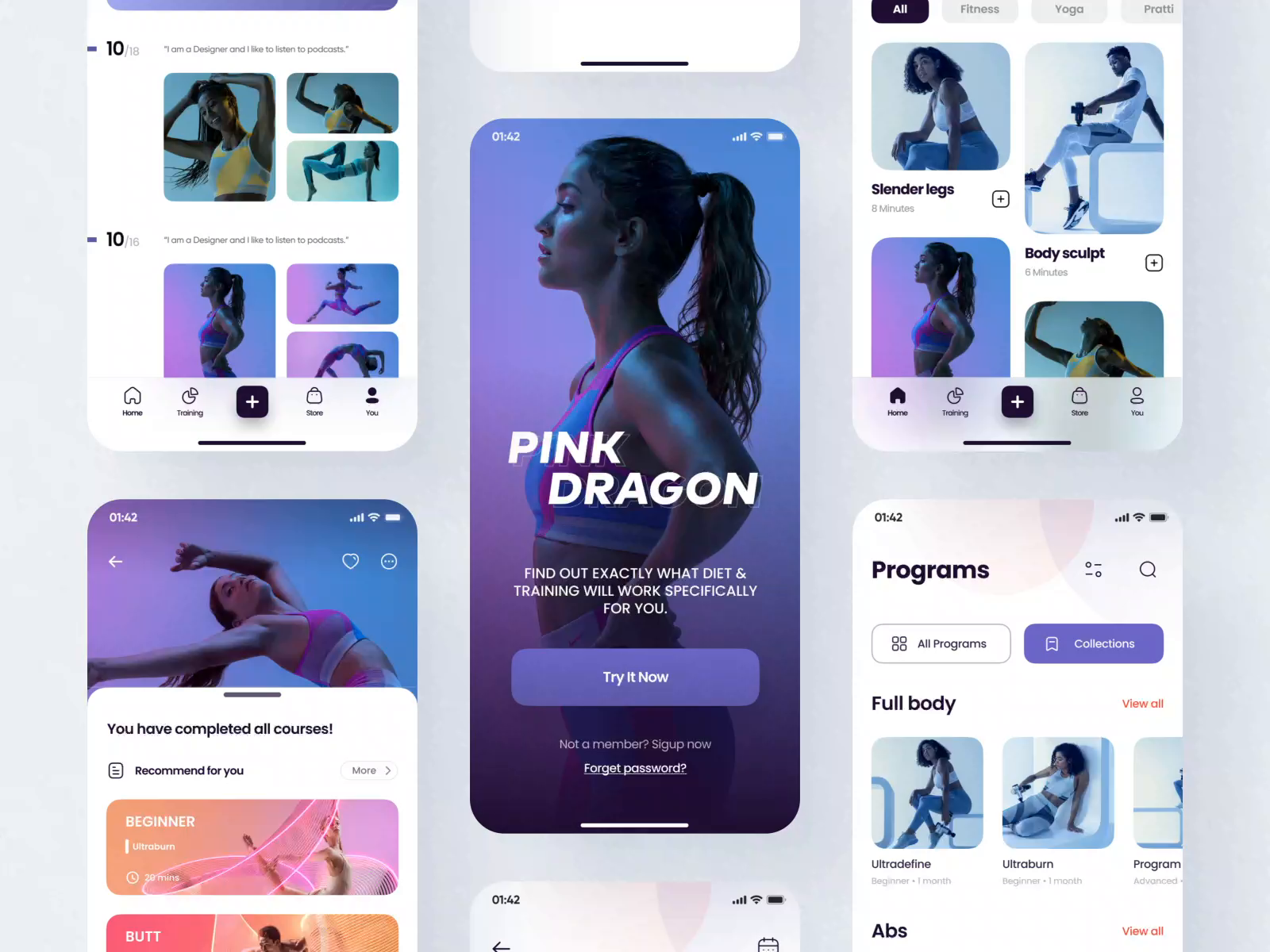
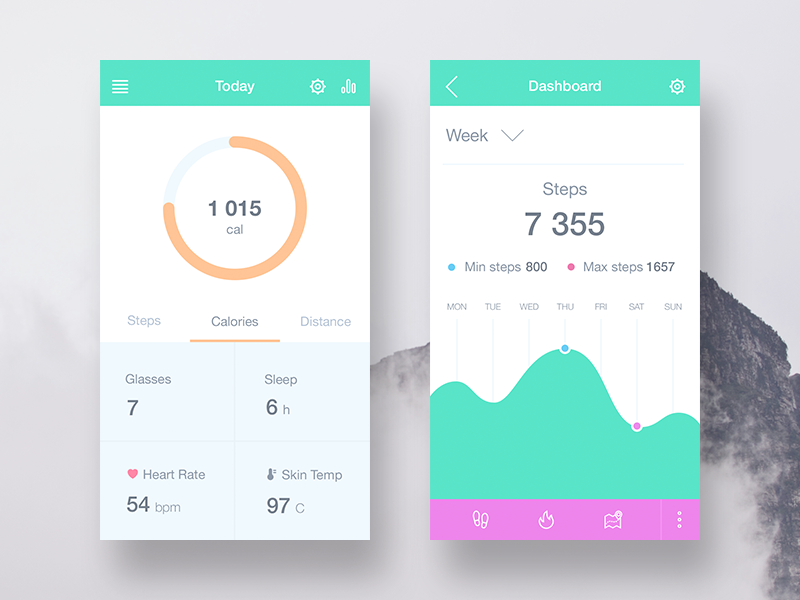
inspo-1

What we like: Simple, but clean and easy to implement our ideas; Color scheme; Graph for each element we're measuring

What we don't like: The design is very simple and overall the design looks flat

Link: https://medium.com/inspiration-supply/health-fitness-in-ui-design-6dc8bfe4ae6a

inspo-2

What we like: Sleak and asthetically appealing; Interesting color schemes and gradients; We want this vibe!

What we don't like: Because these are photos of people, it may be hard to implement for this specific project; The functionality also doesn't match our goals

Link: https://dribbble.com/shots/14775497-Pink-Dragon-App-Design-Part-3

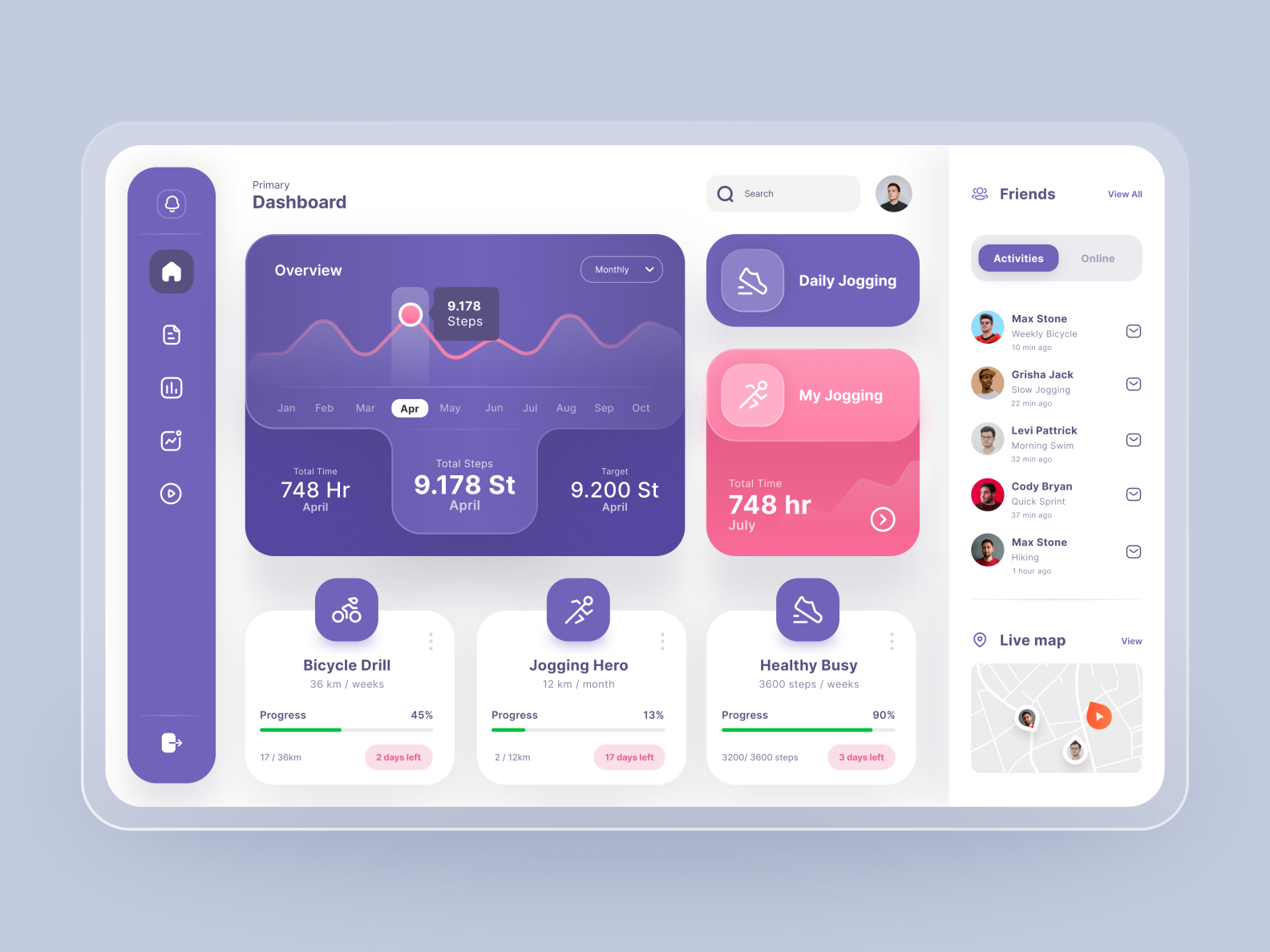
inspo-3

What we like: Overall desktop layout; Box shadows (The look of the actual elements); Margins (Solid and blur); Left side nav bar (To use for user data); "Friends" section in the right aside; Icons above each section

What we don't like: Similar to the first one, the design is overly simple; The color scheme is a little cartoon-y/cutesy rather than sleak

Link: https://dribbble.com/shots/14973430-Fitness-Tracker-Dashboard.

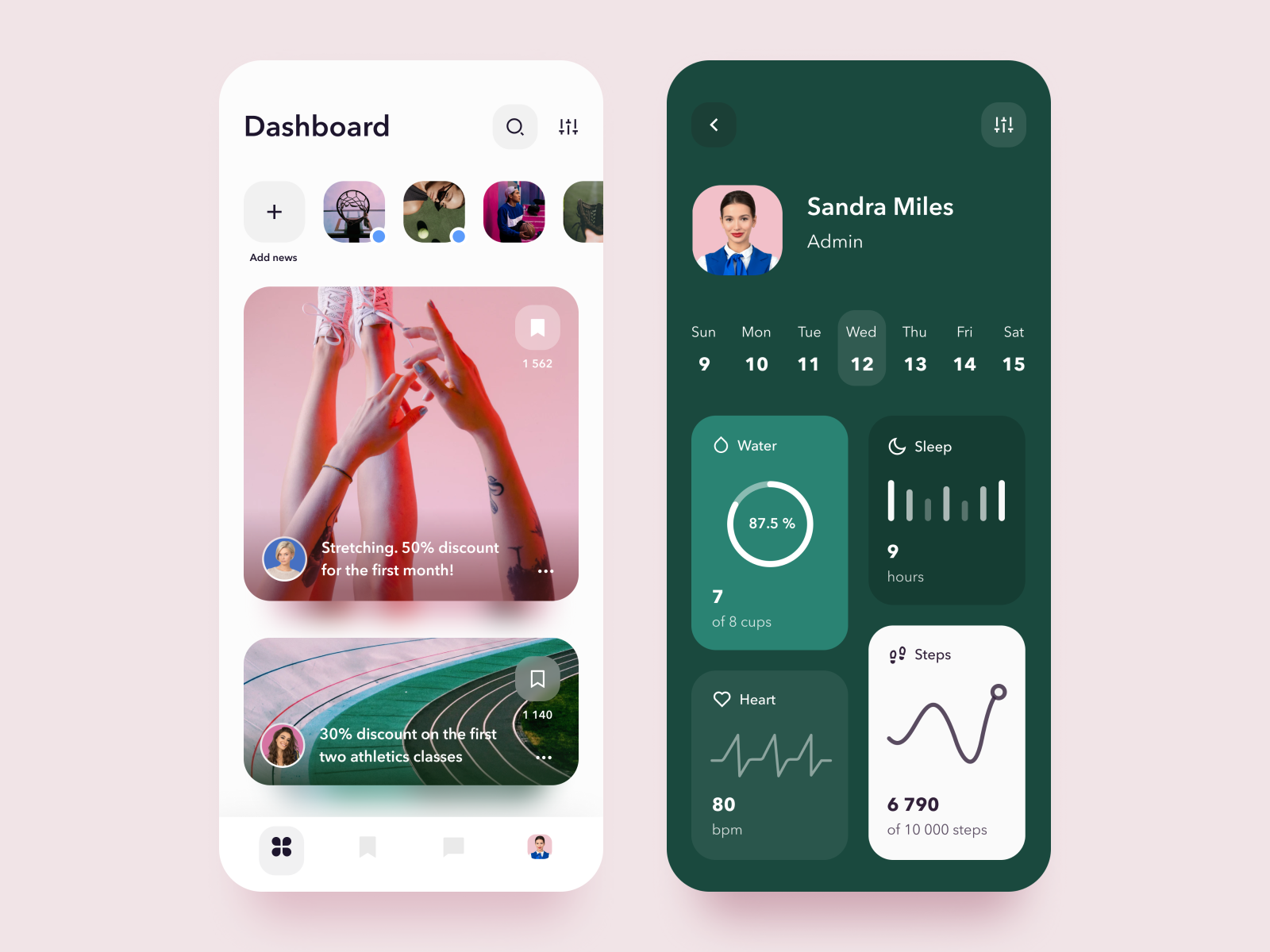
inspo-4

What we like: 7-day calendar displayed with set selected date; Different size elements for each activity displaying info for that date; Simple but pretty (contrasting colors within the same color family)

What we don't like: The dashboard is basically just white - without the photos, the user display wouldn't match; It's a little too plain

Link: https://dribbble.com/shots/14081204-Sport-App

Template for DTR Memo Project: FitLit

Group Member Names:

Ellie Azaveda Jon Schlandt

Goals and Expectations for the Project (What does each group member hope to get out of this project? What do we want to achieve as a team? How will we know that we're successful?):

  • Class to class interaction
  • Responsive design between mobile/desktop
  • More solo work than previous projects

Team strengths & collaboration styles (consider discussing your Pairin qualities here):

  • Team has a preference for a divide and conquer strategy if we can but we will come together and collaborate when we are stuck. We have similiar Pairin results so we should be able to collaborate nicely.

How we can use our strengths to overcome obstacles:

  • Ellie: CSS / Accessibility
  • Jon: Design / HTML/CSS
  • We can use our individual strengths to help each other when we are stuck during our divide and conquer strategy.

Schedule Expectations (When are we available to work together and individually? What constraints do we have? Make sure to discuss the remote questions above in regards to this section):

  • Ellie: Unavailable Tuesdays at 4:10p MST.
  • Jon: Unavailable Thursdays until 5p MST.
  • "Hard" cutoff: 9:30pm
  • We will try (so hard) to remember to set pom timers!!!
  • Weekend: 1pm - 5pm (loose)
  • Designate daily time for JSFun

Communication Expectations (How and often will we communicate? How do we keep lines of communication open? How will we make decisions as a team? How will we communicate about our emotional and mental well-being with each other?):

  • Daily checkin at 4:30pm
  • Direct communication of needs
  • Slack

Abilities & Growth Expectations (Technical strengths and areas for desired improvement):

  • Ellie: CSS / Accessibility (strengths); Class to class interaction (areas of improvement)
  • Jon: Design / HTML/CSS (strengths); Responsive design (areas of improvement)

Workload Expectations (What features do we each want to work on?):

  • TBD

Workflow Expectations (Git workflow/Tools/Code Review/Reviewing Pull Requests/Debugging and Problem-solving Techniques):

  • Balance merges, pulls, commits, lines

Pomodoro Break Schedule:

  • HELL YES. 30min/5min (plus long breaks after 3-ish poms)

Expectations for giving and receiving feedback:

  • Direct, open communication and being generally nice :)

Project management tools we will use (GitHub projects or Trello are popular tools):

  • Trello (Ellie will make)

Day 1 Agenda:

  • Finish most deliverables Saturday (if things take a little lnger -> Finish Sunday)

Additional Notes:

  • Goal 1: Accessibility
  • Goal 2: Workflow => 4!!
  • Goal 3: 3 in other sections
  • Super Goal: User Interface => 4!
  • Super Goal: 1 extension!!

Fit Real

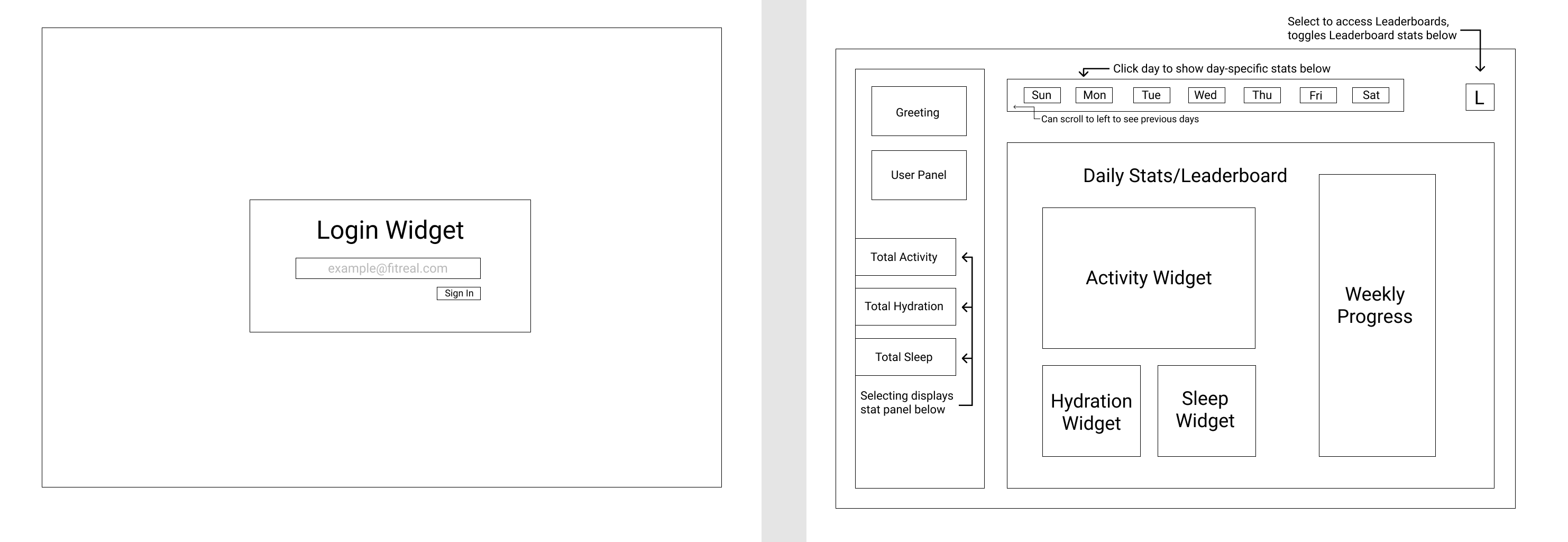
Desktop View

desktop_wireframes

  • A user can type their password in the input box, then click "sign in" to get to the main page

  • The leaderboard button in the top right corner will toggle the innerText in the widgets from "daily stats" to "leaderboard stats" without changing the layout

Mobile View

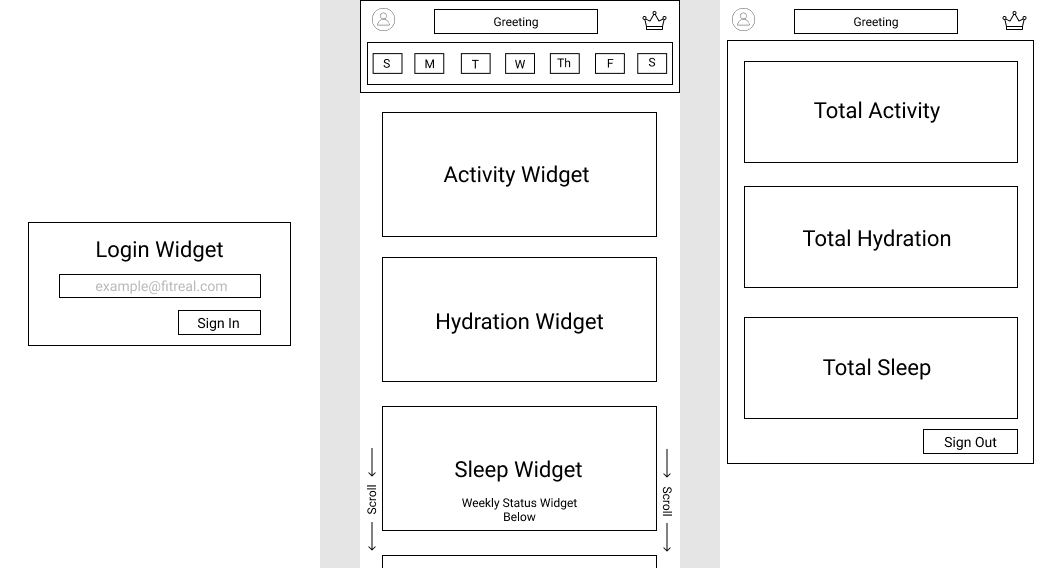
mobile_wireframes

  • A user will start on the login page with the same functionality as the desktop

  • The leaderboard button is now a crown icon, but also has the same functionality as the desktop view

  • The avatar icon in the top left corner will be a button that will open a drop-down when clicked with the users averages (the same info that's in the left aside in the desktop) [shown in the third image: total stats]

  • The main page has the current week in the nav bar. The default will be the current day and a user can click on other days to show "daily stats" in the widgets below, users can scroll down the page to see more widgets. Users can also scroll the dates to see previous weeks and.

Sign up for free to join this conversation on GitHub. Already have an account? Sign in to comment