Skip to content

Instantly share code, notes, and snippets.

@AndreSchwarzer
Last active January 29, 2023 20:37
Show Gist options
  • Select an option

  • Save AndreSchwarzer/2130ae071ba4d4a47fbae6920d73e158 to your computer and use it in GitHub Desktop.

Select an option

Save AndreSchwarzer/2130ae071ba4d4a47fbae6920d73e158 to your computer and use it in GitHub Desktop.
Login with Google
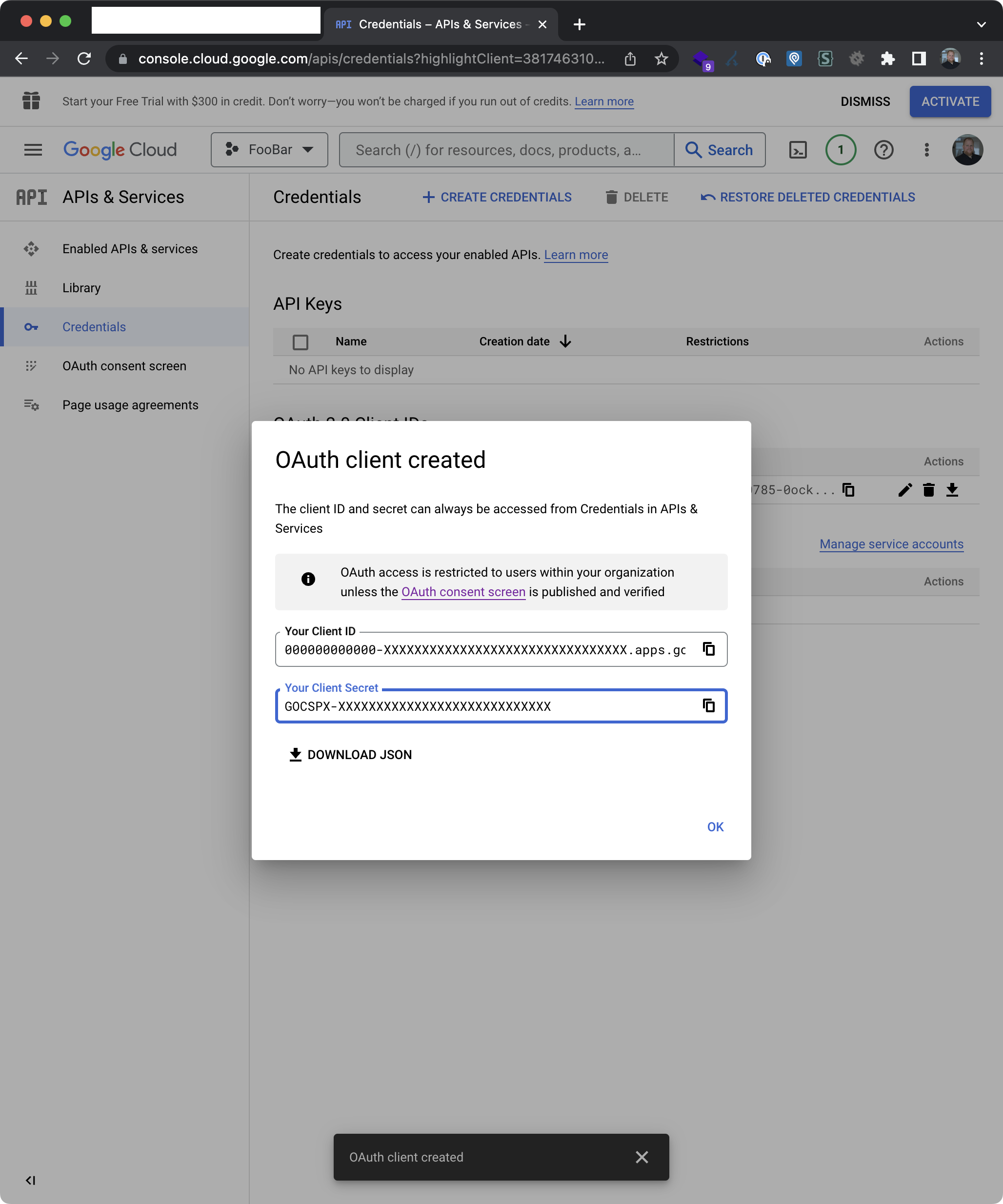
GOOGLE_CLIENT_ID="YOUR-CLIENT-ID"
GOOGLE_CLIENT_SECRET="YOUR-CLIENT-SECRET"

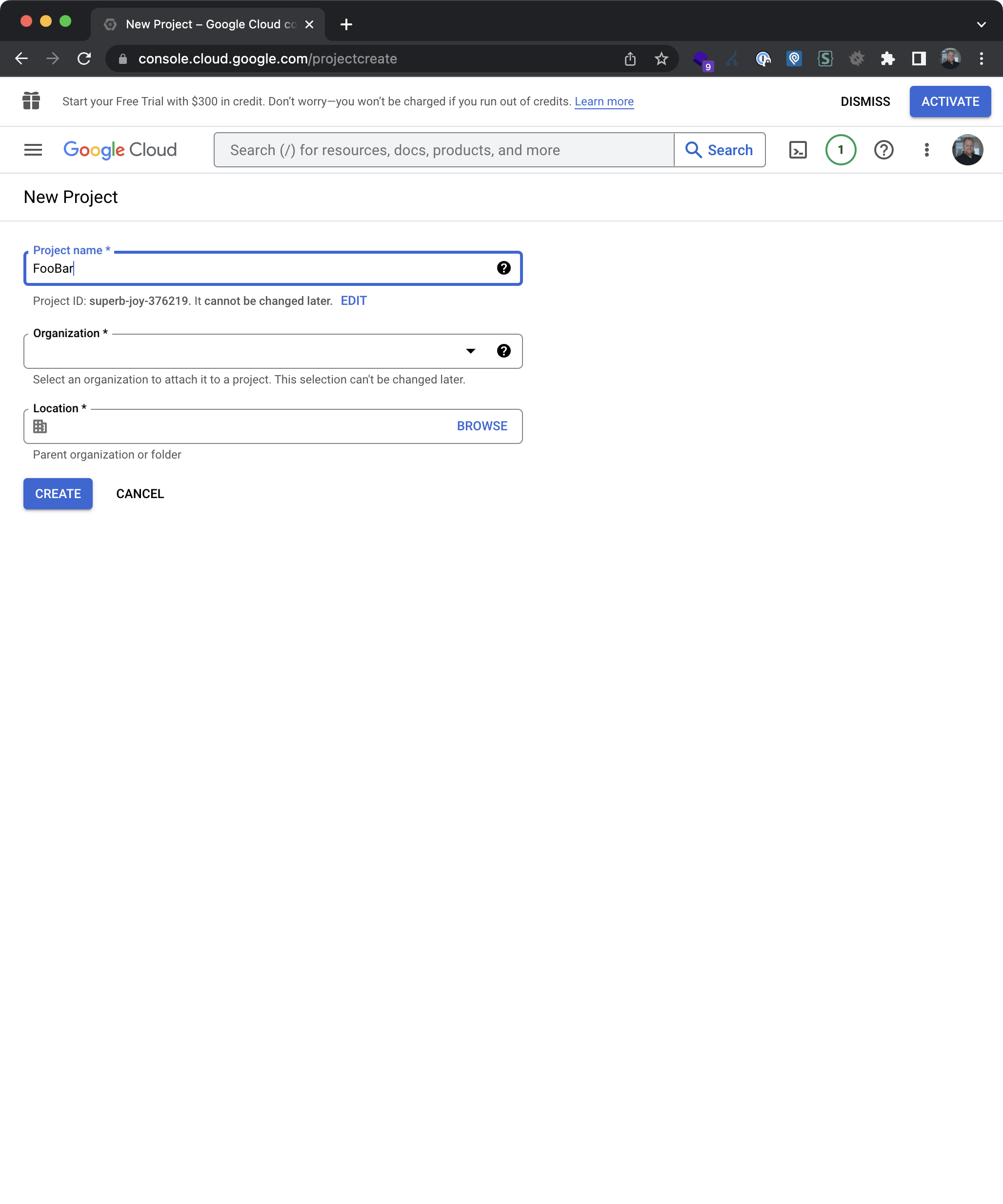
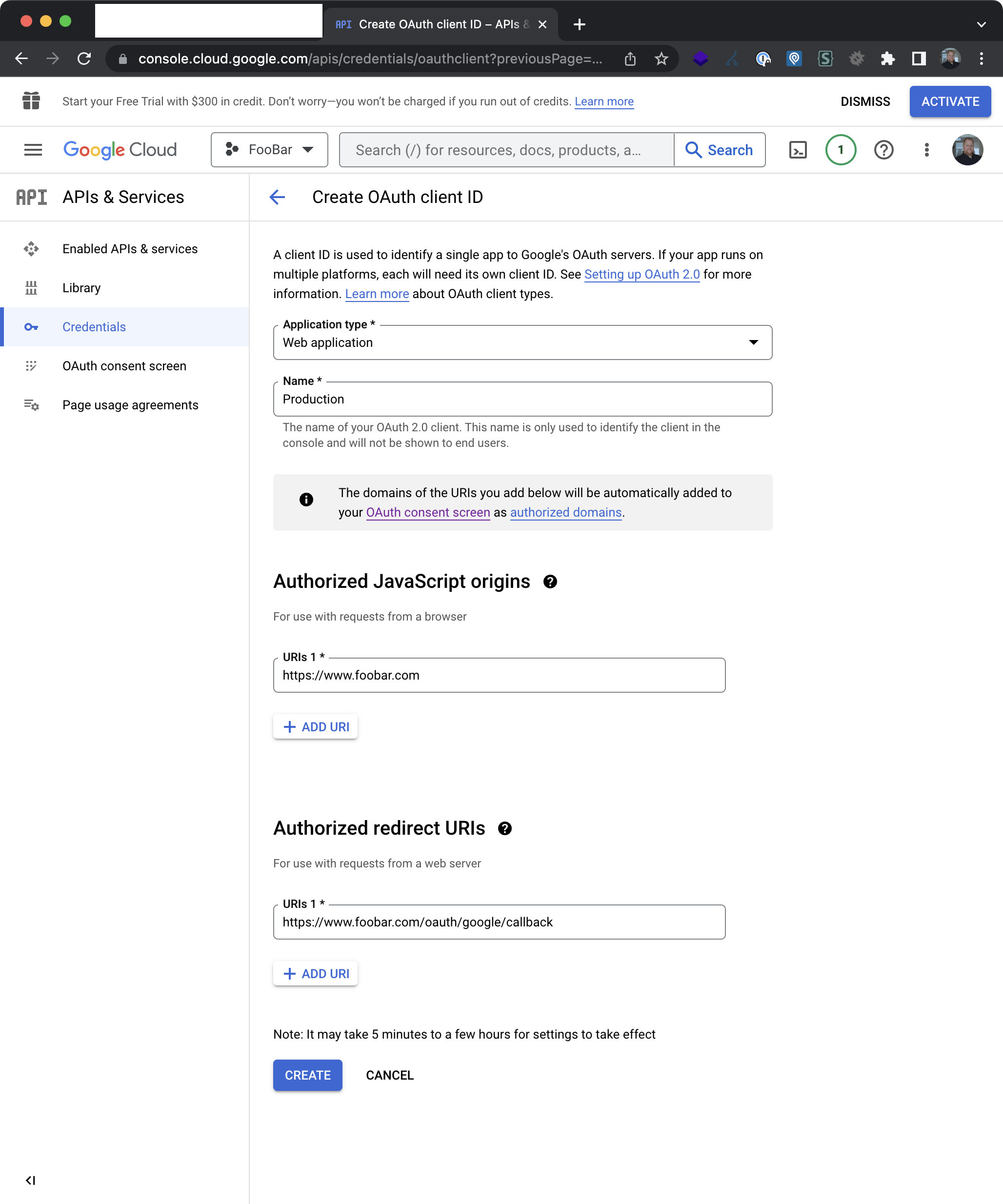
Start at: https://console.cloud.google.com/projectcreate

Follow these steps

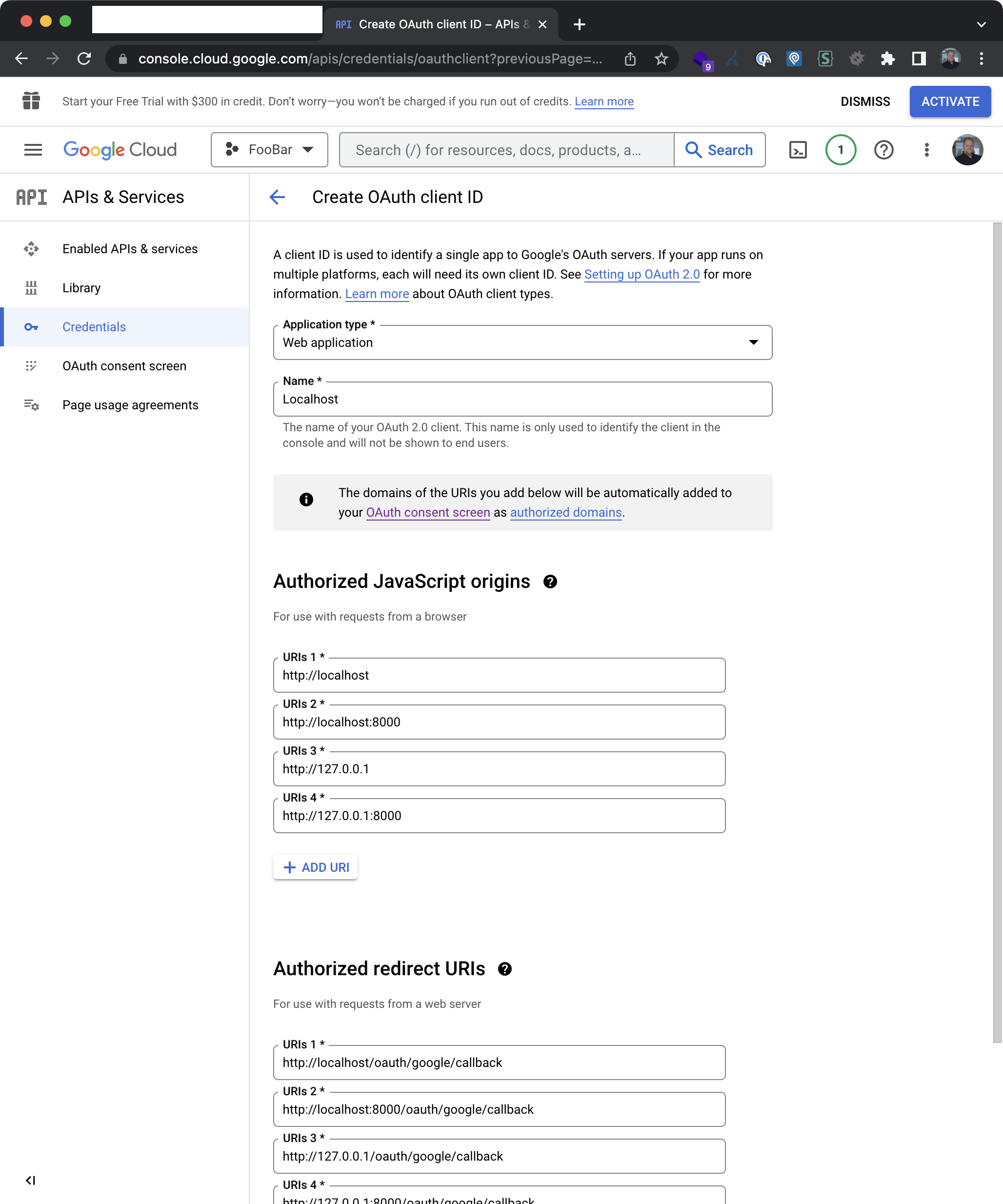
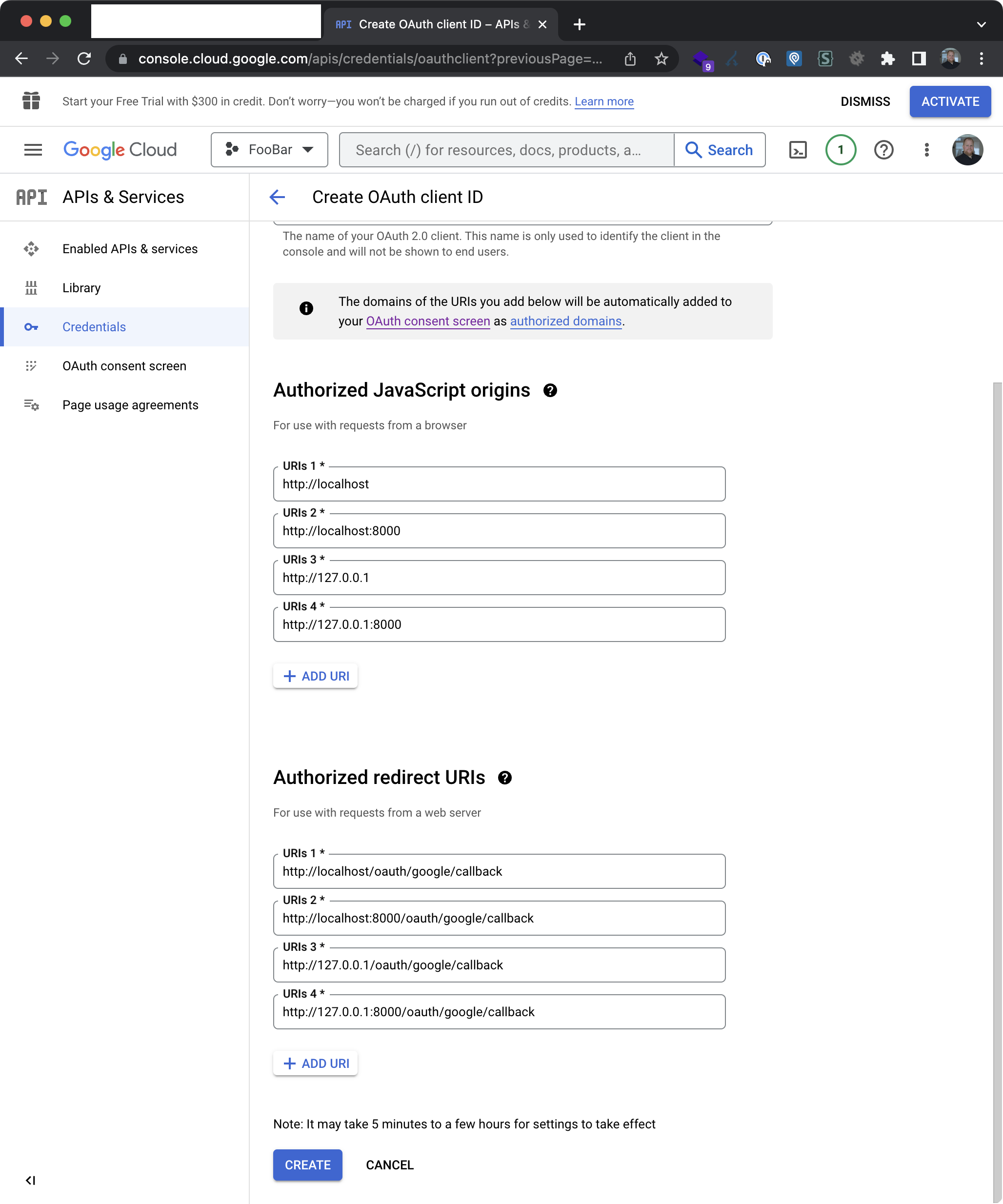
Warning This example uses foobar.com as an example domain. This needs to be the domain name assosicated with your G Suite account.

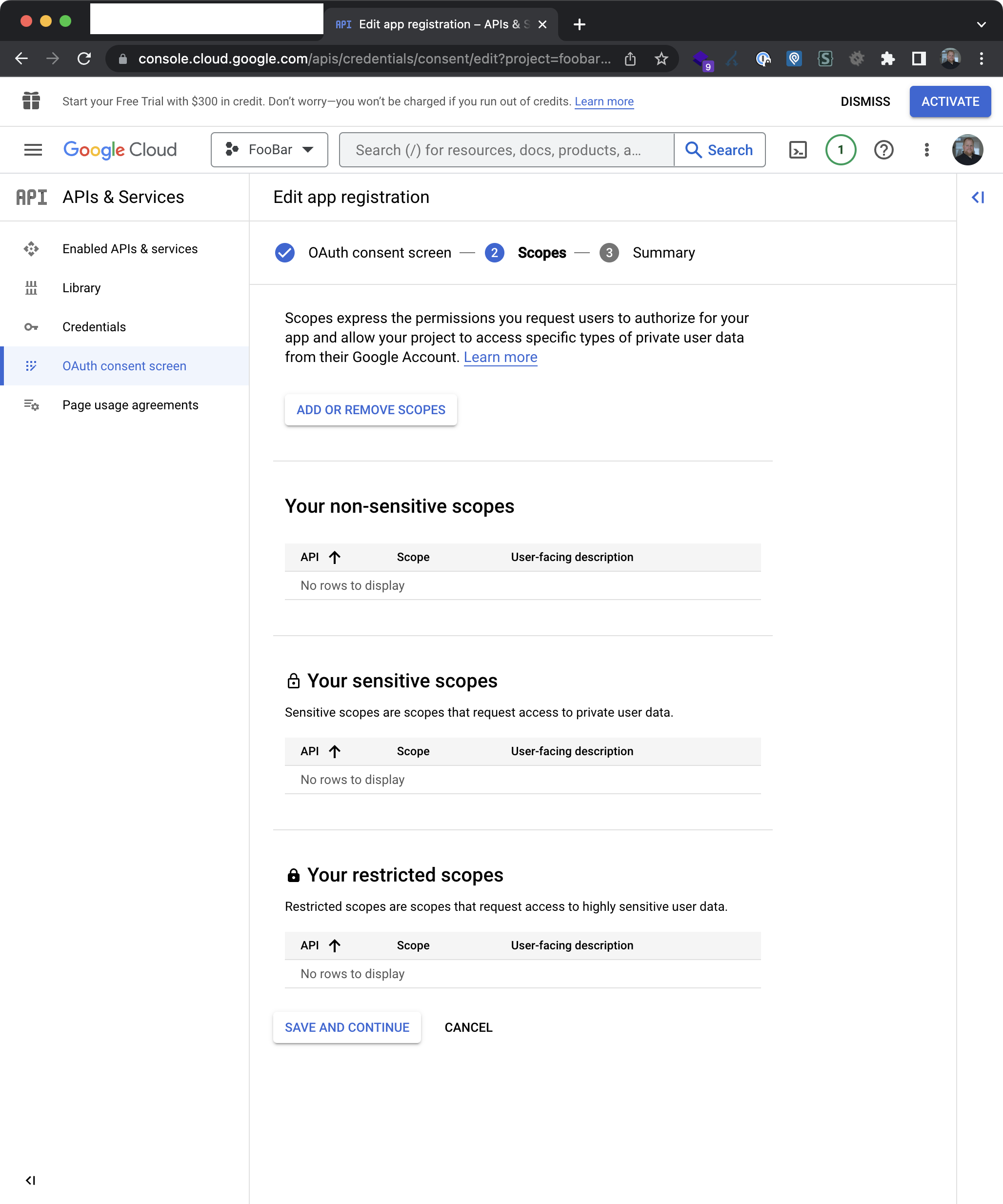
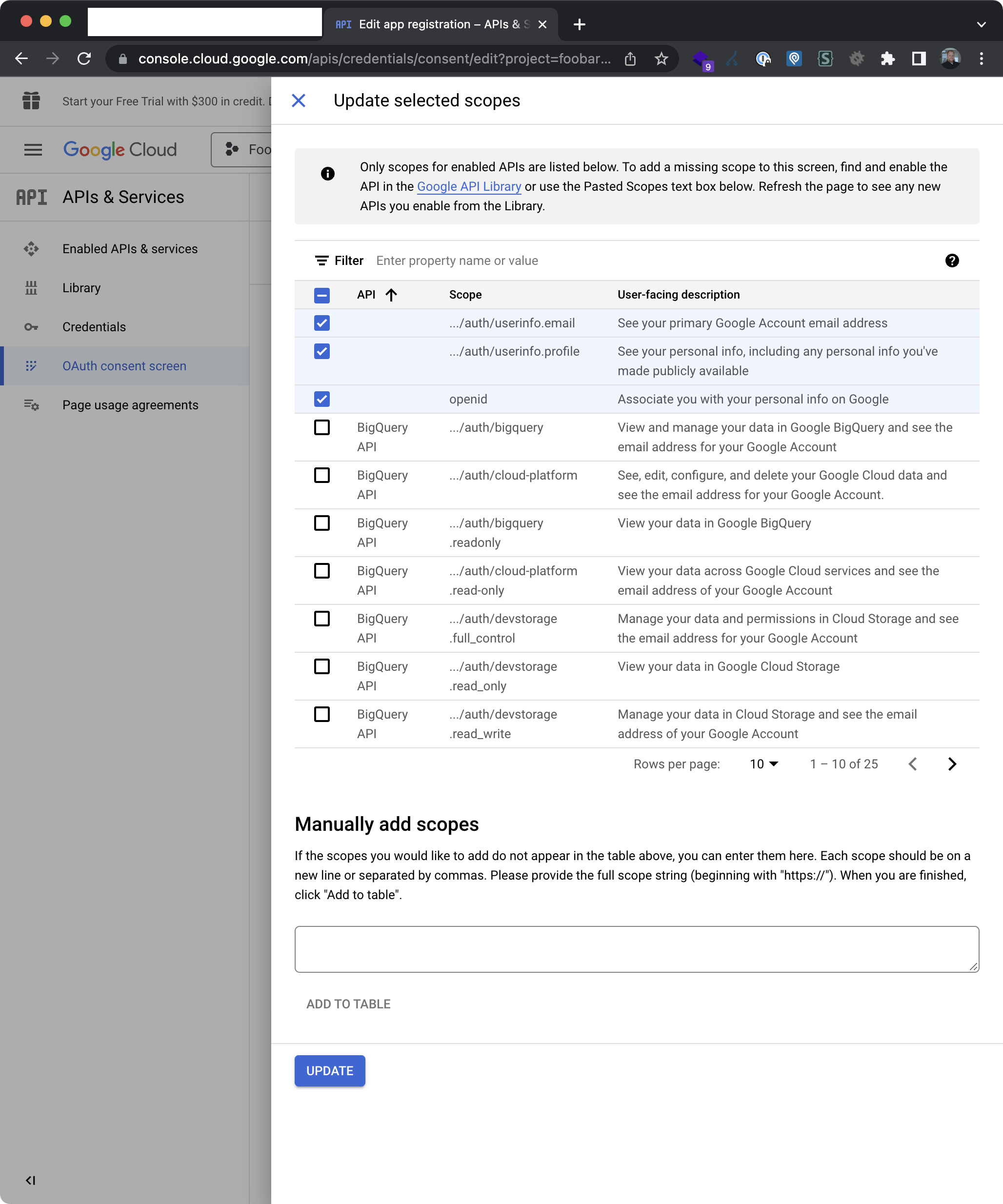
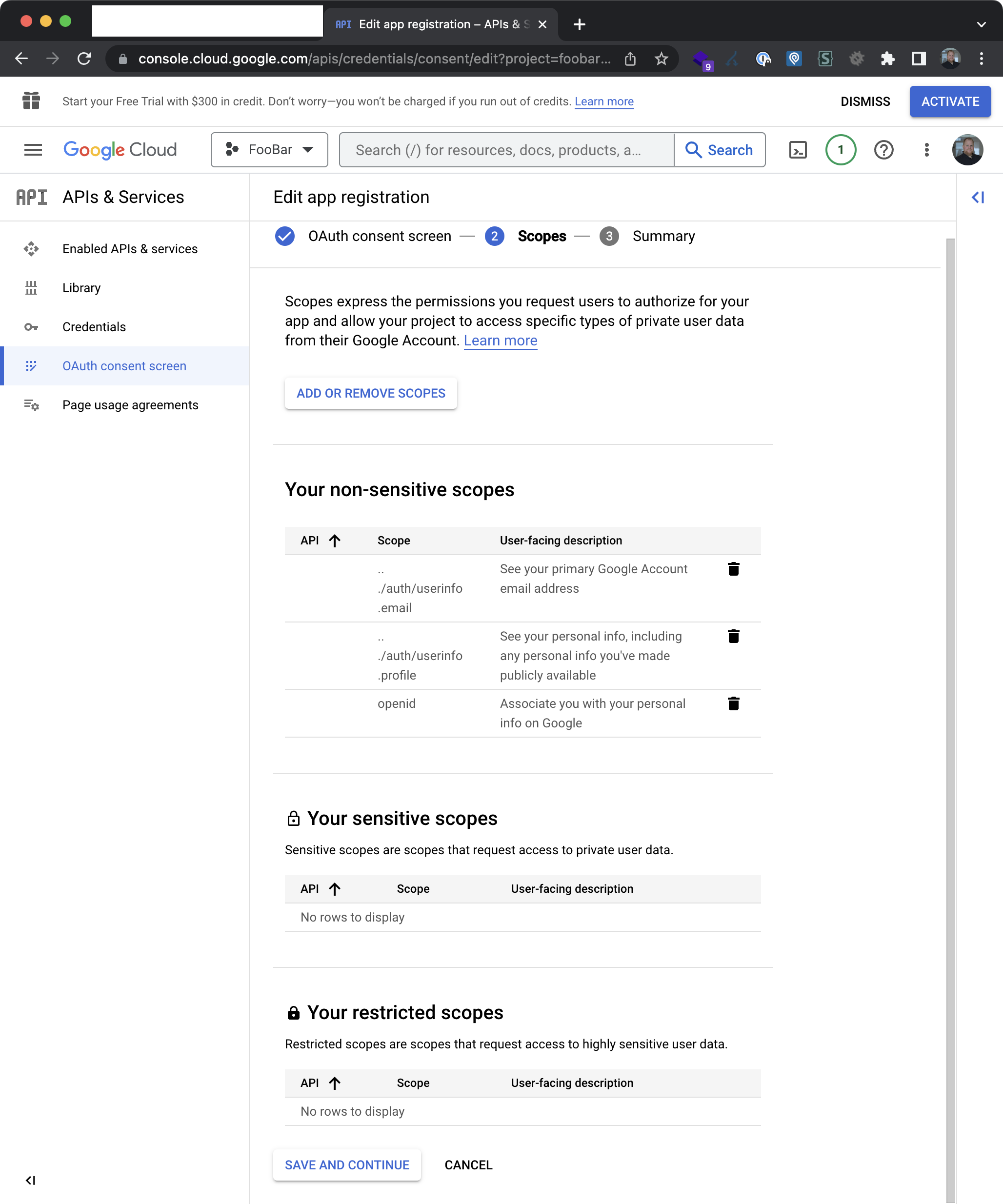
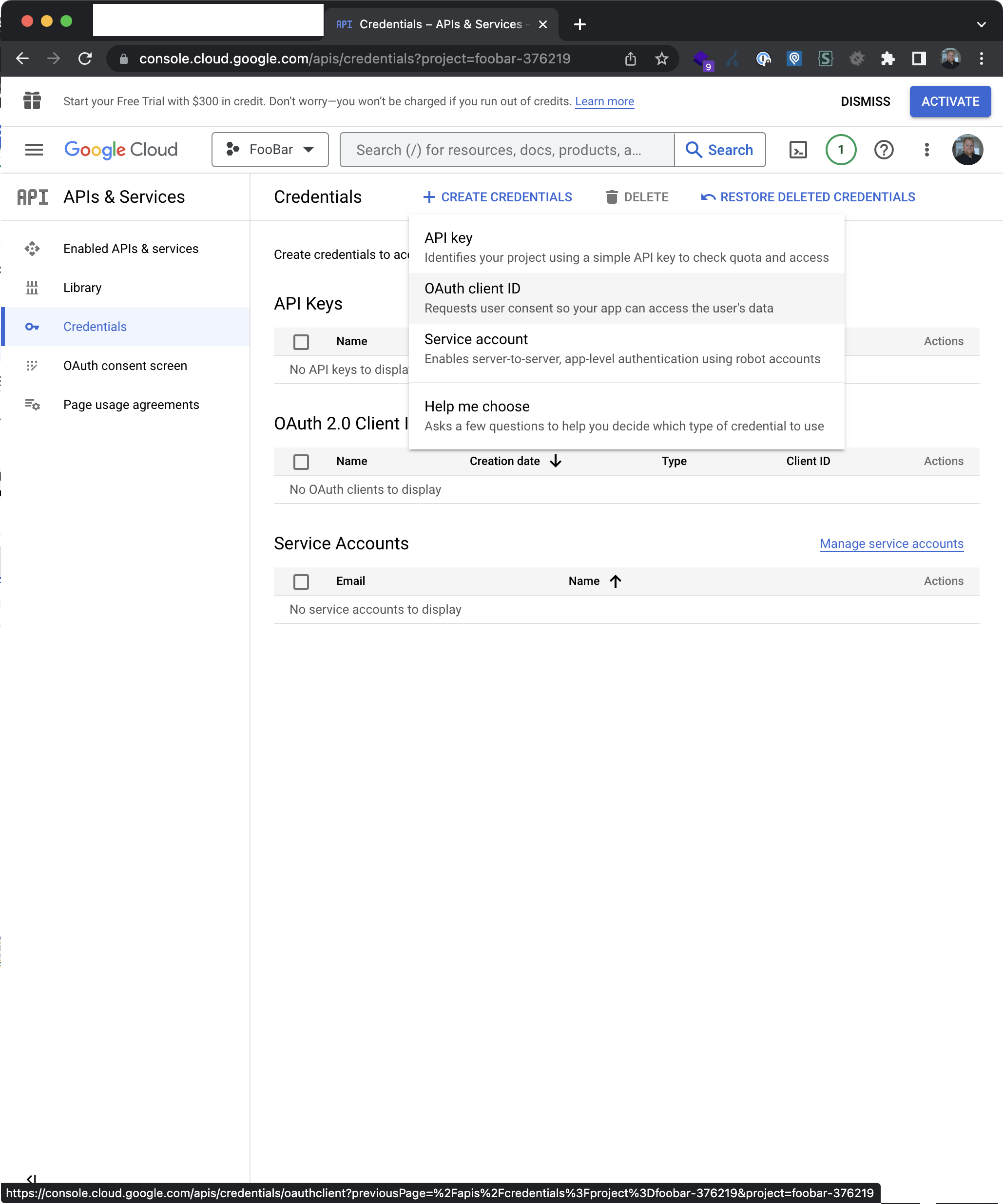
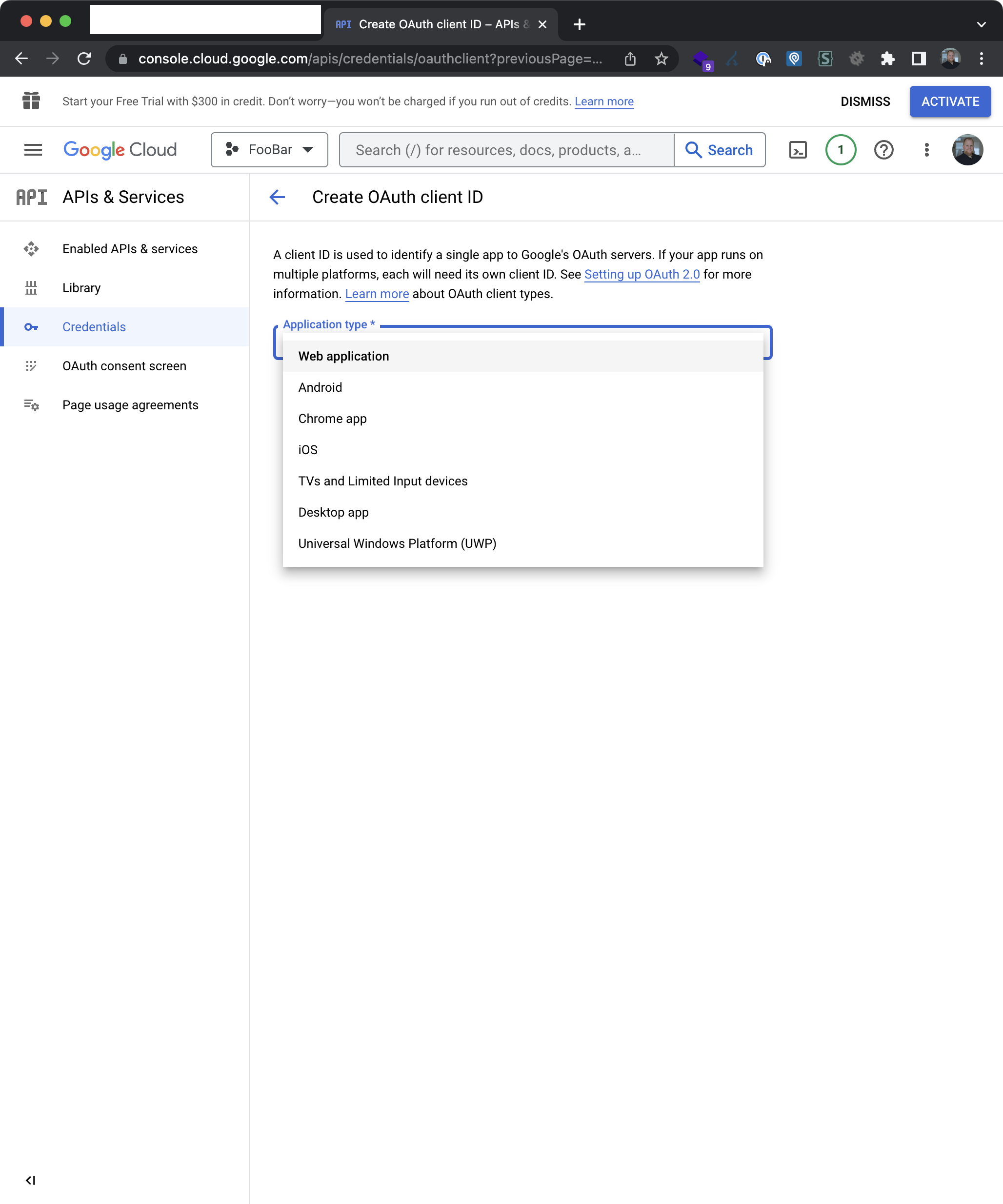
Step 1

step-1

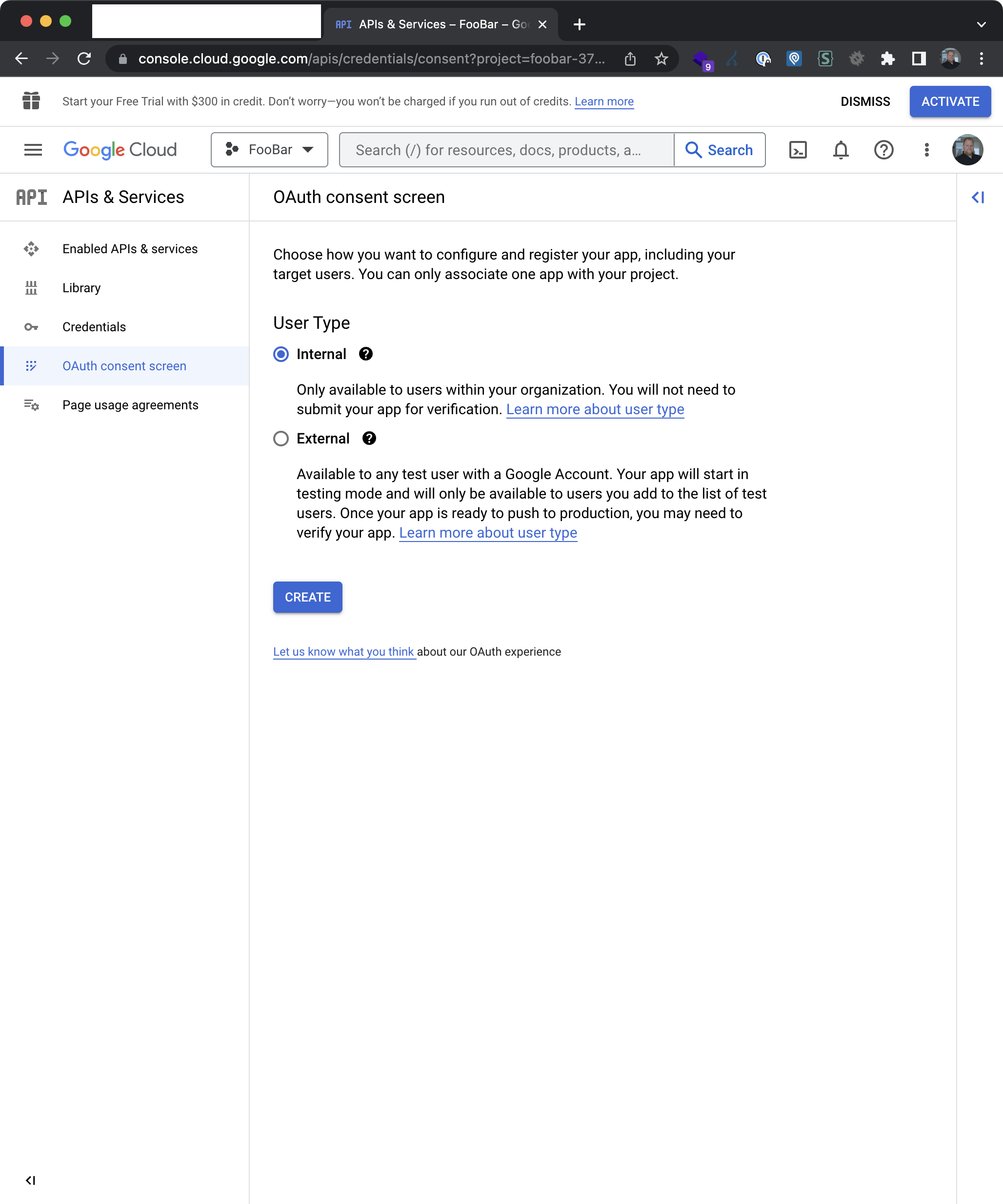
Step 2

step-2

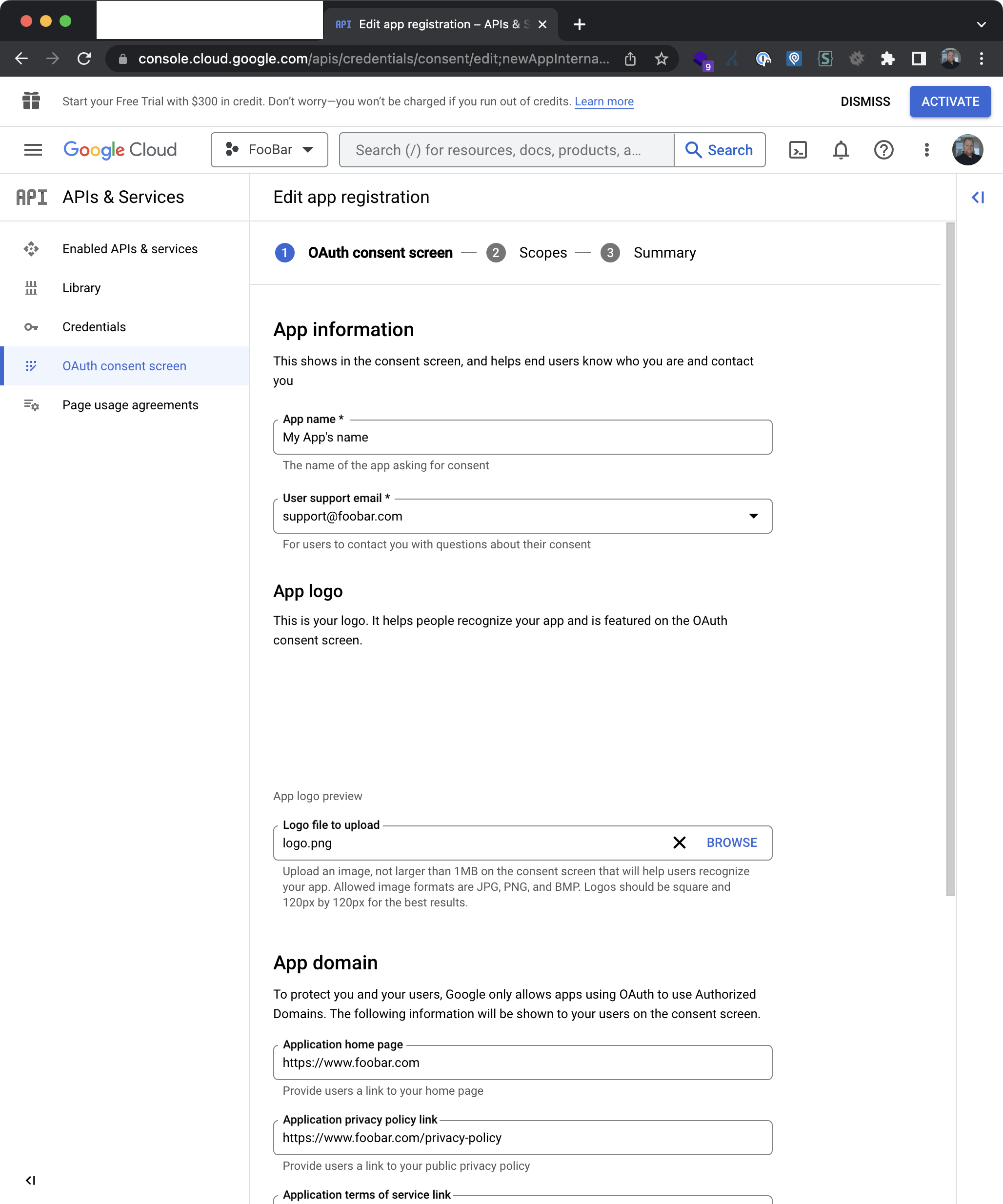
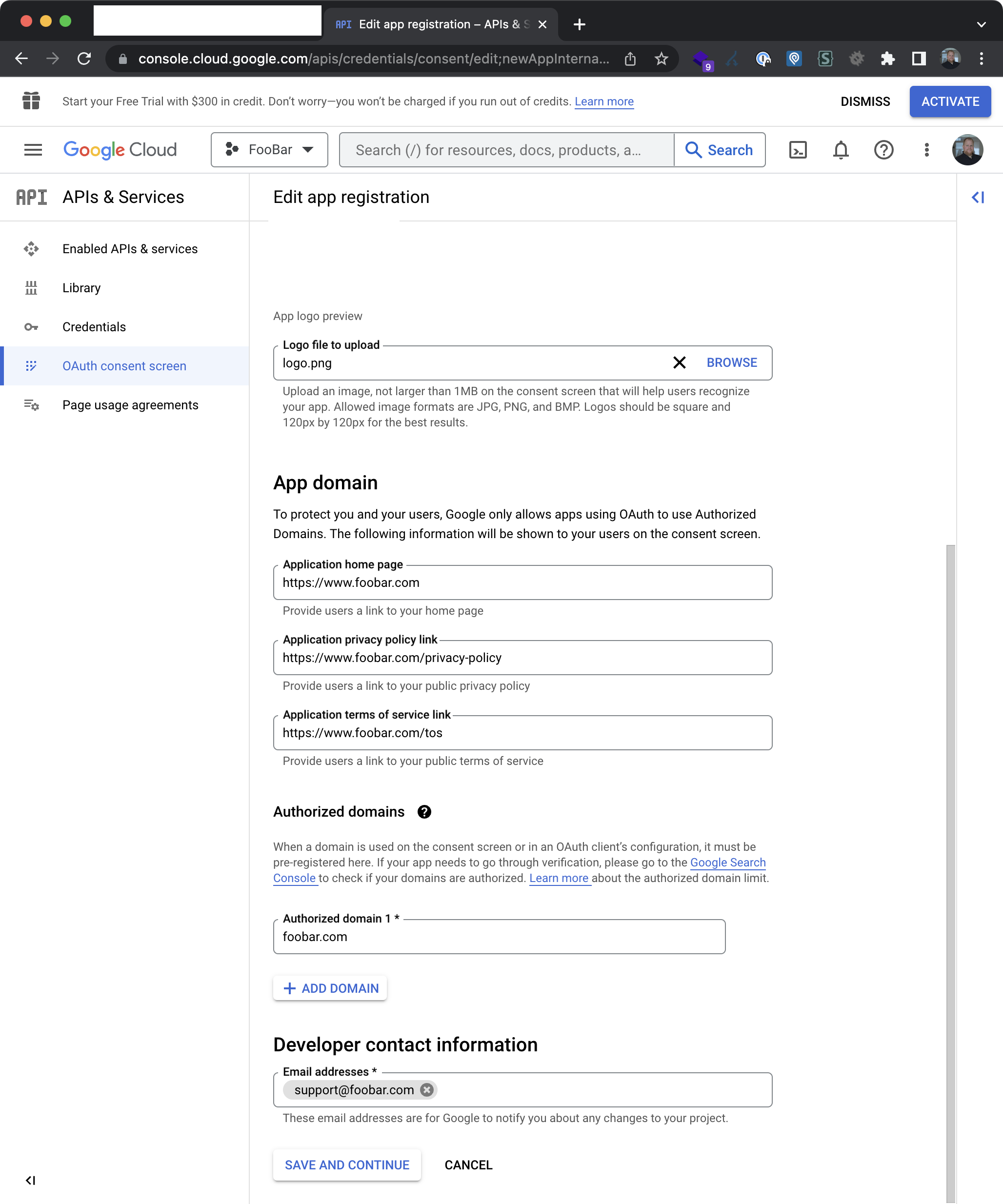
Step 3

step-3 1

step-3 2

Step 4

step-4

Step 5

step-5

Step 6

step-6

Step 7

step-7

Step 8

step-8 1

step-8 2

step-8 3

Step 9

step-9

Step 10

step-10

{{-- after the login form or wherever you want to want to display the button --}}
@if(!empty(config('services.google.client_id')))
<div class="mt-6">
<div class="relative">
<div class="absolute inset-0 flex items-center">
<div class="w-full border-t border-gray-300"></div>
</div>
<div class="relative flex justify-center text-sm">
<span class="bg-white px-2 text-gray-500">@lang('or')</span>
</div>
</div>
<div class="mt-6">
<div>
<a href="{{ route('login.google') }}"
class="inline-flex w-full justify-center rounded-md border border-gray-300 bg-white py-2 px-4 text-sm font-medium text-gray-500 shadow-sm hover:bg-gray-50 focus:outline-none focus:ring-2 focus:bg-blue-100 focus:ring-blue-500 focus:ring-offset-2">
<svg xmlns="http://www.w3.org/2000/svg" height="24" width="24" viewBox="0 0 24 24" class="h-5 w-5">
<path d="M22.56 12.25c0-.78-.07-1.53-.2-2.25H12v4.26h5.92c-.26 1.37-1.04 2.53-2.21 3.31v2.77h3.57c2.08-1.92 3.28-4.74 3.28-8.09z" fill="#4285F4"/>
<path d="M12 23c2.97 0 5.46-.98 7.28-2.66l-3.57-2.77c-.98.66-2.23 1.06-3.71 1.06-2.86 0-5.29-1.93-6.16-4.53H2.18v2.84C3.99 20.53 7.7 23 12 23z" fill="#34A853"/>
<path d="M5.84 14.09c-.22-.66-.35-1.36-.35-2.09s.13-1.43.35-2.09V7.07H2.18C1.43 8.55 1 10.22 1 12s.43 3.45 1.18 4.93l2.85-2.22.81-.62z" fill="#FBBC05"/>
<path d="M12 5.38c1.62 0 3.06.56 4.21 1.64l3.15-3.15C17.45 2.09 14.97 1 12 1 7.7 1 3.99 3.47 2.18 7.07l3.66 2.84c.87-2.6 3.3-4.53 6.16-4.53z" fill="#EA4335"/>
<path d="M1 1h22v22H1z" fill="none"/>
</svg>
<span class="ml-2">@lang('Login with Google')</span>
</a>
</div>
</div>
</div>
@endif
<?php
// config/services.php
return [
/*
|--------------------------------------------------------------------------
| Third Party Services
|--------------------------------------------------------------------------
|
| This file is for storing the credentials for third party services such
| as Mailgun, Postmark, AWS and more. This file provides the de facto
| location for this type of information, allowing packages to have
| a conventional file to locate the various service credentials.
|
*/
'google' => [
'client_id' => env('GOOGLE_CLIENT_ID'),
'client_secret' => env('GOOGLE_CLIENT_SECRET'),
'redirect' => '/oauth/google/callback', // <-- or the route you specify in routes/web.php
],
];
<?php
// App/Http/Controllers/SocialLoginController.php
namespace App\Http\Controllers;
use App\Models\User;
use Carbon\CarbonImmutable;
use Illuminate\Contracts\Auth\StatefulGuard;
use Illuminate\Http\RedirectResponse as LaravelRedirectResponse;
use Illuminate\Support\Facades\Auth;
use Illuminate\Support\Str;
use Laravel\Nova\Nova;
use Laravel\Socialite\Facades\Socialite;
use Laravel\Socialite\Two\InvalidStateException;
use Symfony\Component\HttpFoundation\RedirectResponse as SymfonyRedirectResponse;
class SocialLoginController extends Controller
{
public string $domain = 'YOUR-GSUIT-DOMAIN.com'; // <-- foobar.com in the credentials.md example
public function redirectToGoogle(): SymfonyRedirectResponse|LaravelRedirectResponse
{
/* @phpstan-ignore-next-line */
return Socialite::driver('google')->with(['hd' => $this->domain])->redirect();
}
public function processGoogleCallback(): LaravelRedirectResponse
{
try {
/* @phpstan-ignore-next-line */
$socialUser = Socialite::driver('google')->user();
} catch (InvalidStateException $exception) {
return redirect()->route('nova.login')
->withErrors([
'oauth2' => [
__('Login with Google failed. Please try again.'),
],
]);
}
// Very Important! Stops anyone with a random google account
if (! Str::endsWith($socialUser->getEmail(), $this->domain)) {
return redirect()->route('nova.login')
->withErrors([
'oauth2' => [
__('Only :domain accounts can login.', ['domain' => $this->domain]),
],
]);
}
$user = User::firstOrCreate(
[
'email' => $socialUser->getEmail()
],
[
'name' => $socialUser->getName(),
'password' => 'only-social-login_google_'.Str::random(10), // <-- Hash:make(Str::random)) could be guessed, this is not a valid hash for the "password to hash" compare method of the LoginController
]
);
if ($user->wasRecentlyCreated) {
$user->email_verified_at = CarbonImmutable::now('UTC');
$user->save();
}
$this->guard()->login($user, remember: true);
return redirect()->intended(Nova::path()); // <-- or any other path where the user should be redirected to after login
}
/**
* Get the guard to be used during authentication.
*/
protected function guard(): StatefulGuard
{
$guard = is_string(config('nova.guard')) ? config('nova.guard') : 'web'; // <-- just use 'web' if you don't use nova
return Auth::guard($guard);
}
}
<?php
// routes/web.php
/*
|--------------------------------------------------------------------------
| Web Routes
|--------------------------------------------------------------------------
|
| Here is where you can register web routes for your application. These
| routes are loaded by the RouteServiceProvider within a group which
| contains the "web" middleware group. Now create something great!
|
*/
// ...
Route::get('login/google', [\App\Http\Controllers\SocialLoginController::class, 'redirectToGoogle'])->name('login.google');
Route::get('oauth/google/callback', [\App\Http\Controllers\SocialLoginController::class, 'processGoogleCallback'])->name('oauth.google.callback');
Sign up for free to join this conversation on GitHub. Already have an account? Sign in to comment